



Custom WP Store Locator
Create and manage multiple locations on Map. you can use a search widget, store locator map, category filter, and near location finder features.

Solid choice
Custom WP Store Locator is a solid plugin choice in 2026, with a few things worth checking first. It runs on 300+ sites, is rated 4.6/5 and was last updated 2 months ago, and scores 74/100 on our health check.
- Small user base (300+ active installs)
Daily downloads
Download spikes usually follow a new release — each site that auto-updates counts as a download.
Rankings
Where Custom WP Store Locator stands todayWordPress.org search rankings
Live position in the plugin search, top 100| Keyword | Position |
|---|---|
| locator plugin | #5 |
| map | >100 |
| store finder | #3 |
| Store locator | #4 |
| store map | #7 |
Version adoption
Share of active sites per release.
Rating breakdown
★★★★★★★★★★ 4.6 from 14 reviews
About Custom WP Store Locator
From the official readme · v2.0.2Description
Custom WP Store Locator is useful plugin to manage multiple locations in map.
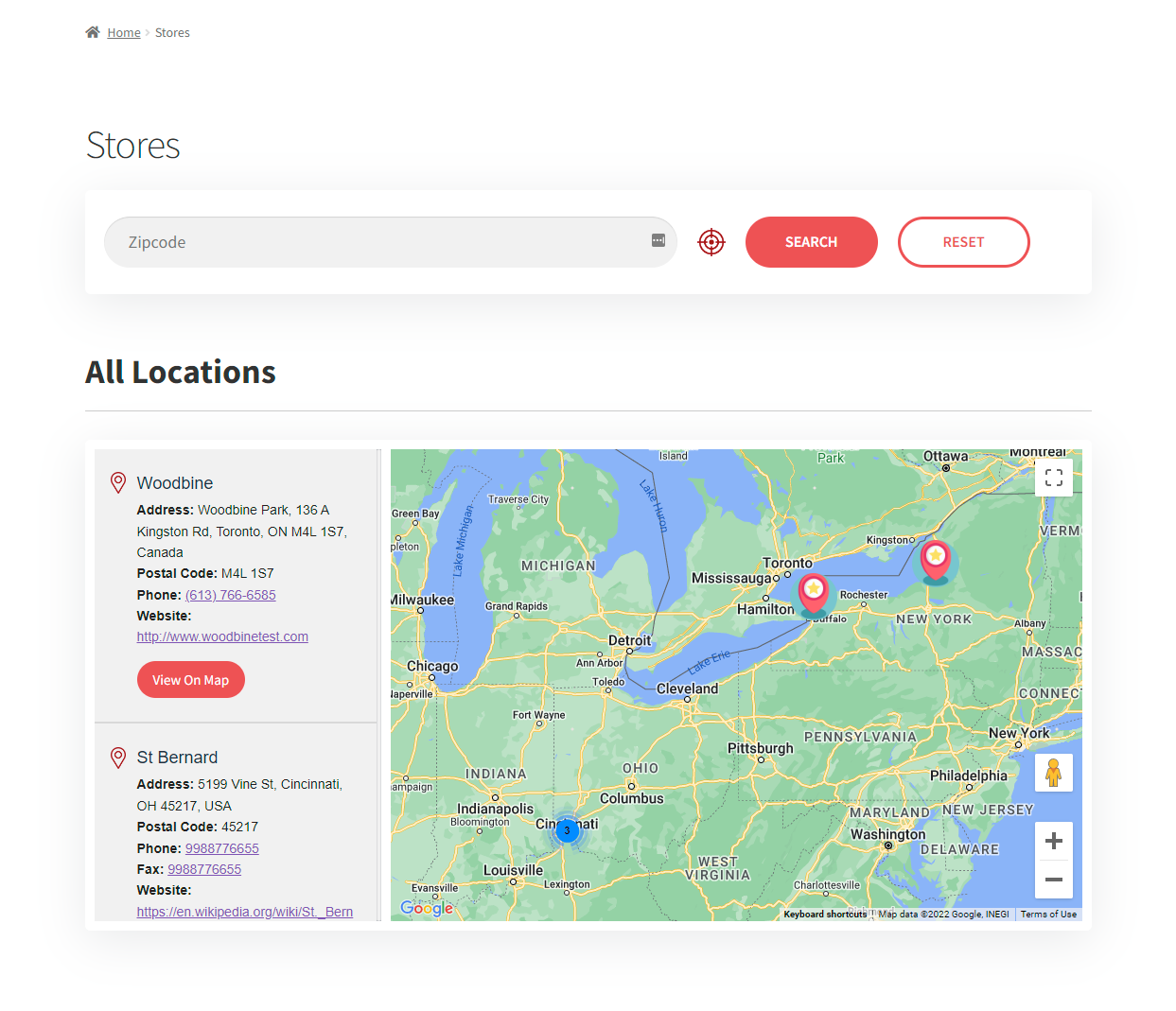
Custom WP Store Locator plugin allow to use zipcode search widget, option to enable category filter and near location finder functionality.
Whether you’re managing multiple retail locations, offices, or any other type of physical presence, this plugin provides a comprehensive set of features to help your customers find you quickly and conveniently.
Core plugin Features
- Category filter : Allow your users to filter store locations by category, making it effortless for them to find exactly what they’re looking for.
- Zip Code search widget to use anywhere on website : A handy Zip Code search widget can be placed anywhere on your website, allowing users to quickly locate nearby stores using their Zip Code.
- Show map of specific Category locations only : Display maps that show only specific categories of store locations, ensuring a tailored experience for your visitors.
- Find nearest locations by zipcode : Customers can easily find the nearest store locations by entering their Zip Code, making their shopping or visit planning more convenient.
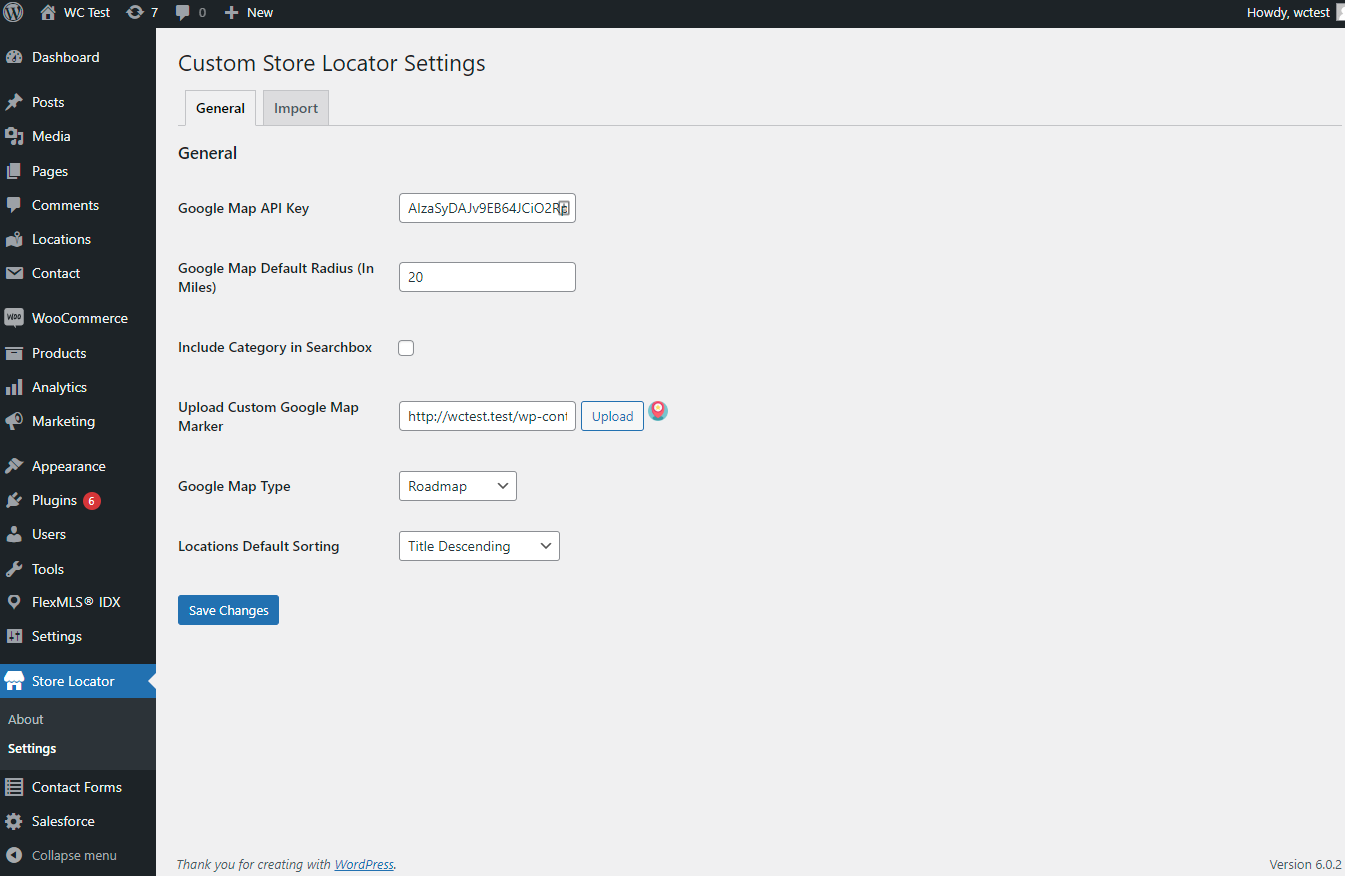
- Allow to use custom marker icon from backend : Customize the marker icons for your store locations right from the WordPress backend, so your maps can match your brand’s style.
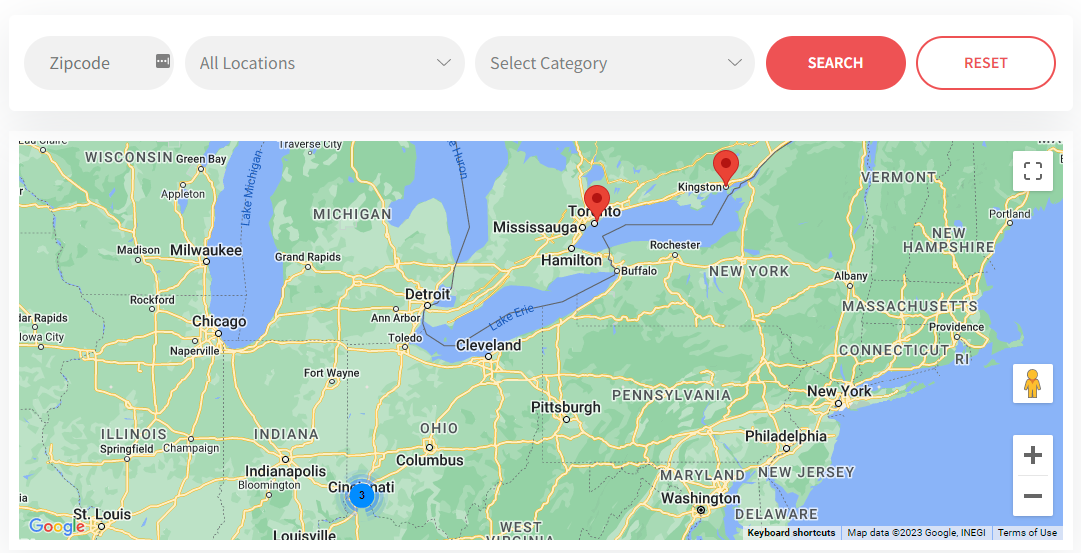
- Cluster marker feature for store map : For stores in close proximity, the plugin offers cluster marker functionality, maintaining map clarity and usability.
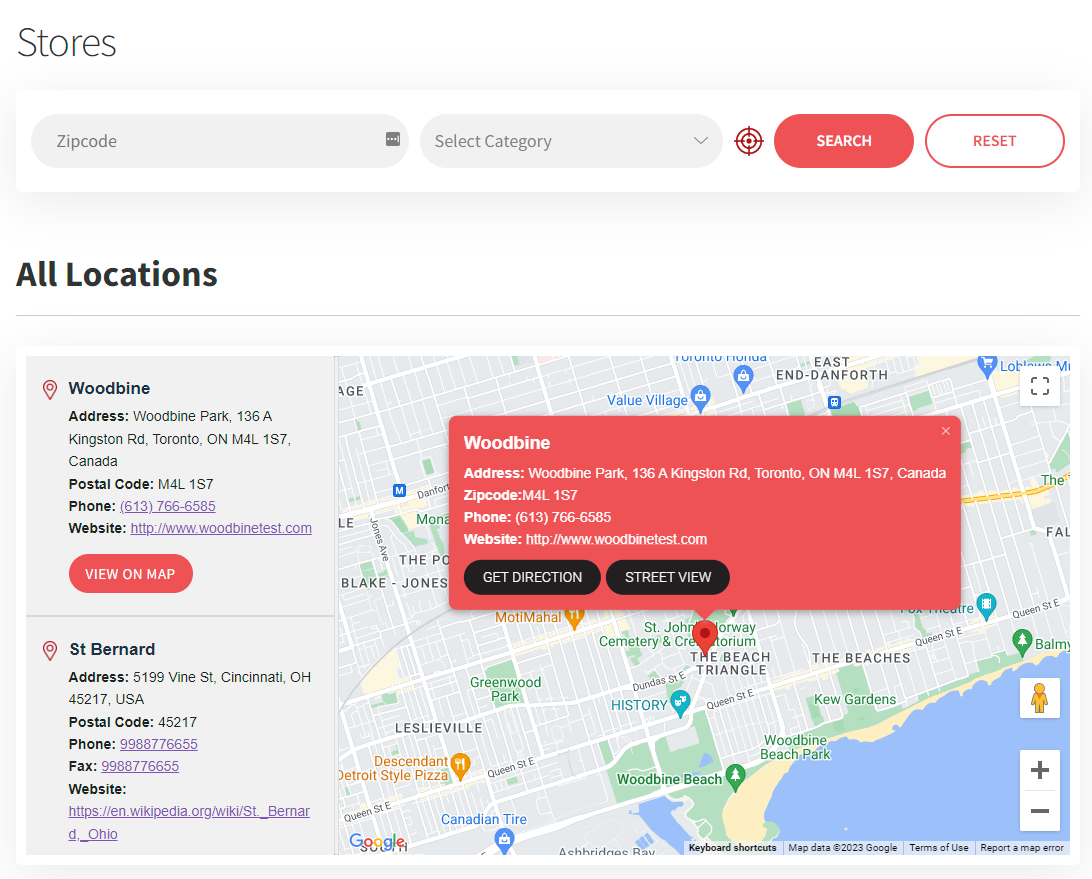
- Get direction link on map infowindow popup : Each store location on the map provides a “Get Directions” link in the infowindow popup, making navigation a breeze.
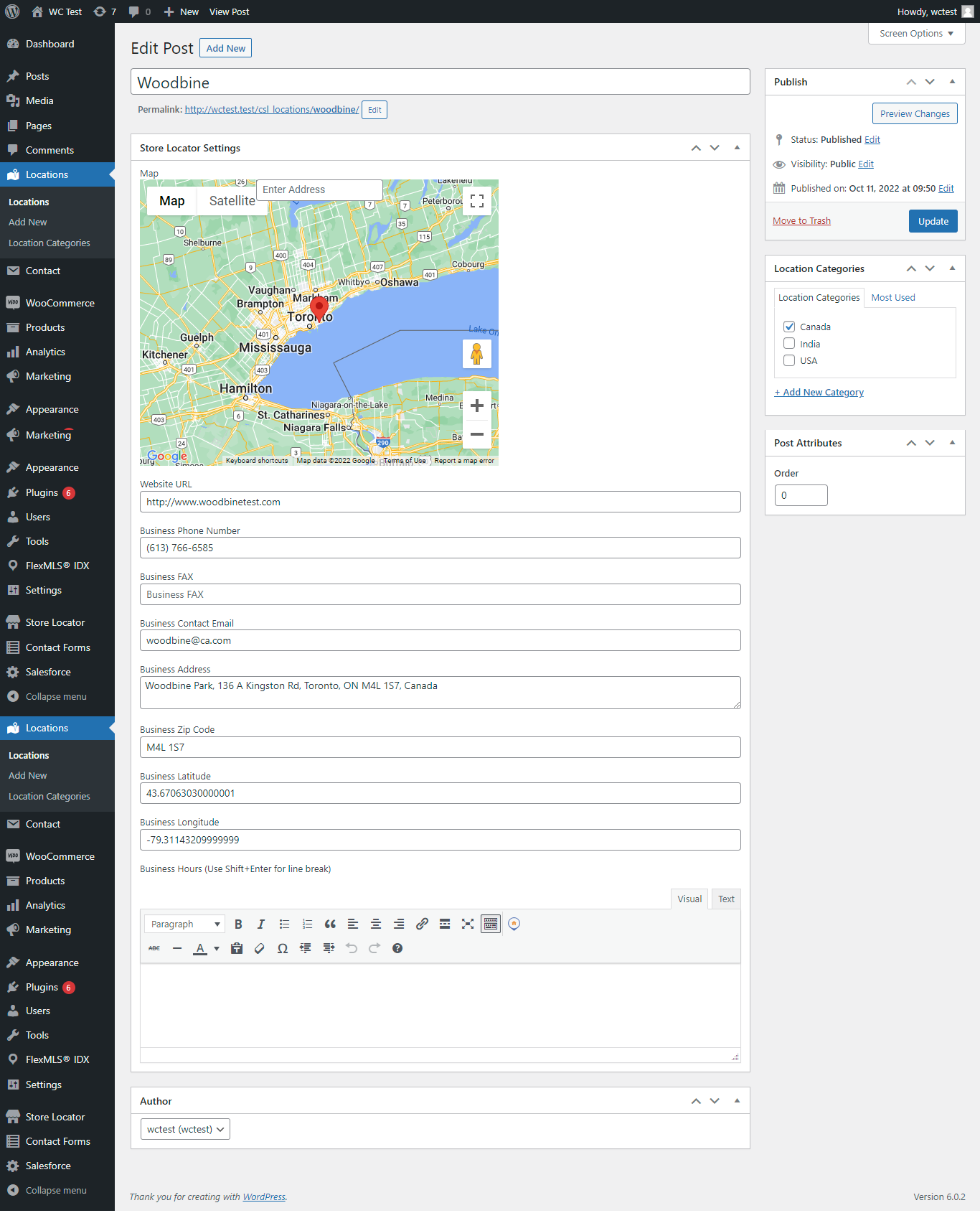
- Store hours feature : Display store hours, so customers know when each location is open, improving their visit experience.
- Geo-locate the customer’s initial location : Automatically geo-locate the customer’s initial location for a more personalized experience.
- Import and Export Locations using csv : Easily manage your store locations by importing and exporting them using CSV files, saving you time and effort.
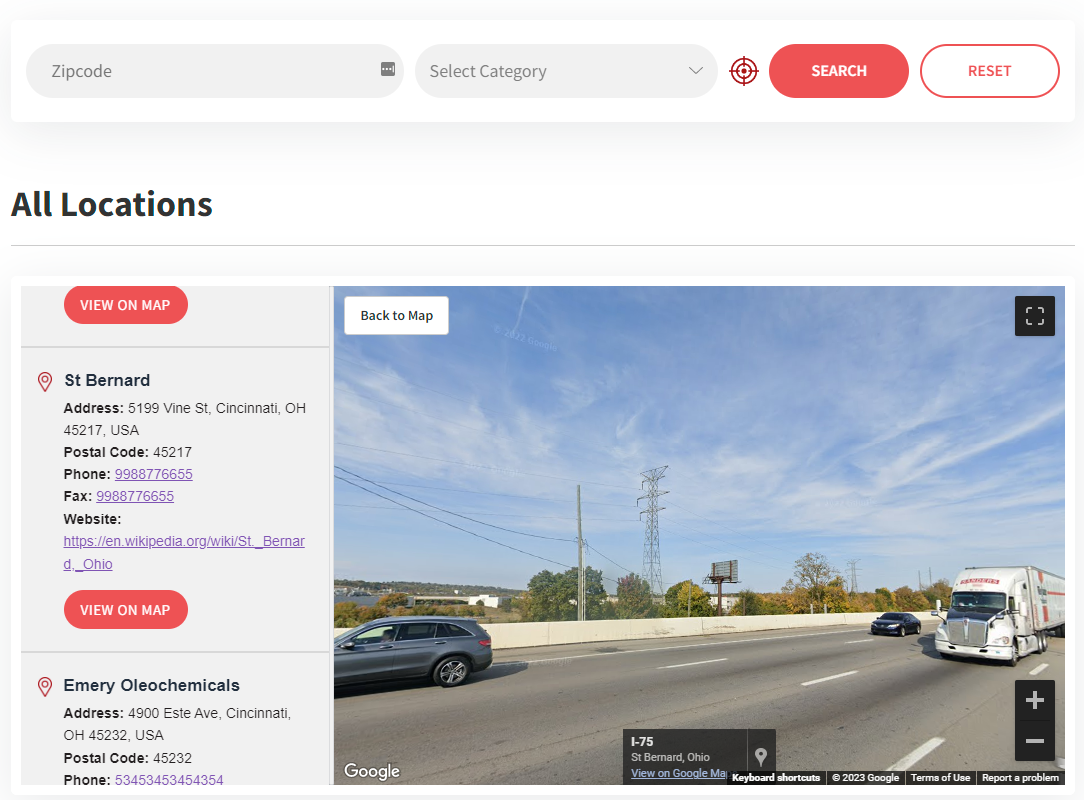
- Street view option : Offer a Street View option for your store locations, giving users a visual preview of their destination.
- Multiple layout option : Choose from multiple layout options to seamlessly integrate the store locator with your website’s design.
- List update based on viewport change : Ensure a great user experience on all devices, as the plugin is fully responsive.
- Multi Language Support : Reach a global audience with multi-language support, making your store locator accessible to a diverse range of users.
- Distance Unit Setting : Enhance user experience by allowing users to choose their preferred distance unit. With the option to set the distance unit in either kilometers (KM) or miles, your store locator becomes more user-friendly and caters to a global audience, accommodating different regional preferences.
Custom WP Store Locator is the perfect solution for businesses with physical locations, helping you provide exceptional service and convenience to your customers.
Get started today and enhance your website with a feature-rich store locator. Install Custom WP Store Locator now!
Installation
- Upload the entire
custom-store-locatorfolder to the/wp-content/plugins/directory. - Activate the plugin through the Plugins screen (Plugins > Installed Plugins).
Frequently asked questions
Can i use zipcode search widget anywhere?
Yes you can. You need to use ‘[csl-search pageid=”your store listing page id”]’ shortcode to display widget anywhere.
Will Custom Store Locator Plugin work with my theme?
Yes, Custom Store Locator will work with any well-written, WP 4.x compliant theme.
Can i change default store list order for sorting?
Yes, you can choose any option from “Locations Default Sorting” dropdown field in store locator plugin settings to sort order.
How can I add a store locator to my WordPress site after installing the plugin?
You can add a store locator to your site by using the provided shortcode [csl-store-list]. Simply insert this shortcode into any page or post where you want the store locator to appear.
How can I import my store locations into the plugin?
You can easily import your store locations by going to the import tab of plugin’s settings in the WordPress admin area and using the CSV import feature. You can also get there sample example csv file.
Does the plugin support multiple languages?
Yes, the Custom WP Store Locator plugin offers multi-language support, making it accessible to a global audience. You can translate the plugin into different languages or use translation plugins.
Can I display store hours for each location on the map?
Yes, the Custom WP Store Locator plugin allows you to display store hours for each location, helping customers plan their visits.
How can I get support if I encounter issues or have questions about the plugin?
For support, you can visit our dedicated support page https://wordpress.org/support/plugin/custom-store-locator/.
Changelog
2.0.2
- Fixed: Blank map and Address search input on the location edit page was disappearing after page load.
2.0.1
- Added: Configurable hours field label: admins can now set a custom label (e.g. “Business Hours”) for the store hours field
- Added support for WordPress 7.0.3
2.0.0
- Fixed: Prevented blank frontend map caused by invalid website values or unsafe inline JavaScript output
- Enhanced: Refreshed plugin admin UI with cleaner dashboard-style settings screens
- Improved: Active layout label now shows the user-facing layout name in admin
- Improved: Better alignment for custom marker upload field, button, and preview
- Added: Optional setting to disable frontend search controls without changing the map/list layout
- Added: Optional consent gate to delay Google Maps loading for GDPR/privacy workflows
- Added: Privacy policy helper text for WordPress privacy settings
- Improved: Release keeps existing frontend layouts unchanged unless the new options are enabled
1.5.1.2
- Fixed : latitude longitude validation issue
- Fixed : call and website link issue on modern style 1 layout
- Added support for WordPress 6.9
1.5.1.1
- Fixed : Search functionality fixed for bulgarian words input
1.5.1
- Fixed : Woocommerce compatibility issue with “Modern Style 1” layout
Screenshots
For developers
Is this your plugin? Show off the numbers.
Add a live badge to your site, docs or GitHub README. It updates on its own — no account needed.
FAQ
Custom WP Store Locator: quick answers
Straight answers, pulled from live WordPress.org data.
Live data from WordPress.org · checked Oct 14, 2026
Is Custom WP Store Locator free?
Yes. Custom WP Store Locator is free to download and use from the official WordPress.org plugin directory.
Is Custom WP Store Locator safe to use in 2026?
Custom WP Store Locator is a solid plugin choice in 2026, with a few things worth checking first. It runs on 300+ sites, is rated 4.6/5 and was last updated 2 months ago, and scores 74/100 on our health check.
How many websites use Custom WP Store Locator?
Custom WP Store Locator is active on 300+ WordPress websites and has been downloaded 16,101 times since it launched in October 2020. It was downloaded 387 times in the last 30 days.
Does Custom WP Store Locator work with WordPress 7.1?
Custom WP Store Locator is officially tested up to WordPress 7.0.7, while the latest release is 7.1.3. It may still work, but try it on a staging site first.
What PHP version does Custom WP Store Locator need?
Custom WP Store Locator requires PHP 7.4 or higher. Most hosts run PHP 8.x today, so it works on any modern WordPress hosting.
When was Custom WP Store Locator last updated?
The latest version, 2.0.2, was released on August 24, 2026 (2 months ago).
Who makes Custom WP Store Locator?
Custom WP Store Locator is developed and maintained by umangmetatagg.
Powered by PageForge
Want thousands of pages that rank like these? Build them in an afternoon.
This directory runs on the same engine as PageForge. Turn any spreadsheet, CSV or API into thousands of fast, SEO-ready WordPress pages — with schema, internal links and AI-written copy baked in.
- CSV, Google Sheets & API data sources
- AI content, schema & internal links per page
- Works with Elementor, Gutenberg, Yoast & Rank Math
- Free on WordPress.org — no credit card


