


Custom Share Buttons with Floating Sidebar
Share your website among your friends through social sites( Facebook, Twitter, Instagram, Whatsapp, Pinterest etc.) and grow your business.

Use with caution
Custom Share Buttons with Float… works, but test it on a staging site before relying on it in 2026. It runs on 4K+ sites, is rated 4.8/5 and was last updated 3 years ago, and scores 45/100 on our health check.
- Loved by users — 4.8/5 from 93 reviews
- No update in 3 years
- Only tested up to WordPress 6.3 (latest is 7.1)
Daily downloads
Download spikes usually follow a new release — each site that auto-updates counts as a download.
Rankings
Where Custom Share Buttons with F… stands todayWordPress.org search rankings
Live position in the plugin search, top 100| Keyword | Position |
|---|---|
| custom share buttons | >100 |
| >100 | |
| >100 | |
| Social Share Buttons | >100 |
| >100 |
Version adoption
Share of active sites per release.
Rating breakdown
★★★★★★★★★★ 4.8 from 93 reviews
About Custom Share Buttons with Floating Side…
From the official readme · v4.2Description
Most Popular Social Share WordPress Plugin
Share your website among your friends through social sites( Facebook, Twitter, Instagram, Whatsapp, Pinterest etc.) and grow your business.
This plugin provide a very simple social tool to share your website (posts/pages/products) on popular social networks. Install and start driving high quality referrals to your website.
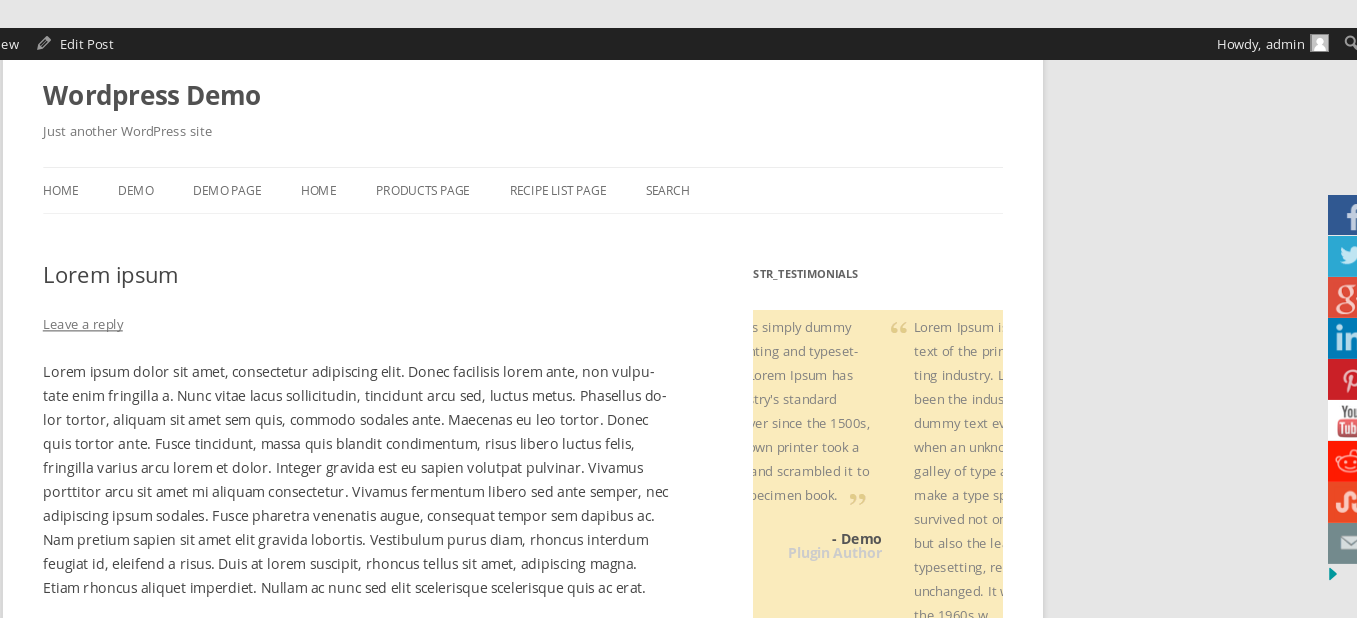
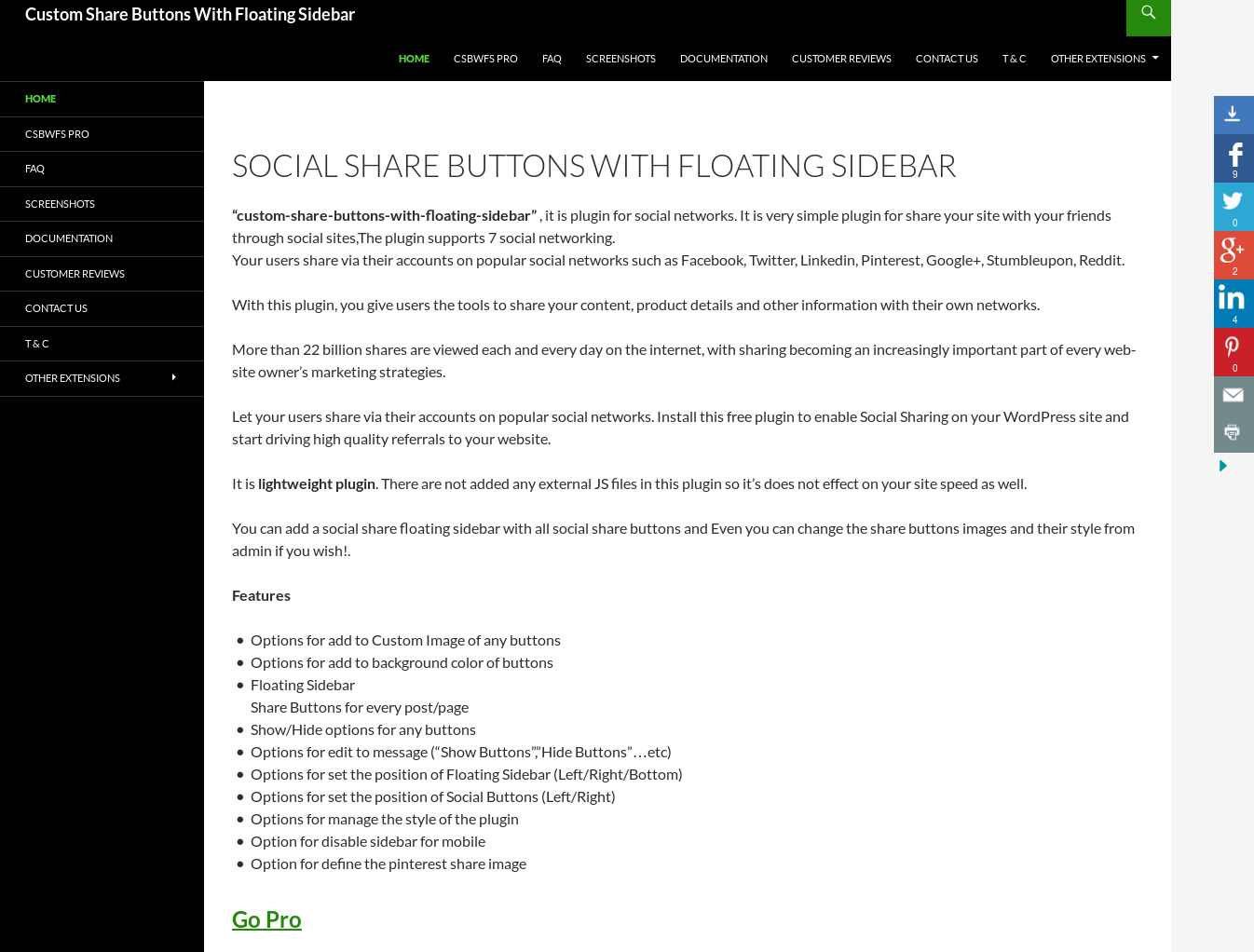
Plugin give you an option to display social share buttons via floating sidebar. Easily Customizable & Extensible social share buttons and they will not affect your site speed as well.
Addon Demo.
Shortcode
[csbwfs_buttons buttons=’fb,tw,li,pi,yt,re,st,ml,sk’]
fb-facebook, tw-twitter, li-linkedin, pi-pinterest, yt-youtube, re-reddit, st-stumbleupon, ml-mail, sk-Skype
Features
- Light weight (No extra JS/CSS)
- Shortcode
- An options to add Custom Image for any social button.
- An options to add background color for social button.
- Floating Sidebar
- Standard Share Buttons to every post/page
- Show/Hide options for any button
- An options to edit message (“Show Buttons”,”Hide Buttons”…etc)
- An options to set position of floating sidebar (Left/Right/Bottom)
- An options to set position of social buttons (Left/Right)
- An options to manage style of buttons
- An option to disable sidebar on mobile
- An advance feature for pinterest share buttons.
- An option to auto close sidebar buttons on page load
- An option to hide “Share This!!” button on page/post
- An option to show share buttons position (above content/below content)
Go Pro
We have also released an addon of Custom Share Buttons With Floating Sidebar which not only demonstrates the flexibility of free version, but also providing some more important features.
Add-on Featrues :
- Responsive Floating Sidebar
- Shortcode
- An option to Hide Floating Sidebar On Home/Blog/Search/Category/Author pages
- An option to Hide Floating Sidebar On any post type (i.e page,post,event,product…etc)
- An option to Hide Floating Sidebar On any taxonomy type (support all custom taxonomy type)
- An Option to Show/Hide sidebar on specific page/post and on any custom post type pages as well.
- An option to Show Social Share Buttons On Home/Blog/Search/Category/Author pages
- An option to Show Social Share Buttons on any taxonomy type (support all custom taxonomy type)
- An Option to Show/Hide social share buttons on specific page/post and on any custom post type pages as well.
- Responsive Light box Contact Form (for Mail Icon)
- An option to define shortcode into light box popup
- An option to enable OG tags meta boxes to define share window content(share title, share description & share image path)
- An option to set sidebar position (left/right/bottom) for mobile
- An option to add social website official page URL for all social buttons
- Extra Buttons (Xing,Instagram,Whatsapp,Digg,Yummly,Vk, Buffer, Line, Skype, RSS, Print, G-Mail, Blogger, Tumbler, Delicious, Weibo, Telegram, Google Translate, Phone & SMS )
- An option to define twitter username as hash tag into share window.
- An option to display share count(Facebook, StumbleUpon, Pinterest, Xing and Reddit)
- An options to change social buttons image, title, background color and url (You can use any button as your own custom button)
- An options to define sorting order for all buttons
- 10 extra custom floating sidebar buttons with extra options (i.e you can define your own custom size for these buttons)
- An option to show sum of total share count for all buttons
- An options to choose different style of sidebar
- An option to define page specific sidebar position (Left/Right/Bottom) for all page
- An option to choose custom styles of social share buttons
- An option to define sidebar position for every page separately
- An option to show/hide sidebar from any specific page
-
Faster support
Do You Have Any Query? Submit here
Installation
Step 1.Dowanload the plugin and upload “custom-share-buttons-with-floating-sidebar” plugins file to plugin (/wp-content/plugins/) directory
Step 2. Activate the plugin through the Plugins menu in WordPress
Step 3. Go to Settings/”Social Share Buttons(CSBWFS)” and configure the plugin settings.
Frequently asked questions
How to add floating share buttons on my website?
After active the plugin you have must need to enable this plugin through the plugin settings.
Can I change the custom share buttons images from admin?
Yes,admin can changes all social share custom buttons images if you wish, for that you have only need to define the buttons images path from plugins settings page.
Can I disable the floating sidebar for mobile?
Yes,You can disable the floating sidebar by configure the plugin settings
Can I define the top margin for share buttons block?
Yes, admin can define the top margin from plugin settings page
Can we add the social share buttons on bottom of every post/pages?
Yes,you have only need to enable the “Social Share Button” from admin by plugin settings
Can we add at a time only the “Floating Sidebar” OR “Social Share Buttons”?
Yes,You have need to enable at a time only one from both “Floating Sidebar” and “Social Share Buttons”
Is this mobile friendly OR is this responsive plugin?
No,this is not a responsibe but you can use our csbwfs addon, Our CSBWFS ADDON is responsive with some new extra features.Please visit on this site for check full details about addon.
Is there any option for show share count number for share buttons?
No, there are not an option for show share count number but you can use our csbwfs addon, In CSBWFS ADDON we have given an option.Please visit on this site for check full details about addon.
Is there any option for show/hide share buttons OR floating sidebar on some specific pages?
No. this options are available in pro addon.
Is there any shortcode of social share buttons?
Yes, [csbwfs_buttons]
Changelog
4.2
- Tested with latest wordpress version 5.9.3
- Optimized Code
4.1
- Tested with latest wordpress version 5.8
3.9
- Tested with latest wordpress version 5.4
- Optimized code
- Released new version of PRO Addon 3.9
- Fixed shortcode icon button issue – PRO Addon
- Fixed mail button lighbox form issue – PRO Addon
3.8
- Tested with latest wordpress version 5.3
- Added Skype button
3.7
- Tested with latest wordpress version 5.1.1
- Removed Google+ button
3.6
- Tested with latest wordpress version 5.0.2
- Optimized code and fixed some minor issues
Screenshots




For developers
Is this your plugin? Show off the numbers.
Add a live badge to your site, docs or GitHub README. It updates on its own — no account needed.
FAQ
Custom Share Buttons with Floating…: quick answers
Straight answers, pulled from live WordPress.org data.
Live data from WordPress.org · checked Sep 26, 2026
Is Custom Share Buttons with Float… free?
Yes. Custom Share Buttons with Float… is free to download and use from the official WordPress.org plugin directory.
Is Custom Share Buttons with Float… safe to use in 2026?
Custom Share Buttons with Float… works, but test it on a staging site before relying on it in 2026. It runs on 4K+ sites, is rated 4.8/5 and was last updated 3 years ago, and scores 45/100 on our health check.
How many websites use Custom Share Buttons with Float…?
Custom Share Buttons with Float… is active on 4K+ WordPress websites and has been downloaded 473,822 times since it launched in June 2014. It was downloaded 354 times in the last 30 days.
Does Custom Share Buttons with Float… work with WordPress 7.1?
Custom Share Buttons with Float… is officially tested up to WordPress 6.3.12, while the latest release is 7.1.2. It may still work, but try it on a staging site first.
When was Custom Share Buttons with Float… last updated?
The latest version, 4.2, was released on September 27, 2023 (3 years ago).
Who makes Custom Share Buttons with Float…?
Custom Share Buttons with Float… is developed and maintained by WP-EXPERTS.IN.
Powered by PageForge
Want thousands of pages that rank like these? Build them in an afternoon.
This directory runs on the same engine as PageForge. Turn any spreadsheet, CSV or API into thousands of fast, SEO-ready WordPress pages — with schema, internal links and AI-written copy baked in.
- CSV, Google Sheets & API data sources
- AI content, schema & internal links per page
- Works with Elementor, Gutenberg, Yoast & Rank Math
- Free on WordPress.org — no credit card


