



Cryptonly – Crypto Payment Gateway for WooCommerce
Accept Bitcoin, Ethereum, USDT, and other cryptocurrencies in your WooCommerce store via the Cryptonly hosted checkout. No chargebacks, 0.5% fee.

Solid choice
Cryptonly is a solid plugin choice in 2026, with a few things worth checking first. Was last updated 5 days ago, and scores 64/100 on our health check.
- Actively developed — last update 5 days ago
- Tested with the latest WordPress (7.1)
- Small user base (<10 active installs)
- Very few reviews so far
How does it stack up?
Side-by-side on installs, updates, ratings & support



Daily downloads
Download spikes usually follow a new release — each site that auto-updates counts as a download.
Rankings
Where Cryptonly stands todayWordPress.org search rankings
Live position in the plugin search, top 100| Keyword | Position |
|---|---|
| bitcoin | >100 |
| crypto payments | #60 |
| payment gateway | >100 |
| USDT | #48 |
| woocommerce | >100 |
About Cryptonly
From the official readme · v1.1.1Description
Website | Live Demo | Documentation
Let your customers pay with Bitcoin, Ethereum, USDT, and other cryptocurrencies — no crypto experience needed on your side.
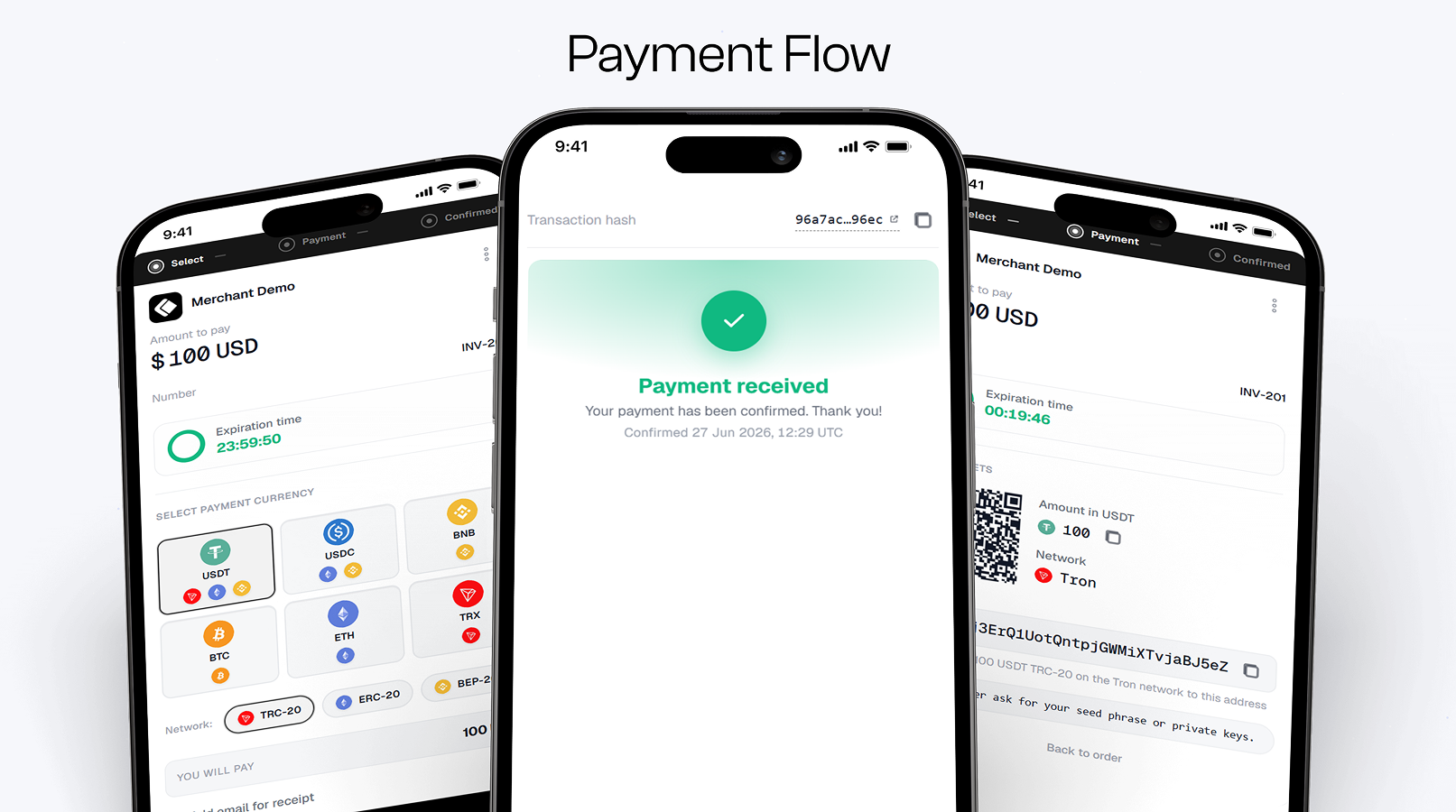
You keep pricing products in your usual currency. At checkout, the customer picks a coin, sees exactly how much to send, and pays on a secure Cryptonly page. Once the payment is confirmed, the order in WooCommerce is marked as paid — no manual checking, no matching transactions by hand.
Why choose Cryptonly
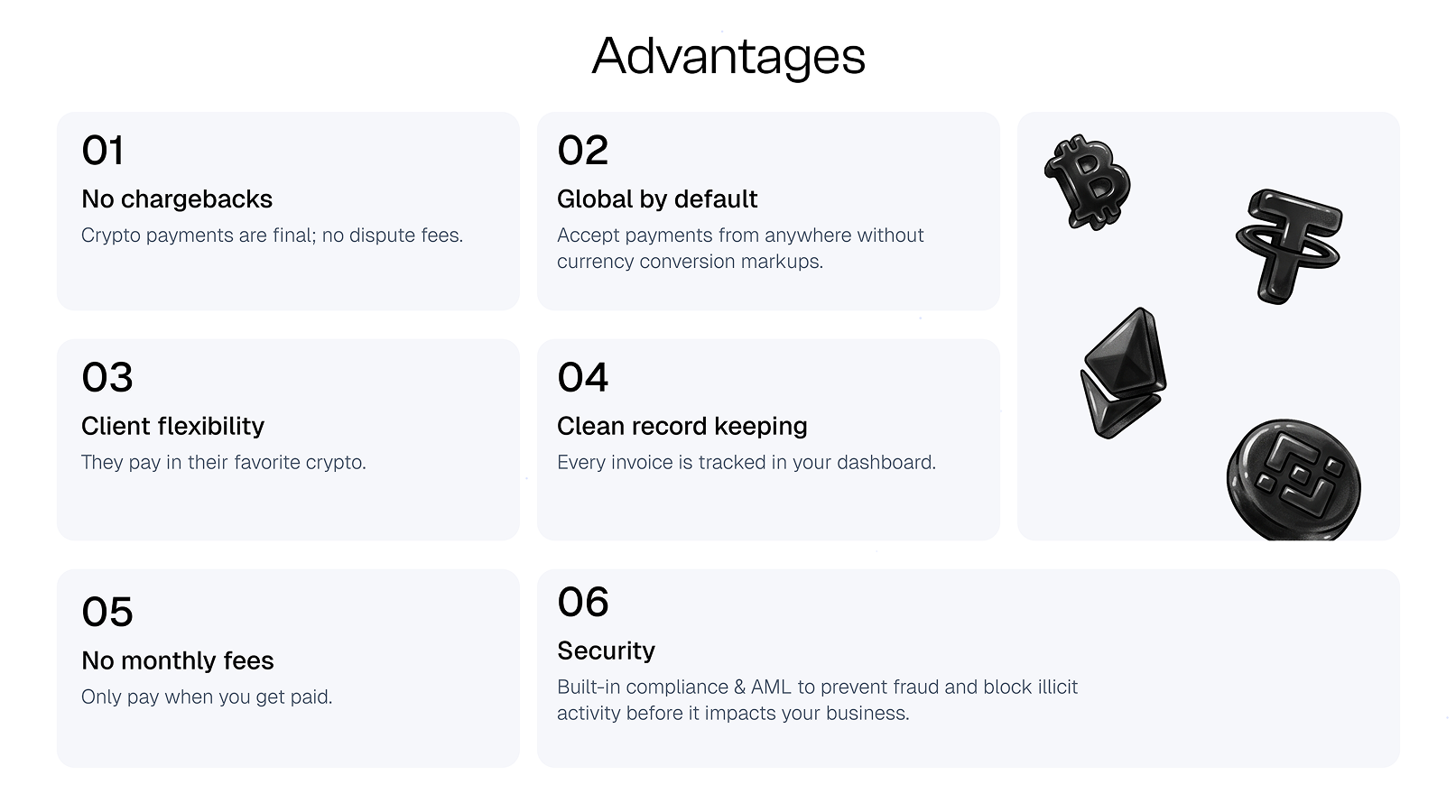
- No chargebacks. Crypto payments are final — payment disputes and chargeback fraud disappear.
- Simple pricing. 0.5% per transaction. No setup fee, no monthly fee, no hidden costs.
- Keep your prices in fiat. The crypto amount is calculated live at checkout — you always receive the full order value.
- Sell worldwide. Anyone with a crypto wallet can pay you, from any country.
- Your money, your wallet. Payments go straight to your Cryptonly merchant wallet. Withdraw anytime — you pay only the blockchain network fee.
Setup takes minutes: install the plugin, paste your Cryptonly keys, done.
Works with your store
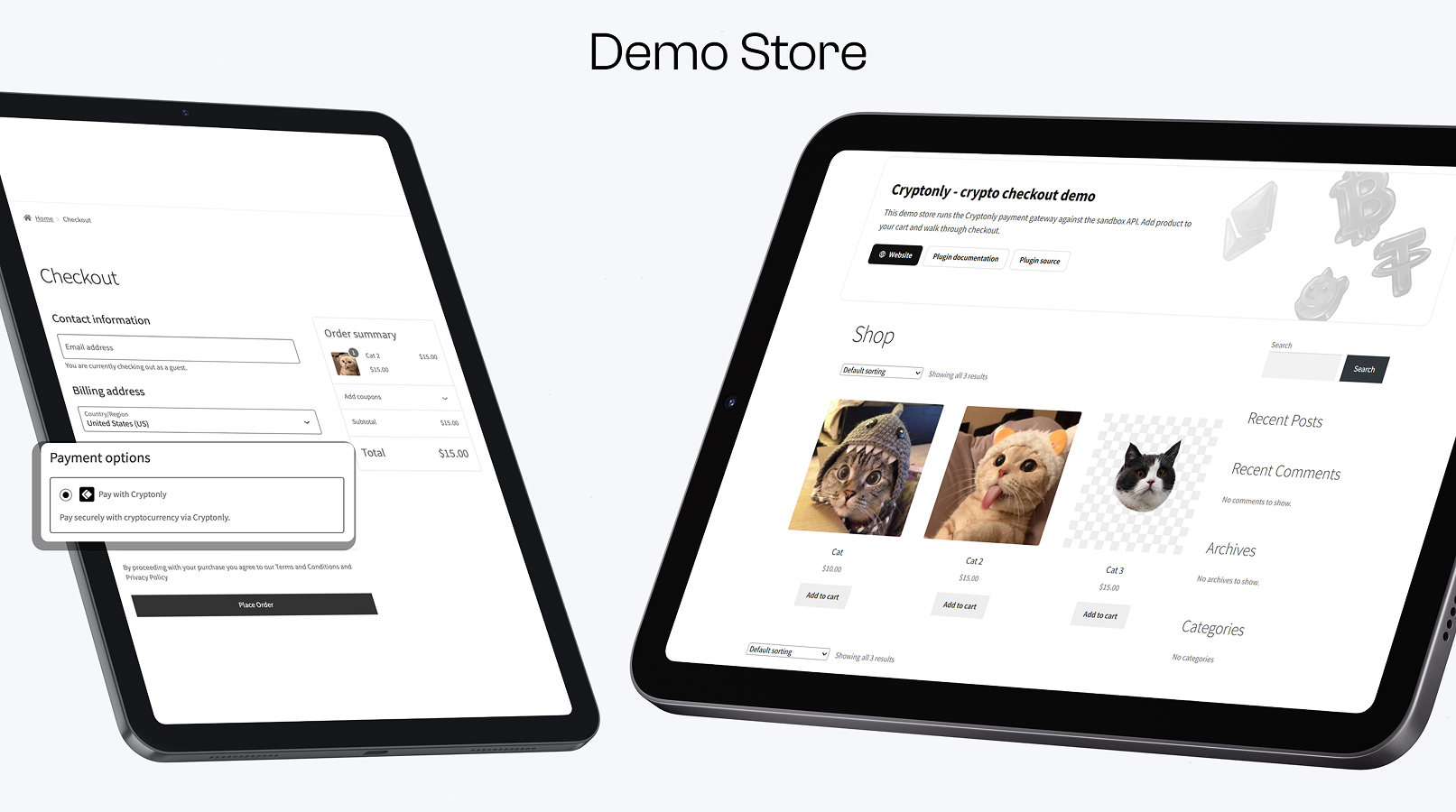
- Classic checkout and the new block-based Cart/Checkout
- Orders update automatically and securely — no manual status changes
- If a customer leaves before paying, they get a link to finish payment later
- Sandbox mode: test the whole flow safely before accepting real money
- HPOS (custom order tables) compatible
- Available in English, Spanish, German, and Russian
Cryptonly payment processing is subject to the Cryptonly Terms of Service and Privacy Policy.
Installation
- Upload the
cryptonly-crypto-payment-gateway-for-woocommercefolder to/wp-content/plugins/. - Activate the plugin through the Plugins menu in WordPress.
- Go to WooCommerce → Settings → Payments → Cryptonly.
- Enter your Cryptonly credentials and save.
Where to find your credentials
In your Cryptonly merchant dashboard:
- API Key — Settings → Security → API keys
- Account ID — Accounts → select account → copy icon
- Webhook Signing Key — Settings → Security
The API key needs invoices.create, invoices.list, invoices.cancel, and currencies.list.
Enable Sandbox Mode to test with testnets before going live.
For the full settings reference, go-live checklist, and troubleshooting, see the Documentation.
Frequently asked questions
Which cryptocurrencies can my customers pay with?
Bitcoin, Ethereum, USDT, USDC, BNB, TRX, and other assets enabled in your Cryptonly merchant account. Customers choose the currency and network on the hosted checkout page.
What are the fees?
0.5% per transaction. No setup, monthly, or hidden fees. Withdrawals from your merchant wallet incur only the blockchain network fee.
Do my customers need a Cryptonly account?
No. Customers simply pay from any wallet or exchange — no registration required.
Are chargebacks possible?
No. Crypto payments are final once confirmed on the blockchain, which eliminates chargeback fraud.
Does the plugin work with WooCommerce Blocks checkout?
Yes. Cryptonly appears as a payment method in the Cart and Checkout blocks when the gateway is enabled. Classic shortcode checkout is also supported.
Can I test the complete payment flow before going live?
Yes. Enable Sandbox Mode and place a test order. You can pay on the test checkout (testnets only) or click Simulate payment in the sandbox merchant dashboard to mark the order as paid without sending real funds. See Sandbox environment and Testing your integration.
What happens if a customer abandons checkout?
Nothing is lost. The order stays pending, and the customer can finish paying later — a Complete payment button appears on the thank-you page, in order emails, and under My Account → Orders.
Can I customize customer-facing text?
Yes. In WooCommerce → Settings → Payments → Cryptonly, set Title for the checkout payment method label and Resume payment button for the continue-payment link on order pages and emails. Leave a field empty to use the plugin default (translatable via standard WordPress translation tools).
What languages is the plugin available in?
English, Spanish (es_ES), German (de_DE), and Russian (ru_RU). The plugin follows your site language (Settings → General → Site Language) and is fully translatable (text domain cryptonly-crypto-payment-gateway-for-woocommerce).
Changelog
Adds success and failed merchant return URLs on Cryptonly invoice create.
1.1.1
- Tested with WordPress 7.1.
1.1.0
- Send successUrl and failedUrl on invoice create (thank-you / order-pay CTAs).
- returnUrl remains for cancelled / expired return links.
1.0.0
- Initial release: hosted checkout, webhooks, and sandbox mode.
- Classic and block-based WooCommerce checkout support.
- HPOS (custom order tables) compatible.
- Resume payment links for pending crypto orders.
- Cryptonly is automatically hidden at checkout when the store currency is unsupported.
- Spanish, German, and Russian translations included.
Screenshots
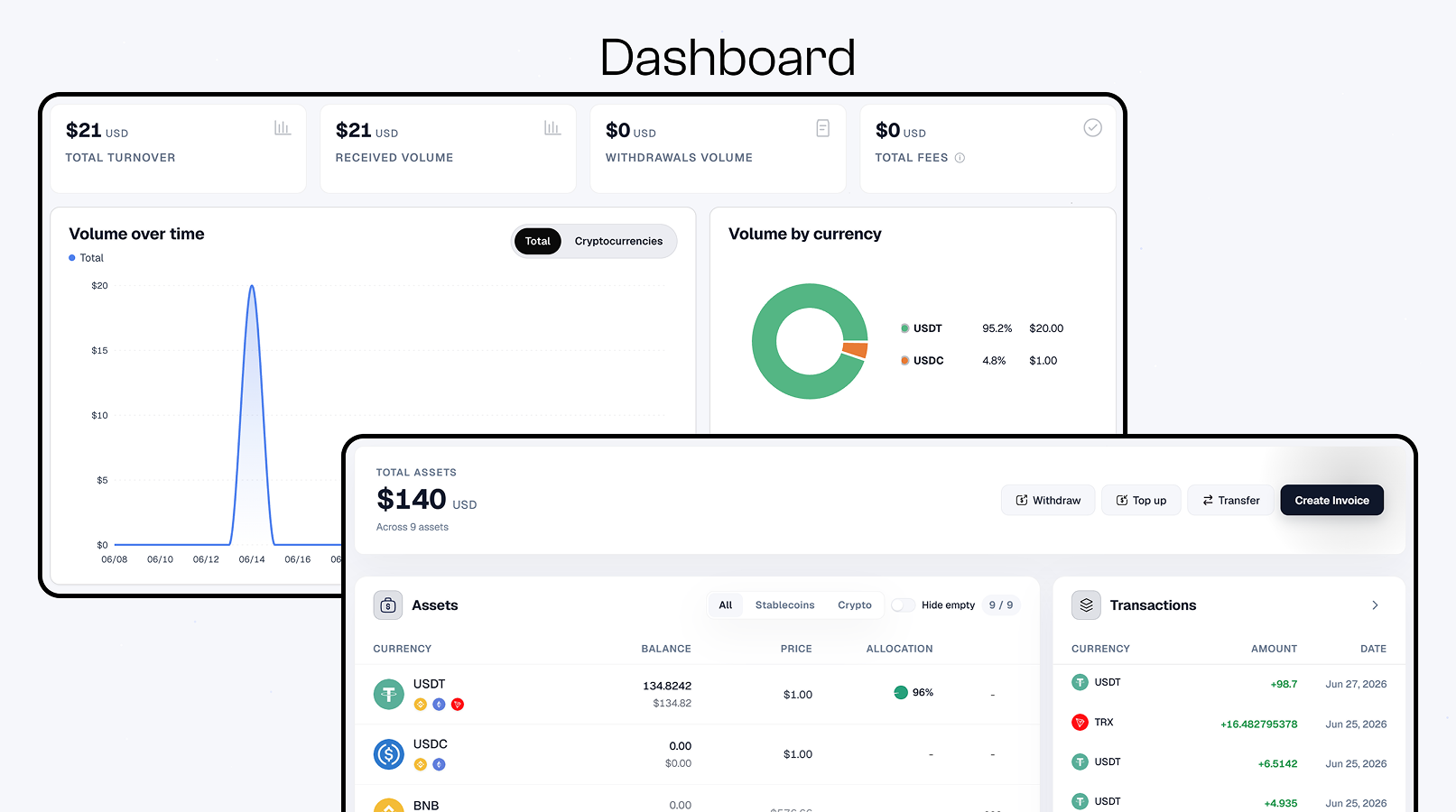
For developers
Is this your plugin? Show off the numbers.
Add a live badge to your site, docs or GitHub README. It updates on its own — no account needed.
Best Cryptonly alternatives
All bitcoin plugins →





FAQ
Cryptonly: quick answers
Straight answers, pulled from live WordPress.org data.
Live data from WordPress.org · checked Sep 29, 2026
Is Cryptonly free?
Yes. Cryptonly is free to download and use from the official WordPress.org plugin directory.
Is Cryptonly safe to use in 2026?
Cryptonly is a solid plugin choice in 2026, with a few things worth checking first. Was last updated 5 days ago, and scores 64/100 on our health check.
How many websites use Cryptonly?
Cryptonly is active on <10 WordPress websites and has been downloaded 323 times since it launched in July 2026. It was downloaded 129 times in the last 30 days.
Does Cryptonly work with WordPress 7.1?
Yes. The developer has tested Cryptonly up to WordPress 7.1.2, the latest release. It requires WordPress 6.0 or newer.
What PHP version does Cryptonly need?
Cryptonly requires PHP 7.4 or higher. Most hosts run PHP 8.x today, so it works on any modern WordPress hosting.
When was Cryptonly last updated?
The latest version, 1.1.1, was released on September 25, 2026 (5 days ago).
Who makes Cryptonly?
Cryptonly is developed and maintained by Cryptonly.
What are the best alternatives to Cryptonly?
The most popular alternatives to Cryptonly are MyCryptoCheckout (8K+ installs), Bitcoin Payments (2K+ installs) and BTCPay Server (1K+ installs).
Powered by PageForge
Want thousands of pages that rank like these? Build them in an afternoon.
This directory runs on the same engine as PageForge. Turn any spreadsheet, CSV or API into thousands of fast, SEO-ready WordPress pages — with schema, internal links and AI-written copy baked in.
- CSV, Google Sheets & API data sources
- AI content, schema & internal links per page
- Works with Elementor, Gutenberg, Yoast & Rank Math
- Free on WordPress.org — no credit card


