



CrawlCue – Broken Link & Image Auditor
Crawl your WordPress site for broken links and images, see where they appear, recheck fixes, and resume interrupted scans without WP-Cron.

Use with caution
CrawlCue works, but test it on a staging site before relying on it in 2026. Was last updated 2 months ago, and scores 60/100 on our health check.
- Tested with the latest WordPress (7.1)
- Small user base (<10 active installs)
- Very few reviews so far
How does it stack up?
Side-by-side on installs, updates, ratings & support



Daily downloads
Download spikes usually follow a new release — each site that auto-updates counts as a download.
Rankings
Where CrawlCue stands todayWordPress.org search rankings
Live position in the plugin search, top 100| Keyword | Position |
|---|---|
| broken images | >100 |
| broken links | >100 |
| link checker | >100 |
| site audit | >100 |
| website maintenance | >100 |
About CrawlCue – Broken Link & Image Auditor
From the official readme · v1.1.1Description
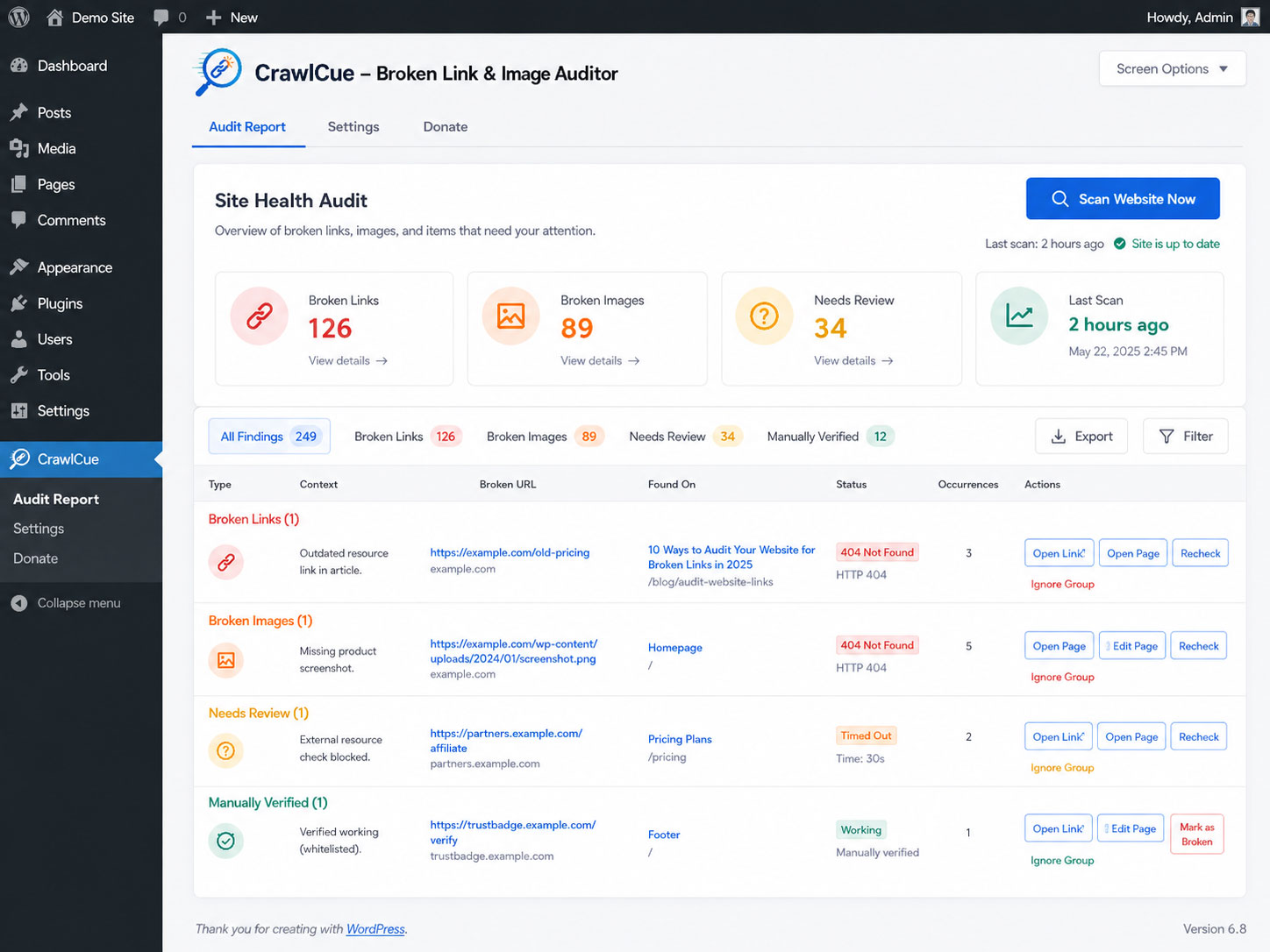
CrawlCue gives WordPress administrators a focused maintenance workflow:
- Manually crawl the rendered front end of the site.
- Discover internal pages from actual front-end links.
- Check internal and external HTTP/HTTPS links.
- Check image src and responsive srcset/source URLs.
- Cache duplicate URL checks during a scan to reduce unnecessary HTTP requests.
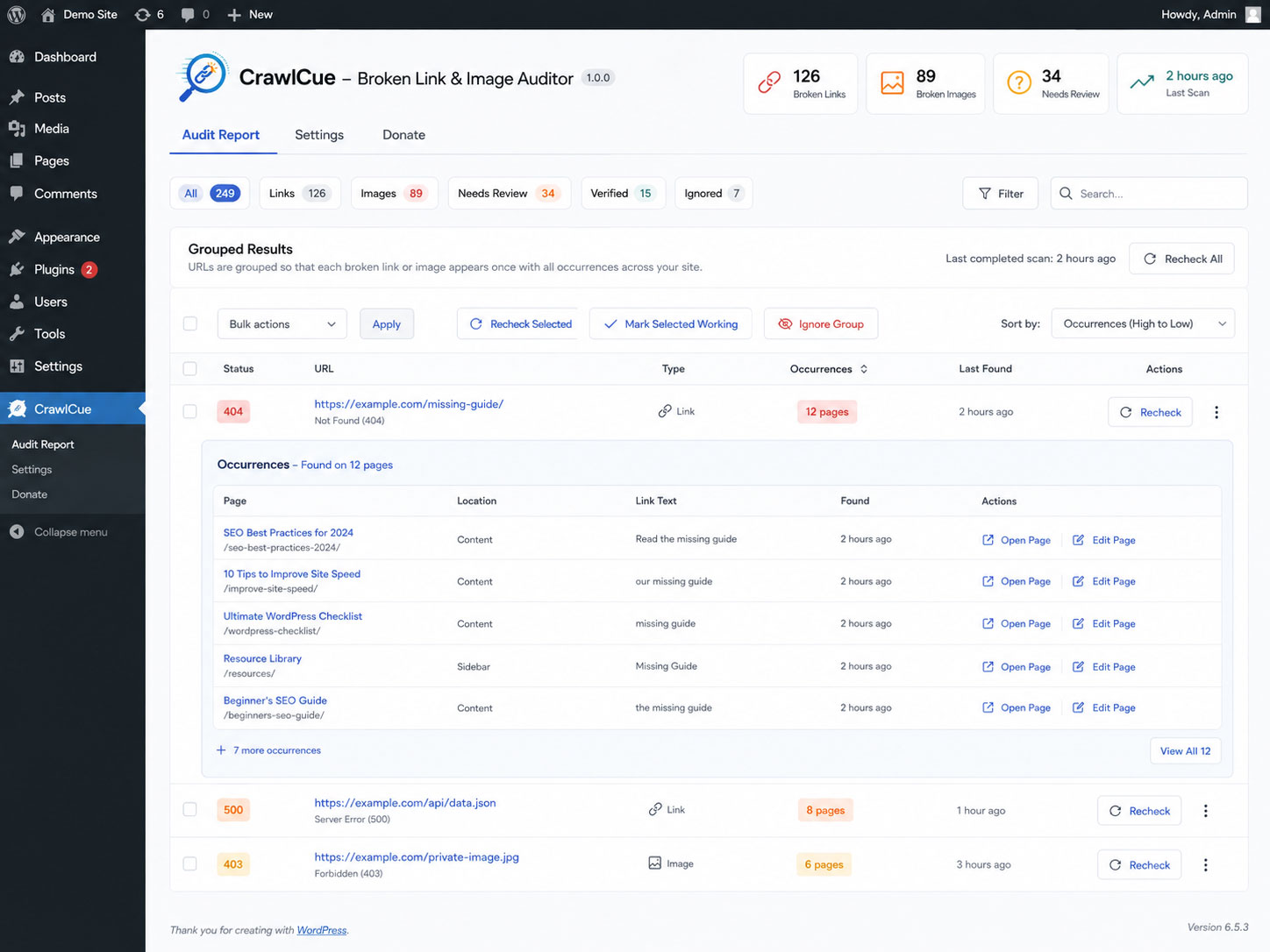
- Group repeated problem URLs so footer, menu, and template links do not flood the report; open a group to see every source page.
- Show where each URL was discovered in the rendered markup, including the HTML attribute (such as
img[srcset]), a compact element locator, and an expandable HTML clue. - Open the source page in a new tab or open the WordPress editor when available.
- Recheck a grouped result after fixing or removing it; CrawlCue checks the destination once and reloads source pages in small batches only when needed.
- Separate confirmed broken resources from URLs that automated checks could not verify because of access controls, throttling, bot protection, TLS trust differences, custom HTTP responses, or temporary server conditions.
- Sort report columns and bulk-recheck selected grouped results.
- Manually mark inconclusive URLs as working after opening them in your browser; CrawlCue remembers that verification across future scans unless strong evidence later contradicts it.
- Ignore intentional/unfixable URL groups without deleting the audit.
- Show a WordPress Dashboard widget with broken-link/image counts and the last scan time.
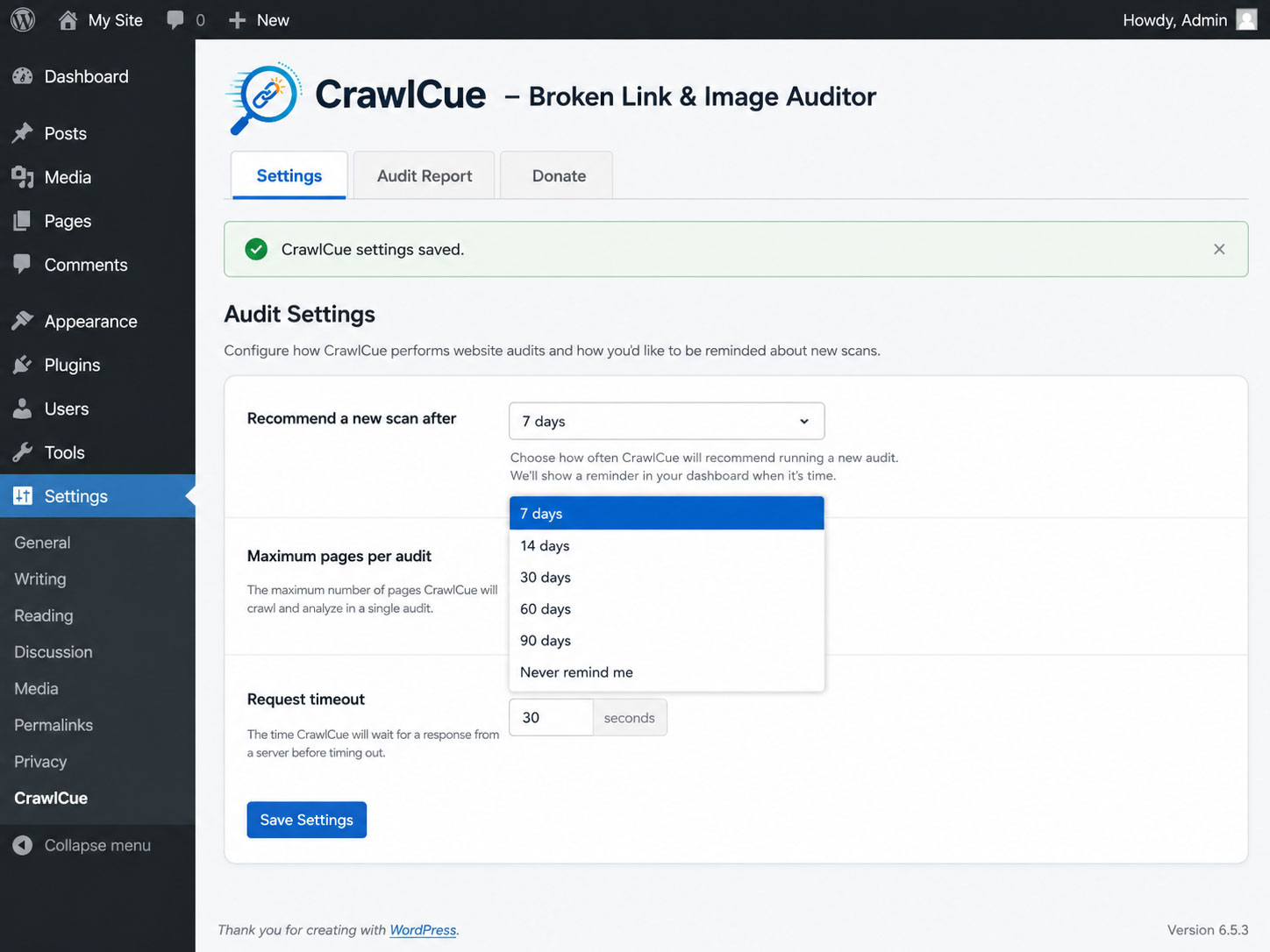
- Recommend another audit after 7, 14, 30, 60, or 90 days without scheduling anything.
- Run the scan in small administrator-initiated AJAX batches instead of one long PHP request.
CrawlCue intentionally does not use WP-Cron, require a cloud account, or send your crawl report to an external service.
During an audit, the site server makes HTTP/HTTPS requests to the links and image URLs found on the site so it can verify whether they respond. Those destination servers can therefore receive normal web-request information such as the site server IP address and the plugin user-agent. The plugin does not add personal data, account data, or the site URL to its external-request user-agent.
Installation
- Upload the plugin folder to
/wp-content/plugins/or install the ZIP from Plugins > Add New > Upload Plugin. - Activate CrawlCue.
- Go to Tools > CrawlCue.
- Click “Scan Website Now” and keep the audit screen open while it runs.
- If the browser is closed during a scan, return to Tools > CrawlCue and click “Resume Scan”.
Frequently asked questions
Does the plugin use WP-Cron?
No. Scans only run while an administrator explicitly starts or resumes one. The “audit overdue” message is calculated from the saved last-scan timestamp when an administrator views WordPress.
Does it crawl Elementor output?
Yes. The crawler requests the rendered front-end HTML, so links and images output by Elementor, themes, menus, widgets, shortcodes, WooCommerce, and similar front-end systems can be discovered when they appear in the resulting HTML.
Does it check external links?
Yes. External URLs are checked with WordPress’s safe HTTP functions. Each unique URL is checked once per audit and that result is reused for every occurrence found on the site. A check normally uses HEAD; when HEAD is unsuccessful, CrawlCue may make one small GET fallback before classifying the URL.
CrawlCue found a broken resource on a page, but I cannot see it. Where is it?
Open Details (or View all for grouped results). CrawlCue shows the rendered HTML attribute that exposed the URL, such as img[src], img[srcset], img[data-src], source[srcset], or a[href], plus a compact element locator and an expandable HTML clue. Hidden widgets, responsive/lazy markup, shared headers or footers, shortcode output, and page-builder templates can contain URLs that are not visibly displayed on the page. The clue identifies the rendered markup CrawlCue received from the front end. It may not identify the original PHP, shortcode, widget, or page-builder template that generated that…
Why is a URL listed under Needs Review even though it works in my browser?
Some sites, CDNs, firewalls, social networks, certificate chains, or anti-bot services respond differently to a WordPress server than they do to a visitor’s browser. CrawlCue therefore treats most non-success responses as inconclusive unless the response strongly establishes that the resource is gone. HTTP 404 and 410 are confirmed broken; responses such as 403, 429, custom/non-standard 4xx codes, 5xx codes, timeouts, DNS failures, and TLS/SSL verification failures are shown under Needs Review instead. CrawlCue also retries a failed HEAD check with a small, browser-compatible GET request…
What happens if I remove a broken link or image instead of repairing its destination?
Recheck preserves that workflow. It first checks whether the representative source page still contains the saved URL. If the reference was removed, CrawlCue verifies the other grouped source pages in small batches and clears the removed occurrences. If the reference is still present, CrawlCue retests the destination once and updates the whole group.
Does it scan CSS background images?
Version 1.0 focuses on HTML image sources (img src, srcset, and picture/source) and hyperlinks. External stylesheets and CSS background-image crawling are not included in the first release.
Changelog
1.1.1
- Package the plugin under the WordPress.org-assigned slug so local Plugin Check resolves the same text domain used by the repository.
1.1.0
- Added discovery-location details for every broken link and image occurrence.
- Report whether a URL came from markup such as
a[href],img[src],img[srcset], lazy-load data attributes, orsource[srcset]. - Added compact element locators and escaped HTML clues to help locate hidden, responsive, widget, shortcode, header/footer, and page-builder references.
- Added a Details view for single-occurrence results; grouped results continue to use View all.
- Recheck now refreshes discovery-location metadata for existing results when the reference is still present.
1.0.9
- Match the WordPress.org-assigned plugin slug for the translation text domain.
1.0.8
- Fixed the Plugin Check LIKE-wildcard error in the upgrade migration by escaping the literal prefix with
$wpdb->esc_like()and passing the wildcard pattern through$wpdb->prepare().
1.0.6
- Updated WordPress.org readme headers and short description for Plugin Check.
- Added translator comments and tightened output escaping for internationalized strings.
- Moved AJAX nonce verification directly into each request handler so automated security checks can verify it before request data is processed.
- Hardened custom-table SQL preparation and documented intentional uncached direct access to CrawlCue’s short-lived audit tables.
- Prefixed uninstall-scope variables and hardened table identifier handling.
1.0.5
- Added Mark as Working for Needs Review URLs that an administrator has opened and manually confirmed.
- Added a separate Verified report view and bulk Mark Selected Working / Undo Verification actions.
- Manual verification is persisted by resource type and URL across future scans when automated checks remain inconclusive.
- A later confirmed failure such as HTTP 404/410 overrides and removes an older manual verification.
- External fallback GET requests now use HTTP/1.1, normal browser content-negotiation headers, and a transparent browser-compatible CrawlCue user-agent to reduce simplistic bot-filter false positives without impersonating a specific browser.
- Administrator-triggered Recheck uses one extended compatibility GET with up to a 20-second timeout (bounded by the existing 30-second maximum) when the normal check remains inconclusive.
- CrawlCue still does not execute JavaScript challenges, bypass CAPTCHAs, reuse visitor cookies, or attempt to defeat access controls.
Screenshots
For developers
Is this your plugin? Show off the numbers.
Add a live badge to your site, docs or GitHub README. It updates on its own — no account needed.
Best CrawlCue alternatives
All broken images plugins →





FAQ
CrawlCue: quick answers
Straight answers, pulled from live WordPress.org data.
Live data from WordPress.org · checked Oct 21, 2026
Is CrawlCue free?
Yes. CrawlCue is free to download and use from the official WordPress.org plugin directory.
Is CrawlCue safe to use in 2026?
CrawlCue works, but test it on a staging site before relying on it in 2026. Was last updated 2 months ago, and scores 60/100 on our health check.
How many websites use CrawlCue?
CrawlCue is active on <10 WordPress websites and has been downloaded 237 times since it launched in August 2026. It was downloaded 69 times in the last 30 days.
Does CrawlCue work with WordPress 7.1?
Yes. The developer has tested CrawlCue up to WordPress 7.1.3, the latest release. It requires WordPress 6.2 or newer.
What PHP version does CrawlCue need?
CrawlCue requires PHP 7.4 or higher. Most hosts run PHP 8.x today, so it works on any modern WordPress hosting.
When was CrawlCue last updated?
The latest version, 1.1.1, was released on August 27, 2026 (2 months ago).
Who makes CrawlCue?
CrawlCue is developed and maintained by Eliyahna.
What are the best alternatives to CrawlCue?
The most popular alternatives to CrawlCue are Broken Link Checker (500K+ installs), All 404 Redirect to Homepage (200K+ installs) and Remove Broken Images (800+ installs).
Powered by PageForge
Want thousands of pages that rank like these? Build them in an afternoon.
This directory runs on the same engine as PageForge. Turn any spreadsheet, CSV or API into thousands of fast, SEO-ready WordPress pages — with schema, internal links and AI-written copy baked in.
- CSV, Google Sheets & API data sources
- AI content, schema & internal links per page
- Works with Elementor, Gutenberg, Yoast & Rank Math
- Free on WordPress.org — no credit card


