


Coywolf Video Manager
Manage, embed, and upload Cloudflare Stream videos from WordPress — video block, play/like tracking, schema, captions, and a video sitemap.

Use with caution
Coywolf Video Manager works, but test it on a staging site before relying on it in 2026. Was last updated 2 months ago, and scores 60/100 on our health check.
- Tested with the latest WordPress (7.1)
- Small user base (<10 active installs)
- Very few reviews so far
How does it stack up?
Side-by-side on installs, updates, ratings & supportDaily downloads
Download spikes usually follow a new release — each site that auto-updates counts as a download.
Rankings
Where Coywolf Video Manager stands todayWordPress.org search rankings
Live position in the plugin search, top 100| Keyword | Position |
|---|---|
| CloudFlare Stream | #46 |
| video | >100 |
| video block | >100 |
| video schema | >100 |
| video sitemap | >100 |
About Coywolf Video Manager
From the official readme · v1.0.63Description
Coywolf Video Manager turns the WordPress admin into a control panel for your Cloudflare Stream account. Connect it with a Cloudflare API token and you can browse, search, edit, and upload videos, then embed them anywhere with a block — no trips to the Cloudflare dashboard.
Features:
- Video block — search your entire Stream library and embed a responsive video in a figure/figcaption, or upload a new video to Cloudflare without leaving the editor. Per-block control over size (responsive or max-width), poster (by timestamp or Media Library), start time, and playback options (controls, autoplay, loop, preload, mute, lazy-load).
- Cloudflare Stream player — the official Stream player, with an optional play-button accent color and a player background color (transparent by default, so letterboxing blends into your page).
- Likes, views & upload date — a YouTube-style row under each video. Cloudflare’s API does not expose likes or views, so the plugin records them locally in WordPress. Displayed likes never exceed the view count.
- Video schema — automatic VideoObject JSON-LD with a large (1200px) thumbnail, description, duration, upload date, and optional view/like interaction counts. Videos with captions also get a full plain-text transcript and a downloadable caption VTT track (linked straight from Cloudflare, or mirrored into the uploads folder when Cloudflare doesn’t serve it publicly).
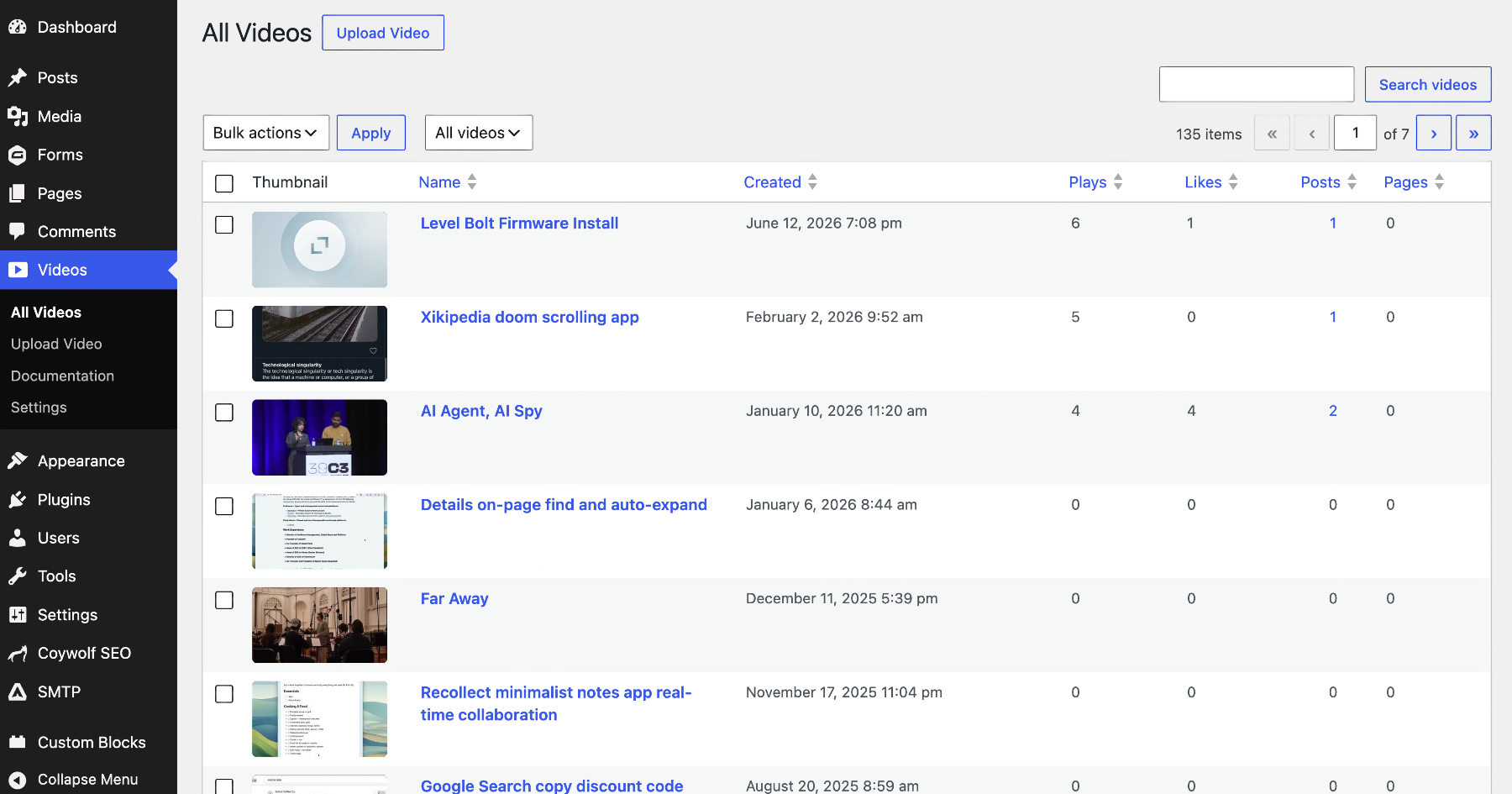
- All Videos screen — a table of every video with views, likes, tags, and how many posts and pages embed each one.
- Tags — organize your library with tags. Add them when uploading or editing a video, or in the block; set default tags in Settings that apply automatically to every upload; and bulk-add tags to selected videos. Tags show as #tag chips in the All Videos table — click one (or type #tag in the search box) to filter the list to that tag.
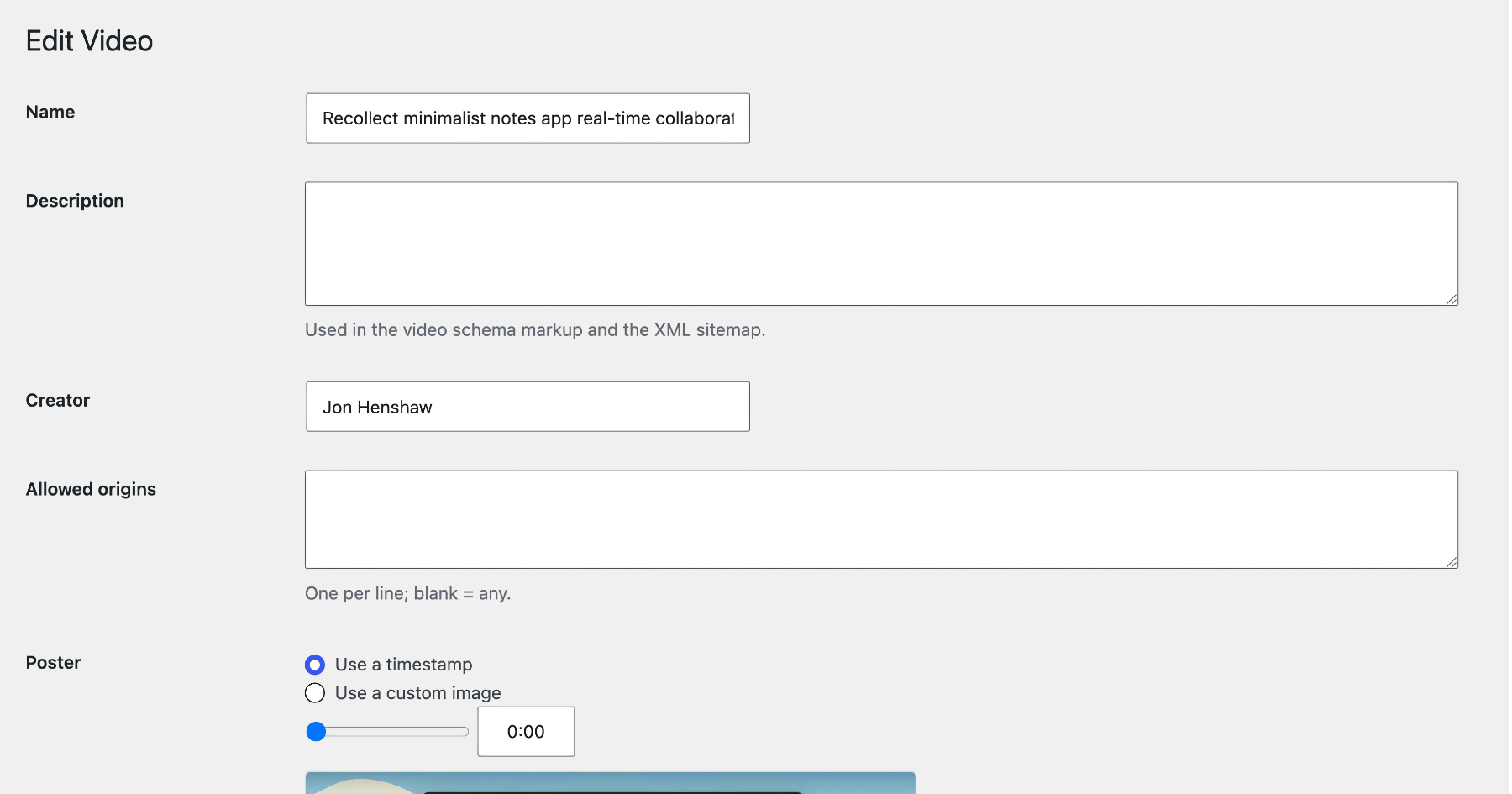
- Edit Video screen — rename, add tags and a description (used in schema + the sitemap), set the creator, manage allowed origins, choose the poster (a timestamp with a live preview, or a Media Library image at the recommended size), copy the video ID, and add or AI-generate captions.
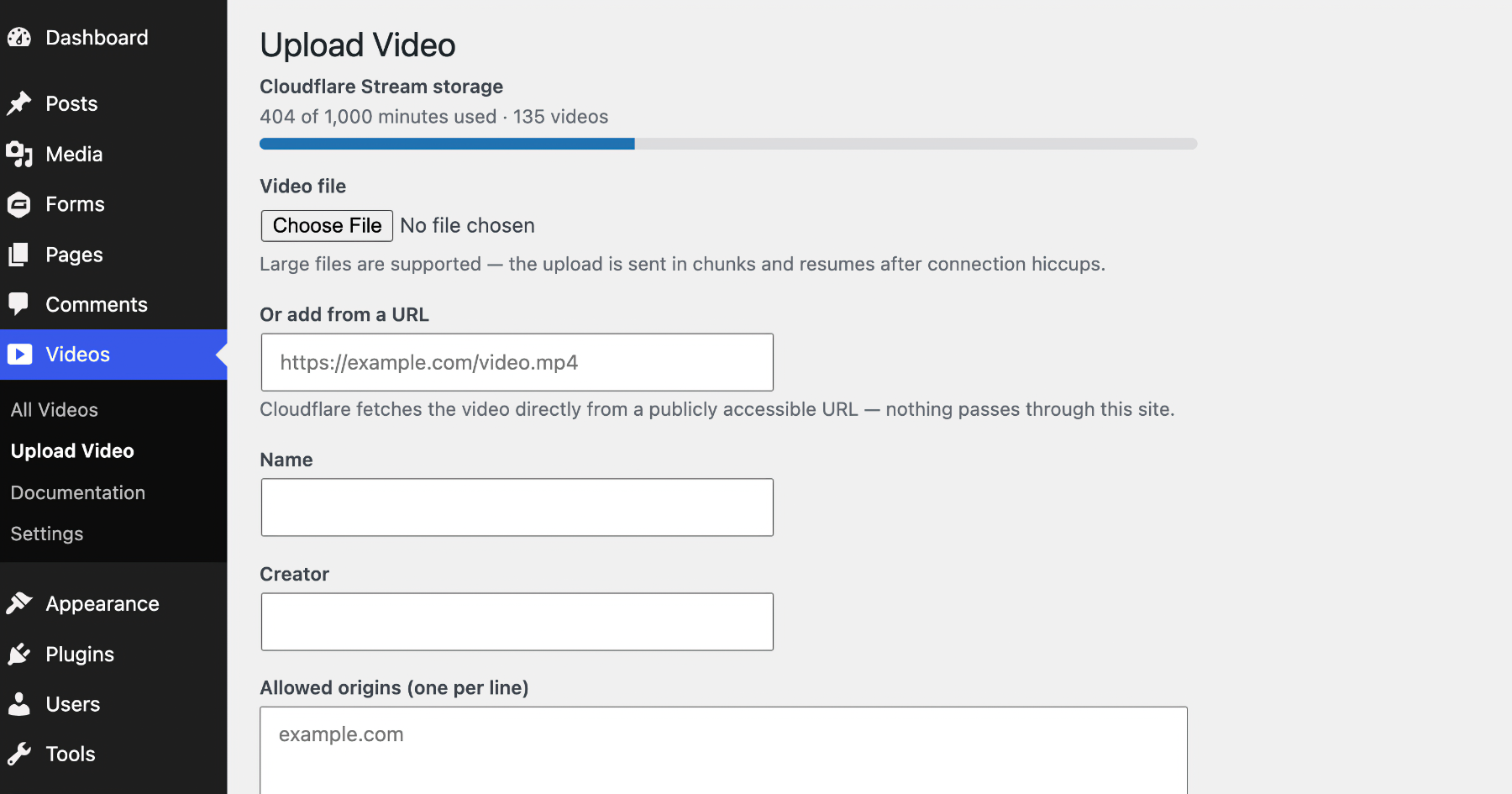
- Upload to Cloudflare — upload videos straight from WordPress on the Upload Video screen, or from the block itself when adding a video, then jump to the Edit screen when processing finishes.
- Video XML sitemap — optionally serve /coywolf-video-sitemap.xml (named to avoid clashing with Yoast SEO) listing every page and post that embeds a video, with full Google video tags (thumbnail, title, description, content and player URLs, duration, publication date, view count).
- Safe deletes — deleting a video removes its block from any post or page that used it. And if a video was deleted in the Cloudflare dashboard instead, the All Videos screen flags any posts still embedding it and offers a one-click, re-verified cleanup.
Cloudflare API access
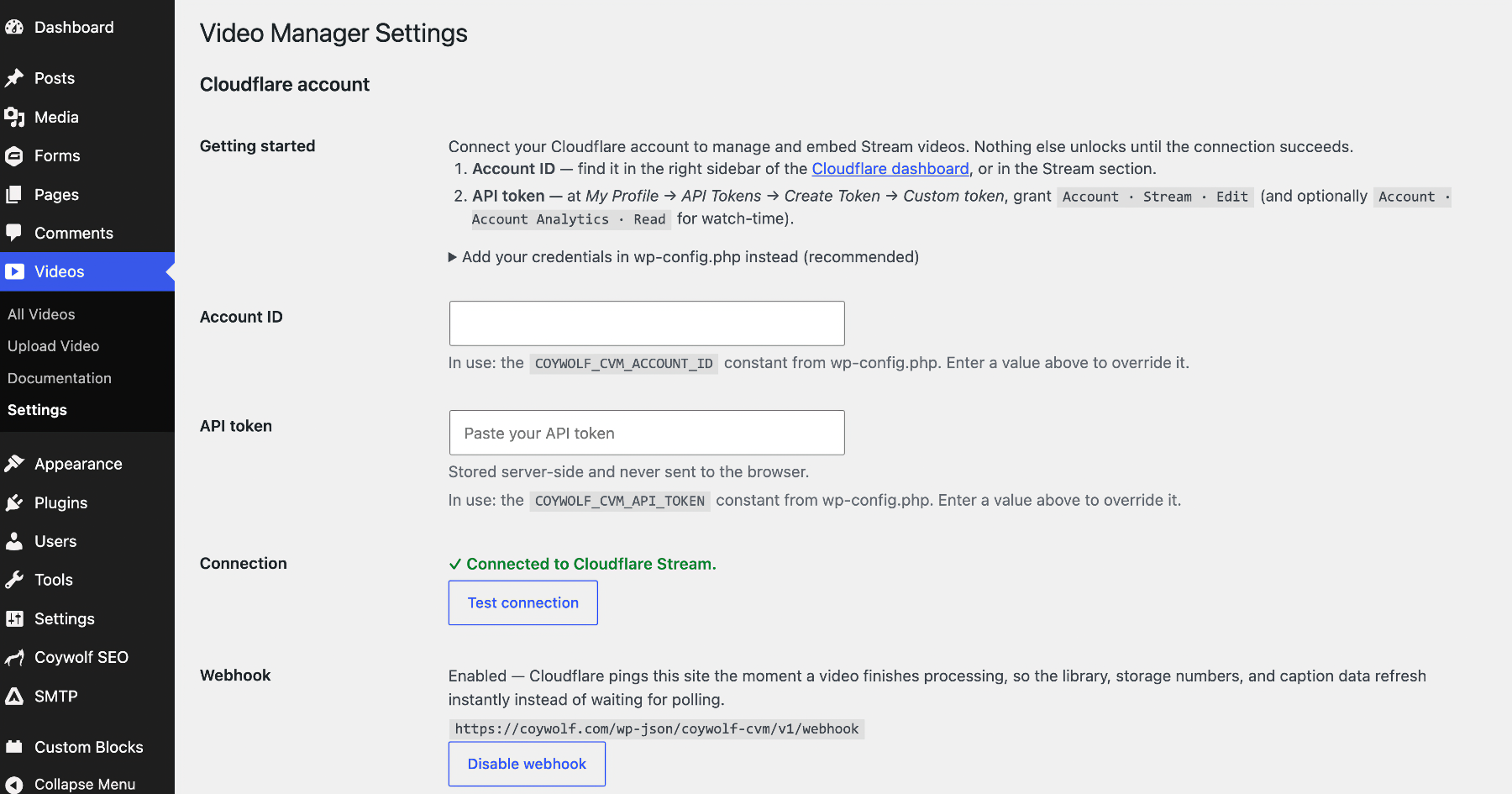
Settings are locked until you connect a Cloudflare account. You need your Account ID (in the Cloudflare dashboard sidebar) and an API token created at My Profile > API Tokens with the “Account > Stream > Edit” permission. Paste both into Videos > Settings and click Test connection. The token is stored server-side and never exposed to the browser. For better security you can instead define COYWOLF_CVM_API_TOKEN and COYWOLF_CVM_ACCOUNT_ID in wp-config.php (or set matching environment variables) to keep the credentials out of the database. A value saved in Settings takes precedence over the constant; leave the field empty (or use Remove on the token) to fall back to the wp-config.php value.
Privacy & third-party services
Privacy-first: this plugin includes no analytics, no tracking, and no data gathering — nothing about you, your site, or your visitors is ever collected. Its only outside connection is the service it exists to manage. The plugin connects WordPress to Cloudflare Stream on your behalf. The WordPress server calls the Cloudflare API (api.cloudflare.com) using your API token to list, edit, and manage videos, and to upload video files you choose (from the Upload Video screen or the block). On the front end, the Cloudflare Stream player SDK loads from embed.cloudflarestream.com and video streams from cloudflarestream.com / videodelivery.net. See Cloudflare’s terms of service at https://www.cloudflare.com/website-terms/ and privacy policy at https://www.cloudflare.com/privacypolicy/.
Styling with CSS
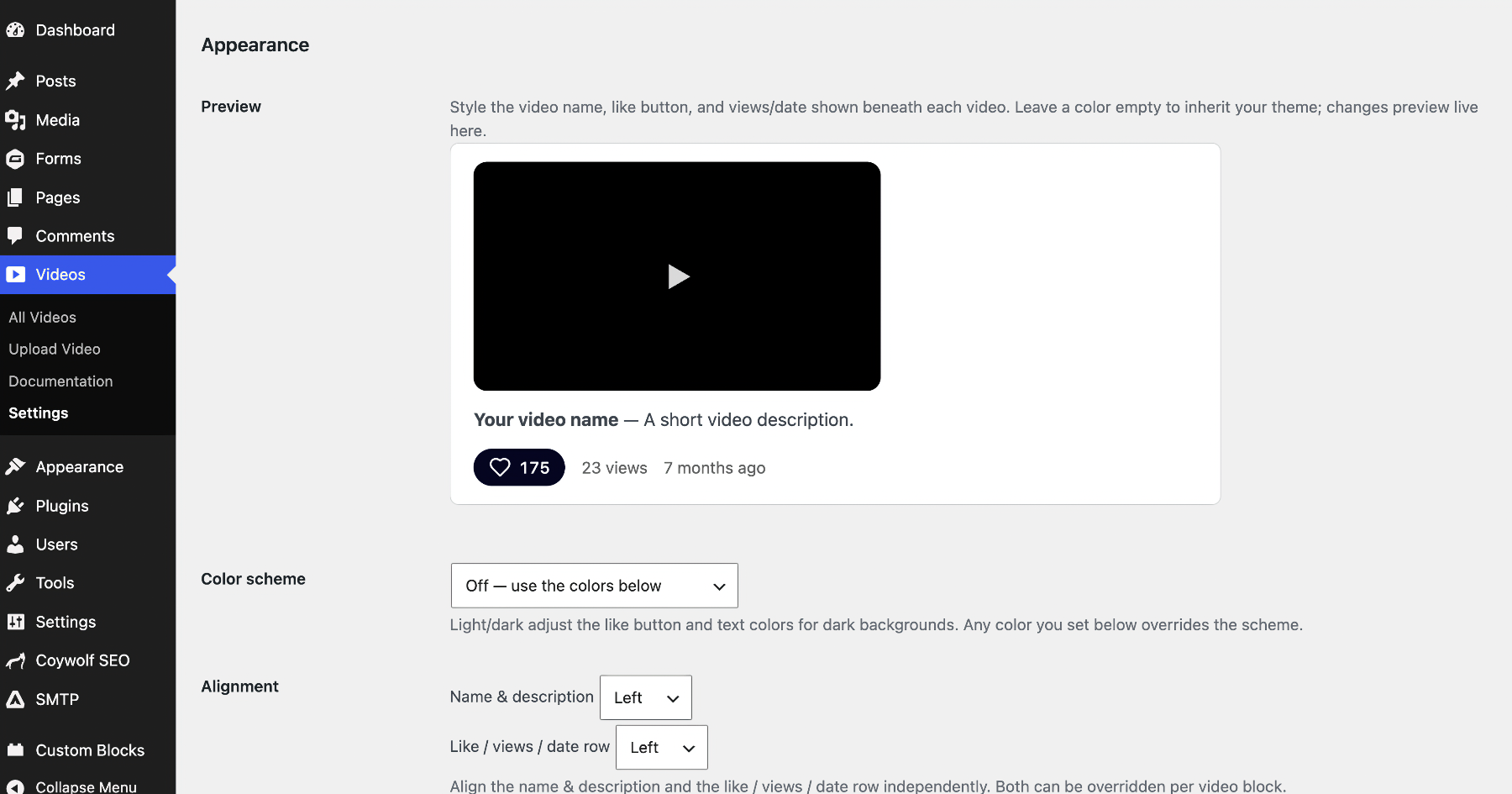
Style the on-post UI from Videos > Settings > Appearance (with a live preview and a hex color picker), or override it in your theme’s CSS — or both. The block exposes CSS custom properties on the .coywolf-cvm wrapper: –cvm-title-color (default inherit), –cvm-title-size (1rem; name & description), –cvm-title-weight (700; name), –cvm-desc-weight (400; description), –cvm-align (left; aligns the name & description), –cvm-meta-align (left; aligns the like/views/date row), –cvm-like-color (#0f0f0f; icon/text unclicked, also used on hover), –cvm-like-bg (#f2f2f2; background unclicked/hover, empty in Settings = none), –cvm-like-active (icon/text clicked), –cvm-like-active-bg (background clicked), –cvm-meta-color (#606060), –cvm-meta-size (0.9rem), –cvm-radius (0; player corner radius), –cvm-border-width (0; player border width), –cvm-border-color (#eee; player border color), –cvm-player-bg (transparent; player background behind the letterboxing). Example: .coywolf-cvm { –cvm-like-bg:#000; –cvm-like-color:#fff; } Useful classes: .coywolf-cvm, .coywolf-cvm-title, .coywolf-cvm-like, .coywolf-cvm-thumb, .coywolf-cvm-views, .coywolf-cvm-date. An optional light/dark scheme adds .coywolf-cvm-scheme-dark or .coywolf-cvm-scheme-auto. The plugin’s CSS avoids !important so your theme can override it.
Installation
- Upload the plugin to wp-content/plugins/coywolf-video-manager or install the zip from Plugins > Add New > Upload Plugin.
- Activate it.
- Go to Videos > Settings, enter your Cloudflare Account ID and API token, and click Test connection.
- Configure your defaults, then add the Video block to a post.
Frequently asked questions
Does this store my videos in WordPress?
No. Videos live on Cloudflare Stream. WordPress stores only what Cloudflare does not: local play/like counts, which posts embed which videos, and your settings.
How are plays and likes counted?
Cloudflare’s API does not expose play or like counts, so the plugin records them locally. A play is counted once per visitor session after about two seconds of playback so muted autoplay previews do not inflate the number. Likes are deduplicated per visitor, and the displayed like count is capped at the view count so likes can never outnumber plays. These are engagement signals, not billing-grade analytics.
Will my embeds break if I deactivate the plugin?
The live player, counts, and schema are rendered by the plugin, but each block also saves a plain link to the video as a fallback, so content degrades gracefully.
Changelog
1.0.63
- Transparent player background by default + a Player background color setting (#64).
1.0.62
- Add video tags: Cloudflare meta, All Videos column + #tag filtering, bulk + default tags (#63).
1.0.61
- Remove the “add from URL” upload option; add a Cancel button (#62).
1.0.60
- Add a player border option (rename “Player corner radius” to “Player border”) (#61).
1.0.59
- Confirm WordPress 7.1 compatibility (Tested up to: 7.1) (#60).
1.0.58
- ci: manual WordPress.org deploy workflow (no auto-deploy on release) (#59).
Screenshots

For developers
Is this your plugin? Show off the numbers.
Add a live badge to your site, docs or GitHub README. It updates on its own — no account needed.
Best Coywolf Video Manager alternatives
All CloudFlare Stream plugins →| Rank | Plugin | Active installs |
|---|---|---|
| 1 |
 Voffload for Cloudflare Stream
Upload your WordPress video attachments to Cloudflare Stream and serve them through the…
Voffload for Cloudflare Stream
Upload your WordPress video attachments to Cloudflare Stream and serve them through the…
|
<10 |
FAQ
Coywolf Video Manager: quick answers
Straight answers, pulled from live WordPress.org data.
Live data from WordPress.org · checked Oct 7, 2026
Is Coywolf Video Manager free?
Yes. Coywolf Video Manager is free to download and use from the official WordPress.org plugin directory.
Is Coywolf Video Manager safe to use in 2026?
Coywolf Video Manager works, but test it on a staging site before relying on it in 2026. Was last updated 2 months ago, and scores 60/100 on our health check.
How many websites use Coywolf Video Manager?
Coywolf Video Manager is active on <10 WordPress websites and has been downloaded 317 times since it launched in July 2026. It was downloaded 61 times in the last 30 days.
Does Coywolf Video Manager work with WordPress 7.1?
Yes. The developer has tested Coywolf Video Manager up to WordPress 7.1.3, the latest release. It requires WordPress 6.3 or newer.
What PHP version does Coywolf Video Manager need?
Coywolf Video Manager requires PHP 7.4 or higher. Most hosts run PHP 8.x today, so it works on any modern WordPress hosting.
When was Coywolf Video Manager last updated?
The latest version, 1.0.63, was released on August 19, 2026 (2 months ago).
Who makes Coywolf Video Manager?
Coywolf Video Manager is developed and maintained by Coywolf.
What are the best alternatives to Coywolf Video Manager?
The most popular alternatives to Coywolf Video Manager are Voffload for Cloudflare Str… (<10 installs).
Powered by PageForge
Want thousands of pages that rank like these? Build them in an afternoon.
This directory runs on the same engine as PageForge. Turn any spreadsheet, CSV or API into thousands of fast, SEO-ready WordPress pages — with schema, internal links and AI-written copy baked in.
- CSV, Google Sheets & API data sources
- AI content, schema & internal links per page
- Works with Elementor, Gutenberg, Yoast & Rank Math
- Free on WordPress.org — no credit card


