


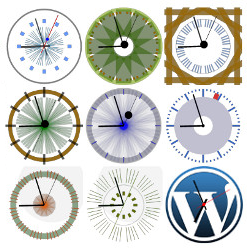
CoolClock
Show an analog clock on your WordPress site sidebar or in post and page content.

Safe pick
Yes — CoolClock is a safe, well-maintained plugin to use in 2026. It runs on 1K+ sites, is rated 4.7/5 and was last updated 2 weeks ago, and scores 81/100 on our health check.
- Actively developed — last update 2 weeks ago
- Tested with the latest WordPress (7.1)
- Momentum — downloads up 824.2% vs the previous 30 days
How does it stack up?
Side-by-side on installs, updates, ratings & support



Daily downloads
Download spikes usually follow a new release — each site that auto-updates counts as a download.
Rankings
Where CoolClock stands todayWordPress.org search rankings
Live position in the plugin search, top 100| Keyword | Position |
|---|---|
| analog clock | #3 |
| clock | #14 |
| javascript | #100 |
| shortcode | >100 |
| widget | >100 |
Version adoption
Share of active sites per release.
Rating breakdown
★★★★★★★★★★ 4.7 from 15 reviews
About CoolClock
From the official readme · v4.3.9Description
This plugin integrates CoolClock – The Javascript Analog Clock into your WordPress site. You can add it as a widget to your sidebar or insert it into your posts and pages with a shortcode. See the FAQ’s for available shortcode parameters and how to build the clock into your theme.
Features
- Can be added via a widget, shortcode or theme function
- No flash, meaning compatible with tablets and most other javascript enabled mobile devices
- 22 different skins to choose from or
- Custom skin option to create your own skin style
- Linear or logarithmic time scale
Read more on the CoolClock homepage or see the FAQ’s to learn how to configure your own skin settings.
Pro features
- Show date or 24h digital time
- Background image or color
- Border radius (rounded corners for background)
- Advanced positioning options (relative to background)
- Advanced shortcode parameters (including background image and custom skin)
- One extra clean skin for use with background image
- Support on the CoolClock Pro forum
Pro features come with the CoolClock – Advanced extension.
Translators
- Dutch * R.A. van Hagen https://status301.net/ (version 3.0)
- French * R.A. van Hagen https://status301.net/ (version 3.0)
- German * Manfred Mrak http://www.niftyfox.ch/ (version 3.2)
- Serbian * Borisa Djuraskovic – WebHostingHub http://www.webhostinghub.com/ (version 2.9.4)
- Slovenian * Adijan Dervišević – http://www.adijan.eu (version 3.2)
- Russian * Наталия Завьялова – http://time-impressions.ru (version 2.9.8)
Please contact me to submit your translation and get mentioned here 🙂
Privacy / GDPR
This plugin does not collect any user or visitor data nor set browser cookies. Using this plugin should not impact your site privacy policy in any way.
Known Issues
-
When IE 8 is manually put or forced (through X-UA-Compatibility meta tag or response header) into Compatibility mode, the Clock will –even though the canvas area is put in place– remain invisible.
-
When a shortcode is not placed on its own line but on the same line with text, image or even another shortcode, then the output (div with canvas tag) will be wrapped inside a paragraph tag. While most browsers do not have a problem displaying the clock, this will cause a validation error.
Please report any other issues on the Support page.
Installation
WordPress
Search for “coolclock” and install with that slick Plugins > Add New back-end page.
… OR …
Follow these steps:
-
Download archive.
-
Upload the zip file via the Plugins > Add New > Upload page … OR … unpack and upload the complete directory with your favourite FTP client to the /plugins/ folder.
-
Activate the plugin on the Plug-ins page.
Now visit your Widgets admin page and add the Analog Clock widget to your sidebar. 🙂
Frequently asked questions
Where do I start?
There is no options page. Just go to your Appearance > Widgets admin page and find the new Analog Clock widget. Add it to your sidebar and change settings if you want to see another than the default clock. Other ways to integrate a clock into your site are shortcodes or a theme function. See instructions below.
What options does the widget have?
First of all, you can pick a preset skin. There are 21 skins made by other users and, when the Advanced extension is added, one Minimal skin that only shows the clock arms, that can be useful for placing over a custom background image. There are these options: Custom skin parameters – see question below; Radius – changes the clock size; Hide second hand; Show digital time (more options in the Advanced version); Set digital time color; GMT Offset – use this if you want one or more clocks to show the time for other timezones; Scale – linear is our standard clock scale, the other two show a…
How can I create a custom skin?
Follow the steps on Creating a Custom Skin and if you are happy with the result, please consider sharing it with other users!
Can I share this fantastic custom skin I created?
If you made a nice skin and would like to share it, you can do so in the comments on Creating a Custom Skin or add it to your Plugin Review. Thanks for sharing! 🙂
Can I insert a clock in posts or pages?
Yes, there the shortcode [coolclock /] available. You can find all parameters on How to use the CoolClock shortcode.
I’m building my own theme. Is there a theme function available?
Yes, you can use a built-in WordPress function that parses a shortcode. To place the same clock as in the shortcode example above, anywhere in your theme, use this:
Changelog
Bugfix release: too much filtering in Classic widget.
4.3.9
Bugfix: too much filtering in Classic widget
4.3.8
- Bugfix: shortcode Stored XSS vulnerability, thanks @Artus KG and @Philipp Doblhofer
- Apply Plugin Check recommendations
- Drop legacy IE8 excanvas support
4.3.7
- Bugfix: fatal error when shotcode has no parameters
4.3.6
- Bugfix: empty noseconds and showdigital ignored
4.3.5
- Bugfix: shortcode Stored XSS vulnerability, thanks @wpscan
4.3.4
- Update URLs
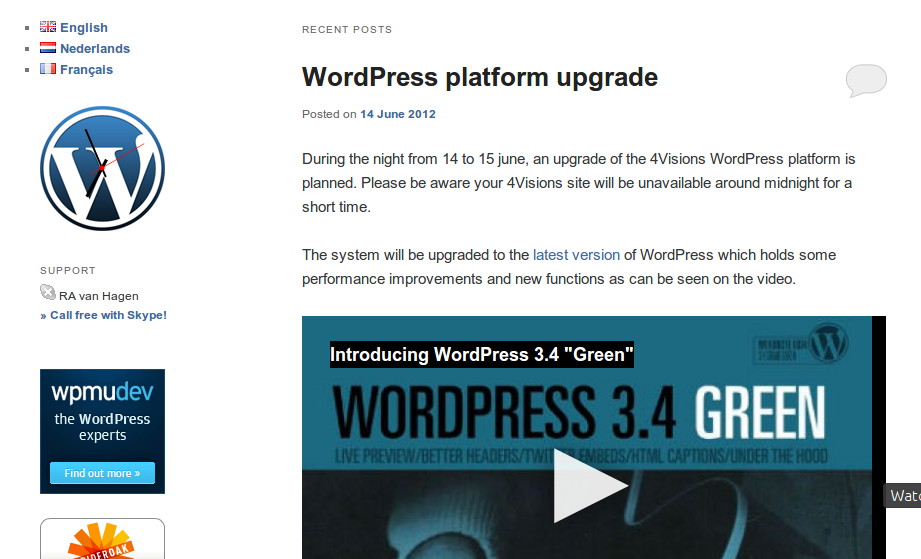
Screenshots

For developers
Is this your plugin? Show off the numbers.
Add a live badge to your site, docs or GitHub README. It updates on its own — no account needed.
Best CoolClock alternatives
All analog clock plugins →

FAQ
CoolClock: quick answers
Straight answers, pulled from live WordPress.org data.
Live data from WordPress.org · checked Sep 26, 2026
Is CoolClock free?
Yes. CoolClock is free to download and use from the official WordPress.org plugin directory. The developer also sells premium add-ons or a Pro version with extra features.
Is CoolClock safe to use in 2026?
Yes — CoolClock is a safe, well-maintained plugin to use in 2026. It runs on 1K+ sites, is rated 4.7/5 and was last updated 2 weeks ago, and scores 81/100 on our health check.
How many websites use CoolClock?
CoolClock is active on 1K+ WordPress websites and has been downloaded 90,961 times since it launched in December 2012. It was downloaded 2,329 times in the last 30 days.
Does CoolClock work with WordPress 7.1?
Yes. The developer has tested CoolClock up to WordPress 7.1.2, the latest release. It requires WordPress 5.8 or newer.
What PHP version does CoolClock need?
CoolClock requires PHP 5.6 or higher. Most hosts run PHP 8.x today, so it works on any modern WordPress hosting.
When was CoolClock last updated?
The latest version, 4.3.9, was released on September 14, 2026 (2 weeks ago).
Who makes CoolClock?
CoolClock is developed and maintained by Rolf Allard van Hagen.
What are the best alternatives to CoolClock?
The most popular alternatives to CoolClock are IP2Location World Clock (300+ installs), What Time Is It? (100+ installs) and Universal Clocks (100+ installs).
Powered by PageForge
Want thousands of pages that rank like these? Build them in an afternoon.
This directory runs on the same engine as PageForge. Turn any spreadsheet, CSV or API into thousands of fast, SEO-ready WordPress pages — with schema, internal links and AI-written copy baked in.
- CSV, Google Sheets & API data sources
- AI content, schema & internal links per page
- Works with Elementor, Gutenberg, Yoast & Rank Math
- Free on WordPress.org — no credit card


