


Content Slider Block – Bring your content to life with slides
Power up your website with the Content Slider Block plugin. Easily create professional sliders using our new block editor integration!

Solid choice
Content Slider Block is a solid plugin choice in 2026, with a few things worth checking first. It runs on 3K+ sites, is rated 3.2/5 and was last updated 4 days ago, and scores 76/100 on our health check.
- Actively developed — last update 4 days ago
- Tested with the latest WordPress (7.1)
- Momentum — downloads up 584.5% vs the previous 30 days
- Low rating so far — 3.2/5 from only 5 reviews
How does it stack up?
Side-by-side on installs, updates, ratings & support



Daily downloads
Download spikes usually follow a new release — each site that auto-updates counts as a download.
Rankings
Where Content Slider Block stands todayWordPress.org search rankings
Live position in the plugin search, top 100| Keyword | Position |
|---|---|
| block | >100 |
| carousel slider | #71 |
| content carousel | #24 |
| Image carousel | >100 |
| image slider | #74 |
Version adoption
Share of active sites per release.
Rating breakdown
★★★★★★★★★★ 3.2 from 5 reviews
About Content Slider Block
From the official readme · v3.2.3Description
👉 Plugin Demo | Documentation | Get Pro Version 👈
Professionally showcase your carousel slider with the Content Slider Block plugin. This plugin adds a new block in the Block Editor by which you can create a professional-looking content slider!
It is very effective in presenting your slider nicely. There are many options that you can use to decorate your carousel slider in any color you like.
Customization is at the core of the Content Slider Block. With the ability to tailor each slide’s background to your liking-whether it’s a
– vibrant gradient
– captivating image
– or sleek color palette.
you can create a captivating visual experience that aligns perfectly with your brand identity.
But it doesn’t stop there. Each slide can be enriched with compelling content, including titles, descriptions, and actionable buttons.
With flexible typography settings, you have the freedom to fine-tune the appearance of text elements to ensure consistency with your website’s design aesthetic.
Buttons, in particular, are highly customizable, allowing you to specify link behavior, padding, and border styles.
Whether you want to drive conversions with bold call-to-action buttons or maintain a minimalist design approach, the options are endless.
The Content Slider Block also puts you in control of content positioning, giving you the flexibility to arrange elements within slides according to your preferences.
And with responsive design options, your sliders will look stunning on any device, ensuring a seamless user experience across desktops, tablets, and mobile devices.
But what truly sets the Content Slider Block apart are its advanced features. You can create truly captivating sliders that leave a lasting impression on your audience with
– options for autoplay settings
– transition effects
– and additional effects like cube and coverflow.
With Pro features like advanced border styles, device-specific controls, and shortcode integration, the possibilities are endless. Whether you’re a blogger, marketer, or business owner, the Content Slider Block empowers you to tell your story in a way that resonates with your audience.
Content Slider Block Features
-
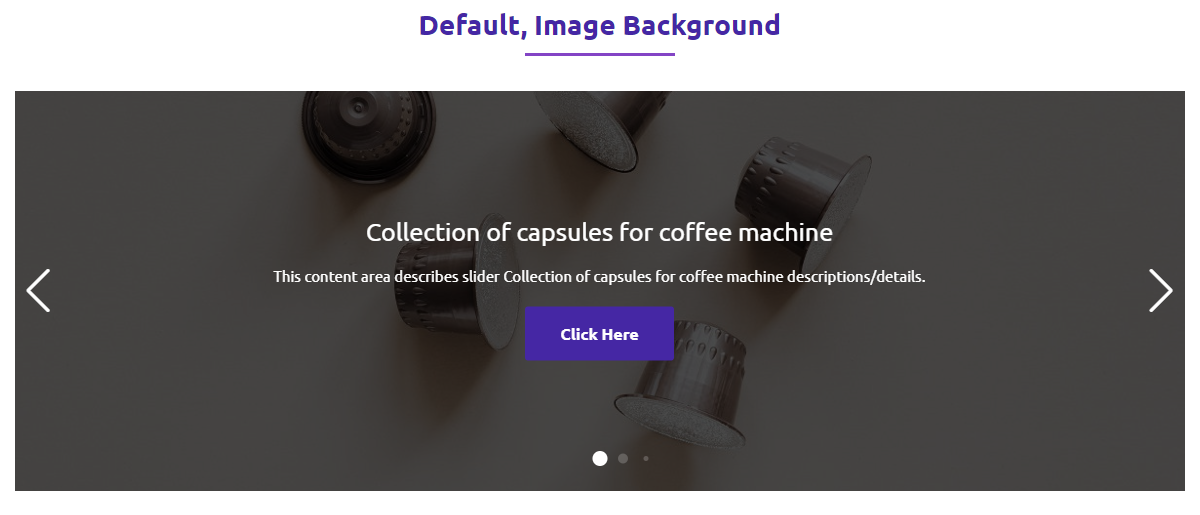
Set color, gradient, or image background for each slide.
-
Title, Description, and Button for each slider.
-
Set typography for the Title, Description, and Button.
-
Specify link tab, padding, and border for the Button.
-
Set different positions for the content. Also, can drag the slide content.
-
Set different colors for slide title, and description. Also, set button colors and hover colors.
-
Apply different columns for responsive devices.
-
Set column gap, width, and height to set your desired layout.
-
Multiple Slider options such as Loop, Touch Move, Slide Speed, Autoplay
-
Slide, Fade, and Creative effects for the Slider.
-
Show/Hide the Pagination and Navigation and configure their dynamic styles.
-
Enable/Disable Pagination Clickable and Dynamic Bullets.
Content Slider Block Pro Features
-
Sortable: Sort the slides.
-
Border: Border style options in every single slide.
-
Delay time: Delay time option in autoplay.
-
Disable on Interaction: Disable on Interaction option in autoplay.
-
Reverse Direction: Reverse Direction option in autoplay.
-
Pause on Mouse Enter: Pause on Mouse Enter option in autoplay.
-
Stop on Last Slide: Stop on Last Slide option in autoplay.
-
Free Mode: Free Mode option on drag slide.
-
Sticky: Sticky option in free mode.
-
Effects: Explore more effects such as Cube, Coverflow, Flip, and Cards.
-
Keyboard Control: Slide with Keyboard control.
-
Slide on Mousewheel: Slide on Mousewheel option.
-
Pagination Device: Show/Hide pagination in different devices(tablet and mobile).
-
Navigation Device: Show/Hide navigation in different devices(tablet and mobile).
-
Background: Background style option for slider wrapper.
-
Padding: Padding style option for slider wrapper.
-
Shortcode: Shortcode option to use anywhere.
How to use Content Slider Block
- First, install the Content Slider block plugin
- Add the Content Slider block from the block category called “Content Slider Block” in the Gutenberg editor.
- You can change block settings from the right-side settings sidebar.
-
Enjoy!
-
For installation help click on Installation Tab
User Feedback
⭐⭐⭐⭐⭐ simple and effective
❛❛very simple very effective
please keep updating it
Best Regards❜❜
– Did you like this plugin? Dislike it? Have a feature request? Please share your feedback with us
Check out the Parent Plugin of this plugin-
B Blocks – A blocks collection and page building tool for Gutenberg.
Check out our other WordPress Plugins-
Html5 Video Player – Display videos as single and playlist in multiple skins.
PDF Poster – Display/Embed PDF files with different styles.
Html5 Audio Player – Listen audios with awesome visuals.
StreamCast – Customizable radio player with different skins.
3D Viewer – Embed 3D models and 3D products with interaction.
Advanced Post Block – Show posts and custom posts in different layouts.
Source Code
You can find the source code, report bugs, and contribute to the development of this plugin on our GitHub repository:
Content Slider Block on GitHub
Third-Party Libraries
This plugin bundles the following third-party JavaScript/PHP libraries.
Swiper
- Source: https://swiperjs.com/
- GitHub: https://github.com/nolimits4web/swiper
- License: MIT – https://github.com/nolimits4web/swiper/blob/master/LICENSE
- Purpose: Modern touch slider used for Slider and News Ticker components.
Freemius Lite SDK
- Source: https://bplugins.com/
- GitHub: https://github.com/bPlugins/freemius-lite-sdk
- License: GPL-2.0-or-later – https://www.gnu.org/licenses/gpl-2.0.html
- Purpose: Provides an opt-in consent form for usage tracking and analytics to help improve the plugin. No data is sent before explicit user consent.
- External Services: Communicates with
api.bplugins.com(activation events) andwp.freemius.com(opt-in processing) only after user opt-in. See bPlugins Privacy Policy and Freemius Privacy Policy.
bpl-tools
- Source / GitHub: https://github.com/bPlugins/bpl-tools
- License: GPL-2.0-or-later – https://www.gnu.org/licenses/gpl-2.0.html
- Purpose: Shared utility library providing admin dashboard components and common Gutenberg editor controls.
- External Services: The library may connect to bPlugins, WordPress.org, and Freemius services for product data and checkout functionality. See full details: https://github.com/bPlugins/bpl-tools#external-requests–why-they-are-made
Installation
From Gutenberg Editor:
- Go to the WordPress Block/Gutenberg Editor
- Search For Content Slider Block
- Click on the Content Slider Block to add the block
Download & Upload:
- Download the Content Slider Block plugin (.zip file)
- In your admin area, go to the Plugins menu and click on Add New
- Click on Upload Plugin and choose the
content-slider-block.zipfile and click on Install Now - Activate the plugin and Enjoy!
Manually:
- Download and upload the Content Slider Block plugin to the
/wp-content/plugins/directory - Activate the plugin through the Plugins menu in WordPress
Changelog
3.2.3 – 17 Nov 2026
- Improvement: Fix minor issues.
3.2.2 – 26 Oct 2026
- Security: Fixed a stored XSS through the slide button link and style settings, reported by Patchstack
- Security: Slider attributes are now sanitized on the server before they reach the page
3.2.1 – 11 Jun 2026
- Update: SDK
- Update: Performance Improvement
3.2.0 – 04 Mar 2026
- Update: Admin Dashboard – Improved UI with better navigation and clearer feature organization.
3.1.9 – 27 Nov 2025
- Update: Admin Dashboard.
- Update: SDK.
3.1.8 – 5 May 2025
- Fix textdomain issue.
Screenshots


For developers
Is this your plugin? Show off the numbers.
Add a live badge to your site, docs or GitHub README. It updates on its own — no account needed.
Best Content Slider Block alternatives
All block plugins →




FAQ
Content Slider Block: quick answers
Straight answers, pulled from live WordPress.org data.
Source: WordPress.org
Is Content Slider Block free?
Yes. Content Slider Block is free to download and use from the official WordPress.org plugin directory.
Is Content Slider Block safe to use in 2026?
Content Slider Block is a solid plugin choice in 2026, with a few things worth checking first. It runs on 3K+ sites, is rated 3.2/5 and was last updated 4 days ago, and scores 76/100 on our health check.
How many websites use Content Slider Block?
Content Slider Block is active on 3K+ WordPress websites and has been downloaded 82,892 times since it launched in September 2021. It was downloaded 5,202 times in the last 30 days.
Does Content Slider Block work with WordPress 7.1?
Yes. The developer has tested Content Slider Block up to WordPress 7.1.5, the latest release. It requires WordPress 6.5 or newer.
What PHP version does Content Slider Block need?
Content Slider Block requires PHP 7.4 or higher. Most hosts run PHP 8.x today, so it works on any modern WordPress hosting.
When was Content Slider Block last updated?
The latest version, 3.2.3, was released on November 17, 2026 (4 days ago).
Who makes Content Slider Block?
Content Slider Block is developed and maintained by bPlugins.
What are the best alternatives to Content Slider Block?
The most popular alternatives to Content Slider Block are Spectra Legacy (1M+ installs), Breadcrumb NavXT (700K+ installs) and PDF Embedder (300K+ installs).
Powered by PageForge
One template and a spreadsheet. A real page for every search.
PageForge turns each row of a CSV into a WordPress page with its own title, URL, SEO fields and schema, built on the layout you already designed. Free on WordPress.org.
- CSV and XLSX, plus Google Sheets on Professional and Enterprise
- Its own title, URL, SEO fields and schema for every page
- Works with the block editor, Elementor, Divi and Avada
- Free on WordPress.org, no credit card