



CF7 Apps – Honeypot, Database, Redirection, Webhook, and Addons for Contact Form 7
Add extra Spam Protection functionalities to your Contact Form 7 forms with CF7 Apps.

Safe pick
Yes — CF7 Apps is a safe, well-maintained plugin to use in 2026. It runs on 300K+ sites, is rated 3.8/5 and was last updated 2 months ago, and scores 82/100 on our health check.
- Proven at scale on 300K+ active sites
- Responsive support — 100% of recent threads resolved
How does it stack up?
Side-by-side on installs, updates, ratings & support



Daily downloads
Download spikes usually follow a new release — each site that auto-updates counts as a download.
Rankings
Where CF7 Apps stands todayWordPress.org search rankings
Live position in the plugin search, top 100| Keyword | Position |
|---|---|
| anti-spam | #16 |
| captcha | #26 |
| CF7 Database | #1 |
| honeypot | #2 |
| spam protection | #10 |
Version adoption
Share of active sites per release.
Rating breakdown
★★★★★★★★★★ 3.8 from 135 reviews
About CF7 Apps
From the official readme · v3.7.2Description
Add extra Spam Protection functionalities to your Contact Form 7 forms with CF7 Apps.
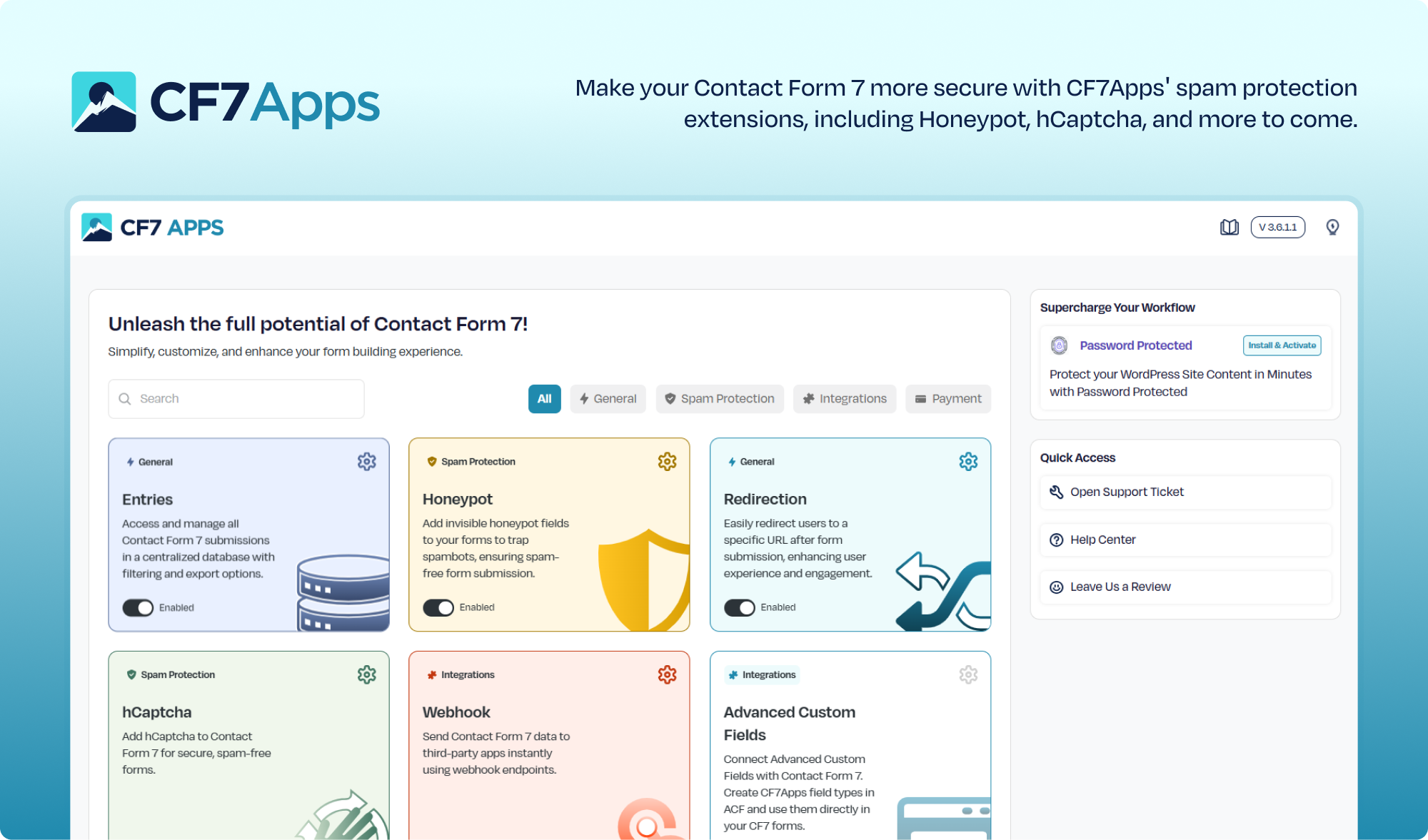
Contact Form 7 is one of the most popular form plugins for WordPress, but it lacks many advanced features that modern websites need. CF7 Apps adds extra Spam Protection functionalities to your Contact Form 7 forms, introducing honeypot and hCaptcha options.
👉 Get Support: Click Here
👉 Check out the Documentation
What CF7 Apps Can Do for You ?
Right out of the box, CF7 Apps includes:
✅ Honeypot App
✅ hCaptcha App
✅ Database Entries App
✅ Redirection App
✅ Webhook App
✅ ACF Integeration
✅ AI Form Generator
And that’s just the beginning.
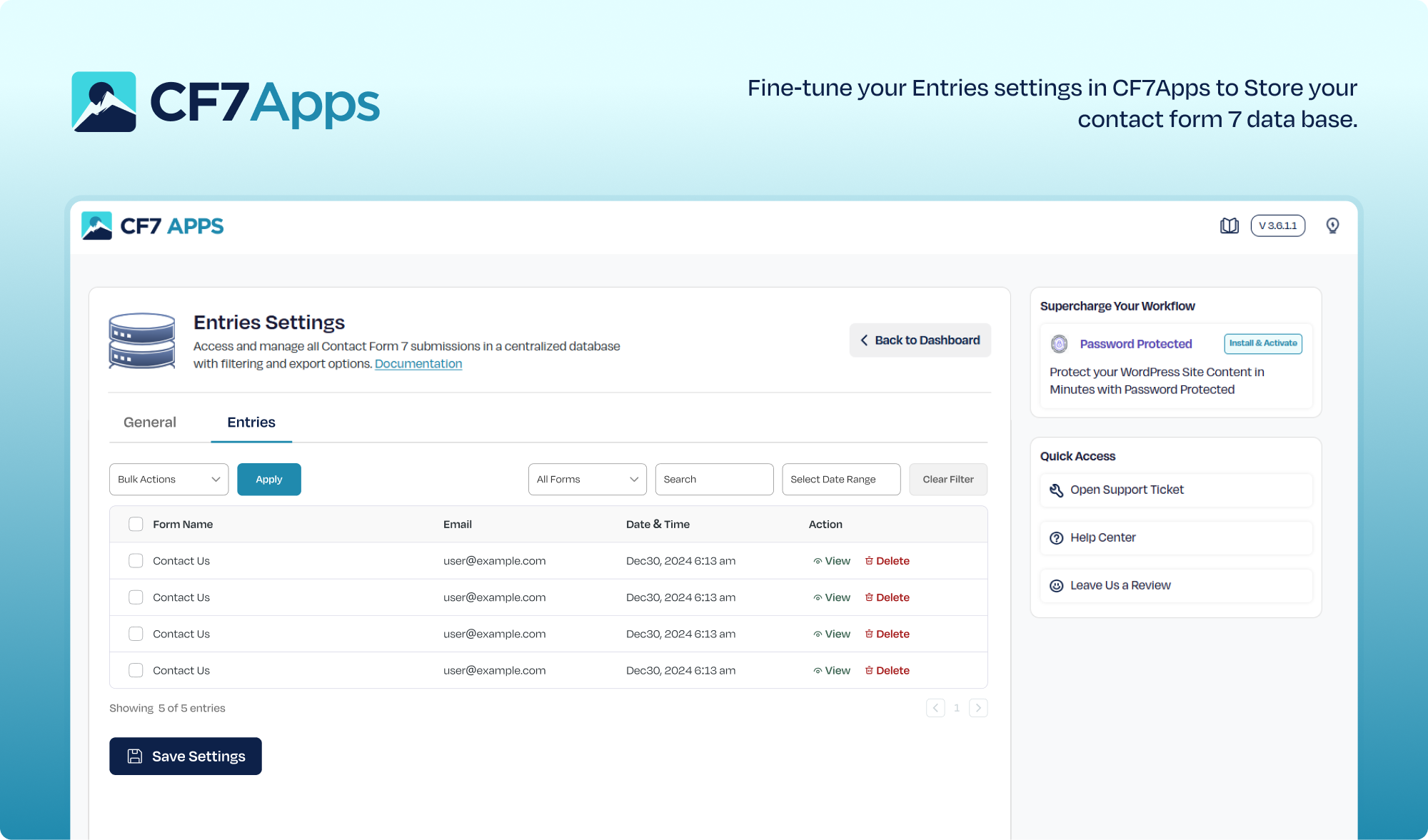
🌟 Save and Manage CF7 Form Submissions
The Entries Database App stores all Contact Form 7 submissions directly to your WordPress database. Easily filter entries by form or date, view individual CF7 submissions, and export or delete them when needed. This ensures you never lose important leads or messages, even if emails fail to deliver.
🌟 Add a Honeypot Field to Prevent Spam
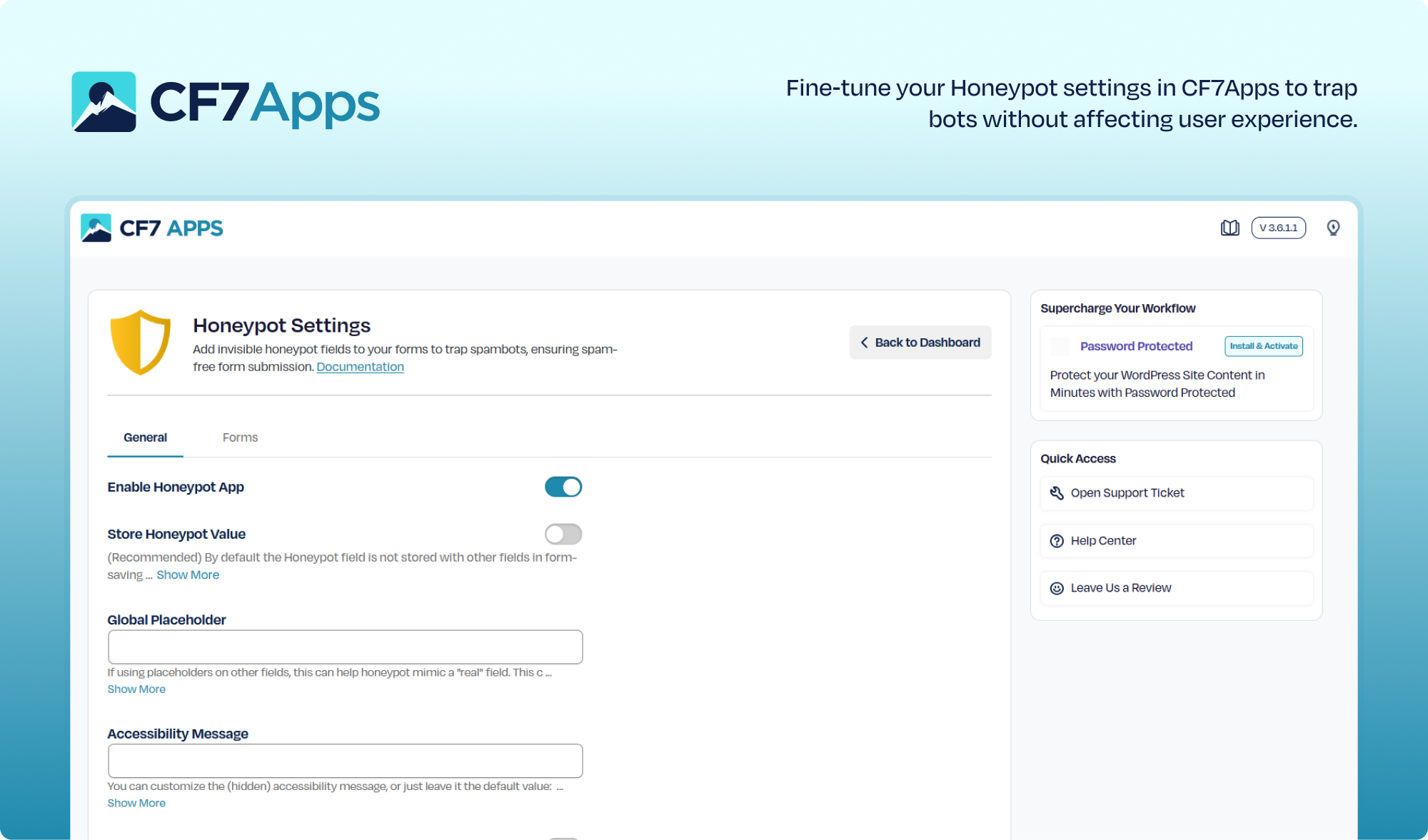
Our Honeypot Contact Form 7 extension creates a hidden field inside your Contact Form 7 forms. Real users never see it, but bots do—and that’s how the bots fall for the trap. It blocks automated spam before it even hits your inbox.
🌟 Add hCaptcha to Contact Form 7
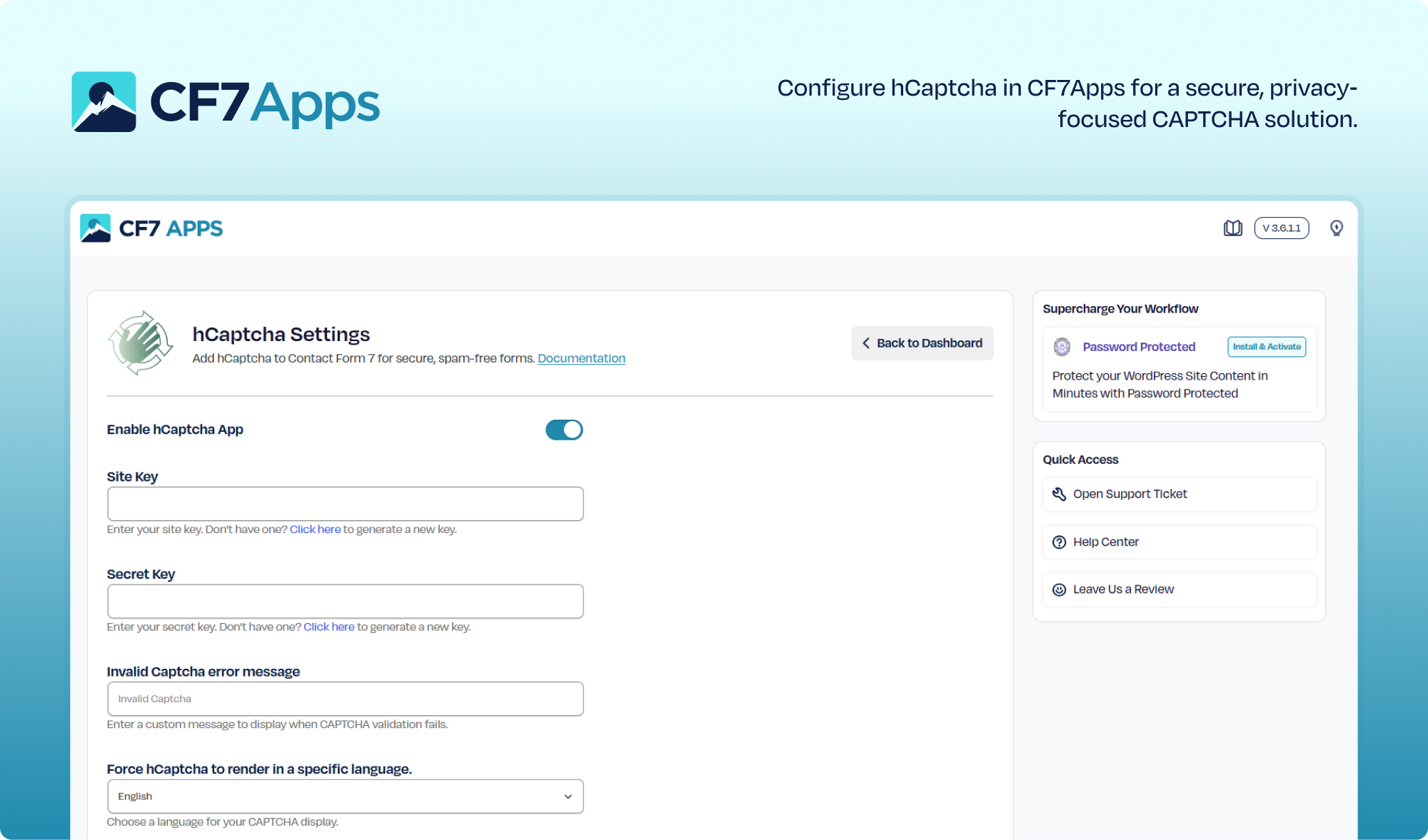
Protect your forms from spam bots using hCaptcha, a privacy-friendly alternative to Google reCAPTCHA. This extension integrates directly with CF7 and works instantly after setup. No coding is required, and no extra plugins are needed. Just set up your site keys and you’re done.
🌟 Manage & View Contact Form 7 Entries
Store, view, and manage all your Contact Form 7 submissions directly inside your WordPress dashboard. This extension logs every form entry automatically, giving you an organized record of user submissions. No coding or third-party tools required just activate and start tracking instantly.
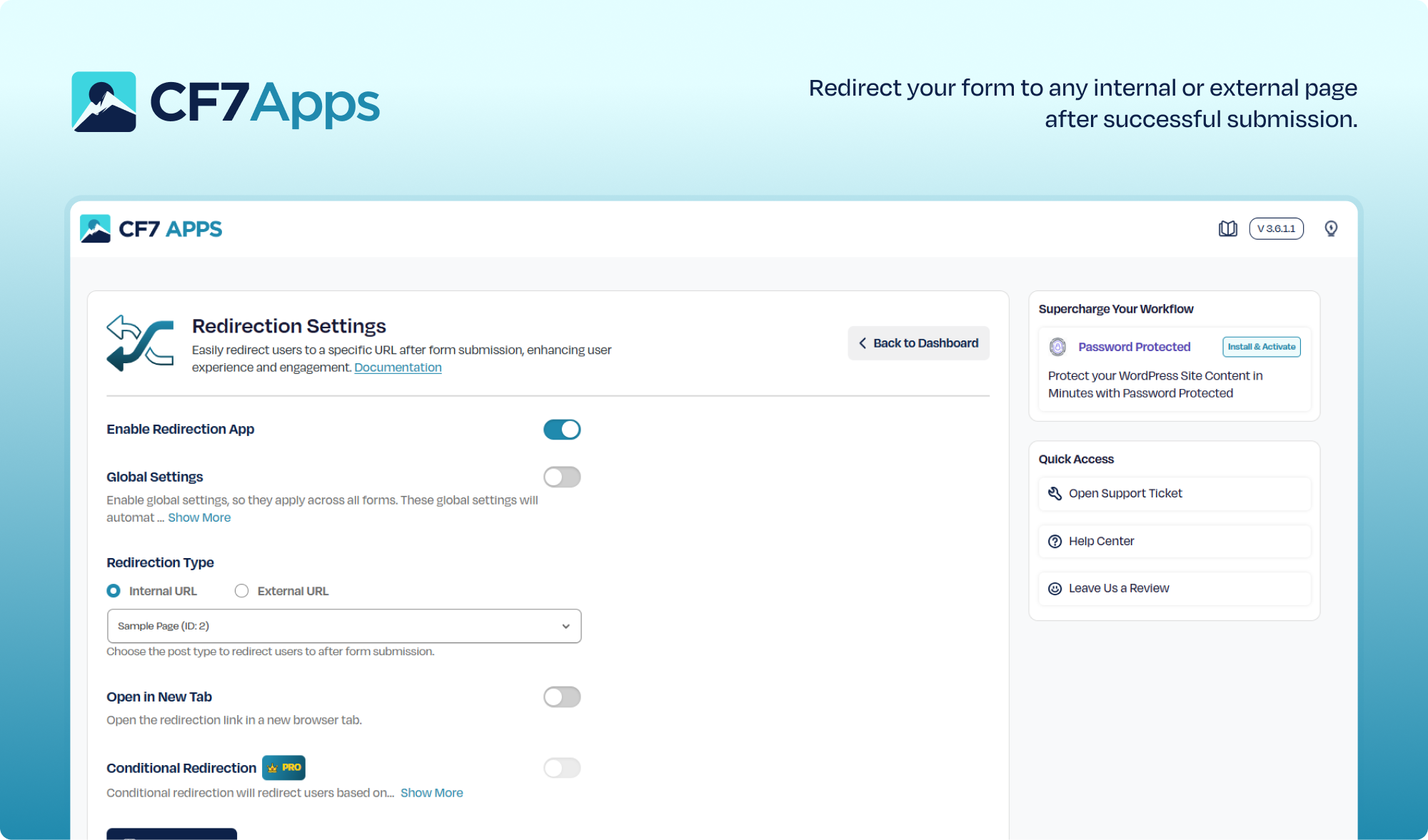
🌟 Redirect Users After Form Submission
Easily redirect users to any internal or external page after submitting a form. This extension lets you control the post-submission experience with custom URLs, thank-you pages, or marketing funnels. No coding needed configure your redirect URL and it works immediately.
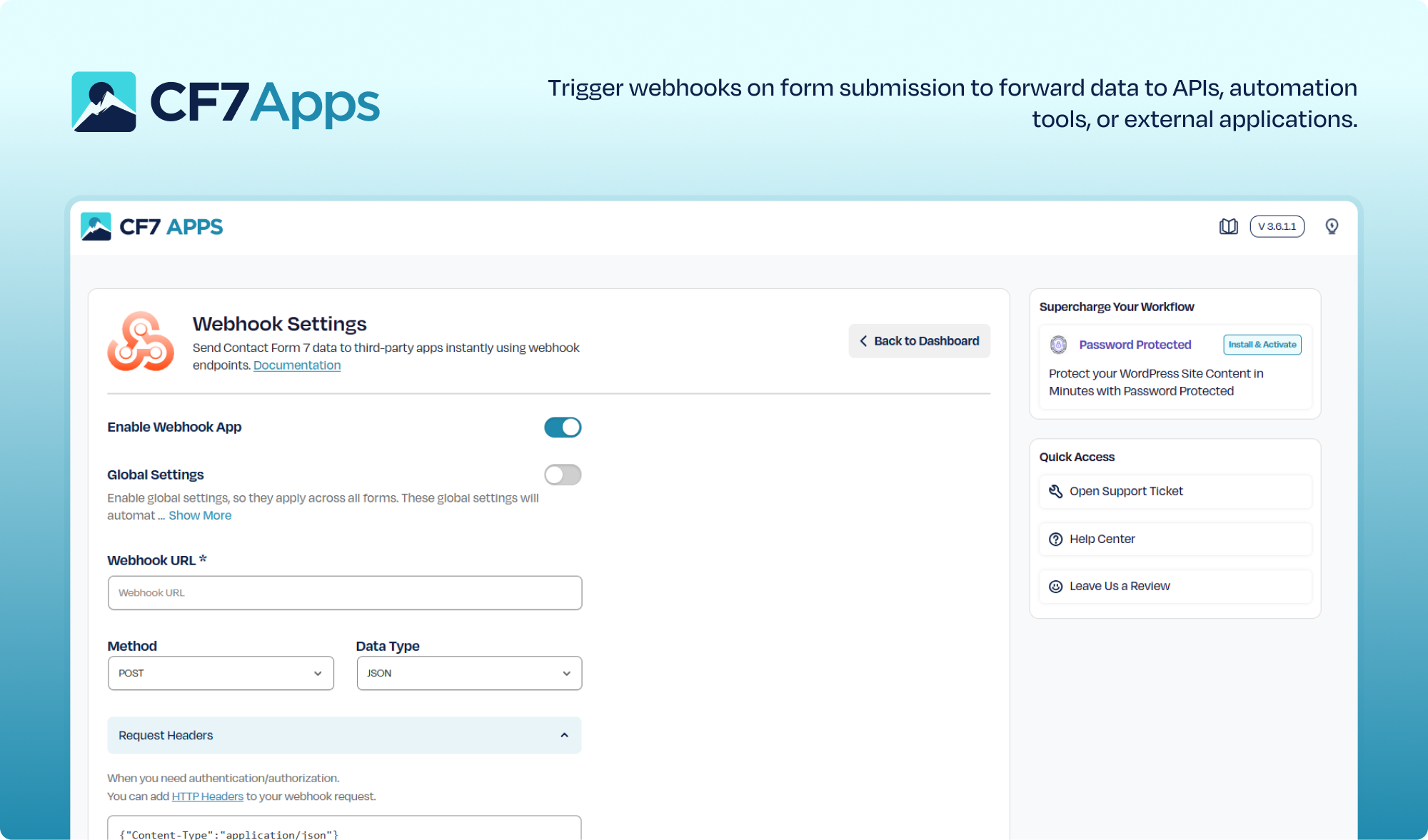
🌟 Send Form Data via Webhooks
Automatically forward your Contact Form 7 submission data to any external service using webhooks.This extension enables seamless API integrations, automation workflows, and third-party connections. No additional plugins or coding required just add your webhook URL and you’re ready to go.
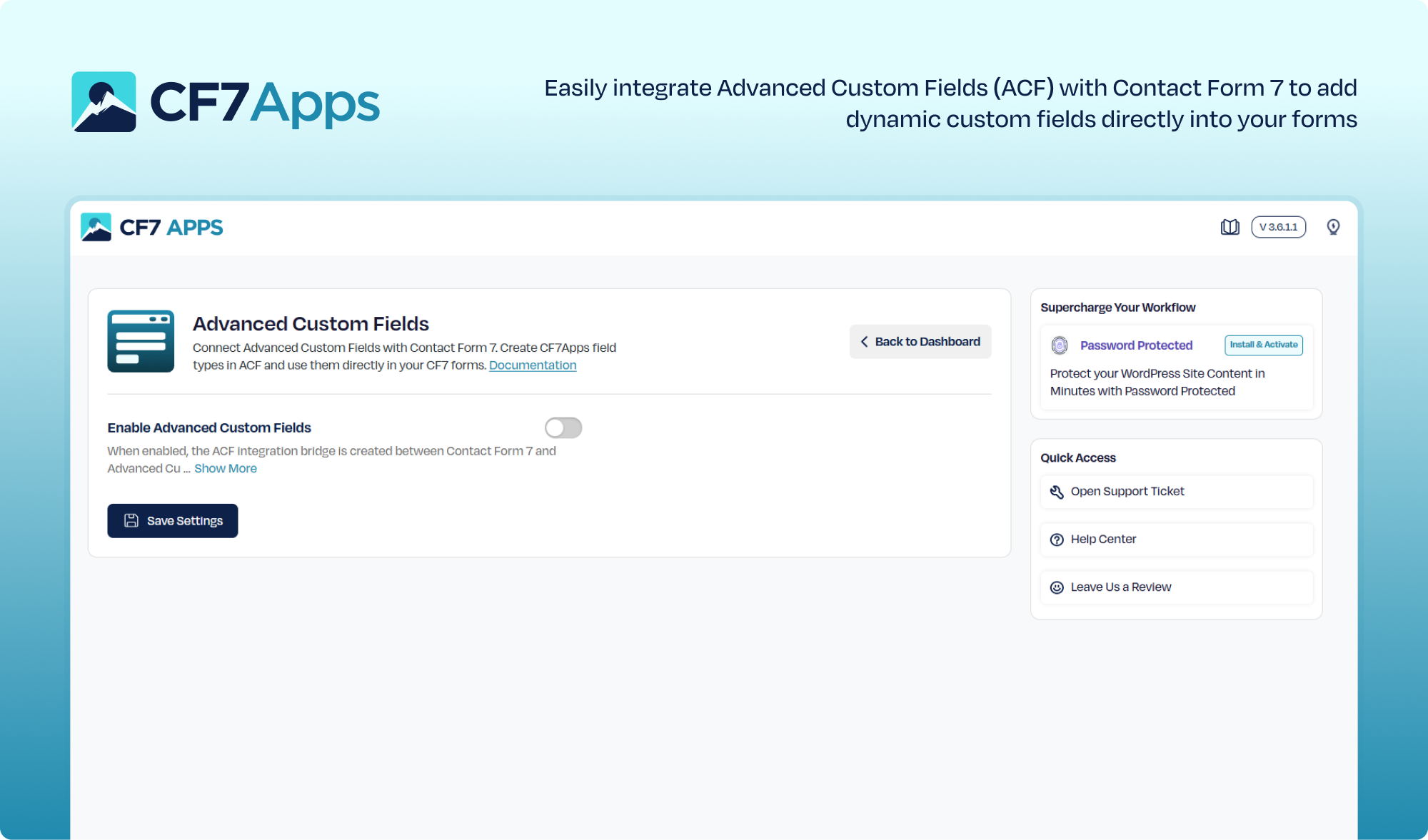
🌟 Integrate ACF Fields into Your Forms
Easily pull Advanced Custom Fields (ACF) data into your Contact Form 7 forms using the built-in ACF field tags. This integration lets you map and display your custom ACF fields directly inside CF7 without any extra plugins or coding. Just enable the feature, select your ACF fields, and your form is ready to use.
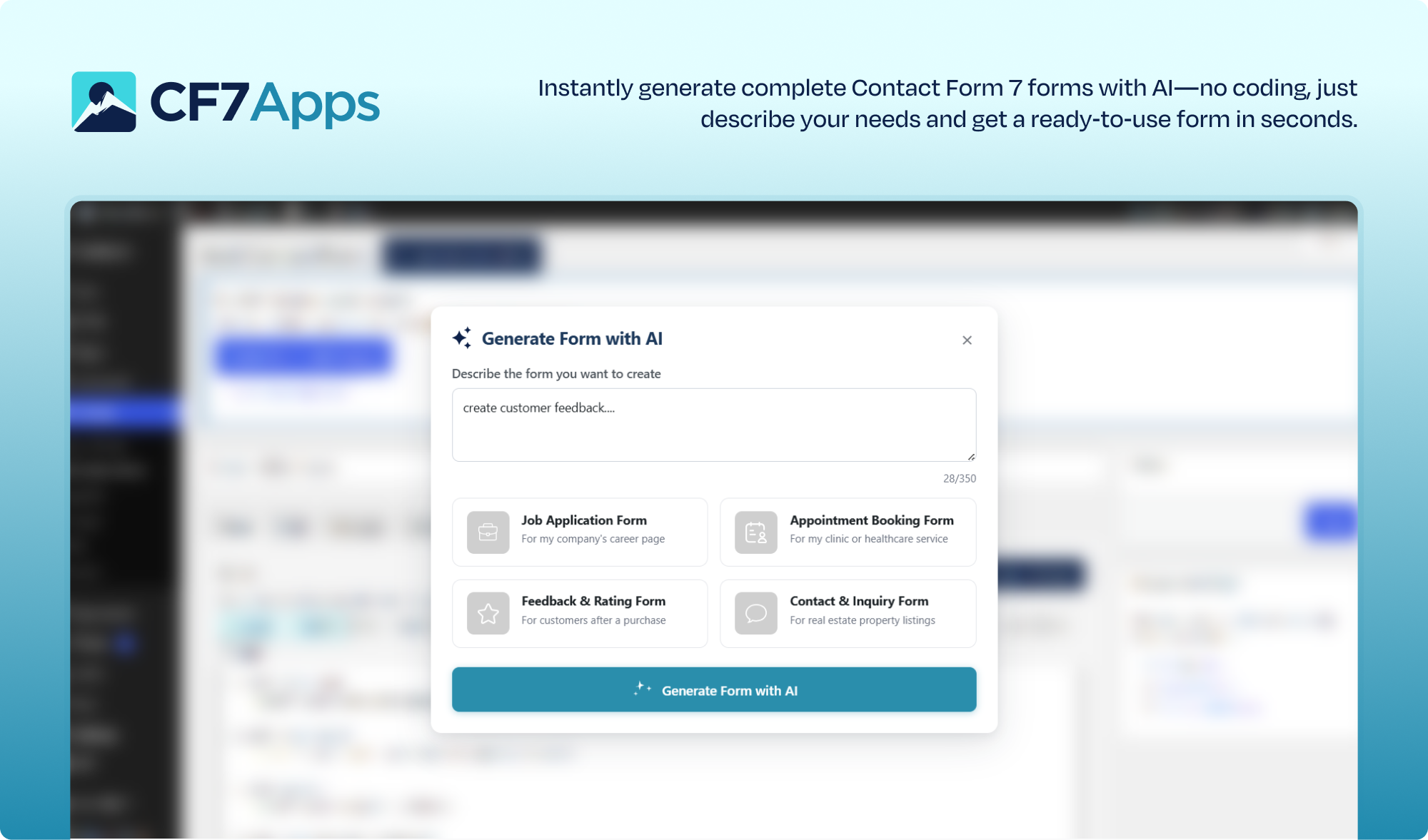
🌟 Generate Forms Instantly with AI
Create powerful Contact Form 7 forms in seconds using the built-in AI Form Generator. Simply enter your requirements, and the AI will generate a complete, ready-to-use form tailored to your needs, with no manual setup or coding required. Just enable the feature, provide your prompt, and your form is ready to go.
NOTE:
The best thing is that both features work independently. You can run them alone or together based on your site’s needs.
Real Use Cases for CF7 Apps
With the CF7 Apps, you can do the following:
✔️ Trap bots using a honeypot field without affecting users
✔️ Add hCaptcha to Contact Form 7 for privacy-first anti-spam
✔️ Store and manage Contact Form 7 entries directly in WordPress
✔️ Redirect your Contact Form 7 submissions to any internal or external page.
✔️ Send your form data to any third-party service or custom endpoint through our Webhook.
✔️ Display dynamic ACF field values inside your Contact Form 7 forms for personalized entries.
✔️ Instantly generate dynamic, ready-to-use forms with AI based on your input and requirements.
Why Should You Install CF7 Apps?
- Works exclusively with Contact Form 7
- Modular design — activate only the features you need
- Lightweight — no unnecessary code or bloat
- Built for form security, user control, and advanced customization
- Continuously updated with new apps and requested features
We built CF7 Apps for users who want more power without abandoning the simplicity of Contact Form 7.
Try Our Other Awesome WordPress Plugins
- Post SMTP: Reliable WordPress email delivery plugin with detailed email logs and multiple SMTP integrations.
- Gutena Forms: Create modern, responsive contact forms directly in the Gutenberg block editor. Includes advanced fields, spam protection (reCAPTCHA & Cloudflare Turnstile), and entry management.
- WP EasyPay: Accept Square payments and donations easily on your WordPress site.
- Password Protected: Secure your WordPress site, posts, pages, and categories with simple password protection.
- Advanced File Manager: Manage and organize WordPress files effortlessly from your dashboard.
- WC Shop Sync: Add Square payments and sync WooCommerce products, customers, and orders with Square POS.
- myCred: Add gamification, rewards, ranks, and a points management system to your WordPress website.
- Bookify: Your complete online bookings and appointment scheduling solution for WordPress.
- All In One Login: Secure your WordPress login page, change wp-login.php URL, and add social logins including Google, Facebook, Microsoft, and LINE.
- New User Approve: Control new user registrations by approving or denying signups.
- WP Experts WooCommerce Store: Explore premium WooCommerce plugins and solutions by WPExperts.
Contribute or Report Issues
Do you have a feature request or bug to report? Contact us via the official Support Channel.
Installation
How to Get Started
- Install the CF7 Apps plugin
- Go to the CF7 Apps dashboard
- Activate the addons you want (like hCaptcha or Honeypot)
- Configure and use the new feature immediately in your Contact Form 7 form.
No code. No clutter. These are just all the essential add-ons that extend the capabilities of Contact Form 7.
Contribute or Report Issues
Do you have a feature request or bug to report? Visit the plugin’s support section on WordPress.org or contact us via the official Support Channel.
Altering the Honeypot Output HTML [ADVANCED]
While the basic settings should keep most people happy, we’ve added several filters for you to further customize the honeypot field. The three filters available are:
wpcf7_honeypot_accessibility_message– Adjusts the default text for the (hidden) accessibility message (can now be done on the settings page).wpcf7_honeypot_container_css– Adjusts the CSS that is applied to the honeypot container to keep it hidden from view.wpcf7_honeypot_html_output– Adjusts the entire HTML output of the honeypot element.
For examples of the above, please see this recipe Gist.
Frequently asked questions
How do I add hCaptcha to Contact Form 7?
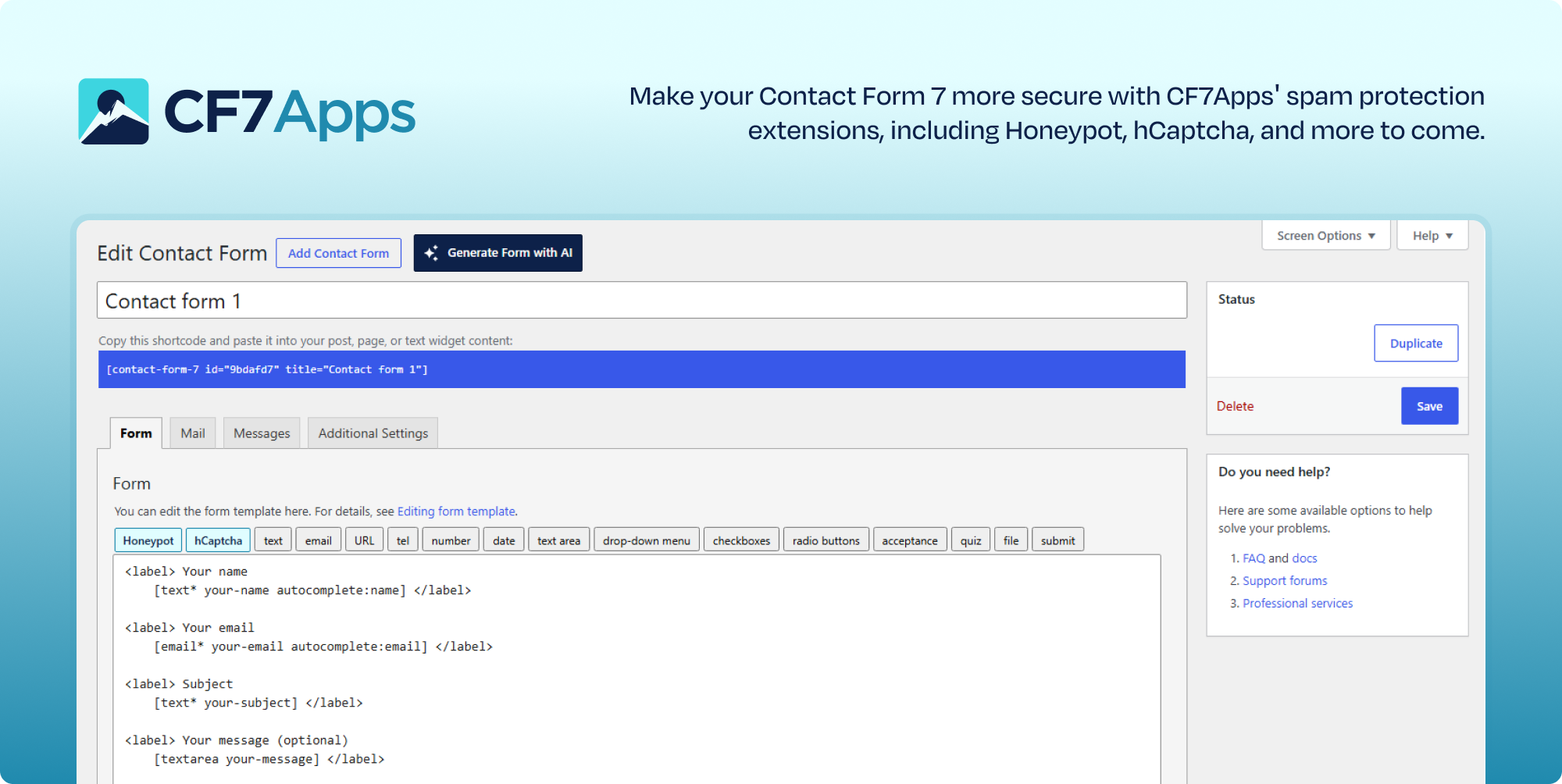
Activate the hCaptcha App inside CF7 Apps, enter your site keys, error messages, and save settings. That’s it. Now, you’ll see the hCaptcha tag in your Contact Form 7 form settings.
What is Contact Form 7?
Contact Form 7 is a long-standing WordPress plugin that lets you build and manage contact forms on your site. It supports multiple forms, customization, and various integrations—all without writing any code.
Will CF7 Apps slow down my site?
No. Each addon works independently. You only activate the features you want. That keeps your website fast and your backend clean.
What is the Redirection App?
The Redirection App allows you to redirect users to any internal or external page after they submit a Contact Form 7 form. You can easily set custom redirection URLs per form creating smooth user flows without adding any custom code.
What is the Webhook App?
The Webhook App enables you to send your Contact Form 7 form data to any third-party service or custom endpoint. It makes integrations simple by allowing you to push form submissions to CRMs, marketing tools, automation platforms, or any external API without coding.
Do I need any technical skills to use the AI Form Generator?
No, the AI Form Generator is designed to be user-friendly. Just enter your requirements, and it will create a ready-to-use form without any coding or technical expertise.
How do I report a security issue?
If you discover a security vulnerability, please report it to us via the official Support Channel. Our team will review, verify, and fix all security-related reports responsibly.
Can I use more than one Honeypot field in my forms?
You sure can, and many users have indicated this helps stop even more spam, as it increases your chances that a bot will get caught in the trap. Just make sure each Honeypot field has a unique name.
Can I modify the HTML that this plugin outputs?
Yep! See the Installation section for more details and this Gist for examples.
Does Contact Form 7 save form submissions by default?
No, Contact Form 7 does not store submissions by default. With the CF7 Apps Entries Database App, you can log every entry directly in your WordPress dashboard and access them anytime.
How do I integrate ACF fields with Contact Form 7?
Enable the ACF Integration in CF7 Apps, then use the ACF field tag in your Contact Form 7 form. Select the custom field you created in ACF, and insert the tag into your form. The field will now appear on the frontend form automatically.
Can I filter Contact Form 7 entries by form or date?
Yes, the Entries Database App lets you filter submissions by specific forms or date ranges, making it easier to manage and review the entries you need.
How do I delete Contact Form 7 entries?
You can delete individual submissions or bulk delete multiple entries directly from the Entries tab in the CF7 Apps dashboard with just a few clicks.
Where do I report security bugs found in this plugin?
Please report security bugs found in the source code of the CF7 Apps – [Honeypot and hCAPTCHA for Contact Form 7] plugin through the Patchstack Vulnerability Disclosure Program. The Patchstack team will assist you with verification, CVE assignment, and notify the developers of this plugin.
My forms fail on cached sites. What should I do?
CF7 Apps Honeypot uses signed tokens that work with full-page caching. Since v3.7.0, forms validate honeypot data without relying on server-side transients. If you still see issues, exclude Contact Form 7 pages from full-page cache plugins such as WP Fastest Cache, or ensure JavaScript is not blocked by cookie consent tools before the form loads. You can also force honeypot token refresh on page load with: add_filter( 'honeypot4cf7_force_refill', '__return_true' );
Disclaimer
CF7 Apps is a third-party plugin and is not officially associated with or endorsed by Contact Form 7.
Changelog
New submission time check for better spam stopping (must be enabled). Recommended Update.
3.7.2 – Aug 6, 2026
- UPDATED – AI Forms Server URL
3.7.1 – Aug 06, 2026
- FIX – Fixed issue when CSS is breaking the form layout in some cases.
3.7.0 – Aug 3, 2026
- NEW – Introduced new dashboard UI with improved spacing, layout alignment, visual clarity, Modern design & UX.
- NEW – Added stateless signed honeypot tokens so cached forms validate without server-side transient lookups.
- NEW – Added replay protection for signed honeypot tokens.
- FIX – Fixed thousands of honeypot transient entries accumulating in the database and overloading the server.
- FIX – Fixed honeypot field always being flagged as spam and exposing honeypot detection details in the JSON response.
- FIX – Fixed form field spacing changes introduced in v3.6.0 that altered form layout and design.
- FIX – Fixed conflict WP Fastest Cache.
- FIX – Improved honeypot refill detection for WP Fastest Cache and other caching plugins when WP_CACHE is false.
- FIX – Renamed misleading honeypot spam log messages for invalid or expired sessions.
- TWEAK – Improved AI credit exhaustion message to display renewal date instead of generic “Insufficient Balance” error.
- TWEAK – Removed unnecessary admin email notice from the CF7 Apps dashboard.
- TWEAK – Added .po and .mo language translation files for internationalization support.
- TWEAK – Feedback SDK updated to latest version.
- TWEAK – Honeypot refill responses and frontend script now refresh signed tokens after form submission.
3.6.1 – June 09, 2026
- TWEAK – Added additional information and improvements to Spam Detection.
- FIX – Fixed an issue where Webhooks could interfere with form submissions.
- FIX – Improved compatibility of the Dynamic Honeypot feature introduced in v3.6.0 with full-page caching environments.
- FIX – Resolved minor compatibility issues to ensure compatibility with WordPress 7.0.
3.6.0 – May 14, 2026
- NEW – Added dynamic field names in Honeypot.
- IMPROVEMENT – Improved the Entry View popup responsiveness.
- TWEAK – Improved the visibility and appearance of the sidebar in dashboard.
- FIX – Removed Form Data availability for the GET method in Webhook settings.
- FIX – Resolved an issue where the Webhook method and data type unexpectedly changed from GET/Form Data to POST/JSON after saving individual settings.
3.5.0 – Apr 23, 2026
- NEW – Introduced AI Form Generator.
Screenshots
For developers
Is this your plugin? Show off the numbers.
Add a live badge to your site, docs or GitHub README. It updates on its own — no account needed.
Best CF7 Apps alternatives
All anti-spam plugins →





FAQ
CF7 Apps: quick answers
Straight answers, pulled from live WordPress.org data.
Live data from WordPress.org · checked Sep 26, 2026
Is CF7 Apps free?
Yes. CF7 Apps is free to download and use from the official WordPress.org plugin directory.
Is CF7 Apps safe to use in 2026?
Yes — CF7 Apps is a safe, well-maintained plugin to use in 2026. It runs on 300K+ sites, is rated 3.8/5 and was last updated 2 months ago, and scores 82/100 on our health check.
How many websites use CF7 Apps?
CF7 Apps is active on 300K+ WordPress websites and has been downloaded 6,552,767 times since it launched in June 2011. It was downloaded 53,403 times in the last 30 days.
Does CF7 Apps work with WordPress 7.1?
CF7 Apps is officially tested up to WordPress 7.0.6, while the latest release is 7.1.2. It may still work, but try it on a staging site first.
What PHP version does CF7 Apps need?
CF7 Apps requires PHP 7.4 or higher. Most hosts run PHP 8.x today, so it works on any modern WordPress hosting.
When was CF7 Apps last updated?
The latest version, 3.7.2, was released on August 6, 2026 (2 months ago).
Who makes CF7 Apps?
CF7 Apps is developed and maintained by Saad Iqbal.
What are the best alternatives to CF7 Apps?
The most popular alternatives to CF7 Apps are Akismet Anti-spam: Spam Pro… (5M+ installs), Antispam Bee (700K+ installs) and WP Armour (400K+ installs).
Powered by PageForge
Want thousands of pages that rank like these? Build them in an afternoon.
This directory runs on the same engine as PageForge. Turn any spreadsheet, CSV or API into thousands of fast, SEO-ready WordPress pages — with schema, internal links and AI-written copy baked in.
- CSV, Google Sheets & API data sources
- AI content, schema & internal links per page
- Works with Elementor, Gutenberg, Yoast & Rank Math
- Free on WordPress.org — no credit card


