



Comment Beautifier
Transform spammy comments into friendly, engaging conversations with intelligent content replacement and URL removal.

Consider an alternative
Comment Beautifier shows warning signs in 2026 — compare the alternatives below before installing. Was last updated 11 months ago, and scores 36/100 on our health check.
- Small user base (<10 active installs)
- Very few reviews so far
- Only tested up to WordPress 6.9 (latest is 7.1)
How does it stack up?
Side-by-side on installs, updates, ratings & support



Daily downloads
Download spikes usually follow a new release — each site that auto-updates counts as a download.
Rankings
Where Comment Beautifier stands todayWordPress.org search rankings
Live position in the plugin search, top 100| Keyword | Position |
|---|---|
| beautify | #30 |
| cleanup | >100 |
| comments | >100 |
| moderation | >100 |
| spam | >100 |
About Comment Beautifier
From the official readme · v2.2Description
Comment Beautifier is a powerful WordPress plugin that helps website owners and moderators transform spammy, low-quality comments into genuine, engaging conversations. Instead of simply deleting suspicious comments, you can now convert them into valuable content that enhances your website’s discussion quality.
Key Features
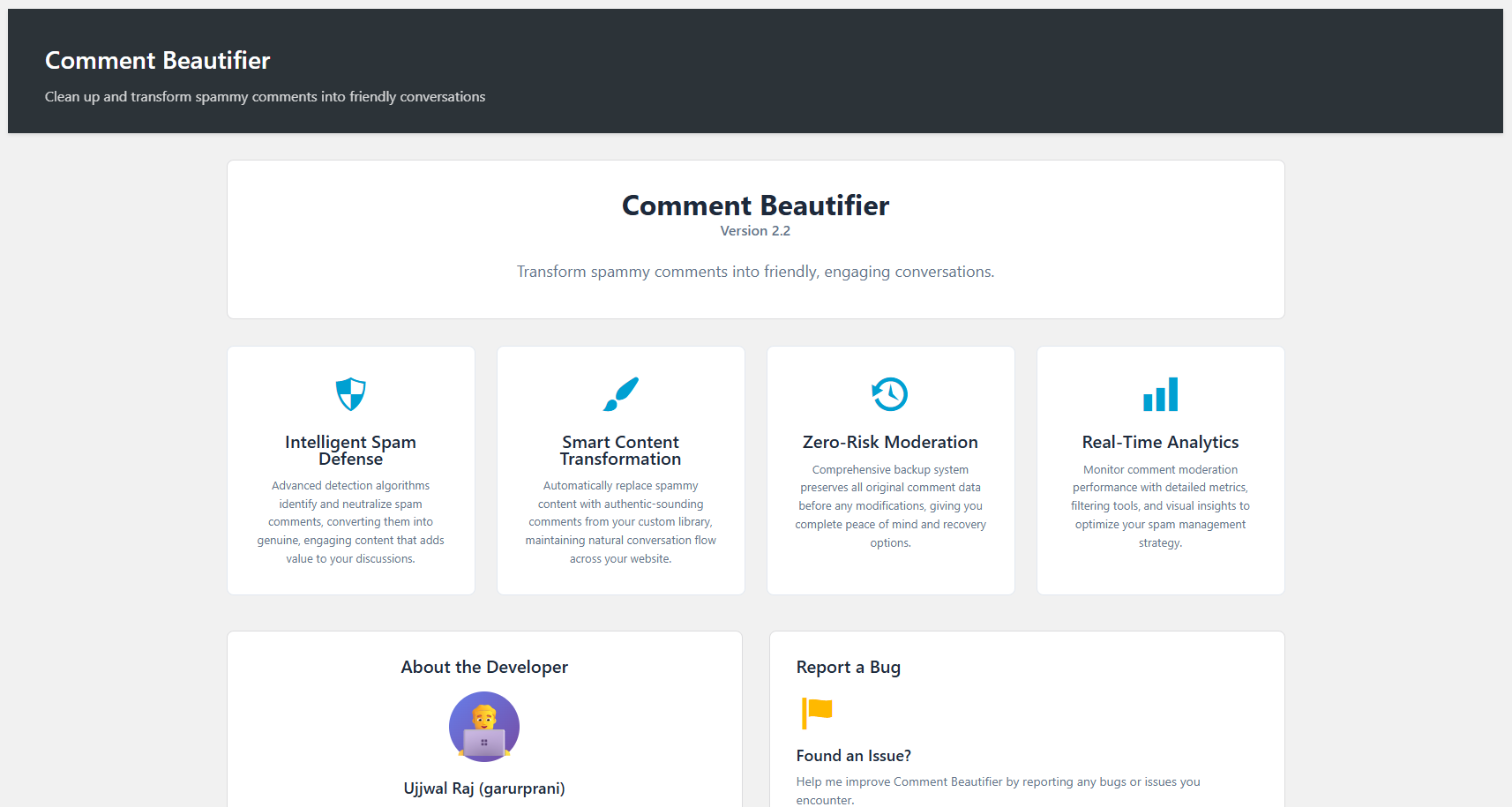
- Intelligent Spam Defense: Advanced detection algorithms identify and neutralize spam comments
- Smart Content Transformation: Automatically replace spammy content with authentic-sounding comments from your custom library
- Zero-Risk Moderation: Comprehensive backup system preserves all original comment data before any modifications
- Bulk Comment Management: Process multiple comments simultaneously with powerful bulk actions
- URL Removal Tools: Strip unwanted links and profile URLs from comments with one click
- Customizable Comment Library: Create your own library of friendly comments for automatic replacement
- Real-Time Analytics: Monitor comment moderation performance with detailed metrics and filtering tools
- Smart Filtering: Filter comments by status, links, profile URLs, or search for specific content
How It Works
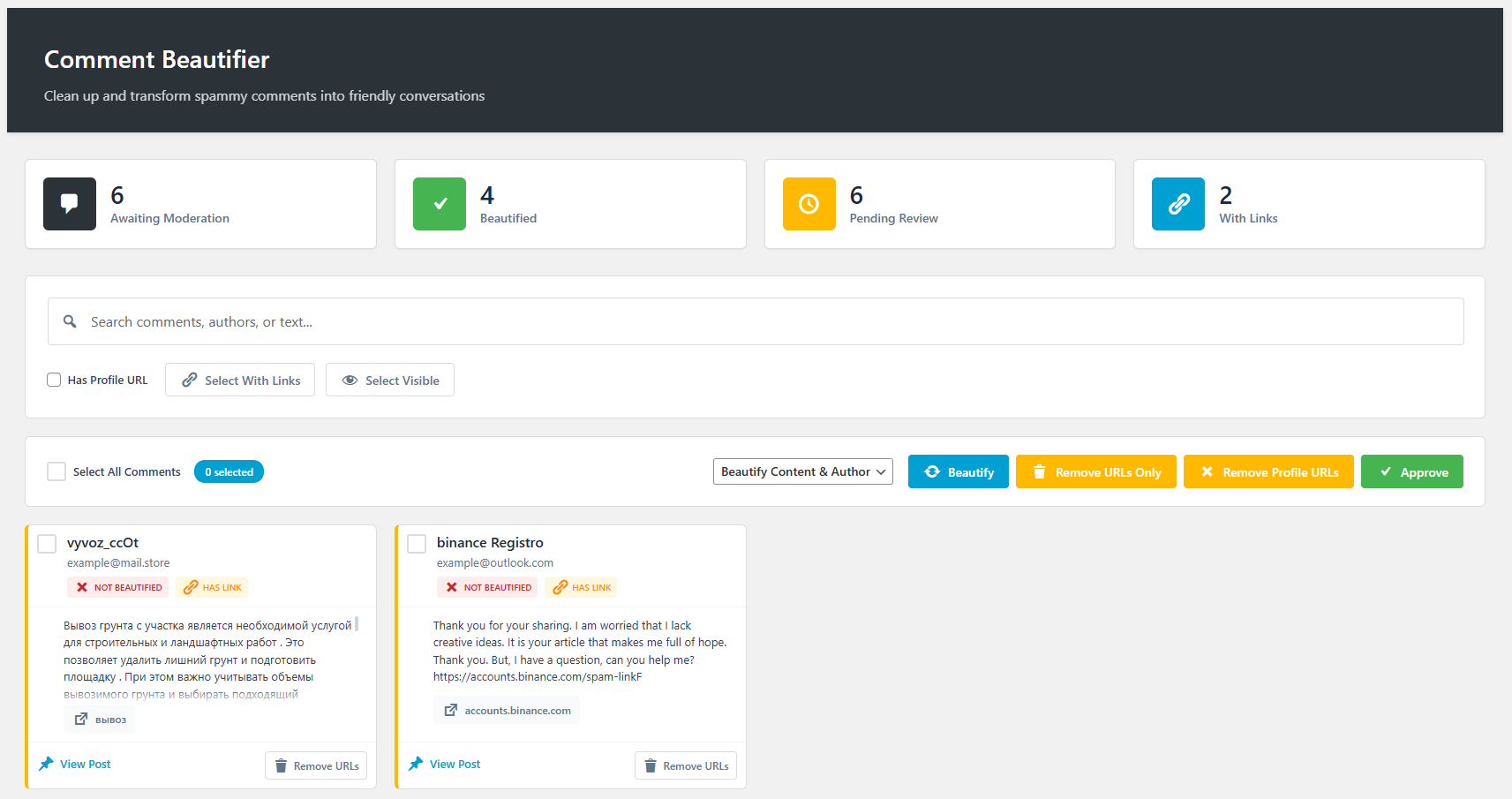
- Detect: The plugin scans pending comments and identifies spammy patterns, URLs, and suspicious content
- Backup: Original comment content and author information are securely backed up before any changes
- Transform: Spammy content is replaced with friendly, engaging comments from your custom library
- Clean: Unwanted URLs and links are automatically removed from comment content
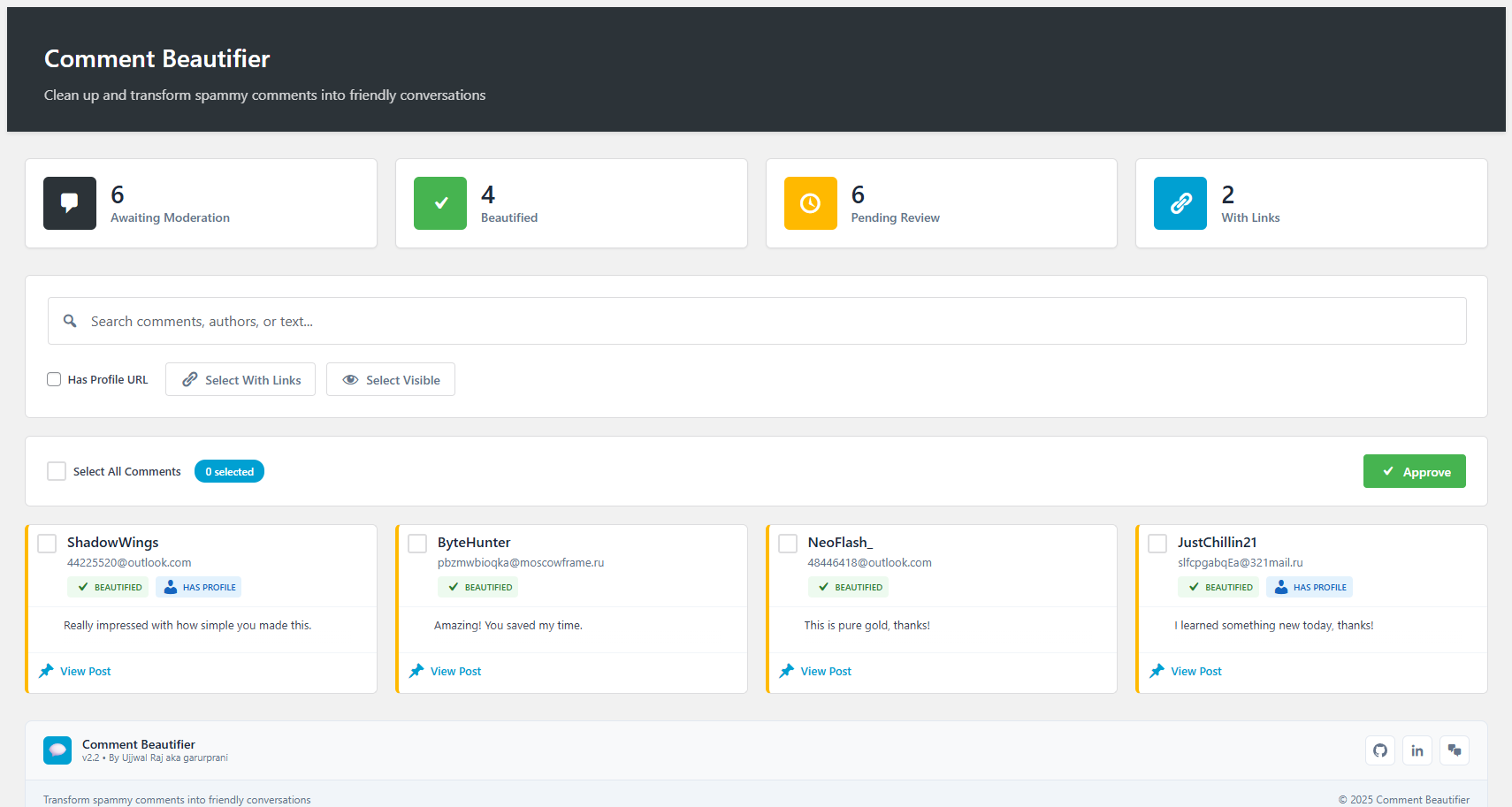
- Moderate: Approve cleaned comments to maintain genuine conversations on your website
Use Cases
- Blog Owners: Convert spam comments into genuine engagement
- Business Websites: Maintain professional comment sections free from spam
- Community Managers: Foster real conversations while filtering out low-quality content
- Content Creators: Save time on comment moderation while keeping discussions authentic
Support
For support, feature requests, or bug reports, please use the following channels:
- GitHub Issues: https://github.com/garurprani/comment-beautifier/issues
- Email: garurprani@gmail.com
- Documentation: https://github.com/garurprani/comment-beautifier
Contributing
We welcome contributions! Feel free to fork the plugin on GitHub and submit pull requests.
Translation
The plugin is translation ready and includes .pot file for easy localization.
Credits
Developed by Ujjwal Raj (garurprani) – Passionate about creating tools that make WordPress management easier and more efficient.
Special thanks to the WordPress community for continuous inspiration and support.
License
This program is free software; you can redistribute it and/or modify it under the terms of the GNU General Public License as published by the Free Software Foundation; either version 2 of the License, or (at your option) any later version.
This program is distributed in the hope that it will be useful, but WITHOUT ANY WARRANTY; without even the implied warranty of MERCHANTABILITY or FITNESS FOR A PARTICULAR PURPOSE. See the GNU General Public License for more details.
Installation
- Upload the comment-beautifier folder to the /wp-content/plugins/ directory
- Activate the plugin through the ‘Plugins’ menu in WordPress
- Navigate to ‘Comment Beautifier’ in your admin menu to configure settings
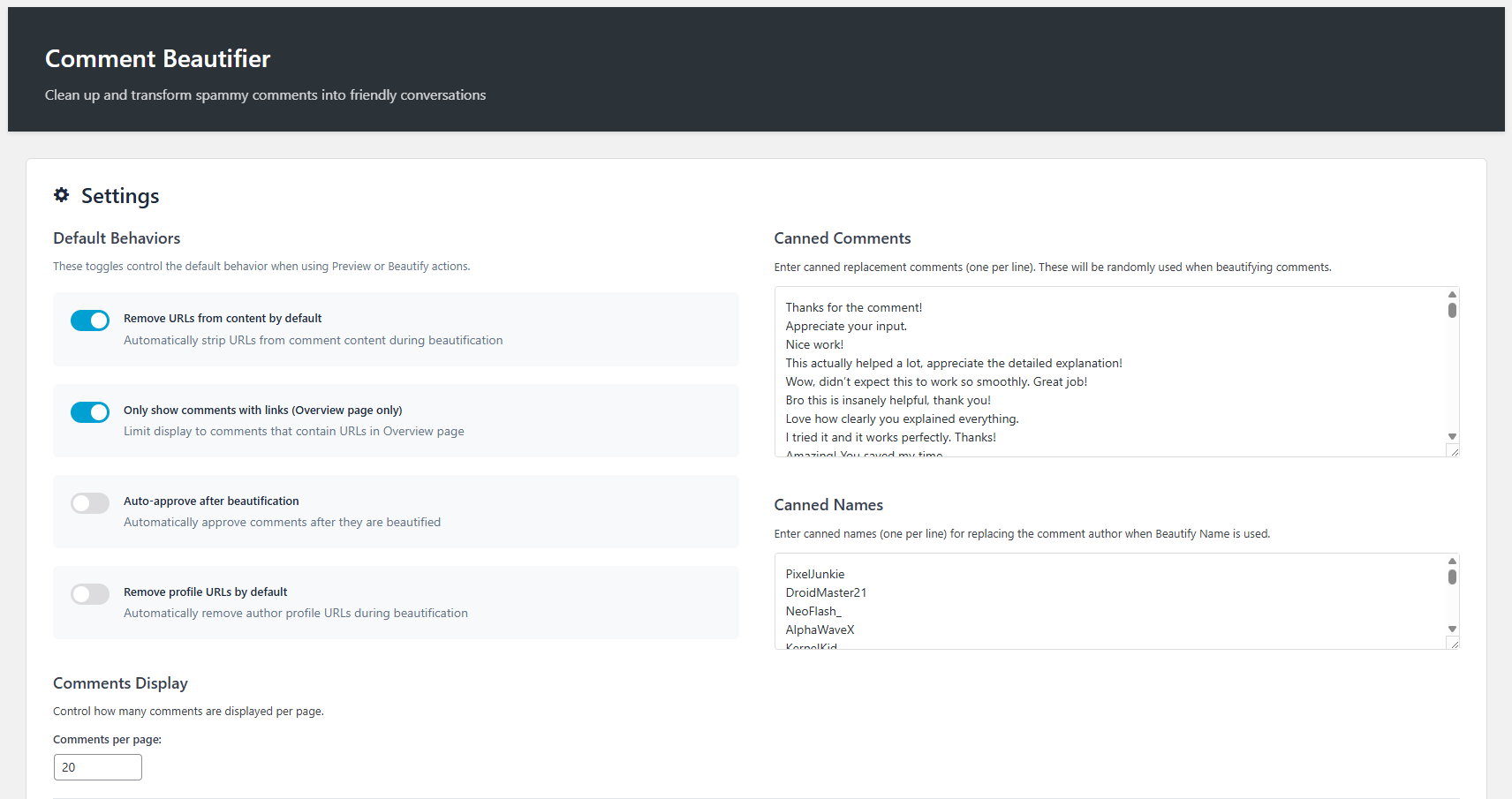
- Set up your canned comments and names in the Settings page
- Start beautifying comments from the Overview or Awaiting Moderation pages
Frequently asked questions
What happens to the original comment content?
All original comment content and author information is backed up as comment meta before any changes are made. You can always restore the original content if needed.
Will this affect my existing comment system?
No, Comment Beautifier works alongside WordPress’s native comment system and only processes comments you choose to modify.
Is there a limit to how many comments I can process?
No, you can process unlimited comments. The plugin includes pagination and efficient database queries to handle large volumes of comments.
Can I create my own replacement comments?
Yes! The plugin includes a fully customizable library where you can add your own canned comments and author names.
Does this work with other anti-spam plugins?
Yes, Comment Beautifier complements other anti-spam plugins like Akismet by handling comments that slip through initial spam detection.
Is my data secure?
Yes, the plugin only processes comment data and doesn’t send any information to external servers. All operations happen locally on your WordPress installation.
Changelog
This version includes significant performance improvements and is recommended for all users. The update includes better caching and optimized database queries.
2.1
- Enhanced performance with optimized database queries
- Improved caching system for faster loading
- Added better error handling and user feedback
- Fixed pagination issues with large comment sets
- Enhanced security with improved nonce verification
2.0
- Complete UI redesign with modern interface
- Added real-time comment statistics
- Enhanced bulk operations with selective filtering
- Improved comment preview system
- Added comprehensive settings panel
1.0
- Initial release with core beautification features
- Basic comment backup and restoration
- Simple canned comments system
- Fundamental URL removal tools
Screenshots
For developers
Is this your plugin? Show off the numbers.
Add a live badge to your site, docs or GitHub README. It updates on its own — no account needed.
Best Comment Beautifier alternatives
All beautify plugins →
FAQ
Comment Beautifier: quick answers
Straight answers, pulled from live WordPress.org data.
Live data from WordPress.org · checked Oct 25, 2026
Is Comment Beautifier free?
Yes. Comment Beautifier is free to download and use from the official WordPress.org plugin directory.
Is Comment Beautifier safe to use in 2026?
Comment Beautifier shows warning signs in 2026 — compare the alternatives below before installing. Was last updated 11 months ago, and scores 36/100 on our health check.
How many websites use Comment Beautifier?
Comment Beautifier is active on <10 WordPress websites and has been downloaded 366 times since it launched in December 2025. It was downloaded 44 times in the last 30 days.
Does Comment Beautifier work with WordPress 7.1?
Comment Beautifier is officially tested up to WordPress 6.9.10, while the latest release is 7.1.3. It may still work, but try it on a staging site first.
What PHP version does Comment Beautifier need?
Comment Beautifier requires PHP 7.4 or higher. Most hosts run PHP 8.x today, so it works on any modern WordPress hosting.
When was Comment Beautifier last updated?
The latest version, 2.2, was released on December 9, 2025 (11 months ago).
Who makes Comment Beautifier?
Comment Beautifier is developed and maintained by garurprani.
What are the best alternatives to Comment Beautifier?
The most popular alternatives to Comment Beautifier are Minify HTML (10K+ installs), Fast HTML Minify (20+ installs) and Code Snippet Beautifier (<10 installs).
Powered by PageForge
Want thousands of pages that rank like these? Build them in an afternoon.
This directory runs on the same engine as PageForge. Turn any spreadsheet, CSV or API into thousands of fast, SEO-ready WordPress pages — with schema, internal links and AI-written copy baked in.
- CSV, Google Sheets & API data sources
- AI content, schema & internal links per page
- Works with Elementor, Gutenberg, Yoast & Rank Math
- Free on WordPress.org — no credit card


