



Custom Login Page Customizer
Customize your WordPress login page with live preview. Change logo, background, colors, and form styling without coding.

Safe pick
Yes — Custom Login Page Customizer is a safe, well-maintained plugin to use in 2026. It runs on 50K+ sites, is rated 4.9/5 and was last updated 2 months ago, and scores 82/100 on our health check.
- Proven at scale on 50K+ active sites
- Loved by users — 4.9/5 from 474 reviews
How does it stack up?
Side-by-side on installs, updates, ratings & support



Daily downloads
Download spikes usually follow a new release — each site that auto-updates counts as a download.
Rankings
Where Custom Login Page Customizer stands todayWordPress.org search rankings
Live position in the plugin search, top 100| Keyword | Position |
|---|---|
| custom login page | #4 |
| login customizer | #2 |
| login form | #21 |
| login page | #5 |
| white label login | #5 |
Version adoption
Share of active sites per release.
Rating breakdown
★★★★★★★★★★ 4.9 from 474 reviews
About Custom Login Page Customizer
From the official readme · v2.3.0Description
Custom Login Page Customizer transforms your default WordPress login page into a branded, professional experience that matches your website. Perfect for agencies, freelancers, and businesses who want to impress clients and users from their very first interaction.
Why Customize Your Login Page?
Your login page is often the first thing clients and team members see. A branded login page:
- Builds trust – Professional appearance increases user confidence
- Reinforces your brand – Consistent branding across every touchpoint
- Impresses clients – White-label your WordPress sites for a polished look
- Takes seconds – No coding required, instant live preview
Key Features
Live Customizer Preview – See every change instantly before saving. No guesswork, no refreshing.
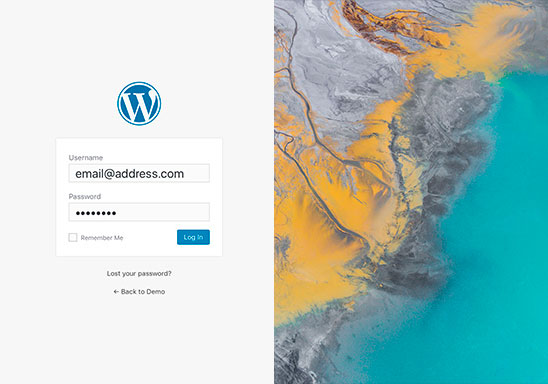
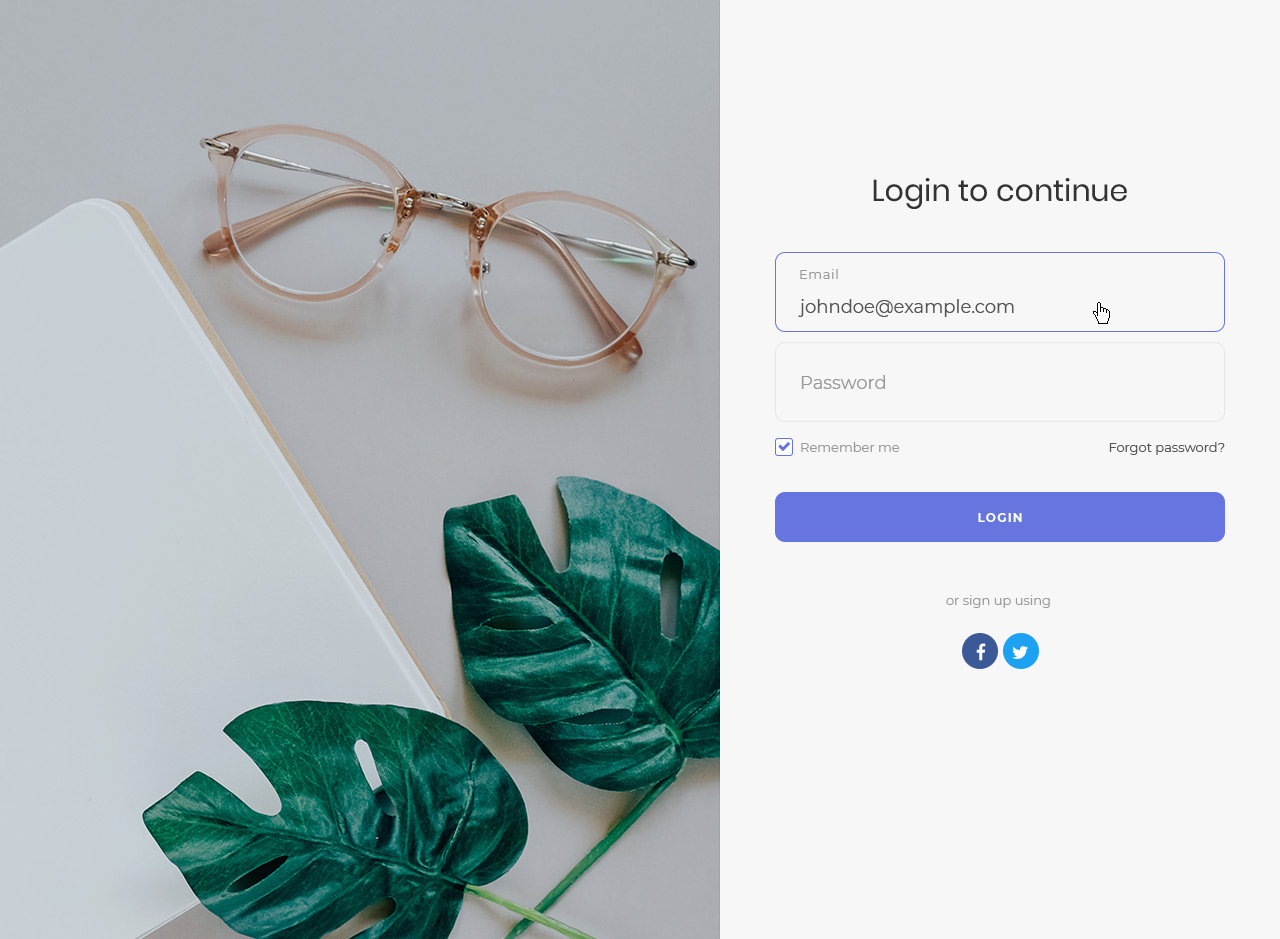
Ready-Made Templates – Choose from 9 professionally designed login page templates including modern gradients, glassmorphism, dark themes, and split-screen layouts.
Complete Logo Control – Upload your custom logo, adjust dimensions, or use text-based branding. Link your logo to any URL.
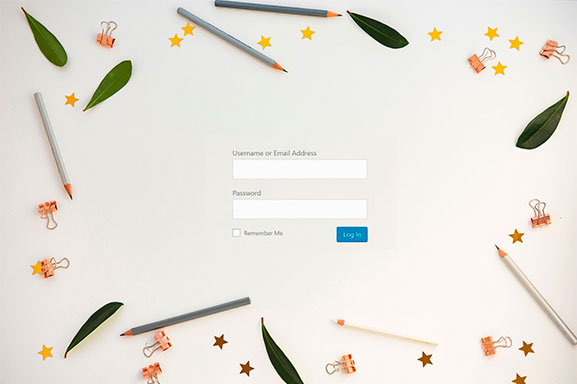
Background Customization – Add custom background images, solid colors, or gradients to create stunning login pages.
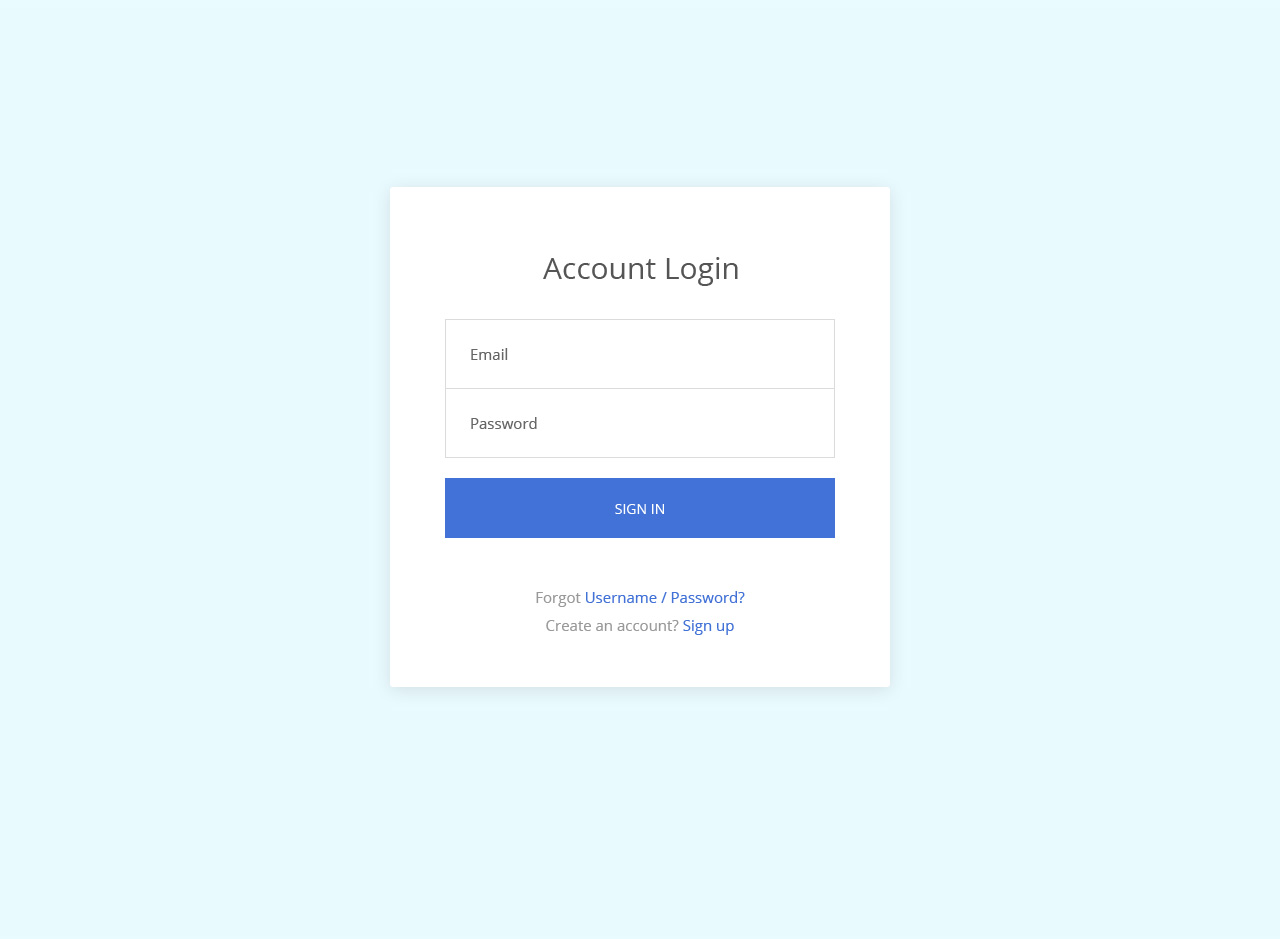
Form Styling – Customize every aspect of your login form including width, padding, borders, border radius, field colors, and button styles.
Button & Link Styling – Match your brand colors with customizable button backgrounds, hover states, shadows, and link colors.
Custom CSS – Advanced users can add custom CSS for pixel-perfect control.
Multi-Column Layouts – Create split-screen login pages with customizable column widths and alignments.
Registration & Password Forms – Customize the registration form and lost password form to match your login page styling.
Perfect For
- Web Agencies – White-label client sites with branded login pages
- Freelancers – Deliver polished, professional WordPress sites
- Membership Sites – Create welcoming login experiences for members
- Corporate Intranets – Reinforce company branding for employee portals
- WooCommerce Stores – Brand your customer account login pages
- Multisite Networks – Customize login pages across your network
How It Works
- Install and activate the plugin
- Go to Appearance → Customize → Custom Login Page Customizer
- Customize your login page with live preview
- Click Publish – done!
Detailed Customization Options
Logo Section
– Custom logo image upload
– Logo width and height control
– Logo URL customization
– Text-only or image-only options
– Logo text color and hover color
Background Section
– Custom background image
– Background color picker
– Form column background options
Form Section
– Form width and height
– Form background color and image
– Padding and border controls
– Border radius for rounded corners
– Field width, margin, and styling
– Label text customization
– Field background and text colors
Button Section
– Background color and hover color
– Border color and hover border color
– Button shadow and text shadow
– Submit button text customization
Links Section
– Link color and hover color
– Show/hide navigation links
– Show/hide “Remember Me” checkbox
Documentation & Support
Need help? Visit our support forum for assistance.
About Colorlib
This plugin is developed by Colorlib, creators of popular free WordPress themes downloaded by millions. We are committed to building high-quality, user-friendly WordPress plugins.
If you enjoy Custom Login Page Customizer, please leave a 5-star review. Your feedback helps us improve!
Installation
- Download the plugin (.zip file) on your hard drive.
- Unzip the zip file contents.
- Upload the
colorlib-login-customizerfolder to the/wp-content/plugins/directory. - Activate the plugin through the ‘Plugins’ menu in WordPress.
- Go to Appearance → Customize → Custom Login Page Customizer to start customizing.
Frequently asked questions
How do I access the login page customizer?
After activating the plugin, go to Appearance → Customize in your WordPress admin. You’ll see a new section called “Custom Login Page Customizer” where you can customize your login page with live preview.
Will this plugin work with my theme?
Yes! Custom Login Page Customizer works independently of your theme. It only modifies the WordPress login page (wp-login.php), so it’s compatible with any WordPress theme.
Can I add my own logo to the login page?
Absolutely. Go to the Logo section in the customizer to upload your custom logo. You can also adjust the logo width, height, and link URL. You can choose to display just the image, just text, or both.
How do I change the login page background?
In the customizer, navigate to the Background section. You can upload a custom background image or set a solid background color. There are also options for the form column background if you’re using a multi-column layout.
Does this work with custom login URLs from security plugins?
Yes, Custom Login Page Customizer is compatible with security plugins that change the login URL, including All In One WP Security, WPS Hide Login, and similar plugins. Your customizations will appear on your custom login URL.
Can I customize the registration and lost password pages too?
Yes! The plugin includes options to customize the registration form and lost password form. Your styling will be applied consistently across all login-related pages.
Is the plugin compatible with WordPress Multisite?
Yes, Custom Login Page Customizer works with WordPress Multisite. You can customize the login page for your entire network or individual sites depending on your configuration.
Will my customizations be lost if I update the plugin?
No. All your customizations are saved in the WordPress database, separate from the plugin files. Your settings will be preserved through plugin updates.
Can I add custom CSS to the login page?
Yes, there’s a Custom CSS section where you can add your own CSS code for advanced styling. This is perfect for fine-tuning specific elements or adding custom effects.
How do I reset the login page to default?
You can reset individual settings by clearing the values in the customizer. To completely reset all settings, you can deactivate and delete the plugin, then reinstall it.
Does this plugin slow down my website?
No. Custom Login Page Customizer only loads its styles and scripts on the WordPress login page. It has zero impact on your website’s front-end performance.
Is the plugin translation ready?
Yes, Custom Login Page Customizer is fully translation ready and includes a POT file for translators. It’s already translated into several languages.
Can I use this plugin to white-label WordPress for clients?
Yes! This plugin is perfect for agencies and freelancers who want to white-label WordPress login pages for clients. Remove the WordPress branding and add your client’s logo and brand colors.
What PHP version is required?
Custom Login Page Customizer requires PHP 8.0 or higher. This ensures optimal performance and security. If you’re running an older PHP version, please contact your hosting provider to upgrade.
Where can I get support if I have issues?
For support, please visit the WordPress.org support forum. We actively monitor and respond to support requests.
Changelog
Security and correctness release. Custom-CSS sanitization is hardened (dangerous directives could previously be smuggled through by nesting them), the review-notice AJAX handler now checks capabilities, and several login-page texts no longer render double-escaped. Also fixes the "Back to site text" setting, which had silently stopped working on WordPress 5.7 and later. Recommended for all users.
2.3.0
- Security: Hardened custom-CSS sanitization. Dangerous directives (@import, javascript:, expression(), behavior:, -moz-binding:, data: URIs) were previously stripped in a single pass, so a nested payload could reassemble itself into a working token. Filtering now repeats until the value stops changing.
- Security: The review-notice AJAX handler now performs a capability check, and its dismissal is stored per user instead of in a shared site-wide option.
- Security: Added direct-access guards to the files that were missing them.
- Security: CSS values are now escaped with a CSS-aware filter at print time instead of esc_attr(), which offered no protection inside a element while corrupting quoted values such as font stacks.
- Security: Login page title is filtered through kses, closing a possible breakout via the unescaped element.
- Fix: The “Hide privacy policy link” option no longer registers its filter on every request, so it can no longer affect the privacy policy link on the front end.
- Fix: Corrected double-escaped login text. Labels that WordPress already escapes (Log In, Register and Get New Password buttons, Remember Me) were escaped a second time, so an ampersand or apostrophe rendered as & or '.
- Fix: The “Back to site text” setting works again. WordPress 5.7 renamed the underlying string from “Back to %s” to “Go to %s”; both are now matched.
- Fix: Uninstall now removes the options and transients the plugin actually creates (including the admin menu location preference), no longer iterates every user on the site, and no longer flushes the entire object cache.
- New: Modern CSS support in colour and dimension fields — hsl(), 4- and 8-digit hex, space-separated rgb(0 0 0 / 50%), var(), color-mix(), calc(), clamp(), min(), max() and the dvh/svh/lvh/ch viewport units.
- Performance: The static base stylesheet is now a real, browser-cacheable file instead of being inlined on every login page view.
- Performance: Settings and the selector map are only loaded on the login page and in the Customizer preview, rather than on every front-end, admin and AJAX request.
- Performance: Removed ~1,250 lines of unused code (the jQuery minicolors library and four superseded Customizer controls) and their orphaned stylesheets.
- Fix: The “requires PHP 8.0” notice can now actually appear. The bootstrap file used PHP 7.1+ return types, and PHP parses a whole file before running it, so on an older PHP the plugin died with a parse error instead of explaining itself.
- i18n: The Customizer preview now reuses WordPress core’s own translations for the login form labels it copies from wp-login.php, so the preview matches the real login page in every locale instead of depending on those core strings being re-translated into this plugin.
- Housekeeping: Removed two unused images (three-column.png, four-column.png).
- Fix: The two-column “form above” and “form below” layouts no longer force a horizontal scrollbar. Running the flex container in column direction while it still inherited flex-wrap made it start a second column once the two rows were taller than the viewport, doubling the page width.
- Fix: Removed a JavaScript error (“_customizePartialRefreshExports is not defined”) from the Customizer preview. The preview template mirrors wp-login.php and never runs wp_head(), so WordPress never printed the selective-refresh data its own script expects.
- Fix: Restored the “Logo Title”, “Login Page Title” and “Form Horizontal Alignment” settings to the defaults list — without an entry there they were silently discarded when importing a settings file.
- Dev: Added a PHPUnit suite covering the sanitization layer and the generated login stylesheet, and replaced Travis CI with GitHub Actions running PHP 8.0 through 8.5.
2.2.1
- Fix: The plugin settings page (with the new export/import, reset and menu-location tools) is now reachable instead of redirecting straight to the Customizer
- Fix: Custom text above the form and the custom footer links/text are no longer hidden behind the background when a custom background image or color is set
2.2.0
- New: “Footer & Links” section — add custom text above the login form and a custom footer below it, add up to 3 custom footer links (Imprint, Privacy, Terms, etc.), and toggles to hide the privacy policy link and the language switcher
- New: Export and import your settings as a JSON file, plus a one-click “Reset to defaults”
- New: Choose where the plugin’s admin menu appears — top level, under Settings, or under Appearance
- New: Login button width control
- New: Background blur and brightness controls
- Enhancement: The login form height is now responsive and grows with its content, and supports “auto”
- Fix: CSS dimension values that already include a unit or keyword (such as 100% or auto) are no longer corrupted
2.1.2
- Fix: Custom logo is no longer lost when switching between templates in the Customizer (#172)
- Fix: Large logos now stay centered on desktop instead of shifting off-center when wider than the form (#70)
- Fix: The login page language switcher now appears centered below the form instead of beside it (#173)
2.1.1
- Security: Hardened output escaping across the login page, the admin review notice, and the settings page (esc_url, esc_attr, esc_html, esc_js, wp_kses_post)
- Fix: Corrected legacy logo-settings migration so older installs that used a text logo upgrade to the correct logo display mode
- Enhancement: Plugin styles and scripts are now versioned by the plugin version for reliable cache-busting after updates
- Compatibility: Verified and tested with PHP 8.5
- Compatibility: Tested up to WordPress 7.0
- Code: Brought the codebase to full WordPress Coding Standards (WPCS 3.3) compliance — phpcs reports zero errors and warnings
- Code: Added documentation blocks throughout and switched to timezone-safe date handling in the review notice
- Code: Added PHP 8.4 and 8.5 to the CI test matrix
2.1.0
- New: Added 5 new professionally designed login page templates:
- Gradient Sunset – Modern vibrant purple-pink gradient with rounded form
- Dark Professional – Sleek dark theme for corporate/professional sites
- Glassmorphism – Trendy glass effect with blur and transparency
- Geometric Bold – Two-column layout with bold amber geometric CSS shapes
- Minimal Clean – Ultra-minimal design with maximum whitespace
- Fix: Password field width now matches username field width consistently
- Fix: Password visibility toggle (eye icon) properly centered in input field
- Enhancement: All new templates use CSS-only effects (no additional images required)
- Enhancement: Templates work consistently in both Customizer preview and live login page
Screenshots
For developers
Is this your plugin? Show off the numbers.
Add a live badge to your site, docs or GitHub README. It updates on its own — no account needed.
Best Custom Login Page Customizer alternatives
All custom login page plugins →




FAQ
Custom Login Page Customizer: quick answers
Straight answers, pulled from live WordPress.org data.
Live data from WordPress.org · checked Sep 26, 2026
Is Custom Login Page Customizer free?
Yes. Custom Login Page Customizer is free to download and use from the official WordPress.org plugin directory.
Is Custom Login Page Customizer safe to use in 2026?
Yes — Custom Login Page Customizer is a safe, well-maintained plugin to use in 2026. It runs on 50K+ sites, is rated 4.9/5 and was last updated 2 months ago, and scores 82/100 on our health check.
How many websites use Custom Login Page Customizer?
Custom Login Page Customizer is active on 50K+ WordPress websites and has been downloaded 1,128,632 times since it launched in April 2018. It was downloaded 6,231 times in the last 30 days.
Does Custom Login Page Customizer work with WordPress 7.1?
Custom Login Page Customizer is officially tested up to WordPress 7.0.6, while the latest release is 7.1.2. It may still work, but try it on a staging site first.
What PHP version does Custom Login Page Customizer need?
Custom Login Page Customizer requires PHP 8.0 or higher. Most hosts run PHP 8.x today, so it works on any modern WordPress hosting.
When was Custom Login Page Customizer last updated?
The latest version, 2.3.0, was released on July 30, 2026 (2 months ago).
Who makes Custom Login Page Customizer?
Custom Login Page Customizer is developed and maintained by colorlibplugins.
What are the best alternatives to Custom Login Page Customizer?
The most popular alternatives to Custom Login Page Customizer are Branda (20K+ installs), Admin Custom Login (20K+ installs) and Clean Login (6K+ installs).
Powered by PageForge
Want thousands of pages that rank like these? Build them in an afternoon.
This directory runs on the same engine as PageForge. Turn any spreadsheet, CSV or API into thousands of fast, SEO-ready WordPress pages — with schema, internal links and AI-written copy baked in.
- CSV, Google Sheets & API data sources
- AI content, schema & internal links per page
- Works with Elementor, Gutenberg, Yoast & Rank Math
- Free on WordPress.org — no credit card


