


Coinbase Commerce Payment Gateway for WooCommerce
Accept cryptocurrencies through Coinbase Commerce such as USDC, Ethereum, and Matic on your WooCommerce store.

Consider an alternative
Coinbase Commerce Payment Gatew… shows warning signs in 2026 — compare the alternatives below before installing. It runs on 3K+ sites, is rated 3/5 and was last updated 2 years ago, and scores 32/100 on our health check.
- Mixed reviews — 3/5 from 17 ratings
- No update in 2 years
- Only tested up to WordPress 6.5 (latest is 7.1)
How does it stack up?
Side-by-side on installs, updates, ratings & supportDaily downloads
Download spikes usually follow a new release — each site that auto-updates counts as a download.
Rankings
Where Coinbase Commerce Payment G… stands todayWordPress.org search rankings
Live position in the plugin search, top 100| Keyword | Position |
|---|---|
| coinbase | #5 |
| commerce | >100 |
| crypto | >100 |
| ethereum | #51 |
| woocommerce | >100 |
Version adoption
Share of active sites per release.
Rating breakdown
★★★★★★★★★★ 3 from 17 reviews
About Coinbase Commerce Payment Gateway for W…
From the official readme · v1.4.1Description
Accept cryptocurrencies through Coinbase Commerce such as USDC, Ethereum, and Matic on your WooCommerce store.
Installation
From your WordPress dashboard
- Visit ‘Plugins > Add New’
- Search for ‘coinbase commerce’
- Activate Coinbase Commerce from your Plugins page.
From WordPress.org
- Download Coinbase Commerce.
- Upload to your ‘/wp-content/plugins/’ directory, using your favorite method (ftp, sftp, scp, etc…)
- Activate Coinbase Commerce from your Plugins page.
Once Activated
- Go to WooCommerce > Settings > Payments
- Configure the plugin for your store
Configuring Coinbase Commerce
- You will need to set up an account on https://commerce.coinbase.com/
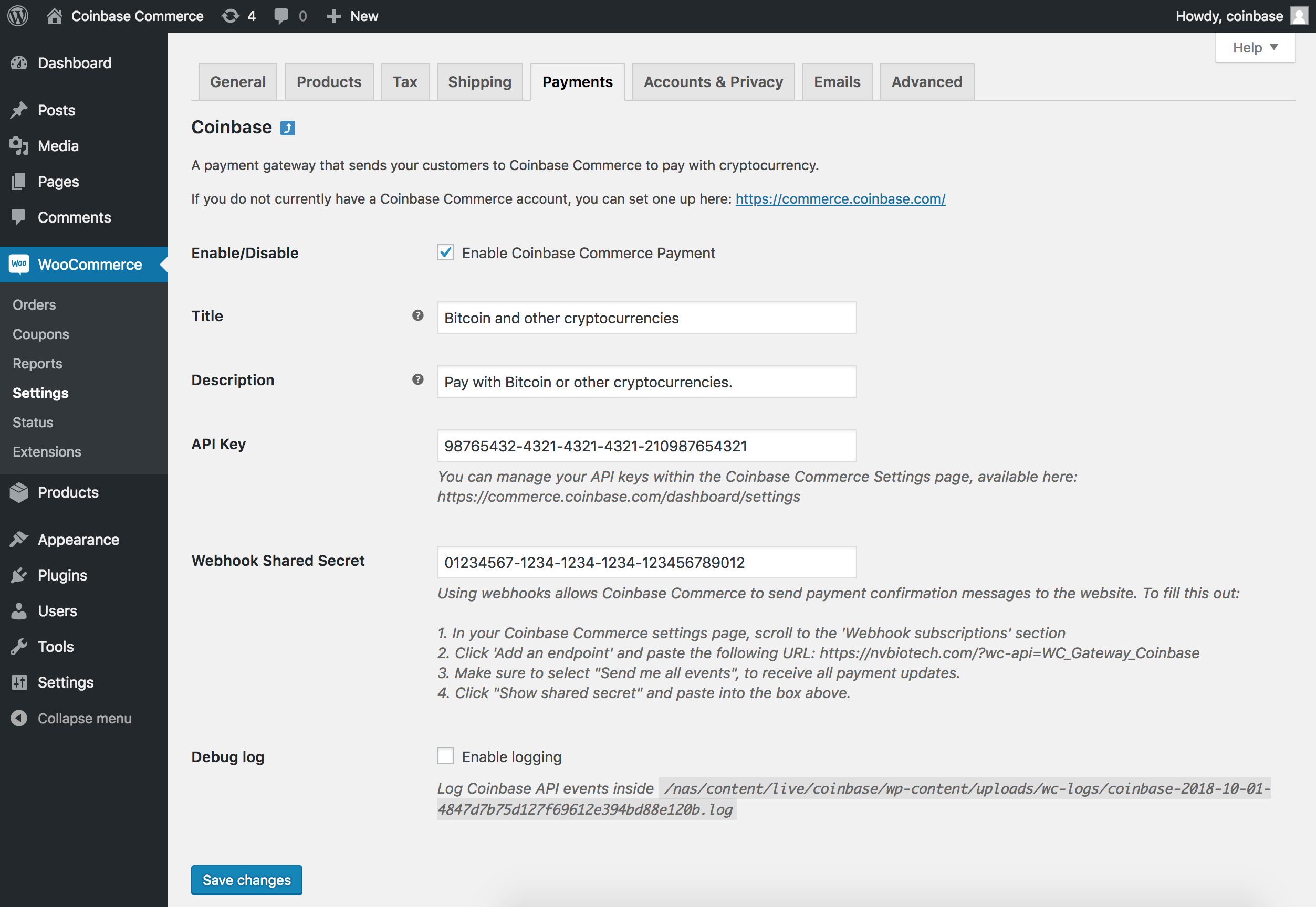
- Within the WordPress administration area, go to the WooCommerce > Settings > Payments page and you will see Coinbase in the table of payment gateways.
- Clicking the Manage button on the right hand side will take you into the settings page, where you can configure the plugin for your store.
Note: If you are running version of WooCommerce older than 3.4.x your Coinbase Commerce tab will be underneath the WooCommerce > Settings > Checkout tab
Enable / Disable
Turn the Coinbase Commerce payment method on / off for visitors at checkout.
Title
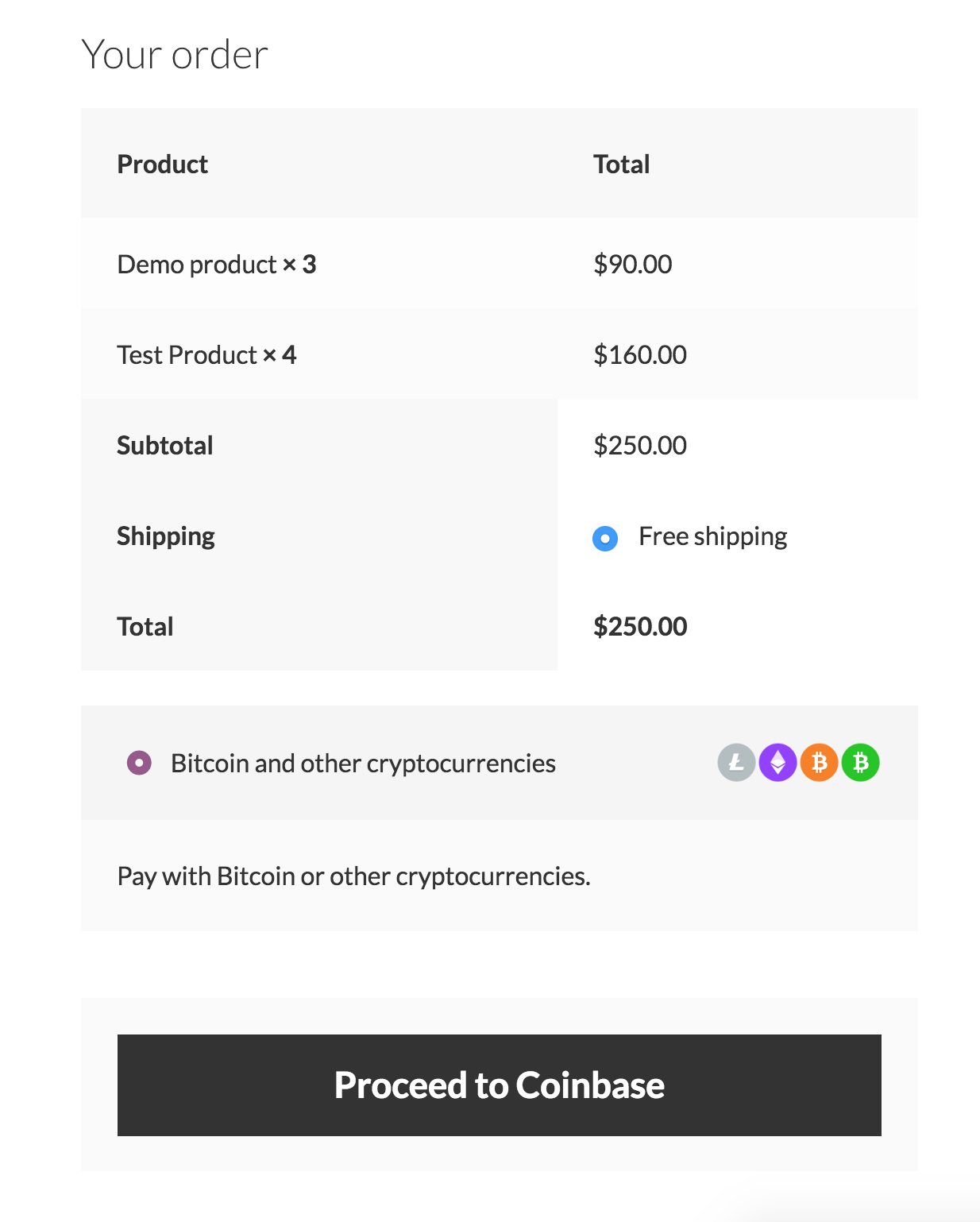
Title of the payment method on the checkout page
Description
Description of the payment method on the checkout page
API Key
Your Coinbase Commerce API key. Available within the https://commerce.coinbase.com/dashboard/settings/
Using an API key allows your website to periodically check Coinbase Commerce for payment confirmation.
Webhook Shared Secret
Your webhook shared secret. Available within the https://commerce.coinbase.com/dashboard/settings/
Using webhooks allows Coinbase Commerce to send payment confirmation messages to the website. To fill this out:
- In your Coinbase Commerce settings page, scroll to the ‘Webhook subscriptions’ section
- Click ‘Add an endpoint’ and paste the URL from within your settings page.
- Make sure to select “Send me all events”, to receive all payment updates.
- Click “Show shared secret” and paste into the box within your settings page.
Debug log
Whether or not to store debug logs.
If this is checked, these are saved within your wp-content/uploads/wc-logs/ folder in a .log file prefixed with coinbase-
Frequently asked questions
What cryptocurrencies does the plugin support?
The plugin supports all cryptocurrencies available at https://commerce.coinbase.com/
Prerequisites
To use this plugin with your WooCommerce store you will need: * WooCommerce plugin
Changelog
This plugin replaces the previous deprecated coinbase-woocommerce plugin.
1.4.1
- Tested against WordPress 6.5.3
- Tested against WooCommerce 8.9.1
1.4
- Declare HPOS Compatibility
- Remove deprecated Charge status mappings
- Fix order_id incorrect format error
- Update coinbase_charge_id to be charge.id
1.3
- Adds HPOS support
1.2
- Tested against WordPress 6.0
- Tested against WooCommerce 6.5.1
1.1.4
- Fix to send order emails when transitioning from “New” to “Processing”
1.1.3
- Tested against WordPress 5.2
- Tested against WooCommerce 3.6.3
Screenshots
For developers
Is this your plugin? Show off the numbers.
Add a live badge to your site, docs or GitHub README. It updates on its own — no account needed.
Best Coinbase Commerce Payment Gat… alternatives
All coinbase plugins →| Rank | Plugin | Active installs |
|---|---|---|
| 2 |
 Coinbase Business Gateway for WooCommerce
Coinbase Business is the best gateway to accept USDC on the Base network for your…
Coinbase Business Gateway for WooCommerce
Coinbase Business is the best gateway to accept USDC on the Base network for your…
|
700+ |
| 3 |
 Buy Widget Coinbase
Coinbase "Buy Widget" for WordPress
Buy Widget Coinbase
Coinbase "Buy Widget" for WordPress
|
10+ |
FAQ
Coinbase Commerce Payment Gateway f…: quick answers
Straight answers, pulled from live WordPress.org data.
Live data from WordPress.org · checked Sep 26, 2026
Is Coinbase Commerce Payment Gatew… free?
Yes. Coinbase Commerce Payment Gatew… is free to download and use from the official WordPress.org plugin directory.
Is Coinbase Commerce Payment Gatew… safe to use in 2026?
Coinbase Commerce Payment Gatew… shows warning signs in 2026 — compare the alternatives below before installing. It runs on 3K+ sites, is rated 3/5 and was last updated 2 years ago, and scores 32/100 on our health check.
How many websites use Coinbase Commerce Payment Gatew…?
Coinbase Commerce Payment Gatew… is active on 3K+ WordPress websites and has been downloaded 103,768 times since it launched in October 2018. It was downloaded 341 times in the last 30 days.
Does Coinbase Commerce Payment Gatew… work with WordPress 7.1?
Coinbase Commerce Payment Gatew… is officially tested up to WordPress 6.5.12, while the latest release is 7.1.2. It may still work, but try it on a staging site first.
When was Coinbase Commerce Payment Gatew… last updated?
The latest version, 1.4.1, was released on May 31, 2024 (2 years ago).
Who makes Coinbase Commerce Payment Gatew…?
Coinbase Commerce Payment Gatew… is developed and maintained by Coinbase Commerce.
What are the best alternatives to Coinbase Commerce Payment Gatew…?
The most popular alternatives to Coinbase Commerce Payment Gatew… are Coinbase Business Gateway f… (700+ installs) and Buy Widget Coinbase (10+ installs).
Powered by PageForge
Want thousands of pages that rank like these? Build them in an afternoon.
This directory runs on the same engine as PageForge. Turn any spreadsheet, CSV or API into thousands of fast, SEO-ready WordPress pages — with schema, internal links and AI-written copy baked in.
- CSV, Google Sheets & API data sources
- AI content, schema & internal links per page
- Works with Elementor, Gutenberg, Yoast & Rank Math
- Free on WordPress.org — no credit card


