


CodeDE Table Import/Export for Excel & CSV
Upload Excel (.xlsx, .xls) and CSV files and display them as clean, responsive tables anywhere on your WordPress site using a simple shortcode.

Use with caution
CodeDE Table Import/Export for… works, but test it on a staging site before relying on it in 2026. Is rated 5/5 and was last updated 6 months ago, and scores 49/100 on our health check.
- Small user base (<10 active installs)
- Very few reviews so far
- Only tested up to WordPress 6.9 (latest is 7.1)
How does it stack up?
Side-by-side on installs, updates, ratings & support



Daily downloads
Download spikes usually follow a new release — each site that auto-updates counts as a download.
Rankings
Where CodeDE Table Import/Export… stands todayWordPress.org search rankings
Live position in the plugin search, top 100| Keyword | Position |
|---|---|
| csv | >100 |
| excel | >100 |
| spreadsheet | >100 |
| table | >100 |
| xlsx | #94 |
Rating breakdown
★★★★★★★★★★ 5 from 1 reviews
About CodeDE Table Import/Export for Excel &…
From the official readme · v1.8.5Description
CodeDE Table Import/Export for Excel & CSV lets you upload Excel (.xlsx, .xls) and CSV files and display them as clean, responsive HTML tables on your WordPress site — no coding required.
Features
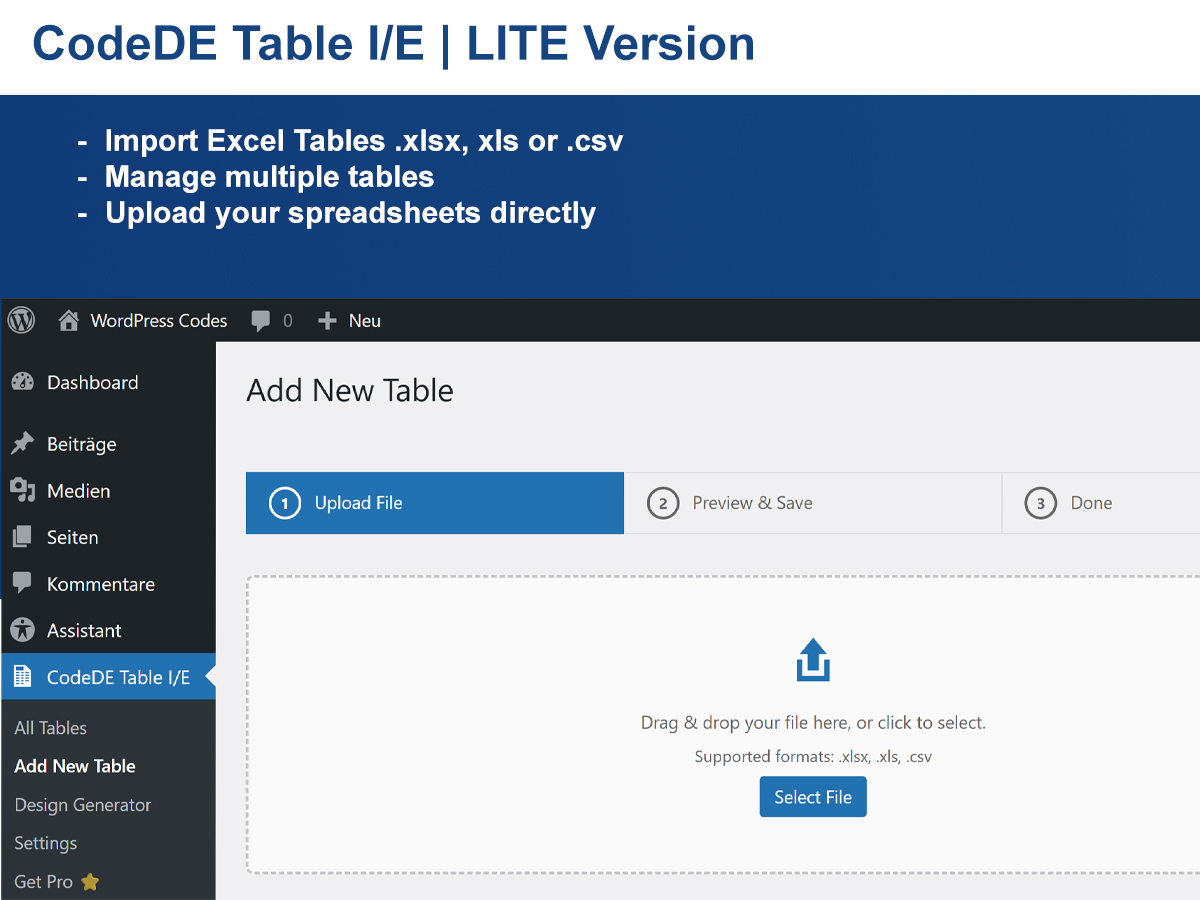
- Upload .xlsx, .xls, and .csv files
- Display all rows — no artificial limits
- Unlimited tables
- Responsive horizontal scroll on mobile
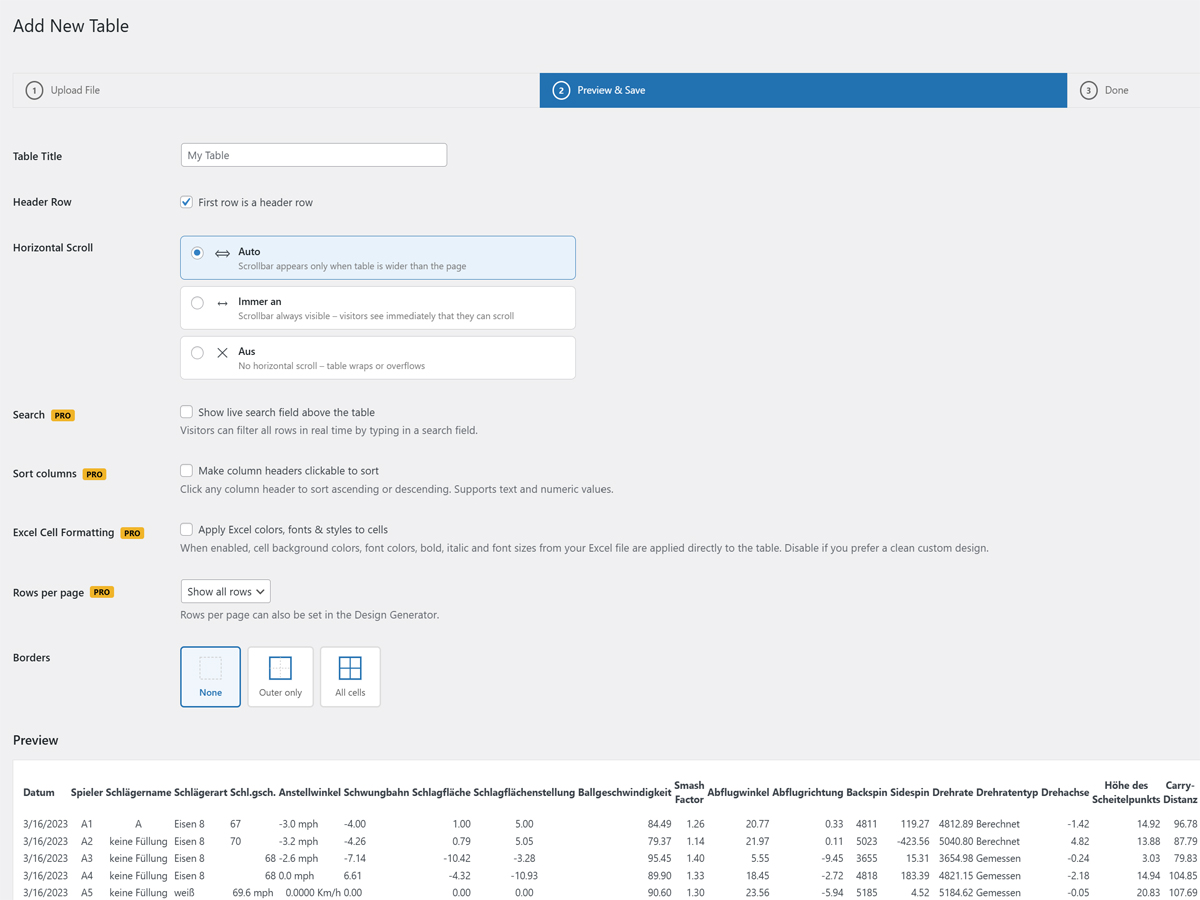
- Column sorting with multiple sort-style options
- Live search bar
- Column dropdown filters
- Pagination (rows per page)
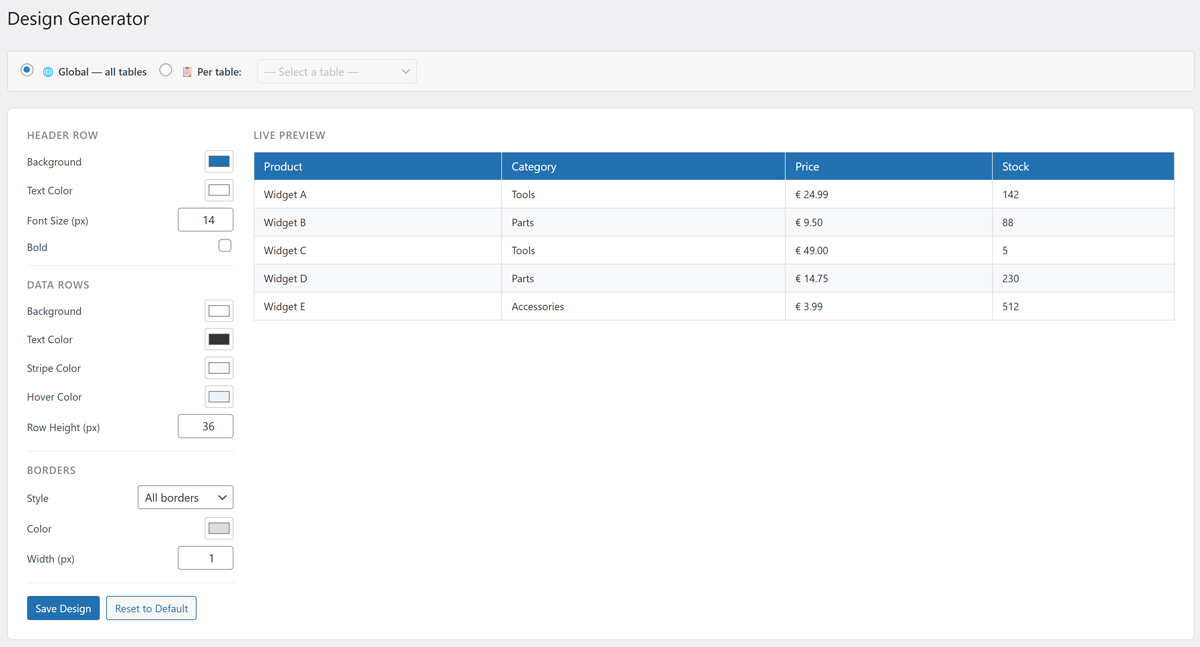
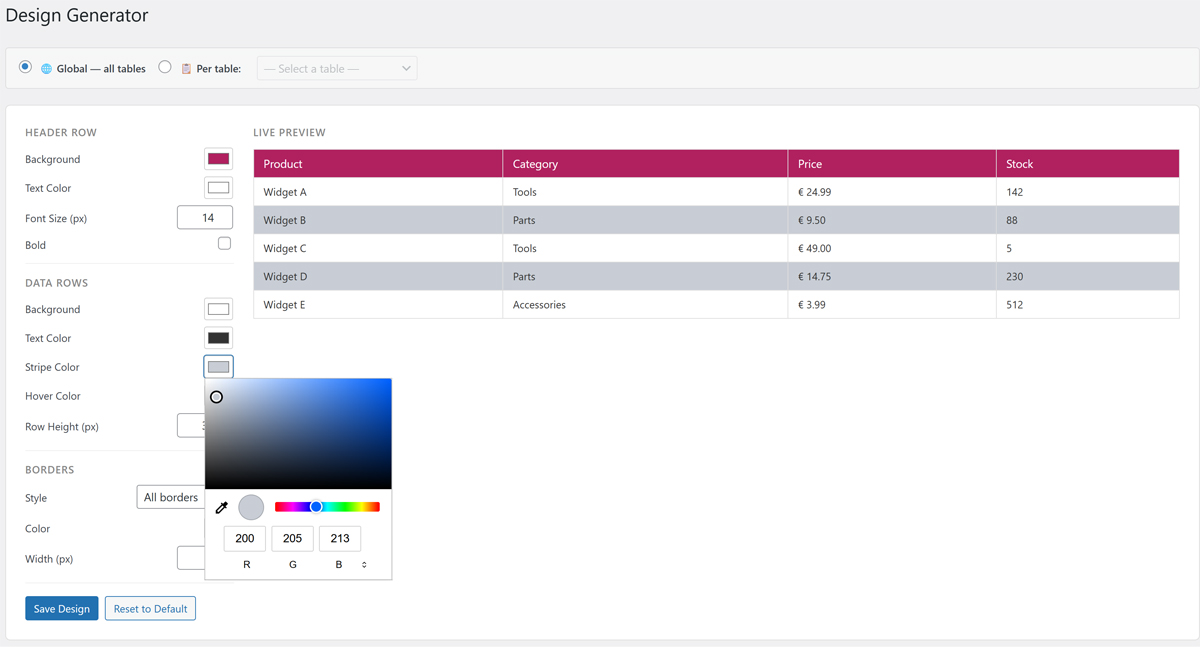
- Visual Design Generator (colors, fonts, borders)
- Excel cell formatting (colors, fonts, alignment)
- Custom CSS field per table for individual styling
- Export tables back to CSV or XLSX
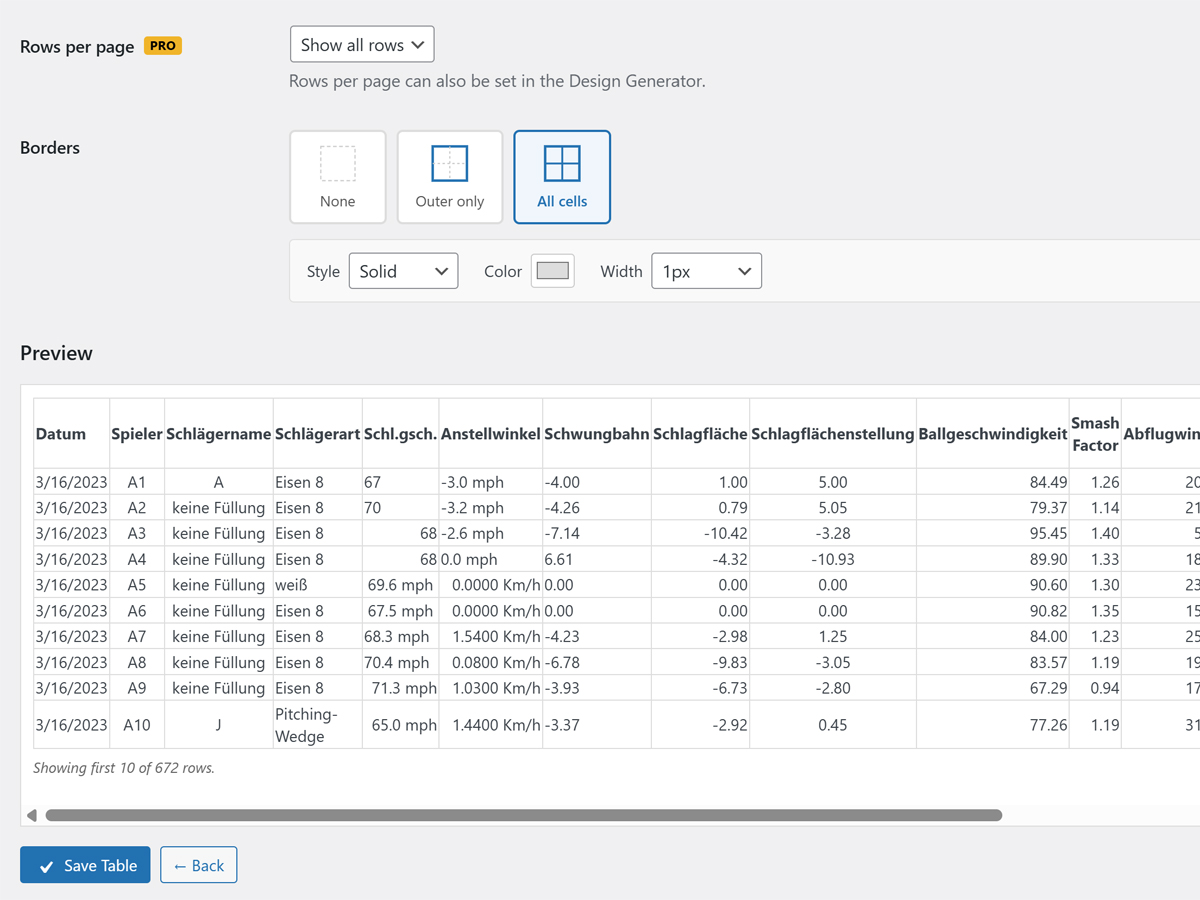
- Border editor (outer, all cells, custom color & width)
- Simple shortcode:
[cdtv id="X"] - Lightweight — no jQuery-heavy libraries, no bloat
- Available in 5 languages: English, German, Spanish, French, Portuguese (Brazil), Indonesian
Language Support
The plugin ships with built-in translations for:
- 🇺🇸 English (default)
- 🇩🇪 German — Deutsch
- 🇪🇸 Spanish — Español
- 🇫🇷 French — Français
- 🇧🇷 Portuguese (Brazil) — Português
- 🇮🇩 Indonesian — Bahasa Indonesia
WordPress automatically loads the correct language based on your site’s language setting. No configuration needed.
Pro Version
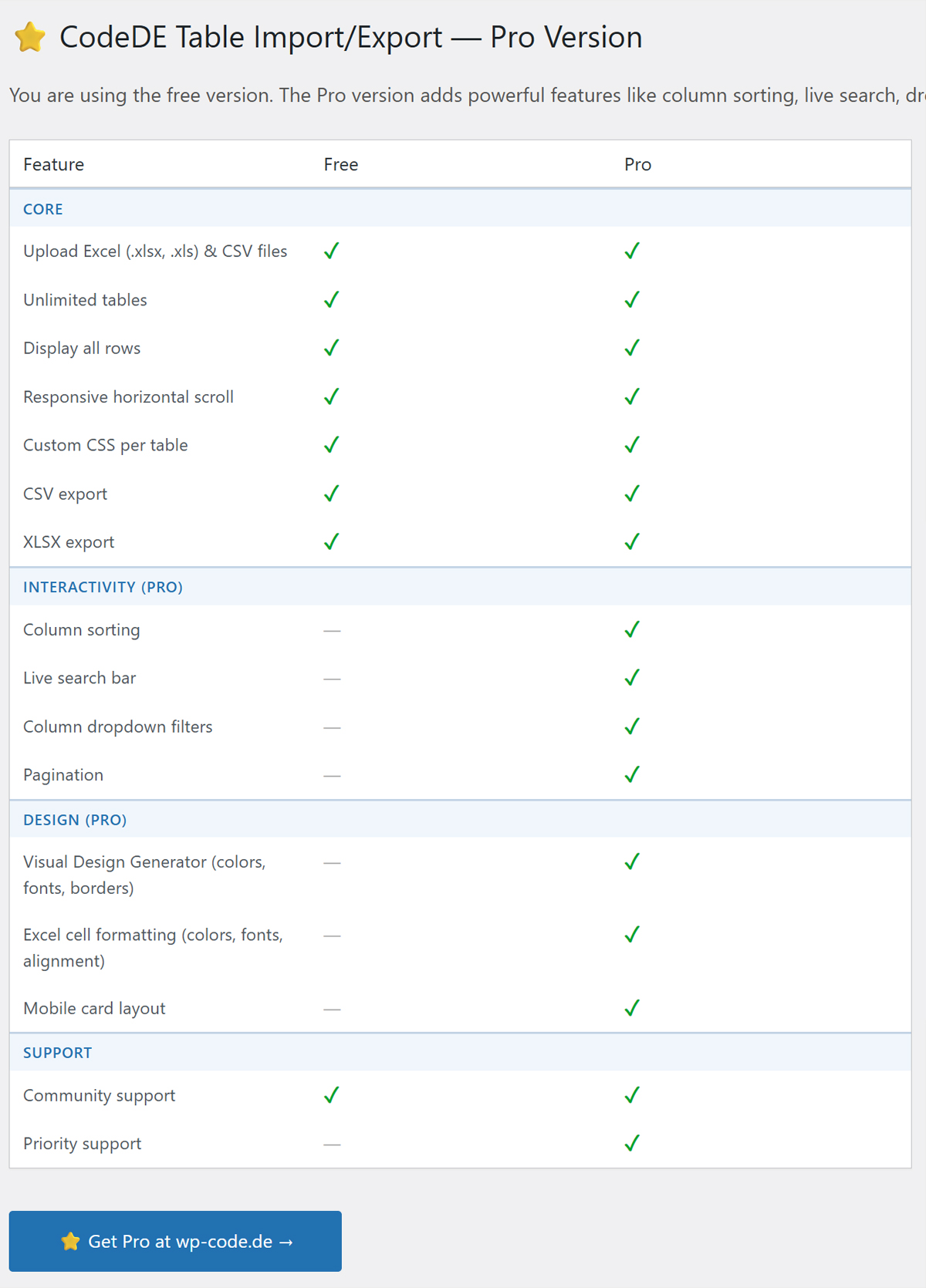
Looking for priority support or have a feature request? Visit wp-code.de to learn about the Pro version with priority support.
Installation
- Upload the plugin folder to
/wp-content/plugins/. - Activate the plugin via the Plugins menu in WordPress.
- Go to CodeDE Table I/E → Add New Table and upload your file.
- Copy the shortcode and paste it into any post or page.
Frequently asked questions
Which file formats are supported?
.xlsx, .xls, and .csv files are supported.
How do I display a table?
After uploading and saving a table, use the shortcode [cdtv id="X"] where X is the table ID shown in the table list.
Can I style the table?
Yes! Each table has a Custom CSS field where you can write CSS rules. Use .cdtv-table to target the table element. You can also use the built-in Design Generator for a visual editor.
Is there a limit on the number of rows or tables?
No — the plugin displays all rows and supports unlimited tables.
Does it support sorting and filtering?
Yes! The plugin includes column sorting, live search, and dropdown filters — all built in.
Changelog
All features are now free. No license key needed. Simply update and enjoy the full feature set.
1.8.5
- Added: Built-in translations for Spanish, French, Portuguese (Brazil), and Indonesian.
- Fixed: Border design settings now always applied correctly via inline CSS, regardless of page builder used.
1.8.4
- Added: German translation (.po/.mo) via load_plugin_textdomain().
- Added: YouTube channel link in plugin list and settings page.
- Added: “German & English language support” row in Free/Pro comparison table.
- Improved: Free/Pro comparison table updated with correct feature names.
1.8.3
- Added: Decimal separator now also applied to numeric values with unit suffixes (e.g. “-3.0 mph”).
- Improved: Replaced phantom cdtv_language option with proper WordPress i18n.
1.8.2
- Added: Download tables as .xlsx and .csv directly from the admin.
- Added: Border editor (outer, all cells, custom color, style & width).
- Added: Visual Design Generator (colors, fonts, borders, row height).
1.8.1
- Fixed: Removed arbitrary Custom CSS field to comply with WordPress.org review guidelines.
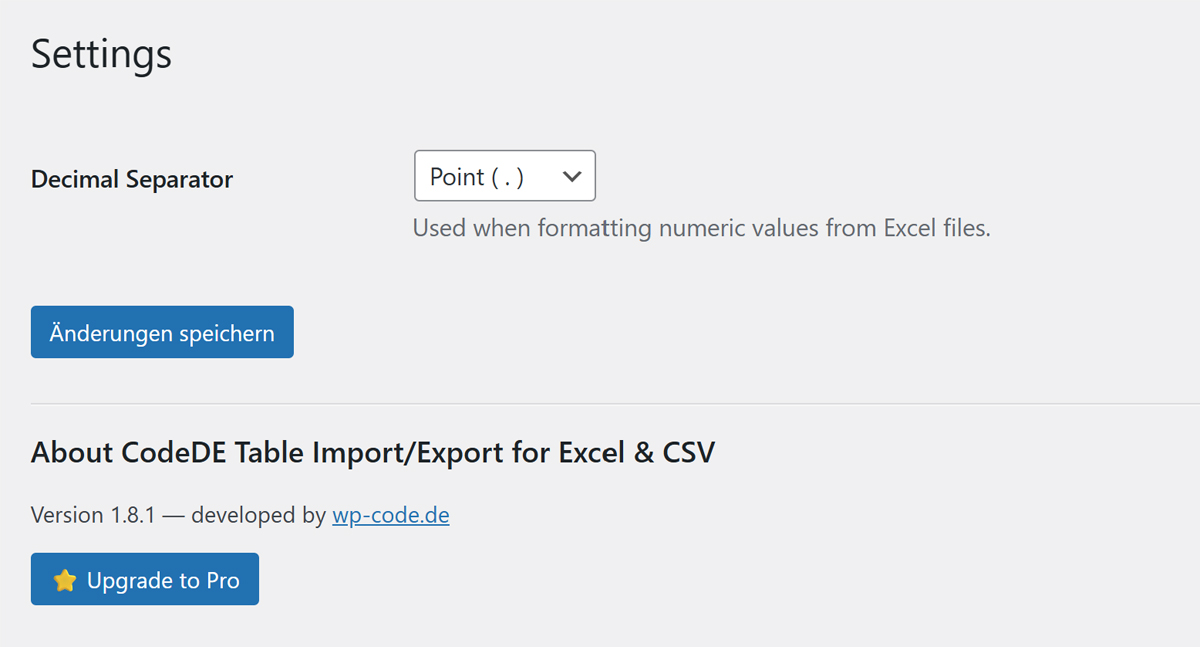
- Fixed: Decimal separator setting now only allows “.” or “,” (stricter whitelist).
- Fixed: Inline and tags replaced with wp_enqueue_* functions.
1.8.0
- All features are now fully available in the free version — no license required.
- Removed third-party license management (Freemius SDK).
- Simplified plugin to comply with WordPress.org guidelines.
Screenshots
For developers
Is this your plugin? Show off the numbers.
Add a live badge to your site, docs or GitHub README. It updates on its own — no account needed.
Best CodeDE Table Import/Export fo… alternatives
All csv plugins →





FAQ
CodeDE Table Import/Export for Exce…: quick answers
Straight answers, pulled from live WordPress.org data.
Live data from WordPress.org · checked Oct 24, 2026
Is CodeDE Table Import/Export for… free?
Yes. CodeDE Table Import/Export for… is free to download and use from the official WordPress.org plugin directory.
Is CodeDE Table Import/Export for… safe to use in 2026?
CodeDE Table Import/Export for… works, but test it on a staging site before relying on it in 2026. Is rated 5/5 and was last updated 6 months ago, and scores 49/100 on our health check.
How many websites use CodeDE Table Import/Export for…?
CodeDE Table Import/Export for… is active on <10 WordPress websites and has been downloaded 518 times since it launched in April 2026. It was downloaded 70 times in the last 30 days.
Does CodeDE Table Import/Export for… work with WordPress 7.1?
CodeDE Table Import/Export for… is officially tested up to WordPress 6.9.10, while the latest release is 7.1.3. It may still work, but try it on a staging site first.
What PHP version does CodeDE Table Import/Export for… need?
CodeDE Table Import/Export for… requires PHP 8.0 or higher. Most hosts run PHP 8.x today, so it works on any modern WordPress hosting.
When was CodeDE Table Import/Export for… last updated?
The latest version, 1.8.5, was released on May 1, 2026 (6 months ago).
Who makes CodeDE Table Import/Export for…?
CodeDE Table Import/Export for… is developed and maintained by WP CODE de.
What are the best alternatives to CodeDE Table Import/Export for…?
The most popular alternatives to CodeDE Table Import/Export for… are TablePress (600K+ installs), WP All Import (100K+ installs) and Import and export users and… (70K+ installs).
Powered by PageForge
Want thousands of pages that rank like these? Build them in an afternoon.
This directory runs on the same engine as PageForge. Turn any spreadsheet, CSV or API into thousands of fast, SEO-ready WordPress pages — with schema, internal links and AI-written copy baked in.
- CSV, Google Sheets & API data sources
- AI content, schema & internal links per page
- Works with Elementor, Gutenberg, Yoast & Rank Math
- Free on WordPress.org — no credit card


