


ChargeForms – Contact Form, Stripe Payment Form & Multi-Step Form Builder
Free drag-and-drop form builder: contact forms, Stripe & PayPal payment forms, multi-step forms and conditional logic. No paid tier, no platform fee.

Solid choice
ChargeForms is a solid plugin choice in 2026, with a few things worth checking first. Was last updated 2 weeks ago, and scores 64/100 on our health check.
- Actively developed — last update 2 weeks ago
- Tested with the latest WordPress (7.1)
- Small user base (<10 active installs)
- Very few reviews so far
How does it stack up?
Side-by-side on installs, updates, ratings & support



Daily downloads
Download spikes usually follow a new release — each site that auto-updates counts as a download.
Rankings
Where ChargeForms stands todayWordPress.org search rankings
Live position in the plugin search, top 100| Keyword | Position |
|---|---|
| conditional logic | >100 |
| contact form | >100 |
| form builder | >100 |
| Multi-Step Form | >100 |
| stripe | >100 |
About ChargeForms
From the official readme · v0.270.15Description
ChargeForms is a free WordPress form builder for contact forms, Stripe and PayPal payment forms, multi-step forms, surveys and lead-capture forms. Build them by drag and drop, add conditional logic, collect payments, and manage every entry from your dashboard, without a bloated front-end bundle slowing your site down.
Why people choose ChargeForms: conditional logic, multi-step forms, file uploads, Stripe and PayPal payments, SMTP email delivery and CSV import are all in the free plugin. There is no paid tier to unlock them and no platform fee on top of your payment processor’s own rate.
Every feature in this plugin — conditional logic, payments, SMTP email delivery, CSV import, every field type — is included free, with no paid license required and no feature locked behind a paywall. ChargeForms.com | Documentation
Drag-and-Drop Form Builder
- 30+ field types out of the box — text, address, ratings, file upload, payment fields, and more
- Conditional logic with nested AND/OR/NOT groups — show or hide fields based on other answers
- Multi-step forms with a progress bar and per-step validation
- All bundled form templates, Save & Resume, and CSV entry import
- Lightweight front-end rendering — visitors never load an admin-sized JS bundle
Accept Payments
- Stripe and PayPal, including Stripe recurring subscriptions (monthly/yearly plans, free trials, cancellation)
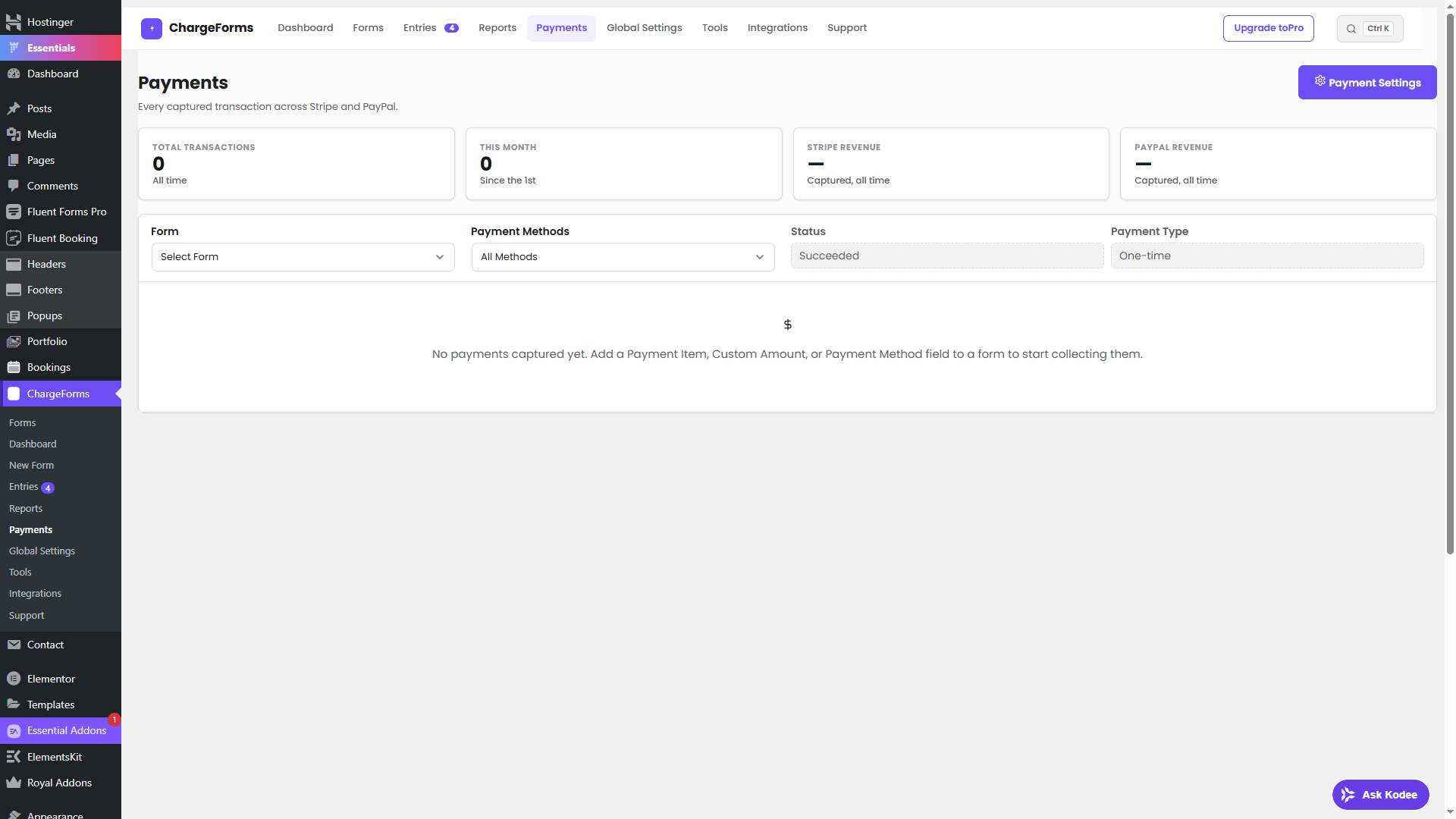
- Payment Item, Custom Amount, Payment Method, and Payment Summary fields
- No platform fee on top of your payment processor’s own rate
Entry Management
- A full entries dashboard in wp-admin — view, edit, filter, export, and manage every submission
- Email notifications on every submission, with delivery logging and automatic retry
Email Delivery (Native SMTP)
- Connect Gmail, Microsoft 365, Amazon SES, SendGrid, Mailgun, Brevo, Postmark, Zoho, or any custom SMTP server
- Encrypted credentials, multiple SMTP connections, real test-email sending, and a full delivery log
Integrations
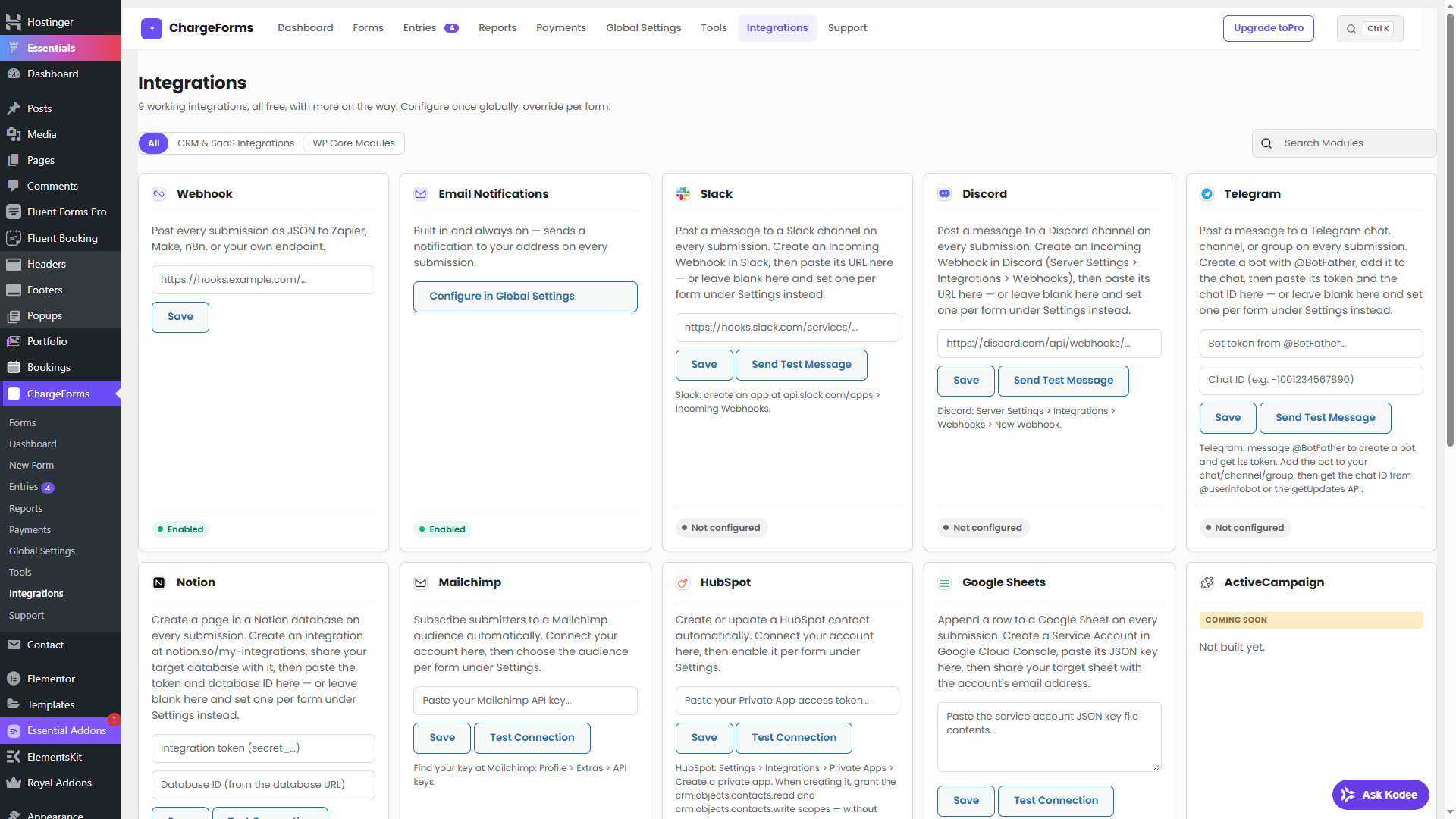
- Webhook — send every submission as JSON to Zapier, Make, n8n, or your own endpoint
- Mailchimp, Brevo, ActiveCampaign, Slack, Discord, Telegram, Notion, HubSpot, Google Sheets
Spam & Security
- Honeypot spam protection built in
- reCAPTCHA, hCaptcha, Cloudflare Turnstile, or CleanTalk — your choice, off by default
- Double opt-in for email confirmation
Migrate From Another Form Plugin
- The built-in Migrator (Tools screen) imports forms from Fluent Forms, Contact Form 7, WPForms and Ninja Forms, mapping their fields instead of making you rebuild each form by hand
Works With Your Stack
- Elementor widget for placing a form visually
- Built-in MCP server so AI assistants you connect with a WordPress Application Password can list and manage forms
Planned for Future Releases
- Conversational (one-question-at-a-time) form mode
External services
This plugin optionally connects to a number of third-party services, every one of them off by default. Full detail on each is in the “What external services does this plugin use?” FAQ above; summarized here per the WordPress.org guideline:
- Google Fonts — loads the Poppins typeface on ChargeForms’ own wp-admin screens only (never your site’s front end), when enabled under Global Settings. Sends the admin’s IP/browser info to Google on every admin page load while enabled. Terms / Privacy.
- reCAPTCHA, hCaptcha, Cloudflare Turnstile, CleanTalk — optional spam-protection providers; only loaded on a form’s front end if you enable one under Global Settings > Security. Processes the visitor’s IP/browser data when a protected form is viewed/submitted. Google Privacy / hCaptcha Privacy / Cloudflare Privacy / CleanTalk Privacy.
- Stripe, PayPal — only active on a form with a Payment field where you’ve connected your own account. Sends the payment amount and the payer’s entered billing details when a visitor pays. Stripe Privacy / PayPal Privacy.
- Webhook, Mailchimp, Slack, Discord, Telegram, Notion, HubSpot, Google Sheets — only send data if you explicitly connect them yourself under the Integrations screen, to the endpoint/account you configure, at the moment a form is submitted. Mailchimp Terms / Privacy — Notion Terms & Privacy / Privacy — HubSpot Terms / Privacy — Telegram Terms / Privacy.
- Address autocomplete — optional; sends each keystroke in an Address field’s autocomplete box to OpenStreetMap’s Nominatim API. Usage Policy / OSMF Privacy.
- chargeforms.com license API — only contacted if you activate a Pro license key, to verify it. Terms / Privacy.
Installation
- Upload the
chargeformsfolder to/wp-content/plugins/, or install directly from the WordPress Plugin Directory. - Activate the plugin through the ‘Plugins’ menu in WordPress.
- Go to ChargeForms in your admin sidebar to build your first form.
- Paste the
[chargeforms id="X"]shortcode into any page or post.
Changelog
0.270.15
- Added: a single, dismissible review request on ChargeForms’ own screens, shown only to users who manage ChargeForms and only after the site has collected at least 5 real (non-trashed) submissions. Choices are “Leave a review”, “Maybe later” (hides it for 14 days) and “No thanks”, each saved per user.
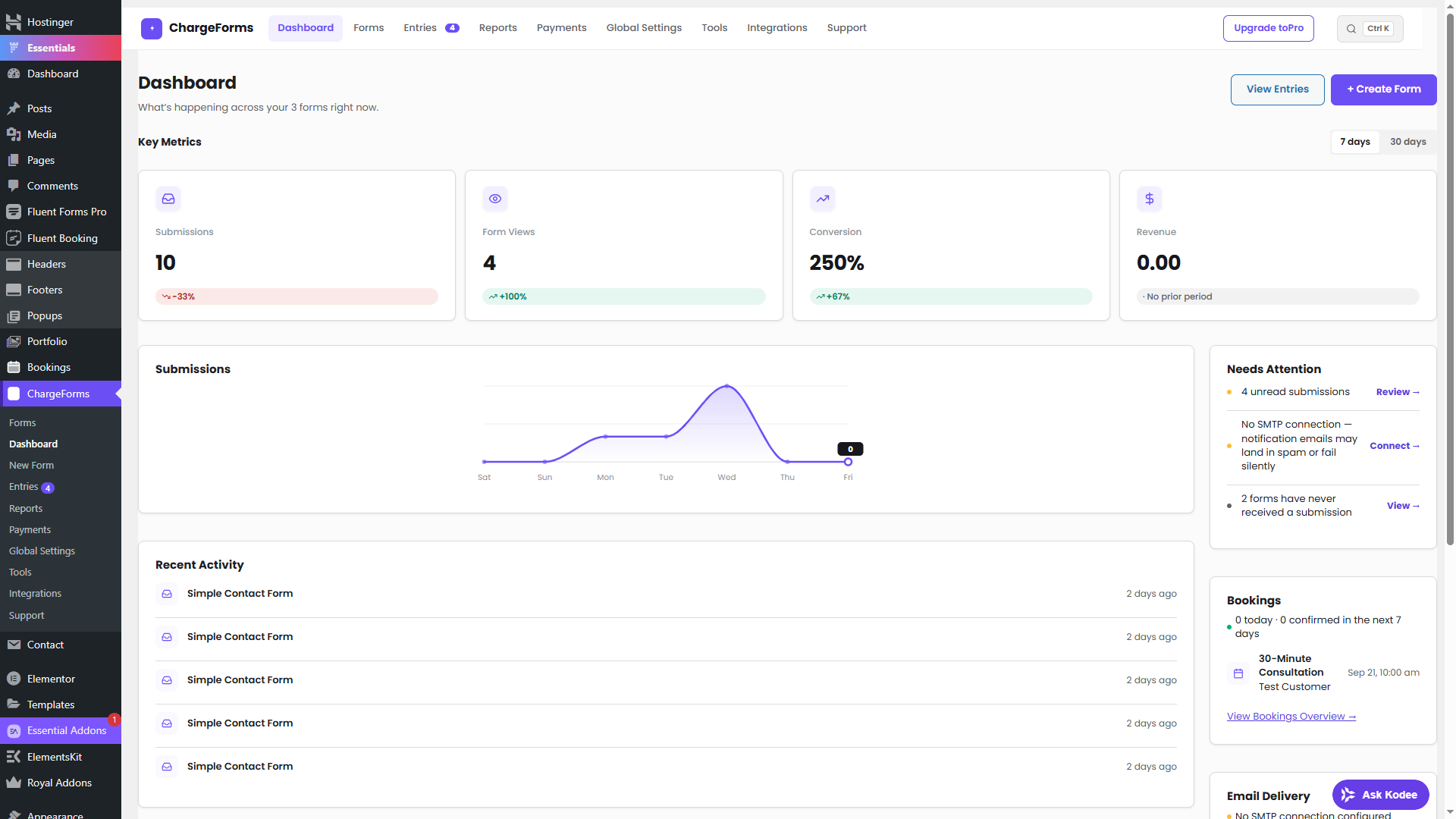
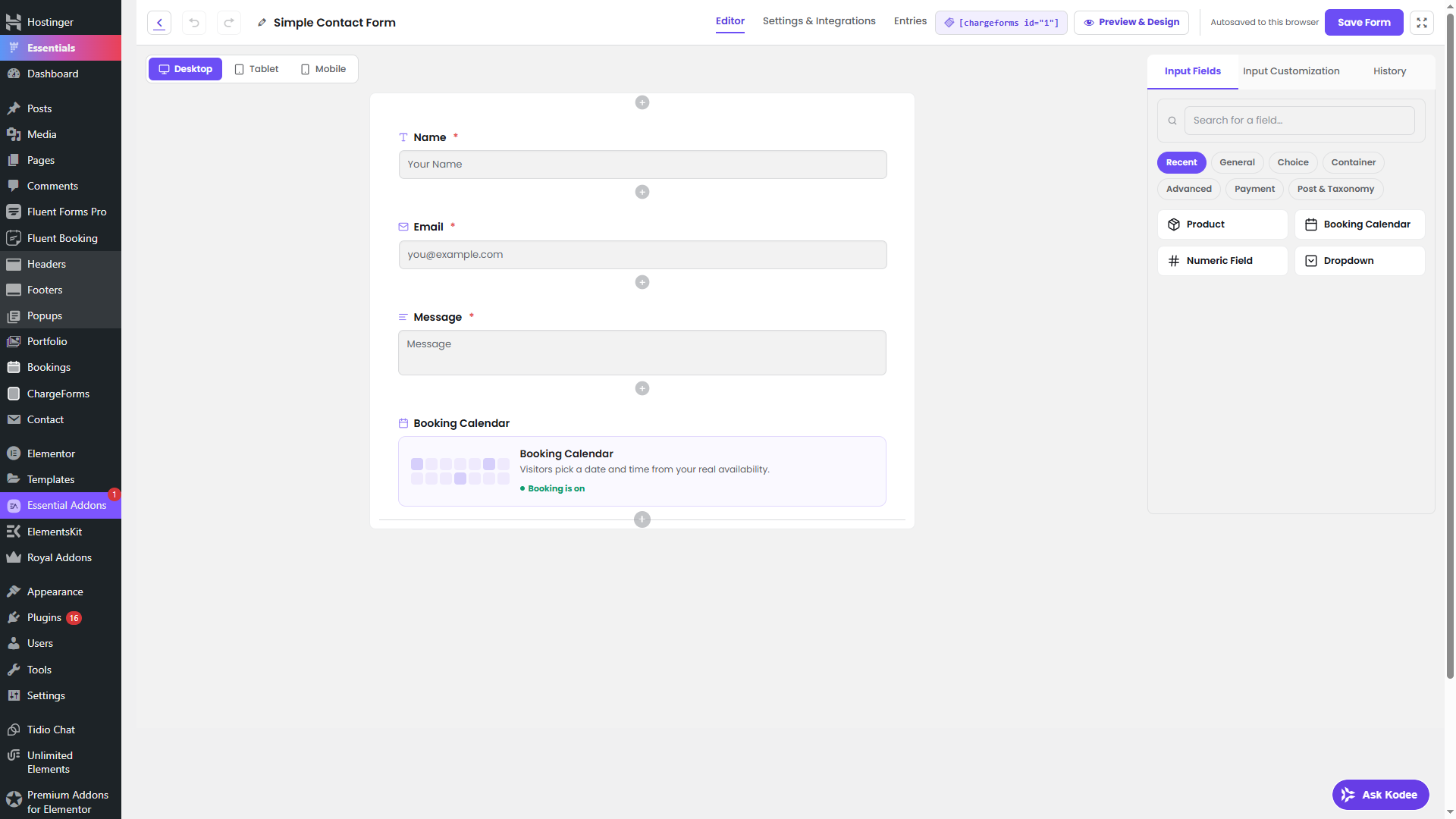
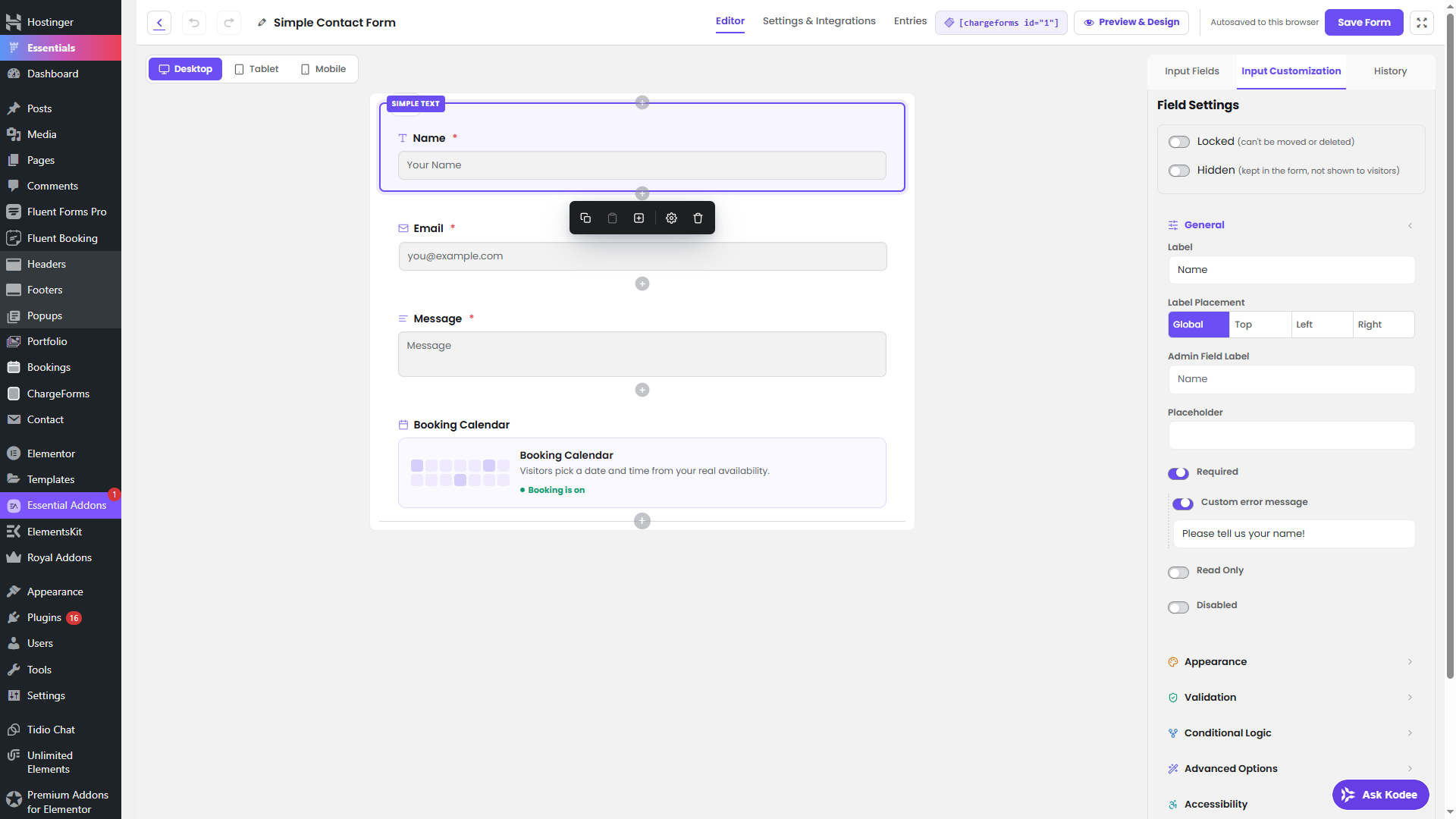
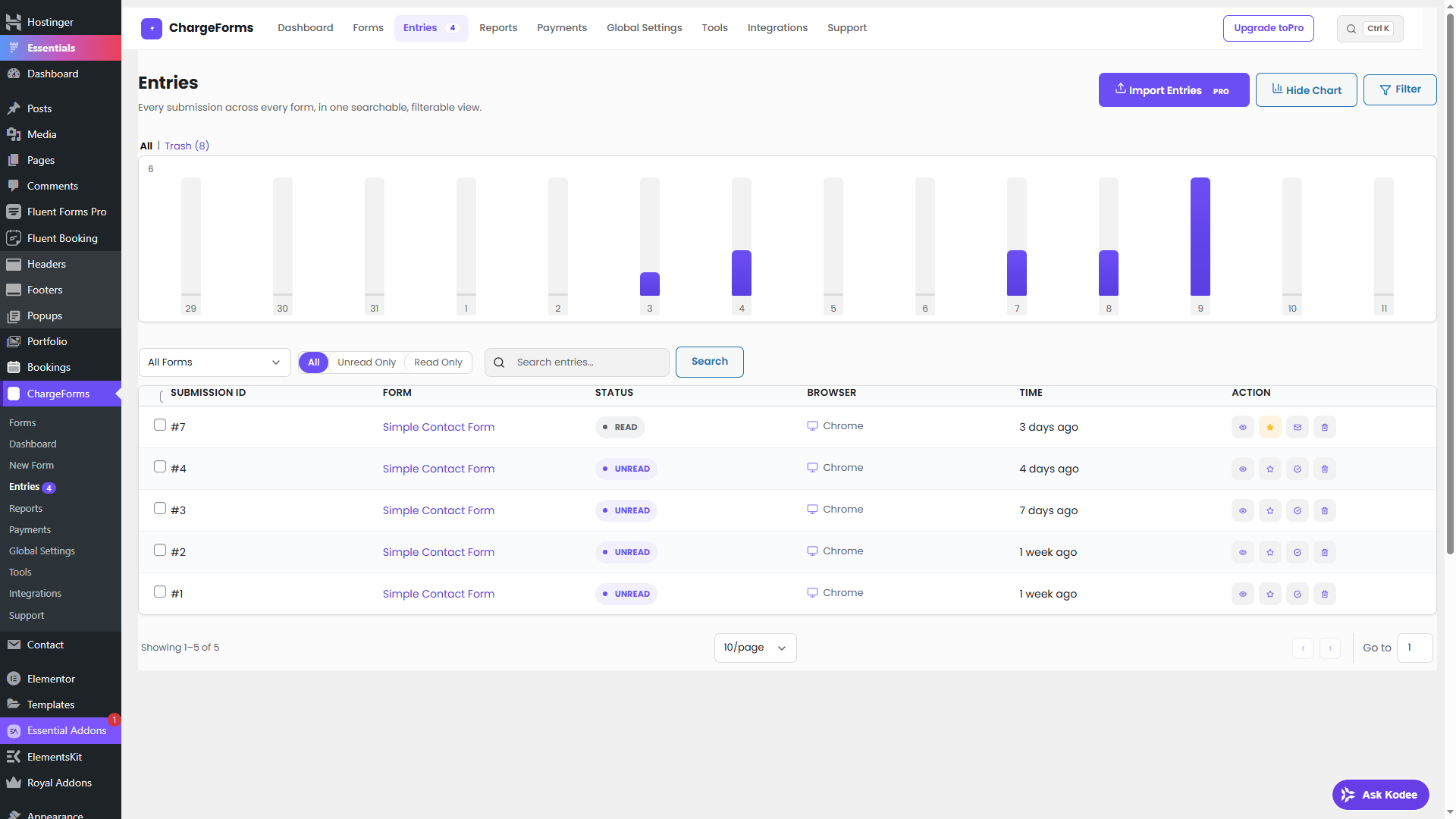
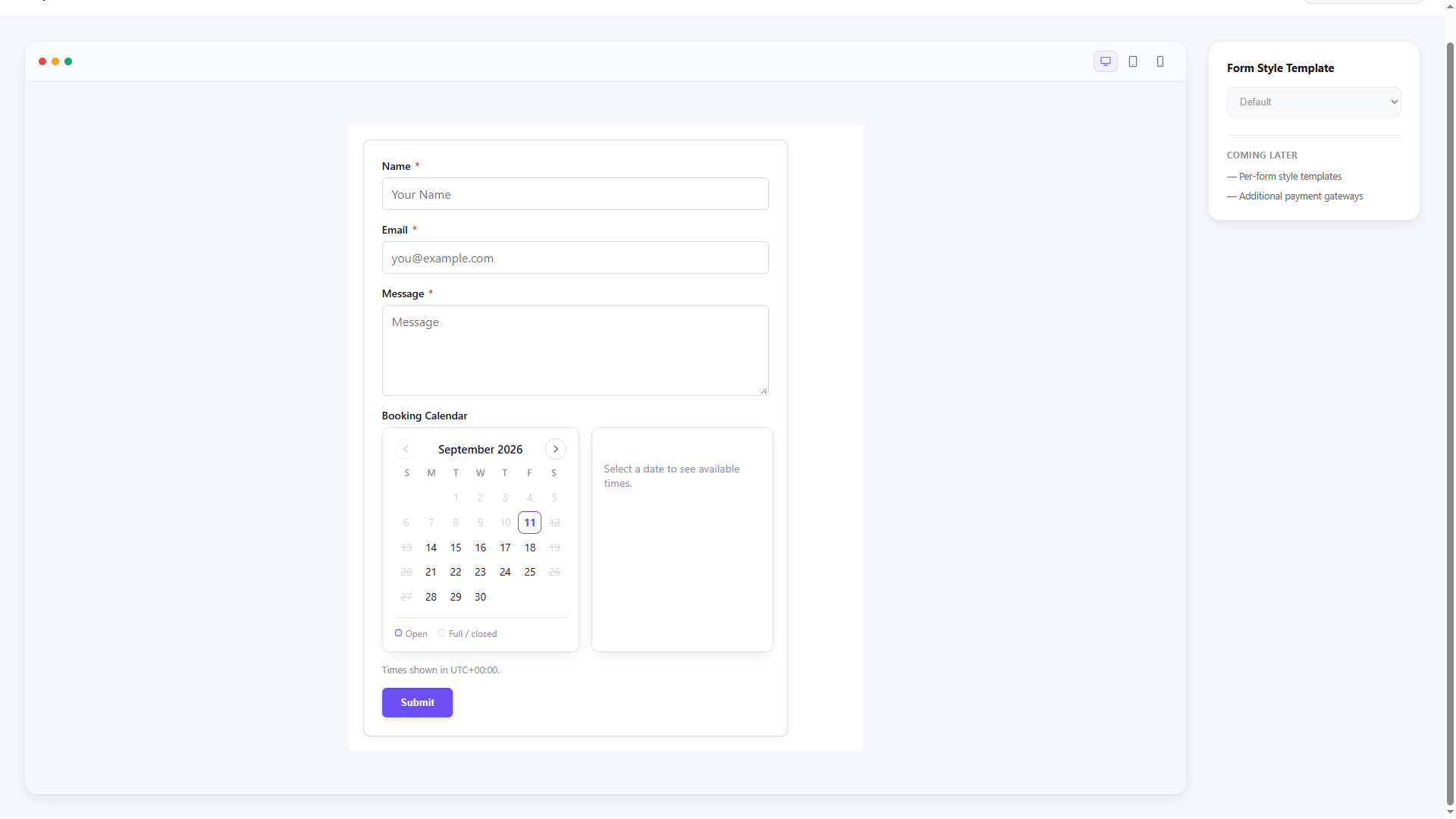
- Changed: screenshot captions rewritten to describe what each screen shows.
- Changed: refreshed the WordPress.org banner.
- Test: added tests for the review notice’s visibility rules and its actions.
0.270.14
- Improved: redesigned the Email Delivery (SMTP) screen — provider tiles with clear selected state, a proper empty state, a status accent on the active connection, softer cards, and clearer form focus states.
- Changed: rewrote the plugin listing for search — clearer title and short description, tags focused on contact form, form builder, Stripe, multi-step form and conditional logic, plus new FAQs on payment fees, adding a contact form, SMTP providers, subscriptions and data on deactivation.
- Fixed: removed an outdated “planned” item that duplicated integrations already shipped.
- Test: updated the PHP and Node test suites to match the all-features-free model (SMTP connection cap and Pro gating removed, Formula and former teaser fields now render, server-side field types counted).
0.270.13
- Fixed: removed
chargeformsfrom the Contributors header — not a registered WordPress.org username, so it was silently dropped on import. Onlyuzairrehmanremains. - Changed: rewrote the Description section into organized feature sections (Form Builder, Payments, Entry Management, Email Delivery, Integrations, Spam & Security) and expanded the FAQ with questions on performance, conditional logic, multi-step forms, entry export/import, and migrating from Contact Form 7, WPForms, or Ninja Forms.
- Changed: updated plugin tags to better reflect the plugin’s actual differentiators (payment form, multi-step form, conditional logic).
0.270.12
- Fixed: escape generated form markup, SVG icons, and report output at the point of rendering for WordPress.org security compliance.
- Changed: CSV entry import, all bundled templates, Save & Resume, multiple SMTP connections, and every implemented builder field are available without a paid license.
- Improved: the readme and license screen now state clearly that every feature shipped in the WordPress.org plugin is free.
0.268.0
- Fix: Keep existing Pro fields editable through MCP when a license expires, while blocking new unlicensed Pro fields.
- Test: Validate structured AI previews and WordPress identifier placeholders.
0.267.0
- Fix: Pro access requires a verified paid license activated on this site.
- Fix: Paid expiry is enforced locally; temporary verification outages have a bounded 72-hour grace period.
- Fix: Display accurate site limits and retry remote site-slot release after a failed deactivation.
Screenshots

For developers
Is this your plugin? Show off the numbers.
Add a live badge to your site, docs or GitHub README. It updates on its own — no account needed.
Best ChargeForms alternatives
All conditional logic plugins →





FAQ
ChargeForms: quick answers
Straight answers, pulled from live WordPress.org data.
Source: WordPress.org
Is ChargeForms free?
Yes. ChargeForms is free to download and use from the official WordPress.org plugin directory.
Is ChargeForms safe to use in 2026?
ChargeForms is a solid plugin choice in 2026, with a few things worth checking first. Was last updated 2 weeks ago, and scores 64/100 on our health check.
How many websites use ChargeForms?
ChargeForms is active on <10 WordPress websites and has been downloaded 348 times since it launched in October 2026. It was downloaded 232 times in the last 30 days.
Does ChargeForms work with WordPress 7.1?
Yes. The developer has tested ChargeForms up to WordPress 7.1.5, the latest release. It requires WordPress 6.2 or newer.
What PHP version does ChargeForms need?
ChargeForms requires PHP 7.4 or higher. Most hosts run PHP 8.x today, so it works on any modern WordPress hosting.
When was ChargeForms last updated?
The latest version, 0.270.15, was released on November 12, 2026 (2 weeks ago).
Who makes ChargeForms?
ChargeForms is developed and maintained by Uzair Rehman.
What are the best alternatives to ChargeForms?
The most popular alternatives to ChargeForms are Conditional Fields for Cont… (100K+ installs), Conditional Fields for Elem… (10K+ installs) and If-So Dynamic Content (7K+ installs).
Powered by PageForge
One template and a spreadsheet. A real page for every search.
PageForge turns each row of a CSV into a WordPress page with its own title, URL, SEO fields and schema, built on the layout you already designed. Free on WordPress.org.
- CSV and XLSX, plus Google Sheets on Professional and Enterprise
- Its own title, URL, SEO fields and schema for every page
- Works with the block editor, Elementor, Divi and Avada
- Free on WordPress.org, no credit card