


Carve Markup
Write posts, pages and comments in Carve markup: a visual editor, live preview, multi-format paste, frontmatter-to-meta and a REST API.

Solid choice
Carve Markup is a solid plugin choice in 2026, with a few things worth checking first. Was last updated 2 days ago, and scores 64/100 on our health check.
- Actively developed — last update 2 days ago
- Tested with the latest WordPress (7.1)
- Small user base (<10 active installs)
- Very few reviews so far
- Needs PHP 8.2 or newer
Daily downloads
Download spikes usually follow a new release — each site that auto-updates counts as a download.
Rankings
Where Carve Markup stands todayWordPress.org search rankings
Live position in the plugin search, top 100| Keyword | Position |
|---|---|
| carve | #3 |
| djot | #2 |
| editor | >100 |
| markdown | >100 |
| markup | >100 |
About Carve Markup
From the official readme · v0.1.14Description
Carve is a lightweight markup language for documents and the web. This plugin renders Carve to HTML in WordPress, powered by the markup-carve/carve-php engine.
Watch the WordPress demo:
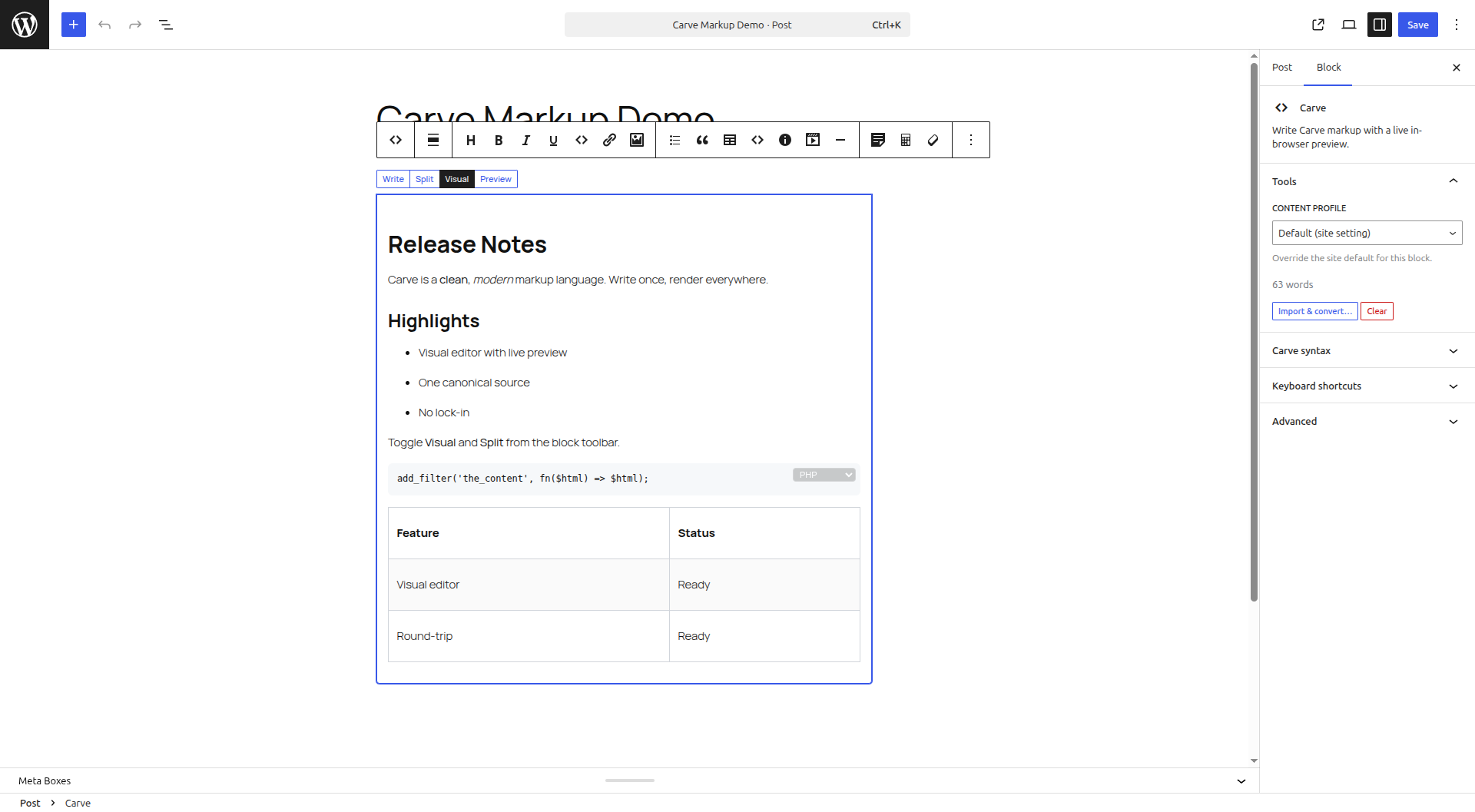
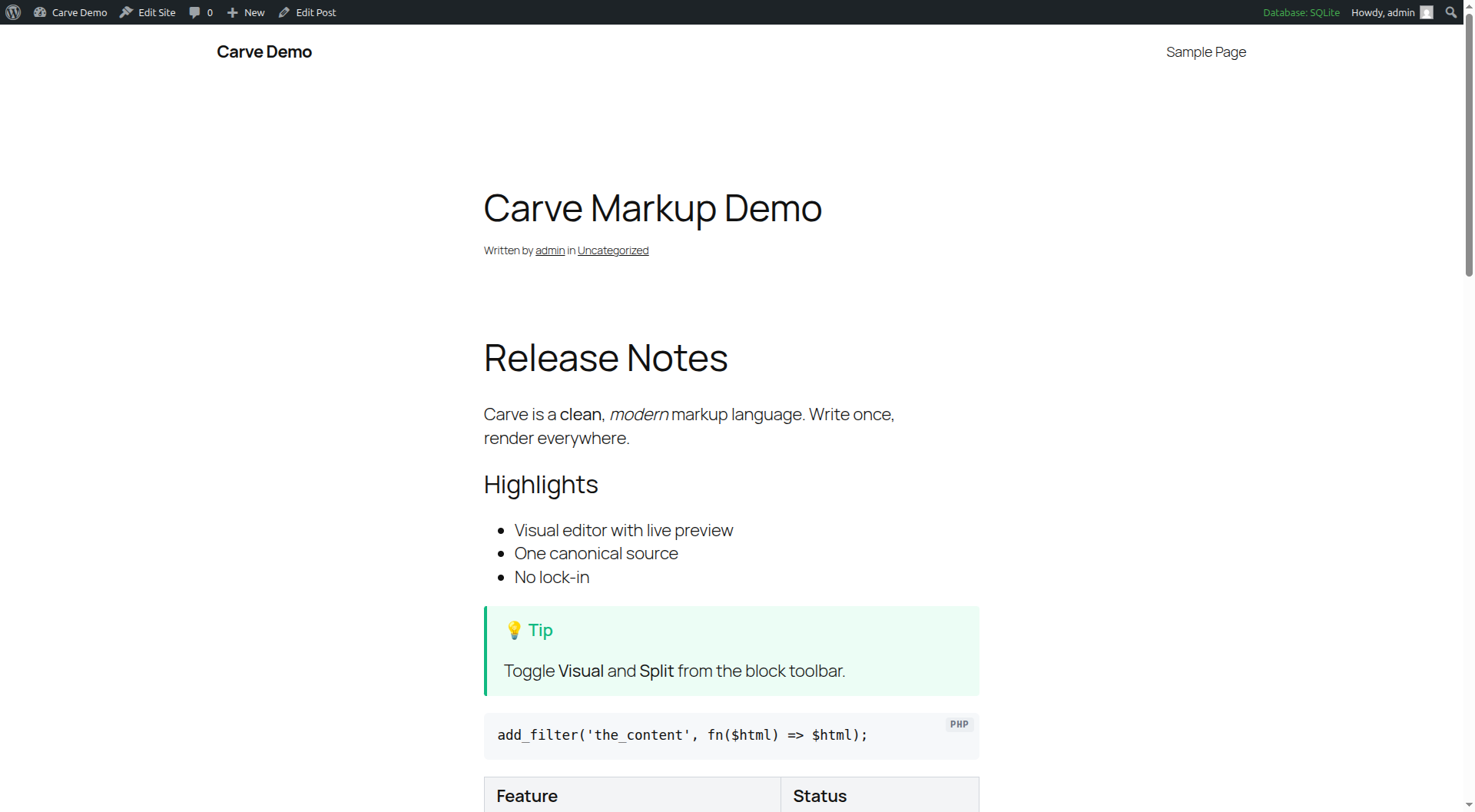
Features: per-post “Render as Carve” mode, a [carve] shortcode, a Gutenberg block with a visual (WYSIWYG) editor, comment support, content profiles, table of contents, heading permalinks, smart quotes, Mermaid, and WP-CLI migration.
Beyond a typical markup plugin:
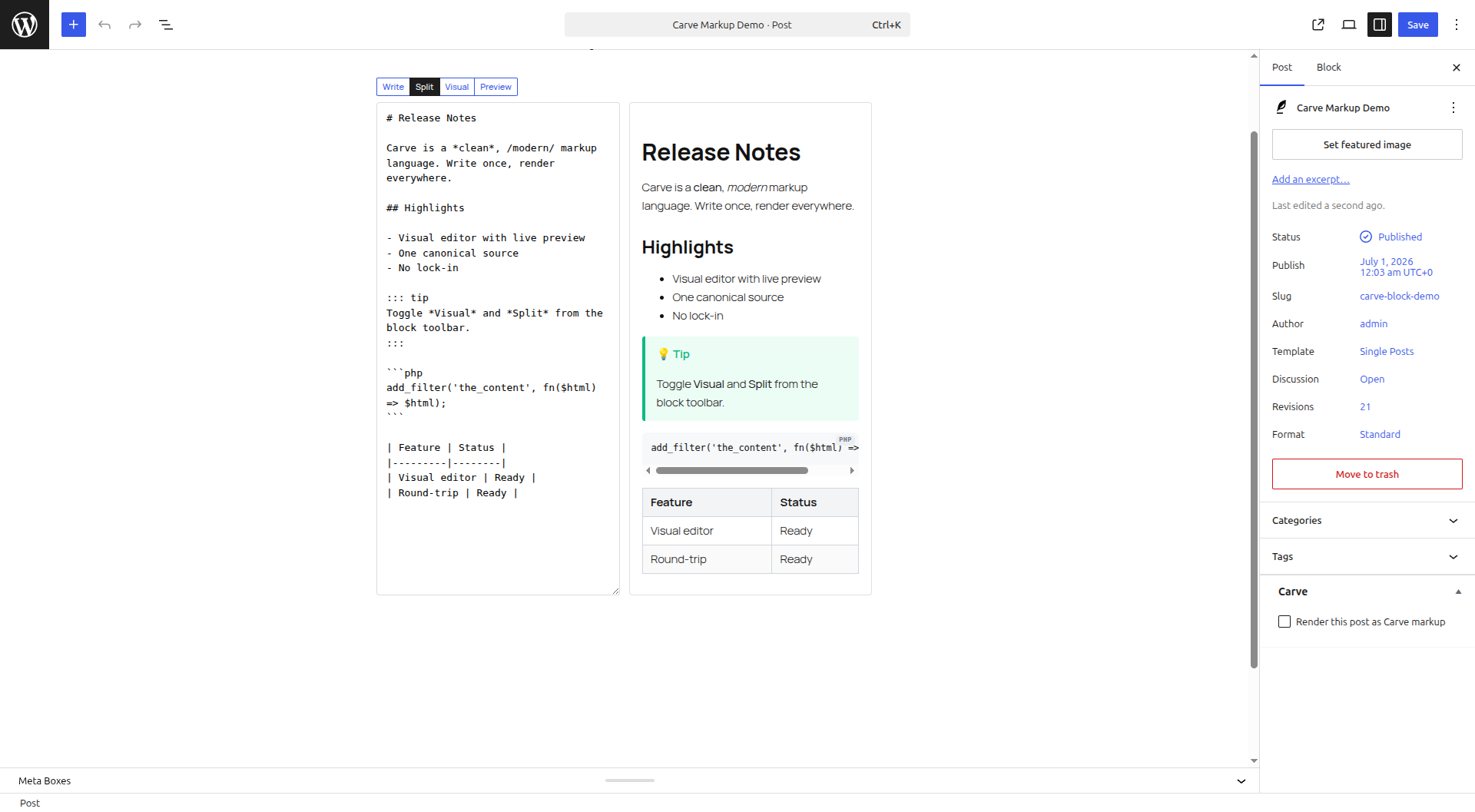
- Visual editor with Write / Split / Visual / Preview tabs. Edit visually or in source; every change round-trips to canonical Carve, and you are only warned when visual editing would change the rendered output.
- Instant in-browser preview using the Carve JS engine (no server round-trip).
- Paste or import Markdown, Djot, BBCode or HTML and convert to Carve in place; export any post as a .crv file.
- Map typed frontmatter (yaml/json/toml) to excerpt, SEO and post meta.
- Cache rendered HTML at save time; render via REST for headless WordPress.
Installation
- In your dashboard go to Plugins -> Add New, search for “Carve Markup”, then install and activate. Or upload the plugin ZIP under Plugins -> Add New -> Upload Plugin.
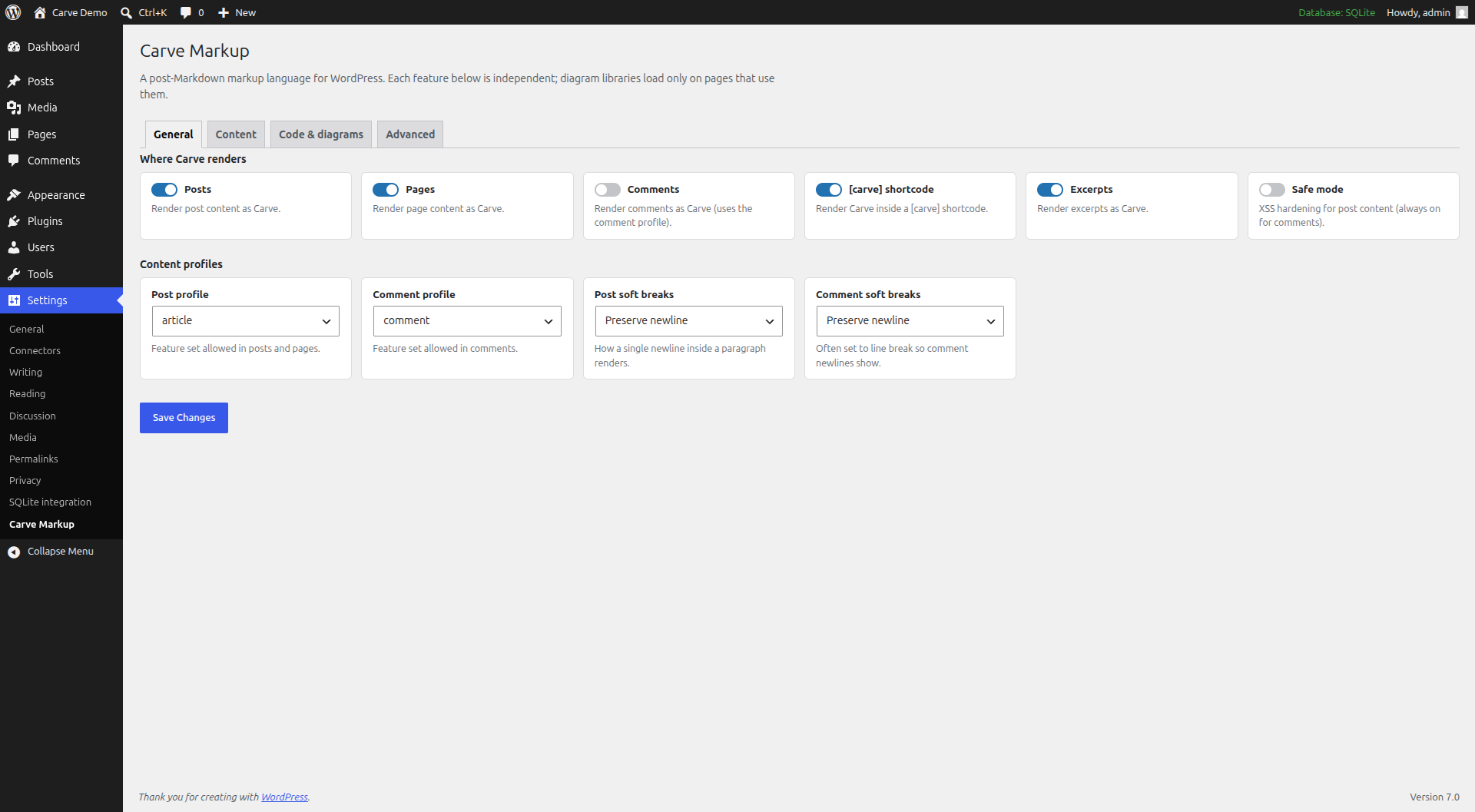
- Configure under Settings -> Carve Markup.
Installing from source (GitHub) instead? Run composer install --no-dev, optionally npm install && npm run build for the in-browser preview, then activate.
Changelog
0.1.14
- Security: a password-protected post written in whole-post Carve mode shows the password form again instead of its text.
- Fixed: a Carve post split with
<!--nextpage-->shows one page at a time and keeps its page links; feeds and excerpts no longer show the marker.
0.1.13
- Breaking: a
---on the first line with no closer is frontmatter to the end of the post; write***for a thematic break. - Breaking: letter and roman list markers with a dot need two spaces (
a. item), so initials such asJ. R. R.stay prose. - Breaking: migration reads only
data-carve-*carriers, and lint suppression accepts onlyheading-level-skip, nota11y/heading-jump. - Changed: the server renderer, preview and editors use the carve 0.1.14 engines (carve-php 0.1.17, carve 0.1.17, carve-grammars 0.1.24), so some documents render differently.
- Rendering, preview, highlighting and the visual editor follow the carve 0.1.14 spec, including braced table cell alignment (
|={>}). wp carve linthonors%% carve-lint-disablesuppression comments.- CSV and TSV table includes can select rows and columns, and Markdown migration turns GitHub alerts into admonitions.
- The Divider button inserts
***. - Captioned diff fences get diff rows, and editor highlighting colors captions.
- Carve blocks save fallback HTML, keeping published content visible when the plugin is inactive.
- Deactivation can convert Carve blocks to standard WordPress blocks; WP-CLI can run the same conversion.
- The profile guide lists measured capabilities for each content profile.
- Untrusted Carve renders have configurable budgets on the Advanced settings tab.
- The editor, published code fences and Torchlight share one light and dark Carve color palette.
0.1.12
- Carve source is highlighted in every Carve editor field, and Enter, Tab and Shift+Tab continue, nest and outdent list items.
- Task states are styled in published content and the visual editor, and task checkbox labels survive sanitization.
- Each Carve block reopens on its last tab after a reload and keeps it when moved.
- The revisions screen shows Carve source as a line diff.
0.1.11
- Progress, blocked, and open alias task markers remain intact in source and visual editing.
- Preview and rendered content use current published Carve engines.
- Fixed: with Torchlight highlighting on, a code fence right after another one inside a section keeps its code lines unindented.
- New: with Torchlight highlighting on, csv and tsv fences show their separators and quoted fields.
0.1.10
- Fixed: with Torchlight highlighting on, code fences placed back to back keep their code text as written instead of gaining indentation.
- Fixed: highlighted carve fences color a
+as a continuation marker only where Carve attaches it, and the visual editor opens a document holding an empty line block. - New:
wp carve lintreports every carve-php linter finding by line, column and rule, plus media directives that render no embed. - Changed: bundled carve-php main at a320ec67d82e (after 0.1.14) and, in the browser, carve 0.1.13 with carve-grammars 0.1.18, plus carve-php-media-embed 0.1.6; this adds code-block includes and the newer continuation-marker and description rules, so some documents render differently and more correctly.
0.1.9
- Fixed: the classic and block editors hold the previous preview while an unfinished list marker is under the cursor.
- Fixed: a continued table cell joins its lines with one space in the visual editor and keeps its text through visual editing.
- Fixed: Tab nests a list item at its parent’s content column, and a compare block counts every Carve pair.
- New: Enter continues lists in both source editors; Tab and Shift+Tab nest items in the block and CodeMirror editors.
- Changed: the browser and server engines move to carve 0.1.11, carve-grammars 0.1.15 and carve-php 0.1.12, and safe Markdown migrations now include preserved headings and lists.
Screenshots
For developers
Is this your plugin? Show off the numbers.
Add a live badge to your site, docs or GitHub README. It updates on its own — no account needed.
FAQ
Carve Markup: quick answers
Straight answers, pulled from live WordPress.org data.
Source: WordPress.org
Is Carve Markup free?
Yes. Carve Markup is free to download and use from the official WordPress.org plugin directory.
Is Carve Markup safe to use in 2026?
Carve Markup is a solid plugin choice in 2026, with a few things worth checking first. Was last updated 2 days ago, and scores 64/100 on our health check.
How many websites use Carve Markup?
Carve Markup is active on <10 WordPress websites and has been downloaded 1,148 times since it launched in July 2026. It was downloaded 234 times in the last 30 days.
Does Carve Markup work with WordPress 7.1?
Yes. The developer has tested Carve Markup up to WordPress 7.1.5, the latest release. It requires WordPress 6.3 or newer.
What PHP version does Carve Markup need?
Carve Markup requires PHP 8.2 or higher. Most hosts run PHP 8.x today, so it works on any modern WordPress hosting.
When was Carve Markup last updated?
The latest version, 0.1.14, was released on November 28, 2026 (2 days ago).
Who makes Carve Markup?
Carve Markup is developed and maintained by markmarkmark.
Powered by PageForge
One template and a spreadsheet. A real page for every search.
PageForge turns each row of a CSV into a WordPress page with its own title, URL, SEO fields and schema, built on the layout you already designed. Free on WordPress.org.
- CSV and XLSX, plus Google Sheets on Professional and Enterprise
- Its own title, URL, SEO fields and schema for every page
- Works with the block editor, Elementor, Divi and Avada
- Free on WordPress.org, no credit card