


Carousel – Image Carousel, Post Slider, Product & Video Gallery
Carousel is a lightweight, responsive, and developer-friendly WordPress carousel plugin built to create high-converting image sliders, blog post carousels, video showcases, and WooCommerce product galleries.

Solid choice
Carousel is a solid plugin choice in 2026, with a few things worth checking first. It runs on 800+ sites, is rated 1.7/5 and was last updated 10 hours ago, and scores 69/100 on our health check.
- Actively developed — last update 10 hours ago
- Tested with the latest WordPress (7.1)
- Small user base (800+ active installs)
- Mixed reviews — 1.7/5 from 10 ratings
How does it stack up?
Side-by-side on installs, updates, ratings & support



Daily downloads
Download spikes usually follow a new release — each site that auto-updates counts as a download.
Rankings
Where Carousel stands todayWordPress.org search rankings
Live position in the plugin search, top 100| Keyword | Position |
|---|---|
| carousel | #58 |
| Image carousel | #28 |
| post slider | >100 |
| product carousel | #36 |
| slider | >100 |
Version adoption
Share of active sites per release.
Rating breakdown
★★★★★★★★★★ 1.7 from 10 reviews
About Carousel
From the official readme · v2.0.0Description
Carousel is a lightweight, responsive, and developer-friendly WordPress carousel plugin built to create high-converting image sliders, blog post carousels, video showcases, and WooCommerce product galleries.
Re-engineered from the ground up in version 2.0.0, Carousel utilizes modern PHP architecture to deliver maximum performance, optimized CSS/JS enqueuing, and zero Cumulative Layout Shift (CLS). Whether you are building a simple brand logo carousel, a portfolio showcase, or a dynamic blog post slider, Carousel gives you full control over layout, responsiveness, and autoplay settings without slowing down your website.
🚀 Key Free Features
- Unlimited Images & Slides: Add as many slides, images, and captions as you need—no artificial limits on the free version.
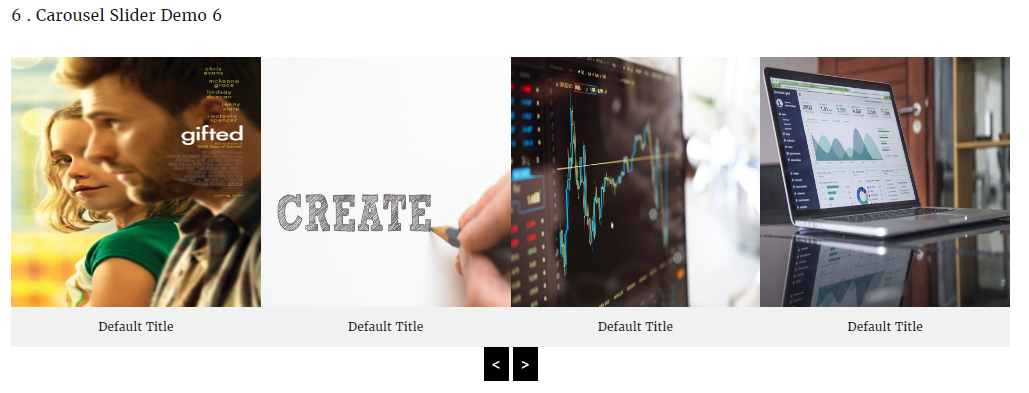
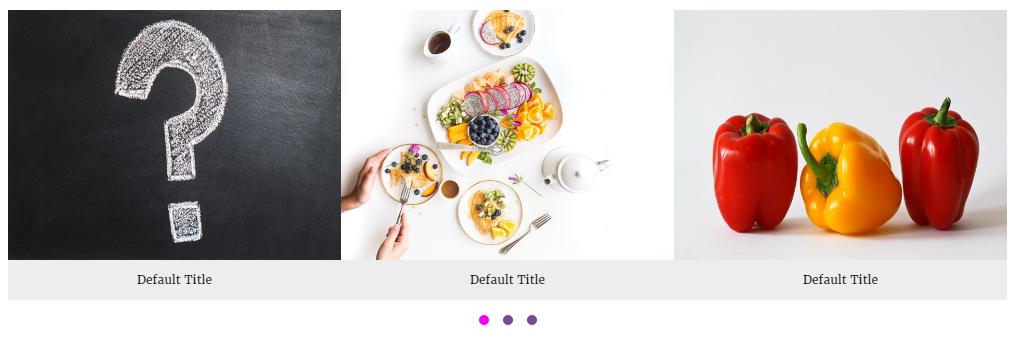
- Custom Image Carousel: Easily create image sliders with drag-and-drop ordering, custom links, and lightbox previews.
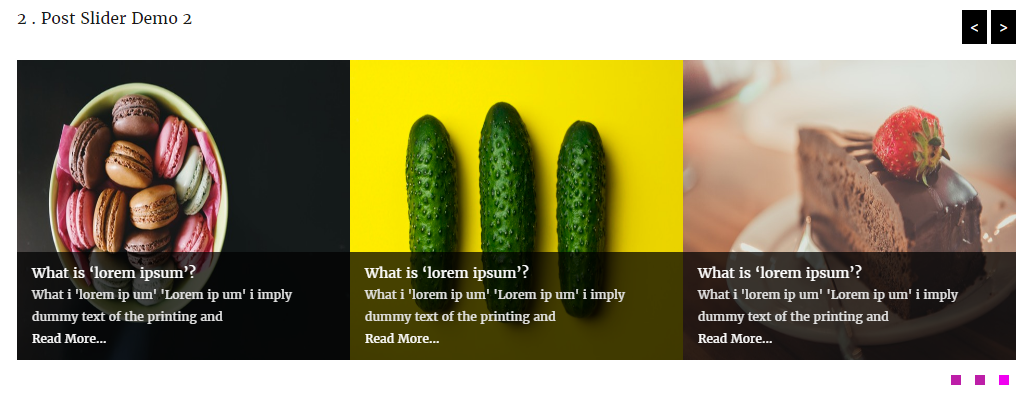
- Dynamic Post Slider: Display recent posts, filter by categories, and toggle post titles, dates, authors, excerpts, and “Read More” buttons.
- Video Carousel: Embed responsive YouTube, Vimeo, and self-hosted MP4 videos inside your sliders.
- WooCommerce Product Carousel: Display featured, top-rated, on-sale, or category-specific products with live “Add to Cart” buttons.
- Zero Cumulative Layout Shift (CLS): Pre-calculated aspect ratios keep your site layout stable during page loads.
- Smart Asset Loading: Enqueues scripts and stylesheets only when a carousel or shortcode is actively present on the page.
- Full Responsive Breakpoints: Custom controls for columns and spacing across Desktop, Tablet, and Mobile devices.
- Page Builder Ready: Seamlessly works with Gutenberg blocks, Elementor, Divi, Beaver Builder, and classic shortcodes.
- Touch & Drag Enabled: Smooth touch-swipe navigation optimized for mobile devices and tablets.
- Customizable Controls: Toggle autoplay, autoplay speed, hover pause, infinite loop, navigation arrows, pagination dots, and slide transition effects.
💎 Pro Features
Upgrade to Carousel Pro to unlock advanced layouts, multimedia support, and dynamic ecommerce integrations:
* Standard Grid & Masonry Layouts: Switch seamlessly between smooth sliders, structured grids, and fluid masonry layouts.
* Content Overlay Design Style: Display title, meta, and button content as modern hover overlays on top of images.
Installation
- Log into your WordPress Dashboard.
- Go to Plugins > Add New.
- Search for Carousel.
- Click Install Now and activate the plugin.
- Navigate to Carousel > Add New in your sidebar to create your first slider!
- Copy the generated shortcode and paste it into any post, page, widget, or page builder element.
Frequently asked questions
Is Carousel responsive?
Yes! You can specify exact column counts and spacing for Desktop, Tablet, and Mobile devices individually.
Can I use Carousel with Elementor or Gutenberg?
Absolutely. Carousel provides shortcode compatibility across all major page builders, as well as native integration components.
Does the free version limit how many images I can upload?
No. The free version allows unlimited images, slides, and post sliders.
How do I upgrade to Pro?
You can upgrade directly from your WordPress admin dashboard under Carousel > Account or via our official website.
Changelog
2.0.0 – September 30, 2026
- Major Release: Complete codebase rewrite using modern PHP OOP architecture.
- Performance: Introduced conditional frontend asset loading (scripts load only when shortcode/block is present).
- UX Fix: Added CSS aspect-ratio placeholders to eliminate Cumulative Layout Shift (CLS).
- Feature: Refactored metabox settings UI with visual option selectors.
- Feature: Added Video, WooCommerce Products, Grid, and Overlay layouts.
- Fix: Resolved jQuery dependency conflicts and improved script initialization on dynamic page loads.
- Security: Hardened shortcode output sanitization and metabox nonce validation.
1.8
Release Date – 03 Jan, 2018
* Fix Color Picker Issues.
* Update Css File.
1.7
Release Date – 24 Sep, 2017
* Update Option Page.
* Update Css File.
* Added New Options.
* Added New Options Page.
* Remove Old Options page.
* Change Admin Interface.
1.6
- Update Option Page.
1.5
Release Date – 23 May, 2017
* Fix loading unnecessary fonts Issues
1.4
Release Date – 14 Feb, 2017
- Added Shortcode generation option.
- Added new themes.
- Auto play Enable/Disable option.
- Auto play Stop On Hover option.
- Enable/Disable Pagination option.
- Enable/Disable Navigation option.
- Align Pagination ( left, center, right).
- Multiple post query.
- Display Carousel/post By Multiple Category.
- Carousel Post Excerpt Length.
- Carousel from post with Read More.
- Enable/Disable Read More Option.
- Show/Hide Carousel or Post title option.
- Carousel / Post Title Font Size option.
- Carousel / Post Title Text Align option.
- Carousel / Post Title Color option.
- And many more option.
Screenshots



For developers
Is this your plugin? Show off the numbers.
Add a live badge to your site, docs or GitHub README. It updates on its own — no account needed.
Best Carousel alternatives
All carousel plugins →




FAQ
Carousel: quick answers
Straight answers, pulled from live WordPress.org data.
Live data from WordPress.org · checked Sep 30, 2026
Is Carousel free?
Yes. Carousel is free to download and use from the official WordPress.org plugin directory.
Is Carousel safe to use in 2026?
Carousel is a solid plugin choice in 2026, with a few things worth checking first. It runs on 800+ sites, is rated 1.7/5 and was last updated 10 hours ago, and scores 69/100 on our health check.
How many websites use Carousel?
Carousel is active on 800+ WordPress websites and has been downloaded 56,626 times since it launched in March 2015. It was downloaded 236 times in the last 30 days.
Does Carousel work with WordPress 7.1?
Yes. The developer has tested Carousel up to WordPress 7.1.2, the latest release. It requires WordPress 5.8 or newer.
What PHP version does Carousel need?
Carousel requires PHP 7.4 or higher. Most hosts run PHP 8.x today, so it works on any modern WordPress hosting.
When was Carousel last updated?
The latest version, 2.0.0, was released on September 30, 2026 (10 hours ago).
Who makes Carousel?
Carousel is developed and maintained by Themepoints.
What are the best alternatives to Carousel?
The most popular alternatives to Carousel are Shortcodes Ultimate (400K+ installs), Carousel, Slider, Photo Gal… (70K+ installs) and Carousel Slider Block for G… (50K+ installs).
Powered by PageForge
Want thousands of pages that rank like these? Build them in an afternoon.
This directory runs on the same engine as PageForge. Turn any spreadsheet, CSV or API into thousands of fast, SEO-ready WordPress pages — with schema, internal links and AI-written copy baked in.
- CSV, Google Sheets & API data sources
- AI content, schema & internal links per page
- Works with Elementor, Gutenberg, Yoast & Rank Math
- Free on WordPress.org — no credit card


