


Calorie Calculator
Estimate daily calories with BMI, BMR, TDEE, and lose/gain guidelines. GDPR-ready privacy consent. Embed via block, shortcode, Elementor, or widget.

Solid choice
Calorie Calculator is a solid plugin choice in 2026, with a few things worth checking first. It runs on 100+ sites, is rated 3.4/5 and was last updated 1 month ago, and scores 70/100 on our health check.
- Tested with the latest WordPress (7.1)
- Small user base (100+ active installs)
- Mixed reviews — 3.4/5 from 10 ratings
How does it stack up?
Side-by-side on installs, updates, ratings & support



Daily downloads
Download spikes usually follow a new release — each site that auto-updates counts as a download.
Rankings
Where Calorie Calculator stands todayWordPress.org search rankings
Live position in the plugin search, top 100| Keyword | Position |
|---|---|
| bmi | #16 |
| BMR | #5 |
| calorie calculator | #3 |
| TDEE | #1 |
| weight loss | #1 |
Version adoption
Share of active sites per release.
Rating breakdown
★★★★★★★★★★ 3.4 from 10 reviews
About Calorie Calculator
From the official readme · v3.8.86Description
GDPR-ready: Optional privacy consent before storing calculator logs — turn it on under Behaviour, with a customisable consent label.
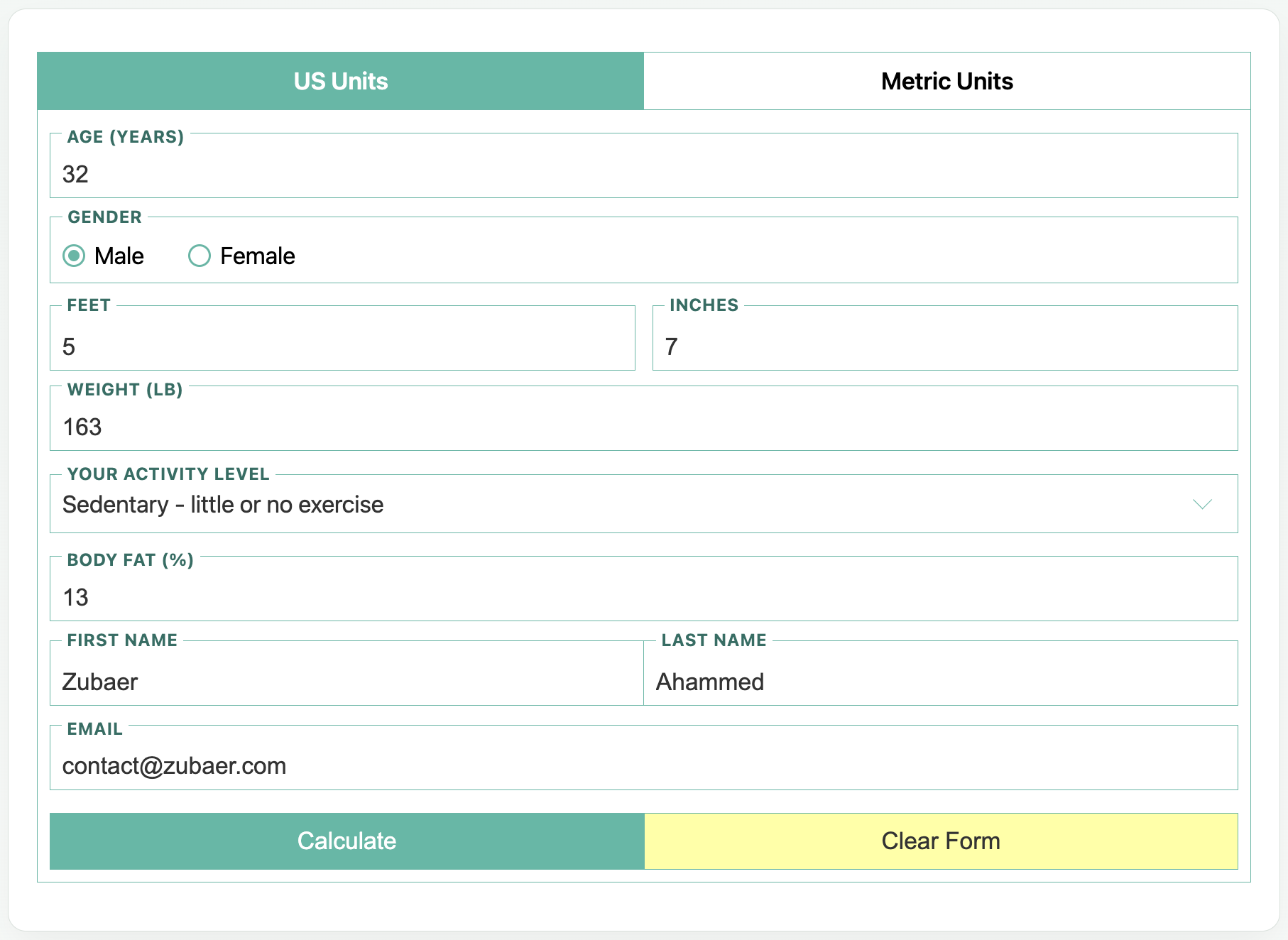
Calorie Calculator is a free WordPress calorie calculator for fitness, nutrition, health, and coaching sites. Visitors estimate daily calorie needs from age, sex, height, weight, and activity — then see clear BMI, BMR, TDEE, and lose/gain guidelines.
Embed it with a block, shortcode, Elementor widget, or classic sidebar widget. Configure layouts and colours once under Look & feel, then reuse the same calculator across pages.
Results are estimates based on averages. Encourage a balanced diet and sensible activity alongside the numbers.
Why add a calorie calculator?
Interactive tools keep visitors on the page longer and turn curiosity into leads. Optional name and email fields store private Calculator Logs in wp-admin, and Free can notify you or fire a webhook when a log is created.
Science behind the numbers
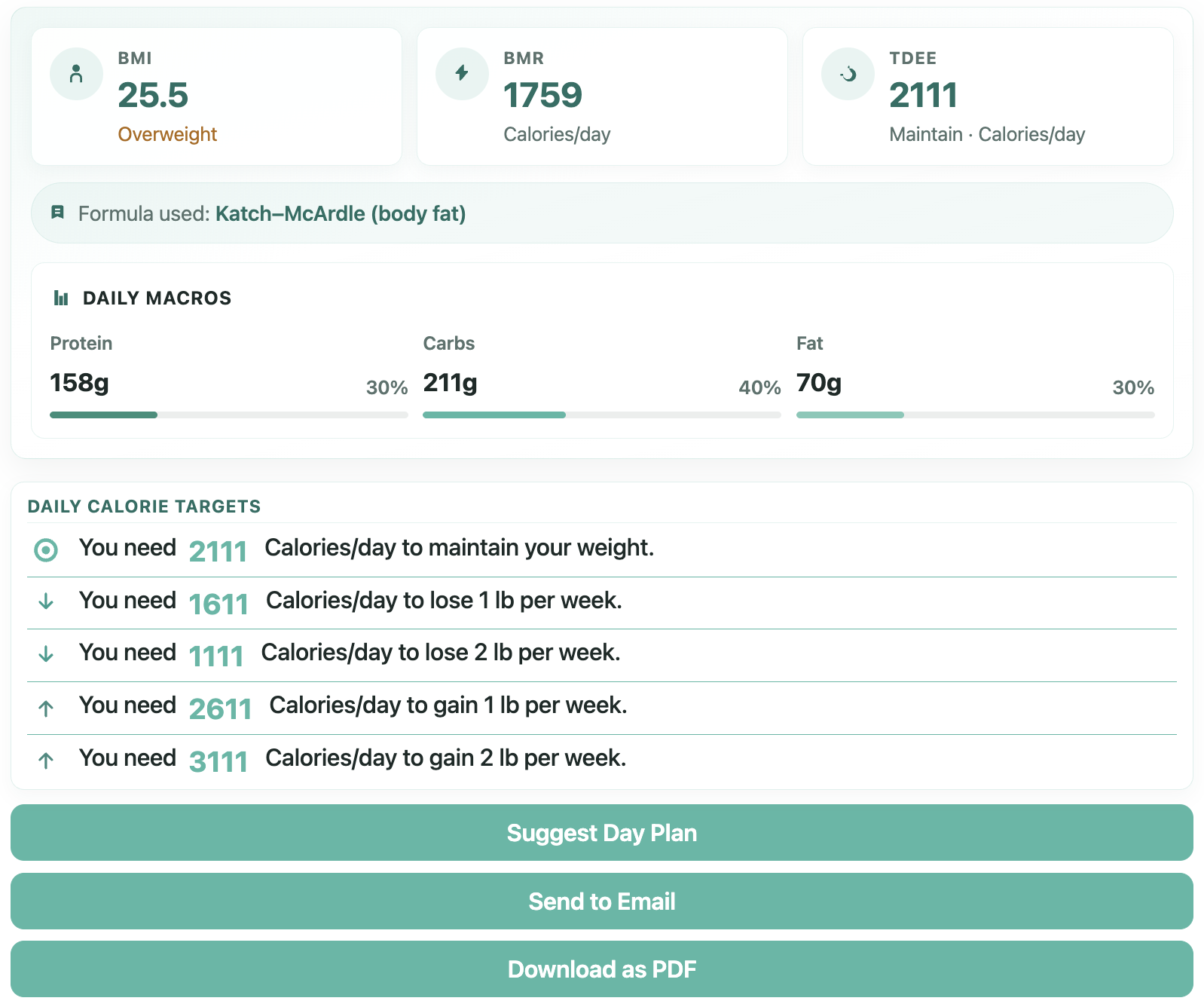
Free uses the Mifflin–St Jeor equation for basal metabolic rate (BMR), then an activity multiplier for total daily energy expenditure (TDEE / maintain calories). BMI uses height and weight and shows a category label. Results always name the formula used.
What Free results include
- BMI with category (underweight, normal, overweight, or obese)
- BMR — calories at rest
- TDEE — calories to maintain weight for the selected activity level
- Lose / gain calorie targets (for example 0.5 kg / 1 lb per week)
- Goal display as lose/gain lines or a single goal dropdown
How to use
- Install and activate Calorie Calculator.
- Add the Calorie Calculator block, shortcode
[calorie_calculator], Elementor widget, or classic widget. - Units default to both US and Metric; you can show only one.
- Pick a layout: Modern, Card, Plain HTML (theme-friendly), or Classic — or set a site-wide default under Look & feel.
- Optionally show Name and Email fields to store calculator logs.
Using shortcodes
- Default:
[calorie_calculator] - In PHP/themes:
<?php echo do_shortcode( '[calorie_calculator]' ); ?> - Useful Free attributes:
unit="usunit/metricunit/both"(defaultboth)template="general/bootstrap-general/plain/old"(omit to use the Look & feel default)show_name_field="true/false"(defaulttrue)show_email_field="true/false"(defaulttrue)show_firstname_only="true/false"(defaultfalse)goal_ui="lines/dropdown"(default follows Behaviour, otherwiselines)
- Example:
[calorie_calculator unit="metricunit" template="general"]
Tip: open Calorie Calculator → Embed for a shortcode builder with live preview and Copy.
Calculator logs
When name and/or email fields are used, submissions can be stored as private Calculator Logs (including BMI and basal BMR). Open Calorie Calculator → Logs to review them. Logs are not publicly queryable.
Look & feel (Free)
Under Calorie Calculator → Look & feel you can:
- Set the site-wide default layout (Modern, Card, Plain HTML, or Classic)
- Choose a base font size (small / normal / large)
- Set primary and alert / error colours (defaults match the Modern teal + yellow brand)
Behaviour (Free)
Under Calorie Calculator → Behaviour you can:
- Choose the default goal display: lose/gain lines or a single goal dropdown
- Require a GDPR / privacy consent checkbox before a log is stored (customisable label)
- Send an outbound webhook (Zapier / Make / n8n Catch Hook) when a log is created
- Optionally email the admin when a calculator log is stored
Tools (Free)
Under Calorie Calculator → Tools you can:
- Export / import settings (and restore defaults) for migration or support
- Copy a system info report for support threads (no secrets)
Pro locked previews
Settings also show locked Pro tabs (Formula & goals, Labels, Integrations, Email, Foods & exercises) so you can preview upgrades without leaving Free. The calculator itself remains fully usable on Free.
Pro version
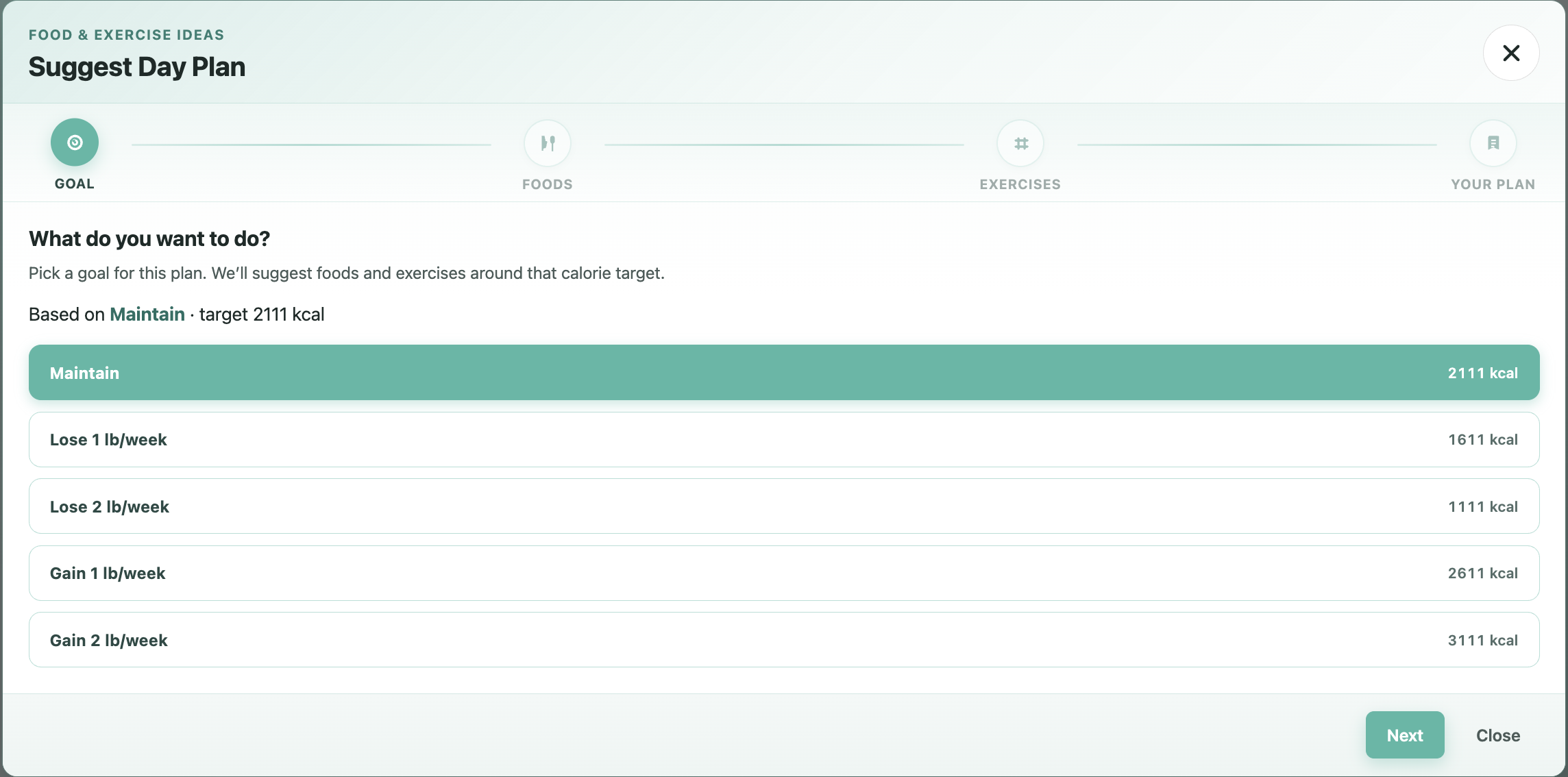
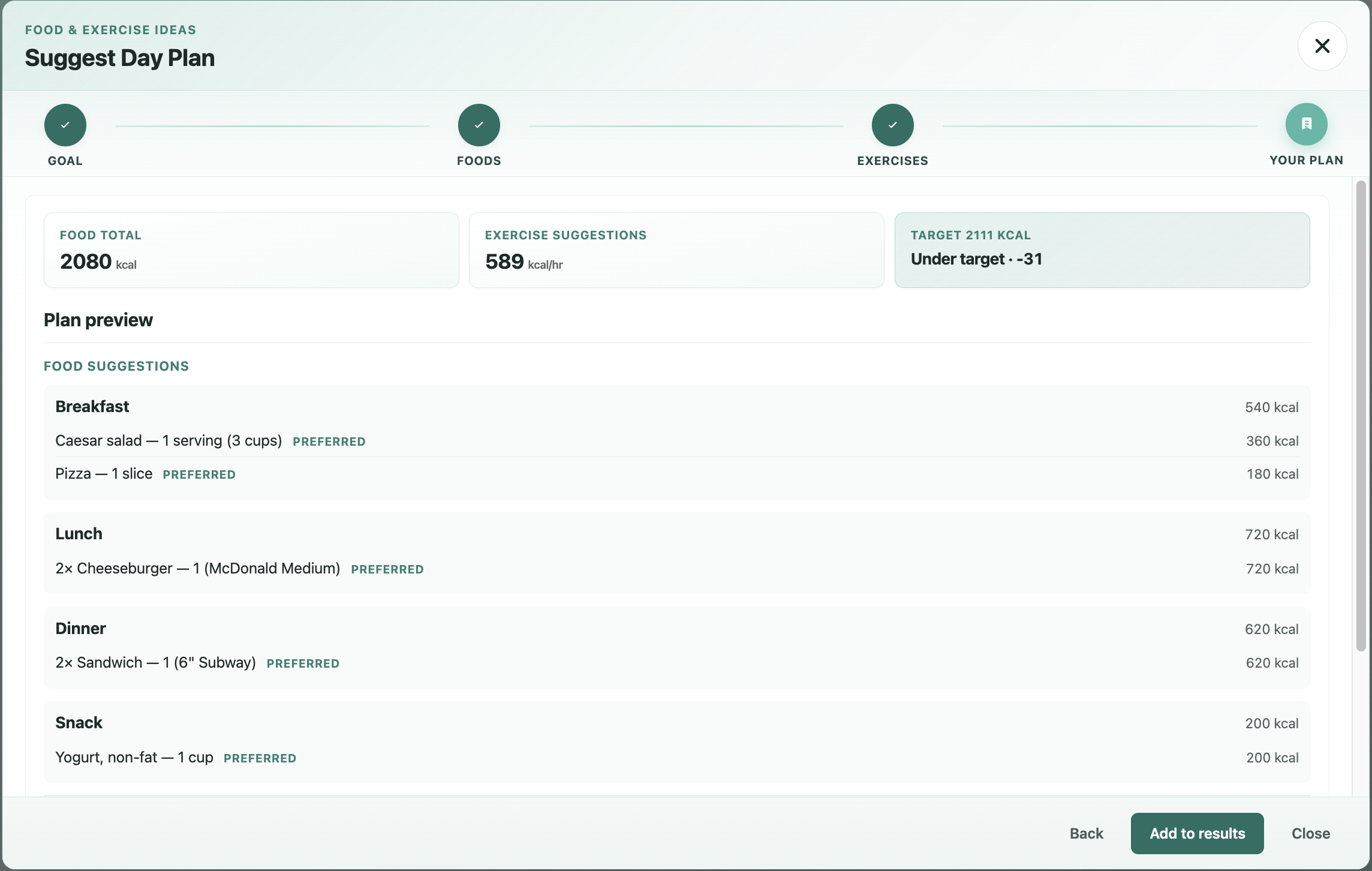
Calorie Calculator Pro adds PDF download, email results, email-required lead gate, macronutrient breakdown, mailing-list integrations, foods and exercises tables, body fat / Katch–McArdle, Labels overrides, multi-step form flow, and premium support.
Installation
From WordPress.org
- In wp-admin go to Plugins → Add New, search for Calorie Calculator, then Install and Activate.
- Open Calorie Calculator in the admin menu and review Look & feel and Behaviour (optional).
- Add the calculator to any page:
- Block editor: insert the Calorie Calculator block
- Shortcode:
[calorie_calculator](or build one under Embed) - Elementor: Calorie Calculator widget in the Calorie Calculator category
- Classic widgets: Appearance → Widgets → Calorie Calculator
- Publish the page and test on the front end.
Manual zip upload
- Download the plugin zip from WordPress.org.
- Go to Plugins → Add New → Upload Plugin, choose the zip, then Install Now and Activate.
- Follow steps 2–4 above.
Changelog
Results layout stays consistent on themes that style content paragraphs and lists.
3.8.86
- Card template: Activity / Goal select text no longer clipped by tight theme control heights
- Classic template: selected US / Metric unit tab fills the whole half-width cell (front end, FOUC, and block editor)
3.8.85
- Classic unit tabs: stretch active tab link so the white sheet is not a small label pill
3.8.84
- Classic / Card skins: harden unit-tab and form chrome against theme list and button resets
3.8.83
- Skin polish: keep Classic and Card unit headers readable under common theme styles
3.8.82
- Classic: body fat / name / email use label-above layout like modern (classic chrome kept)
3.8.81
- Gutenberg: Calorie Calculator block uses brand C + check SVG; tables keep editor-table
Screenshots
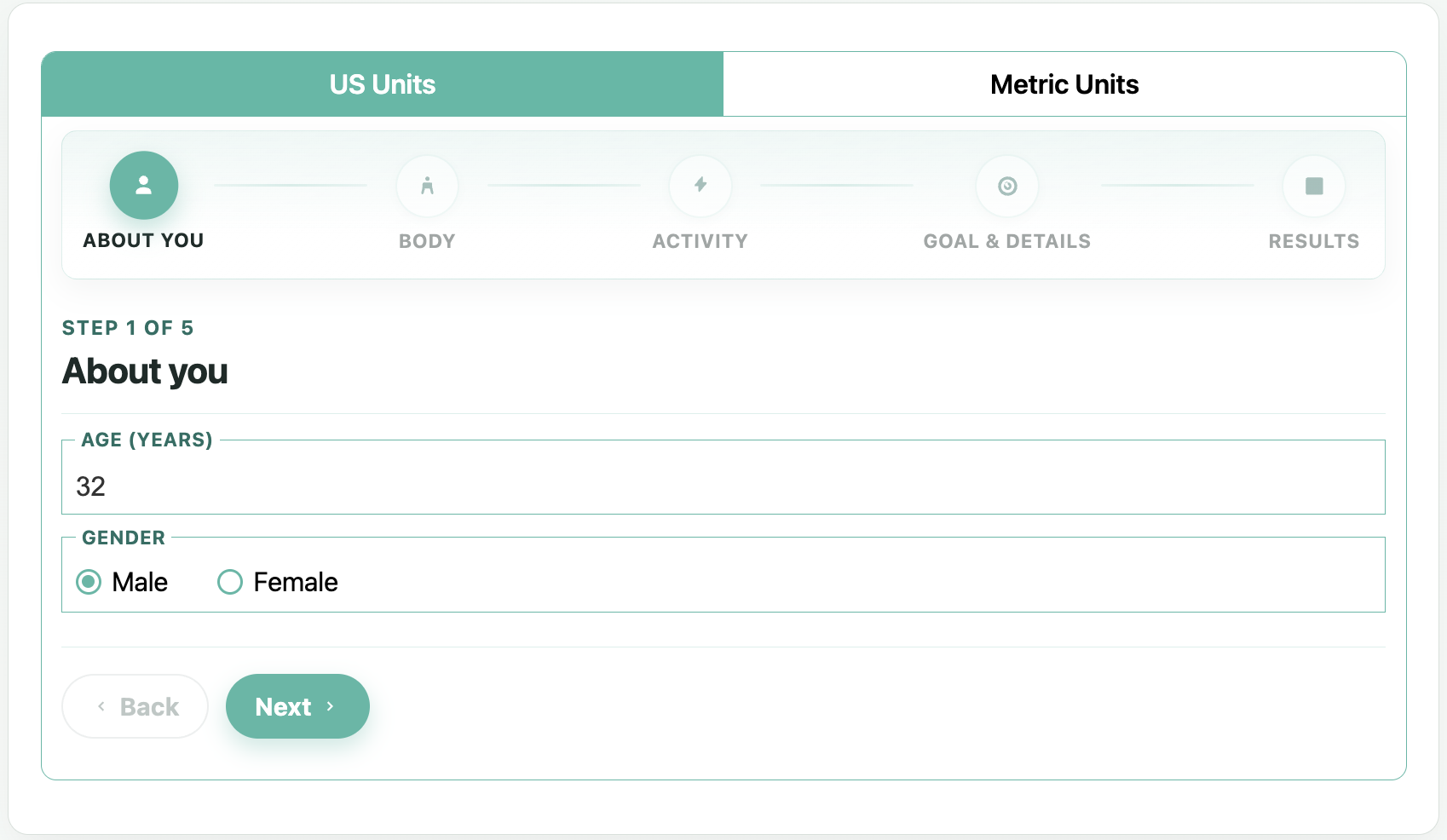
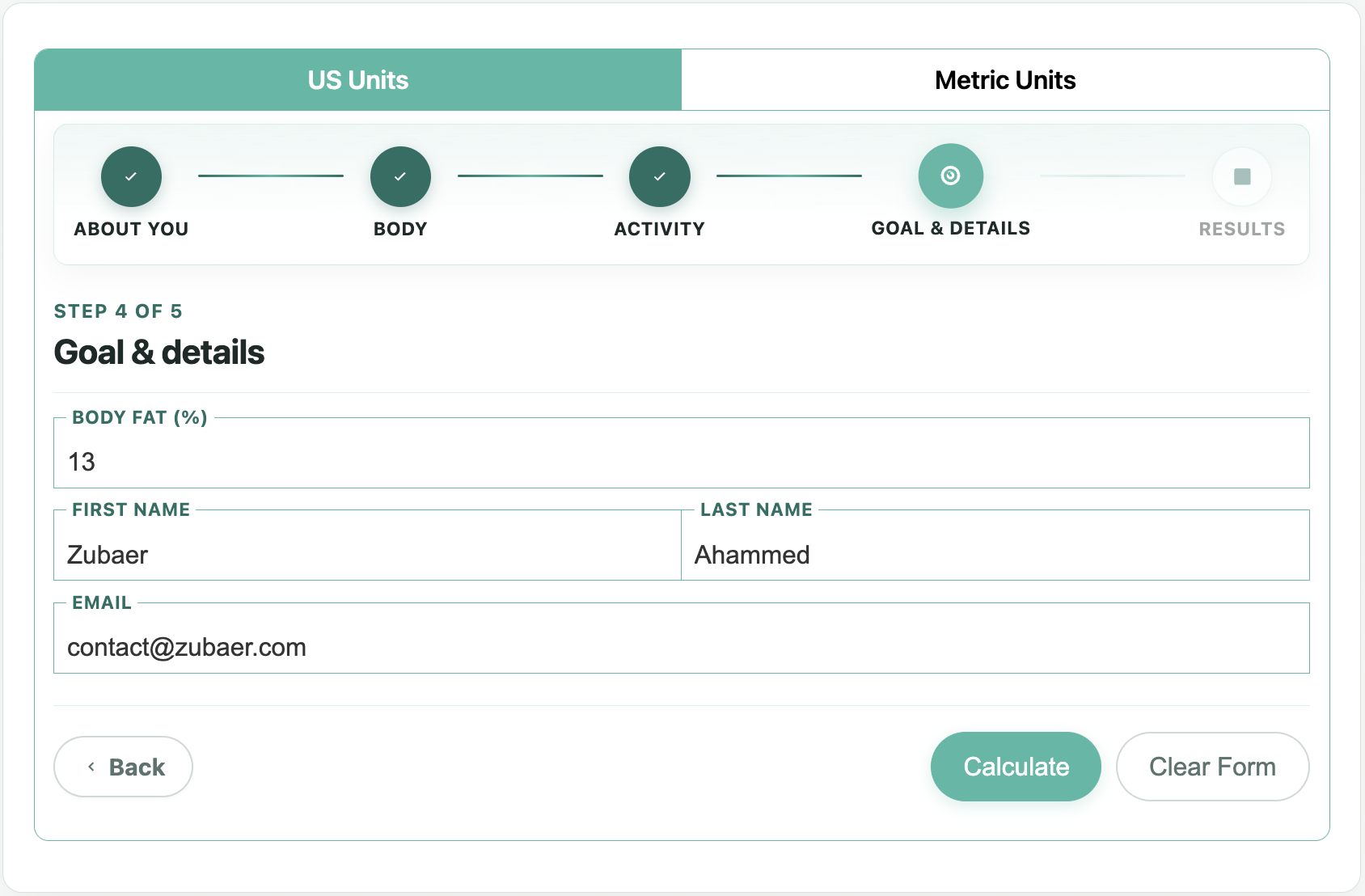
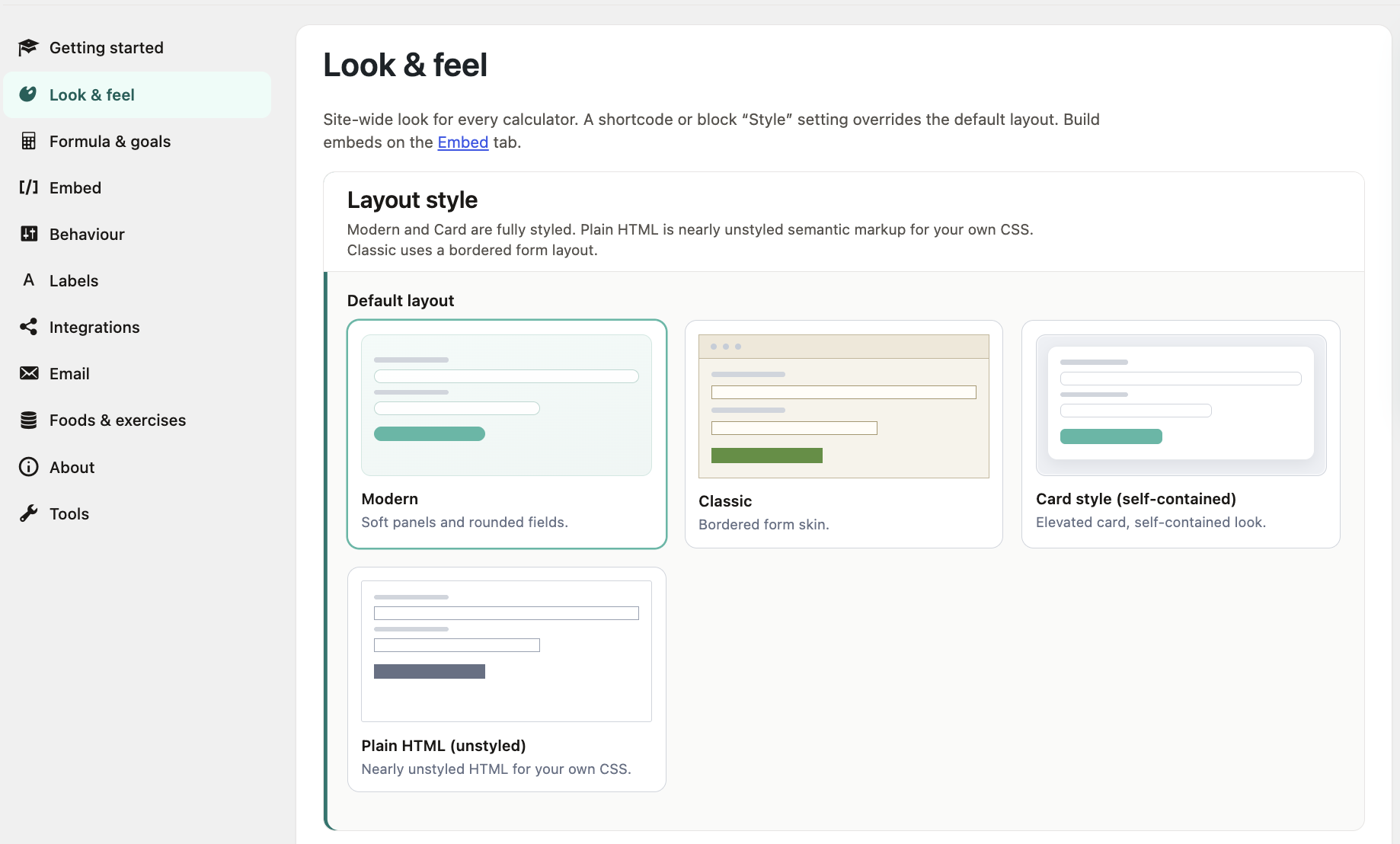

For developers
Is this your plugin? Show off the numbers.
Add a live badge to your site, docs or GitHub README. It updates on its own — no account needed.
Best Calorie Calculator alternatives
All bmi plugins →



FAQ
Calorie Calculator: quick answers
Straight answers, pulled from live WordPress.org data.
Source: WordPress.org
Is Calorie Calculator free?
Yes. Calorie Calculator is free to download and use from the official WordPress.org plugin directory.
Is Calorie Calculator safe to use in 2026?
Calorie Calculator is a solid plugin choice in 2026, with a few things worth checking first. It runs on 100+ sites, is rated 3.4/5 and was last updated 1 month ago, and scores 70/100 on our health check.
How many websites use Calorie Calculator?
Calorie Calculator is active on 100+ WordPress websites and has been downloaded 19,564 times since it launched in October 2016. It was downloaded 344 times in the last 30 days.
Does Calorie Calculator work with WordPress 7.1?
Yes. The developer has tested Calorie Calculator up to WordPress 7.1.5, the latest release. It requires WordPress 5.8 or newer.
When was Calorie Calculator last updated?
The latest version, 3.8.86, was released on October 18, 2026 (1 month ago).
Who makes Calorie Calculator?
Calorie Calculator is developed and maintained by Md. Zubaer Ahammed.
What are the best alternatives to Calorie Calculator?
The most popular alternatives to Calorie Calculator are CC BMI Calculator (700+ installs), BMI Adult & Kid Calculator (600+ installs) and Calculate BMR and BMI (200+ installs).
Powered by PageForge
One template and a spreadsheet. A real page for every search.
PageForge turns each row of a CSV into a WordPress page with its own title, URL, SEO fields and schema, built on the layout you already designed. Free on WordPress.org.
- CSV and XLSX, plus Google Sheets on Professional and Enterprise
- Its own title, URL, SEO fields and schema for every page
- Works with the block editor, Elementor, Divi and Avada
- Free on WordPress.org, no credit card