


BuddyPress Groups Extras
Introduce custom fields and custom pages to your BuddyPress-powered groups.

Use with caution
BuddyPress Groups Extras works, but test it on a staging site before relying on it in 2026. It runs on 400+ sites, is rated 4.3/5 and was last updated 2 years ago, and scores 44/100 on our health check.
- Small user base (400+ active installs)
- No update in over a year
- Only tested up to WordPress 6.7 (latest is 7.1)
How does it stack up?
Side-by-side on installs, updates, ratings & support



Daily downloads
Download spikes usually follow a new release — each site that auto-updates counts as a download.
Rankings
Where BuddyPress Groups Extras stands todayWordPress.org search rankings
Live position in the plugin search, top 100| Keyword | Position |
|---|---|
| buddypress | >100 |
| field sets | >100 |
| group fields | >100 |
| group pages | >100 |
| groups | #93 |
Version adoption
Share of active sites per release.
Rating breakdown
★★★★★★★★★★ 4.3 from 35 reviews
About BuddyPress Groups Extras
From the official readme · v3.7.0Description
BuddyPress Groups doesn’t have much-predefined content inside. Forums and activities are created (or not) by users. But most of the time group creators (aka administrators) have much more to say or explain to other members of the community.
BuddyPress Groups Extras will give the ability to them to create extra content.
General
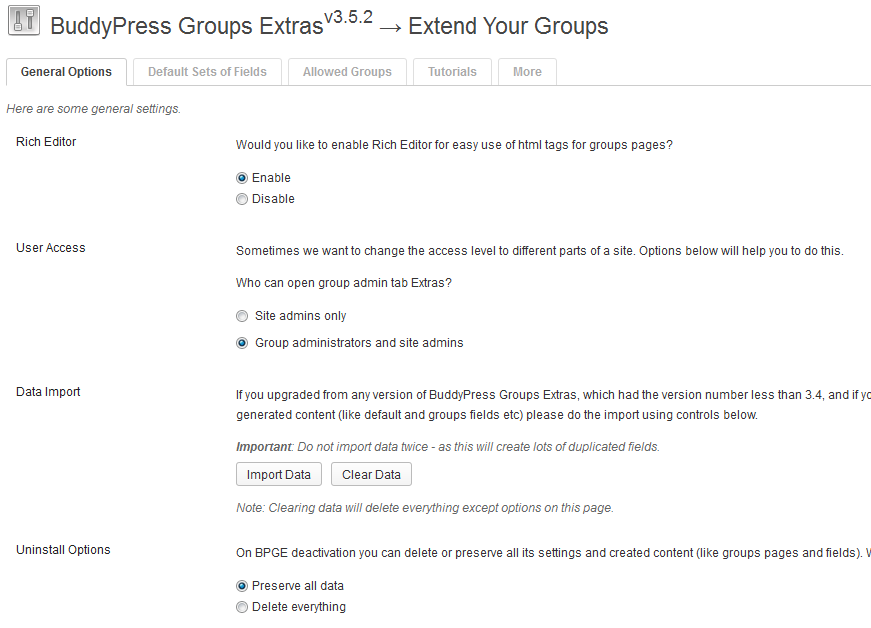
- Choose groups you want to allow custom fields and pages.
- Define who will have access to managing fields or pages in groups (groups admins or site admins or both).
- Create a predefined Set of Fields that can be imported to all groups on a site OR can be imported on a per-group basis.
- Tweak various options, like enabling Rich Editor.
- Drag-n-drop groups nav menu items as you wish (Fields and Pages can be your new group front page!).
Custom Group Fields
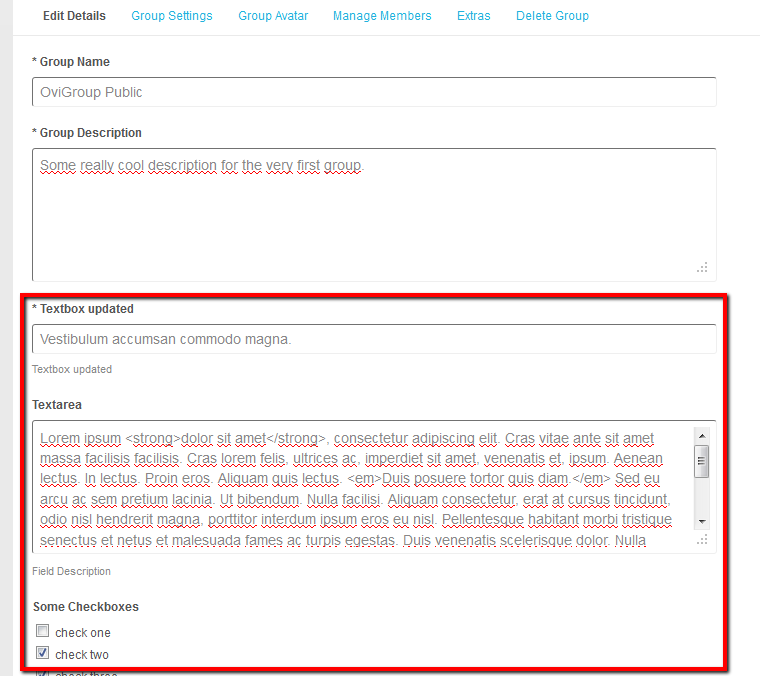
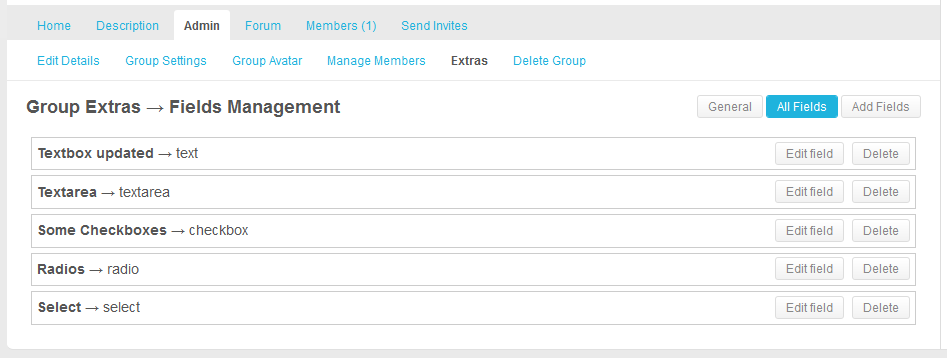
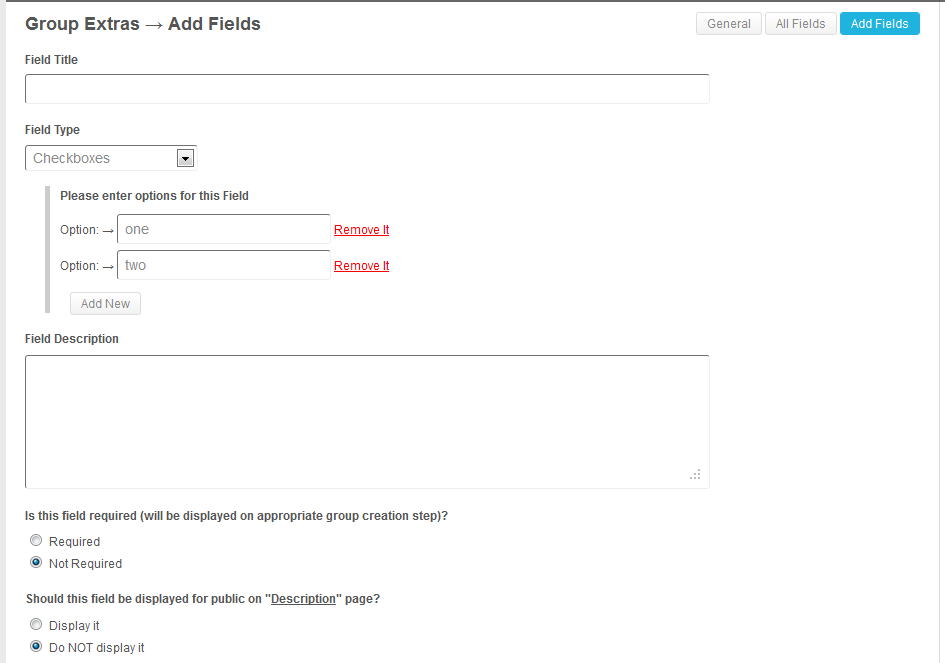
- Create custom fields using various types (radios, checkboxes, dropdown select, textarea, and text).
- Edit fields data on Edit Group Details page in Group Admin area.
- Display/hide page, where all groups fields will be displayed (and rename it too).
- Reorder fields.
Custom Group Pages
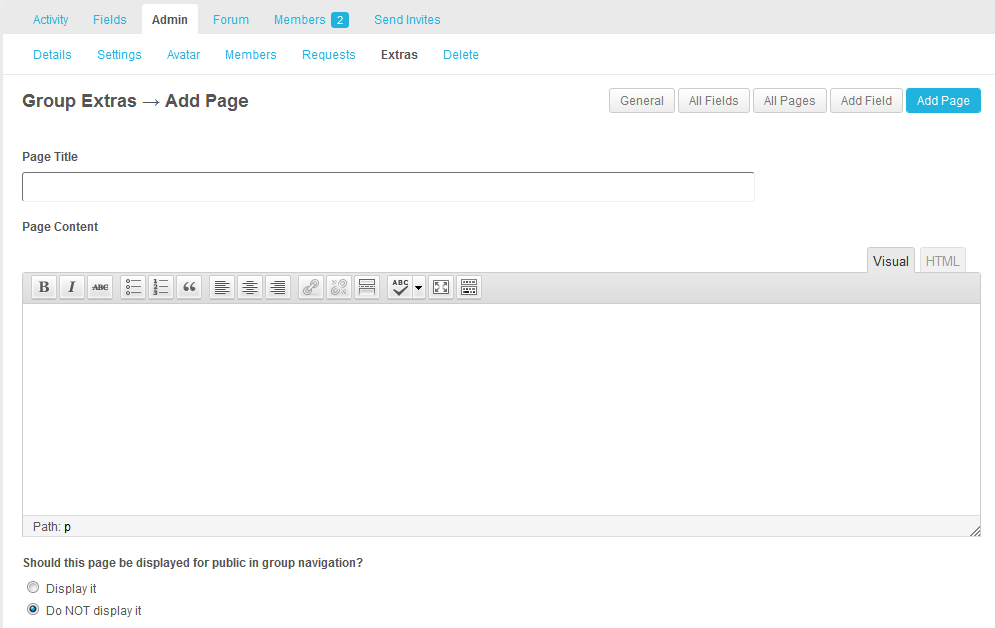
- Create group pages (for group FAQ or wiki, or events, or descriptions or whatever you want).
- Edit page data in the Group Admin area using WordPress RichEditor (with embedding content that WordPress supports!).
- Display/hide page, where all group pages will be displayed (and rename it too).
- Reorder pages.
Make your groups full of possibilities!
Installation
- Upload plugin folder
/buddypress-groups-extras/to the/wp-content/plugins/directory - Activate the plugin through the ‘Plugins’ menu in WordPress
- Go to the Settings > BP Groups Extras menu and make customizations as needed.
Frequently asked questions
Why don’t I see Fields/Pages in group navigation after plugin activation and enabling it for that particular group?
Please go to group admin area and define Fields and Pages navigation labels and check them to Show. This is done to prevent displaying empty pages with no content.
How can I redefine templates?
Starting from BPGE v3.6 you can now change the html that is used to display any content in front-end (in groups) right from your theme folder. This is useful if you want to change the way pages and fields are displayed, but it works for “Admin -> Extras” management pages as well. To do this you need to create a folder called bpge in the root of your theme. So for example if you use Frisco theme, create a folder like this: wp-content/themes/frisco-for-buddypress/bpge. Then copy a required file (that you want to modify) from this plugin folder…
Changelog
A lot of code changes: performance improvements, security enhancements, a bunch of fixes and even new features. Highly recommended for update.
3.7.0 (01.12.2024)
- Make sure the plugin is compatible with WordPress 6.7 and BuddyPress 14.
- Raise minimum PHP version to 7.2.
- Raise minimum WordPress version to 6.0.
- Raise minimum BuddyPress version to 12.0.
- Added: Site admins can disable group navigation reordering globally for all groups using the new “Groups Nav Reorder” option in plugin settings. When disabled, group admins won’t be able to mess up with their navigation, it will also be default, regardless of the previous order.
- Added: Admin users now need to confirm that they want to delete the set of fields in the plugin admin area.
- Added: Plugin now requires both BuddyPress and BP Classic to be installed, for now. BP Classic requirement will be removed in the future versions.
- Changed: The admin area “Group Pages” top-level menu item (that is used to manage all created pages inside groups) is now moved under “Groups” (same URL is preserved).
- Changed: Require the BP Classic plugin (by the BuddyPress Core Developers team) to be installed.
- Changed: Various visual improvements were introduced in plugin admin area, specifically on the Sets and Allowed Groups tabs.
- Changed: Group admins now need to confirm that they want to import the set of fields.
- Changed: Rename the “General” group extras menu item to “Settings”.
- Changed: Group’s “Activity”/”Home” navigation link is hard coded in BuddyPress to always be the first one, so disable its reordering.
- Fixed: A fatal error is thrown when the BuddyPress plugin is deactivated, props @emaralive.
- Fixed: Cleaned up deprecated BuddyPress functions that were still used in various places.
- Fixed: Various security improvements in different parts of the plugin, props Marek Mikita.
- Fixed: Cleaned the object cache when group pages or set of fields are updated, props @boonebgorges.
- Fixed: Made jQuery.migrate() a bit happier by switching from
.click()/.change()to appropriate.on()calls. - Fixed: Improved security of template overrides for the front-end related screens.
- Fixed: By default the first created page was displayed in group Pages front-end content area, instead of honoring the order defined on the Manage > Extras > All Pages screen.
3.6.10 (06.12.2020)
- WordPress 5.6, BuddyPress 6.4 and PHP 7 compatibility.
- Fixed a ton of notices and warnings that were previously generated by the plugin.
- Removed unused assets.
- Removed obsolete plugin options/pages.
- Improved localization support via translate.wordpress.org.
3.6.9.1 (16.10.2016)
- BuddyPress 2.7 compatibility release
3.6.9 (15.07.2016)
- BuddyPress 2.6 compatibility release
- Fixed: wrong redirect after editing/creating/reordering pages/fields
- Fixed: HTML was not saved in textarea/input (including RichEditor)
- Added: link to Group Extras page in admin bar on a single groups pages (quicker access to settings)
- Added: lots of new actions in templates on front-end
3.6.8.1 (07.04.2016)
- Adopt translate.wordpress.org
3.6.8 (07.04.2016)
- Fixed: completely hide all plugins CPT from front-end (sitemaps etc) – good for SEO
- Fixed: conflict with BP_Groups_Hierarchy
- Fixed: hide Add New button on the Groups Pages listing in wp-admin
- Fixed: inproper page content if first item in groups navigation is Gpages that is set to not published
- Fixed: several PHP warnings and notices
- lots of minor code improvements
Screenshots
For developers
Is this your plugin? Show off the numbers.
Add a live badge to your site, docs or GitHub README. It updates on its own — no account needed.
Best BuddyPress Groups Extras alternatives
All buddypress plugins →





FAQ
BuddyPress Groups Extras: quick answers
Straight answers, pulled from live WordPress.org data.
Live data from WordPress.org · checked Sep 27, 2026
Is BuddyPress Groups Extras free?
Yes. BuddyPress Groups Extras is free to download and use from the official WordPress.org plugin directory.
Is BuddyPress Groups Extras safe to use in 2026?
BuddyPress Groups Extras works, but test it on a staging site before relying on it in 2026. It runs on 400+ sites, is rated 4.3/5 and was last updated 2 years ago, and scores 44/100 on our health check.
How many websites use BuddyPress Groups Extras?
BuddyPress Groups Extras is active on 400+ WordPress websites and has been downloaded 81,552 times since it launched in May 2011. It was downloaded 155 times in the last 30 days.
Does BuddyPress Groups Extras work with WordPress 7.1?
BuddyPress Groups Extras is officially tested up to WordPress 6.7.9, while the latest release is 7.1.2. It may still work, but try it on a staging site first.
What PHP version does BuddyPress Groups Extras need?
BuddyPress Groups Extras requires PHP 7.2 or higher. Most hosts run PHP 8.x today, so it works on any modern WordPress hosting.
When was BuddyPress Groups Extras last updated?
The latest version, 3.7.0, was released on December 1, 2024 (2 years ago).
Who makes BuddyPress Groups Extras?
BuddyPress Groups Extras is developed and maintained by Slava Abakumov.
What are the best alternatives to BuddyPress Groups Extras?
The most popular alternatives to BuddyPress Groups Extras are Better Messages (10K+ installs), rtMedia for WordPress, Budd… (7K+ installs) and BuddyPress Docs (6K+ installs).
Powered by PageForge
Want thousands of pages that rank like these? Build them in an afternoon.
This directory runs on the same engine as PageForge. Turn any spreadsheet, CSV or API into thousands of fast, SEO-ready WordPress pages — with schema, internal links and AI-written copy baked in.
- CSV, Google Sheets & API data sources
- AI content, schema & internal links per page
- Works with Elementor, Gutenberg, Yoast & Rank Math
- Free on WordPress.org — no credit card


