


BSS 3D Product Viewer & AR for WooCommerce
Interactive 3D product viewer with AR support for WooCommerce. Upload GLB/GLTF models and let customers view products in their space.

Solid choice
BSS 3D Product Viewer & AR for… is a solid plugin choice in 2026, with a few things worth checking first. It runs on 10+ sites, is rated 5/5 and was last updated 1 month ago, and scores 73/100 on our health check.
- Tested with the latest WordPress (7.1)
- Small user base (10+ active installs)
- Very few reviews so far
How does it stack up?
Side-by-side on installs, updates, ratings & support


Daily downloads
Download spikes usually follow a new release — each site that auto-updates counts as a download.
Rankings
Where BSS 3D Product Viewer & AR… stands todayWordPress.org search rankings
Live position in the plugin search, top 100| Keyword | Position |
|---|---|
| 3d | #36 |
| AR | #11 |
| glb | #11 |
| model viewer | #16 |
| woocommerce | >100 |
Version adoption
Share of active sites per release.
Rating breakdown
★★★★★★★★★★ 5 from 2 reviews
About BSS 3D Product Viewer & AR for WooComme…
From the official readme · v1.0.1Description
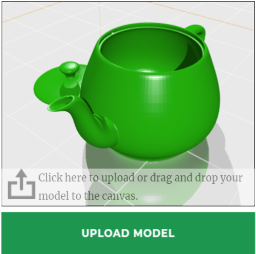
Bring your WooCommerce products to life with an interactive 3D viewer and mobile AR. Upload GLB/GLTF models, configure camera, lighting, hotspots, dimensions, and material variants, then let customers spin and explore products on the product page or place them in their room with augmented reality.
Features
- Interactive 3D viewer on product pages, powered by Google’s
<model-viewer>web component - Mobile AR via QR code (ARCore on Android, ARKit on iOS)
- GLB / GLTF model upload through the standard WordPress media library
- Fullscreen editor with tabs for Lighting, Camera, Materials, Animations, Hotspots, Camera Views, Dimensions, AR, Attribute Mapping, and Presentation
- Per-material color / metallic / roughness overrides
- Map WooCommerce product attributes (e.g. Color → Red) to material changes for instant variant previews
- Dimension overlay with cm / m / inches / feet units
- Signed proxy URLs so the raw GLB attachment URL is never exposed — cache-friendly, and revocable at any time from the settings page
- Show the 3D viewer inside the WooCommerce product gallery (as the first image) or as a button that opens a pop-up — your choice
[bss3dv_viewer id="123"]shortcode and a “BSS 3D Viewer” block to embed a model on any page or post- Translation-ready, RTL-ready, HPOS-compatible, no external CDN runtime dependencies
Privacy / Data
This plugin does not call any external services at runtime. All assets (model-viewer, QR generator) are bundled locally.
Bundled third-party libraries
This plugin bundles two open-source libraries. Both are GPL-compatible and their unminified/source distributions are publicly available:
- Google <model-viewer> 4.0.0 (Apache-2.0) — source: https://github.com/google/model-viewer
- QR code generator (MIT) — source: https://github.com/davidshimjs/qrcodejs
Installation
- Upload the
bss-3d-viewerfolder to/wp-content/plugins/, or install the ZIP via Plugins → Add New → Upload Plugin. - Activate the plugin through the Plugins screen.
- Make sure WooCommerce is installed and active.
- Visit WooCommerce → 3D Viewer to configure global defaults.
- Edit any product, switch to the 3D Model tab, upload a
.glbfile, and configure.
Frequently asked questions
What 3D file formats are supported?
GLB (binary glTF) and GLTF. GLB is recommended because it bundles geometry, materials, and textures into a single file.
Where can I get GLB models from?
You can scan real products with Polycam, Scaniverse, or KIRI Engine on a phone. Designers can export from Blender, Maya, 3ds Max, SketchUp, or any GLB-capable tool.
Does AR work on iPhone and Android?
Yes. The plugin uses standard AR modes: WebXR and Scene Viewer on Android (ARCore), Quick Look on iOS (ARKit). On unsupported devices the customer sees the regular 3D viewer instead.
Is the 3D model file protected from direct download?
The plugin applies several layers to make casual download and reuse hard: Models are served only through a signed proxy URL (HMAC token) — the ID cannot be guessed or enumerated. The real /wp-content/uploads/…glb path is blocked from direct web access (an Apache .htaccess / IIS web.config rule is added automatically on activation). Cross-site hotlinking is blocked — the proxy only serves the model when the request comes from your own site. Opening a model URL directly in the address bar is blocked; only the viewer can fetch it. Right-click “save” and drag-save are disabled on the viewer. If a…
I use Nginx — how do I block direct model downloads?
The automatic .htaccess / web.config rules only apply to Apache and IIS. On Nginx, add this to your server block and reload: location ~* /wp-content/uploads/.*\.(glb|gltf)$ { deny all; } The plugin shows an admin notice with this snippet when it detects Nginx.
Does it support HPOS (High-Performance Order Storage)?
Yes. The plugin only touches product post meta and options, and declares HPOS compatibility.
Does it support the new block-based product editor?
Not in v1.0.0. The classic product data tab is supported. Block-editor support is planned for a future release.
Can I turn the AR button off for the whole store?
Yes. WooCommerce → 3D Viewer → Settings → General → AR Button → Disabled for all models. That hides AR everywhere: the “View in Your Room” button, the AR button inside the gallery / shortcode / block viewer, the QR pop-up, and the mobile AR link. An individual model can override it in either direction. Open the model’s 3D editor, go to Presentation → AR Button, and choose “Always on” to keep AR for that one model even while the store-wide switch is off, or “Always off” to hide it for that model only. The default, “Use global setting”, follows the store-wide switch. The per-model choice always…
Can I show the 3D viewer inside the product gallery instead of a button?
Yes. Go to WooCommerce → 3D Viewer → Display Mode and choose “Product gallery” — the model becomes the first gallery image and the “View in 3D” button is hidden. This uses the standard WooCommerce gallery; some themes or page builders that replace the gallery may not support it, in which case use Modal mode or the shortcode/block instead.
Can I embed a 3D model on any page or post?
Yes. Use the shortcode [bss3dv_viewer id="123"] (the product ID is shown in the product’s 3D editor, on the Output tab), or add the “BSS 3D Viewer” block and enter the product ID. Both accept width, height, and ar options, e.g. [bss3dv_viewer id="123" width="100%" height="480px" ar="yes"].
Does it work with caching and speed-optimization plugins?
Yes, out of the box — no exclusions to configure. Tested against SiteGround Optimizer, WP Rocket, LiteSpeed Cache, W3 Total Cache, Autoptimize, Perfmatters, and Cloudflare. Two things make this work. Signed model URLs are stable, so they keep working no matter how long a page sits in a full-page cache. And the plugin marks its own scripts as “do not optimize”, because the library is an ES module: combining or minifying it into a regular script breaks it. The plugin registers the official exclusion filters for the major optimization plugins and adds the standard opt-out attributes…
I rotated the model links and now the viewer is broken.
Rotating invalidates every model URL issued so far, but pages already sitting in a full-page cache still contain the old ones. Clear your page cache and the new links go out with the next page view.
Changelog
Fixes the 3D viewer failing to load on sites with caching or JavaScript optimization enabled, and adds a store-wide AR Button switch. Recommended for all users.
1.0.1
- Added: a store-wide AR Button setting (Settings → General) that turns the AR button off across every model at once. An individual model can still override it from its 3D editor (Presentation → AR Button) with “Always on” or “Always off” — the per-model choice wins.
- Fixed: the AR setting was ignored by the gallery viewer, the
[bss3dv_viewer]shortcode, the block, and the standalone AR page — turning AR off left an AR button in the gallery and a working mobile AR link. All AR surfaces now share one setting. - Fixed: the 3D viewer failed to load on sites with full-page caching enabled. Signed model URLs expired after five minutes, so any page served from a cache handed the browser a dead link. Model URLs are now stable and survive caching.
- Fixed: the viewer also failed after five minutes on the first page view without any cache — opening the pop-up later than that returned an expired link.
- Fixed: JavaScript optimization plugins broke the viewer by combining, minifying or deferring the
<model-viewer>library, which is an ES module. The plugin now marks its scripts as “do not optimize” and registers the official exclusion filters for SiteGround Optimizer, WP Rocket, LiteSpeed Cache, Autoptimize, Perfmatters and Cloudflare Rocket Loader. - Fixed: a delay-JavaScript plugin’s
typemarker was being stripped from our script tag, making the two features fight each other. - Added: the viewer now detects when the library was stripped, reloads it by itself, and logs a
[BSS 3D Viewer]message explaining the cause. Failures used to be completely silent. - Added: Rotate model links on the settings page, invalidating every signed model URL issued so far.
- Fixed: in gallery display mode, dragging to rotate the model on a phone or tablet also swiped the product gallery to the next image, making the model impossible to turn. Drag gestures that start on the viewer now stay in the viewer. Vertical page scrolling and the AR button are unaffected, and swiping the gallery’s other slides still works.
- Fixed: in gallery display mode a phone showed two AR buttons — one inside the gallery viewer and one next to Add to Cart. Desktop only showed one, because the in-viewer button appears solely where AR is native. The gallery slide no longer carries its own AR button; the one next to Add to Cart is used in both modes and works everywhere (QR pop-up on desktop, AR deep link on mobile).
- Fixed: the “View in Your Room” label flashed up as plain text over the gallery image while the 3D viewer was still loading. The viewer’s slotted controls are now hidden until the
<model-viewer>element is ready. - Fixed: on phones and tablets, where AR is supported, that AR button then stayed on the model as an unstyled browser button — it had only ever been styled on the standalone AR page. It now uses the plugin’s accent colour and sits at the bottom of the viewer.
- Fixed:
Uncaught ReferenceError: jQuery is not defined. Because the viewer’s scripts are excluded from JS optimisation (they have to be — model-viewer is an ES module), an optimiser was free to defer or delay jQuery past them. Cloudflare Rocket Loader does exactly this. The viewer now waits for jQuery instead of assuming it, and reports a clear console message if it never arrives. - Fixed: the localized product data is now read defensively, so an optimiser that moves or delays inline scripts degrades to a console message rather than an uncaught error that disabled every button.
- Fixed: unpublishing, trashing or making a product private did not stop its 3D model from being served to anyone holding an older link. The model stream now applies the same visibility rule as the AR page; editors can still preview drafts.
- Improved: models are now cached by the visitor’s browser instead of being re-downloaded on every product page view.
- Removed: the editor’s “Best Practices” tab. Its three toggles (“Hide bottom progress bar”, “Use custom AR button”, “Use custom AR prompt”) were never wired to anything — they saved a value that no code read. Removed rather than left as controls that appear to do something. Nothing else changes; the viewer already uses a custom AR button everywhere.
1.0.0
- Initial public release.
Screenshots


For developers
Is this your plugin? Show off the numbers.
Add a live badge to your site, docs or GitHub README. It updates on its own — no account needed.
Best BSS 3D Product Viewer & AR fo… alternatives
All 3d plugins →





FAQ
BSS 3D Product Viewer & AR for WooC…: quick answers
Straight answers, pulled from live WordPress.org data.
Live data from WordPress.org · checked Oct 5, 2026
Is BSS 3D Product Viewer & AR for… free?
Yes. BSS 3D Product Viewer & AR for… is free to download and use from the official WordPress.org plugin directory.
Is BSS 3D Product Viewer & AR for… safe to use in 2026?
BSS 3D Product Viewer & AR for… is a solid plugin choice in 2026, with a few things worth checking first. It runs on 10+ sites, is rated 5/5 and was last updated 1 month ago, and scores 73/100 on our health check.
How many websites use BSS 3D Product Viewer & AR for…?
BSS 3D Product Viewer & AR for… is active on 10+ WordPress websites and has been downloaded 288 times since it launched in July 2026. It was downloaded 84 times in the last 30 days.
Does BSS 3D Product Viewer & AR for… work with WordPress 7.1?
Yes. The developer has tested BSS 3D Product Viewer & AR for… up to WordPress 7.1.2, the latest release. It requires WordPress 6.4 or newer.
What PHP version does BSS 3D Product Viewer & AR for… need?
BSS 3D Product Viewer & AR for… requires PHP 7.4 or higher. Most hosts run PHP 8.x today, so it works on any modern WordPress hosting.
When was BSS 3D Product Viewer & AR for… last updated?
The latest version, 1.0.1, was released on August 23, 2026 (1 month ago).
Who makes BSS 3D Product Viewer & AR for…?
BSS 3D Product Viewer & AR for… is developed and maintained by BangladeshSoftwareSolution.
What are the best alternatives to BSS 3D Product Viewer & AR for…?
The most popular alternatives to BSS 3D Product Viewer & AR for… are Panorama (2K+ installs), Easy 3D Viewer (1K+ installs) and 3D Viewer Block (1K+ installs).
Powered by PageForge
Want thousands of pages that rank like these? Build them in an afternoon.
This directory runs on the same engine as PageForge. Turn any spreadsheet, CSV or API into thousands of fast, SEO-ready WordPress pages — with schema, internal links and AI-written copy baked in.
- CSV, Google Sheets & API data sources
- AI content, schema & internal links per page
- Works with Elementor, Gutenberg, Yoast & Rank Math
- Free on WordPress.org — no credit card


