



Custom Profile Menu for BuddyPress
Ever wished you could add custom pages to the BuddyPress profile menu? Here’s a plugin for that. Simply install and activate the plugin, add your custom menu page(s). That’s it, Bingo!

Consider an alternative
Custom Profile Menu for BuddyPr… shows warning signs in 2026 — compare the alternatives below before installing. It runs on 400+ sites, is rated 5/5 and was last updated 3 years ago, and scores 39/100 on our health check.
- Small user base (400+ active installs)
- No update in 3 years
- Only tested up to WordPress 6.2 (latest is 7.1)
How does it stack up?
Side-by-side on installs, updates, ratings & support



Daily downloads
Download spikes usually follow a new release — each site that auto-updates counts as a download.
Rankings
Where Custom Profile Menu for Bud… stands todayWordPress.org search rankings
Live position in the plugin search, top 100| Keyword | Position |
|---|---|
| buddypress | >100 |
| custom | >100 |
| menu | >100 |
| profile | >100 |
Version adoption
Share of active sites per release.
Rating breakdown
★★★★★★★★★★ 5 from 8 reviews
About Custom Profile Menu for BuddyPress
From the official readme · v1.0.3Description
Ever wished you could add custom pages to the BuddyPress profile menu? Here’s a plugin for that. Simply install and activate the plugin, add your custom menu page(s). That’s it, Bingo!
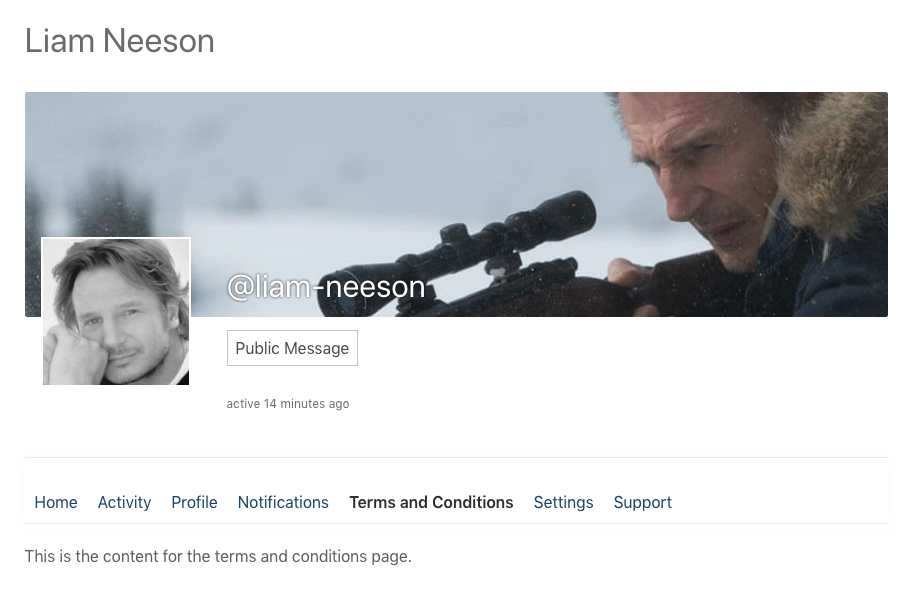
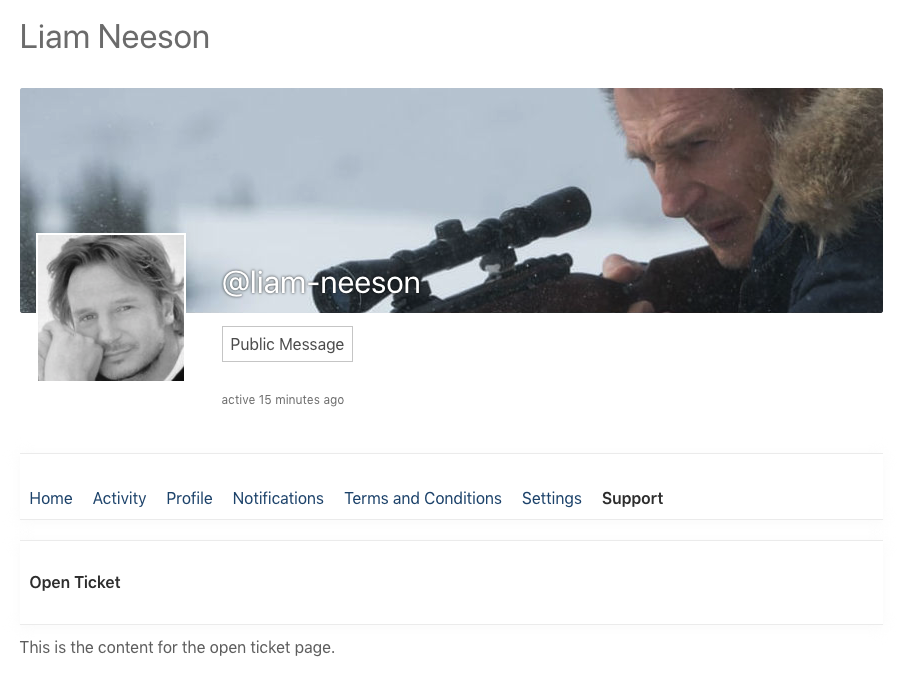
The Custom Profile Menu for BuddyPress plugin lets you add custom static pages to the BuddyPress profile menu. Extend the extremely limited BuddyPress profile menu by adding your desired number of custom pages to it, with your desired content along with the built-in Home, Activity, Profile, Notifications, and Settings items.
Use Cases
The major use case of this plugin would be adding custom sections to the BuddyPress profile, e.g. a terms & conditions page or static pages with shortcodes for forms, appointment bookings, WooCommerce products, and other infinite possibilities.
Core Features
The core features of the plugin include the abilities to:
* Add custom static pages to the BuddyPress profile menu
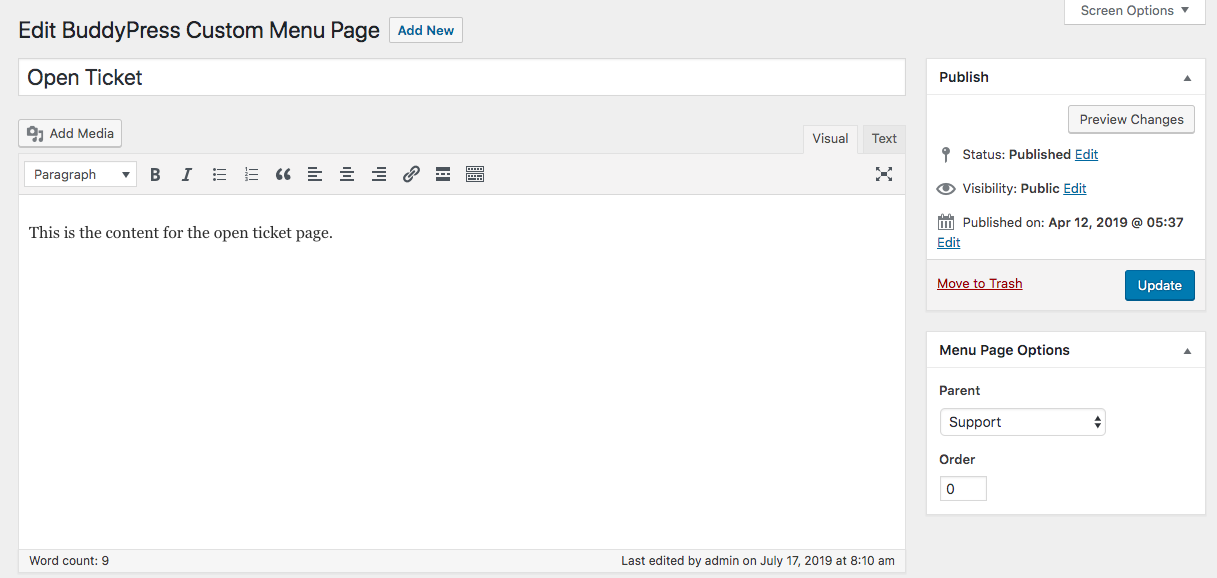
* Add submenu pages by assigning a parent menu page
* Set a default submenu page for a parent submenu page
* Re-order the menu items.
Installation
Installation of the Custom Profile Menu for BuddyPress plugin is very simple. Follow along with the installation procedure in the dedicated Installation tab.
Usage
- Install and activate the plugin
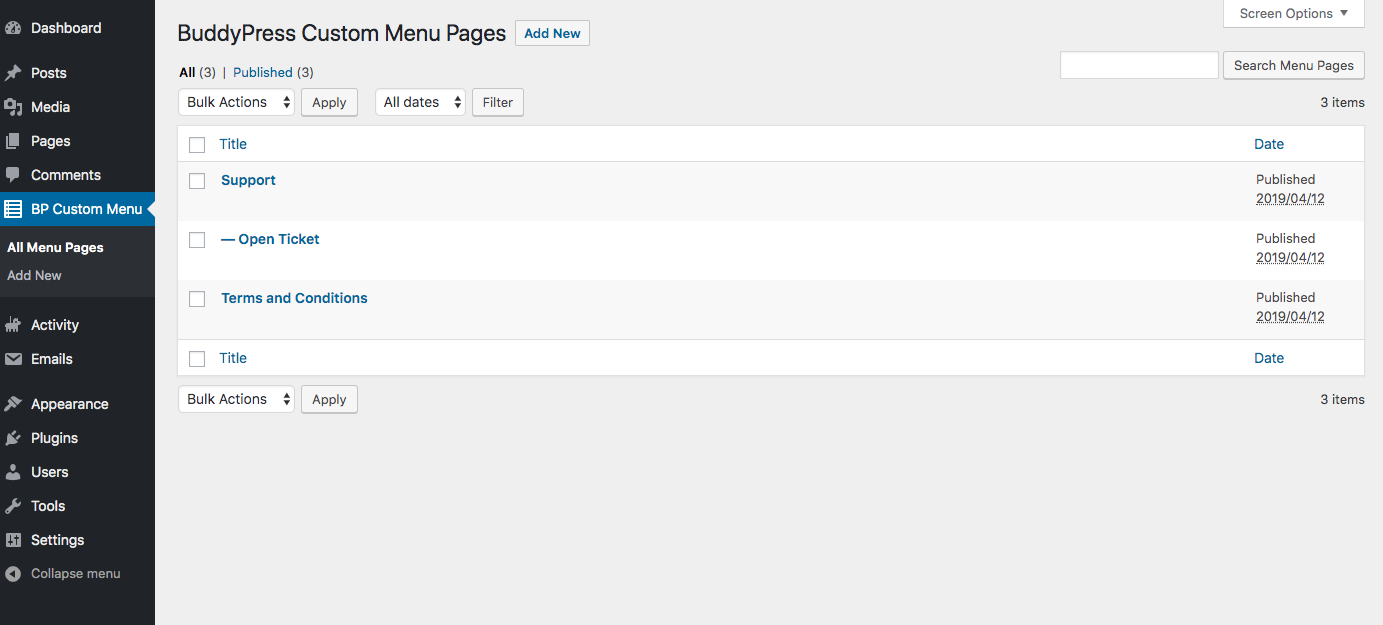
- Go to your WordPress Dashboard→BP Custom Menu
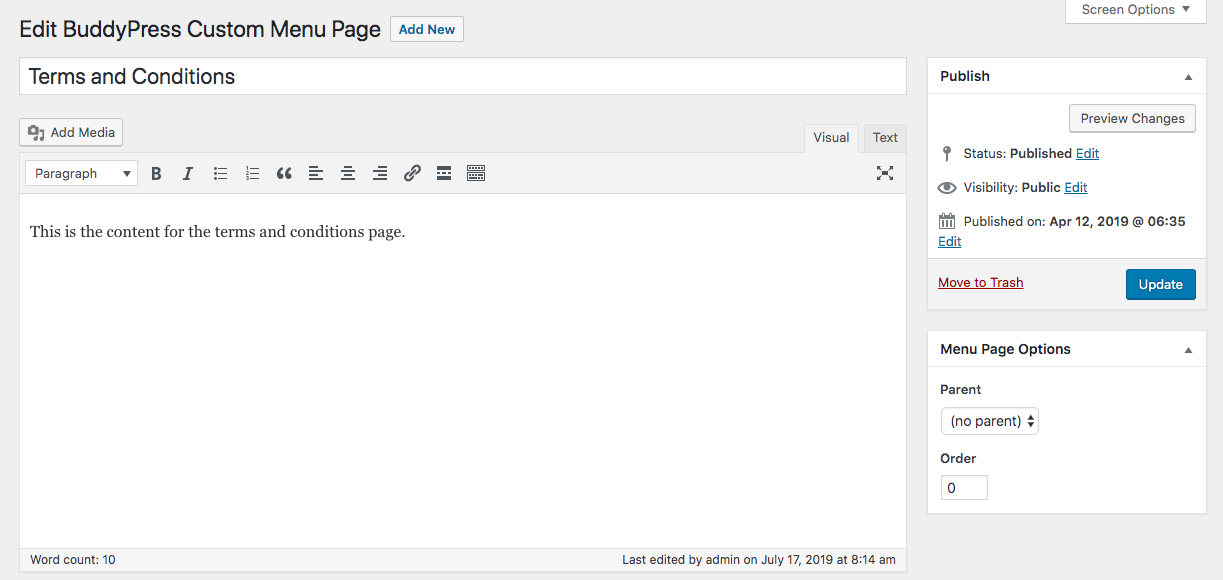
- Add a new page, enter your content, and publish. It will automatically show up as a menu item in the BuddyPress profile.
- In order to create a submenu page, please specify a “Parent” under the “Menu Page Options” in the right sidebar of the edit screen.
- In order to specify a default submenu for a parent page, select a submenu page in the “Set Default Submenu” selection under the “Menu Page Options” in the right sidebar of the edit screen.
- In order to re-order the menu items, enter an index in the “Order” field under the “Menu Page Options” in the right sidebar of the edit screen. A higher index means a higher level in the menu.
Support
If the above usage steps don’t answer your question(s), if you want to report an issue or if something is not working as expected, please create a topic in the Support Forum.
Contribute
If you want to contribute to the plugin by reporting issues, implementing new features and so on, here’s its development repository on Github.
Sponsor
You can sponsor this project and support my open-source development by becoming a Patron!
Installation
Requirements
This plugin requires the BuddyPress plugin to be installed and activated to work.
Install
Automatic Installation
- Go to your WordPress Dashboard→Plugins→Add New.
- Search for “Custom Profile Menu for BuddyPress”.
- Click on “Install”.
- Once installed, click on “Activate”.
Manual Installation
- Download the plugin .zip folder using the download button on this page.
- Go to your WordPress Dashboard→Plugins→Add New.
- Click on the “Upload Plugin” button.
- Upload the downloaded .zip file.
- Activate it.
Usage
- Install and activate the plugin
- Go to your WordPress Dashboard→BP Custom Menu
- Add a new page, enter your content, and publish. It will automatically show up as a menu item in the BuddyPress profile.
- In order to create a submenu page, please specify a “Parent” under the “Menu Page Options” in the right sidebar of the edit screen.
- In order to specify a default submenu for a parent page, select a submenu page in the “Set Default Submenu” selection under the “Menu Page Options” in the right sidebar of the edit screen.
- In order to re-order the menu items, enter an index in the “Order” field under the “Menu Page Options” in the right sidebar of the edit screen. A higher index means a higher level in the menu.
Changelog
Fixes minor PHP warnings and notices.
1.0.3
- Fixes minor PHP warnings and notices.
1.0.2
- Fixes issue where the plugin was adding an additional dropdown to the Page Attributes metabox (props to @honoluluman for reporting it)
1.0.1
- Fixes the image and shortcode not rendering issue.
1.0
- Initial Release
Screenshots
For developers
Is this your plugin? Show off the numbers.
Add a live badge to your site, docs or GitHub README. It updates on its own — no account needed.
Best Custom Profile Menu for Buddy… alternatives
All buddypress plugins →





FAQ
Custom Profile Menu for BuddyPress: quick answers
Straight answers, pulled from live WordPress.org data.
Live data from WordPress.org · checked Nov 16, 2026
Is Custom Profile Menu for BuddyPr… free?
Yes. Custom Profile Menu for BuddyPr… is free to download and use from the official WordPress.org plugin directory.
Is Custom Profile Menu for BuddyPr… safe to use in 2026?
Custom Profile Menu for BuddyPr… shows warning signs in 2026 — compare the alternatives below before installing. It runs on 400+ sites, is rated 5/5 and was last updated 3 years ago, and scores 39/100 on our health check.
How many websites use Custom Profile Menu for BuddyPr…?
Custom Profile Menu for BuddyPr… is active on 400+ WordPress websites and has been downloaded 25,900 times since it launched in July 2019. It was downloaded 304 times in the last 30 days.
Does Custom Profile Menu for BuddyPr… work with WordPress 7.1?
Custom Profile Menu for BuddyPr… is officially tested up to WordPress 6.2.15, while the latest release is 7.1.4. It may still work, but try it on a staging site first.
What PHP version does Custom Profile Menu for BuddyPr… need?
Custom Profile Menu for BuddyPr… requires PHP 5.6 or higher. Most hosts run PHP 8.x today, so it works on any modern WordPress hosting.
When was Custom Profile Menu for BuddyPr… last updated?
The latest version, 1.0.3, was released on June 3, 2023 (3 years ago).
Who makes Custom Profile Menu for BuddyPr…?
Custom Profile Menu for BuddyPr… is developed and maintained by Nahid F Mohit.
What are the best alternatives to Custom Profile Menu for BuddyPr…?
The most popular alternatives to Custom Profile Menu for BuddyPr… are Better Messages (10K+ installs), rtMedia for WordPress, Budd… (7K+ installs) and BuddyPress Docs (6K+ installs).
Powered by PageForge
Want thousands of pages that rank like these? Build them in an afternoon.
This directory runs on the same engine as PageForge. Turn any spreadsheet, CSV or API into thousands of fast, SEO-ready WordPress pages — with schema, internal links and AI-written copy baked in.
- CSV, Google Sheets & API data sources
- AI content, schema & internal links per page
- Works with Elementor, Gutenberg, Yoast & Rank Math
- Free on WordPress.org — no credit card


