


Book Review Library
A book cataloguing and review system designed with bookophiles and librarians in mind.

Safe pick
Yes — Book Review Library is a safe, well-maintained plugin to use in 2026. It runs on 200+ sites, is rated 4.8/5 and was last updated 3 weeks ago, and scores 80/100 on our health check.
- Actively developed — last update 3 weeks ago
- Tested with the latest WordPress (7.1)
- Small user base (200+ active installs)
How does it stack up?
Side-by-side on installs, updates, ratings & support



Daily downloads
Download spikes usually follow a new release — each site that auto-updates counts as a download.
Rankings
Where Book Review Library stands todayWordPress.org search rankings
Live position in the plugin search, top 100| Keyword | Position |
|---|---|
| book | #6 |
| book review | #1 |
| librarian | #1 |
| library | #29 |
| reading level | #1 |
Version adoption
Share of active sites per release.
Rating breakdown
★★★★★★★★★★ 4.8 from 16 reviews
About Book Review Library
From the official readme · v1.4.25Description
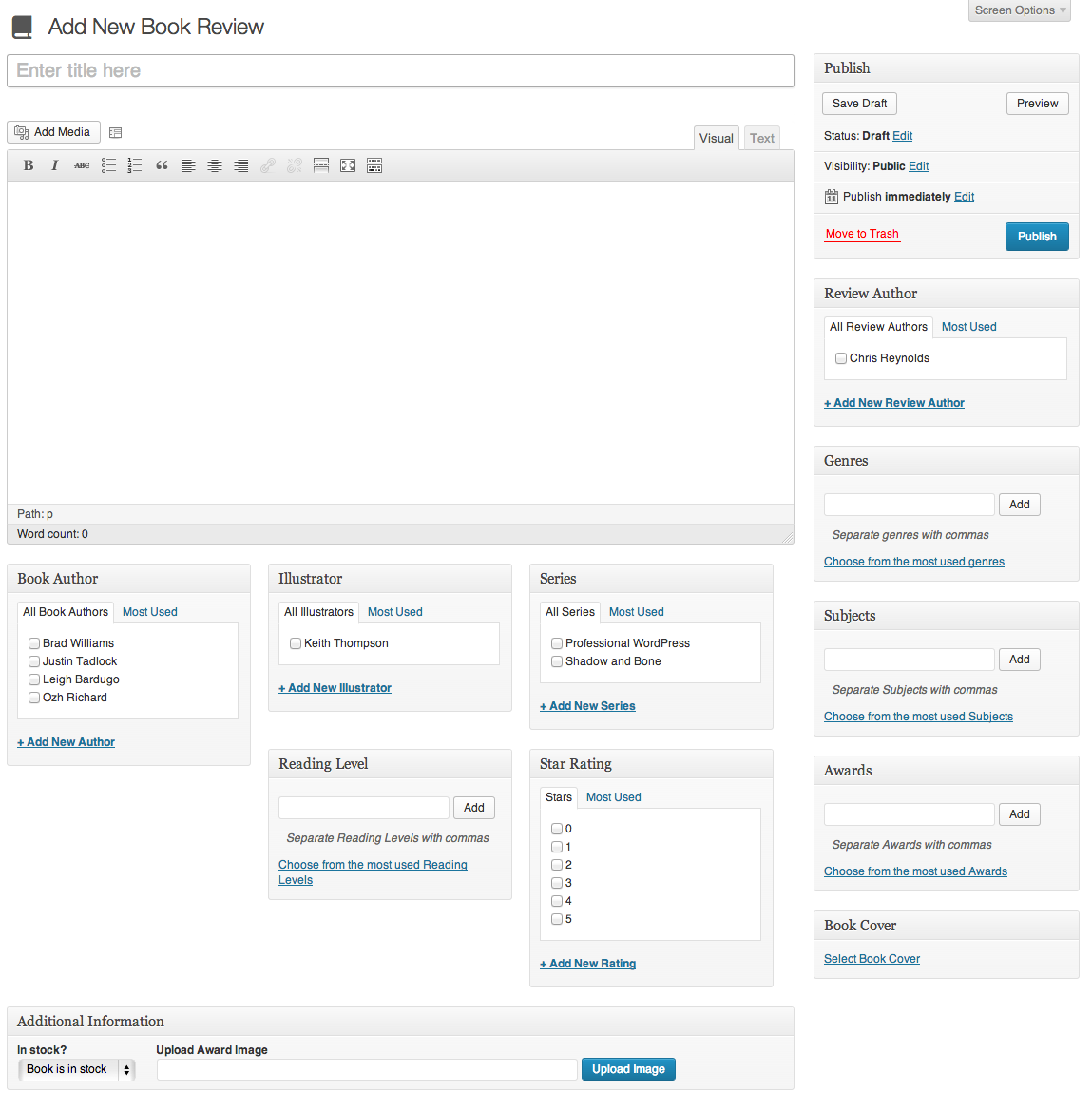
The Book Review Library plugin allows you to create a library of books, with reviews, that include sortable meta information like author, illustrator, genre, subjects as well as ratings. This enables you to list all the books of a particular type (e.g. all books written by a particular author or with a specific rating). With very little effort, the book review system will be up and running on your site right away, with built in filters to add this extra information to the page without any custom theming.
A configurable shortcode is also built in, to display a book list. [book-reviews] will display all books, while [book-reviews count=3] will only display 3 books and [book-reviews count=3 covers=true] will display those reviews with their covers, if they exist.
Two sidebar widgets have also been included. A Recent Reviews widget will display the most recent book reviews that have been added, and a Related Books widget will display a list of similar books when you are looking at a single book or book list by common genre tags.
Theme developers haven’t been forgotten either. If you want to customize the way the reviews display, create and edit these template files:
taxonomy.phparchive-book-review.phpsingle-book-review.php
Additionally, there are a number of template tags that can be used in your theme, which are found in inc/func.php.
This plugin uses the Genericons icon font in both the dashboard and the front end to display the book icons and star ratings.
Translators!
New translations site is up at https://chrisreynolds.io/glotpress/projects/book-review-library/
Please email me at hello at chrisreynolds dot io if you want to be added as a translator.
- Italian translation by tristano-ajmone
- Hungarian translation by Ignácz József
- French translation by claire idrac
- Russian translation by Diana Kononova
- Arabic translation by Salim Solomon
- Spanish translation by Tierras del Rincon
- Persian (Farsi) translation by Masoud Allameh
- Polish translation by Rafał Szampera
- Catalan translation by Jordi Ramirez
- Turkish translation by Yardımcı Destek Teknolojileri
- Dutch translation by robin ketelaars
About this plugin
I sat down with a librarian and a volunteer at the Open Classroom charter school library and asked them what they wanted from the website. The result is this plugin. It was built with a real use-case in mind based on specific feedback I received about things they wanted to share with the school and wider community. If you have questions or suggestions, feel free to let me know.
Note
This plugin hasn’t been in active development for a while. However a major revision/rewrite has been planned for some time. The plugin is stable and works with all versions of WordPress and I’m happy to review/merge pull requests on the GitHub repo or respond to support queries you may have but no new features are planned until after the rewrite is complete.
Shortcodes & Shortcode Parameters
Book Review Library currently supports one shortcode. This page will list the shortcode variations and parameters supported and describe what each available option and parameter does.
Book Reviews
[book-reviews]
Displays a list of books. If used with no additional parameters, this will display all books, ordered by date added, with no covers and no review or excerpt displayed.
Count
[book-reviews count=5]
Defines how many books to display on a page. Takes any interger. Omit to display all posts. The above shortcode would display the 5 most recent book reviews. Can be used in conjunction with any of the other parameters.
Covers
[book-reviews covers=true]
Displays the book cover if it’s been added to the review and if the theme supports it. Only accepted argument is true. Requires the theme to support post thumbnails. The above shortcode would display all books with book covers.
Order By
[book-reviews order_by=title]
Changes the order in which the books are displayed. By default, lists by date added. Accepted arguments are date_added, author — lists by author’s first name (unless authors have been added last name first, e.g. “Reynolds Chris”), title — lists by book title. The above shortcode would display all books alphabetically by title.
Format
[book-reviews format=excerpt]
Determines whether to display the full review or an excerpt. Default is no review text displayed. Accepted arguments are full — displays full book review, excerpt — displays an excerpt of the review or none. The above shortcode would display all book reviews with an excerpt of each review.
Author
[book-reviews author=j-k-rowling]
Filters all book reviews by single author. Any slug of an existing book author is accepted. The above shortcode would display all books by J.K. Rowling. Alternately, when wrapped in quotes, you can use the full name of any existing book author. The following would also work to display all books by J.K. Rowling:
[book-reviews author="J.K. Rowling"]
Genre
[book-reviews genre=sci-fi]
Filters all book reviews by genre. Any existing genre slug is accepted. The above shortcode would display all books in the Sci-Fi genre. When wrapped in quotes, you can use the full name of any existing genre if the name matches the slug. The following would display all the books in the “Science Fiction” genre if that genre had a slug of science-fiction:
[book-reviews genre="Science Fiction"]
Installation
- Upload
book-review-library.zipto the/wp-content/plugins/directory or use the built-in plugin installer on the WordPress Plugin Dashboard page. - Activate the plugin through the ‘Plugins’ menu in WordPress
- That’s it! Start writing reviews. 🙂
Frequently asked questions
I have HTML displaying at the top of my page/next to the book cover/somewhere else. How do I get rid of this?
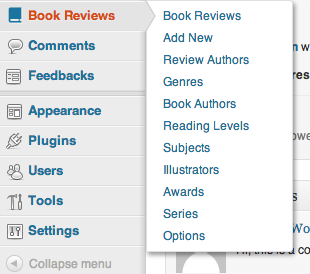
This is most likely because your theme is using the_title in a link or somewhere else. This plugin adds a filter to the_title to display the book’s author. To prevent this behavior (and fix your problem), go to the Options page in the Book Reviews menu and disable “Display author with title”. The author will no longer display with the book title and will, instead, be displayed with the genre information.
I get a 404 error when I try to view a book review.
Go to Permalinks in the General Settings and just re-save your settings. This will update your .htaccess file and should resolve the problem.
I have *xxxx* problem when I sort by author…
Here are the known issues with sorting by author. Unfortunately, at this time, there isn’t much that can be done about most of them because sorting by author is kind of a hack… Books with multiple authors display multiple times in the list. Reason: This is because we’re doing a separate loop through all the books for each author. When it sees that book with multiple authors again, it will add that as a separate entry. Workaround: If you have one book that has multiple authors, the easiest solution is to add them as a single author, e.g. “Brad Williams Ozh Richard and Justin Tadlock” — that…
Changelog
1.4.25
- Hardened the ISBN search filter: the query now uses
$wpdb->prepare()with$wpdb->esc_like()instead of deprecated escaping. - Removed a call to
screen_icon(), which has done nothing since WordPress 3.8. - Added the missing
Requires at leastandRequires PHPplugin headers, and declared the real minimums: WordPress 4.0 ($wpdb->esc_like()) and PHP 7.0. - Tested up to WordPress 7.1.
1.4.24
- Added a composer.json so the plugin can be installed with Composer.
- Added Git Updater headers so the plugin can be updated from GitHub.
- Added a README.md for GitHub and documented the installation methods.
- Removed a duplicate copy of the license.
1.4.23
- updates tested up to
- fixed an issue with git -> WordPress plugin deploy
1.4.22
- tested up to WordPress 5.9
1.4.21
- tested up to WordPress 5.0
1.4.20
- minor bugfixes (props Ashley Gibson)
- added dutch and turkish translations
Screenshots



For developers
Is this your plugin? Show off the numbers.
Add a live badge to your site, docs or GitHub README. It updates on its own — no account needed.
Best Book Review Library alternatives
All book plugins →





FAQ
Book Review Library: quick answers
Straight answers, pulled from live WordPress.org data.
Live data from WordPress.org · checked Oct 3, 2026
Is Book Review Library free?
Yes. Book Review Library is free to download and use from the official WordPress.org plugin directory.
Is Book Review Library safe to use in 2026?
Yes — Book Review Library is a safe, well-maintained plugin to use in 2026. It runs on 200+ sites, is rated 4.8/5 and was last updated 3 weeks ago, and scores 80/100 on our health check.
How many websites use Book Review Library?
Book Review Library is active on 200+ WordPress websites and has been downloaded 34,096 times since it launched in August 2013. It was downloaded 390 times in the last 30 days.
Does Book Review Library work with WordPress 7.1?
Yes. The developer has tested Book Review Library up to WordPress 7.1.2, the latest release. It requires WordPress 4.0 or newer.
What PHP version does Book Review Library need?
Book Review Library requires PHP 7.0 or higher. Most hosts run PHP 8.x today, so it works on any modern WordPress hosting.
When was Book Review Library last updated?
The latest version, 1.4.25, was released on September 13, 2026 (3 weeks ago).
Who makes Book Review Library?
Book Review Library is developed and maintained by Chris Reynolds.
What are the best alternatives to Book Review Library?
The most popular alternatives to Book Review Library are MyBookTable Bookstore by St… (1K+ installs), Book Previewer for Woocomme… (1K+ installs) and Mooberry Book Manager (1K+ installs).
Powered by PageForge
Want thousands of pages that rank like these? Build them in an afternoon.
This directory runs on the same engine as PageForge. Turn any spreadsheet, CSV or API into thousands of fast, SEO-ready WordPress pages — with schema, internal links and AI-written copy baked in.
- CSV, Google Sheets & API data sources
- AI content, schema & internal links per page
- Works with Elementor, Gutenberg, Yoast & Rank Math
- Free on WordPress.org — no credit card


