



Blog Importer for HubSpot
Import HubSpot blogs to WordPress, migrate posts in bulk, sync automatically, and keep SEO meta, images, tags & formatting intact.

Solid choice
Blog Importer for HubSpot is a solid plugin choice in 2026, with a few things worth checking first. It runs on 60+ sites, is rated 5/5 and was last updated 1 month ago, and scores 75/100 on our health check.
- Tested with the latest WordPress (7.1)
- Small user base (60+ active installs)
- Very few reviews so far
Daily downloads
Download spikes usually follow a new release — each site that auto-updates counts as a download.
Rankings
Where Blog Importer for HubSpot stands todayWordPress.org search rankings
Live position in the plugin search, top 100| Keyword | Position |
|---|---|
| blog importer | #3 |
| content import | >100 |
| hubspot | #9 |
| hubspot blog | #3 |
| hubspot to wordpress | #9 |
Version adoption
Share of active sites per release.
Rating breakdown
★★★★★★★★★★ 5 from 2 reviews
About Blog Importer for HubSpot
From the official readme · v1.3.4Description
Blog Importer for HubSpot is a powerful HubSpot blog migration plugin for WordPress that seamlessly integrates your HubSpot blog content with your WordPress website. Easily import HubSpot blog posts to WordPress, migrate in bulk, or set up automatic HubSpot to WordPress synchronization to keep your content up-to-date.
Third-Party Service Usage:
This plugin connects to HubSpot’s external API service to import blog content. Here are the important details:
- Service Used: HubSpot CMS API (https://api.hubapi.com)
- Purpose: To fetch and import blog posts from your HubSpot account to WordPress
- Data Sent: Your HubSpot Private App Access Token (API key) for authentication
- Data Received: Blog post content, metadata, images, and publishing information
- When: Only when you manually trigger an import or have scheduled automatic imports enabled
- User Control: All API connections require your explicit configuration of API credentials
Privacy & Terms:
* HubSpot Privacy Policy: https://legal.hubspot.com/privacy-policy
* HubSpot Terms of Service: https://legal.hubspot.com/terms-of-service
* This plugin does NOT track users or collect any personal data from your website visitors
* Only administrators with proper permissions can configure and use this plugin
Key Features:
- Easy HubSpot Integration – Connect using your HubSpot API key
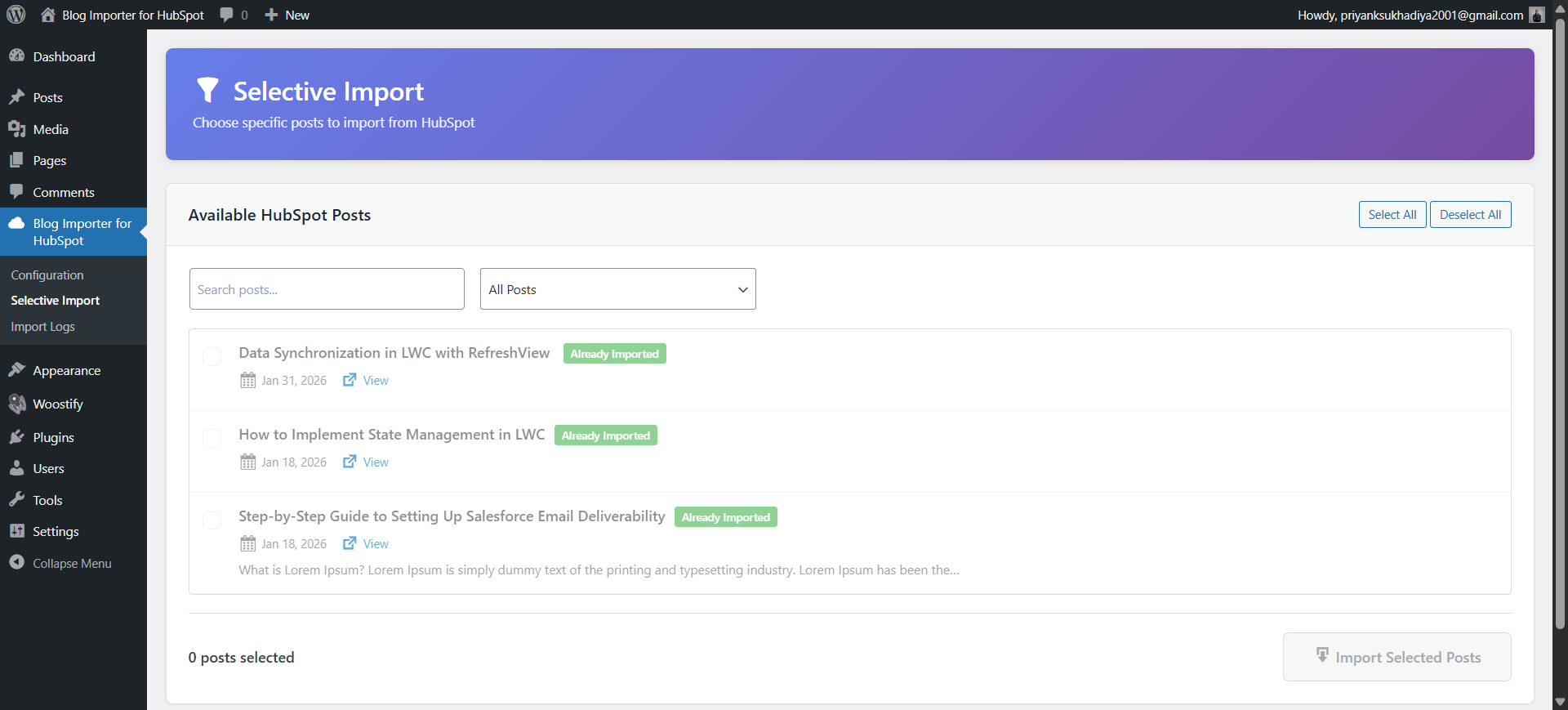
- Selective Import – Choose specific posts to import from HubSpot
- Real-time Progress Tracking – Visual progress bar shows import status
- Tag Mapping – Automatically imports and maps HubSpot tags to WordPress tags
- Flexible Import Options – Import as posts, pages, or custom post types
- Automated Scheduling – Set up cron jobs for regular content synchronization
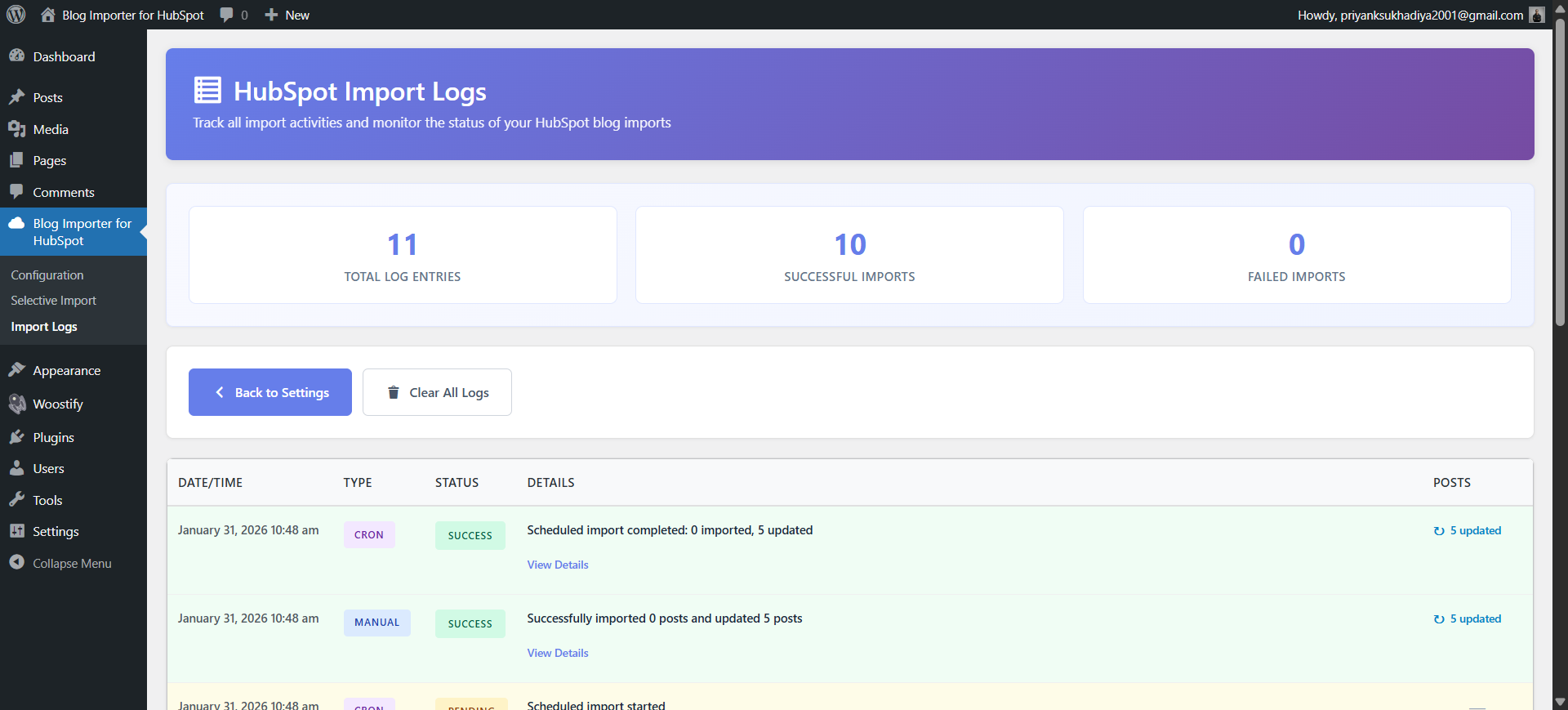
- Comprehensive Logging – Track all import activities with detailed logs
- Duplicate Prevention – Smart detection prevents duplicate content
- Content Preservation – Maintains original formatting and metadata
- WordPress Standards – Fully compliant with WordPress coding standards
Perfect for:
* Marketing teams managing content across platforms
* Businesses centralizing their blog content
* Developers building integrated content workflows
* Anyone wanting to sync HubSpot blogs with WordPress
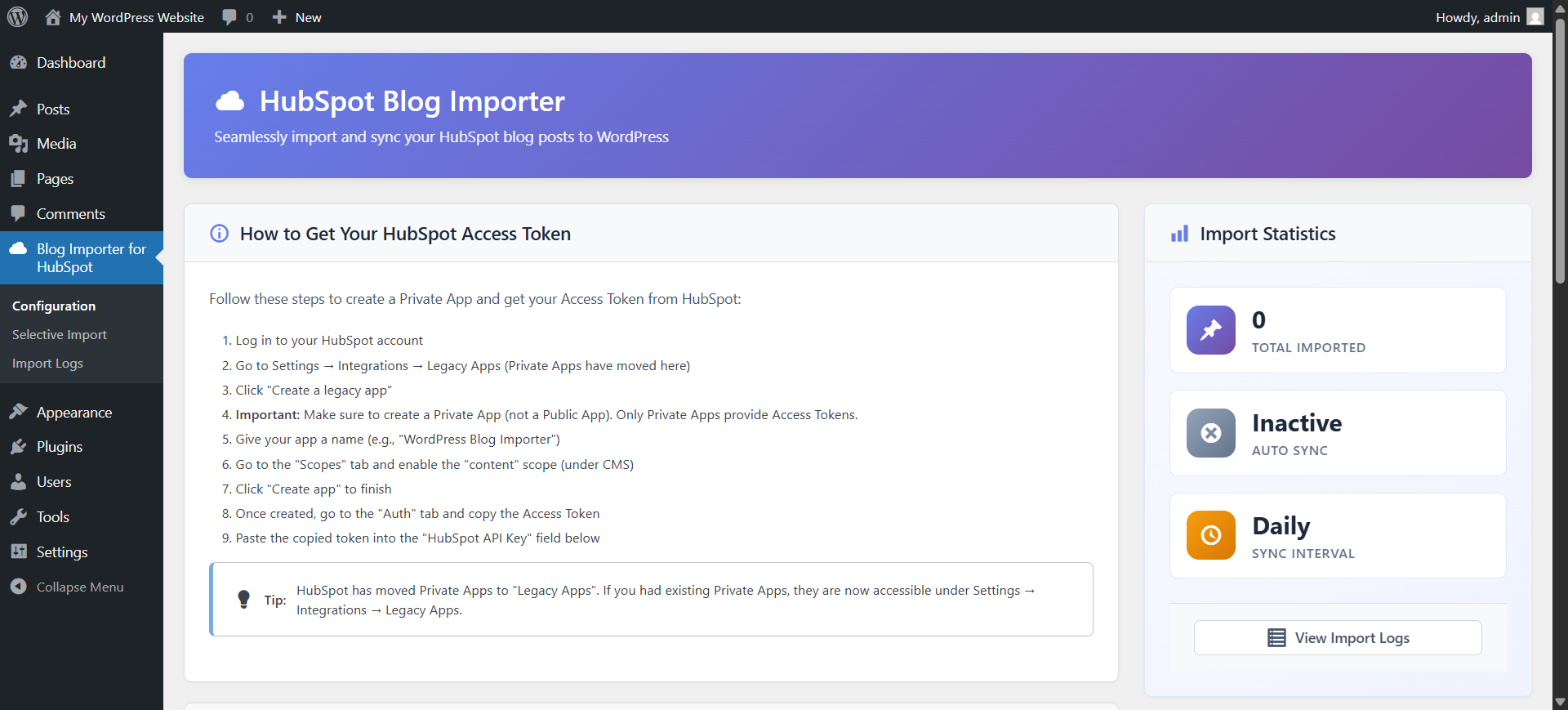
How to Get Your HubSpot Access Token:
- Log in to your HubSpot account
- Go to Settings → Integrations → Legacy Apps (Private Apps have moved here)
- Click “Create a legacy app”
- Important: Make sure to create a Private App (not a Public App). Only Private Apps provide Access Tokens.
- Give your app a name (e.g., “WordPress Blog Importer”)
- Go to the “Scopes” tab and enable the “content” scope (under CMS)
- Click “Create app” to finish
- Once created, go to the “Auth” tab and copy the Access Token
- Paste the copied token into the plugin settings in WordPress
Note: HubSpot has consolidated all Private Apps into the Legacy Apps page. Your existing private apps are still running and accessible there.
Installations
- Upload the
blog-importer-for-hubspotfolder to the/wp-content/plugins/directory - Activate the plugin through the ‘Plugins’ menu in WordPress
- Navigate to ‘Blog Importer for HubSpot’ in the WordPress admin menu
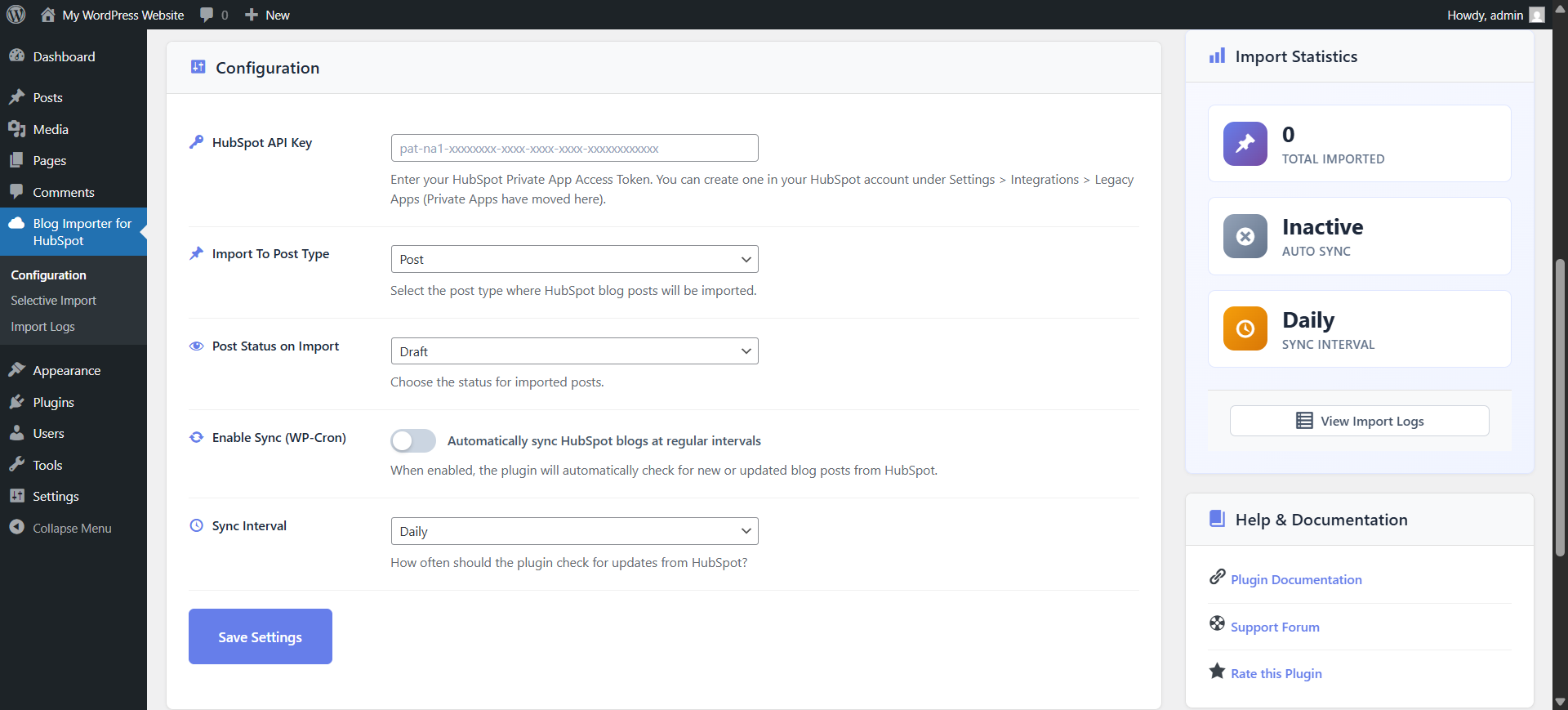
- Configure your HubSpot API key (see instructions below) and import settings
- Start importing your blog content!
Support
For support, please visit the plugin’s support forum or contact the developer.
Frequently asked questions
Do I need a HubSpot API key?
Yes. You’ll need a HubSpot Private App Access Token to connect your WordPress site to HubSpot.
Can I import specific posts instead of all posts?
Yes. Selective Import functionality. You can browse all your HubSpot posts and choose exactly which ones to import. Just go to the “Selective Import” page in the plugin menu.
Are HubSpot tags imported to WordPress?
Yes. automatically imports HubSpot blog tags and maps them to WordPress tags. Your content’s organization will be preserved during import.
Can I schedule automatic imports?
Absolutely! The plugin includes built-in WordPress Cron scheduling so you can automatically sync HubSpot blogs to WordPress at your preferred intervals — hourly, daily, weekly, or custom.
Will this create duplicate posts?
No. The plugin has smart duplicate detection that checks existing content and only imports new or updated HubSpot posts. This ensures a clean and organized WordPress blog without duplicates.
What post types are supported?
You can import HubSpot blog content into WordPress posts, pages, or any custom post type. This flexibility lets you adapt the importer to any site structure.
Can I see what was imported?
Yes. The plugin includes comprehensive import logging so you can track each import, view history, and troubleshoot if needed — giving you full transparency and control.
Changelog
Plugin improvements and functionality enhancements. Improved content sanitization, better import handling, and smoother page behavior after successful import.
1.3.4
- Minor Improvements to Layout & Structure.
1.3.3
- Fixed imported posts incorrectly being set to “Scheduled” due to a timezone issue.
- Improved compatibility and admin UI, including collapsible access token instructions, a Ko-fi support link, and CSS fixes.
1.3.2
- Added ability to re-sync already imported posts from Selective Import – previously imported posts can now be selected and updated individually without running a full import
- Select All / Deselect All in Selective Import now only affect currently visible (filtered) posts, preventing accidental bulk re-imports
1.3.1
- Fixed duplicate inline images on re-sync – body images are no longer re-downloaded on each import; existing media is reused instead
1.3.0
- Added date range filter in Selective Import – filter posts by start and end date before selecting
- Added HubSpot author import option – when enabled, posts are assigned to their original HubSpot author; a new WordPress author account is created automatically if no matching user is found
- Updated WordPress compatibility to 7.0
1.2.2
- Improved overall plugin functionality and performance
- Enhanced HubSpot module content sanitization for safer data handling
- Improved import process stability and error handling
- Optimized URL handling for better reliability
- Improved input validation and security checks
- Added automatic page refresh after successful import
- Minor internal improvements and cleanup
Screenshots
For developers
Is this your plugin? Show off the numbers.
Add a live badge to your site, docs or GitHub README. It updates on its own — no account needed.
FAQ
Blog Importer for HubSpot: quick answers
Straight answers, pulled from live WordPress.org data.
Live data from WordPress.org · checked Oct 13, 2026
Is Blog Importer for HubSpot free?
Yes. Blog Importer for HubSpot is free to download and use from the official WordPress.org plugin directory.
Is Blog Importer for HubSpot safe to use in 2026?
Blog Importer for HubSpot is a solid plugin choice in 2026, with a few things worth checking first. It runs on 60+ sites, is rated 5/5 and was last updated 1 month ago, and scores 75/100 on our health check.
How many websites use Blog Importer for HubSpot?
Blog Importer for HubSpot is active on 60+ WordPress websites and has been downloaded 1,749 times since it launched in August 2025. It was downloaded 172 times in the last 30 days.
Does Blog Importer for HubSpot work with WordPress 7.1?
Yes. The developer has tested Blog Importer for HubSpot up to WordPress 7.1.3, the latest release. It requires WordPress 5.0 or newer.
What PHP version does Blog Importer for HubSpot need?
Blog Importer for HubSpot requires PHP 7.4 or higher. Most hosts run PHP 8.x today, so it works on any modern WordPress hosting.
When was Blog Importer for HubSpot last updated?
The latest version, 1.3.4, was released on September 6, 2026 (1 month ago).
Who makes Blog Importer for HubSpot?
Blog Importer for HubSpot is developed and maintained by Priyank Sukhadiya.
Powered by PageForge
Want thousands of pages that rank like these? Build them in an afternoon.
This directory runs on the same engine as PageForge. Turn any spreadsheet, CSV or API into thousands of fast, SEO-ready WordPress pages — with schema, internal links and AI-written copy baked in.
- CSV, Google Sheets & API data sources
- AI content, schema & internal links per page
- Works with Elementor, Gutenberg, Yoast & Rank Math
- Free on WordPress.org — no credit card


