


Black Studio TinyMCE Widget
The visual editor widget for WordPress.

Safe pick
Yes — Black Studio TinyMCE Widget is a safe, well-maintained plugin to use in 2026. It runs on 200K+ sites, is rated 4.8/5 and was last updated 1 month ago, and scores 87/100 on our health check.
- Proven at scale on 200K+ active sites
- Loved by users — 4.8/5 from 191 reviews
- Tested with the latest WordPress (7.1)
How does it stack up?
Side-by-side on installs, updates, ratings & support



Daily downloads
Download spikes usually follow a new release — each site that auto-updates counts as a download.
Rankings
Where Black Studio TinyMCE Widget stands todayWordPress.org search rankings
Live position in the plugin search, top 100| Keyword | Position |
|---|---|
| editor | >100 |
| tinyMCE | #2 |
| visual | #22 |
| widget | #9 |
| wysiwyg | #6 |
Version adoption
Share of active sites per release.
Rating breakdown
★★★★★★★★★★ 4.8 from 191 reviews
About Black Studio TinyMCE Widget
From the official readme · v2.7.4Description
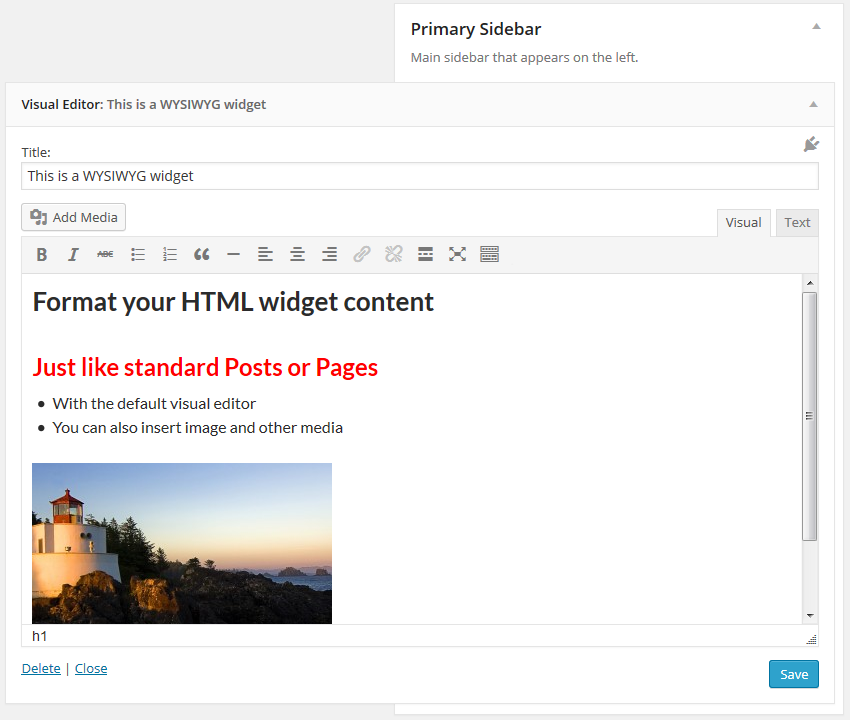
This plugin adds a new Visual Editor widget type that allows you to insert rich text and media objects in your sidebars with no hassle. With Black Studio TinyMCE Widget you will be able to edit your widgets in a WYSIWYG manner using the native WordPress TinyMCE editor, just like you do in posts and pages. And if you are a developer you may still switch back and forth from Visual to HTML mode.
For years the default WordPress text widget has been very basic and it required HTML knowledge to add formatting and images/media to the text. This plugin was born in 2011 to overcome these limitations. After a long time, in June 2017, version 4.8 of WordPress finally introduced a new text widget that included the ability to manage text widgets with the visual editor. The new widget available in WordPress core could now be used as a basic replacement of Black Studio TinyMCE Widget, but the plugin still offers some additional features, so it remains a must-have for advanced users.
Basic Features
- Add rich text widgets to your sidebars and edit them using the TinyMCE visual editor
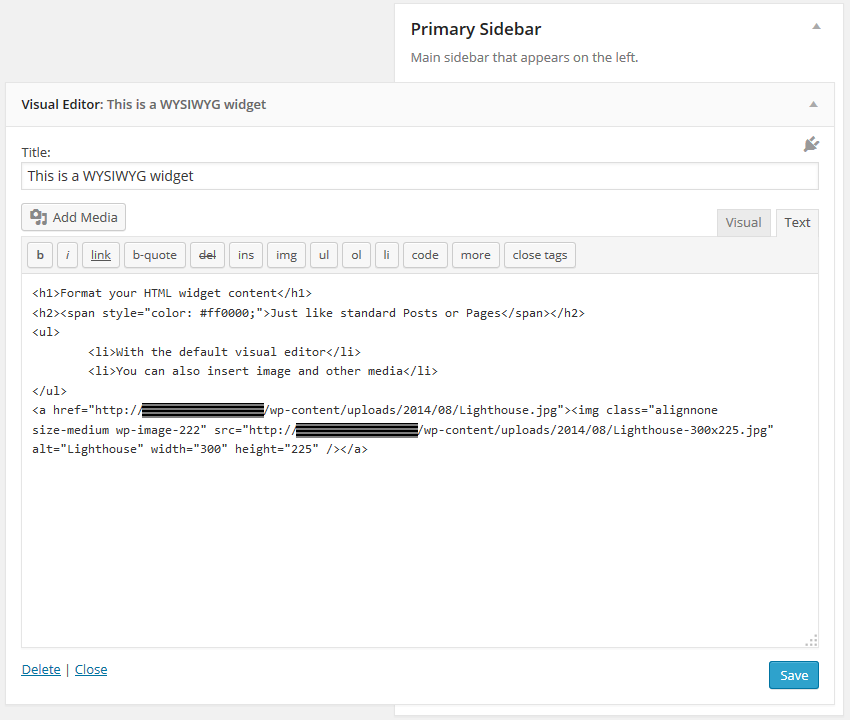
- Switch between Visual mode and HTML mode (including Quicktags toolbar)
- Insert images, videos, and other media from WordPress Media Library
- Insert links to existing WordPress pages/posts or external resources
- Support for shortcodes, smilies and embed in widget text (including preview)
- Support for the Block-based Widgets Editor introduced with WordPress 5.8
- Support for Customizer with live preview and quick edit
- Support for widgets accessibility mode
- Compatible with multi-site (WordPress networks)
- Compatible with the most common multi-language plugins
- Compatible with Page Builder plugin by SiteOrigin
- Translations available in 20+ languages
Advanced Features
These features are what makes this plugin better than the WordPress (4.8+) native widget:
- Full featured TinyMCE Visual Editor (the same you have for pages and posts)
- Wide text area for an enhanced editing experience
- Compatible with 3rd party TinyMCE customization plugins (TinyMCE Advanced, WP Edit, …)
- Support for distraction-free (fullscreen) editing mode
- Option to “Automatically add paragraphs” to widget text
About the plugin
The story of the plugin was featured in a talk at WordCamp Europe 2018 in Belgrade.
See the video Once upon a time, there was a plugin… on WordPress.tv.
Links
- Author’s web site
- Plugin’s page
- FAQ
- Support forum
- Follow us on Twitter, Facebook, LinkedIn and GitHub
Get involved
- Developers can contribute to the source code on our GitHub repository.
- Translators can contribute through the Official WordPress Translation platform.
- Users can contribute by leaving a 5 stars review or making a donation.
Installation
This section describes how to install and use the plugin.
- Install automatically through the
Pluginsmenu andAdd Newbutton (or upload the entireblack-studio-tinymce-widgetfolder to the/wp-content/plugins/directory) - Activate the plugin
- Go to
Appearance=>Widgets - Drag and drop the
Visual Editorwidget to the desired sidebar (or, if using Accessibility mode, click theAddlink) - Fill in title and (rich) text
Note: the plugin doesn’t have nor requires any settings.
Frequently asked questions
Purpose of the plugin
This plugin gives you the ability to use the WordPress visual editor (TinyMCE) in widgets as you do in posts and pages, but it doesn’t affect the editor behavior itself or its functionalities. If you are looking for additional editor features, take a look at plugins like WP Edit, TinyMCE Advanced or any other feature specific plugin you may need. Any additional TinyMCE plugin written following WordPress guidelines should work fine with Black Studio TinyMCE Widget.
Troubleshooting
If you are experiencing issues with the plugin please read entirely these FAQ before posting a new topic in our support forum. Most of the times issues are caused by incompatibility with other plugins or themes, which may prevent our plugin from working as expected. In order to troubleshoot issues please complete the following steps: First, ensure you have understood the purpose of the plugin. What this plugin does is to give you the ability to use the WordPress visual editor (TinyMCE) in widgets as you do in posts and pages, but it doesn’t alter the editor behavior itself or its…
Can’t find it in my available widgets
Since version 1.3.1 the name of the widget changed from Black Studio TinyMCE Widget to Visual Editor to enhance user-friendliness. Black Studio TinyMCE Widget is still the name of the plugin, but it was a bit too long and not very intuitive for inexperienced users. You may find references to the old name in articles and videos on the web, so don’t panic if you don’t see the Black Studio TinyMCE Widget in your available widgets, just look for Visual Editor. Note: if you are using WordPress in a language other than English you may have a corresponding name translated into your language.
Widgets disappeared after migrating or changing the site URL
When dealing with a WordPress site URL change it is necessary to face the serialized fields issue: data may become corrupted if using a simple search/replace (see the Codex for further info). This is not an issue specifically related to our plugin, but it affects all the parts (plugins, themes and WordPress core files too) that use serialized data archiving. When changing the site URL, the recommended way is to use the Search and Replace for WordPress Databases Script, as suggested by the Codex.
How to translate widgets using WPML
WPML is the leading commercial plugin for WordPress multi-language sites. If you’re using WPML v3.8 or newer and you need to translate a widget, we recommend to create a separate widget for each language of your site and assign the language to each widget accordingly using the selector “Display on language” provided by WPML. This way you will be able to work with the visual editor also for translations. For older versions of WPML (up to 3.7.x), we recommend to install the 3rd party WPML Widgets plugin, which provides the same feature described above, that was not available natively on WPML…
How to embed video and other contents
WordPress has a nice autoembed feature that allows you to embed videos and other stuff in an easy way, by just putting the URL in the content area. This is also possible for widgets created with this plugin. If you are using a version of WordPress prior to 4.0 or a version of Black Studio TinyMCE Widget prior to 2.0, for best results it is recommended to put the URL inside an [embed] shortcode. Example: [embed]https://www.youtube.com/watch?v=XXXXXXXXXXX[/embed] Ensure that the URL has not a hyperlink. Alternatively, if you don’t want to use [embed] shortcode, ensure that the URL is not…
How to customize widget appearance
The appearance of widgets in the frontend depends on both CSS and HTML. This plugin does not insert any additional CSS to your website frontend, so if you need to customize the styling you’ll have to do at theme level, or you have to insert explicitly insert in your widget using the Text / HTML mode (this option is not recommended though). As for the HTML, most of the markup is controlled by WordPress and by the theme. The HTML output of a widget includes the following parts: {before_widget} {before_title} {title} {after_title} {before_text} {text} {after_text} {after_widget} which can be…
How to customize widget contents (using hooks)
You may alter widget title and text via code using the widget_title and widget_text filter hooks (see Codex for details). The plugin also internally uses widget_text filter to apply specific features: icl_t (priority 2): applies WPML translation (called only if WPML is activated on the site). autoembed (priority 4): converts embed urls to relevant embed codes. convert_smilies (priority 6): converts text equivalent of smilies to images. wpautop (priority 8): applies paragraphs automatically (if the relevant option is selected). do_shortcode (priority 10): processes the shortcodes. If for any…
Plugin’s data storage and cleanup
The widgets data are stored in serialized format inside a record in the wp_options table having option_name = 'widget_black-studio-tinymce'. Widget data storage is handled by WordPress and not directly by the plugin. The widgets data are intentionally kept in the database upon plugin deactivation/deletion to avoid content loss. Additionally, the plugin may save some user preferences in the wp_usermeta table, in particular, the records having s key with the prefix _bstw. If you want to totally remove the plugin including its data, just uninstall it and then remove the above records from the…
Changelog
Important: Always ensure to backup your database before upgrading.
2.7.4 (2026-08-19)
- Updated compatibility info with WordPress 7.1
- Updated minimum required WordPress version to 5.0
- Removed donation link
2.7.3 (2024-07-07)
- Updated compatibility info with WordPress version
2.7.2 (2022-07-05)
- Fixed compatibility issue with Toolset Types WYSIWYG fields
2.7.1 (2022-07-01)
- Fixed issue on Media Library with new Block-based Widgets Editor
2.7.0 (2021-10-27)
- Added compatibility with Block-based Widgets Editor (WordPress 5.8)
2.6.9 (2019-07-10)
- Fixed compatibility issue with WP Page Widget plugin
Screenshots

For developers
Is this your plugin? Show off the numbers.
Add a live badge to your site, docs or GitHub README. It updates on its own — no account needed.
Best Black Studio TinyMCE Widget alternatives
All editor plugins →





FAQ
Black Studio TinyMCE Widget: quick answers
Straight answers, pulled from live WordPress.org data.
Live data from WordPress.org · checked Sep 26, 2026
Is Black Studio TinyMCE Widget free?
Yes. Black Studio TinyMCE Widget is free to download and use from the official WordPress.org plugin directory.
Is Black Studio TinyMCE Widget safe to use in 2026?
Yes — Black Studio TinyMCE Widget is a safe, well-maintained plugin to use in 2026. It runs on 200K+ sites, is rated 4.8/5 and was last updated 1 month ago, and scores 87/100 on our health check.
How many websites use Black Studio TinyMCE Widget?
Black Studio TinyMCE Widget is active on 200K+ WordPress websites and has been downloaded 11,271,873 times since it launched in November 2011. It was downloaded 37,757 times in the last 30 days.
Does Black Studio TinyMCE Widget work with WordPress 7.1?
Yes. The developer has tested Black Studio TinyMCE Widget up to WordPress 7.1.2, the latest release. It requires WordPress 5.0 or newer.
What PHP version does Black Studio TinyMCE Widget need?
Black Studio TinyMCE Widget requires PHP 5.2 or higher. Most hosts run PHP 8.x today, so it works on any modern WordPress hosting.
When was Black Studio TinyMCE Widget last updated?
The latest version, 2.7.4, was released on August 20, 2026 (1 month ago).
Who makes Black Studio TinyMCE Widget?
Black Studio TinyMCE Widget is developed and maintained by Black Studio.
What are the best alternatives to Black Studio TinyMCE Widget?
The most popular alternatives to Black Studio TinyMCE Widget are Elementor Website Builder (10M+ installs), Classic Editor (8M+ installs) and Classic Widgets (2M+ installs).
Powered by PageForge
Want thousands of pages that rank like these? Build them in an afternoon.
This directory runs on the same engine as PageForge. Turn any spreadsheet, CSV or API into thousands of fast, SEO-ready WordPress pages — with schema, internal links and AI-written copy baked in.
- CSV, Google Sheets & API data sources
- AI content, schema & internal links per page
- Works with Elementor, Gutenberg, Yoast & Rank Math
- Free on WordPress.org — no credit card


