



bbPress
bbPress is forum software for WordPress.

Safe pick
Yes — bbPress is a safe, well-maintained plugin to use in 2026. It runs on 100K+ sites, is rated 3.9/5 and was last updated 5 days ago, and scores 87/100 on our health check.
- Proven at scale on 100K+ active sites
- Actively developed — last update 5 days ago
- Tested with the latest WordPress (7.1)
- Momentum — downloads up 941.3% vs the previous 30 days
How does it stack up?
Side-by-side on installs, updates, ratings & support



Daily downloads
Download spikes usually follow a new release — each site that auto-updates counts as a download.
Rankings
Where bbPress stands todayWordPress.org search rankings
Live position in the plugin search, top 100| Keyword | Position |
|---|---|
| discussion | #2 |
| forum | #4 |
| forums | #2 |
| support | #14 |
Version adoption
Share of active sites per release.
Rating breakdown
★★★★★★★★★★ 3.9 from 342 reviews
About bbPress
From the official readme · v2.6.18Description
Are you looking for a timeless, elegant, and streamlined discussion board? bbPress is easy to integrate, easy to use, and is built to scale with your growing community.
bbPress is intentionally simple yet infinitely powerful forum software, built by contributors to WordPress.
Developer Notes
Count updates in 2.6.17
bbPress now synchronizes its built-in public and hidden topic and reply counts, aggregate forum counts, and user contribution counts on bbp_transition_post_status at priority 10, after WordPress persists the new post status. When a topic crosses the public status boundary, its stored public reply count is applied to the forum aggregate instead of recounting every reply. The action receives the new status, old status, and WP_Post object. The bbp_pre_update_counts_on_transition_post_status filter can short-circuit the complete topic or reply count operation for custom status lifecycles or count storage.
The existing bbp_new_*, bbp_insert_*, bbp_trash_*, bbp_untrash_*, bbp_spam_*, bbp_unspam_*, bbp_approve_*, and bbp_unapprove_* topic and reply actions continue to fire with their existing arguments and timing. Their corresponding completed actions, such as bbp_trashed_*, also remain available. The public count helper functions also remain callable.
For topic and reply creation, the status transition occurs inside wp_insert_post(). The later bbp_new_* and bbp_insert_* actions therefore continue to run after status counts are updated and after bbPress stores its relationship metadata. Creation-specific integrations can remain on those actions.
For moderation, status-count synchronization occurs between the existing pre-transition action, such as bbp_spam_reply, and its completed action, such as bbp_spammed_reply. Extensions that need every persisted topic, reply, forum, and user status-count change should use bbp_transition_post_status at priority 11 or later. Completed moderation actions begin after those counts are finalized.
bbPress no longer attaches its built-in topic, reply, forum, and user status-count callbacks to the creation and moderation actions. Manually firing one of those actions without changing the post status therefore no longer updates those counts. Topic voice counts and engagements remain attached to the creation and completed moderation actions, so manually firing one of those actions can still recalculate voices and engagements without a status change. The priority-11 transition hook does not observe those later updates. Extensions that need both recalculations to finish can use priority 31 or later on the legacy action; bbPress runs engagement callbacks before voice-count callbacks. Count membership comes from the filtered public and non-public status arrays. Extensions that already maintain counts for custom statuses should remove duplicate count callbacks and keep the public and non-public arrays disjoint. The public increase and decrease convenience functions now validate the current topic or reply status; use the lower-level bump functions for an intentional numeric difference. Do not manually fire bbp_transition_post_status to simulate a write because its count callback trusts the supplied statuses as a completed database transition.
Permanent deletion does not produce a post-status transition. Its count maintenance continues through the existing bbp_deleted_topic and bbp_deleted_reply actions.
Count bump functions now use conditional metadata writes and bounded retries so simultaneous requests do not overwrite each other’s existing count changes. Existing bbPress count filters and the standard WordPress metadata filters and actions continue to run. A before-update metadata action may run more than once when a request loses a comparison and retries; its matching after-update action runs only for the successful write. The update-metadata short-circuit filter runs once for the bump call using its first sanitized candidate value. A user-count filter that changes the absolute result retains the previous absolute-update behavior and opts that call out of the atomic difference path.
WordPress metadata tables do not enforce unique object-and-key pairs, so simultaneous first-time inserts retain the same limitation as the core metadata API. A request can also exhaust the bounded retries under unusually high contention. An atomic bump applies a difference to its supplied stored or default value and is not a recount. The bbp_pre_bump_count_meta filter can short-circuit an update, the bbp_bump_count_meta_max_attempts filter controls the default limit of five write attempts, and the bbp_bump_count_meta_types filter controls the post, user, term, and comment metadata types supported by default. bbp_update_user_topic_count() and bbp_update_user_reply_count() accept an optional third $difference argument for this internal bump lifecycle; existing calls remain compatible.
Post-author changes and user deletion with post reassignment now reconcile affected user contribution, topic engagement, and voice counts. Moderator move, merge, and split operations also reconcile source, destination, and ancestor forum counts. Forum count updater functions accept an optional final argument for propagating a recount’s difference through ancestor totals; existing calls remain compatible. Forum reply recounts include public replies only when their parent topics are also public. A public reply beneath a non-public topic is excluded from the public forum total without being included in the pending, spammed, and trashed reply count. Topic engagement recounts honor filtered public topic and reply statuses, and preserve other term-backed relationships.
Subforum counts in 2.6.17
bbPress now maintains subforum counts when forums are trashed, restored, permanently deleted, or moved between parents. Recursive forum counts include public, private, and hidden subforums while excluding subforums with uncountable statuses. bbp_forum_query_subforum_ids() no longer inherits the broader bbp_get_all_child_ids result; extensions that customized subforum count membership through that lower-level filter should use bbp_forum_query_subforum_ids, bbp_get_countable_forum_statuses, or the forum-status filters. The new bbp_post_updated action receives the post ID, the updated WP_Post object, and the previous WP_Post object after any bbPress post type is updated.
The upgrade does not synchronously recount every forum. Sites with known stale metadata can selectively run the applicable count and engagement tools under Tools > Forums > Repair Forums. These tools can be expensive on large sites.
Installation
From your WordPress dashboard
- Visit ‘Plugins > Add New’
- Search for ‘bbPress’
- Activate bbPress from your Plugins page. (You will be greeted with a Welcome page.)
From WordPress.org
- Download bbPress.
- Upload the ‘bbpress’ directory to your ‘/wp-content/plugins/’ directory, using your favorite method (ftp, sftp, scp, etc…)
- Activate bbPress from your Plugins page. (You will be greeted with a Welcome page.)
Once Activated
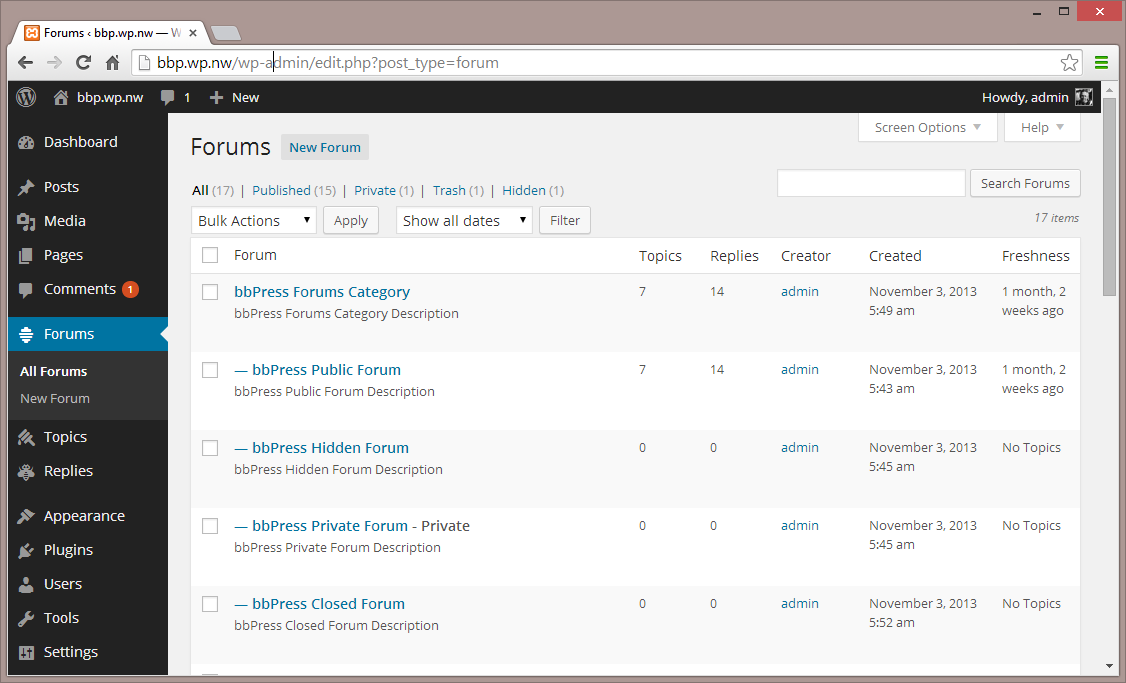
- Visit ‘Forums > Add New’ and create some forums. (You can always delete these later.)
- If you have pretty permalinks enabled, visit example.com/forums/, or if you do not have pretty permalinks enabled, visit example.com?post_type=forum
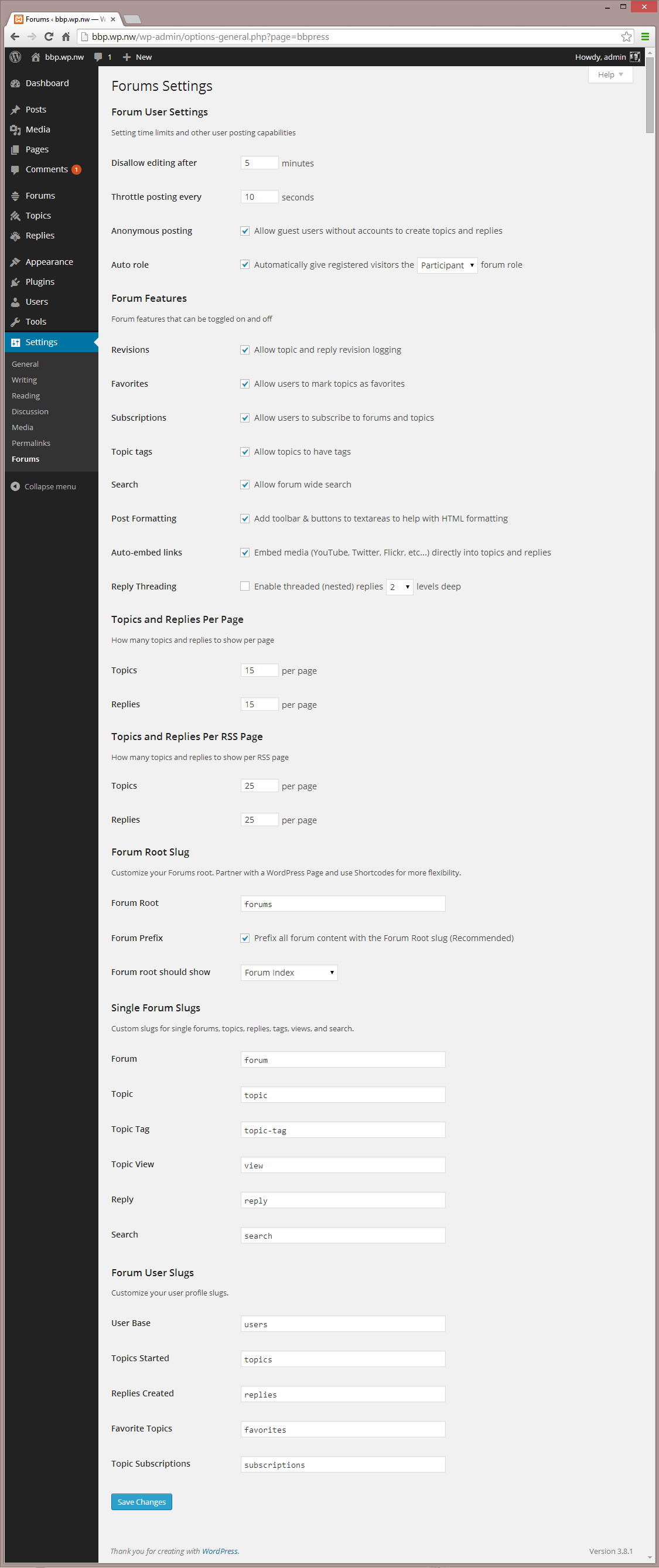
- Visit ‘Settings > Forums’ and configure the settings to best match the needs of your community.
- Visit ‘Tools > Forums > Import Forums’ if you have an existing forum to convert to bbPress.
Once Configured
- bbPress comes with a robust theme-compatibility API that does its best to make bbPress look and feel right with just-about any WordPress theme. You may need to adjust some styling on your own to make everything look pristine.
- You may want to customize the register/activation/sign-in/lost-password flows, to better suit your site. bbPress comes with a bevy of shortcodes to make this possible, listed here: https://codex.bbpress.org/shortcodes/
- bbPress also comes with built-in support for Akismet and BuddyPress, two very popular and very powerful WordPress plugins. If you’re using either, visit your Forum Settings page and ensure that integration appears correct.
Changelog
Requires PHP 7.2. Improves first-login password upgrades for imported users, including sites where the source forum database is no longer available. Corrects PHPWind topic counts and restores Super Moderator edit links on front-end user screens.
Check out the releases page
Screenshots
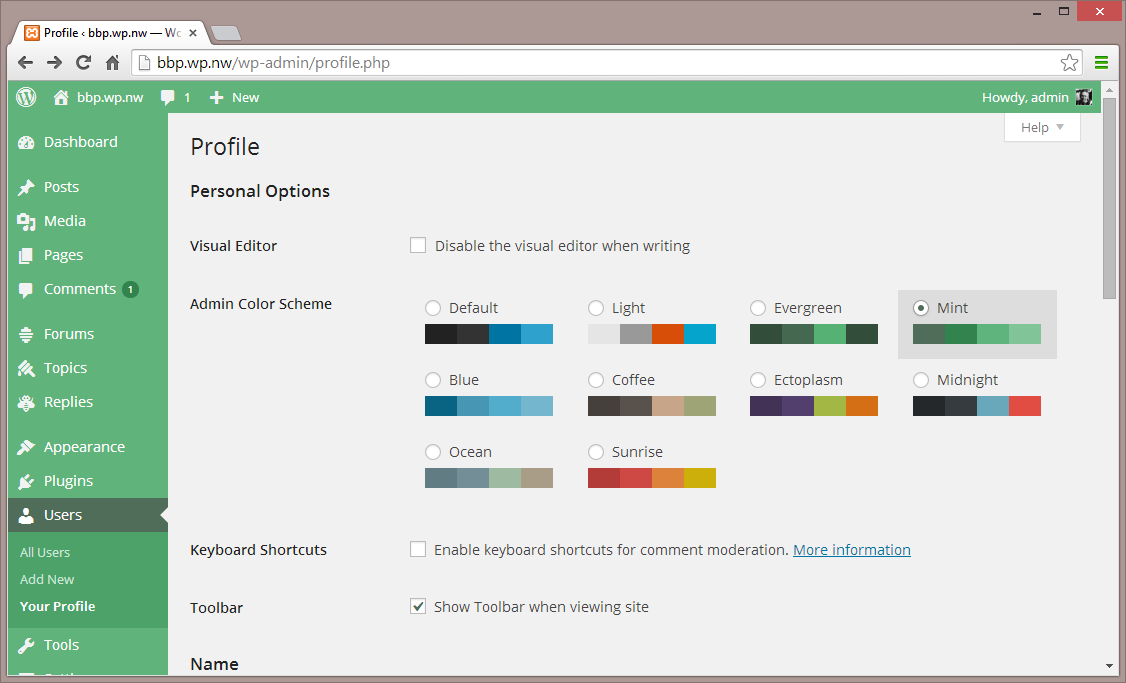
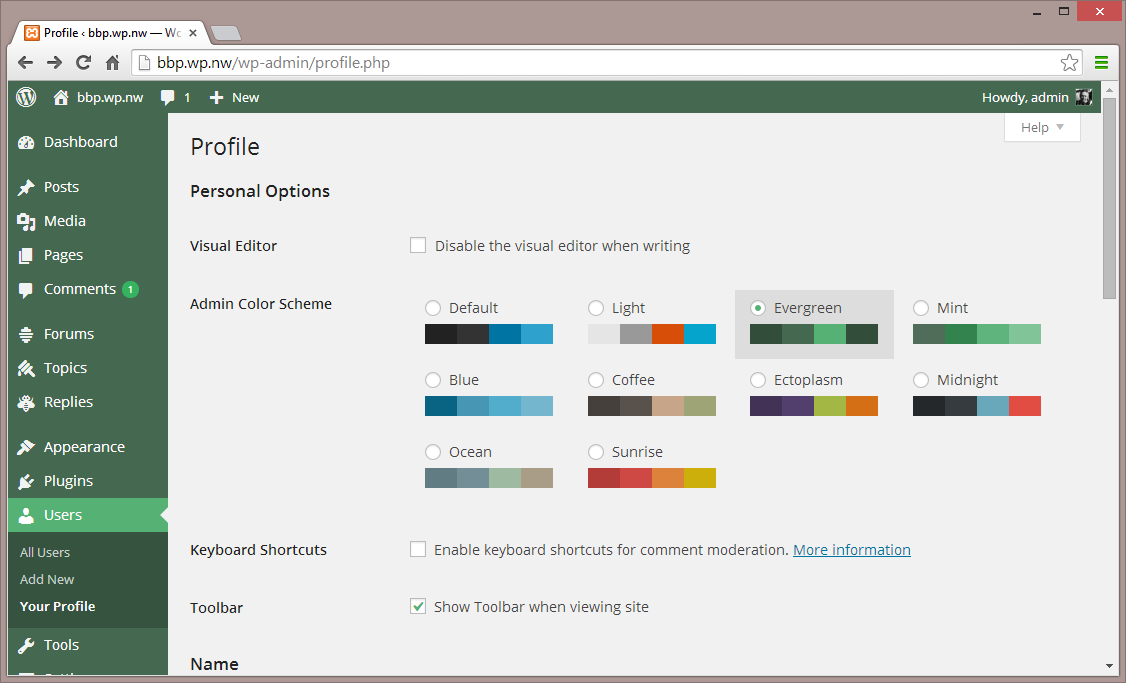
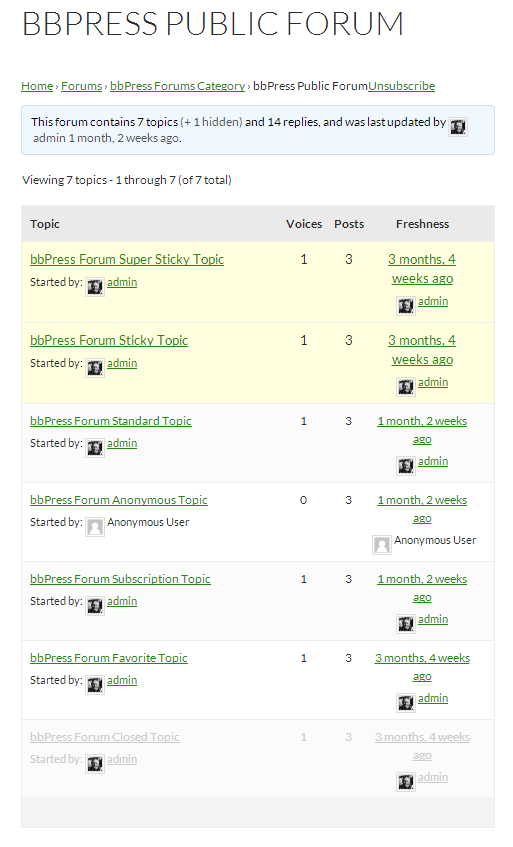
For developers
Is this your plugin? Show off the numbers.
Add a live badge to your site, docs or GitHub README. It updates on its own — no account needed.
Best bbPress alternatives
All discussion plugins →




FAQ
bbPress: quick answers
Straight answers, pulled from live WordPress.org data.
Live data from WordPress.org · checked Sep 26, 2026
Is bbPress free?
Yes. bbPress is free to download and use from the official WordPress.org plugin directory.
Is bbPress safe to use in 2026?
Yes — bbPress is a safe, well-maintained plugin to use in 2026. It runs on 100K+ sites, is rated 3.9/5 and was last updated 5 days ago, and scores 87/100 on our health check.
How many websites use bbPress?
bbPress is active on 100K+ WordPress websites and has been downloaded 9,508,504 times since it launched in January 2010. It was downloaded 162,385 times in the last 30 days.
Does bbPress work with WordPress 7.1?
Yes. The developer has tested bbPress up to WordPress 7.1.2, the latest release. It requires WordPress 6.0 or newer.
What PHP version does bbPress need?
bbPress requires PHP 7.2 or higher. Most hosts run PHP 8.x today, so it works on any modern WordPress hosting.
When was bbPress last updated?
The latest version, 2.6.18, was released on September 21, 2026 (5 days ago).
Who makes bbPress?
bbPress is developed and maintained by John James Jacoby.
What are the best alternatives to bbPress?
The most popular alternatives to bbPress are Asgaros Forum (10K+ installs), No Page Comment (10K+ installs) and Disable Comments (9K+ installs).
Powered by PageForge
Want thousands of pages that rank like these? Build them in an afternoon.
This directory runs on the same engine as PageForge. Turn any spreadsheet, CSV or API into thousands of fast, SEO-ready WordPress pages — with schema, internal links and AI-written copy baked in.
- CSV, Google Sheets & API data sources
- AI content, schema & internal links per page
- Works with Elementor, Gutenberg, Yoast & Rank Math
- Free on WordPress.org — no credit card


