


BajBulk Catalog Editor
Fast and reliable bulk editor for WooCommerce products. Bulk edit titles, prices, stock, duplicate products, and import/export CSV files.

Use with caution
BajBulk Catalog Editor works, but test it on a staging site before relying on it in 2026. Was last updated 2 months ago, and scores 55/100 on our health check.
- Small user base (<10 active installs)
- Very few reviews so far
How does it stack up?
Side-by-side on installs, updates, ratings & support



Daily downloads
Download spikes usually follow a new release — each site that auto-updates counts as a download.
Rankings
Where BajBulk Catalog Editor stands todayWordPress.org search rankings
Live position in the plugin search, top 100| Keyword | Position |
|---|---|
| bulk edit | >100 |
| bulk editor | >100 |
| price manager | >100 |
| stock manager | >100 |
| woocommerce | >100 |
About BajBulk Catalog Editor
From the official readme · v1.0.0Description
BajBulk Catalog Editor gives you full control over your WooCommerce product catalog directly from an intuitive, lightning-fast dashboard. Designed for stores of all sizes, it makes product updates, price adjustments, stock management, and CSV data migration quick, reliable, and frictionless.
Key Features
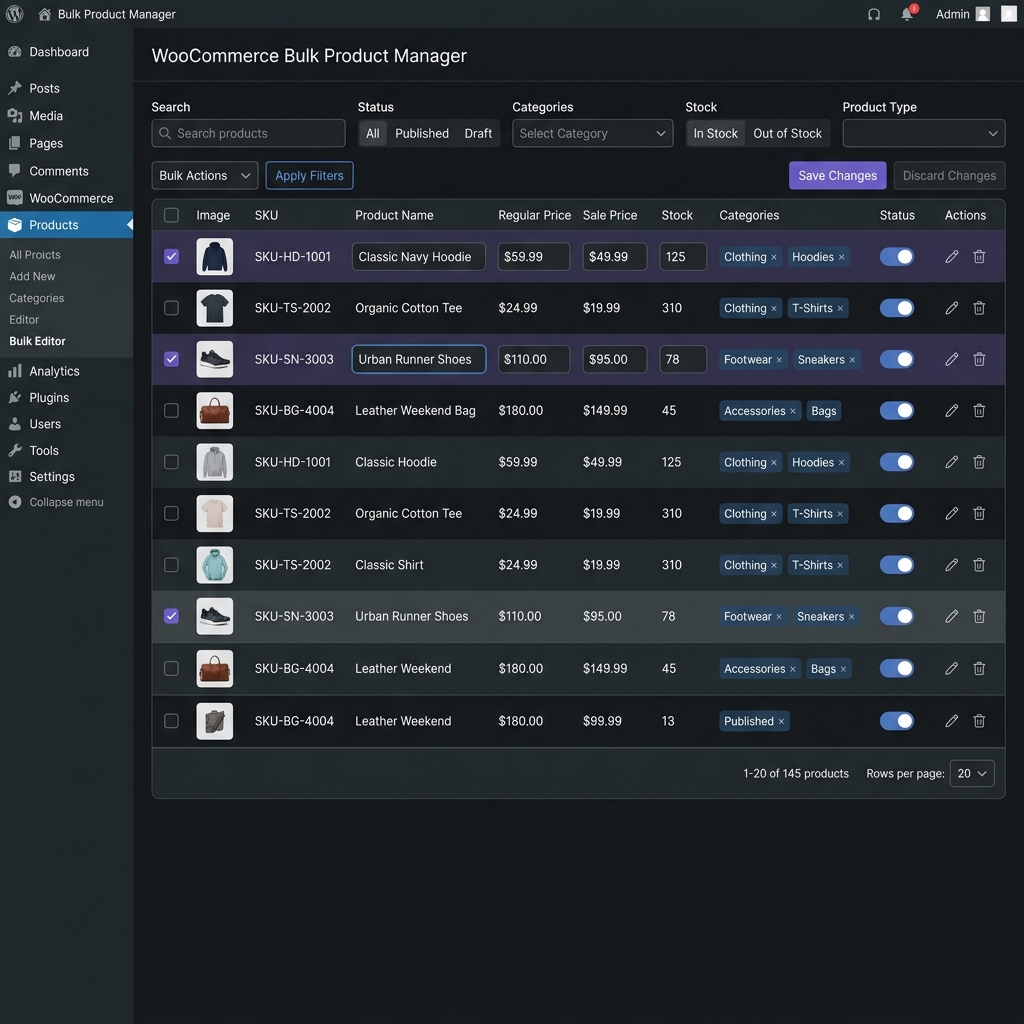
- Fast Inline Table Editor: Edit product titles, SKUs, regular prices, sale prices, stock quantity, stock status, categories, and post statuses directly in the table with instant autosave.
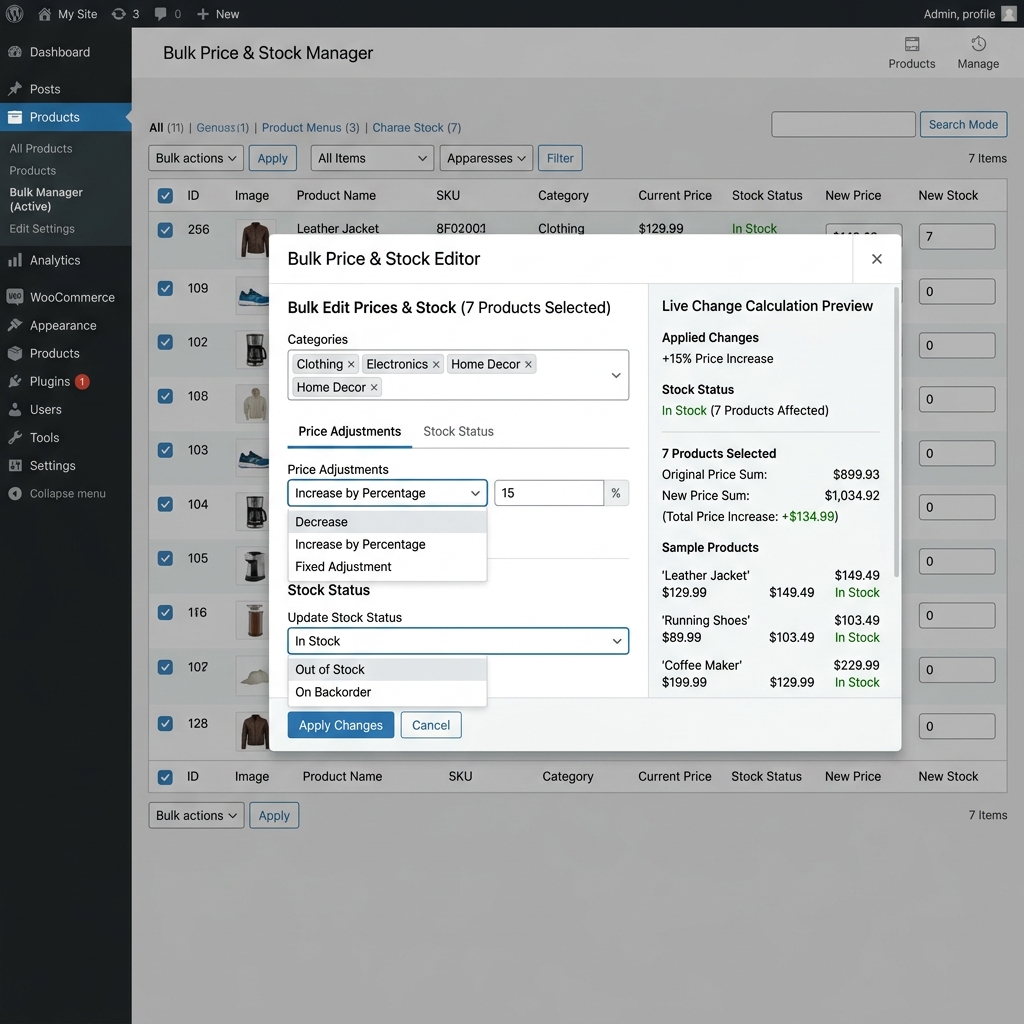
- Bulk Price Adjustments: Increase or decrease regular and sale prices by percentage (%) or fixed amount, set flat prices, and schedule or clear sale prices.
- Bulk Stock Manager: Update stock levels, increase/decrease inventory counts, and toggle stock statuses (In Stock, Out of Stock, On Backorder) in batches.
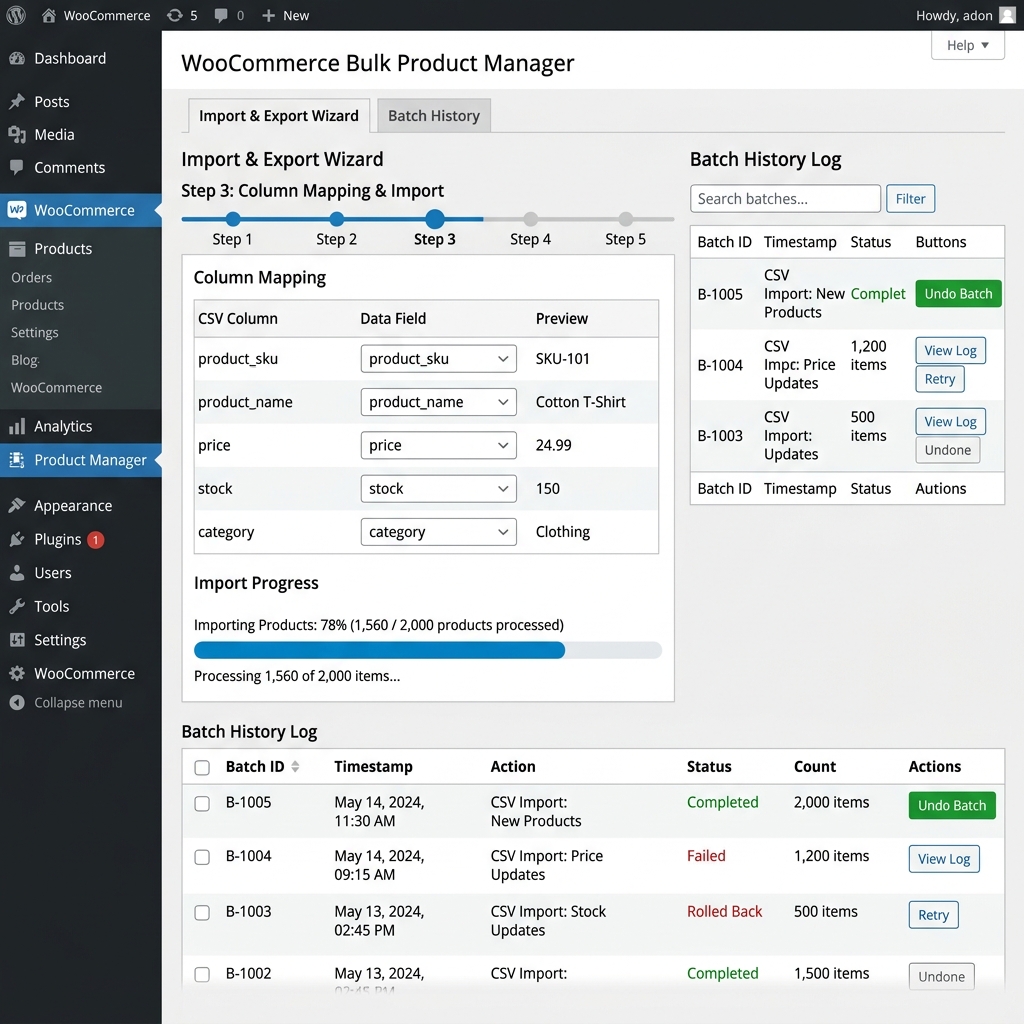
- CSV Import & Export Wizard: Export filtered selections or entire catalogs with custom column mapping. Import products with live validation.
- 1-Click Product Duplicator: Clone single or multiple products with automatic SKU generation and taxonomy preservation.
- Advanced Multi-Filter & Search: Filter products by keyword, SKU, category, tag, price range, stock status, and product type.
- High Performance: Built with AJAX-based pagination to handle small and large WooCommerce catalogs smoothly without memory issues.
- WooCommerce HPOS Compatible: Officially declared compatible with WooCommerce High-Performance Order Storage (HPOS) and Cart/Checkout Blocks.
Installation
- Upload the
bajbulk-catalog-editorfolder to your/wp-content/plugins/directory, or install it via WordPress Admin (“Plugins” -> “Add New” -> “Upload Plugin”). - Activate the plugin through the ‘Plugins’ menu in WordPress.
- Navigate to WooCommerce -> Bulk Editor in your WordPress admin dashboard.
Frequently asked questions
Does this plugin work with variable products?
Yes! Variable products and variations can be filtered, viewed, and edited directly within the inline editor.
Does this plugin support CSV Import and Export?
Yes, a full CSV Import and Export wizard with custom column mapping is included directly in the plugin.
Is this compatible with High-Performance Order Storage (HPOS)?
Yes, the plugin officially declares compatibility with WooCommerce HPOS.
Changelog
1.0.0
- Initial public release on WordPress.org.
- Inline product table editor with AJAX autosave.
- Bulk price adjustments (Percentage & Fixed).
- Bulk stock management and inventory updates.
- CSV Import and Export wizard.
- 1-Click product duplicate functionality.
- Full WooCommerce HPOS compatibility.
Screenshots
For developers
Is this your plugin? Show off the numbers.
Add a live badge to your site, docs or GitHub README. It updates on its own — no account needed.
Best BajBulk Catalog Editor alternatives
All bulk edit plugins →





FAQ
BajBulk Catalog Editor: quick answers
Straight answers, pulled from live WordPress.org data.
Live data from WordPress.org · checked Oct 16, 2026
Is BajBulk Catalog Editor free?
Yes. BajBulk Catalog Editor is free to download and use from the official WordPress.org plugin directory.
Is BajBulk Catalog Editor safe to use in 2026?
BajBulk Catalog Editor works, but test it on a staging site before relying on it in 2026. Was last updated 2 months ago, and scores 55/100 on our health check.
How many websites use BajBulk Catalog Editor?
BajBulk Catalog Editor is active on <10 WordPress websites and has been downloaded 165 times since it launched in August 2026. It was downloaded 60 times in the last 30 days.
Does BajBulk Catalog Editor work with WordPress 7.1?
BajBulk Catalog Editor is officially tested up to WordPress 7.0.7, while the latest release is 7.1.3. It may still work, but try it on a staging site first.
What PHP version does BajBulk Catalog Editor need?
BajBulk Catalog Editor requires PHP 7.4 or higher. Most hosts run PHP 8.x today, so it works on any modern WordPress hosting.
When was BajBulk Catalog Editor last updated?
The latest version, 1.0.0, was released on August 19, 2026 (2 months ago).
Who makes BajBulk Catalog Editor?
BajBulk Catalog Editor is developed and maintained by bajtimes.
What are the best alternatives to BajBulk Catalog Editor?
The most popular alternatives to BajBulk Catalog Editor are Quick Featured Images (50K+ installs), BEAR (30K+ installs) and ACF Quick Edit Fields (30K+ installs).
Powered by PageForge
Want thousands of pages that rank like these? Build them in an afternoon.
This directory runs on the same engine as PageForge. Turn any spreadsheet, CSV or API into thousands of fast, SEO-ready WordPress pages — with schema, internal links and AI-written copy baked in.
- CSV, Google Sheets & API data sources
- AI content, schema & internal links per page
- Works with Elementor, Gutenberg, Yoast & Rank Math
- Free on WordPress.org — no credit card


