



B5 Persona – Personality Assessments
Add Big Five personality assessments and illustrated results to your WordPress site.

Solid choice
B5 Persona is a solid plugin choice in 2026, with a few things worth checking first. Was last updated 1 week ago, and scores 64/100 on our health check.
- Actively developed — last update 1 week ago
- Tested with the latest WordPress (7.1)
- Small user base (<10 active installs)
- Very few reviews so far
How does it stack up?
Side-by-side on installs, updates, ratings & support



Daily downloads
Download spikes usually follow a new release — each site that auto-updates counts as a download.
Rankings
Where B5 Persona stands todayWordPress.org search rankings
Live position in the plugin search, top 100| Keyword | Position |
|---|---|
| assessment | #62 |
| big five | #27 |
| personality | #50 |
About B5 Persona – Personality Assessments
From the official readme · v0.5.18Description
Help visitors discover their personality type on your own WordPress site.
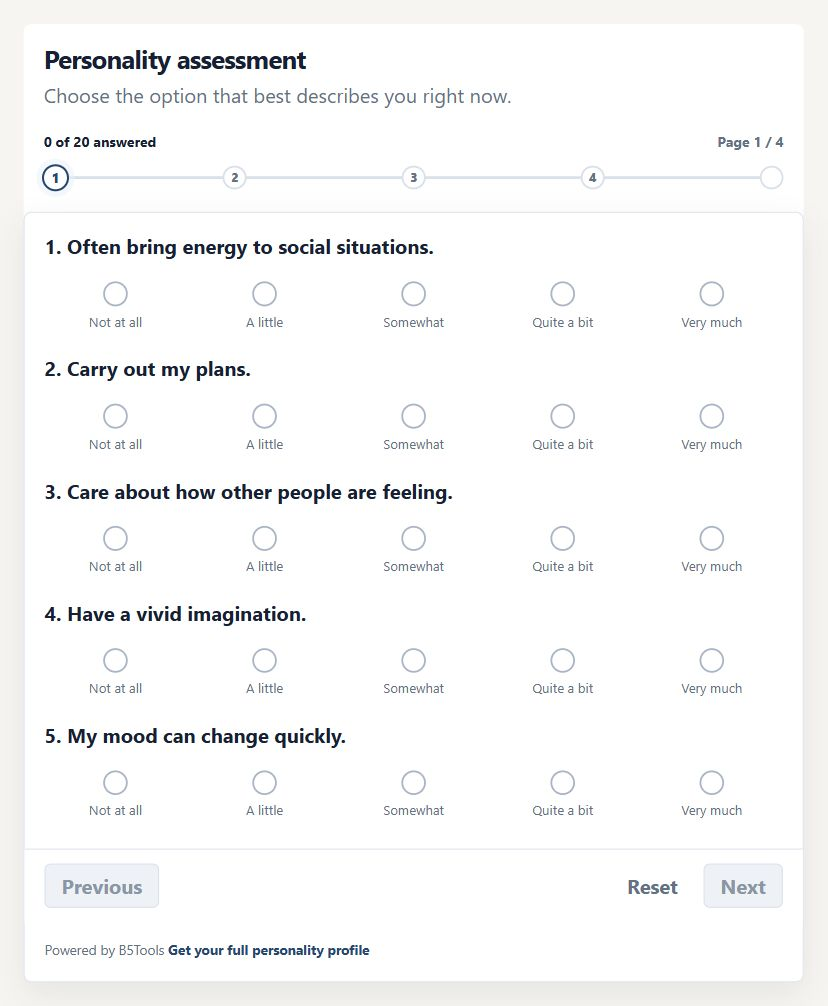
B5 Persona adds a short Big Five-based assessment, with 20 questions and an
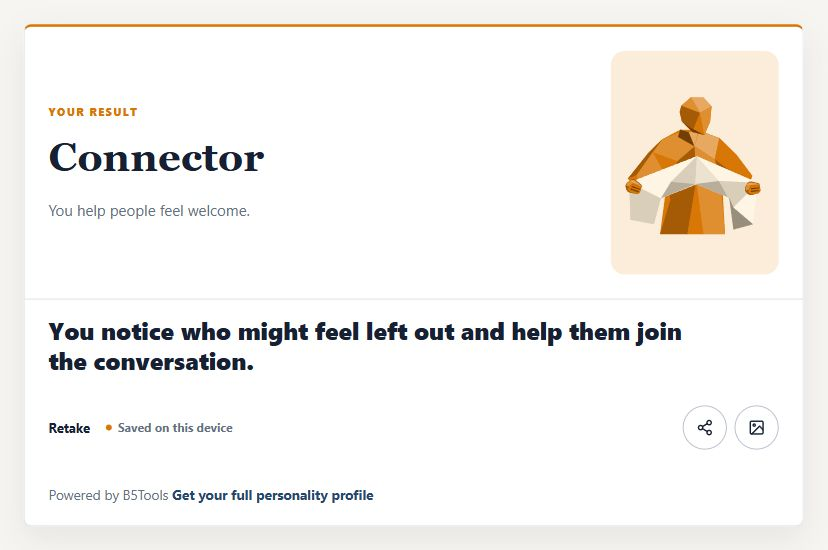
illustrated result at the end.
Use it to start coaching conversations, add a self-reflection activity to a
course, or offer an interactive resource for your community. Visitors can also
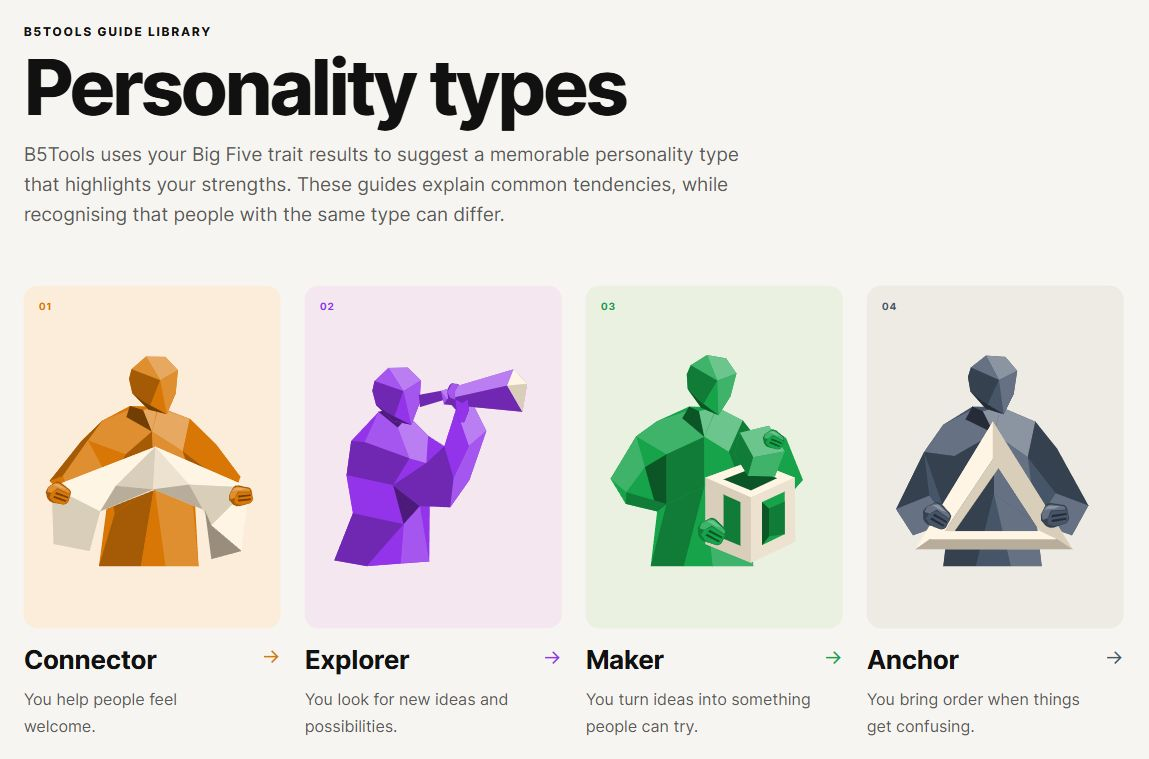
explore eight illustrated type guides to learn more about different tendencies
and strengths.
What you get for free
- A 20-question assessment with clear, step-by-step navigation.
- Illustrated personality type results and eight guides you can publish on your site.
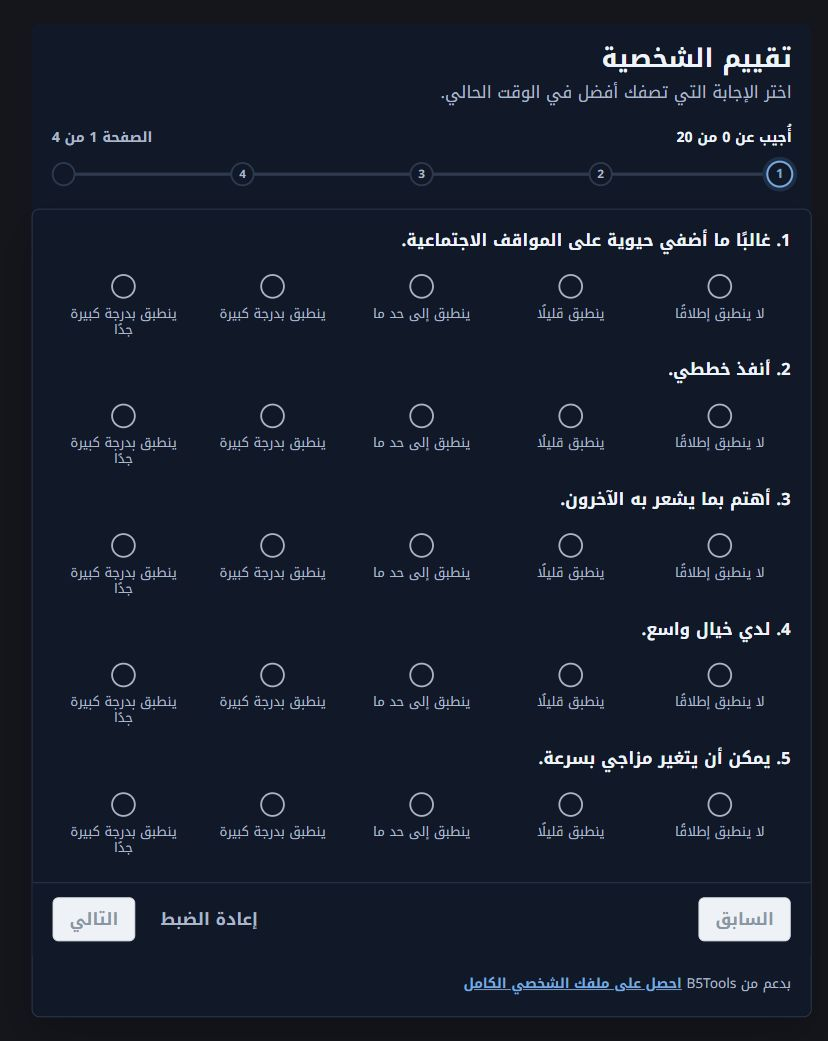
- English and Arabic, including right-to-left layouts.
- Mobile-friendly layouts with light and dark appearance options.
- Optional result sharing and downloadable result images.
- Progress and the latest result remembered in the same browser when browser storage is enabled.
- Counts of assessment views, starts and completions in your WordPress dashboard.
Publish your first assessment
Install B5 Persona, connect your free B5Tools account, then add the B5Tools
Assessment block or [b5tools_assessment] shortcode to a page. You can also choose
a page for the personality type library.
The free B5Tools plan includes 100 assessments each month for one connected
site. B5Tools supplies the questions and scores the answers through its hosted
service, so a B5Tools account and an internet connection are required.
When you need more
B5Tools Pro adds branded PDF reports, email follow-ups, saved member result
history, CRM connections, WooCommerce recommendations and more detailed
analytics. These features require the separate Pro add-on and a hosted Pro plan.
External services
B5 Persona depends on the hosted B5Tools service at https://b5tools.ly. A B5Tools
account and an outbound HTTPS connection are required to connect a site, load
assessment content, score completed assessments, check plan features, and send
service diagnostics.
When an administrator connects the plugin, it sends site and account metadata
needed to create and verify the connection, including the site URL or domain,
plugin version, and connection credentials. When a visitor takes an
assessment, the plugin sends the assessment answers to B5Tools for scoring.
Raw answers are not saved in the B5Tools application database by default.
B5Tools may retain operational metadata such as request time, credential
prefix, environment, normalized site or domain, quota use, event type, and
error or diagnostic details. Metadata telemetry does not include raw answers,
visitor names, email addresses, or full trait vectors.
Optional lead capture, result email, CRM, automation, webhook, analytics, and
saved-result features are controlled by the WordPress site operator. Their
data is stored or sent through WordPress and the services the operator chooses,
as described in the plugin settings and the operator’s own privacy notice.
The hosted service is operated by GLORIAPR LTD.
Service: https://b5tools.ly
Terms: https://b5tools.ly/legal/terms
Privacy: https://b5tools.ly/legal/privacy
Subprocessors: https://b5tools.ly/legal/subprocessors
Contact: hello@b5tools.ly
Copyright and source
Copyright 2026 GLORIAPR LTD. Plugin code and original B5Tools artwork are
distributed under GPLv2 or later. Full text: LICENSE.txt
Interface SVG icons adapted from Lucide and Feather:
Copyright 2026 Lucide Icons and Contributors; Copyright 2013-present Cole Bemis.
Licenses: ISC and MIT. Full text: assets/icons/LICENSE-lucide.txt
Source: https://github.com/lucide-icons/lucide
Noto Kufi Arabic fonts: Copyright 2022 The Noto Project Authors.
License: SIL Open Font License 1.1. Full text: assets/fonts/OFL.txt
Source: https://github.com/notofonts/arabic
Personality characters, result previews and logos are original B5Tools artwork
and are distributed under GPLv2 or later. No Pro implementation is bundled.
Readable PHP and JavaScript source is included in this plugin package.
Installation
- Upload and activate the plugin.
- Go to the B5 Persona admin menu.
- Confirm the detected WordPress domain and connect the site to B5Tools.
- Add [b5tools_assessment] to a page.
For an existing b5tools-wp beta installation, deactivate Pro and the old Free
plugin first. Install and activate B5 Persona, then update Pro to 1.0.6 or later
and activate it. Existing settings, shortcodes and saved records are retained.
Remove the inactive old Free copy after checking the new installation.
Frequently asked questions
Will visitors see B5Tools credits or external profile links?
You choose. B5Tools credits and profile links are off by default. Enable them under B5 Persona > Data & Privacy if you want to display them.
What happens to my settings and saved data if I uninstall the plugin?
Uninstalling B5 Persona or B5Tools Pro keeps shared settings and records in WordPress. Uninstalling a package does not erase that data.
Changelog
0.5.18
- Enqueue the admin menu icon CSS through the WordPress styles API.
- Place the plugin menu after the core WordPress admin items and preserve menu separators.
- Remove the inaccessible repository link; readable runtime source remains in the ZIP.
- Use the directory translation domain in the block editor and retain the bundled Arabic fallback.
0.5.17
- Use the B5 Persona name and b5-persona directory identity for WordPress.org.
- Retain existing B5Tools shortcodes, connection settings and saved data.
- Match the directory text domain and retain Arabic translations.
- Coordinate the new dependency with the private B5Tools Pro 1.0.6 add-on.
0.5.16
- Require owner opt-in before displaying B5Tools credits and external profile links to visitors.
- Escape bundled SVG output with a restricted allowlist and use prepared database identifiers.
- Improve translation extraction, directory metadata and bundled resource licensing.
- Require WordPress 6.2 for prepared SQL identifier support; verify compatibility with WordPress 7.1.
0.5.15
- Show installed Pro status and subscription management instead of the promotional demo when B5Tools Pro is active.
- Identify the installed Pro version in the header and retain both package versions in the footer and diagnostics.
- Explain the separate live and development allowances; keep upgrade previews out of installed Pro recovery screens.
- Keep native checkboxes hidden inside styled toggles, including disabled WooCommerce controls, while retaining keyboard focus.
0.5.14
- Return safe English and Arabic visitor messages for backend outages and unexpected responses; keep raw diagnostics in the admin connection screen.
- Add assessment retry and expired-page recovery; keep answers available after a failed result request.
0.5.13
- Identify the assessment plugins as B5Tools Free and B5Tools Pro in installation labels.
Screenshots
For developers
Is this your plugin? Show off the numbers.
Add a live badge to your site, docs or GitHub README. It updates on its own — no account needed.
Best B5 Persona alternatives
All assessment plugins →




FAQ
B5 Persona – Personality Assessments: quick answers
Straight answers, pulled from live WordPress.org data.
Live data from WordPress.org · checked Oct 26, 2026
Is B5 Persona free?
Yes. B5 Persona is free to download and use from the official WordPress.org plugin directory.
Is B5 Persona safe to use in 2026?
B5 Persona is a solid plugin choice in 2026, with a few things worth checking first. Was last updated 1 week ago, and scores 64/100 on our health check.
How many websites use B5 Persona?
B5 Persona is active on <10 WordPress websites and has been downloaded 112 times since it launched in October 2026. It was downloaded 116 times in the last 30 days.
Does B5 Persona work with WordPress 7.1?
Yes. The developer has tested B5 Persona up to WordPress 7.1.3, the latest release. It requires WordPress 6.2 or newer.
What PHP version does B5 Persona need?
B5 Persona requires PHP 7.4 or higher. Most hosts run PHP 8.x today, so it works on any modern WordPress hosting.
When was B5 Persona last updated?
The latest version, 0.5.18, was released on October 18, 2026 (1 week ago).
Who makes B5 Persona?
B5 Persona is developed and maintained by B5Tools.
What are the best alternatives to B5 Persona?
The most popular alternatives to B5 Persona are PressPrimer Quiz (200+ installs), Rating Assessor (20+ installs) and Quiz Builder by WiVi (20+ installs).
Powered by PageForge
Want thousands of pages that rank like these? Build them in an afternoon.
This directory runs on the same engine as PageForge. Turn any spreadsheet, CSV or API into thousands of fast, SEO-ready WordPress pages — with schema, internal links and AI-written copy baked in.
- CSV, Google Sheets & API data sources
- AI content, schema & internal links per page
- Works with Elementor, Gutenberg, Yoast & Rank Math
- Free on WordPress.org — no credit card


