



B5 Kickstart Companion
Import the B5 Kickstart theme demo, choose your pages and personalise the content for your site.

Solid choice
B5 Kickstart Companion is a solid plugin choice in 2026, with a few things worth checking first. Was last updated 1 day ago, and scores 64/100 on our health check.
- Actively developed — last update 1 day ago
- Tested with the latest WordPress (7.1)
- Small user base (<10 active installs)
- Very few reviews so far
Daily downloads
Download spikes usually follow a new release — each site that auto-updates counts as a download.
About B5 Kickstart Companion
From the official readme · v0.1.9Description
B5 Kickstart Companion is the demo importer for the B5 Kickstart WordPress
theme. Import the demo pages and articles you need to give your coaching
website a ready-made starting point.
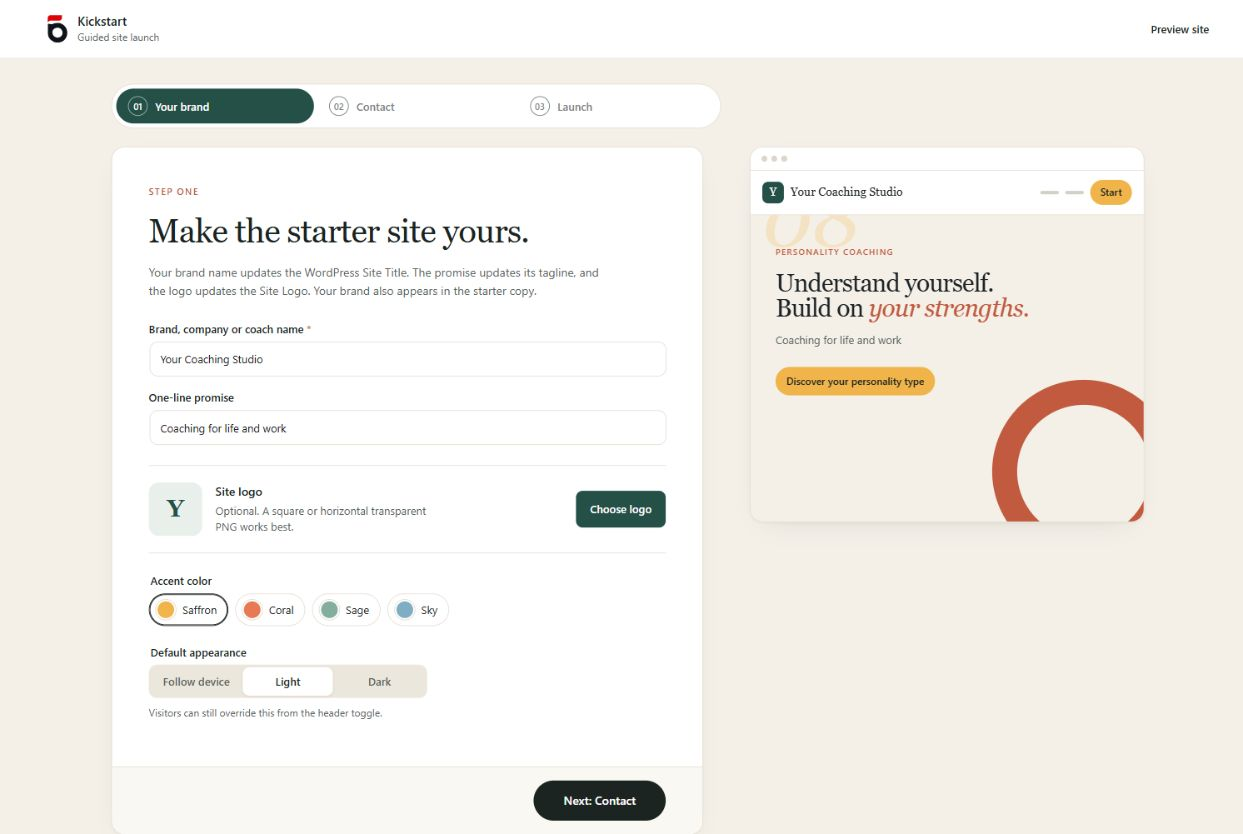
Add your name, logo, colours and public contact details in the guided setup.
Review the imported pages as drafts, replace the sample copy with your own and
publish when you’re ready.
Set up the demo your way
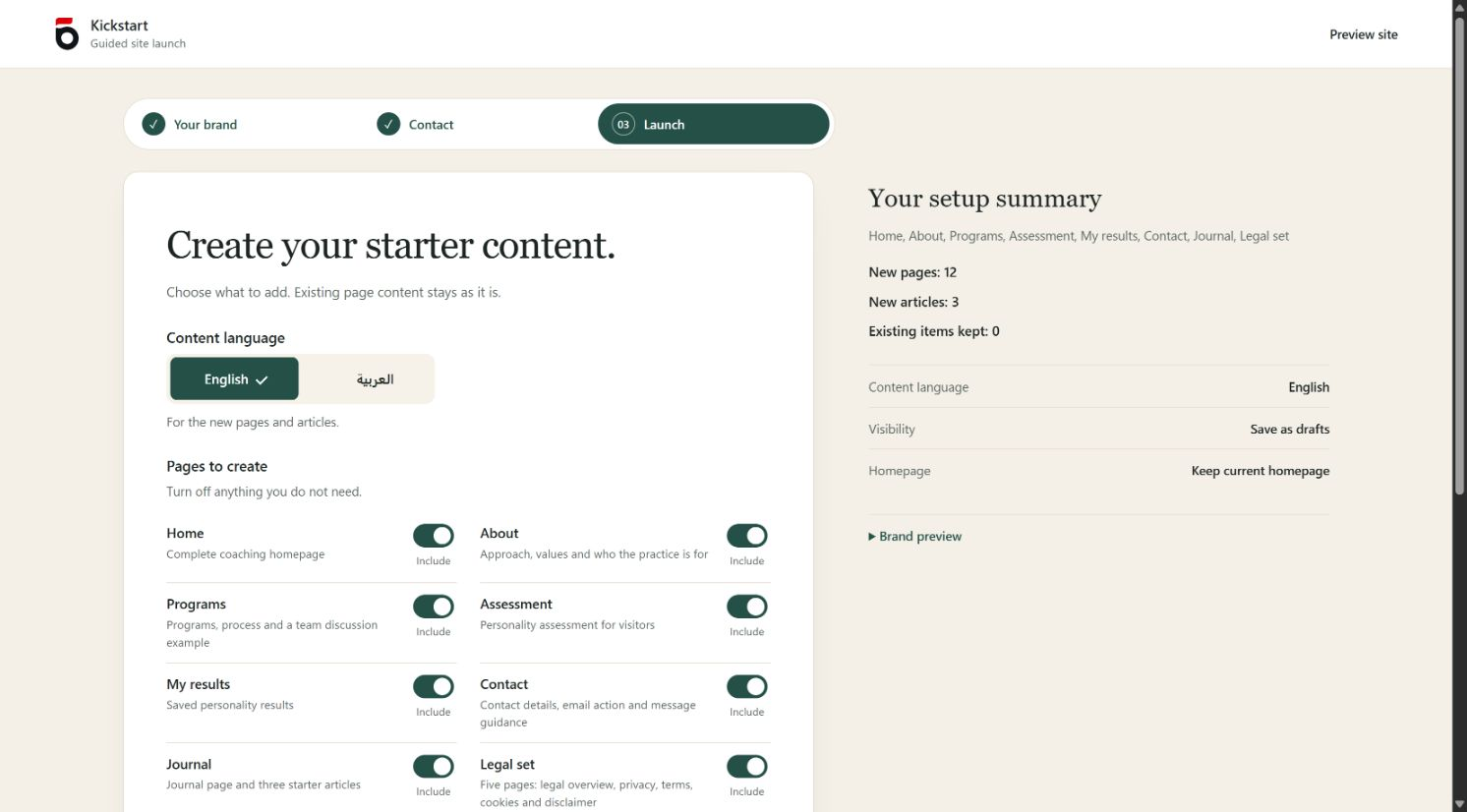
- Choose demo pages for your coaching practice, including Home, About, Programs and Contact.
- Add a Journal page with three articles you can edit for your audience.
- Personalise your branding and see a live preview as you make changes.
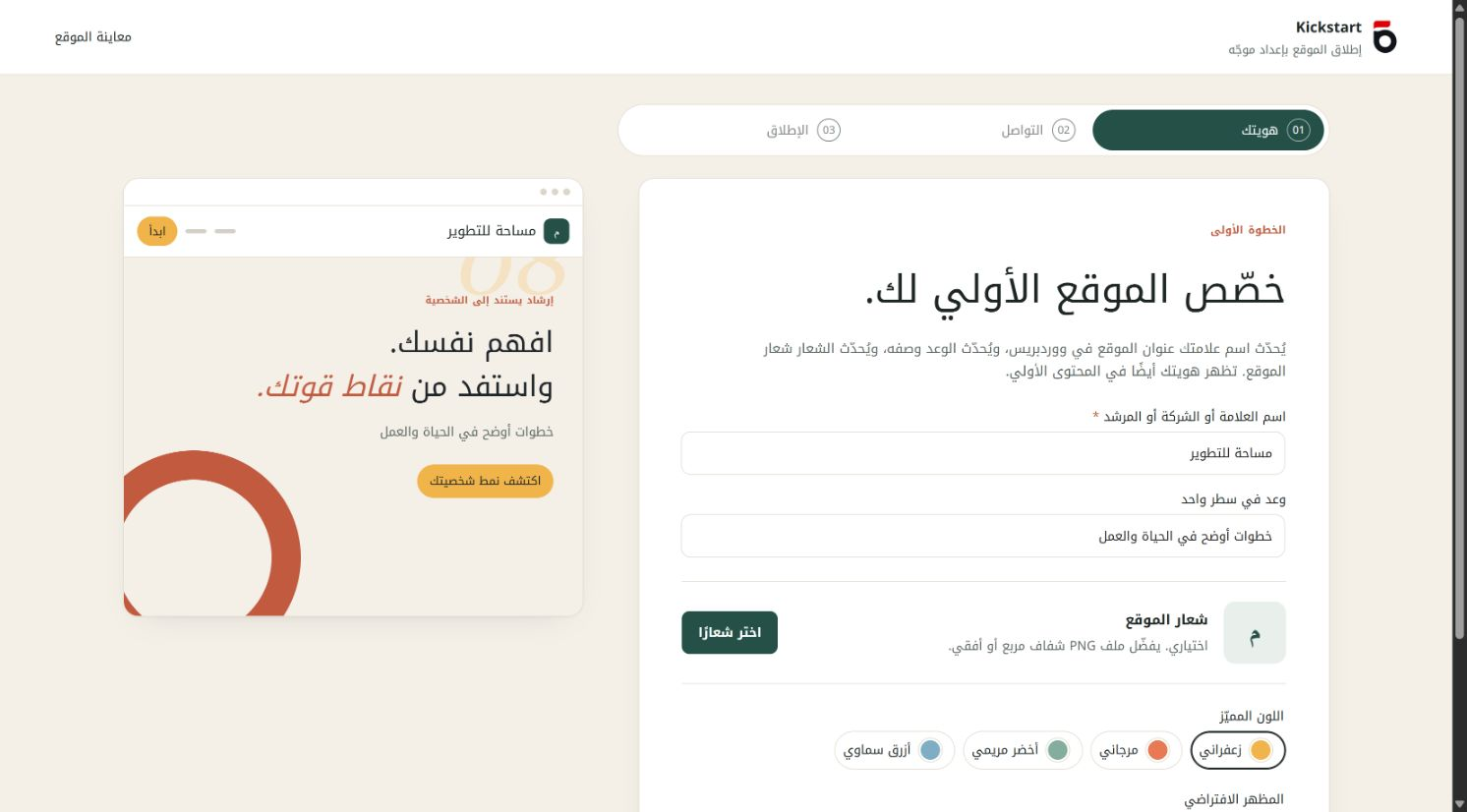
- Import English demo content, or Arabic content with the Companion Arabic language pack installed.
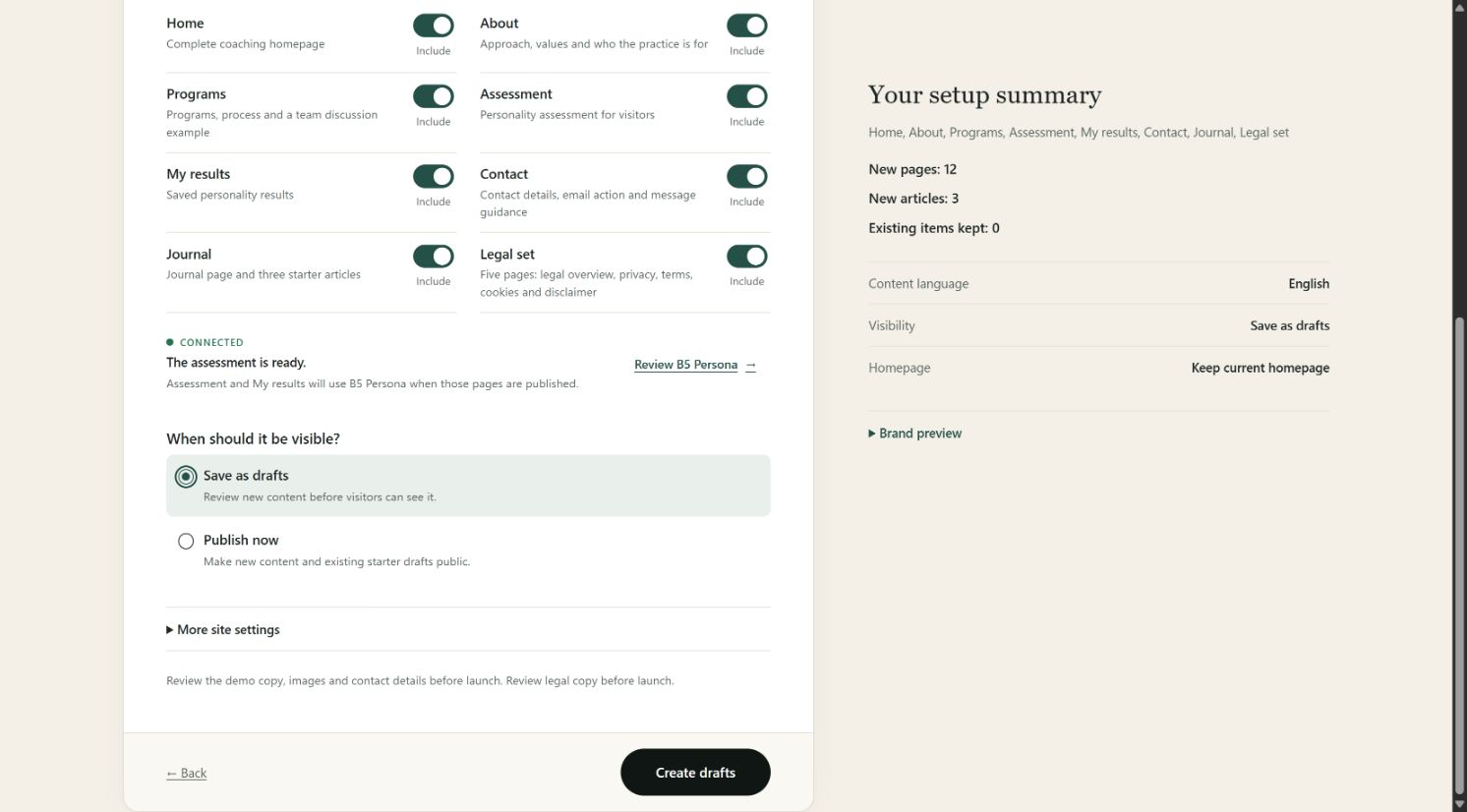
- Save new content as drafts for review, or publish it when you’re ready.
- Choose whether the demo Home page becomes your site’s homepage.
- Include optional assessment, saved-results and legal-page templates.
Assessment and saved-results pages use the separate B5 Persona plugin. Legal
pages are editable starting points to adapt to your business.
Made for the B5 Kickstart theme. Activate B5 Kickstart, or a child theme based
on it, then open Appearance > Kickstart Setup to choose and import your demo
content.
Installation
- Install and activate the B5 Kickstart theme.
- Upload this plugin ZIP under Plugins > Add Plugin > Upload Plugin.
- Activate the plugin, then open Appearance > Kickstart Setup.
- Choose your content language and pages, then select Create drafts or Create and publish.
Frequently asked questions
Does installing the plugin create demo content?
No. Content is created only after the owner submits the setup form.
Can I review the content before publishing?
Yes. Select Save as drafts to review new content before visitors can see it.
Will updating replace copy on pages I already imported?
Updating the plugin or running setup again keeps existing copy. To apply the latest copy to previously imported demo pages and articles, use Refresh existing demo copy in Appearance > Kickstart Setup. Select the items to replace and confirm the replacement. This also replaces edits within the selected titles and text. Their URLs, publication status and featured images stay the same. The previous copy is saved and can be restored under Restore saved copy.
Is the support email required?
Yes. Enter the public email visitors should use on your Contact and legal starter pages. New setups start with a blank field and an example placeholder; the WordPress administration email is not filled in automatically. An email previously saved in Kickstart Setup remains available when editing setup.
How do I use Arabic starter content?
Install the Companion Arabic language pack through Dashboard > Updates when it is available. Translations are delivered by WordPress.org. If the pack has not been installed or published yet, setup explains this before creating or refreshing Arabic content. English drafts and restoring saved copy remain available.
Which theme do I need?
B5 Kickstart, or a child theme based on it. This plugin imports that theme’s demo content and provides its guided setup.
Does importing the demo need a B5Tools account?
No account is needed to import the theme demo. If you also want personality assessments or saved results, install and connect B5 Persona separately. The optional assessment and saved-results shortcodes use B5 Persona if the site owner has installed and connected it. That separate plugin sends data to the hosted B5Tools service at https://b5tools.ly. This companion does not make its own service requests or require an account for starter content. Service terms: https://b5tools.ly/legal/terms Privacy: https://b5tools.ly/legal/privacy
Where can I find licensing and source information?
Copyright 2026 GLORIAPR LTD. Plugin code and original B5Tools artwork are distributed under GPLv2 or later. Full text: LICENSE.txt Interface SVG icons adapted from Lucide and Feather: Copyright 2026 Lucide Icons and Contributors; Copyright 2013-present Cole Bemis. Licenses: ISC and MIT. Full text: assets/icons/LICENSE-lucide.txt Source: https://github.com/lucide-icons/lucide Starter copy is original B5Tools content, distributed under GPLv2 or later. Theme images and fonts are supplied by the active theme and are not bundled with this plugin. See the theme readme for their attribution…
Changelog
0.1.9
- Sanitize assessment and saved-result embed output while preserving runtime mount attributes.
- Use WordPress.org language packs and keep translation catalogs out of the plugin ZIP.
- Prevent Arabic imports and copy refreshes from saving mixed-language content when the language pack is missing.
- Use distinct Companion prefixes while preserving existing setup records and shared theme metadata.
0.1.8
- Recognize the approved B5 Persona plugin and link to its WordPress.org listing.
- Update setup guidance to the approved plugin name while preserving existing integrations.
- Load bundled Arabic translations on init and remove an inaccessible repository link.
0.1.7
- Prepare directory metadata, resource licensing and submission documentation.
0.1.6
- Add an explicit refresh for selected imported demo pages and articles in their saved languages.
- Save the previous titles, text and excerpts before replacing them; provide a restore action.
- Preserve URLs, publication status, featured images and site settings during refresh.
0.1.5
- Clarify English and Arabic assessment/results pages and rewrite all three starter articles.
- Keep installation and connection guidance visible to site owners while giving visitors a contact action.
- Correct locale forwarding to the saved-results shortcode.
- Match setup descriptions and the preview to the revised demo; preserve existing imported content.
0.1.4
- Consolidate import completion into one compact result with an appropriate primary action.
- Show actual draft/public status, useful counts and the current homepage outcome.
- Show assessment page publication status without recommending an already completed connection step.
- Group demo/legal review reminders and place editing/removal under collapsed content management.
- Remove duplicate preview links and align completion content in English, Arabic and mobile layouts.
Screenshots
For developers
Is this your plugin? Show off the numbers.
Add a live badge to your site, docs or GitHub README. It updates on its own — no account needed.
FAQ
B5 Kickstart Companion: quick answers
Straight answers, pulled from live WordPress.org data.
Live data from WordPress.org · checked Oct 26, 2026
Is B5 Kickstart Companion free?
Yes. B5 Kickstart Companion is free to download and use from the official WordPress.org plugin directory.
Is B5 Kickstart Companion safe to use in 2026?
B5 Kickstart Companion is a solid plugin choice in 2026, with a few things worth checking first. Was last updated 1 day ago, and scores 64/100 on our health check.
How many websites use B5 Kickstart Companion?
B5 Kickstart Companion is active on <10 WordPress websites and has been downloaded 88 times since it launched in October 2026. It was downloaded 83 times in the last 30 days.
Does B5 Kickstart Companion work with WordPress 7.1?
Yes. The developer has tested B5 Kickstart Companion up to WordPress 7.1.3, the latest release. It requires WordPress 6.5 or newer.
What PHP version does B5 Kickstart Companion need?
B5 Kickstart Companion requires PHP 7.4 or higher. Most hosts run PHP 8.x today, so it works on any modern WordPress hosting.
When was B5 Kickstart Companion last updated?
The latest version, 0.1.9, was released on October 25, 2026 (1 day ago).
Who makes B5 Kickstart Companion?
B5 Kickstart Companion is developed and maintained by B5Tools.
Powered by PageForge
Want thousands of pages that rank like these? Build them in an afternoon.
This directory runs on the same engine as PageForge. Turn any spreadsheet, CSV or API into thousands of fast, SEO-ready WordPress pages — with schema, internal links and AI-written copy baked in.
- CSV, Google Sheets & API data sources
- AI content, schema & internal links per page
- Works with Elementor, Gutenberg, Yoast & Rank Math
- Free on WordPress.org — no credit card


