



AZC 3D Viewer
Connect WordPress to AZC, convert STEP CAD files, and embed interactive 3D models in posts and pages using shortcodes.

Solid choice
AZC 3D Viewer is a solid plugin choice in 2026, with a few things worth checking first. Was last updated 2 weeks ago, and scores 64/100 on our health check.
- Actively developed — last update 2 weeks ago
- Tested with the latest WordPress (7.1)
- Small user base (<10 active installs)
- Very few reviews so far
How does it stack up?
Side-by-side on installs, updates, ratings & support

Daily downloads
Download spikes usually follow a new release — each site that auto-updates counts as a download.
Rankings
Where AZC 3D Viewer stands todayWordPress.org search rankings
Live position in the plugin search, top 100| Keyword | Position |
|---|---|
| 3d | >100 |
| CAD | #45 |
| model viewer | >100 |
| shortcode | >100 |
About AZC 3D Viewer
From the official readme · v0.2.3Description
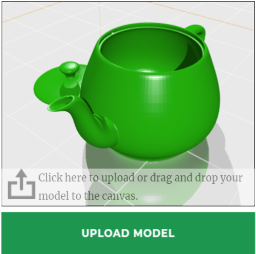
AZC connects your WordPress website to the AZC asset platform. Publish models from your workspace to a connected website, or upload STEP / STP and GLB files from the plugin dashboard.
STEP files are converted by the AZC service into web previews. Once a model is ready and authorized for your website, copy its shortcode into a post or page, or create a display-page draft directly from the dashboard.
Features:
- STEP / STP conversion and GLB previews through AZC.
- Workspace models authorized for a specific connected website.
- Uploads, conversion status, retries, and version updates for website-owned models.
- Reusable shortcodes with configurable width and height.
- Display-page drafts for review before publishing.
- Appearance and visitor-tool settings managed in AZC, including a configurable fullscreen button in the top-right corner of the viewer, subject to the workspace plan.
- Translation-ready dashboard that follows the WordPress user language when a language pack is installed.
- Existing embeds follow the model’s current version.
The plugin is free. An AZC account and website connection are required. The AZC Free plan supports website connections and model display; available quotas are determined by the workspace’s current plan. Paid service plans are optional and managed on AZC.
Three-dimensional display currently supports STEP / STP and GLB. PNG, JPEG, WebP, and PDF may also be uploaded as workspace file assets, but do not receive 3D model shortcodes.
External service: AZC
This plugin uses AZC for website connections, encrypted asset storage, CAD conversion, display authorization, and browser-based model rendering. It contacts the service URL configured by the administrator; the hosted service URL is https://azc3d.com/dataservice.
When the service is used:
- Connecting sends the website URL, website name, and one-time connection code.
- Uploading sends the selected file contents, filename, and the uploading WordPress user’s numeric ID to record the upload source.
- Dashboard actions request workspace plan, asset, grant, and conversion-job information using the stored connection credential.
- Saving a post containing an AZC shortcode sends its post ID, URL, and grant ID to associate the display with that page.
- Visitors opening an embedded model contact AZC’s embed page, viewer, and model-resource endpoints. These requests disclose the visitor’s IP address and normal HTTP request information; display requests and model traffic are recorded by the service.
Connection credentials remain on the WordPress server and are not placed in shortcodes or public pages. Uploaded files are stored by AZC rather than added to the WordPress Media Library. Deactivation, updates, and uninstall retain the local connection option for reinstalling on the same website and database. Remove it explicitly in AZC > Connection management before uninstalling, or set AZCONNECT_DELETE_DATA_ON_UNINSTALL to true in wp-config.php. Remote assets and website authorization must be managed in AZC.
Review the service policies before connecting:
English and Chinese illustrated guides are included in the plugin package as docs/USER-GUIDE.en.md and docs/USER-GUIDE.zh-CN.md.
Installation
- In WordPress, open Plugins > Add New > Upload Plugin. Upload the ZIP and activate AZC.
- Sign in to AZC and create a one-time connection code for the exact website URL shown on the plugin’s connection screen, including its scheme and any subdirectory.
- In WordPress > AZC, enter https://azc3d.com/dataservice (or your AZC service URL) and the one-time code. Connect the website.
- Authorize a model from the AZC asset library to the website, or upload STEP / STP or GLB from the plugin dashboard.
- Wait for the model to be ready, then enable display if needed.
- Choose Create display page to open a draft, or copy the shortcode into a Shortcode block in an existing post or page. Preview before publishing.
For manual updates, upload the newer plugin ZIP and replace the installed version. The plugin currently has no independent automatic update service.
Frequently asked questions
Which interface languages are available?
English is the default interface. Translations are distributed through translate.wordpress.org and require an available language pack. The dashboard follows the logged-in WordPress user language (Users > Profile > Language); Site Language under Settings > General provides the site default. The AZC Portal language is selected separately in its header. Viewer tool labels are managed by the deployed AZC viewer.
Do I need a paid AZC plan?
No. Free supports website connections and model display within the workspace’s quotas. Check Plans and usage in AZC for the current limits.
How do I embed a model?
Copy the code shown under the model, for example: [azconnect id="YOUR-DISPLAY-GRANT-UUID" width="100%" height="500"] Copy the generated shortcode into a Shortcode block. A grant can be reused on multiple pages of its authorized website.
What sizes are supported?
Width defaults to 100% of the parent content container. Positive numeric or px widths are clamped to 80-4096 pixels; percentages must be greater than 0 and at most 100%. The embed never exceeds its parent container. Height is in pixels, clamped to 160-1200, and defaults to 500. For a compact embed, use width=”200″ height=”200″. To make a model wider than the article column, adjust the WordPress page template or outer block width.
Can I hide the fullscreen button?
Yes. In AZC’s model appearance editor, open Scene > Visitor tools and change Show fullscreen button, then save. This controls the top-right fullscreen entry in website embeds and shares, subject to plan permissions. Zoom remains available through mouse-wheel and touch gestures.
Does creating a display page publish it immediately?
No. The plugin creates a draft for preview and manual publishing.
Can I update a model without changing every page?
Yes. Upload a new version of the corresponding website-owned asset, or update a platform-owned asset in AZC. Existing website grants and shortcodes follow the current version.
Can I test with a local WordPress site?
Yes. Use its exact website URL to create the connection code. The WordPress PHP process and the visitor browser must both be able to reach AZC over HTTPS. Domain, protocol, or subdirectory changes require a matching website connection.
Why does an upload fail?
Uploads are limited by the workspace’s per-file allowance, the plugin’s 50 MB ceiling, and PHP upload_max_filesize / post_max_size. Check these limits and the conversion status in the dashboard.
Do authorization and encryption prevent all extraction?
No. Authorization controls access to new requests, but a displayed model must be loaded in the visitor’s browser. Do not treat browser previews as unbreakable DRM.
What happens on uninstall?
From 0.1.8, the local connection setting is retained by default. Reinstall on the same website and database to reuse the original authorization without another connection code. Update to this version before uninstalling; older versions delete the setting. Changed website URLs or revoked remote authorizations require reconnecting. For a clean uninstall, choose Remove local connection in AZC > Connection management first, or add define('AZCONNECT_DELETE_DATA_ON_UNINSTALL', true); to wp-config.php. Remote assets and website grants remain managed in AZC. Shortcodes already present in posts are…
Changelog
0.2.3
- Update the hosted AZC service address and user documentation to azc3d.com.
- Package the complete shared runtime for standalone WordPress installation.
- Refresh the illustrated guides and directory screenshots with real PBR model demonstrations.
- Use the approved AZC 3D Viewer plugin name.
0.2.2
- Allow an HTTPS Local website to identify its origin to an explicitly enabled loopback HTTP AZC service. Remote-service referrer protection is unchanged.
0.2.1
- Distribute a standalone WordPress installation package with its complete runtime.
- Use a platform-specific ZIP name while keeping the azc-3d-viewer installation directory for updates.
0.1.8
- Retain site connection settings across uninstall and reinstall by default.
- Support explicit local connection removal and an opt-in clean uninstall through wp-config.php.
0.1.7
- Standardized plugin functions, stored settings, admin actions, scripts, and styles with the azconnect prefix.
- Migrated existing connection settings while retaining existing model shortcodes.
- Switched translation loading to the standard WordPress language-pack system; bundled PO and MO files are excluded from the installation ZIP.
0.1.6
- Improved escaping of error messages and validation of service URLs and upload metadata.
- Standardized the installation directory and translation domain as azc-3d-viewer.
- Updated bundled translation loading for WordPress.org and ZIP installations.
Screenshots


For developers
Is this your plugin? Show off the numbers.
Add a live badge to your site, docs or GitHub README. It updates on its own — no account needed.
Best AZC 3D Viewer alternatives
All 3d plugins →





FAQ
AZC 3D Viewer: quick answers
Straight answers, pulled from live WordPress.org data.
Live data from WordPress.org · checked Oct 20, 2026
Is AZC 3D Viewer free?
Yes. AZC 3D Viewer is free to download and use from the official WordPress.org plugin directory.
Is AZC 3D Viewer safe to use in 2026?
AZC 3D Viewer is a solid plugin choice in 2026, with a few things worth checking first. Was last updated 2 weeks ago, and scores 64/100 on our health check.
How many websites use AZC 3D Viewer?
AZC 3D Viewer is active on <10 WordPress websites and has been downloaded 111 times since it launched in October 2026. It was downloaded 121 times in the last 30 days.
Does AZC 3D Viewer work with WordPress 7.1?
Yes. The developer has tested AZC 3D Viewer up to WordPress 7.1.3, the latest release. It requires WordPress 6.0 or newer.
What PHP version does AZC 3D Viewer need?
AZC 3D Viewer requires PHP 8.0 or higher. Most hosts run PHP 8.x today, so it works on any modern WordPress hosting.
When was AZC 3D Viewer last updated?
The latest version, 0.2.3, was released on October 9, 2026 (2 weeks ago).
Who makes AZC 3D Viewer?
AZC 3D Viewer is developed and maintained by AZConnect.
What are the best alternatives to AZC 3D Viewer?
The most popular alternatives to AZC 3D Viewer are Panorama (2K+ installs), Easy 3D Viewer (1K+ installs) and 3D Viewer Block (1K+ installs).
Powered by PageForge
Want thousands of pages that rank like these? Build them in an afternoon.
This directory runs on the same engine as PageForge. Turn any spreadsheet, CSV or API into thousands of fast, SEO-ready WordPress pages — with schema, internal links and AI-written copy baked in.
- CSV, Google Sheets & API data sources
- AI content, schema & internal links per page
- Works with Elementor, Gutenberg, Yoast & Rank Math
- Free on WordPress.org — no credit card


