


Auto Update Post Date
Keep your WordPress content evergreen with Auto Update Post Date – a FREE simple WP plugin designed to effortlessly update your posts and boost SEO

Solid choice
Auto Update Post Date is a solid plugin choice in 2026, with a few things worth checking first. It runs on 2K+ sites, is rated 5/5 and was last updated 3 months ago, and scores 78/100 on our health check.
- Tested with the latest WordPress (7.1)
- Very few reviews so far
How does it stack up?
Side-by-side on installs, updates, ratings & support


Daily downloads
Download spikes usually follow a new release — each site that auto-updates counts as a download.
Rankings
Where Auto Update Post Date stands todayWordPress.org search rankings
Live position in the plugin search, top 100| Keyword | Position |
|---|---|
| auto | #11 |
| bulk | >100 |
| date | #5 |
| posts | >100 |
| update | #9 |
Version adoption
Share of active sites per release.
Rating breakdown
★★★★★★★★★★ 5 from 2 reviews
About Auto Update Post Date
From the official readme · v1.1.2Description
Keep your WordPress content evergreen with Auto Update Post Date – a simple WP plugin designed to effortlessly update your posts, boost SEO, and maintain credibility with your audience. Bid farewell to outdated information as Auto Update Post Date takes care of the heavy lifting for you! The plugin is completely FREE and open source so feel free to leave feature requests or contribute on GitHub.
Important: Always take a backup of your site before updating post dates. This action is irreversible and previous dates cannot be recovered once changed.
Key Features:
-
Scheduled Auto-Updates:
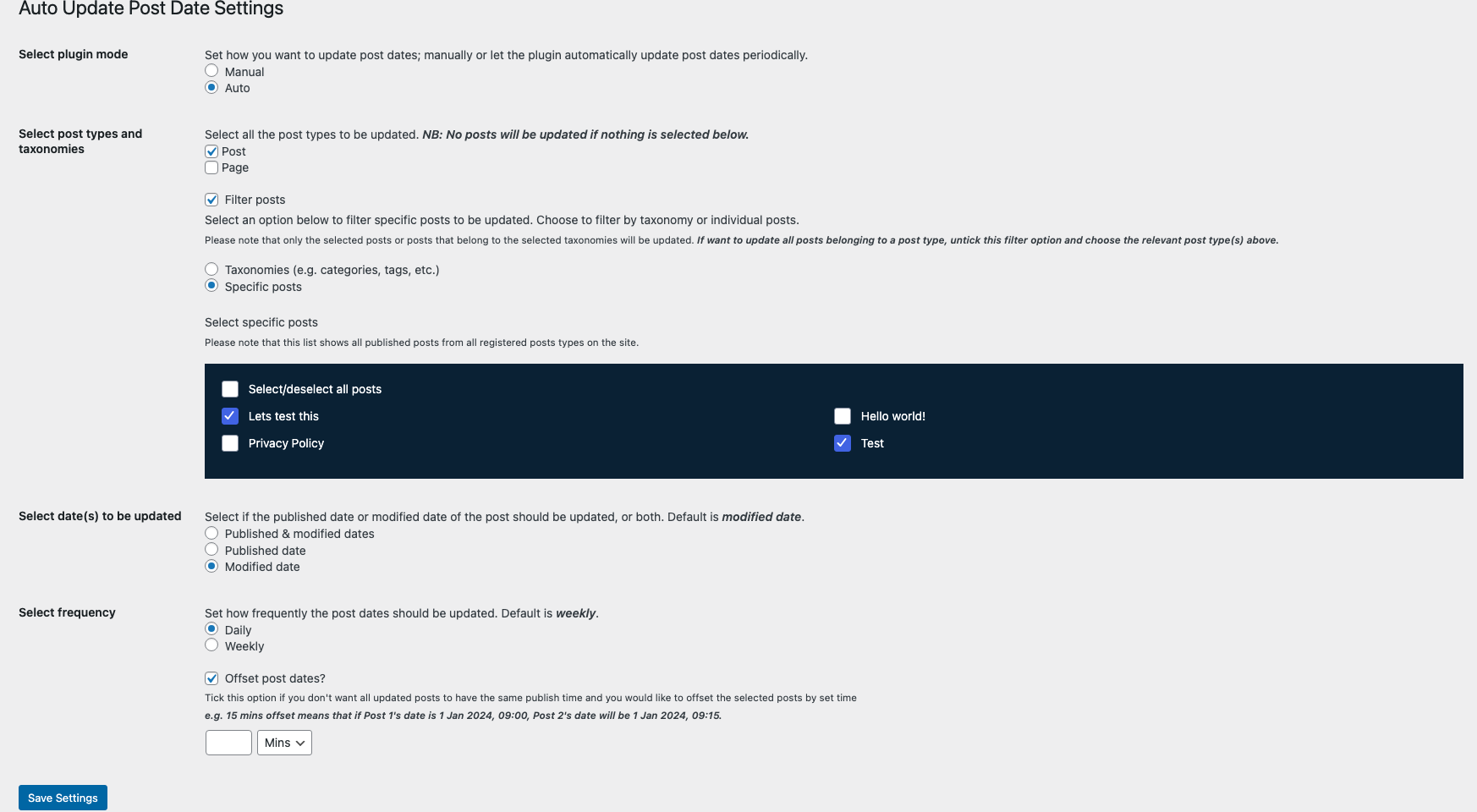
Set it and forget it! Auto Update Post Date allows you to schedule automatic updates for your posts at predefined intervals. Choose daily, weekly, or custom intervals to keep your content relevant without any manual effort. -
SEO-Friendly Refresh:
Stay ahead in search engine rankings by signaling freshness. Auto Update Post Date ensures search engines recognize your content as current, potentially boosting your visibility and organic traffic. -
Customizable Refresh Rules:
Tailor the plugin to fit your content strategy. Define rules based on post categories, tags, or specific criteria to control which posts receive automatic updates. You have the flexibility to prioritize the most critical content. -
Preserve Original Publication Date:
Maintain transparency with your audience by preserving the original publication date while updating the post behind the scenes. This feature helps build trust with your readers. -
Honest Content Refresh:
Build credibility and trust with your audience by periodically updating your content. Auto Update Post Date encourages users to add value and relevancy to their posts over time, ensuring a trustworthy and reliable source of information. -
User-Friendly Interface:
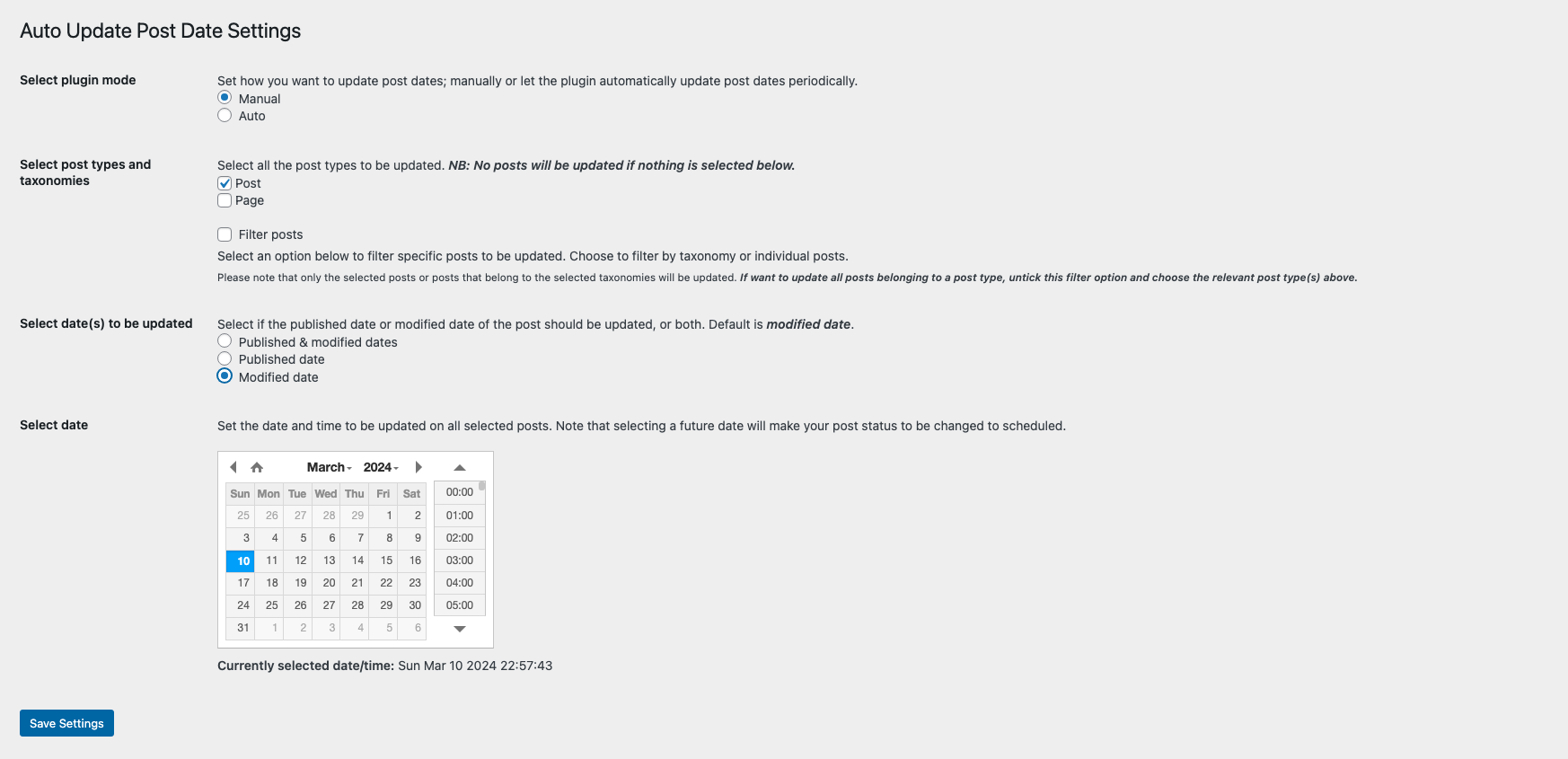
The plugin settings page makes it easy to set up, manage, and monitor your auto-update settings. Even if you’re new to WordPress plugins, Auto Update Post Date simplifies the process for you. -
Supports Custom Post Types:
Have custom post types on your site? Simply select your desired post type and what date you would like to update.
Dependencies:
This plugin uses a jQuery Date and Time Picker from xdsoft, full uncompressed version of the minified JS and CSS can be found on the GitHub Repo.
Installation
From your server or via FTP
- Upload
auto-update-post-datedirectory to the/wp-content/plugins/directory
From your WordPress dashboard
- Visit Plugins > Add New
-
Search for “Auto Update Post Date” and install the plugin
-
Activate “Auto Update Post Date” from your Plugins page
- Under the “Tools” WordPress admin menu, click on the new menu item “Auto Update Post Date” and set up the plugin to your needs
Changelog
Fix an error with auto mode not updating selected posts
1.0.0
- Initial release
1.0.1
- Fix offset not working correctly in auto mode
- Add logs
1.0.2
- Fix checkbox not working in ‘Select specific posts’ settings option
1.1.0
- Improve performance with WP functions and compatibility upgrade with latest WP versions
1.1.1
- Fix an error with auto mode not updating selected posts
- Exclude floating element cpt
1.1.2
- Include backup notice
- Restrict datetime picker to plugin page
Screenshots
For developers
Is this your plugin? Show off the numbers.
Add a live badge to your site, docs or GitHub README. It updates on its own — no account needed.
Best Auto Update Post Date alternatives
All auto plugins →





FAQ
Auto Update Post Date: quick answers
Straight answers, pulled from live WordPress.org data.
Source: WordPress.org
Is Auto Update Post Date free?
Yes. Auto Update Post Date is free to download and use from the official WordPress.org plugin directory.
Is Auto Update Post Date safe to use in 2026?
Auto Update Post Date is a solid plugin choice in 2026, with a few things worth checking first. It runs on 2K+ sites, is rated 5/5 and was last updated 3 months ago, and scores 78/100 on our health check.
How many websites use Auto Update Post Date?
Auto Update Post Date is active on 2K+ WordPress websites and has been downloaded 12,382 times since it launched in April 2024. It was downloaded 754 times in the last 30 days.
Does Auto Update Post Date work with WordPress 7.1?
Yes. The developer has tested Auto Update Post Date up to WordPress 7.1.5, the latest release. It requires WordPress 3.0.1 or newer.
What PHP version does Auto Update Post Date need?
Auto Update Post Date requires PHP 8.0 or higher. Most hosts run PHP 8.x today, so it works on any modern WordPress hosting.
When was Auto Update Post Date last updated?
The latest version, 1.1.2, was released on August 28, 2026 (3 months ago).
Who makes Auto Update Post Date?
Auto Update Post Date is developed and maintained by Timi Makinde.
What are the best alternatives to Auto Update Post Date?
The most popular alternatives to Auto Update Post Date are Companion Auto Update (40K+ installs), Auto Upload Images (20K+ installs) and Autologin Links (8K+ installs).
Powered by PageForge
One template and a spreadsheet. A real page for every search.
PageForge turns each row of a CSV into a WordPress page with its own title, URL, SEO fields and schema, built on the layout you already designed. Free on WordPress.org.
- CSV and XLSX, plus Google Sheets on Professional and Enterprise
- Its own title, URL, SEO fields and schema for every page
- Works with the block editor, Elementor, Divi and Avada
- Free on WordPress.org, no credit card