



Author Box by Nocksoft
Adds a modern author info box at the end of your posts and implements local avatars as an alternative to Gravatar.

Consider an alternative
Author Box by Nocksoft shows warning signs in 2026 — compare the alternatives below before installing. It runs on 90+ sites and was last updated 2 years ago, and scores 28/100 on our health check.
- Small user base (90+ active installs)
- Very few reviews so far
- No update in over a year
- Only tested up to WordPress 6.7 (latest is 7.1)
How does it stack up?
Side-by-side on installs, updates, ratings & support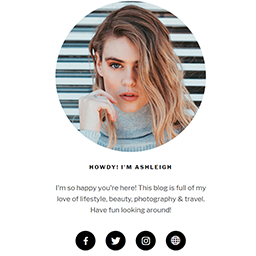


Daily downloads
Download spikes usually follow a new release — each site that auto-updates counts as a download.
Rankings
Where Author Box by Nocksoft stands todayWordPress.org search rankings
Live position in the plugin search, top 100| Keyword | Position |
|---|---|
| about author | >100 |
| about me | >100 |
| author bio | #91 |
| author box | >100 |
| author description | >100 |
Version adoption
Share of active sites per release.
About Author Box by Nocksoft
From the official readme · v1.1.1Description
Adds a modern customizable author info box at the end of your posts and pages with a short description about the author. You can display a simple author bio box in your posts and pages to show your readers and followers who you are.
Your blog will become even more personal and authentic. This plugin is available in German and English language and is fully compatible with the plugin “Local Avatars by Nocksoft”.
Features
- Adds a simple lightweight Author Box at the end of your posts and/or pages with a short description about the author
- Option for displaying a link to an own “About Me Page” in Author Box for post authors
- Adds shortcode for Author Box so that you can insert a Author Box anywhere you want
- Allows to hide the author box of default WordPress theme
- Fully compatible with the plugin “Local Avatars by Nocksoft”
Setup
- Install plugin.
- (optional) Go to “Settings” -> “Author Box” to setup global settings like font sizes or other settings like look of avatars.
- Go to user profiles to enter biographical info.
- (optional) Go to user profiles to enter some informations about the author.
- (optional) Go to Plugins and install the recommended plugin “Local Avatars by Nocksoft” to use local avatars.
Shortcode
[authorbox]
Installation
- Download the plugin (.zip file) on your hard drive.
- Unzip the zip file contents.
- Upload the author-box-by-nocksoft folder to the /wp-content/plugins/ directory.
- Activate the plugin in the “Plugins” menu in WordPress.
- Make a few settings (see section “Setup” on this page).
Frequently asked questions
How can I change the avatar for my author box?
You have two options. Either through Gravatar, or you can use a local image in your user profile settings. This setting can be made separately for each user. But for this, you need to install the additional plugin “Local Avatars by Nocksoft” first.
How can I change the biography about me?
You can do this in your user profile settings.
Where can I make settings for this plugin?
You can adjust settings in the user profile settings and in the global settings under “Settings” -> “Author Box”.
What if I want to automatically display Author Box on all pages, but not on a specific page?
You can add the following code in your functions.php and replace SAMPLEPAGE with your desired page: add_action("wp_head", "remove_authorbox"); function remove_authorbox() { global $pagename; if (is_page() && function_exists("nstab_add_authorbox") && $pagename == "SAMPLEPAGE") { remove_action("the_content", "nstab_add_authorbox"); } }
What if my theme also shows an author box?
You have to disable the author box of your theme. How to do this depends on your theme. But for the WordPress default themes you will find a suitable setting in this plugins settings.
Changelog
1.1.1
- Fixed a bug that caused global settings heading do not show
- Fixed a bug that caused an error during uninstall
- Fixed a bug that caused Author Box from default WordPress theme not to be hidden
1.1.0
- Fixed PHP warnings “wp_register_style was called incorrectly” and “wp_enqueue_style was called incorrectly”
- Fixed a bug that may caused font family do not work properly in some cases
- Moved local avatars feature to a separate plugin “Local Avatars by Nocksoft” (https://wordpress.org/plugins/local-avatars-by-nocksoft/)
1.0.5
- Fixed a bug that may caused local avatars do not work properly in some cases
- Fixed a PHP error while saving user specific settings
- General settings page separated in tabs
- Added option to inherit font from theme
- Added option to display shadow of Author Box
- Added option to to adjust border size and border color of Author Box
1.0.4
- Fixed PHP warnings for PHP 8
- Added shortcode for Author Box
- Optimized settings
- Added option to automatically display Author Box in pages
1.0.3
- Fixed a bug that caused global settings do not work
1.0.2
- Headline can now be adjusted
- Users can now add their custom URL including link text for the Author Box footer
- Improved descriptions and translations
- Font size of the biography and the links can now be adjusted
- Added option to show a link to author’s archive
- Set Arial as default font
- Border of Author Box can now be hidden
- Authors can now specify their own position, which is displayed below their name
Screenshots


For developers
Is this your plugin? Show off the numbers.
Add a live badge to your site, docs or GitHub README. It updates on its own — no account needed.
Best Author Box by Nocksoft alternatives
All about author plugins →FAQ
Author Box by Nocksoft: quick answers
Straight answers, pulled from live WordPress.org data.
Live data from WordPress.org · checked Oct 1, 2026
Is Author Box by Nocksoft free?
Yes. Author Box by Nocksoft is free to download and use from the official WordPress.org plugin directory.
Is Author Box by Nocksoft safe to use in 2026?
Author Box by Nocksoft shows warning signs in 2026 — compare the alternatives below before installing. It runs on 90+ sites and was last updated 2 years ago, and scores 28/100 on our health check.
How many websites use Author Box by Nocksoft?
Author Box by Nocksoft is active on 90+ WordPress websites and has been downloaded 3,525 times since it launched in April 2018. It was downloaded 70 times in the last 30 days.
Does Author Box by Nocksoft work with WordPress 7.1?
Author Box by Nocksoft is officially tested up to WordPress 6.7.9, while the latest release is 7.1.2. It may still work, but try it on a staging site first.
When was Author Box by Nocksoft last updated?
The latest version, 1.1.1, was released on November 16, 2024 (2 years ago).
Who makes Author Box by Nocksoft?
Author Box by Nocksoft is developed and maintained by Rafael @ Nocksoft.
What are the best alternatives to Author Box by Nocksoft?
The most popular alternatives to Author Box by Nocksoft are Kantbtrue about me (300+ installs), Author Details (10+ installs) and About Author Box (10+ installs).
Powered by PageForge
Want thousands of pages that rank like these? Build them in an afternoon.
This directory runs on the same engine as PageForge. Turn any spreadsheet, CSV or API into thousands of fast, SEO-ready WordPress pages — with schema, internal links and AI-written copy baked in.
- CSV, Google Sheets & API data sources
- AI content, schema & internal links per page
- Works with Elementor, Gutenberg, Yoast & Rank Math
- Free on WordPress.org — no credit card


