



Group Chat & Video Chat by AtomChat
AtomChat helps you add group chat (or chatrooms), user to user chat, voice & video calling to your WordPress site.

Use with caution
Group Chat & Video Chat by Atom… works, but test it on a staging site before relying on it in 2026. It runs on 200+ sites, is rated 4.6/5 and was last updated 6 months ago, and scores 51/100 on our health check.
- Small user base (200+ active installs)
- Only tested up to WordPress 6.9 (latest is 7.1)
Daily downloads
Download spikes usually follow a new release — each site that auto-updates counts as a download.
Rankings
Where Group Chat & Video Chat by… stands todayWordPress.org search rankings
Live position in the plugin search, top 100| Keyword | Position |
|---|---|
| buddypress chat | #7 |
| chatroom | #3 |
| group chat | #14 |
| user to user chat | #45 |
| WordPress chat | #81 |
Version adoption
Share of active sites per release.
Rating breakdown
★★★★★★★★★★ 4.6 from 8 reviews
About Group Chat & Video Chat by AtomChat
From the official readme · v1.1.8Description
WordPress Chat Plugin
User Engagement is an important aspect in retaining users. By engaging your users you make sure that they are captivated and pay attention to your website, thus, preserving user loyalty. User Engagement is also the first step towards monetizing your website and generating revenue. AtomChat is an All In One chat solution which is designed to seamlessly integrate with your WordPress website, and its features allow you to monetize your website easily.
AtomChat
AtomChat is a standalone application that integrates with WordPress & BuddyPress. You must have an AtomChat account in order to take advantage of this plugin. Click here to create your account.
AtomChat is a robust Chat Solution that easily integrates with your WordPress website and will keep your community engaged allowing them to communicate and collaborate. They can use features like Text chat, Audio-Video chat, Collaborative tools, Stickers Emojis, Real-time translation, and many more.
A Power-packed Admin Panel allows you to manage AtomChat and its features. You can further use features like Role-Based Access Control, Credit-Based Billing, and Advertisements to Monetize your Website.
Let’s take a look at some of AtomChat’s features.
Voice, Video & Text Chat
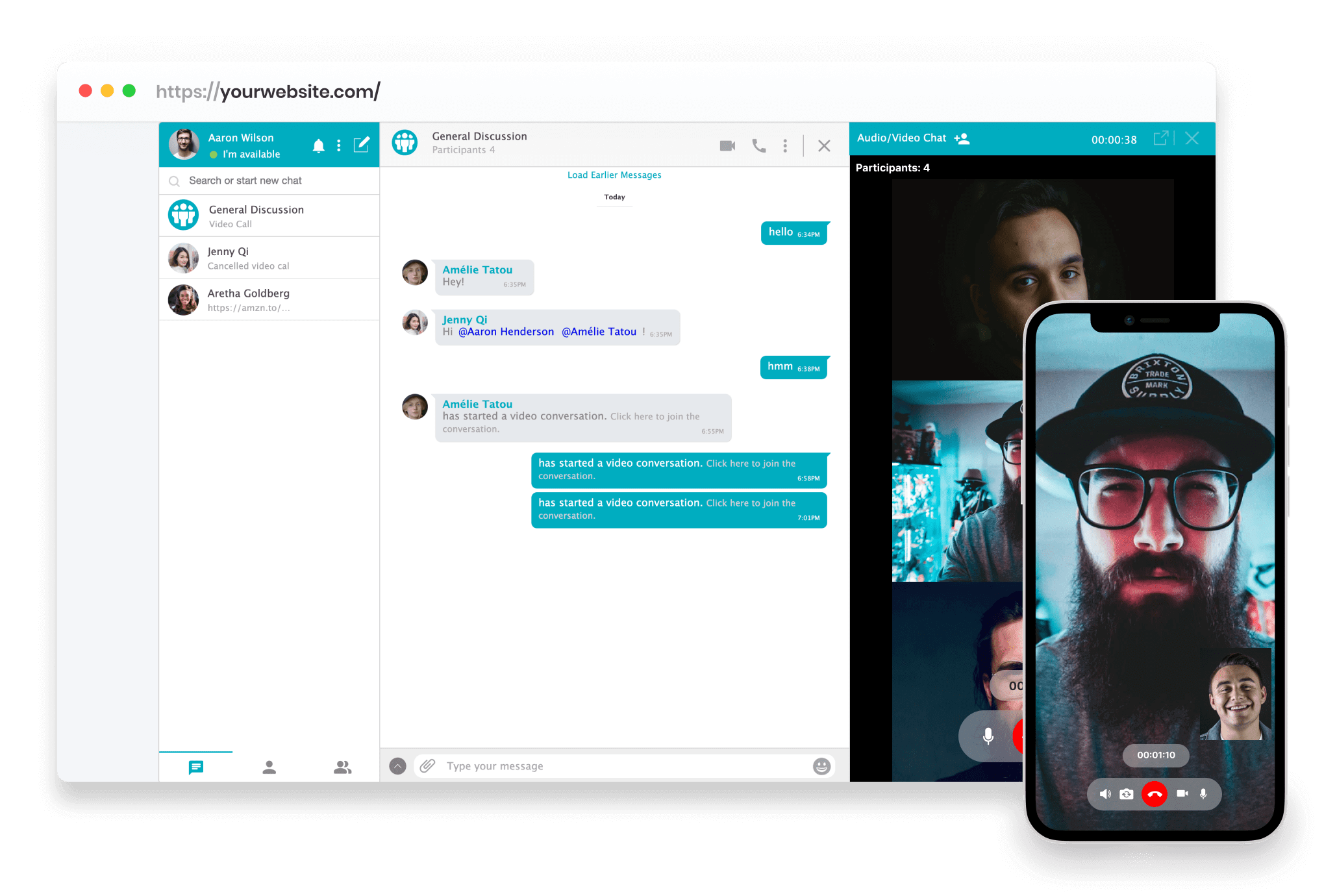
AtomChat gives your users the choice to communicate with each other by Text Chat and switch to Video Calls and Conferences for more personalized conversations.
Collaboration
AtomChat lets your users share files and build on ideas. Not only can they share their screen with other users, but can also sketch their thoughts onto a virtual whiteboard, that too in real-time!
Out-of-the-box BuddyPress Support
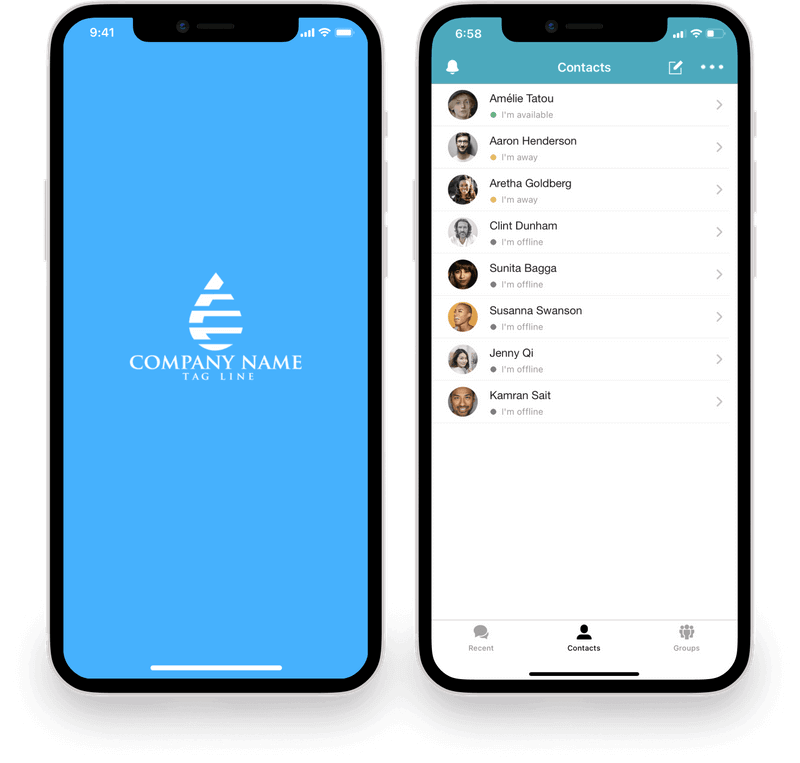
If you are using BuddyPress, AtomChat will automatically show friends in the Contacts tab for a logged-in user!
Real-time Translation
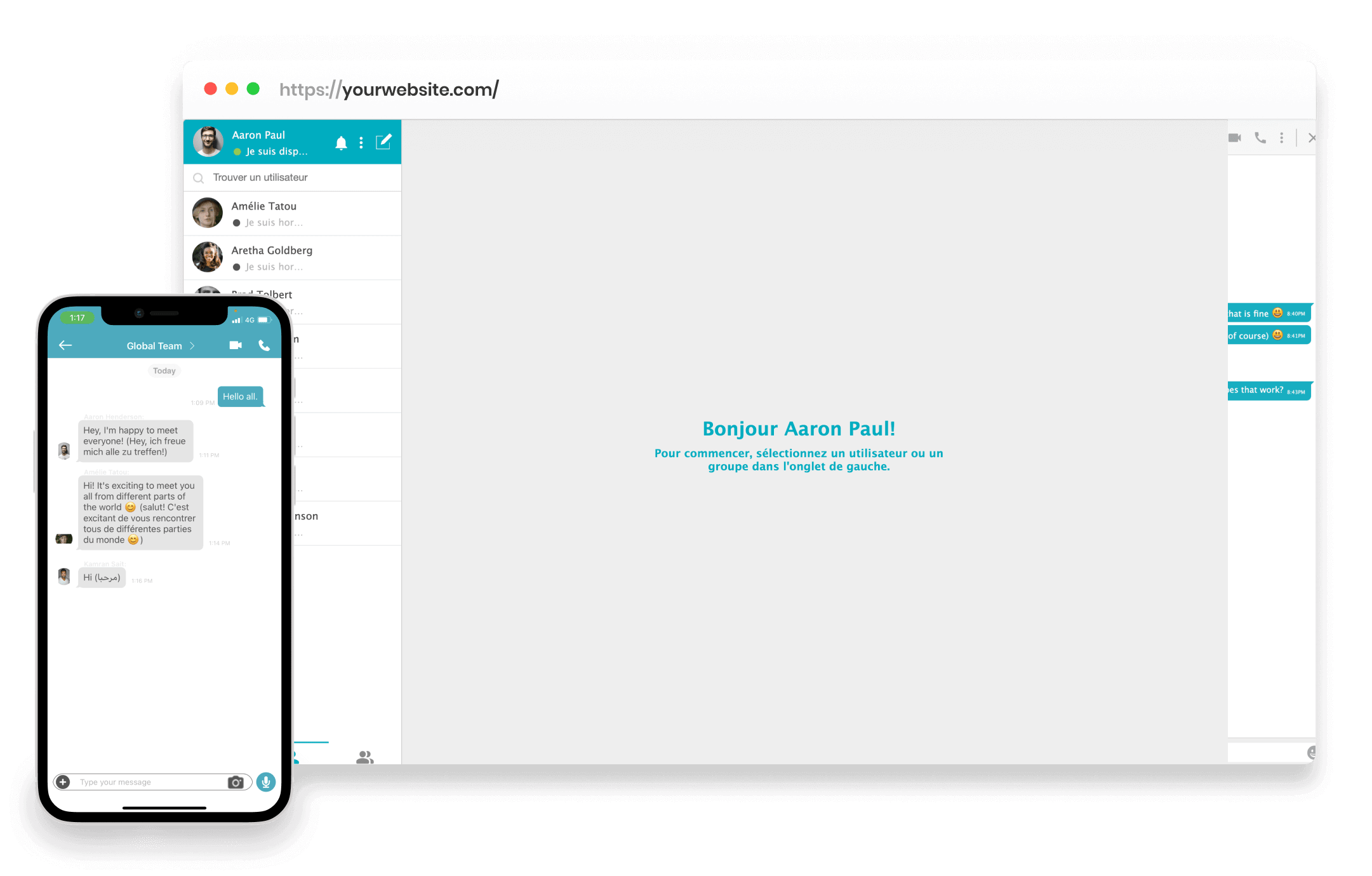
AtomChat enables your users to connect with one another even if they don’t speak each other’s language. Users can translate their conversations easily and receive all incoming conversations in a language that they are most comfortable with.
White-label Mobile & Desktop App
Wouldn’t you prefer if your users never left the chat? Our White-label Mobile & Desktop App are designed just for that. With push notifications, we ensure that your users are constantly in touch.
Emojis/Stickers
AtomChat offers a wide range of emojis/stickers for your users to express themselves better in their conversations.
Monetize
AtomChat has distinct features dedicated solely towards monetizing your website. Role-Based Access Control and Credit Based Billing can be used together to provide more functionality to your Premium Members (via credits system) compared to your Free Members. The Advertisements feature can be used to integrate ads to the chat window and generate extra revenue.
Easy Installation
Adding AtomChat to your WordPress site is only a matter of minutes. It seamlessly integrates with WordPress and is supported by all modern browsers.
Administration Panel
The AtomChat Admin Panel gives you all the power to make use of this plugin the way you want it. With a hoard of options to administer, you take the final call on what you want to provide to your website users.
Customize
AtomChat gives you access to an Admin Panel, which helps you monitor and control the activity of your users. You can also customize various aspects of AtomChat, right from color to language, whatever suits your website.
Support
The AtomChat support team is always there for its customers. If you ever need our help, contact us and we will assist you on priority basis.
AtomChat
AtomChat is a standalone application that integrates with 100’s of platforms including WordPress & BuddyPress. You must have an AtomChat account in order to take advantage of this plugin. Click here to create your account.
Full Features List
- Real-time Text Messaging
- One-on-one Chat
- Group Chat
- Voice & Video Calling & Conference
- Voice Only Calling & Conference
- Voice & Video Broadcasting
- Real-time Language Translation
- Voice Notes
- File Sharing
- Stickers & Emojis
- Screen Sharing
- Collaborative Whiteboard
- Collaborative Document
- Single Player Games
- Broadcast Message
- Block Users
- Write in Local Language
- Save Conversations Locally
- Location sharing
- Credit Deduction integration with myCred plugin
- User Analytics
Press & Brand Assets
When mentioning AtomChat please know that AtomChat is one word with A and C capital. Please avoid using any variations like: Atomchat, atomchat, or Atom chat.
Notes
Terms of service: https://www.atomchat.com/terms-of-service
Privacy policy: https://www.atomchat.com/privacy-policy
Installation
- Install AtomChat either via the WordPress.org plugin repository or by uploading the files to your server.
- Activate the AtomChat Plugin.
- Navigate to the AtomChat tab at the bottom of your admin menu and enter your AtomChat License Key to connect your AtomChat account to your WordPress site. You will need an active subscription from https://www.atomchat.com/
- AtomChat will start showing immediately.
- To customize AtomChat, click on the Admin Panel button. You will be taken to the admin panel. It is not an integrated admin panel at the moment, but we are working on releasing this soon.
Frequently asked questions
I downloaded this plugin but don’t have a AtomChat account. How can I get one?
You can sign up for a AtomChat account by visiting our Pricing page and choosing the account and price plan that best suits your needs.
How do I get my White Labelled Mobile apps for iOS & Android?
To get access to AtomChat’s White Labelled Apps for iOS & Android, you simply need to log into your AtomChat dashboard and click on ‘Request White-Label Mobile App’ and send over the required information to help us develop and publish your apps.
Can we use AtomChat for customer support chat?
No, AtomChat is not designed as a customer support tool. It is designed as a real time chat plugin that facilitates communication between the end users.
Screenshots



For developers
Is this your plugin? Show off the numbers.
Add a live badge to your site, docs or GitHub README. It updates on its own — no account needed.
FAQ
Group Chat & Video Chat by AtomChat: quick answers
Straight answers, pulled from live WordPress.org data.
Live data from WordPress.org · checked Oct 5, 2026
Is Group Chat & Video Chat by Atom… free?
Yes. Group Chat & Video Chat by Atom… is free to download and use from the official WordPress.org plugin directory.
Is Group Chat & Video Chat by Atom… safe to use in 2026?
Group Chat & Video Chat by Atom… works, but test it on a staging site before relying on it in 2026. It runs on 200+ sites, is rated 4.6/5 and was last updated 6 months ago, and scores 51/100 on our health check.
How many websites use Group Chat & Video Chat by Atom…?
Group Chat & Video Chat by Atom… is active on 200+ WordPress websites and has been downloaded 35,606 times since it launched in April 2021. It was downloaded 192 times in the last 30 days.
Does Group Chat & Video Chat by Atom… work with WordPress 7.1?
Group Chat & Video Chat by Atom… is officially tested up to WordPress 6.9.9, while the latest release is 7.1.2. It may still work, but try it on a staging site first.
What PHP version does Group Chat & Video Chat by Atom… need?
Group Chat & Video Chat by Atom… requires PHP 5.6 or higher. Most hosts run PHP 8.x today, so it works on any modern WordPress hosting.
When was Group Chat & Video Chat by Atom… last updated?
The latest version, 1.1.8, was released on March 31, 2026 (6 months ago).
Who makes Group Chat & Video Chat by Atom…?
Group Chat & Video Chat by Atom… is developed and maintained by Team AtomChat.
Powered by PageForge
Want thousands of pages that rank like these? Build them in an afternoon.
This directory runs on the same engine as PageForge. Turn any spreadsheet, CSV or API into thousands of fast, SEO-ready WordPress pages — with schema, internal links and AI-written copy baked in.
- CSV, Google Sheets & API data sources
- AI content, schema & internal links per page
- Works with Elementor, Gutenberg, Yoast & Rank Math
- Free on WordPress.org — no credit card


