



Cookie Consent Banner — PDPL, GDPR & Arabic RTL (Arqam360)
Arabic and English cookie consent banner for WordPress sites in Saudi Arabia, the UAE and Morocco. PDPL, GDPR, Google Consent Mode v2.

Solid choice
Cookie Consent Banner is a solid plugin choice in 2026, with a few things worth checking first. Was last updated 2 weeks ago, and scores 64/100 on our health check.
- Actively developed — last update 2 weeks ago
- Tested with the latest WordPress (7.1)
- Small user base (<10 active installs)
- Very few reviews so far
How does it stack up?
Side-by-side on installs, updates, ratings & support



Daily downloads
Download spikes usually follow a new release — each site that auto-updates counts as a download.
Rankings
Where Cookie Consent Banner stands todayWordPress.org search rankings
Live position in the plugin search, top 100| Keyword | Position |
|---|---|
| arabic | >100 |
| consent mode | >100 |
| cookie banner | >100 |
| cookie consent | >100 |
| PDPL | #5 |
About Cookie Consent Banner
From the official readme · v2.2.4Description
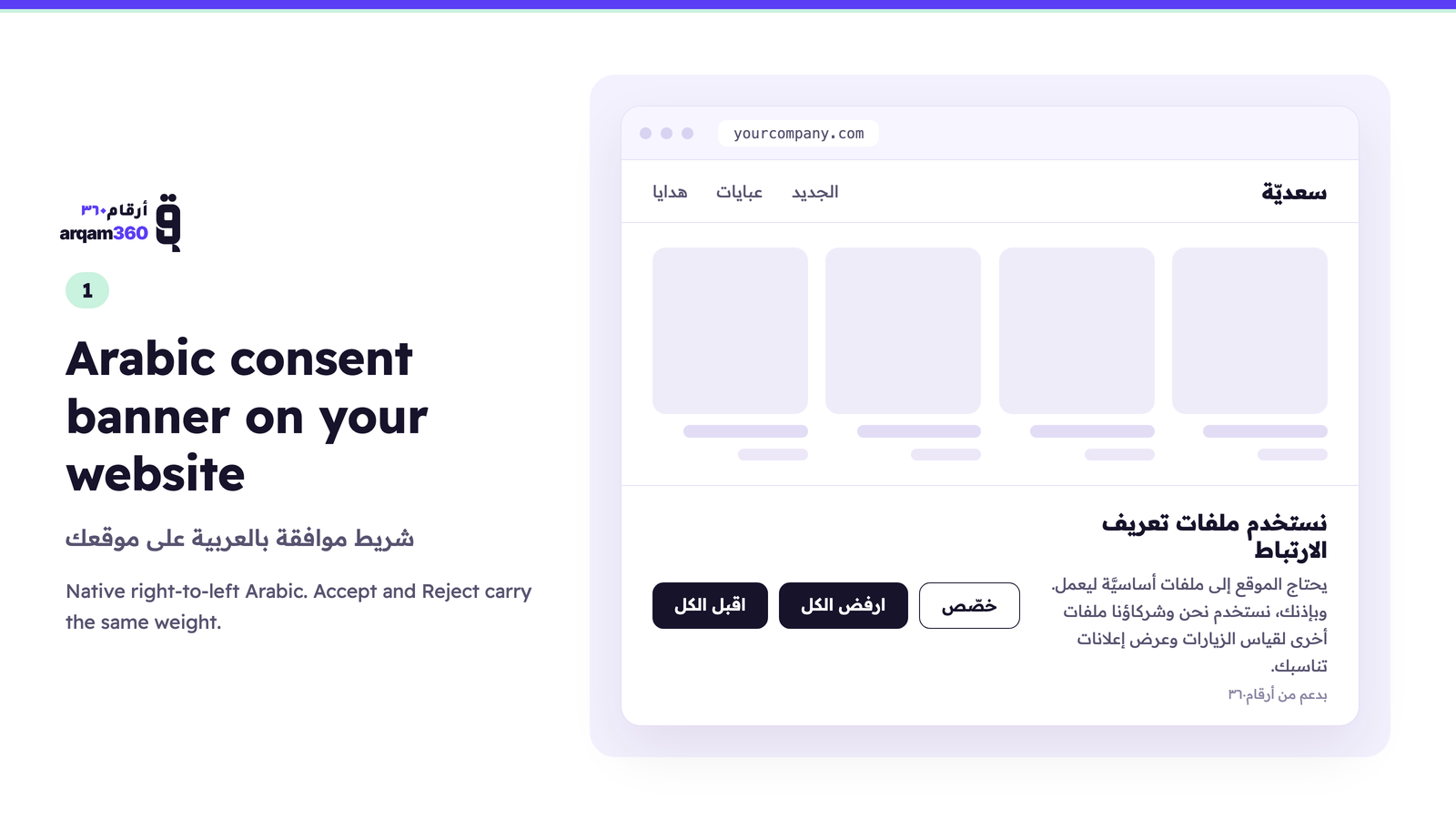
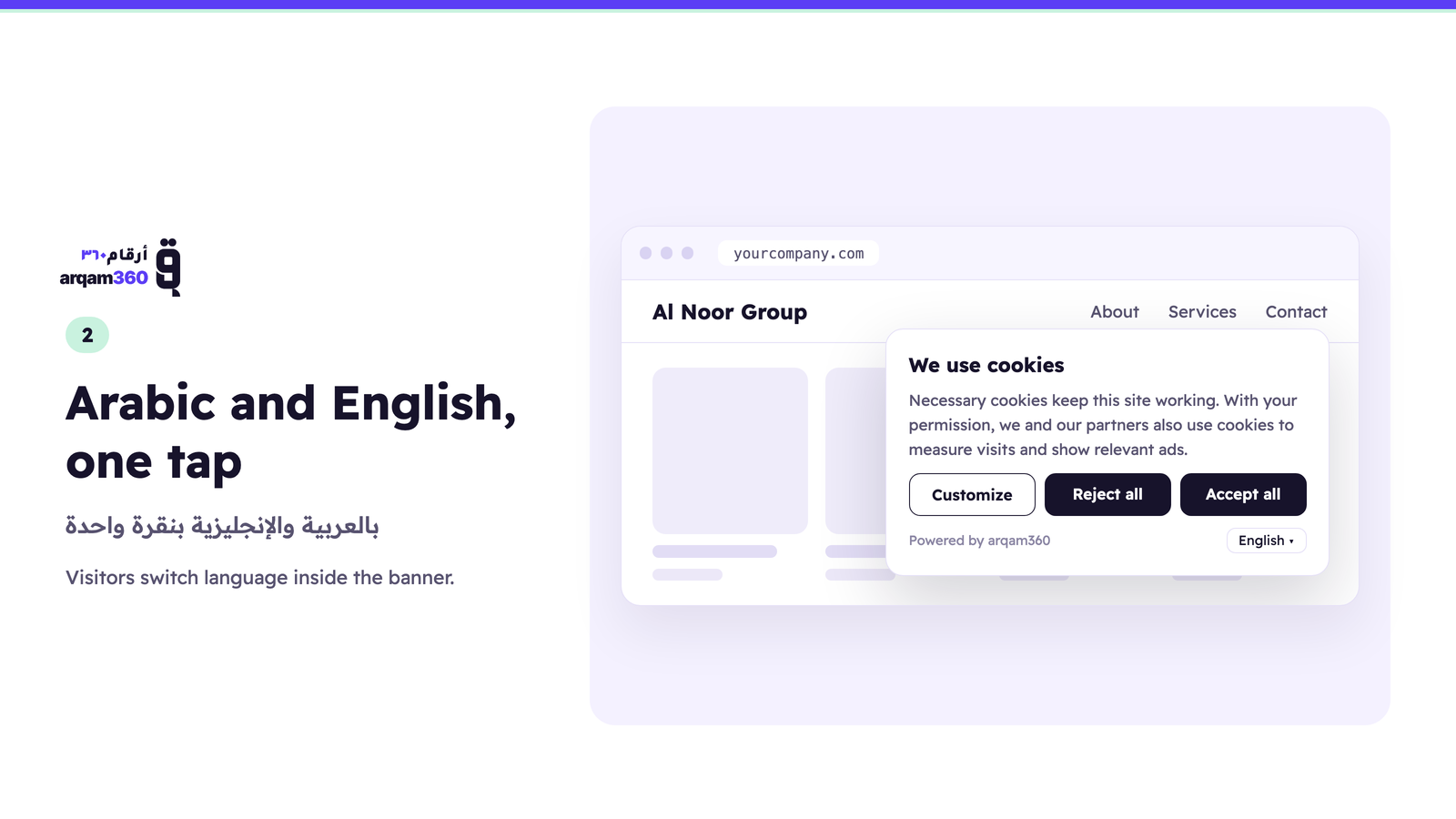
Arqam360 adds a cookie consent banner to your WordPress site in native Arabic, right to left, and in English. Visitors choose which cookies to allow before analytics and advertising cookies are used, and every choice is saved with its date and time, so you can show it whenever you are asked. Built for company websites in Saudi Arabia, the UAE and Morocco, and for WooCommerce stores too.
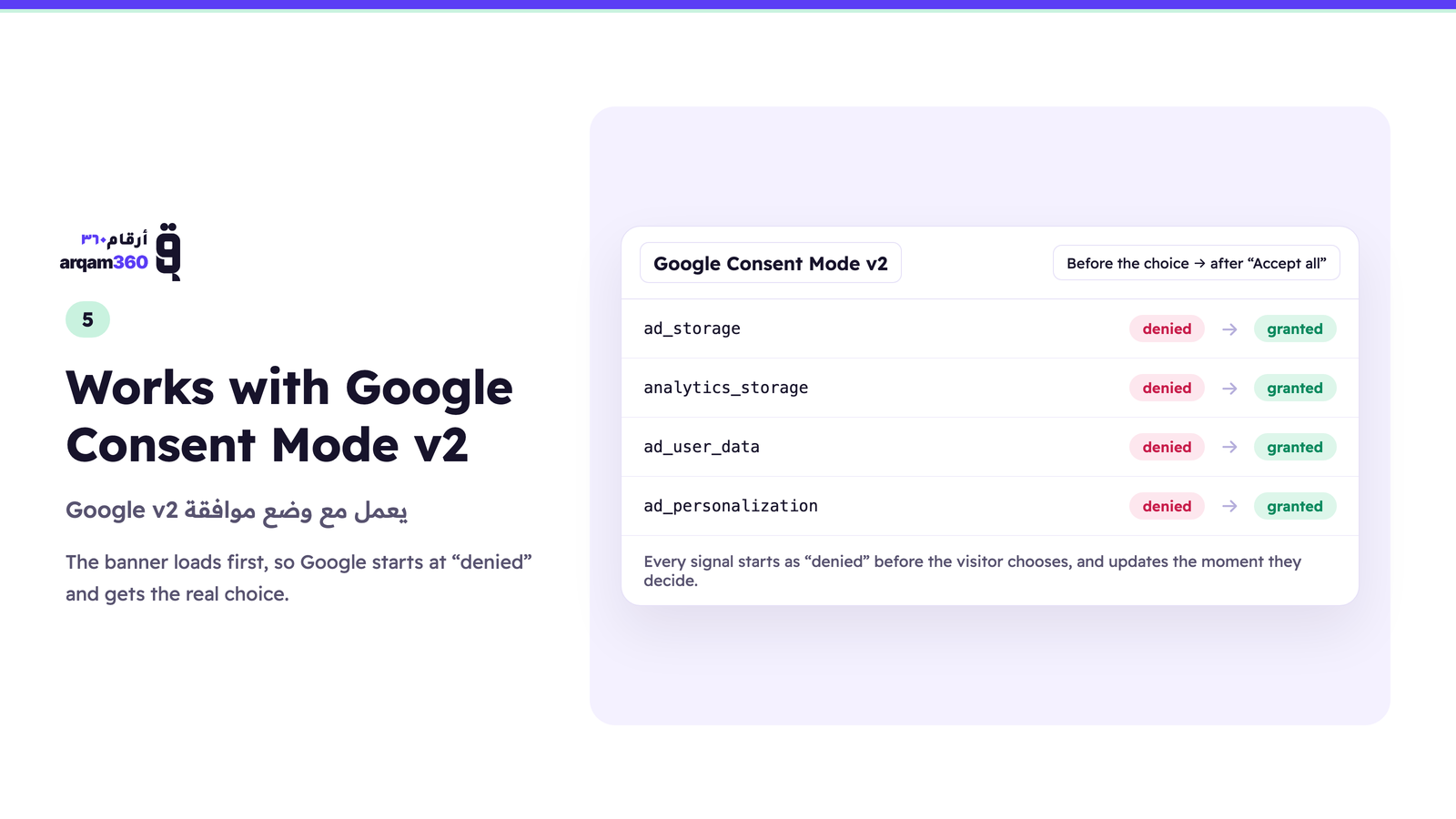
The banner loads first in the page <head>, so Google Consent Mode v2 starts as “denied” and Google receives the visitor’s real choice the moment they decide. The settings stay one click away, so consent can be withdrawn at any time.
بالعربية: يضيف أرقام٣٦٠ إلى موقعك على ووردبريس شريط موافقة على ملفات تعريف الارتباط (الكوكيز) بالعربية من اليمين إلى اليسار وبالإنجليزية. يختار الزائر قبل استخدام ملفات التحليلات والإعلانات، ويُحفظ كل اختيار بتاريخه ووقته. مكتوب وفق نظام حماية البيانات الشخصية السعودي، وقانون حماية البيانات الإماراتي، وGDPR، ويعمل مع وضع موافقة Google v2. الشريط وتسجيل الموافقات يعملان بلا بطاقة ائتمان وبلا مدة محددة، ولا يتوقفان أبدًا. لوحة تحكم أرقام٣٦٠ خدمة مستضافة: عرض كامل لمدة 14 يومًا من أول ربط للإضافة بحسابك، ثم خطط مدفوعة.
The banner is free, with no time limit and no credit card, for one domain and 10,000 page views a month: the Arabic and English banner, Saudi PDPL, UAE PDPA and GDPR rules, Google Consent Mode v2, Global Privacy Control, and a record of every visitor’s choice. The banner and consent recording never switch off.
The Arqam360 dashboard is a hosted service. It opens inside wp-admin and shows your consent log, your bilingual cookie declaration and your scans. You get the full dashboard for 14 days from the plugin’s first connection to your account, then it needs a paid plan. Without one, the dashboard shows a summary of your site, and the banner and consent recording carry on unchanged. See our Terms of Service.
Pro ($29.99/month) adds the full cookie scanner, a data-request portal, blocking of scripts that ignore Consent Mode until the visitor agrees, and server-side forwarding of consented events to Meta Conversions API, GA4, server-side Google Tag Manager, TikTok, Snap, LinkedIn and others.
Managed is for businesses that want it done for them: our team installs the banner, sets up Consent Mode, checks that your Google and Meta setup respects the visitor’s choice, and looks after it every month, for $299 one-off plus $99.99/month per domain.
Want a free 20-minute check of your site with our privacy expert? Book a free check.
Features
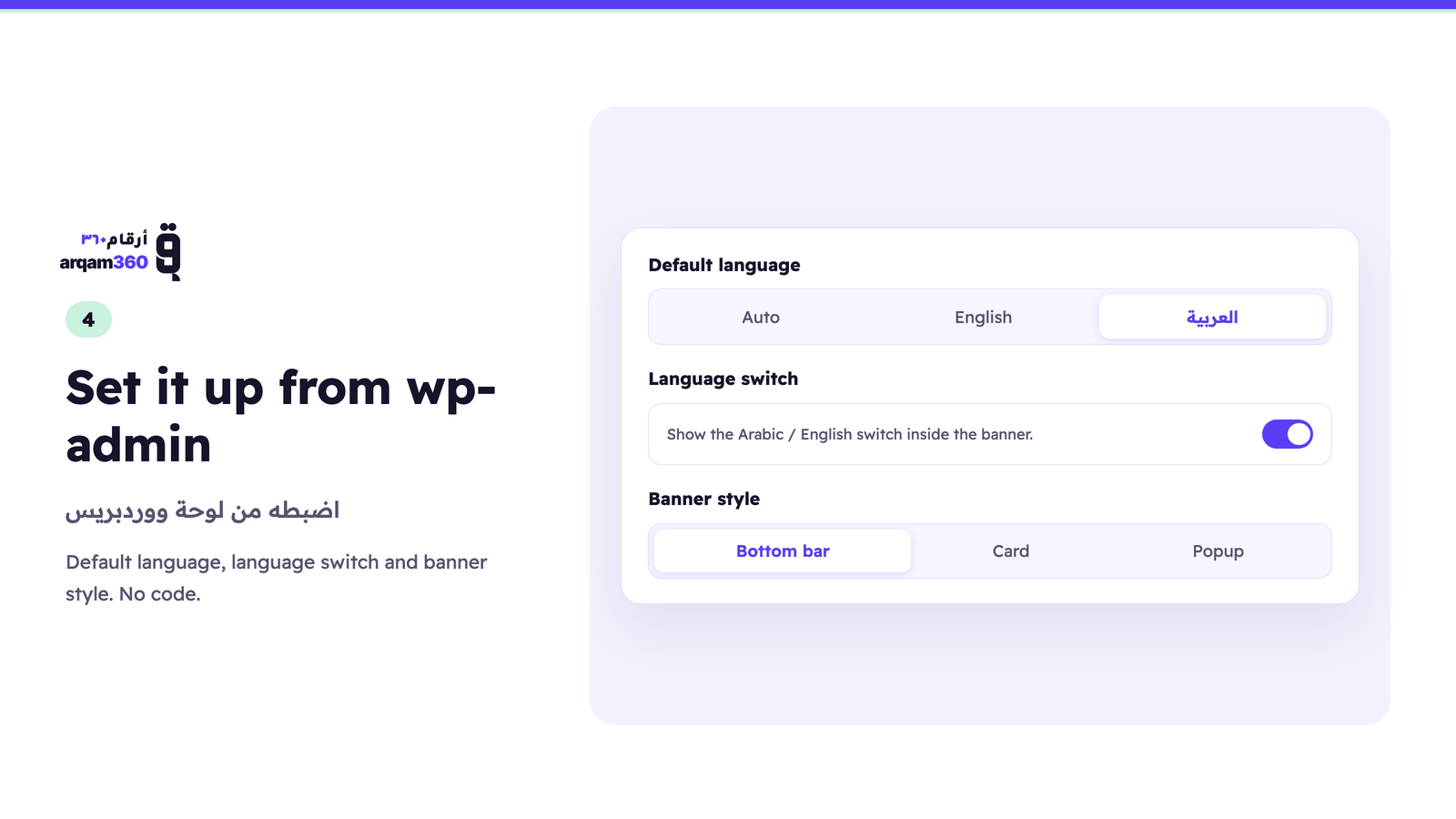
- Arabic and English — native right-to-left Arabic, pinned or following the visitor’s language
- Google Consent Mode v2 — denied by default in
<head>, updated on the visitor’s choice - Saudi PDPL, UAE PDPA and GDPR — with optional detection of the visitor’s regime by country
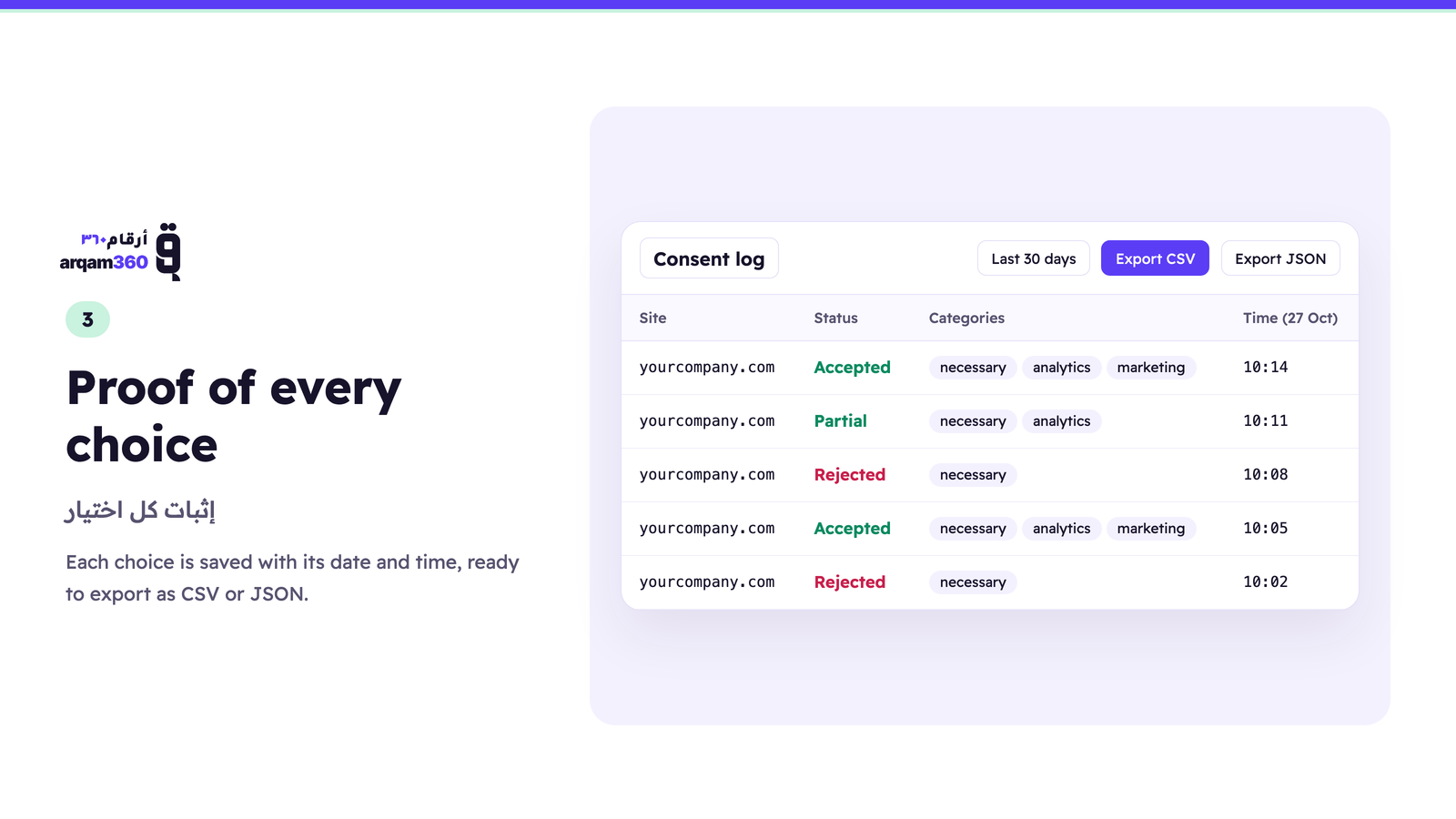
- Consent log — every decision stored with its date, time and categories, exportable as CSV
- Bilingual cookie declaration — every cookie described in English and Arabic
- 124-pattern cookie classifier — 37 of the patterns cover services common in this region, so the scanner can sort local cookies into the right category
- Script and request blocking — optional, holds scripts that ignore Consent Mode until the visitor agrees
- Global Privacy Control — honoured as an opt-out signal
- WP Consent API — passes the visitor’s choice to plugins that read it, such as Google Site Kit’s Consent Mode, WooCommerce and WP Statistics
- Cookie scanner, data-request portal and server-side events — on Pro
- Dashboard inside wp-admin — opens your Arqam360 dashboard without leaving WordPress (a hosted service: the full view for 14 days from first connect, then paid plans)
Works on any WordPress site, with or without WooCommerce.
Tag manager placement
The plugin loads its script in the document <head>, before any other script
WordPress prints, so the Google Consent Mode v2 “denied” default is set before
your tags read it.
There is one case it cannot control. If your Google Tag Manager or GA4 snippet
is pasted directly into your theme’s header.php above the wp_head()
call, that snippet runs before anything WordPress outputs, including this
plugin — and it will read no consent state.
Two ways to be sure:
- Move the GTM snippet below
wp_head()in your theme, or - Install GTM through this plugin’s container guidance instead of hardcoding it.
If you manage tags entirely inside a GTM container loaded via a plugin or
wp_head, no action is needed.
Content Security Policy
Most sites have no CSP and need nothing here. If yours sends one — directly, or
through a security plugin — the widget needs three allowances, and it fails
silently without them: the browser blocks the script and no banner appears,
which looks like the plugin is broken rather than like a policy is doing its job.
script-src https://cdn.arqam360.com— the banner script itself.connect-src https://api.arqam360.com— fetching your widget configuration
and recording consent decisions.style-src 'unsafe-inline'— the banner builds its stylesheet at runtime so
it can carry your colours and position. If your policy cannot allow inline
styles, tell us and we will work through the alternatives with you rather
than have you weaken the policy site-wide.
The widget contacts no other host. It loads no external fonts and no
third-party resources.
If you embed the Arqam360 dashboard inside wp-admin, that page additionally
needs frame-src https://app.arqam360.com. That applies only to the wp-admin
screen, never to your public pages.
Credentials
The plugin uses two credentials from your Arqam360 dashboard, in the same way
Stripe uses a publishable key and a secret key:
- Widget Key (
ciq_live_...) — public. It appears in your page source and
loads the consent banner. This is by design; it authorizes the banner and
nothing else. - Site Token (
ciq_sk_live_...) — secret. It opens your Arqam360 dashboard
inside wp-admin and is never written to your pages. It is shown once, when
you create it.
The two are not interchangeable and the settings page will refuse a credential
pasted into the wrong field.
External Services
This plugin connects to the Arqam360 service to function:
-
Arqam360 CDN (cdn.arqam360.com) — The consent banner JavaScript is loaded from Arqam360’s CDN. This script renders the cookie consent banner on your site and handles consent collection. No personal visitor data is sent to the CDN; it only serves the static JavaScript file.
-
Arqam360 API (api.arqam360.com) — When a Widget Key is configured, the plugin fetches your widget configuration (colors, text, position, compliance settings) from the Arqam360 API. Consent records are also sent to this API for storage and analytics. Your Widget Key authenticates these requests. If a Site Token is also configured, it is used only to open the dashboard inside wp-admin, and is sent from your server to api.arqam360.com over HTTPS — never to a visitor’s browser.
-
Arqam360 dashboard (app.arqam360.com) — The plugin’s Dashboard page in wp-admin embeds the Arqam360 dashboard, a hosted service, once a Site Token is configured. Its full view is free for 14 days from the plugin’s first connection to your account, then it needs a paid plan; without one it shows a summary of your site. The banner and consent recording do not depend on it and never switch off.
An Arqam360 account is required. The banner and consent recording are free with no time limit and no credit card. Sign up at arqam360.com.
For agencies and developers
If you build WordPress or WooCommerce sites for clients, Arqam360 runs a partner
programme. Your client subscribes to Arqam360 directly and you earn 20% of what
they actually pay, for 12 months from their first paid invoice.
You install nothing extra and support nothing — we handle the consent side. A
client who stays on the free plan earns you nothing, so this is worth it where
you are already recommending a paid tool.
Terms, including how referrals are attributed and how payouts work:
https://arqam360.com/partners
Installation
- In wp-admin go to Plugins > Add New, search for Arqam360, then Install and Activate.
(Or upload the zip under Plugins > Add New > Upload Plugin.) - Create a free account at arqam360.com if you do not have one.
- In your Arqam360 dashboard open API Keys and copy both credentials:
the Widget Key (ciq_live_...) and the Site Token (ciq_sk_live_...).
The Site Token is shown only once, when you create it. - Back in wp-admin go to Arqam360 > Settings, paste both, and save.
- Load your site in a private window — the banner appears immediately.
The Widget Key runs the banner. The Site Token opens your Arqam360 dashboard
inside wp-admin. See Credentials below for why there are two.
Changelog
2.2.4
- The readme now describes the Arqam360 dashboard as a hosted service: the full view for 14 days from the plugin’s first connection to your account, then paid plans. The banner and consent recording are unchanged and never switch off.
2.2.3
- The Arqam360 pages in wp-admin use the new Arqam360 look: violet accent, lighter loading background behind the dashboard.
2.2.2
- Page-speed plugins no longer hold the banner back. WP Rocket, LiteSpeed Cache, Autoptimize, Perfmatters, SiteGround Speed Optimizer, Jetpack Boost and Cloudflare Rocket Loader could delay, defer or minify the banner script, so it appeared only after the visitor clicked or scrolled and Google Consent Mode got its “denied” default too late. The banner is now excluded from all of them, and their page cache is cleared once after the update so visitors get the fix straight away.
- A notice in the Arqam360 pages tells you when one of these plugins is active.
2.2.1
- Arabic wording: the plugin now says «ملفات تعريف الارتباط», the term Arabic speakers search for and Google’s own Arabic uses, instead of «ملفات الارتباط». The banner itself comes from the Arqam360 CDN and already shows the new wording, with per-language custom text set from the Arqam360 dashboard.
2.2.0
- WP Consent API support. When the WP Consent API plugin is active, the visitor’s choice in the Arqam360 banner is passed on to it: analytics to “statistics” and “statistics-anonymous”, marketing to “marketing”, preferences to “preferences”, and “functional” is always allowed. Plugins that read the WP Consent API, including Google Site Kit’s Consent Mode, now follow the banner. Before this, with no consent plugin registered, the WP Consent API reported every category as allowed, whatever the visitor chose. The plugin also declares itself compatible, so Site Health no longer lists it as unregistered, and describes its consent cookie to the API. Without the WP Consent API installed nothing changes.
2.1.0
- Settings page now tells agencies and developers the partner programme exists — 20% of what a referred client pays, for 12 months. Shown only on the plugin’s own settings page, never as an admin notice, and it tracks nothing: attribution happens at signup on arqam360.com, not inside wp-admin.
Screenshots
For developers
Is this your plugin? Show off the numbers.
Add a live badge to your site, docs or GitHub README. It updates on its own — no account needed.
Best Cookie Consent Banner alternatives
All arabic plugins →




FAQ
Cookie Consent Banner: quick answers
Straight answers, pulled from live WordPress.org data.
Live data from WordPress.org · checked Nov 17, 2026
Is Cookie Consent Banner free?
Yes. Cookie Consent Banner is free to download and use from the official WordPress.org plugin directory.
Is Cookie Consent Banner safe to use in 2026?
Cookie Consent Banner is a solid plugin choice in 2026, with a few things worth checking first. Was last updated 2 weeks ago, and scores 64/100 on our health check.
How many websites use Cookie Consent Banner?
Cookie Consent Banner is active on <10 WordPress websites and has been downloaded 909 times since it launched in April 2026. It was downloaded 307 times in the last 30 days.
Does Cookie Consent Banner work with WordPress 7.1?
Yes. The developer has tested Cookie Consent Banner up to WordPress 7.1.4, the latest release. It requires WordPress 5.8 or newer.
What PHP version does Cookie Consent Banner need?
Cookie Consent Banner requires PHP 7.4 or higher. Most hosts run PHP 8.x today, so it works on any modern WordPress hosting.
When was Cookie Consent Banner last updated?
The latest version, 2.2.4, was released on November 4, 2026 (2 weeks ago).
Who makes Cookie Consent Banner?
Cookie Consent Banner is developed and maintained by arqam360.
What are the best alternatives to Cookie Consent Banner?
The most popular alternatives to Cookie Consent Banner are LTR RTL Admin content (4K+ installs), Khattat – Arabic Fonts (500+ installs) and RTL Support for Oxygen Buil… (100+ installs).
Powered by PageForge
Want thousands of pages that rank like these? Build them in an afternoon.
This directory runs on the same engine as PageForge. Turn any spreadsheet, CSV or API into thousands of fast, SEO-ready WordPress pages — with schema, internal links and AI-written copy baked in.
- CSV, Google Sheets & API data sources
- AI content, schema & internal links per page
- Works with Elementor, Gutenberg, Yoast & Rank Math
- Free on WordPress.org — no credit card


