



Answers Pai
Build a Q&A and discussion community on your WordPress site: questions, answers, profiles, reputation, and moderation on your own domain.

Use with caution
Answers Pai works, but test it on a staging site before relying on it in 2026. Was last updated 2 months ago, and scores 55/100 on our health check.
- Small user base (<10 active installs)
- Very few reviews so far
- Needs PHP 8.1 or newer
How does it stack up?
Side-by-side on installs, updates, ratings & support



Daily downloads
Download spikes usually follow a new release — each site that auto-updates counts as a download.
Rankings
Where Answers Pai stands todayWordPress.org search rankings
Live position in the plugin search, top 100| Keyword | Position |
|---|---|
| community | >100 |
| forum | >100 |
| q&a | >100 |
| questions answers | >100 |
| social network | >100 |
About Answers Pai
From the official readme · v1.0.0Description
Answers Pai is a free community plugin for WordPress. It lets you run questions and answers, topic-based discussion, member profiles, and reputation on your own site and database.
Community pages and the moderation dashboard use clean URLs you choose (for example /community/), outside wp-admin.
Official site: https://answerspai.com
Developer: Dewan Shahedur Rahman
Who is this for?
- Site owners who want a community on WordPress
- Publishers who need Q&A and discussion on their domain
- Teams that prefer WordPress users and hosting instead of a separate forum stack
What you can build
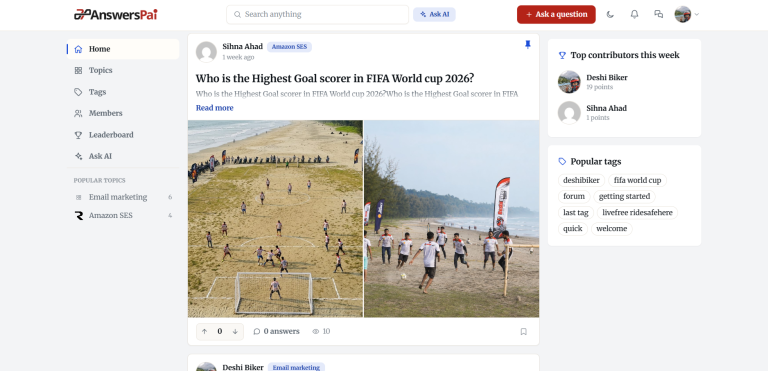
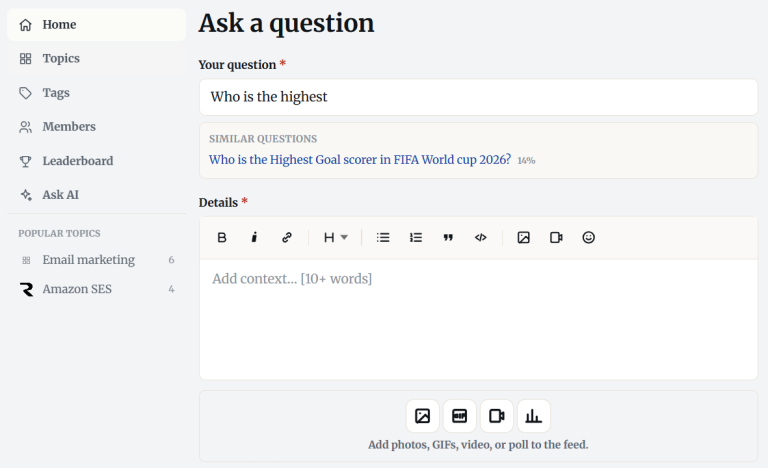
- A Q&A community with questions, answers, voting, comments, and accepted answers
- Discussion organized by topics (categories) and tags
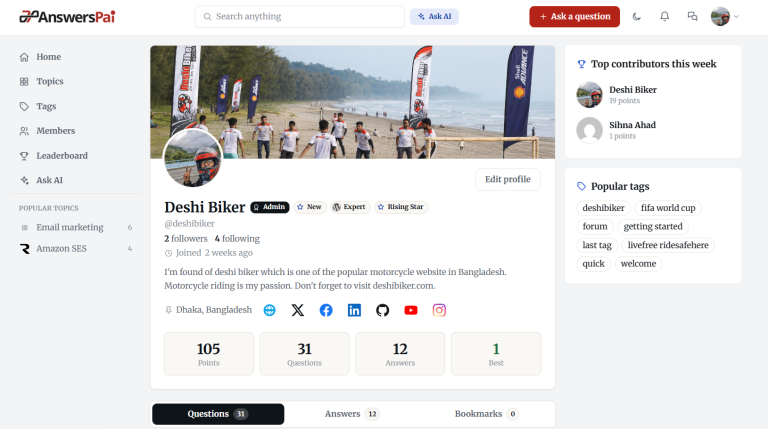
- Member profiles, reputation points, a leaderboard, and notifications
Architecture
Answers Pai uses a Vue front-end on top of the WordPress REST API, with dedicated database tables for community data. The community still runs on your WordPress URLs. Content stays in your database.
Community features
- Questions and answers with a rich editor (formatting, code, images, video, polls)
- Voting, comments, and best-answer / solved workflows
- Topics and tags
- Member profiles: avatar, cover, bio, social links, reputation
- Leaderboard (all-time, monthly, weekly)
- Notifications for answers, comments, accepted answers, and more
- Built-in full-text search
- Clean community permalinks and crawlable noscript content for key views
- JSON-LD (QAPage, Organization, breadcrumbs), Open Graph, and webmaster verification tags
- Local media uploads to the WordPress Media Library
Moderation and administration
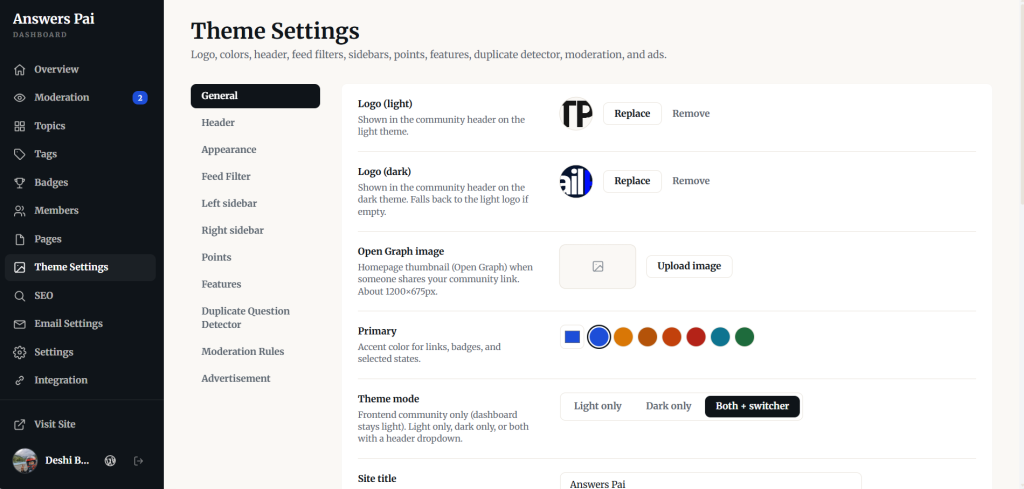
- Community dashboard at
/{base}/admin/for day-to-day management - Optional pre-publication moderation for questions and answers
- Flagging with resolve actions
- Member roles (member / moderator), temporary or permanent bans
- Email verification, password reset, and account email preferences
Privacy and data ownership
Community content stays in your database. Uninstall does not delete data unless you enable “Delete data on uninstall.”
Optional add-ons
Additional modules (private messaging, social login, Ask AI, follow, captcha, XML sitemaps, and more) are available as a separate commercial plugin, Answers Pai Pro, from answerspai.com. The plugin on WordPress.org is fully usable on its own.
Documentation: https://answerspai.com
Answers Pai is free software licensed under GPLv2 or later.
External services
This free plugin does not call third-party APIs by default. Optional analytics may load only when an administrator configures Google Analytics or Google Tag Manager IDs in settings.
Google Analytics / Google Tag Manager
- Used for: optional page analytics on community pages when you enter a Measurement ID or GTM container ID.
- Data sent: standard Analytics/GTM browser data (page views and related events) when the script loads.
- When: only if configured; if cookie consent is enabled, scripts load only after the visitor accepts.
- Terms: Google APIs Terms
- Privacy: Google Privacy Policy
Optional Google Fonts may load when you choose a Google-hosted font in appearance settings.
Google Fonts
- Used for: loading the selected webfont for community and dashboard shells.
- Data sent: font CSS/font file requests to Google Fonts servers.
- When: only when a Google Font family is selected.
- Terms: Google Fonts
- Privacy: Google Privacy Policy
If you install Answers Pai Pro and enable integrations (social login, captcha, Giphy, Ask AI, etc.), those services are documented with that product. Configure API keys only if you accept each provider’s terms.
Installation
- Upload the
answers-paifolder to/wp-content/plugins/, or install the ZIP via Plugins → Add New → Upload Plugin. - Activate Answers Pai.
- Open Answers Pai in wp-admin, set your community base path (for example
community), and save. - Visit
https://yoursite.example/community/for the community andhttps://yoursite.example/community/admin/for the dashboard. - Configure topics and email as needed. For reliable outbound mail on many hosts, use an SMTP plugin.
Frequently asked questions
Can I build a Quora-like or Reddit-style community on WordPress?
Yes. Answers Pai runs Q&A and discussion on your WordPress site: questions, answers, topics, tags, profiles, reputation, feeds, and moderation — on your domain.
Is this a Q&A plugin or a forum plugin?
Both in practice. It supports Q&A workflows plus topic/tag discussion and member profiles.
Is Answers Pai headless?
It uses a decoupled Vue SPA and the WordPress REST API. The community still runs on your WordPress URLs.
Is it fast? Does it work with LiteSpeed Cache?
The SPA + REST + dedicated tables design is built for responsive community UX. It works alongside common cache plugins (including LiteSpeed Cache). Exact speed depends on hosting, caching, and media.
How is this different from Question2Answer or Discourse?
Those are excellent standalone platforms. Answers Pai is for teams that want a modern community experience inside WordPress — same site, users, and hosting.
Does it work on shared hosting?
Yes, if your host meets the requirements: WordPress 6.5+, PHP 8.1+, and a MySQL/MariaDB database with enough resources for your traffic. Performance still depends on your plan, caching, and plugins.
How do I send email reliably?
Configure SMTP. You can install a trusted SMTP plugin from WordPress.org (for example SMTP Pai). Answers Pai can help install SMTP Pai from dashboard email settings when your account can install plugins.
Where is the community dashboard?
At /{base}/admin/ — for example https://example.com/community/admin/. Available to administrators and Answers Pai moderators. The base path is configurable.
Does uninstalling delete my community data?
Only if you enable “Delete data on uninstall.” Otherwise questions, answers, and profiles remain in the database.
Where is the front-end source code?
The plugin ships with pre-built front-end assets in assets/dist/. Site owners do not need Node.js or any build step — install and activate only. Human-readable Vue/JavaScript sources are included in src-community/, src-dashboard/, and src-shared/ for developers who modify the UI (rebuild with npm install && npm run build).
Who develops Answers Pai?
Answers Pai is developed by Dewan Shahedur Rahman. Project site: https://answerspai.com
Changelog
First release. Build your WordPress Q&A community on your own domain.
1.0.0
- Initial release: questions, answers, comments, votes, accepted answers.
- Categories, tags, member profiles, points, and leaderboard.
- Notifications, flagging, moderation queues, member roles and bans.
- Email verification, SPA password reset, account email preferences.
- FULLTEXT search and emoji support.
- Local media library uploads.
- Community SPA on your own URL with REST API backend.
- Setup auto-handles pretty permalinks and URL conflicts (no Permalinks visit required).
- Translation template in languages/answers-pai.pot.
Screenshots

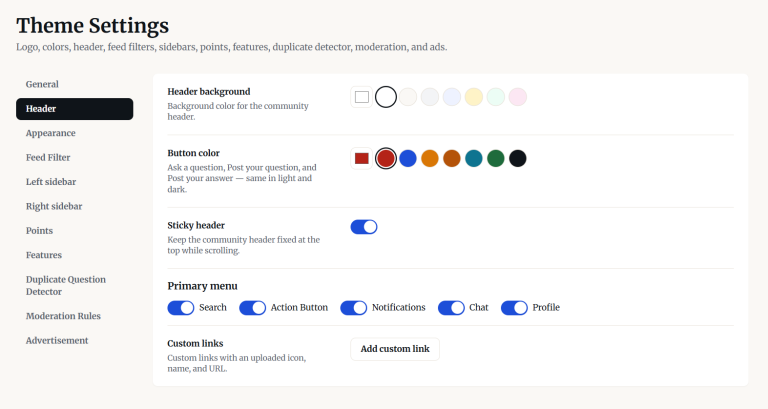
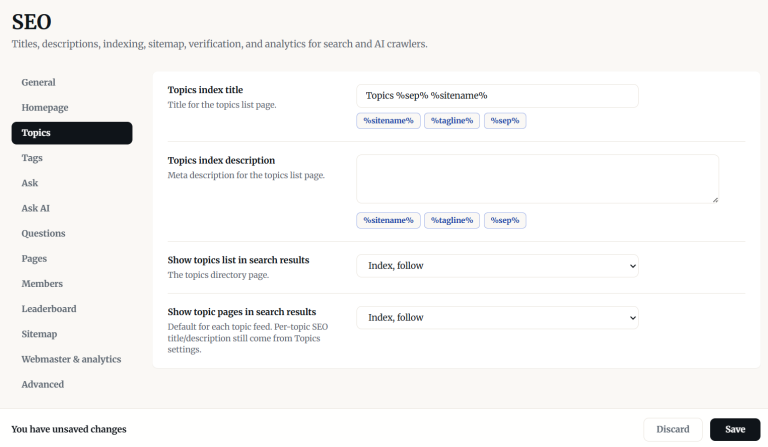
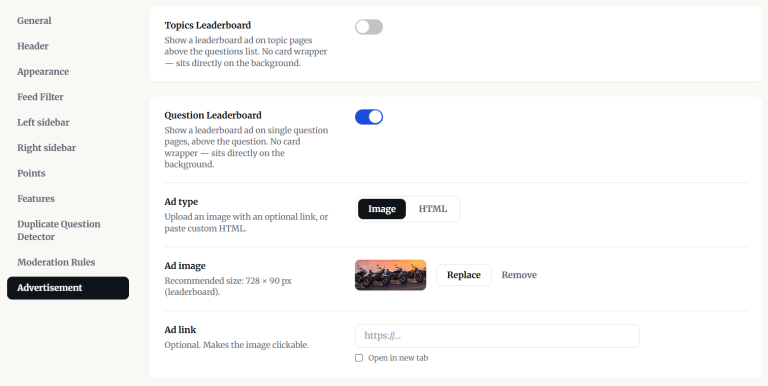
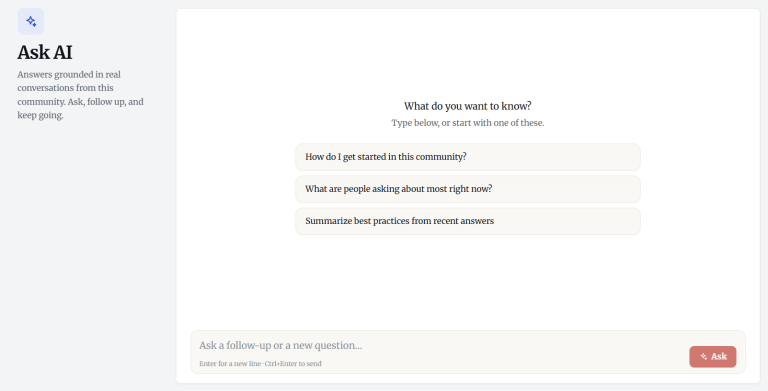
For developers
Is this your plugin? Show off the numbers.
Add a live badge to your site, docs or GitHub README. It updates on its own — no account needed.
Best Answers Pai alternatives
All community plugins →





FAQ
Answers Pai: quick answers
Straight answers, pulled from live WordPress.org data.
Live data from WordPress.org · checked Oct 12, 2026
Is Answers Pai free?
Yes. Answers Pai is free to download and use from the official WordPress.org plugin directory.
Is Answers Pai safe to use in 2026?
Answers Pai works, but test it on a staging site before relying on it in 2026. Was last updated 2 months ago, and scores 55/100 on our health check.
How many websites use Answers Pai?
Answers Pai is active on <10 WordPress websites and has been downloaded 164 times since it launched in August 2026. It was downloaded 77 times in the last 30 days.
Does Answers Pai work with WordPress 7.1?
Answers Pai is officially tested up to WordPress 7.0.7, while the latest release is 7.1.3. It may still work, but try it on a staging site first.
What PHP version does Answers Pai need?
Answers Pai requires PHP 8.1 or higher. Most hosts run PHP 8.x today, so it works on any modern WordPress hosting.
When was Answers Pai last updated?
The latest version, 1.0.0, was released on August 21, 2026 (2 months ago).
Who makes Answers Pai?
Answers Pai is developed and maintained by Dewan Shahedur Rahman.
What are the best alternatives to Answers Pai?
The most popular alternatives to Answers Pai are Ultimate Member (200K+ installs), BuddyPress (90K+ installs) and Ultimate Member – reCAPTCHA (20K+ installs).
Powered by PageForge
Want thousands of pages that rank like these? Build them in an afternoon.
This directory runs on the same engine as PageForge. Turn any spreadsheet, CSV or API into thousands of fast, SEO-ready WordPress pages — with schema, internal links and AI-written copy baked in.
- CSV, Google Sheets & API data sources
- AI content, schema & internal links per page
- Works with Elementor, Gutenberg, Yoast & Rank Math
- Free on WordPress.org — no credit card


