



Anrok Tax for WooCommerce
Complete sales tax automation for WooCommerce stores, from nexus monitoring to remittance. Connect in minutes, file on autopilot.

Use with caution
Anrok Tax for WooCommerce works, but test it on a staging site before relying on it in 2026. It runs on 100+ sites and was last updated 3 months ago, and scores 46/100 on our health check.
- Small user base (100+ active installs)
- Very few reviews so far
- Only tested up to WordPress 6.9 (latest is 7.1)
How does it stack up?
Side-by-side on installs, updates, ratings & supportDaily downloads
Download spikes usually follow a new release — each site that auto-updates counts as a download.
Rankings
Where Anrok Tax for WooCommerce stands todayWordPress.org search rankings
Live position in the plugin search, top 100| Keyword | Position |
|---|---|
| automated tax | #12 |
| sales tax | #27 |
| tax | #30 |
| vat | >100 |
| woocommerce | >100 |
Version adoption
Share of active sites per release.
About Anrok Tax for WooCommerce
From the official readme · v1.1.2Description
Growing your WooCommerce store means selling into new states—and new tax obligations. Anrok handles the entire compliance lifecycle so you can focus on what matters: building your business.
Connect and sync in minutes
Link your WooCommerce store with no custom code required. Orders and refunds sync automatically to Anrok, giving you a single source of truth for tax compliance across all your sales channels.
Know exactly where you owe
Anrok continuously monitors your sales against economic and physical nexus thresholds in every US state and 11,000+ US taxing jurisdictions. Get proactive alerts when you’re approaching obligations so that you’re never caught off guard by a registration deadline.
Registrations completed for you
When you hit nexus in a new state, Anrok’s team makes it easy to handle your sales tax registration on one platform. No paperwork, no state portals, no headaches.
Filing and remittance on autopilot
Local tax experts prepare, review, and file your returns on time, every time. Anrok remits payments directly to state authorities so you never miss a deadline or overpay.
Audit-ready from day one
Every transaction is tracked with rooftop accuracy. If a state ever comes knocking, you’ll have the documentation to back it up.
Real humans when you need them
Questions about a specific filing? Confused about a new nexus obligation? Anrok’s team of tax experts and technology specialists responds quickly with real answers so that you always get peace of mind.
Fast-growing brands like beehiiv, Dollar Flight Club, and 1Password trust Anrok to manage their sales tax. Whether you’re hitting nexus for the first time or managing obligations across 40+ states, Anrok scales with your WooCommerce business.
Features
- End-to-end sales tax compliance on one platform, from nexus monitoring to registration, calculation, filing, remittance, reconciliation, and audit reporting
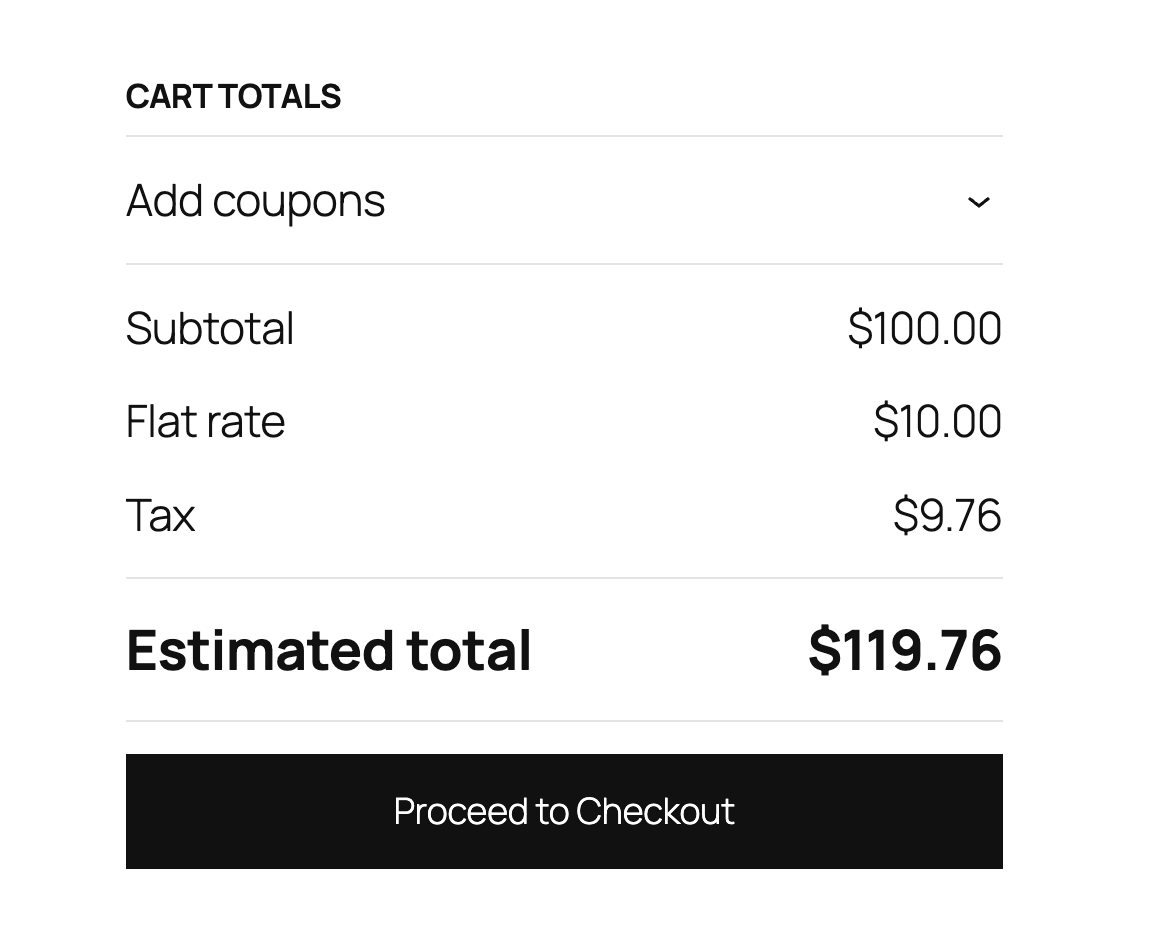
- Real-time tax calculation at checkout
- Support for multiple tax types (Sales Tax, VAT, GST, HST, PST, QST, RST, JCT)
- Automatic connection testing
- Simple API key setup
- Pre-discount and post-discount tax handling
- Compatible with WooCommerce High-Performance Order Storage (HPOS)
Requirements
- Active Anrok account (sign up at https://anrok.com)
- WooCommerce 8.2 or higher
- Taxes enabled on your WooCommerce store
- HTTPS enabled on your store
Third-Party Service Integration
This plugin relies on the Anrok tax calculation service to provide real-time tax rate calculations. When enabled, the plugin will:
- Send cart and order information to Anrok’s API for tax calculation
- Retrieve or create tax rates based on the customer’s location and purchased items
External Service Details
Service Provider: Anrok
Service Website: https://www.anrok.com/woo
Terms of Service: https://www.anrok.com/privacy-terms#w-tabs-0-data-w-pane-0
Privacy Policy: https://www.anrok.com/privacy-terms#w-tabs-0-data-w-pane-1
Installation
- Upload the plugin zip file in admin console, or install the plugin through the WooCommerce extensions marketplace
- Activate the plugin through the ‘Plugins’ screen in WordPress
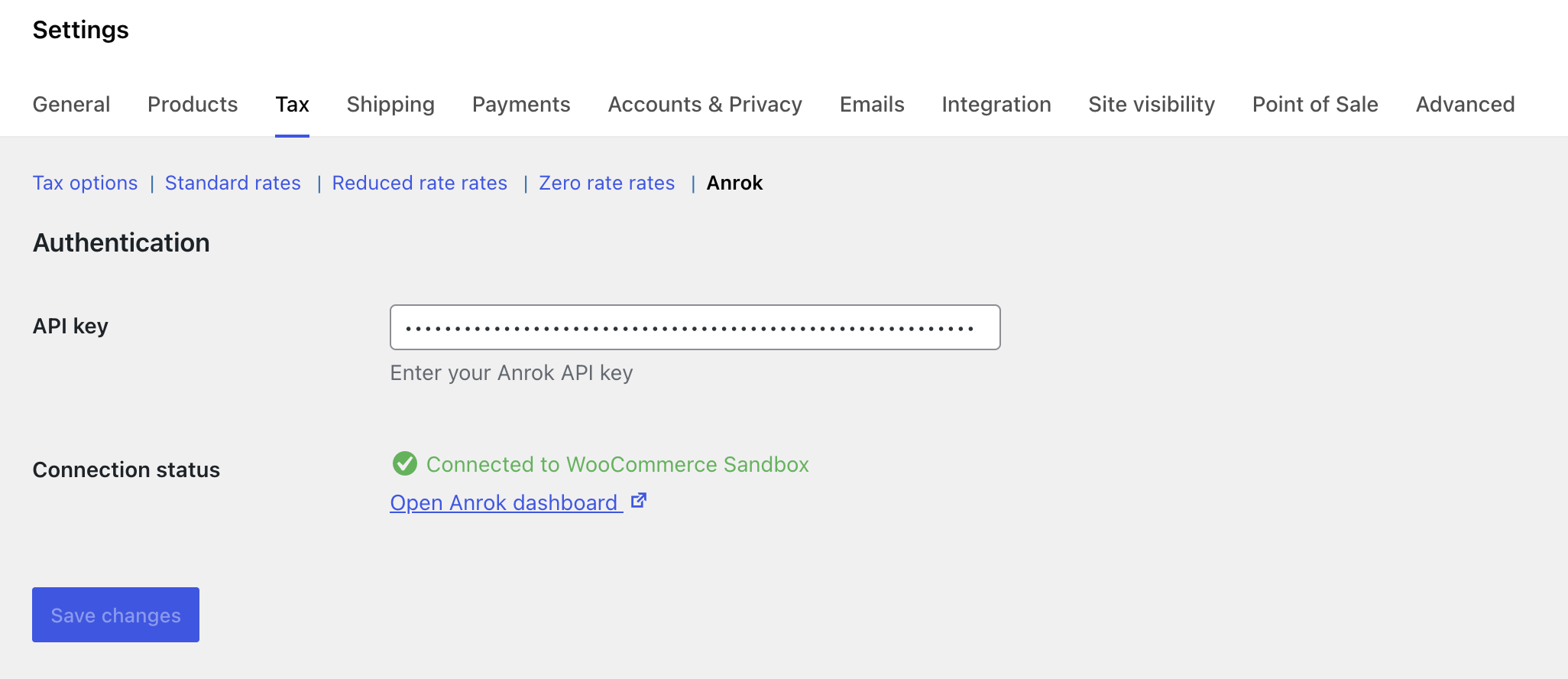
- Go to WooCommerce → Settings → Tax → Anrok
- Enter your Anrok API key (get one from your Anrok dashboard at https://anrok.com)
- Save settings and verify the connection status shows “Connected”
The plugin will automatically configure WooCommerce tax settings on activation.
Frequently asked questions
Where do I get an API key?
Sign up for an Anrok account at https://anrok.com and generate an API key from your dashboard.
What happens if the API is unavailable?
The plugin will fail gracefully and allow checkout to proceed without tax calculation to prevent blocking sales.
Does this work with HPOS (High-Performance Order Storage)?
Yes, this plugin is fully compatible with WooCommerce’s High-Performance Order Storage system.
How are taxes calculated?
Taxes are calculated in real-time during checkout based on the customer’s shipping address, cart contents, and your store location.
What tax types are supported?
The plugin supports multiple tax types including Sales Tax, VAT (Value Added Tax), GST (Goods and Services Tax), HST (Harmonized Sales Tax), PST (Provincial Sales Tax), QST (Quebec Sales Tax), RST (Retail Sales Tax), and JCT (Japan Consumption Tax).
How do I test the connection?
The connection status is automatically tested when you view the settings page. A green “Connected” message indicates successful connection to the Anrok API.
What WooCommerce settings are configured on activation?
The plugin automatically enables tax calculations, sets prices to exclude tax, and configures tax calculation based on the customer’s shipping address.
What data is sent to Anrok?
The plugin transmits necessary transaction details to calculate accurate sales tax, including customer address, product information, and order totals.
Is my customer data secure?
Anrok is SOC 2 Type II compliant. For detailed information about our security practices, please visit our security page: https://www.anrok.com/security
Changelog
Improvements to the post-installation experience.
1.1.2
- Improve post-installation experience
1.1.1
- Fix test mode defaulting to on for existing users
- Redirect to Anrok settings page after plugin activation
1.1.0
- Fix tax calculation for Classic Checkout flow
- Add compatibility with WooCommerce Subscriptions
- Fix compatibility with external plugins that recalculate order totals
- Add test mode to verify the plugin before going live without affecting real customer orders
1.0.1
- Deprecate usage of load_plugin_textdomain()
- Check for plugins that could affect Anrok tax calculation results
1.0.0
- Initial release
- Real-time tax calculation at checkout
- Connection status testing
- Multiple tax type support
- HPOS compatibility
- Automatic WooCommerce settings configuration
Screenshots
For developers
Is this your plugin? Show off the numbers.
Add a live badge to your site, docs or GitHub README. It updates on its own — no account needed.
Best Anrok Tax for WooCommerce alternatives
All automated tax plugins →| Rank | Plugin | Active installs |
|---|---|---|
| 2 |
 ZipTax – Sales Tax for WooCommerce
ZipTax offers an automated sales tax service for Wordpress WooCommerce. Simply install the…
ZipTax – Sales Tax for WooCommerce
ZipTax offers an automated sales tax service for Wordpress WooCommerce. Simply install the…
|
10+ |
FAQ
Anrok Tax for WooCommerce: quick answers
Straight answers, pulled from live WordPress.org data.
Live data from WordPress.org · checked Oct 3, 2026
Is Anrok Tax for WooCommerce free?
Yes. Anrok Tax for WooCommerce is free to download and use from the official WordPress.org plugin directory.
Is Anrok Tax for WooCommerce safe to use in 2026?
Anrok Tax for WooCommerce works, but test it on a staging site before relying on it in 2026. It runs on 100+ sites and was last updated 3 months ago, and scores 46/100 on our health check.
How many websites use Anrok Tax for WooCommerce?
Anrok Tax for WooCommerce is active on 100+ WordPress websites and has been downloaded 1,221 times since it launched in February 2026. It was downloaded 319 times in the last 30 days.
Does Anrok Tax for WooCommerce work with WordPress 7.1?
Anrok Tax for WooCommerce is officially tested up to WordPress 6.9.9, while the latest release is 7.1.2. It may still work, but try it on a staging site first.
What PHP version does Anrok Tax for WooCommerce need?
Anrok Tax for WooCommerce requires PHP 7.4 or higher. Most hosts run PHP 8.x today, so it works on any modern WordPress hosting.
When was Anrok Tax for WooCommerce last updated?
The latest version, 1.1.2, was released on June 25, 2026 (3 months ago).
Who makes Anrok Tax for WooCommerce?
Anrok Tax for WooCommerce is developed and maintained by Anrok.
What are the best alternatives to Anrok Tax for WooCommerce?
The most popular alternatives to Anrok Tax for WooCommerce are ZipTax (10+ installs).
Powered by PageForge
Want thousands of pages that rank like these? Build them in an afternoon.
This directory runs on the same engine as PageForge. Turn any spreadsheet, CSV or API into thousands of fast, SEO-ready WordPress pages — with schema, internal links and AI-written copy baked in.
- CSV, Google Sheets & API data sources
- AI content, schema & internal links per page
- Works with Elementor, Gutenberg, Yoast & Rank Math
- Free on WordPress.org — no credit card


