


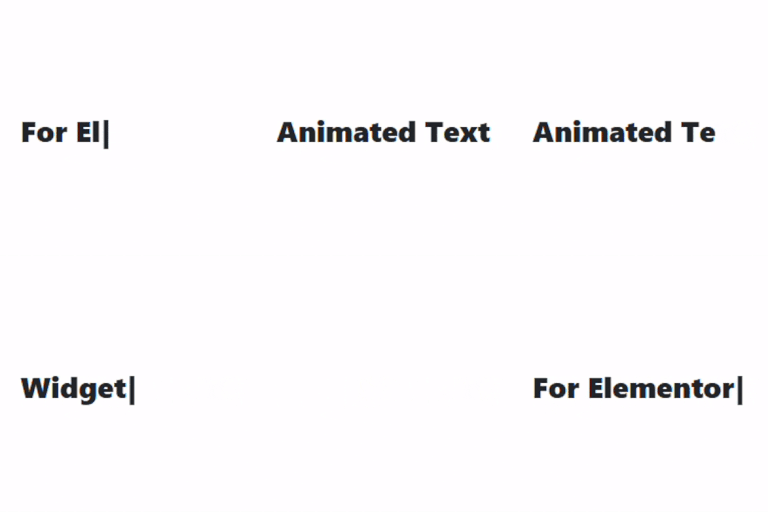
Animated Text Widget for Elementor
Animated Text Widget for Elementor adds two animated text effects to your Elementor pages: Typing Text and Rotating Words. Display multiple text strings with a typing animation or rotate words within a sentence to…

Solid choice
Animated Text Widget for Elemen… is a solid plugin choice in 2026, with a few things worth checking first. It runs on 100+ sites and was last updated 1 month ago, and scores 64/100 on our health check.
- Tested with the latest WordPress (7.1)
- Small user base (100+ active installs)
- Very few reviews so far
How does it stack up?
Side-by-side on installs, updates, ratings & support



Daily downloads
Download spikes usually follow a new release — each site that auto-updates counts as a download.
Rankings
Where Animated Text Widget for El… stands todayWordPress.org search rankings
Live position in the plugin search, top 100| Keyword | Position |
|---|---|
| animated text | #13 |
| elementor | >100 |
| rotating text | #8 |
| Typing Effect | #27 |
| widget | >100 |
Version adoption
Share of active sites per release.
About Animated Text Widget for Elementor
From the official readme · v1.1.0Description
Animated Text Widget for Elementor adds two animated text effects to your Elementor pages: Typing Text and Rotating Words. Display multiple text strings with a typing animation or rotate words within a sentence to create engaging headings. Customize animation settings, text content, colors, and typography directly from the Elementor editor.
The widget works seamlessly in both the Elementor editor with live preview and on the frontend, using lightweight JavaScript for smooth animations.
Features:
* Two animation modes: Typing Text and Rotating Words.
* Display multiple typing text strings separated by the pipe (|) character.
* Rotate multiple words or short phrases within a sentence.
* Customize typing speed.
* Customize delay between typed strings.
* Customize rotating word speed.
* Show or hide the typing cursor.
* Independent typography and text color controls for Typing Text.
* Independent typography and text color controls for Rotating Words.
* Separate typography and text color controls for rotating words.
* Live preview in the Elementor editor.
* Lightweight JavaScript for smooth performance.
How It Works:
Choose between the Typing Text and Rotating Words animation modes.
Typing Text types and deletes multiple text strings in sequence, while Rotating Words cycles through multiple words or short phrases inside a sentence. All animation settings and styling options can be customized directly from the Elementor editor.
Installation
- Upload the plugin files to the
/wp-content/plugins/animated-text-widget-for-elementordirectory, or install the plugin through the WordPress Plugins screen. - Activate the plugin through the Plugins screen in WordPress.
- Open the Elementor editor.
- Search for Animated Text, or find it under the General category.
- Drag and drop the widget onto your page and configure the animation settings.
Frequently asked questions
Which animation modes are available?
The widget includes Typing Text and Rotating Words animation modes.
Can I add multiple animated text strings?
Yes. Separate multiple text strings using the pipe (|) character.
Can I rotate multiple words?
Yes. Enter multiple words or phrases separated by the pipe (|) character.
Does this plugin support live preview in the Elementor editor?
Yes. Both animation modes support live preview inside the Elementor editor.
Can I control the animation speed?
Yes. You can customize typing speed, typing delay, and rotating word speed.
Can I style the rotating words separately?
Yes. Rotating words have their own typography and text color controls.
Does this plugin support cursor customization?
The typing animation allows you to show or hide the cursor.
Changelog
1.1.0
- Added Rotating Words animation mode.
- Added Before Text and After Text options for rotating animation.
- Added rotation speed control.
- Added independent color controls for Typing Text and Rotating Words.
- Added independent typography controls for Typing Text and Rotating Words.
- Refactored JavaScript into a class-based implementation for easier maintenance.
- Improved Elementor editor live preview for both animation modes.
1.0.2
- Updated inline documentation for dependency check.
1.0.1
- Fixed layout fluctuation when cursor is hidden.
1.0
- Initial release
Screenshots



For developers
Is this your plugin? Show off the numbers.
Add a live badge to your site, docs or GitHub README. It updates on its own — no account needed.
Best Animated Text Widget for Elem… alternatives
All animated text plugins →





FAQ
Animated Text Widget for Elementor: quick answers
Straight answers, pulled from live WordPress.org data.
Live data from WordPress.org · checked Oct 3, 2026
Is Animated Text Widget for Elemen… free?
Yes. Animated Text Widget for Elemen… is free to download and use from the official WordPress.org plugin directory.
Is Animated Text Widget for Elemen… safe to use in 2026?
Animated Text Widget for Elemen… is a solid plugin choice in 2026, with a few things worth checking first. It runs on 100+ sites and was last updated 1 month ago, and scores 64/100 on our health check.
How many websites use Animated Text Widget for Elemen…?
Animated Text Widget for Elemen… is active on 100+ WordPress websites and has been downloaded 1,455 times since it launched in September 2025. It was downloaded 143 times in the last 30 days.
Does Animated Text Widget for Elemen… work with WordPress 7.1?
Yes. The developer has tested Animated Text Widget for Elemen… up to WordPress 7.1.2, the latest release. It requires WordPress 5.6 or newer.
What PHP version does Animated Text Widget for Elemen… need?
Animated Text Widget for Elemen… requires PHP 7.4 or higher. Most hosts run PHP 8.x today, so it works on any modern WordPress hosting.
When was Animated Text Widget for Elemen… last updated?
The latest version, 1.1.0, was released on August 25, 2026 (1 month ago).
Who makes Animated Text Widget for Elemen…?
Animated Text Widget for Elemen… is developed and maintained by samiur6688.
What are the best alternatives to Animated Text Widget for Elemen…?
The most popular alternatives to Animated Text Widget for Elemen… are Animated Text Block (4K+ installs), Typing Text (500+ installs) and Animated Headline (80+ installs).
Powered by PageForge
Want thousands of pages that rank like these? Build them in an afternoon.
This directory runs on the same engine as PageForge. Turn any spreadsheet, CSV or API into thousands of fast, SEO-ready WordPress pages — with schema, internal links and AI-written copy baked in.
- CSV, Google Sheets & API data sources
- AI content, schema & internal links per page
- Works with Elementor, Gutenberg, Yoast & Rank Math
- Free on WordPress.org — no credit card


