


Animate It!
Add cool CSS3 animations to your content.

Safe pick
Yes — Animate It! is a safe, well-maintained plugin to use in 2026. It runs on 20K+ sites, is rated 4.9/5 and was last updated 2 months ago, and scores 86/100 on our health check.
- Proven at scale on 20K+ active sites
- Loved by users — 4.9/5 from 127 reviews
- Tested with the latest WordPress (7.1)
How does it stack up?
Side-by-side on installs, updates, ratings & supportDaily downloads
Download spikes usually follow a new release — each site that auto-updates counts as a download.
Rankings
Where Animate It! stands todayWordPress.org search rankings
Live position in the plugin search, top 100| Keyword | Position |
|---|---|
| animate.css | #1 |
| CSS3 animation | #1 |
| infinite | #24 |
| jquery | #25 |
| on scroll | #27 |
Version adoption
Share of active sites per release.
Rating breakdown
★★★★★★★★★★ 4.9 from 127 reviews
About Animate It!
From the official readme · v3.0.7Description
Add cool CSS3 animations to your content.
Demo | Documentation | Class Generator
Some of the Key features Include:
- Allowing user to apply CSS3 animations on Post, Widget and Pages.
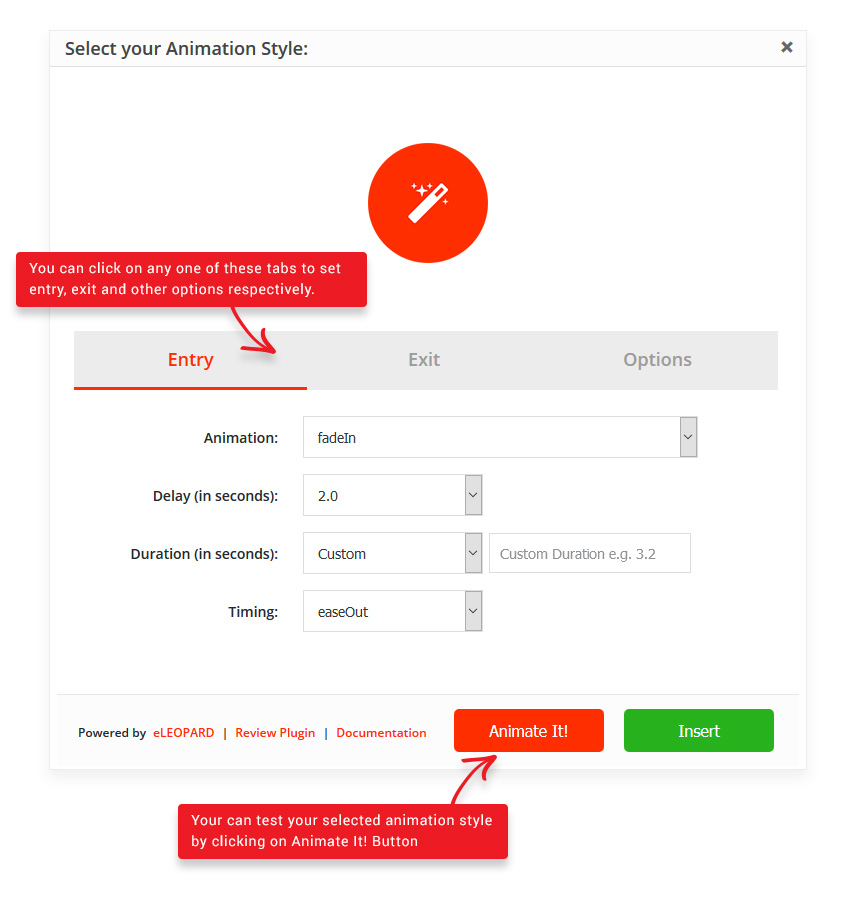
- 50+ Entry, Exit and Attention Seeker Animations.
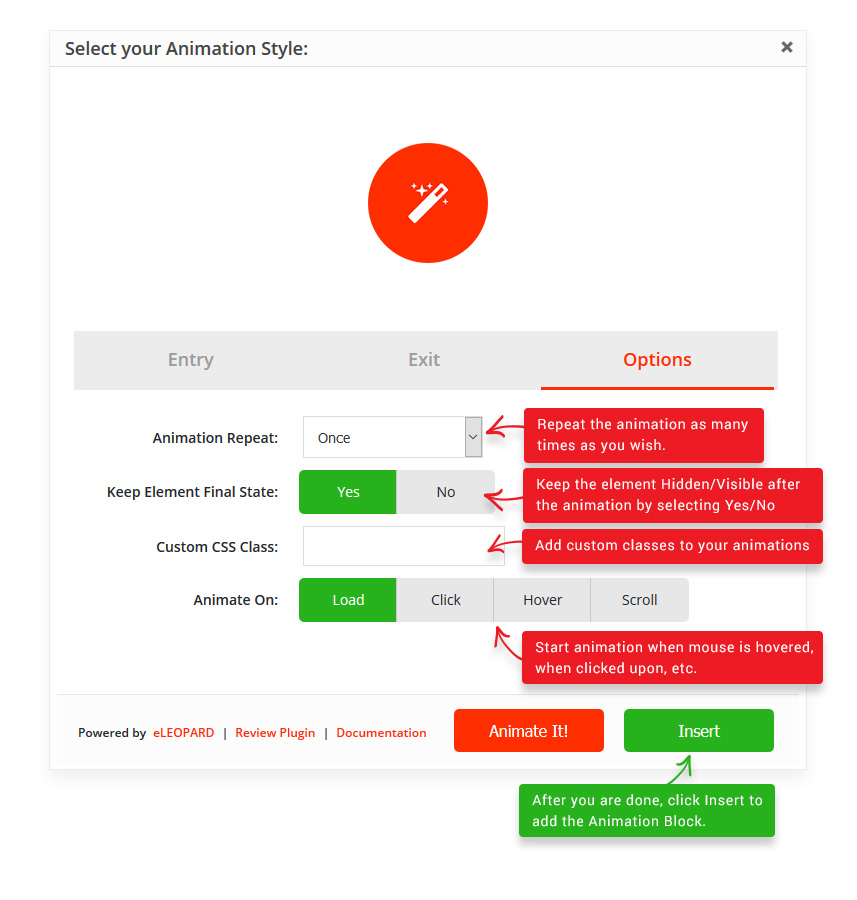
- Capability to apply animation on Scroll.
- Capability to add different scroll offset on individual animation blocks.
- Capability to apply animation on Click.
- Capability to apply animation on Hover.
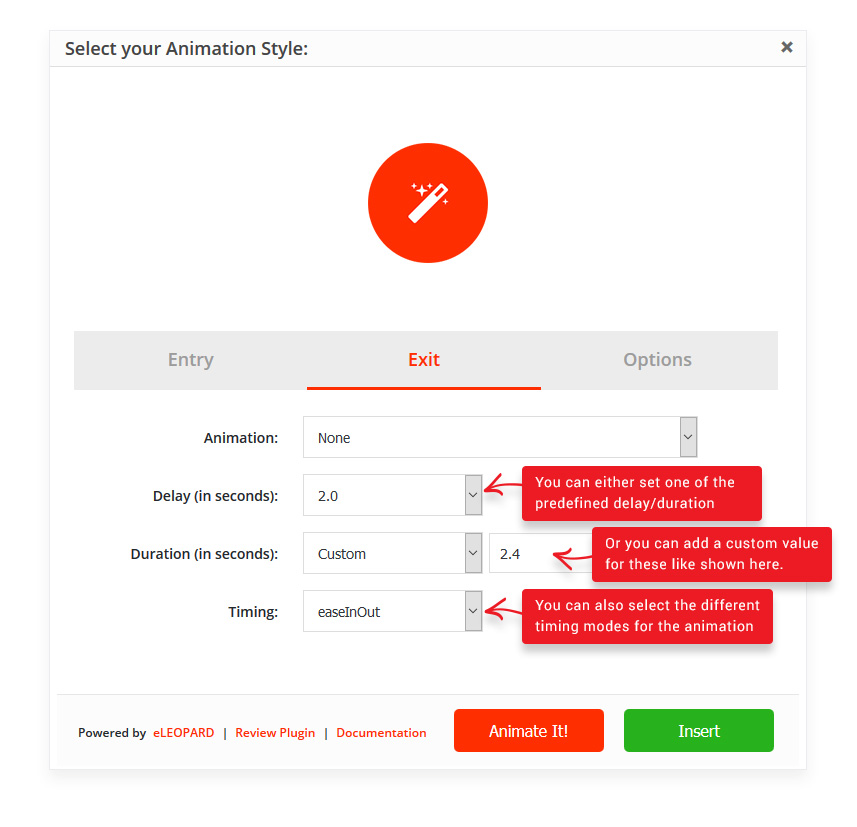
- Providing delay feature in animation to create a nice animation sequence.
- Providing feature to control the duration for a more precise animation.
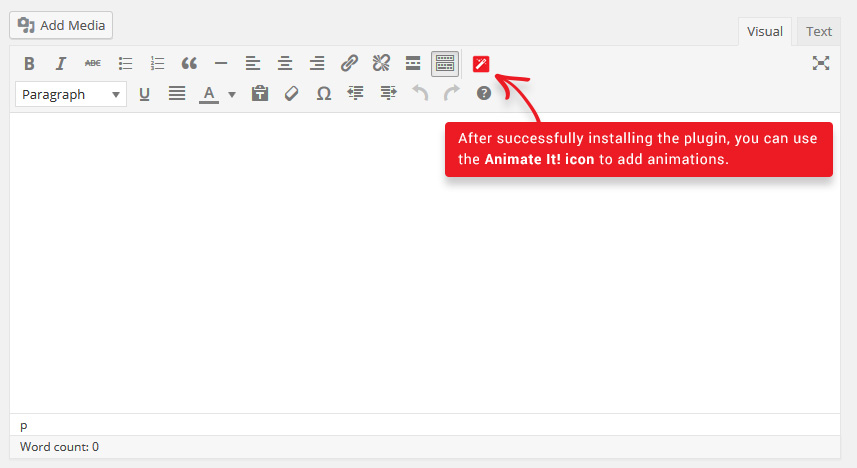
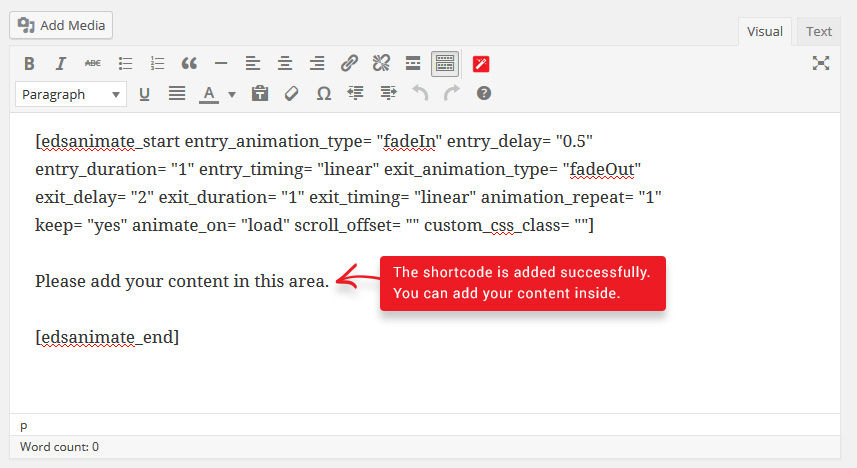
- Providing a button in the editor to easily add an animation block in the article or post.
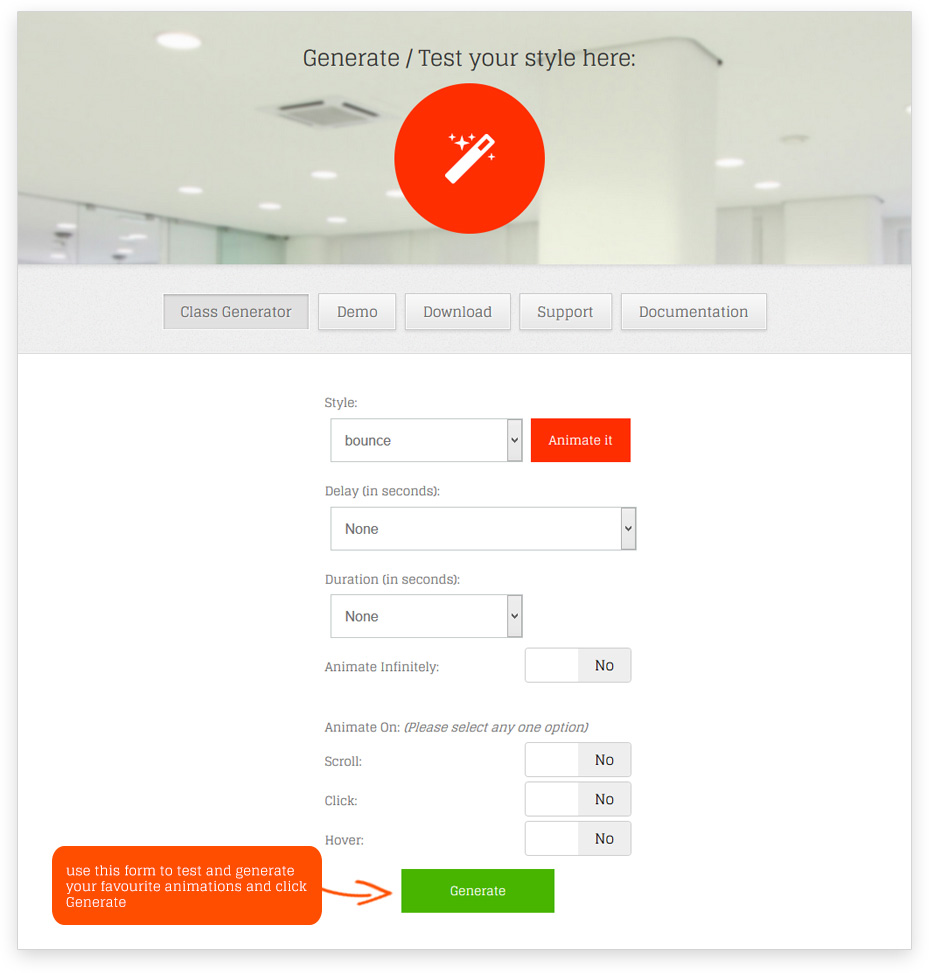
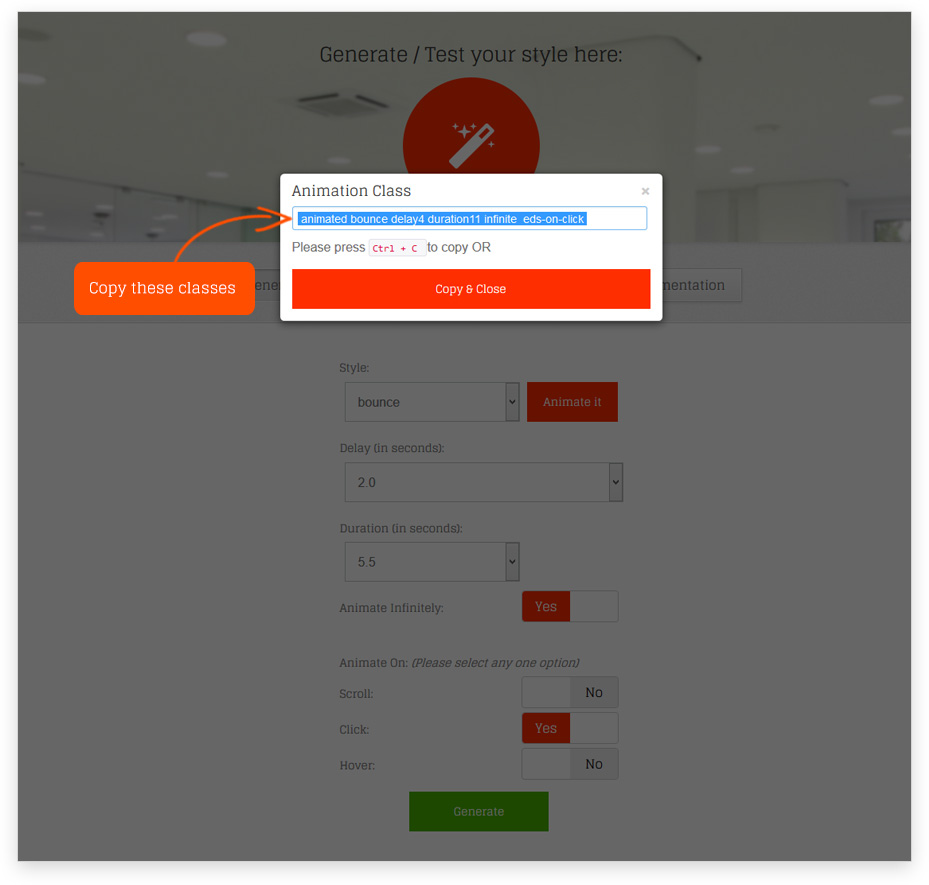
- Allow user to add animation on WordPress widgets. Use Class Generator to generate the required animation classes.
- Allow user to apply animation infinitely or any fixed number of times.
- Option to add custom CSS classes to individual animation block.
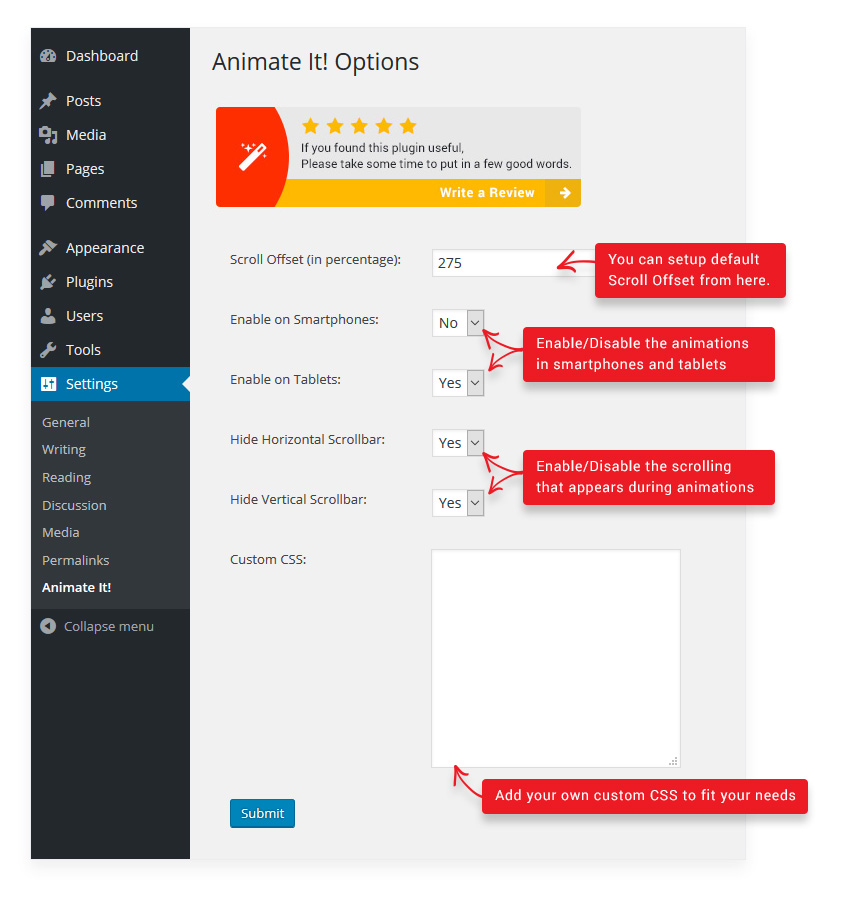
- Options to enable or disable animations on Smartphones and Tablets.
- Spanish and German language support. Thanks to Santiago Marrone, Christian Herrmann
- Custom Animate It! block to apply animations on other Gutenberg blocks.
All the CSS3 animations are from Animate.css and Animo.js
Installation
- Upload edsanimate to the /wp-content/plugins/ directory.
- Activate the plugin through the Plugins menu in WordPress.
- Set your options from the Settings -> Animate It! admin area.
Alternatively:
- Login to your WordPress admin area
- Search for Animate It!
- Click install Animate It!
- Activate through the Plugins menu in WordPress or when asked during installation
- Set your options from the Settings -> Animate It! admin area
Changelog
Initial public release.
Version 3.0.7
- Tested up to version 7.1
Version 3.0.6
- Tested up to version 7.0.2
Version 3.0.5
- Tested up to version 6.9
Version 3.0.4
- Tested up to version 6.8.3
Version 3.0.3
- Tested up to version 6.5.2
Version 3.0.2
- Fixes related to compatibility with other plugins.
Screenshots

For developers
Is this your plugin? Show off the numbers.
Add a live badge to your site, docs or GitHub README. It updates on its own — no account needed.
Best Animate It! alternatives
All animate.css plugins →| Rank | Plugin | Active installs |
|---|---|---|
| 2 |
 Animations by Imoptimal
Accentuate most important elements on your website through animation - either when its… |
60+ |
| 3 |
 Animate Content
This plugin allow you to animate content when user use the scroll bar by Devictio |
10+ |
FAQ
Animate It!: quick answers
Straight answers, pulled from live WordPress.org data.
Source: WordPress.org
Is Animate It! free?
Yes. Animate It! is free to download and use from the official WordPress.org plugin directory.
Is Animate It! safe to use in 2026?
Yes — Animate It! is a safe, well-maintained plugin to use in 2026. It runs on 20K+ sites, is rated 4.9/5 and was last updated 2 months ago, and scores 86/100 on our health check.
How many websites use Animate It!?
Animate It! is active on 20K+ WordPress websites and has been downloaded 755,139 times since it launched in September 2014. It was downloaded 3,850 times in the last 30 days.
Does Animate It! work with WordPress 7.1?
Yes. The developer has tested Animate It! up to WordPress 7.1.5, the latest release. It requires WordPress 4.7.0 or newer.
When was Animate It! last updated?
The latest version, 3.0.7, was released on September 11, 2026 (2 months ago).
Who makes Animate It!?
Animate It! is developed and maintained by eleopard.
What are the best alternatives to Animate It!?
The most popular alternatives to Animate It! are Animations by Imoptimal (60+ installs) and Animate Content (10+ installs).
Powered by PageForge
One template and a spreadsheet. A real page for every search.
PageForge turns each row of a CSV into a WordPress page with its own title, URL, SEO fields and schema, built on the layout you already designed. Free on WordPress.org.
- CSV and XLSX, plus Google Sheets on Professional and Enterprise
- Its own title, URL, SEO fields and schema for every page
- Works with the block editor, Elementor, Divi and Avada
- Free on WordPress.org, no credit card