



Amedea – Unique Design Elements for Elementor
Amedea - Unique Design Elements for Elementor

Solid choice
Amedea is a solid plugin choice in 2026, with a few things worth checking first. It runs on 500+ sites, is rated 5/5 and was last updated 2 months ago, and scores 73/100 on our health check.
- Tested with the latest WordPress (7.1)
- Small user base (500+ active installs)
- Very few reviews so far
- Needs PHP 8.2 or newer
How does it stack up?
Side-by-side on installs, updates, ratings & support


Daily downloads
Download spikes usually follow a new release — each site that auto-updates counts as a download.
Rankings
Where Amedea stands todayWordPress.org search rankings
Live position in the plugin search, top 100| Keyword | Position |
|---|---|
| animated | #48 |
| elementor | >100 |
| elements | #25 |
| gsap | #5 |
| widget | >100 |
Version adoption
Share of active sites per release.
Rating breakdown
★★★★★★★★★★ 5 from 1 reviews
About Amedea
From the official readme · v0.0.4.8Description
A Collection of unique design elementor widgets for Elementor.
Within few minutes, you can add unique GSAP effects to your website – easily!
Features
- Elementor Widgets ready
- Smooth animations
- Videos are supported
- Fully Responsible
- Easy to use
- WPML Supported
- Clean, minimal and modern design
- Powered by HTML5/CSS3
- Optimized for mobile devices
- Optimized for touchable devices
- Installation guide and detailed documentation included
- And more…
Included features to the Limited Version, click (https://amedeapro.com/go/?p=demo) to see demo site in action.
For PRO demo features, you can check (https://amedeapro.com/go/?p=prodemo) this page out!
Included
Animated Hover Menu
A couple of ideas for creative menu/listing items come with unique hover animated images for Elementor. The idea is to navigate a item-based listing with special effects on-hovered, it shows an image related to the item as preview.
Animated Intro
An interesting intro animation with image/video created with unique combination of motion, each ending in a circular look.
Diagonal Media
Animated slideshow for diagonal medias, tilted thumbnails and large titles those animate smoothly when navigating.
Grid Hover Motion
On-hover motion effects for image grids areas.
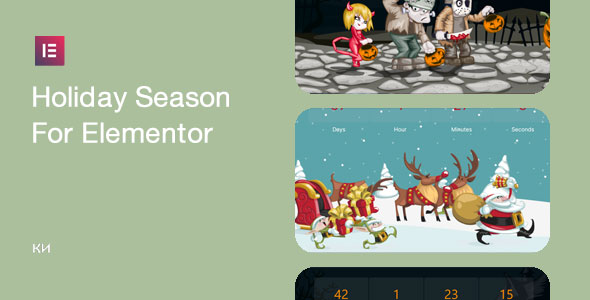
Holiday Special
An animated versions with CSS3 for the holiday spirit.
– Halloween Special
– Thanksgiving Special
– Thanksgiving Minimal
– Christmas Special
– Valentines Day Special
– Easter Egg
– Easter Egg #2
Image Hover
A collection of easy-to-use 4 main different category of total 34+ image hover elements ready for Elementor.
Media Slider
A collection of unique ideas for slideshow animations on fullscreen videos/images.
On-Scroll Animated Grids
Creative animated ideas for on-scroll effects using grids.
On-Scroll Morph Effects
A collection of easy-to-use the total 7+ image tilt/hover elements triggered by on-scroll ready for Elementor.
Push Gallery
Animated slideshow gallery for the grid items upon clicking the smooth pushing effect takes a place.
Fullscreen Menu
A full-screen menu effect with an SVG overlay, with/without an infinite background CSS animation.
Design Elements
To improve your page design, ready-to-use page elements such as Contact/About widgets has been included with Accordion/Marquee/Tool-tips along with some other elements.
New : Text Effect
New : Before and After Image Comparison with GSAP Scrolltrigger*
New : Scroll focus image and text*
New : Grid Scroll Animation
PRO
There are more than 100+ widgets available as PRO.
Click (https://amedeapro.com/go/?p=pro) here to see all of the widgets with demo websites and details.
Installation
-
In your Dashboard click to add new plugin as normal WordPress plugin installation in your search type “Amedea” and find the plugin
- You can download plugin from the plugin page
- Use your file manager or FTP to Upload the plugin to the ‘/wp-content/plugins/’ directory.
-
Activate it through the ‘Plugins’ menu in WordPress.
- Enable plugin
- Please rate the plugin!
Frequently asked questions
What is the difference between free Plugin and Pro?
Free/Limited version allows you to check the plugins features and test it with your theme along with limited extensions. In addition to that, if you’d like to extend the plugin features to over 100+ extensions, you can upgrade it to PRO version anytime.
Is there support ?
Further support is available at Support page
Other works
You can find out other works as well as if you need further customization/support, you can purchase services by Contact
Changelog
Halloween Edition extension has been added.
0.0.1
- First release
= 0.0.2 - First update
= 0.0.3.0 - Minor bugs fixed
= 0.0.3.3 - Update for Elementor 3.30
= 0.0.3.4 - Update for Domain change
= 0.0.3.5 - New features added.
= 0.0.3.6 - Updated some information regarding to domain change
= 0.0.3.7 - Halloween Edition extension has been added.
= 0.0.3.8 - Thanksgiving Edition extension has been added.
= 0.0.3.9 - Christmas Edition extension has been added.
= 0.0.4.0 - Christmas Edition #2 extension has been added.
= 0.0.4.1 - Valentines Day extension has been added.
= 0.0.4.2 - New Design Elements added : Text Effect
= 0.0.4.3 - New Design Elements added : Scroll Trigger Before/After Image
= 0.0.4.4 - Easter Edition extension has been added.
= 0.0.4.5 - Easter Edition #2 extension has been added.
= 0.0.4.6 - New Design Elements added : Scroll Focus
= 0.0.4.7 - New Design Elements added : Grid Scroll Animation
Screenshots


For developers
Is this your plugin? Show off the numbers.
Add a live badge to your site, docs or GitHub README. It updates on its own — no account needed.
Best Amedea alternatives
All animated plugins →



FAQ
Amedea: quick answers
Straight answers, pulled from live WordPress.org data.
Live data from WordPress.org · checked Oct 11, 2026
Is Amedea free?
Yes. Amedea is free to download and use from the official WordPress.org plugin directory.
Is Amedea safe to use in 2026?
Amedea is a solid plugin choice in 2026, with a few things worth checking first. It runs on 500+ sites, is rated 5/5 and was last updated 2 months ago, and scores 73/100 on our health check.
How many websites use Amedea?
Amedea is active on 500+ WordPress websites and has been downloaded 9,173 times since it launched in September 2024. It was downloaded 228 times in the last 30 days.
Does Amedea work with WordPress 7.1?
Yes. The developer has tested Amedea up to WordPress 7.1.3, the latest release. It requires WordPress 6.5.1 or newer.
What PHP version does Amedea need?
Amedea requires PHP 8.2 or higher. Most hosts run PHP 8.x today, so it works on any modern WordPress hosting.
When was Amedea last updated?
The latest version, 0.0.4.8, was released on August 13, 2026 (2 months ago).
Who makes Amedea?
Amedea is developed and maintained by Ki-Themes.
What are the best alternatives to Amedea?
The most popular alternatives to Amedea are Timeline Express (9K+ installs), WP CountUP JS (1K+ installs) and Jellyfish Counter Widget (1K+ installs).
Powered by PageForge
Want thousands of pages that rank like these? Build them in an afternoon.
This directory runs on the same engine as PageForge. Turn any spreadsheet, CSV or API into thousands of fast, SEO-ready WordPress pages — with schema, internal links and AI-written copy baked in.
- CSV, Google Sheets & API data sources
- AI content, schema & internal links per page
- Works with Elementor, Gutenberg, Yoast & Rank Math
- Free on WordPress.org — no credit card


