



FiboSearch – Ajax Search for WooCommerce
The most popular WooCommerce product search plugin. Gives your users a well-designed advanced AJAX search bar with live search suggestions.

Safe pick
Yes — FiboSearch is a safe, well-maintained plugin to use in 2026. It runs on 100K+ sites, is rated 4.9/5 and was last updated 3 weeks ago, and scores 89/100 on our health check.
- Proven at scale on 100K+ active sites
- Loved by users — 4.9/5 from 1,815 reviews
- Actively developed — last update 3 weeks ago
- Tested with the latest WordPress (7.1)
How does it stack up?
Side-by-side on installs, updates, ratings & support



Daily downloads
Download spikes usually follow a new release — each site that auto-updates counts as a download.
Rankings
Where FiboSearch stands todayWordPress.org search rankings
Live position in the plugin search, top 100| Keyword | Position |
|---|---|
| ajax search | #1 |
| product search | #7 |
| search by sku | #1 |
| woocommerce | #52 |
| woocommerce search | #8 |
Version adoption
Share of active sites per release.
Rating breakdown
★★★★★★★★★★ 4.9 from 1,815 reviews
About FiboSearch – Ajax Search for WooCommerce
From the official readme · v1.34.2Description
The most popular WooCommerce product search plugin. It gives your users a well-designed advanced AJAX search bar with live search suggestions.
By default, WooCommerce provides a very simple search solution, without live product search or even SKU search. FiboSearch (formerly Ajax Search for WooCommerce) provides advanced search with live suggestions.
Who doesn’t love instant, as-you-type suggestions? In 2025, customers expect smart product search. Baymard Institute’s latest UX research reveals that search autocomplete, auto-suggest, or an instant search feature is now offered on 96% of major e-commerce sites. It’s a must-have feature for every online business that can’t afford to lose customers. Why? FiboSearch helps users save time and makes shopping easier. As a result, Fibo really boosts sales.
Features
✅ Search by product title, long and short description
✅ Search by SKU
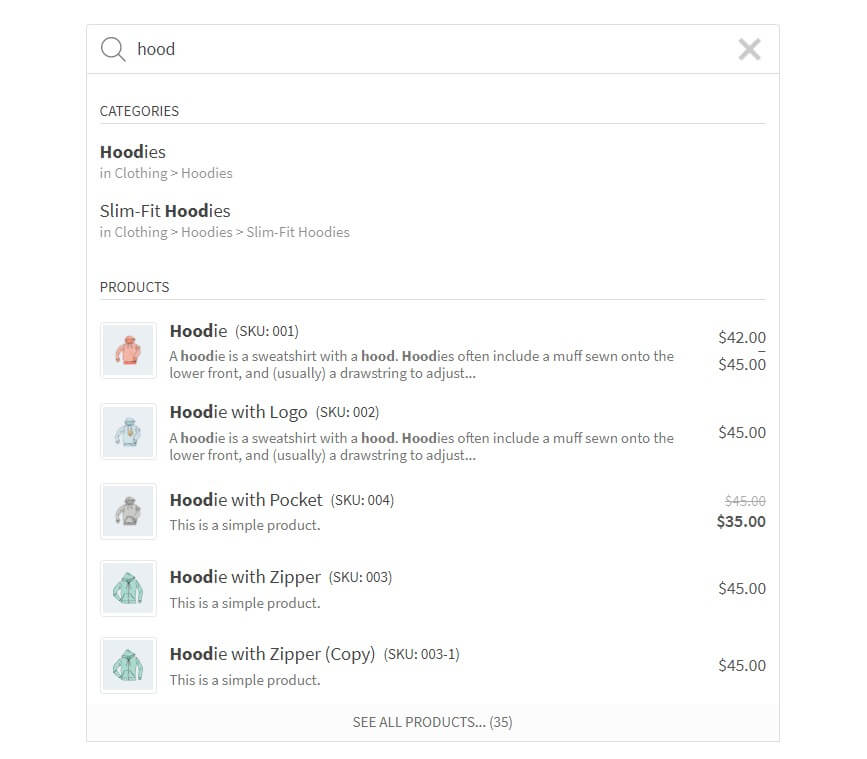
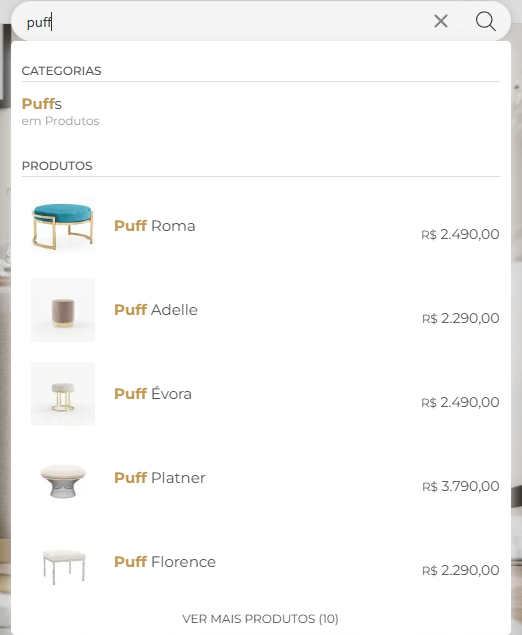
✅ Show product image in live search results
✅ Show product price in live search results
✅ Show product description in live search results
✅ Show SKU in live search results
✅ Mobile first – special mobile search mode for better UX
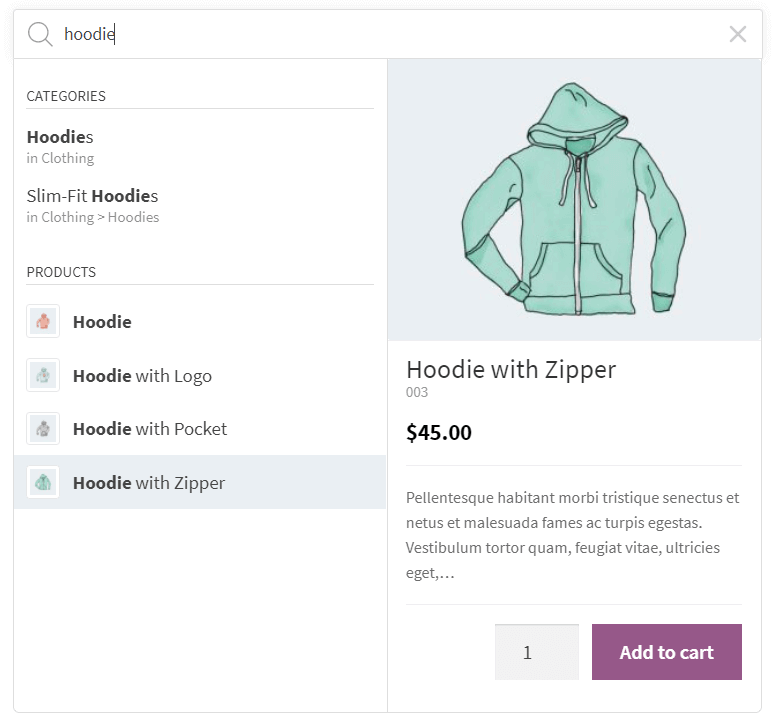
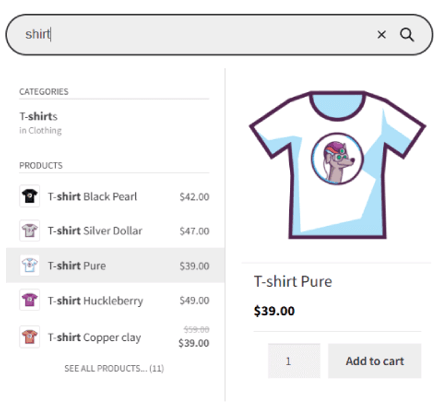
✅ Details panels with extended information – “add to cart” button with a quantity field and extended product data displayed on hovering over the live suggestion
✅ Easy implementation in your theme – embed the plugin using a shortcode, as a menu item or as a widget
✅ Terms search – search for product categories and tags
✅ Search history – the current search history is presented when the user clicked/taped on the search bar, but hasn’t yet typed the query.
✅ Limit displayed suggestions – the number is customizable
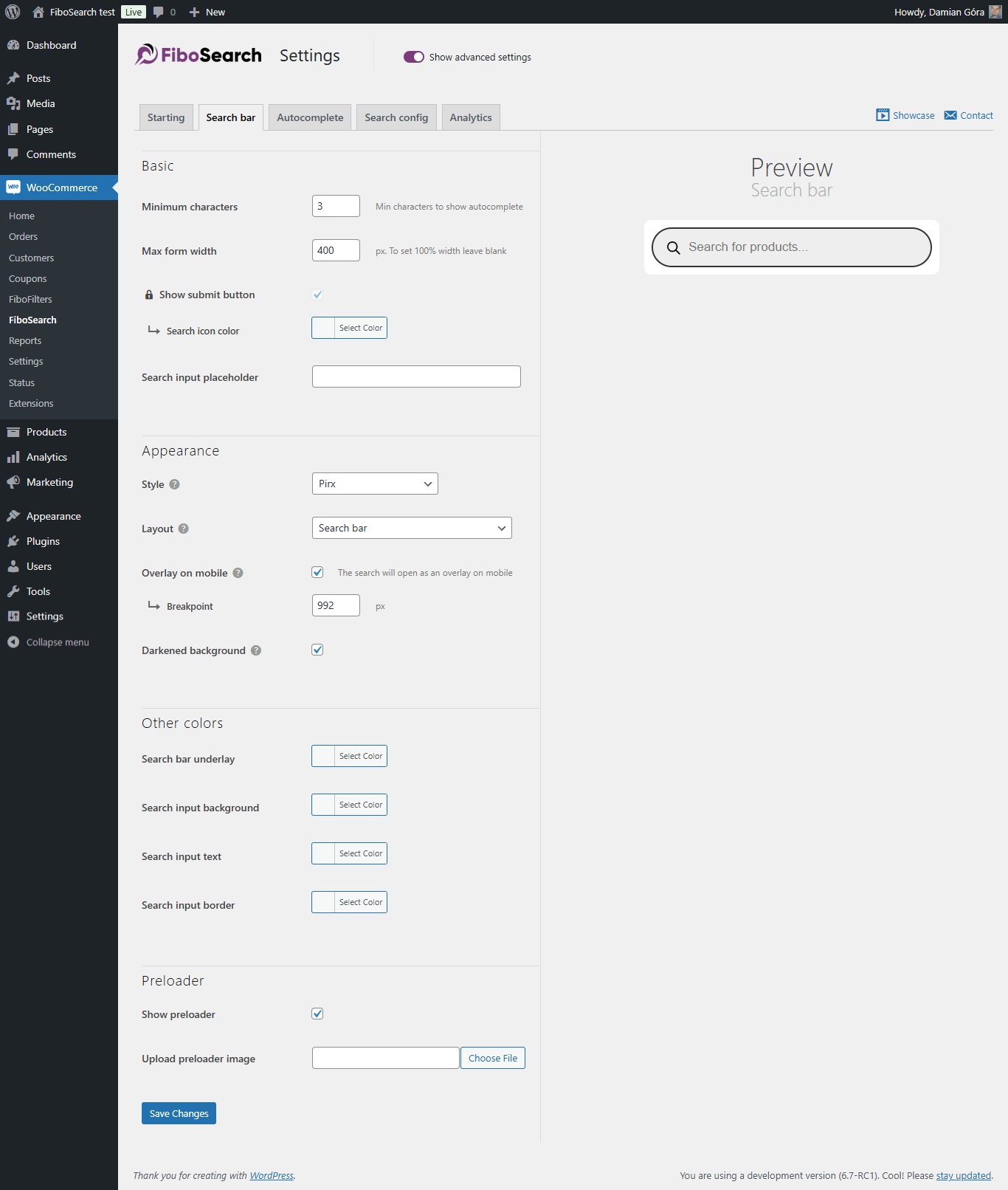
✅ The minimum number of characters required to display suggestions – the number is customizable
✅ Better ordering – a smart algorithm ensures that the displayed results are as accurate as possible
✅ Support for WooCommerce search results page – after typing enter, users get the same results as in FiboSearch bar
✅ Grouping instant search results by type – displaying e.g. first matching categories, then matching products
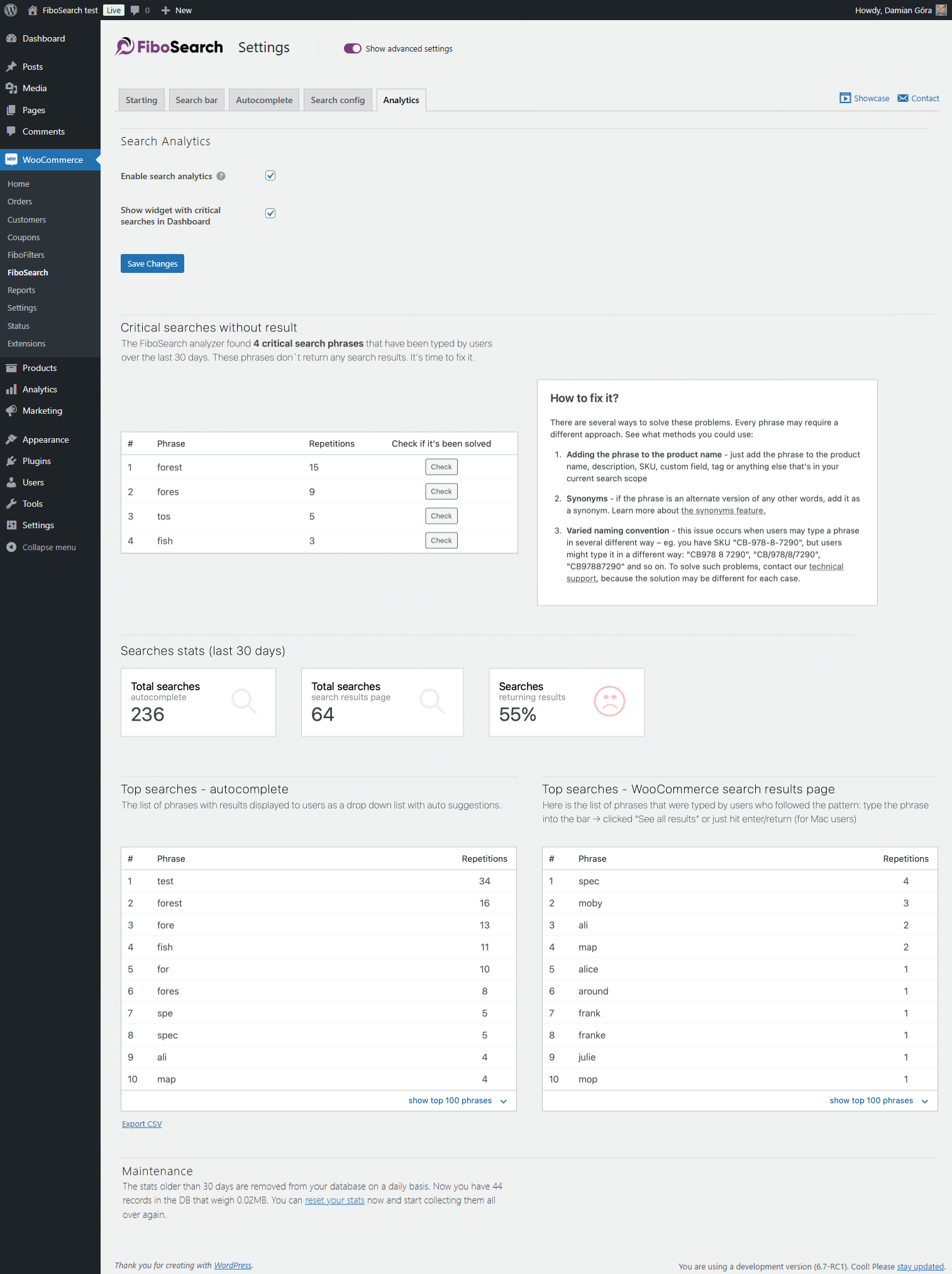
✅ Google Analytics support
✅ Multilingual support including WPML, Polylang and qTranslate-XT
✅ Personalization of search bar and autocomplete suggestions – labels, colors, preloader, image and more
Try the PRO version
FiboSearch also comes in a Pro version, with a modern, inverted index-based search engine. FiboSearch Pro works up to 10× faster than the Free version or other popular search solutions for WooCommerce.
Upgrade to PRO and boost your sales!
PRO features
✅ Ultra-fast search engine based on the inverted index – works very fast, even with 100,000+ products
✅ Fuzzy search – works even with minor typos
✅ Search in custom fields with dedicated support for ACF
✅ Search in attributes
✅ Search in categories. Supports category thumbnails.
✅ Search in tags
✅ Search in brands (We support WooCommerce Brands, Perfect Brands for WooCommerce, Brands for WooCommerce, YITH WooCommerce Brands). Supports brand thumbnails.
✅ Search by variation product SKU – also shows variable products in live search after typing in the exact matching SKU
✅ Search for posts – also shows matching posts in live search
✅ Search for pages – also shows matching posts in live search
✅ Synonyms
✅ Conditional exclusion of products
✅ TranslatePress compatible
✅ Professional and fast help with embedding or replacing the search bar in your theme
✅ and more…
✅ SEE ALL PRO FEATURES!
Showcase
See how it works for others: Showcase.
Feedback
Any suggestions or comments are welcome. Feel free to contact us via the contact form.
Installation
- Install the plugin from within the Dashboard or upload the directory
ajax-search-for-woocommerceand all its contents to the/wp-content/plugins/directory. - Activate the plugin through the ‘Plugins’ menu in WordPress.
- Go to
WooCommerce → FiboSearchand set your preferences. - Embed the search bar in your theme.
Frequently asked questions
How do I embed the search bar in my theme?
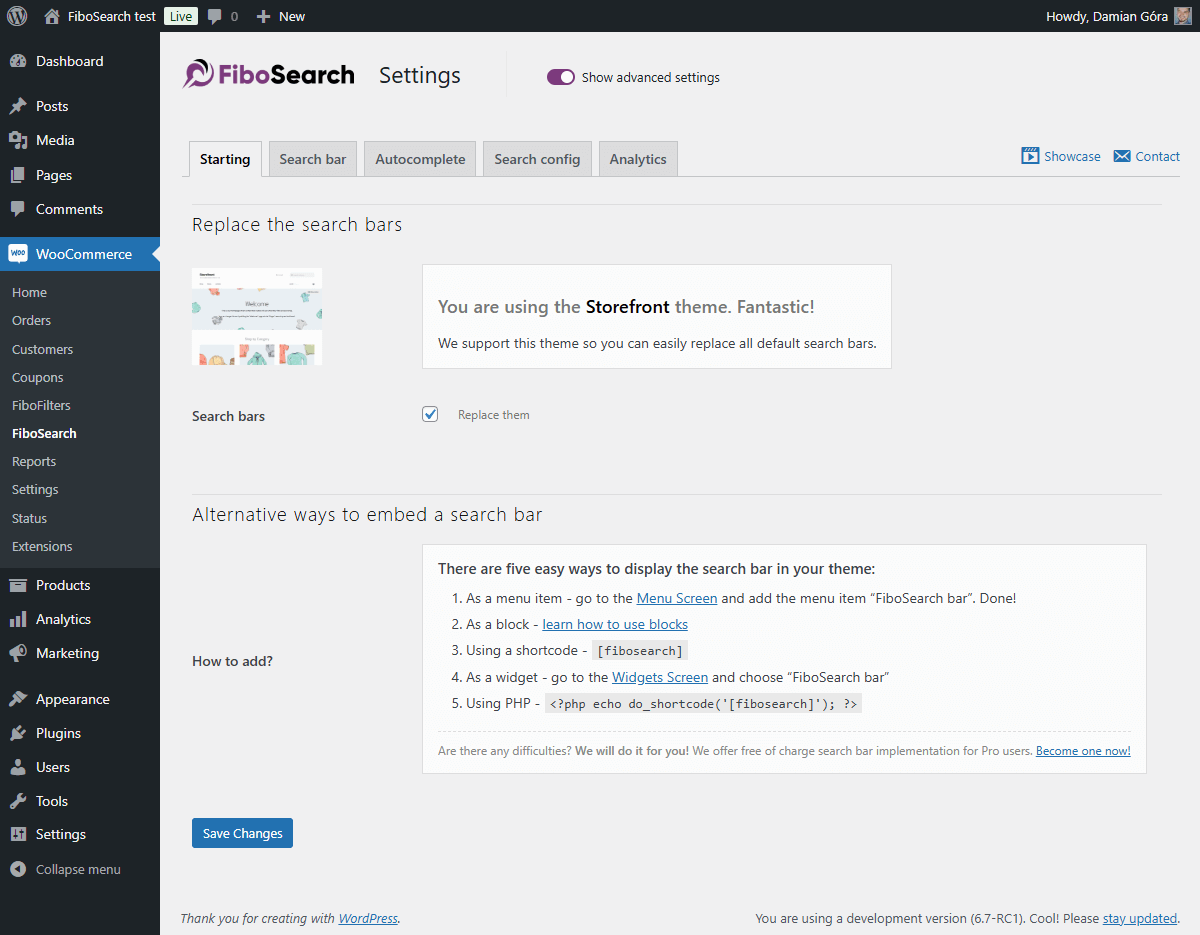
There are many easy ways to display the FiboSearch bar in your theme: – Replacing the existing search bar with one click – it is possible for dozens of popular themes – As a menu item – in your WordPress admin panel, go to Appearance → Menu and add FiboSearch bar as a menu item – Using a shortcode [fibosearch] – As a widget – in your WordPress admin panel, go to Appearance → Widgets and choose FiboSearch – As a block – learn how to use blocks and FiboSearch together – Using PHP – We will do it for you! – we offer free search bar implementation for Pro users. Become one now! Or insert this…
How do I replace the existing search bar in my theme with FiboSearch?
We have prepared a one-click replacement of the search bar for the following themes: Storefront Divi Flatsome OceanWP Astra Avada Sailent and 46 more… See a complete list of integrated themes on our documentation. If you want to replace your search bar in another theme, please contact our support team. We will assist with replacing the search bar in your theme for free after you upgrade to the Pro version.
Can I add the search bar as a WordPress menu item?
Yes, you can! Go to Appearance → Menu. You will see a new menu item called “FiboSearch”. Select it and click “Add to menu”. Done!
How can I ask a question?
You can submit a ticket on the plugin website and the support team will get in touch with you shortly. We also answer questions on the WordPress Support Forum.
Do you offer customization support?
Depending on the theme you use, sometimes the search bar requires minor improvements in appearance. We guarantee fast CSS corrections for all Pro plugin users, but we also help Free plugin users.
Where can I find plugin settings?
In your WordPress dashboard, go to WooCommerce → FiboSearch. The FiboSearch settings page is a submenu of the WooCommerce menu.
Who is the Pro plugin version for?
The Pro plugin version is for all online sellers looking to increase sales by providing an ultra-fast smart search engine to their clients. The main difference between the Pro and Free versions is search speed and search scope. The Pro version has a new fast smart search engine. For some online stores that offer a lot of products for sale, search speed can be increased up to 10×, providing a whole new experience to end users. All in all, the Pro version is dedicated to all WooCommerce shops where autocomplete suggestions work too slowly. You can read more and compare Pro and Free features…
Changelog
1.34.2, September 7, 2026
- SECURITY: Stored XSS in search suggestions via product, category, tag, post and vendor names, and via suggestion image URLs. Exploitation requires permissions to edit those items (the Author or Shop Manager role, or a vendor account in marketplace plugins).
- UPDATED: The
.potfile
1.34.1, August 18, 2026
- SECURITY: A search request with an empty query could reveal password-protected products to unauthenticated users. Thanks to Duy Tran for the responsible disclosure.
- UPDATED: The
.potfile
1.34.0, August 3, 2026
- FIXED: Enabling search analytics triggered a PHP notice about WooCommerce translations loading too early (
_load_textdomain_just_in_time) - FIXED: Focus trap in the search history when navigating with the Tab key
- FIXED: WoodMart theme: search bar shrinking in the mobile header
- FIXED: Elementor: typing in the popup search no longer requires clicking the search bar again
- SECURITY: XSS vulnerability in search result thumbnails. Low risk: exploitation requires permissions to edit products or product categories (the Shop Manager role or higher).
- SECURITY: Password-protected products and posts are no longer returned in search results. Thanks to Duy Tran for the responsible disclosure.
- UPDATED: The minimum required WordPress version is now 6.5
- UPDATED: Compatibility of the search blocks with the iframe block editor (block API v3)
- UPDATED: The
.potfile - UPDATED: Freemius SDK
1.33.0, April 27, 2026
- ADDED: JetSmartFilters plugin: support for custom queries
- ADDED: FiboSearch 2.0 early access teaser in admin settings
- ADDED: Link on the settings page to our second plugin, FiboFilters
- FIXED: Prevent unwanted redirection for single product variations
- FIXED: Cached results were missing dynamic pricing
- FIXED: Undefined “items” key warning in DetailsBox AJAX handler
- FIXED: Header JS not loading in the Mobex theme
- FIXED: Hide Categories and Products plugin: integration compatibility with excluded categories methods
- UPDATED: The
.potfile - UPDATED: Freemius SDK
1.32.2, January 05, 2026
- ADDED: Integration with the Themify Builder Pro plugin
- ADDED: Integration with the FOX WooCommerce Currency Switcher plugin
- FIXED: Improved visibility checks for products
- FIXED: Added nonce validation in an AJAX action
- FIXED: Improved detection of visibility plugin integrations
1.32.1, December 15, 2025
- FIXED: The Details Panel inside the results wrapper didn’t expand to match the width of the search bar
- FIXED: Improved input handling in the TheGem theme integration
- FIXED: The search didn’t work when the “Load JavaScript deferred” feature in WP Rocket was enabled
- FIXED: No search results appeared when using a multilingual setup and the exact SKU match function was triggered
- REFACTOR: Implemented a more consistent and unified PHP code style
Screenshots


For developers
Is this your plugin? Show off the numbers.
Add a live badge to your site, docs or GitHub README. It updates on its own — no account needed.
Best FiboSearch alternatives
All ajax search plugins →





FAQ
FiboSearch: quick answers
Straight answers, pulled from live WordPress.org data.
Live data from WordPress.org · checked Sep 26, 2026
Is FiboSearch free?
Yes. FiboSearch is free to download and use from the official WordPress.org plugin directory.
Is FiboSearch safe to use in 2026?
Yes — FiboSearch is a safe, well-maintained plugin to use in 2026. It runs on 100K+ sites, is rated 4.9/5 and was last updated 3 weeks ago, and scores 89/100 on our health check.
How many websites use FiboSearch?
FiboSearch is active on 100K+ WordPress websites and has been downloaded 4,186,525 times since it launched in May 2016. It was downloaded 102,927 times in the last 30 days.
Does FiboSearch work with WordPress 7.1?
Yes. The developer has tested FiboSearch up to WordPress 7.1.2, the latest release. It requires WordPress 6.5 or newer.
What PHP version does FiboSearch need?
FiboSearch requires PHP 7.4 or higher. Most hosts run PHP 8.x today, so it works on any modern WordPress hosting.
When was FiboSearch last updated?
The latest version, 1.34.2, was released on September 7, 2026 (3 weeks ago).
Who makes FiboSearch?
FiboSearch is developed and maintained by Damian Góra.
What are the best alternatives to FiboSearch?
The most popular alternatives to FiboSearch are Ivory Search (90K+ installs), Advance Product Search- Voi… (9K+ installs) and Sokol: Smart WooCommerce Se… (5K+ installs).
Powered by PageForge
Want thousands of pages that rank like these? Build them in an afternoon.
This directory runs on the same engine as PageForge. Turn any spreadsheet, CSV or API into thousands of fast, SEO-ready WordPress pages — with schema, internal links and AI-written copy baked in.
- CSV, Google Sheets & API data sources
- AI content, schema & internal links per page
- Works with Elementor, Gutenberg, Yoast & Rank Math
- Free on WordPress.org — no credit card


