


Advently – Advent Calendar for WooCommerce
A Christmas advent calendar for WooCommerce: every door unlocks on its day and hands each shopper their own single-use coupon.

Solid choice
Advently is a solid plugin choice in 2026, with a few things worth checking first. It runs on 10+ sites and was last updated 1 month ago, and scores 62/100 on our health check.
- Tested with the latest WordPress (7.1)
- Small user base (10+ active installs)
- Very few reviews so far
How does it stack up?
Side-by-side on installs, updates, ratings & support



Daily downloads
Download spikes usually follow a new release — each site that auto-updates counts as a download.
Rankings
Where Advently stands todayWordPress.org search rankings
Live position in the plugin search, top 100| Keyword | Position |
|---|---|
| advent calendar | #6 |
| christmas | >100 |
| daily deals | #38 |
| email capture | >100 |
| woocommerce coupons | >100 |
Version adoption
Share of active sites per release.
About Advently
From the official readme · v1.0.1Description
Advently adds a Christmas advent calendar to your WooCommerce store. Each day a new door opens. Behind it is a coupon made for one shopper, a gift idea from your shop, or both. Shoppers come back every day and you collect their email addresses along the way.
Most calendar plugins put one discount code behind each door for everyone, and the code is on a coupon site by lunchtime. Advently creates a real WooCommerce coupon for each shopper at the moment they open the door, limits it to one use and to their email address, and keeps every door’s content on the server until its day comes.
What shoppers get
- A calendar on any page, from the Advent Calendar block or the
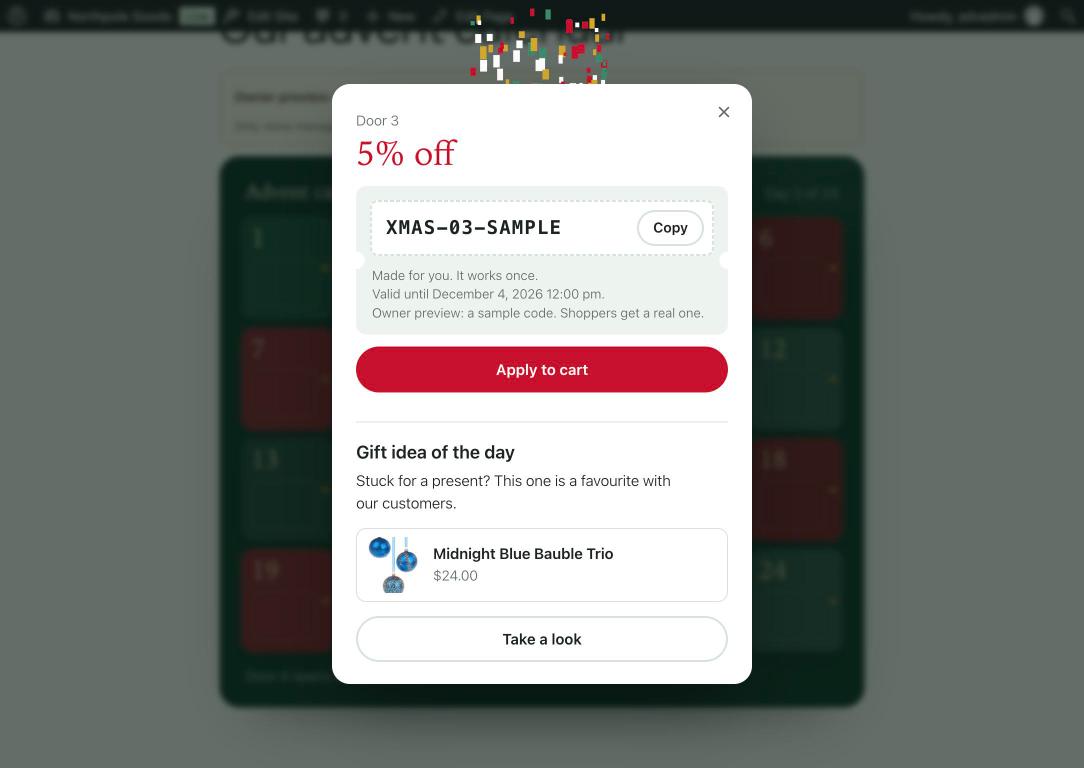
[advently]shortcode. - Doors that swing open on their hinge, then a coupon card with Copy and Apply to cart.
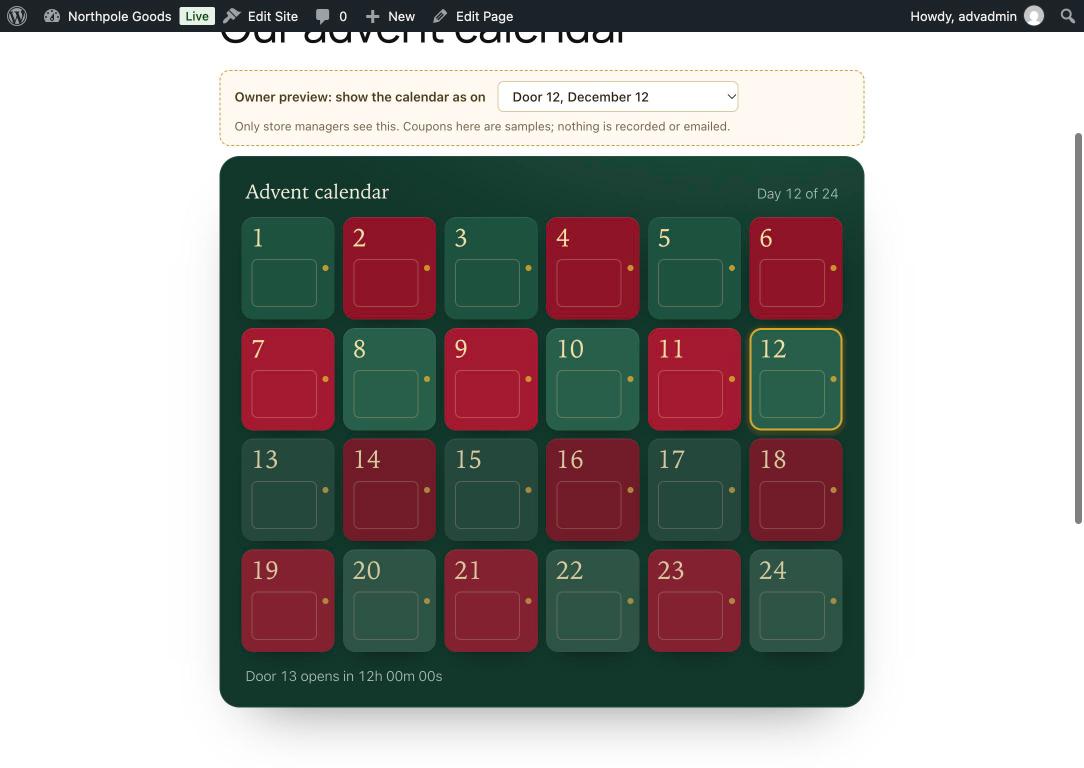
- Today’s door highlighted, a countdown to the next one, and doors they already opened shown open.
- A phone-first layout, full keyboard support, screen-reader labels and calm motion for people who turn animation off.
What you get
- Unique coupons per shopper and door. Percentage, fixed amount or free shipping, with validity, minimum order, product and category limits, and “can’t be combined”.
- Three ways to open the doors. Email first (the default), logged-in customers only, or anyone with one shared code per door.
- Missed days your way. Late doors can still be opened with their coupon, opened without it, or stay closed.
- A ready-made calendar. The setup wizard fills the doors with a rhythm of offers, gift ideas from your best sellers, and bigger offers halfway and on the last day.
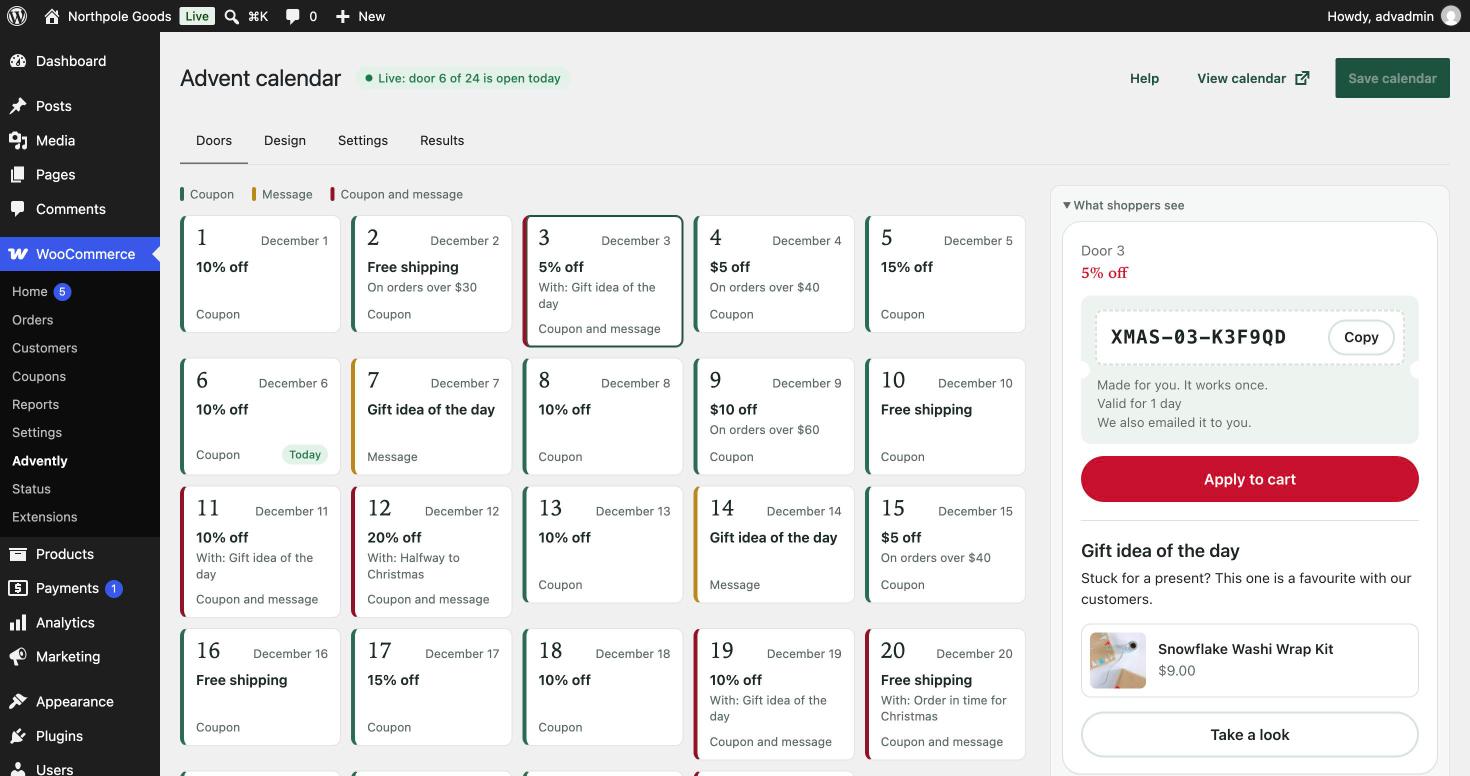
- A visual door editor. Every door at a glance, its settings beside it and the card shoppers will see, live. Copy a door to other doors in one go.
- Owner preview. Open any door on any day before the calendar starts. Coupons in the preview are samples; nothing is recorded or emailed.
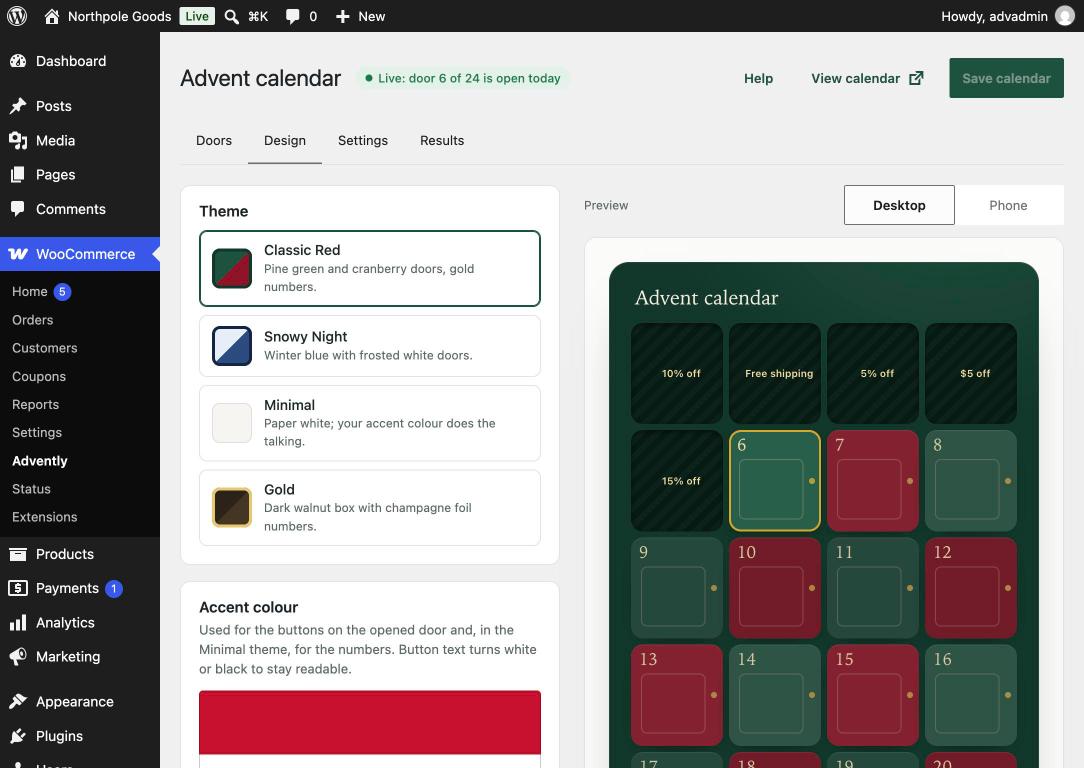
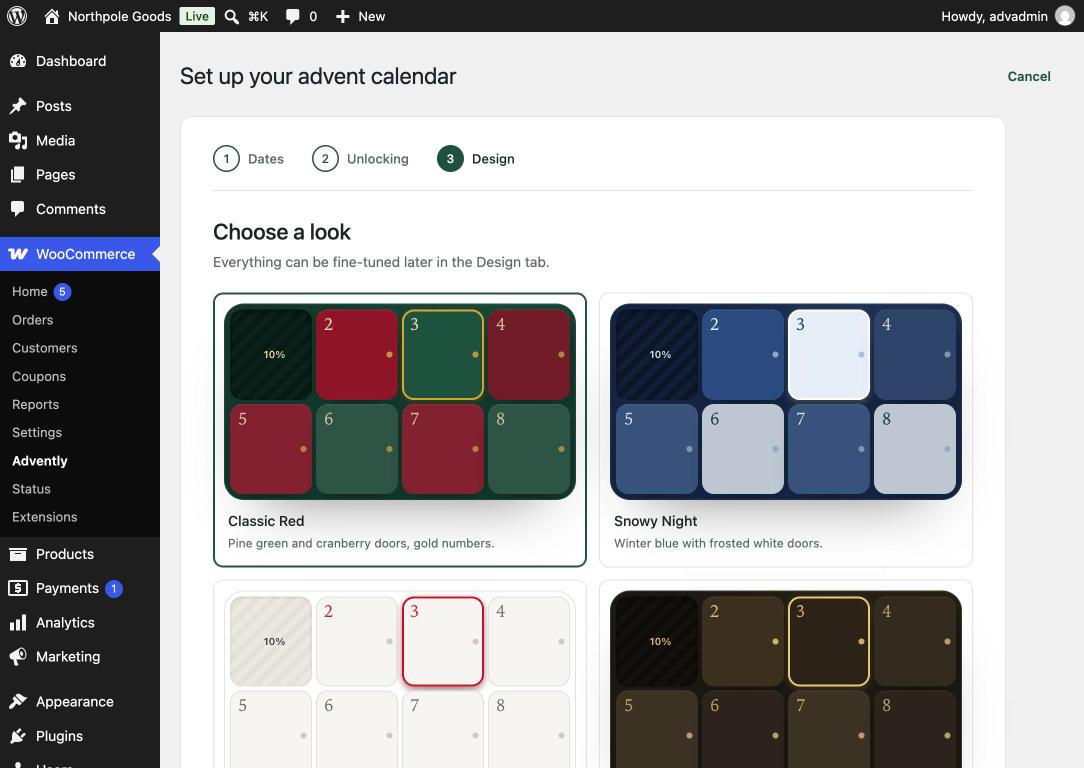
- Four designs. Classic Red, Snowy Night, Minimal and Gold, plus accent colour, door corners, number style, snowfall, background image and shuffled doors.
- Coupon emails in your WooCommerce email design.
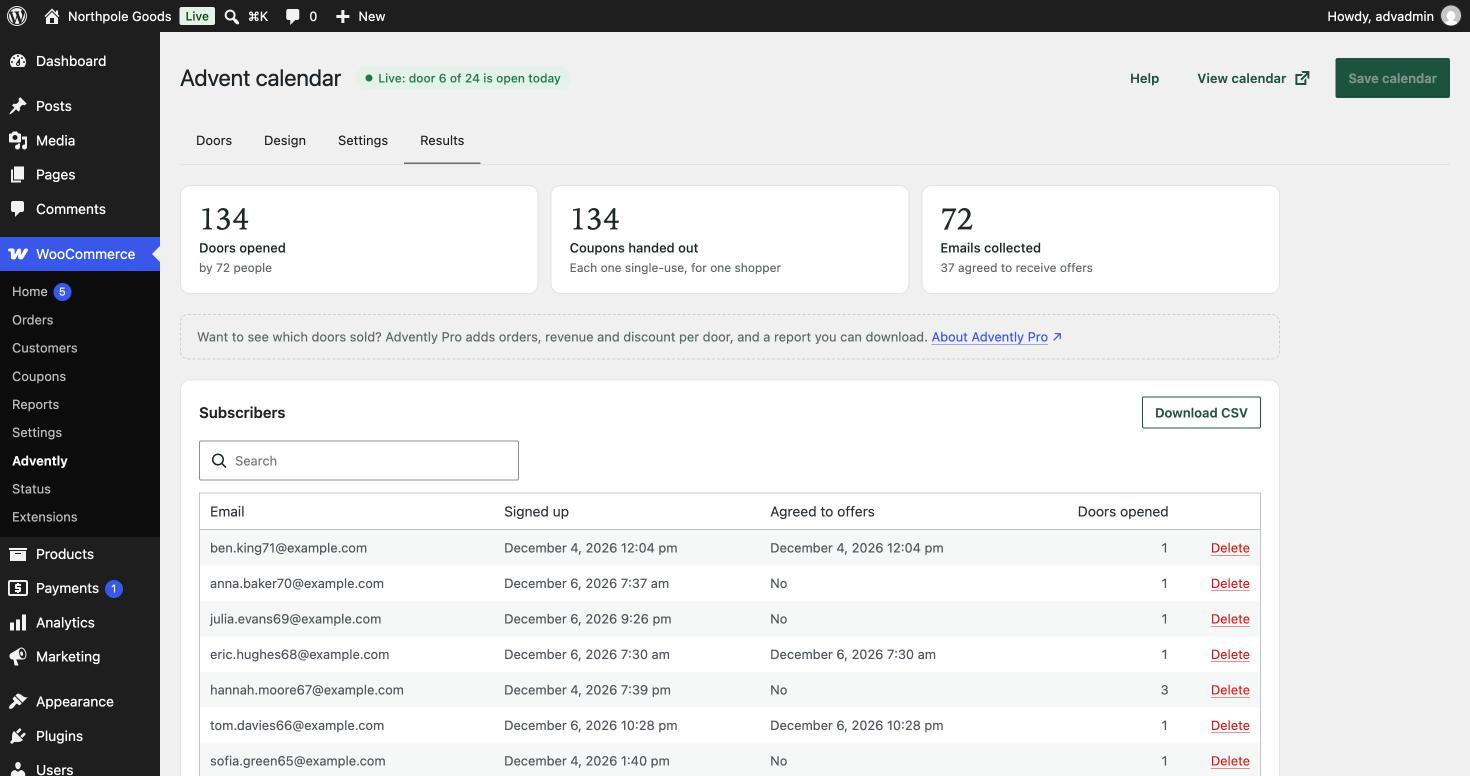
- Subscribers and counts. Doors opened, coupons handed out and emails collected, the subscriber list with search and delete, and a CSV download of it.
Advently Pro
Advently is complete on its own. Advently Pro is a separate add-on for shops that want more:
- Orders, revenue and discount per door, read from real paid orders, with charts and a CSV report.
- “A free product” doors: the gift goes into the cart with the coupon.
- Your own subject, heading and text for the coupon email, with a test send.
- An optional “Today’s door is open” link in a corner of every page.
Security
The page holds door numbers and dates only. A door’s content and coupon come from the server after it has checked its own clock, the unlock mode and a rate limit, so changing the computer’s clock or reading the page source reveals nothing.
Privacy
In email mode, the shopper enters an email address to receive their coupons. Agreeing to receive your offers is a separate, optional checkbox. Advently stores the address, when it was entered, whether offers were accepted, which doors were opened and a one-way hash of the IP address used only for rate limiting. Advently connects to WordPress’s Export Personal Data and Erase Personal Data tools and suggests text for your privacy policy. It contacts no external service.
Installation
- Upload the
adventlyfolder to/wp-content/plugins/, or upload the zip under Plugins → Add New → Upload Plugin. - Activate Advently. WooCommerce must be active.
- Go to WooCommerce → Advently and follow the three-step setup.
- On the last step, click “Create the calendar page”, or add the Advent Calendar block or the
[advently]shortcode to a page of your own.
Changelog
1.0.1
- Display name: “Advently – Advent Calendar for WooCommerce”.
- Admin: a one-line note about Advently Pro where its features would be used — the door discount list and the coupon email settings. Hidden when Advently Pro is active.
1.0.0
- First release.
Screenshots
For developers
Is this your plugin? Show off the numbers.
Add a live badge to your site, docs or GitHub README. It updates on its own — no account needed.
Best Advently alternatives
All advent calendar plugins →





FAQ
Advently: quick answers
Straight answers, pulled from live WordPress.org data.
Source: WordPress.org
Is Advently free?
Yes. Advently is free to download and use from the official WordPress.org plugin directory.
Is Advently safe to use in 2026?
Advently is a solid plugin choice in 2026, with a few things worth checking first. It runs on 10+ sites and was last updated 1 month ago, and scores 62/100 on our health check.
How many websites use Advently?
Advently is active on 10+ WordPress websites and has been downloaded 251 times since it launched in October 2026. It was downloaded 123 times in the last 30 days.
Does Advently work with WordPress 7.1?
Yes. The developer has tested Advently up to WordPress 7.1.5, the latest release. It requires WordPress 6.6 or newer.
What PHP version does Advently need?
Advently requires PHP 7.4 or higher. Most hosts run PHP 8.x today, so it works on any modern WordPress hosting.
When was Advently last updated?
The latest version, 1.0.1, was released on October 17, 2026 (1 month ago).
Who makes Advently?
Advently is developed and maintained by WebKoding.
What are the best alternatives to Advently?
The most popular alternatives to Advently are Super Advent Calendar (400+ installs), Pbase Magic Advent Calendar (50+ installs) and ViDesigner Christmas Calend… (10+ installs).
Powered by PageForge
One template and a spreadsheet. A real page for every search.
PageForge turns each row of a CSV into a WordPress page with its own title, URL, SEO fields and schema, built on the layout you already designed. Free on WordPress.org.
- CSV and XLSX, plus Google Sheets on Professional and Enterprise
- Its own title, URL, SEO fields and schema for every page
- Works with the block editor, Elementor, Divi and Avada
- Free on WordPress.org, no credit card