



Ads.txt File Manager By Magicbid
Easily manage ads.txt and app-ads.txt files from your WordPress dashboard with editing, backup, and restore options.

Solid choice
Ads.txt File Manager By Magicbid is a solid plugin choice in 2026, with a few things worth checking first. It runs on 2K+ sites, is rated 5/5 and was last updated 2 months ago, and scores 69/100 on our health check.
- Very few reviews so far
How does it stack up?
Side-by-side on installs, updates, ratings & support



Daily downloads
Download spikes usually follow a new release — each site that auto-updates counts as a download.
Rankings
Where Ads.txt File Manager By Mag… stands todayWordPress.org search rankings
Live position in the plugin search, top 100| Keyword | Position |
|---|---|
| ads.txt | #3 |
| app-ads.txt | #4 |
| google ads | #31 |
| monetization | #18 |
| publisher | #42 |
Version adoption
Share of active sites per release.
Rating breakdown
★★★★★★★★★★ 5 from 4 reviews
About Ads.txt File Manager By Magicbid
From the official readme · v2.2.4Description
Ads.txt File Manager By Magicbid allows publishers to manage both ads.txt and app-ads.txt file directly from the WordPress admin panel, without using FTP or file managers. It offers a safe and intuitive UI to help users edit, save, and back up their ads.txt file to comply with programmatic advertising requirements.
Features
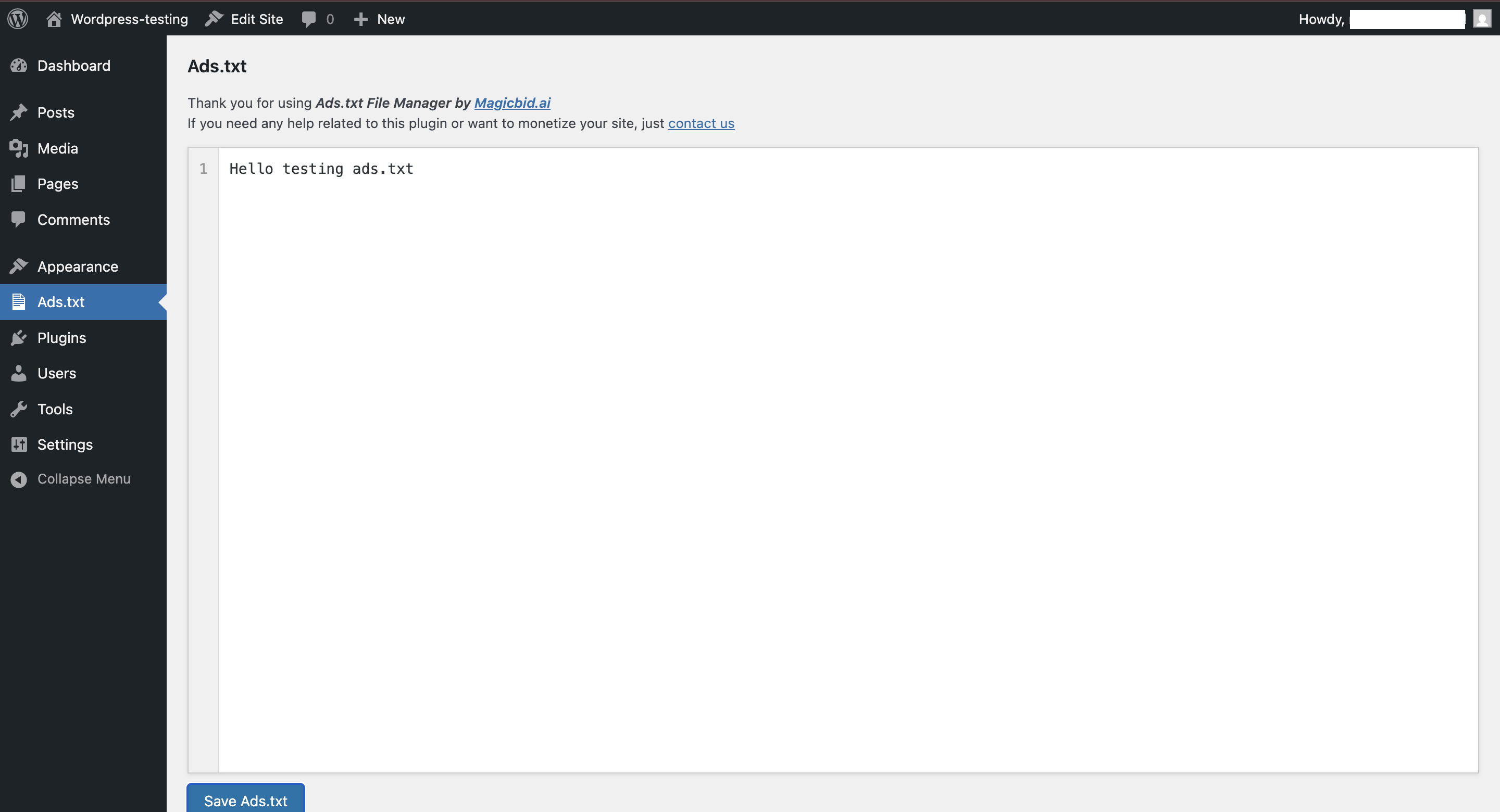
- Live ads.txt editor with line numbering and syntax highlighting
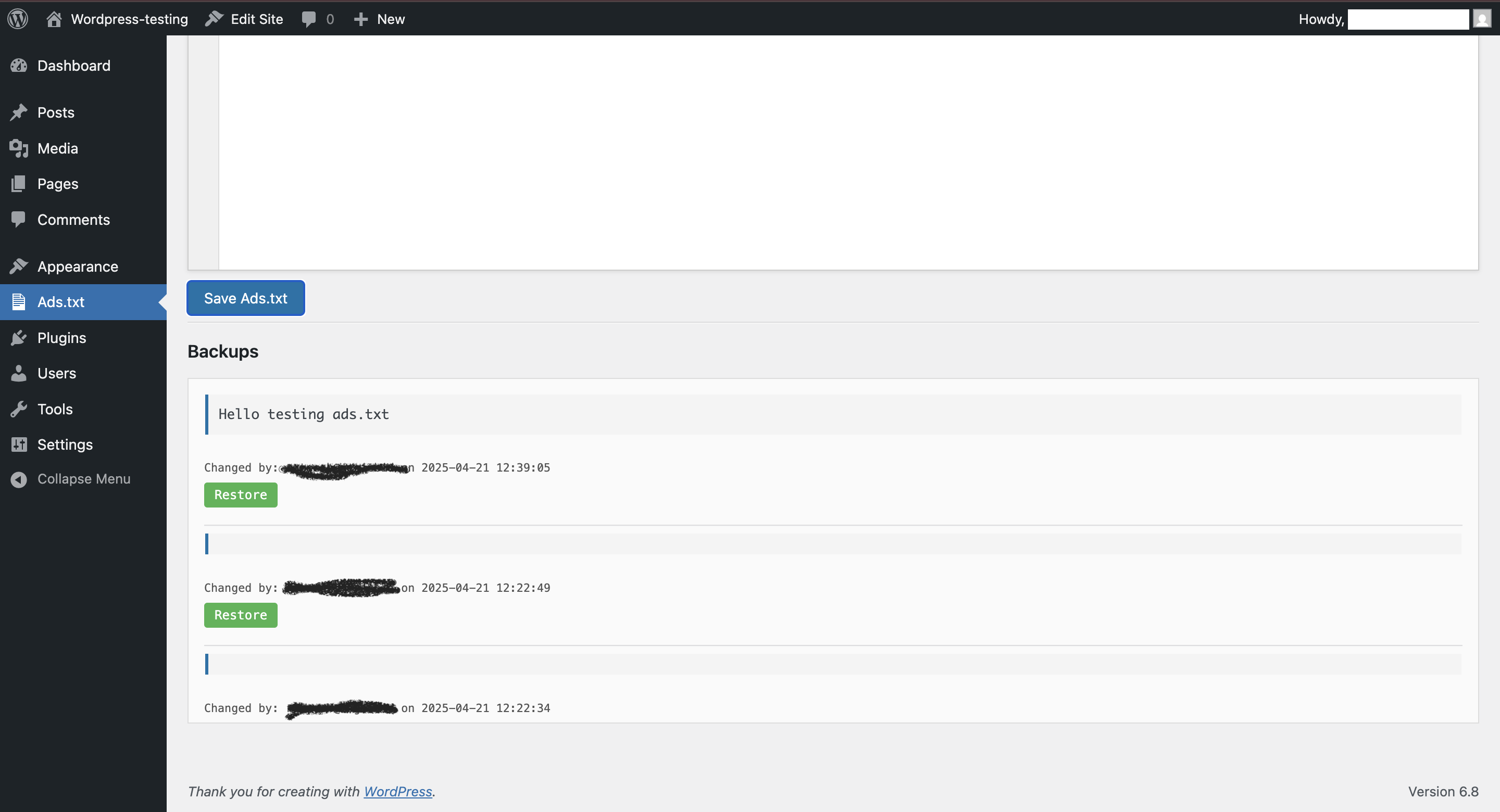
- Automatic versioned backups every time you save changes
- Restore previous versions anytime from the backup list
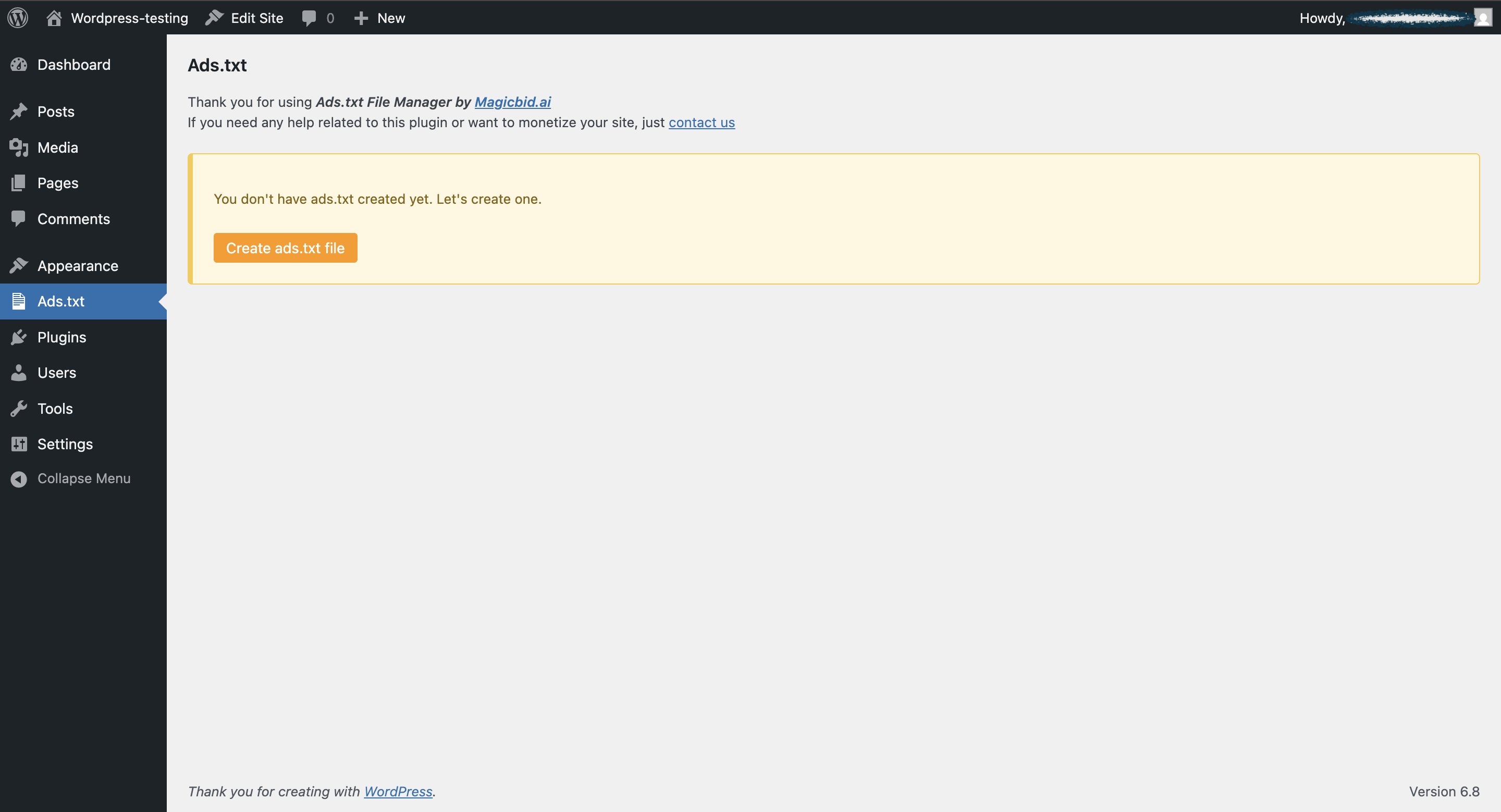
- Create ads.txt file instantly if it doesn’t exist
- Track changes by user, showing which admin updated what and when
- Secure editing – only admins can access and modify the file
- Lightweight and fast, no bloated dependencies
Why use this plugin?
If you’re monetizing your site with platforms like Google AdSense, OpenX, or other SSPs/DSPs, you need to serve a valid ads.txt file at the root of your domain. This plugin simplifies that process by letting you manage the file without technical knowledge.
Usage
- Go to
Ads.txtfrom the left admin menu. - If the file doesn’t exist, click Create ads.txt.
- Edit the file in the editor and click Save.
- Every save creates a backup with timestamp and user info.
- You can restore any previous version from the Backups tab.
Credits
Plugin developed by Magicbid.ai
Support
Need help or want to monetize your site?
Email us at: support@magicbid.ai
Or visit: https://magicbid.ai/contact-us/
Installation
- Upload the plugin folder to the
/wp-content/plugins/directory. - Activate the plugin through the ‘Plugins’ screen in WordPress.
- Navigate to Ads.txt in the WordPress dashboard sidebar.
- Use the editor to create, edit, or restore the
ads.txtfile.
Frequently asked questions
Where is the ads.txt file saved?
The plugin saves it directly in your WordPress root directory as /ads.txt.
What happens if I delete the file?
You can recreate it instantly using the Create button inside the plugin.
Are previous versions saved?
Yes! Every save action stores a backup which you can restore anytime.
Who can edit the file?
Only WordPress administrators with the manage_options capability.
Can I use this with a multisite installation?
Currently, this plugin is designed for single-site use.
Is this compatible with Google AdSense and Ad Manager?
Absolutely! This tool was built to simplify ads.txt compliance for platforms like Google AdSense, GAM and other SSPs.
Changelog
Better security and code quality handling. Upgrade recommended if you're using a PHPCS-enabled development workflow.
2.2.4
- Bug Fixed: Code optimization.
- Tested Upto 7.0.2 wordpress -v.
2.2.3
- Bug Fixed: Code optimization.
2.2.2
- Bug Fixed: Some user wes facing UI/Js issue in admin dashboard.
2.2.1
- New Update: Asking user review.
2.2.0
- Fixed a bug “Subscribe Box Not Collapsed after minimize”.
2.1.7
- Fixed a bug of null backup saving.
Screenshots

For developers
Is this your plugin? Show off the numbers.
Add a live badge to your site, docs or GitHub README. It updates on its own — no account needed.
Best Ads.txt File Manager By Magic… alternatives
All ads.txt plugins →





FAQ
Ads.txt File Manager By Magicbid: quick answers
Straight answers, pulled from live WordPress.org data.
Live data from WordPress.org · checked Sep 26, 2026
Is Ads.txt File Manager By Magicbid free?
Yes. Ads.txt File Manager By Magicbid is free to download and use from the official WordPress.org plugin directory.
Is Ads.txt File Manager By Magicbid safe to use in 2026?
Ads.txt File Manager By Magicbid is a solid plugin choice in 2026, with a few things worth checking first. It runs on 2K+ sites, is rated 5/5 and was last updated 2 months ago, and scores 69/100 on our health check.
How many websites use Ads.txt File Manager By Magicbid?
Ads.txt File Manager By Magicbid is active on 2K+ WordPress websites and has been downloaded 21,417 times since it launched in April 2025. It was downloaded 810 times in the last 30 days.
Does Ads.txt File Manager By Magicbid work with WordPress 7.1?
Ads.txt File Manager By Magicbid is officially tested up to WordPress 7.0.6, while the latest release is 7.1.2. It may still work, but try it on a staging site first.
What PHP version does Ads.txt File Manager By Magicbid need?
Ads.txt File Manager By Magicbid requires PHP 7.2 or higher. Most hosts run PHP 8.x today, so it works on any modern WordPress hosting.
When was Ads.txt File Manager By Magicbid last updated?
The latest version, 2.2.4, was released on August 3, 2026 (2 months ago).
Who makes Ads.txt File Manager By Magicbid?
Ads.txt File Manager By Magicbid is developed and maintained by Magicbid.ai.
What are the best alternatives to Ads.txt File Manager By Magicbid?
The most popular alternatives to Ads.txt File Manager By Magicbid are Ads.txt Manager (100K+ installs), Ezoic (10K+ installs) and Wp-Insert (9K+ installs).
Powered by PageForge
Want thousands of pages that rank like these? Build them in an afternoon.
This directory runs on the same engine as PageForge. Turn any spreadsheet, CSV or API into thousands of fast, SEO-ready WordPress pages — with schema, internal links and AI-written copy baked in.
- CSV, Google Sheets & API data sources
- AI content, schema & internal links per page
- Works with Elementor, Gutenberg, Yoast & Rank Math
- Free on WordPress.org — no credit card


