


Adminvoro Toolkit – Login, Redirects & Site Controls
Customize your WordPress login, manage redirects, apply basic hardening, remove optional assets, and brand the admin footer.

Use with caution
Adminvoro Toolkit works, but test it on a staging site before relying on it in 2026. Was last updated 1 month ago, and scores 60/100 on our health check.
- Tested with the latest WordPress (7.1)
- Small user base (<10 active installs)
- Very few reviews so far
How does it stack up?
Side-by-side on installs, updates, ratings & support



Daily downloads
Download spikes usually follow a new release — each site that auto-updates counts as a download.
Rankings
Where Adminvoro Toolkit stands todayWordPress.org search rankings
Live position in the plugin search, top 100| Keyword | Position |
|---|---|
| custom login | >100 |
| login branding | >100 |
| performance | >100 |
| redirects | >100 |
| security | >100 |
About Adminvoro Toolkit
From the official readme · v1.1.0Description
Adminvoro Toolkit brings several practical WordPress administration tools into one lightweight settings screen.
Use it to create a custom login URL, personalize the login page, manage simple redirects, apply basic security hardening, disable optional WordPress assets, and replace the default admin footer text.
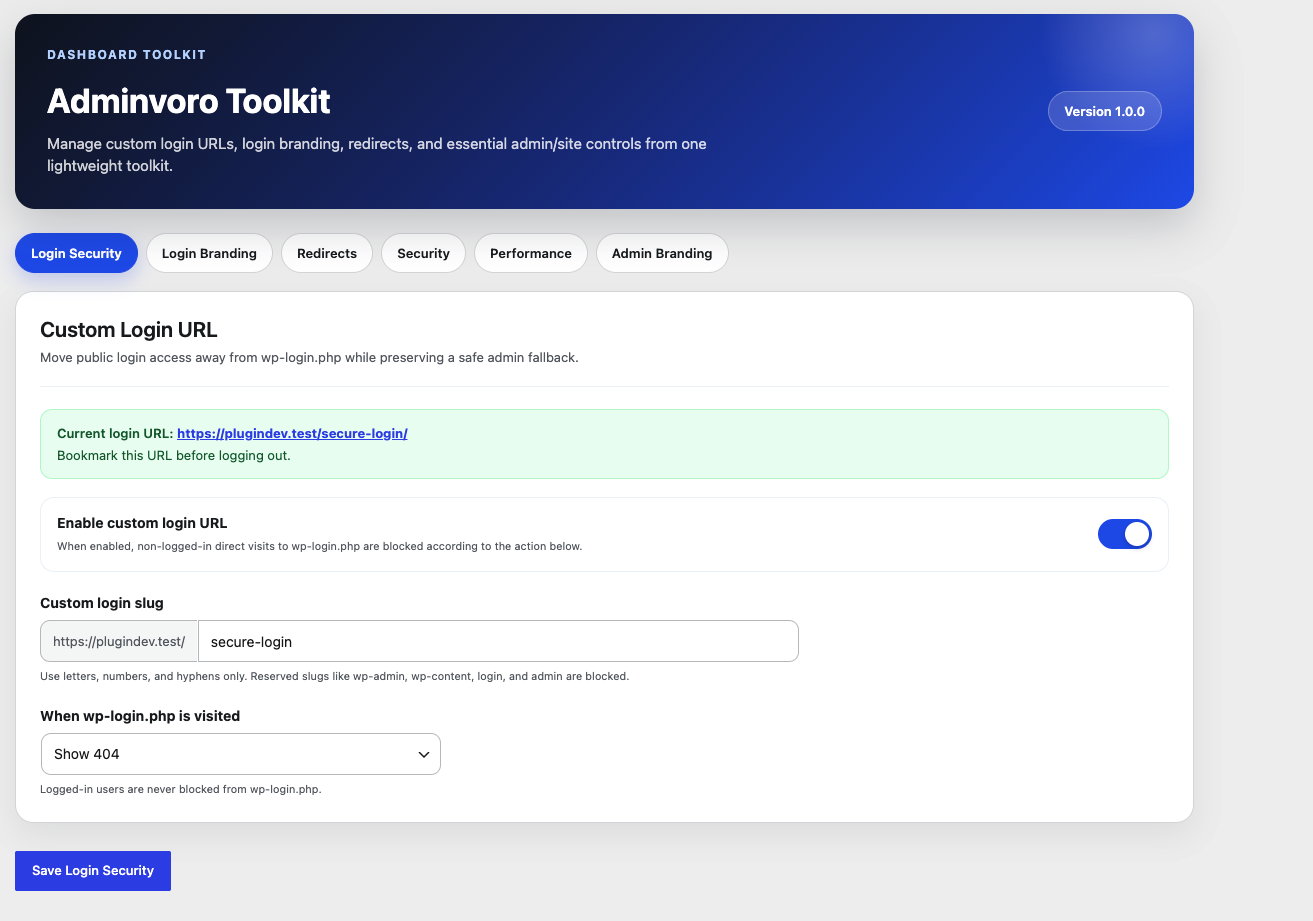
Custom Login URL
- Replace the public WordPress login address with a custom login slug.
- Block direct logged-out access to
wp-login.phpand protectedwp-adminrequests. - Choose what happens when the default login URL is visited: show a 404 response, redirect to the homepage, or redirect to a same-site page.
- Keep generated WordPress login links pointed to the custom login address.
- Recover access at any time with the
ADMINVORO_DISABLE_CUSTOM_LOGINconstant.
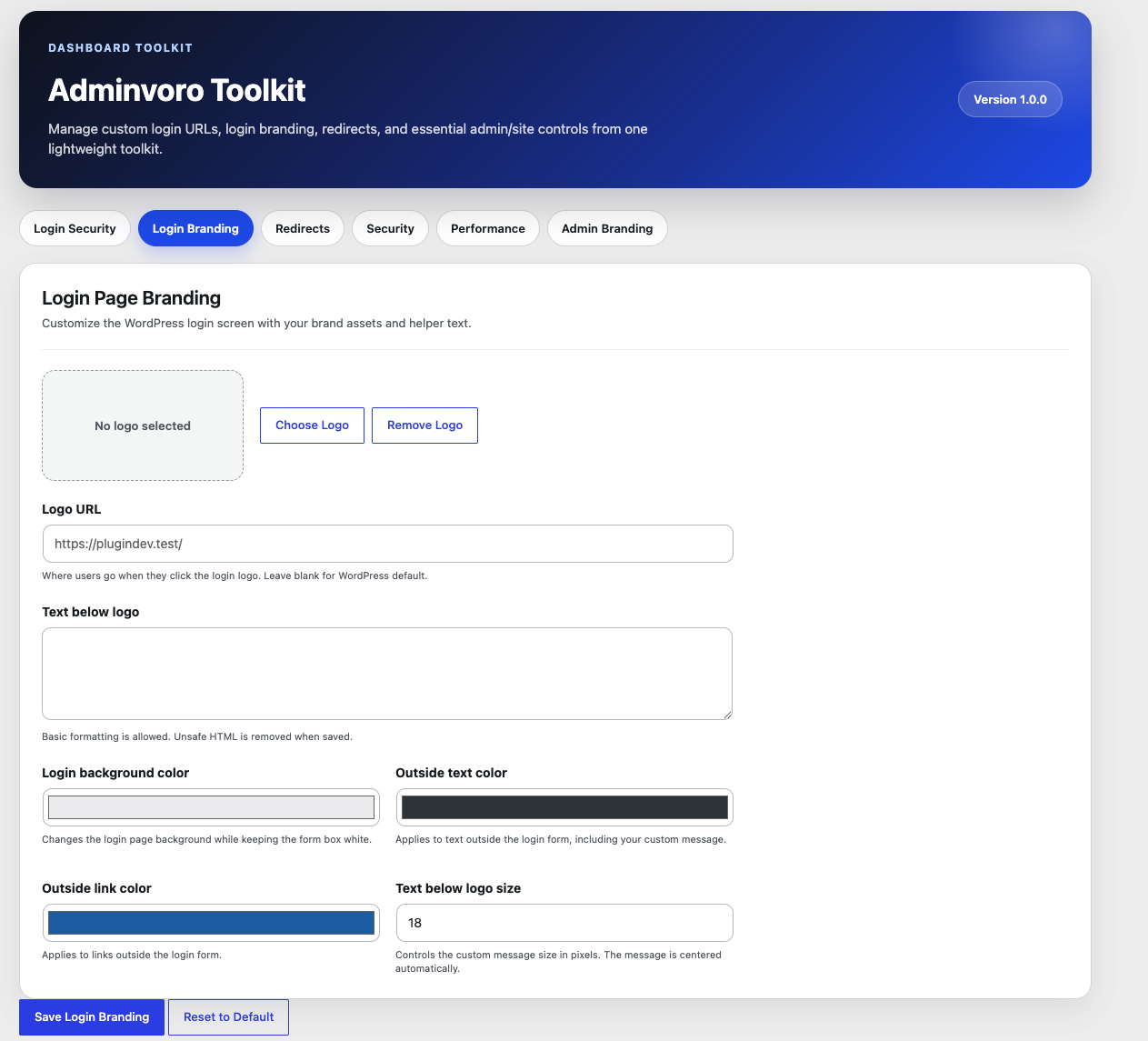
Login Page Branding
- Select a custom login logo from the WordPress Media Library.
- Change the URL opened when the login logo is clicked.
- Add formatted helper text below the logo.
- Customize the login background, outside text, and outside link colors.
- Control the size of the custom login message.
- Reset login branding settings to their defaults.
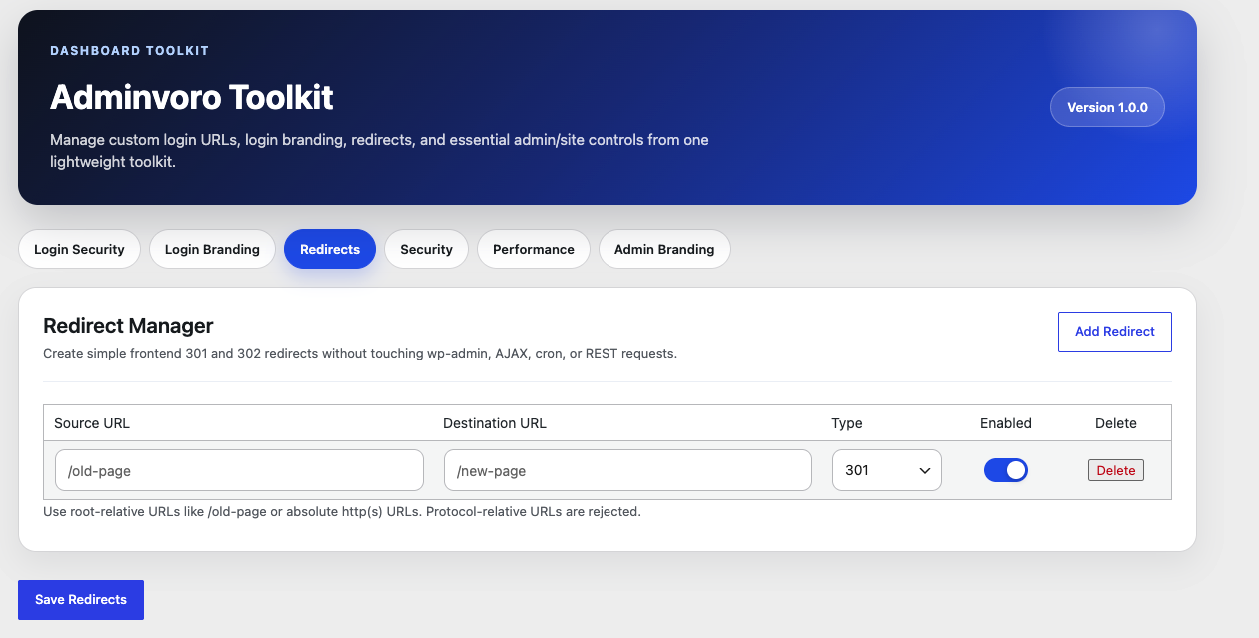
Redirect Manager
- Create and manage simple frontend redirects.
- Choose permanent 301 or temporary 302 redirects.
- Enable, disable, or delete individual redirect rules.
- Use root-relative paths or valid absolute HTTP(S) URLs.
- Skip invalid, incomplete, duplicate, and self-looping redirect rules.
- Avoid redirect processing for WordPress admin, AJAX, cron, and REST requests.
Adminvoro uses WordPress safe redirect handling. Redirects to another domain work only when that destination host is permitted by WordPress.
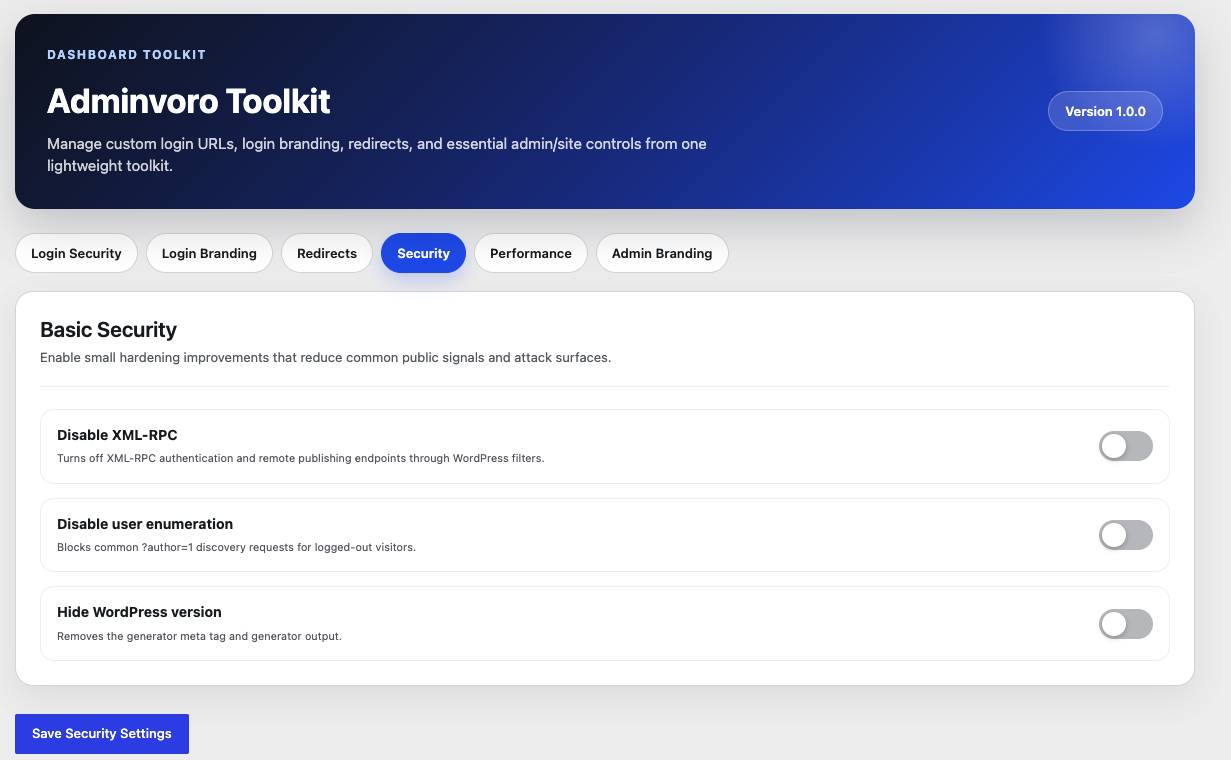
Basic Security Controls
- Disable XML-RPC requests and remove the
X-Pingbackresponse header. - Reduce logged-out user enumeration through author requests and public REST API user endpoints.
- Remove WordPress generator output and the core version query string from matching script and stylesheet URLs.
These controls provide basic hardening only. Adminvoro Toolkit is not a firewall, malware scanner, backup solution, or replacement for a complete WordPress security service.
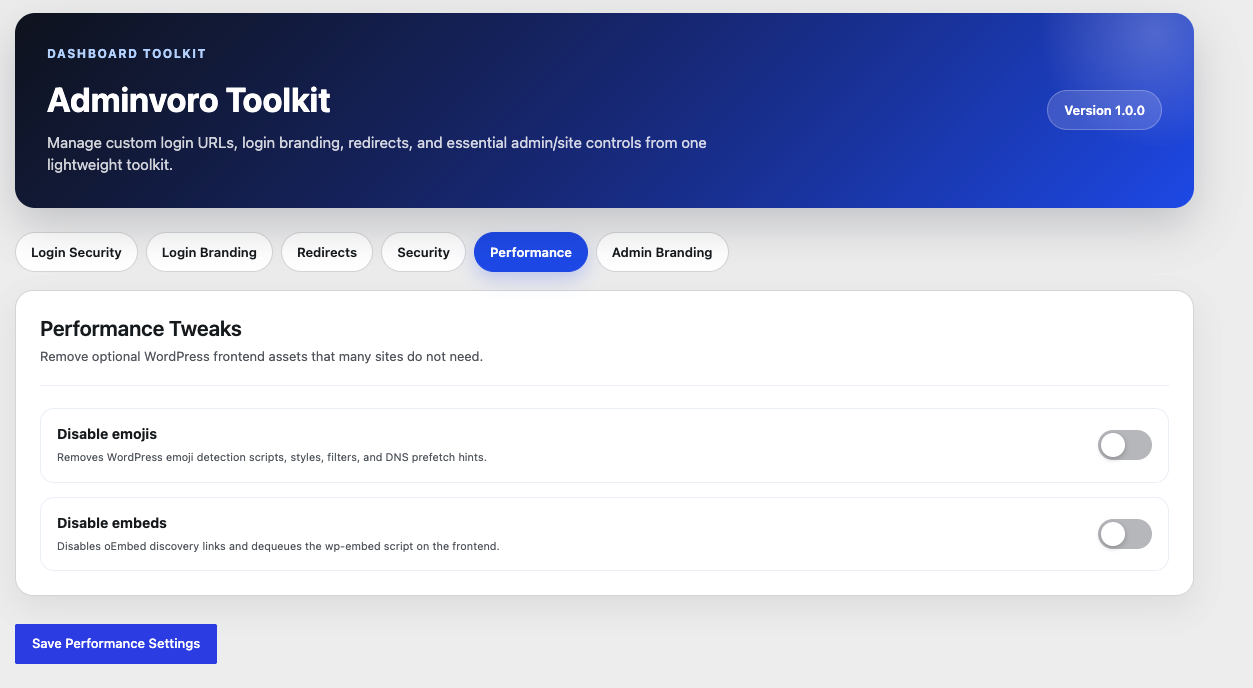
Performance Tweaks
- Remove WordPress emoji scripts, styles, filters, TinyMCE support, and related DNS prefetch hints.
- Remove frontend oEmbed discovery output and dequeue the
wp-embedscript.
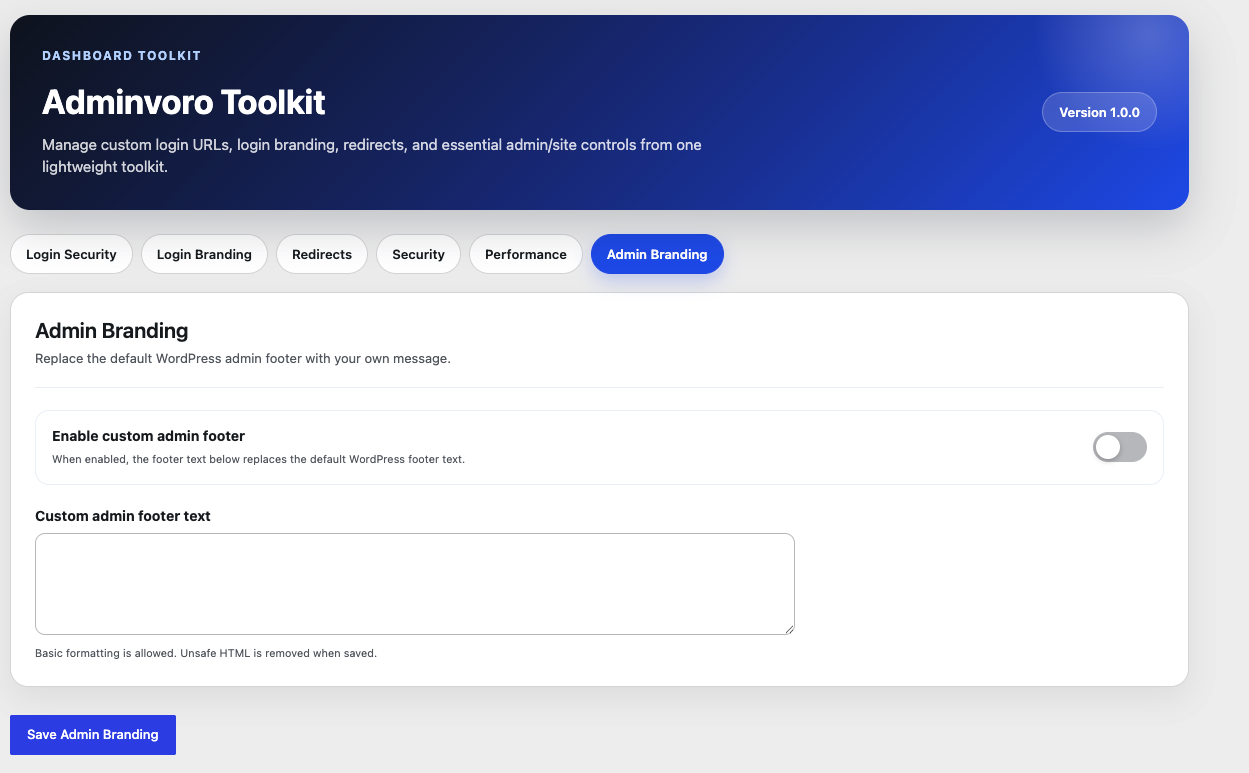
Admin Branding
- Replace the default WordPress admin footer text with your own message.
- Use basic permitted HTML formatting in the custom footer text.
Lightweight and Focused
Adminvoro Toolkit is intended for administrators who want a focused collection of common site controls without installing a separate plugin for every small customization.
All plugin data is removed when the plugin is deleted through WordPress.
Installation
- In WordPress, go to Plugins > Add New Plugin.
- Search for Adminvoro Toolkit, or upload the plugin ZIP file.
- Install and activate the plugin.
- Open Adminvoro Toolkit from the WordPress admin menu.
- Configure only the features you want to enable.
Before enabling a custom login URL, save the new login address somewhere secure.
Frequently asked questions
How do I recover access if I forget or incorrectly configure the custom login URL?
Open your site’s wp-config.php file and add the following line above the comment that says WordPress editing should stop: define( 'ADMINVORO_DISABLE_CUSTOM_LOGIN', true ); You can then sign in through the standard wp-login.php address. After correcting the plugin settings, remove the constant or change its value to false.
What happens to wp-login.php after I enable a custom login URL?
For logged-out visitors, direct requests to wp-login.php are handled using the action you selected: a 404 response, a homepage redirect, or a redirect to a same-site page. Logged-in users are not blocked.
Does the custom login URL replace two-factor authentication or limit login attempts?
No. Changing the public login address can reduce automated requests to the default endpoint, but it is not a substitute for strong passwords, two-factor authentication, login rate limiting, updates, backups, or a complete security solution.
Can I redirect visitors to another website?
Adminvoro accepts valid absolute HTTP(S) destination URLs, but it uses WordPress safe redirect handling. An off-site redirect will work only when WordPress allows that destination host. Same-site and root-relative destinations are the most reliable options.
Can I create both 301 and 302 redirects?
Yes. Choose 301 for a permanent redirect or 302 for a temporary redirect. Adminvoro also prevents a rule from redirecting a URL directly back to itself.
Will redirects run inside wp-admin or affect REST API requests?
No. Redirect rules are intended for normal frontend requests and are skipped for WordPress admin, AJAX, cron, and REST request contexts.
What does the user enumeration option block?
For logged-out visitors, it blocks common numeric author queries, author archive discovery, and public WordPress REST API user endpoints. It does not hide every possible place where a username may appear in site content, feeds, themes, or other plugins.
Does disabling XML-RPC affect other services?
It can. Applications or services that depend on XML-RPC, remote publishing, pingbacks, or XML-RPC authentication may stop working. Enable this option only when your site does not need those features.
Will disabling embeds remove existing embedded content?
The option removes WordPress frontend oEmbed discovery output and the wp-embed script. Content behavior can vary by block, theme, plugin, and embed provider, so test important embedded content after enabling it.
Does Adminvoro Toolkit collect data or connect to an external service?
No. The plugin does not include a telemetry, tracking, or external API service. Its settings are stored in your WordPress database.
What happens to the settings when I delete the plugin?
When Adminvoro Toolkit is deleted through the WordPress Plugins screen, its saved settings and redirect rules are removed from the database.
Does it support WordPress Multisite?
The plugin can be used on individual sites in a multisite installation. Settings are stored per site. Test custom login behavior carefully in a staging multisite environment before using it across a network.
Changelog
Improves the Login Security settings tab with a redesigned card header, animated status badge, live slug preview, enhanced toggle switch, and a premium gradient save button. No functional changes.
1.1.0
- Improved Login Security tab UI/UX with a modern, premium design.
- Added Inter font (Google Fonts) across the admin panel for improved typography.
- Added animated status badge (Protected / Not Active) to the Custom Login URL card header.
- Added shield SVG icon in a gradient circle to the card header.
- Redesigned alert box with flex layout, contextual SVG icon, and a labelled heading.
- Added live slug URL preview bar that updates as the user types the custom login slug.
- Added visual field section separators (Login slug / Block action) for clearer layout.
- Added gradient Save Login Security button with lift-on-hover animation.
- Upgraded toggle switch to gradient blue with spring-bounce animation and glow shadow.
- Improved toggle rows with hover glow and blue tint when the switch is active.
- Improved form input focus states with a blue focus ring and subtle shadow.
- Fixed: AJAX save response now uses the improved alert markup so icon and label are preserved after saving.
1.0.0
- Initial release.
- Added custom login URL protection with configurable blocked-request behavior.
- Added login logo, message, color, link, and text-size branding controls.
- Added frontend 301 and 302 redirect management.
- Added XML-RPC, user enumeration, and WordPress version hardening controls.
- Added emoji and embed cleanup options.
- Added custom admin footer branding.
- Added uninstall cleanup for plugin settings and redirect rules.
Screenshots
For developers
Is this your plugin? Show off the numbers.
Add a live badge to your site, docs or GitHub README. It updates on its own — no account needed.
Best Adminvoro Toolkit alternatives
All custom login plugins →




FAQ
Adminvoro Toolkit: quick answers
Straight answers, pulled from live WordPress.org data.
Live data from WordPress.org · checked Sep 30, 2026
Is Adminvoro Toolkit free?
Yes. Adminvoro Toolkit is free to download and use from the official WordPress.org plugin directory.
Is Adminvoro Toolkit safe to use in 2026?
Adminvoro Toolkit works, but test it on a staging site before relying on it in 2026. Was last updated 1 month ago, and scores 60/100 on our health check.
How many websites use Adminvoro Toolkit?
Adminvoro Toolkit is active on <10 WordPress websites and has been downloaded 276 times since it launched in July 2026. It was downloaded 58 times in the last 30 days.
Does Adminvoro Toolkit work with WordPress 7.1?
Yes. The developer has tested Adminvoro Toolkit up to WordPress 7.1.2, the latest release. It requires WordPress 6.0 or newer.
What PHP version does Adminvoro Toolkit need?
Adminvoro Toolkit requires PHP 7.4 or higher. Most hosts run PHP 8.x today, so it works on any modern WordPress hosting.
When was Adminvoro Toolkit last updated?
The latest version, 1.1.0, was released on August 22, 2026 (1 month ago).
Who makes Adminvoro Toolkit?
Adminvoro Toolkit is developed and maintained by Nexiby LLC.
What are the best alternatives to Adminvoro Toolkit?
The most popular alternatives to Adminvoro Toolkit are LoginPress (200K+ installs), Custom Login Page Customizer (90K+ installs) and All In One Login (60K+ installs).
Powered by PageForge
Want thousands of pages that rank like these? Build them in an afternoon.
This directory runs on the same engine as PageForge. Turn any spreadsheet, CSV or API into thousands of fast, SEO-ready WordPress pages — with schema, internal links and AI-written copy baked in.
- CSV, Google Sheets & API data sources
- AI content, schema & internal links per page
- Works with Elementor, Gutenberg, Yoast & Rank Math
- Free on WordPress.org — no credit card


