



Admin login URL Change
Allows you to Change your WordPress WebSite Login URL Slug.

Solid choice
Admin login URL Change is a solid plugin choice in 2026, with a few things worth checking first. It runs on 2K+ sites, is rated 5/5 and was last updated 1 month ago, and scores 74/100 on our health check.
- Tested with the latest WordPress (7.1)
- Very few reviews so far
How does it stack up?
Side-by-side on installs, updates, ratings & support

Daily downloads
Download spikes usually follow a new release — each site that auto-updates counts as a download.
Rankings
Where Admin login URL Change stands todayWordPress.org search rankings
Live position in the plugin search, top 100| Keyword | Position |
|---|---|
| change wp-login | #10 |
| custom login | #50 |
| login | #67 |
| Remove WP-Login | #18 |
| wordpress login | #49 |
Version adoption
Share of active sites per release.
Rating breakdown
★★★★★★★★★★ 5 from 4 reviews
About Admin login URL Change
From the official readme · v1.2.2Description
Admin login URL Change is a very lightweight, highly secure plugin that lets you easily and safely change the URL of the login form page to anything you want. It does not change any core files. It simply intercepts page requests and works on any WordPress website. This is great for your convenience, but it also closes the door to would-be brute-force attackers.
Why Use Admin Login URL Change?
WordPress websites are common targets for automated bots and hackers attempting to gain unauthorized access via brute-force login attempts. The default login URLs (wp-login.php and wp-admin) are widely known, making them easy targets. Admin Login URL Change solves this problem by letting you rename your login URL to something unique, effectively closing this security loophole.
🚀 Get Even More Security with Pro Features!
Upgrade to the Pro Version to unlock elite-level protection mechanisms:
* IP Address Blocker: Block individual IPs or entire CIDR ranges from even accessing your custom login page, featuring auto-ban thresholds, ban durations, and email alerts.
* Searchable Country Blocker: Restrict login access to specific countries using a live, search-filtered database of 200+ global regions.
* Login Attempt Limiter: Set max retries, retry windows, lockout durations, and display warning alerts to prevent dictionary and brute-force attacks.
* Two-Factor Authentication (2FA): Add an ironclad second layer of verification via Authenticator Apps (Google Authenticator, Authy, Microsoft Authenticator) or Email OTP.
* Login Alerts: Receive instant email notifications whenever someone successfully logs in or fails to log in — with IP, username, and timestamp included.
* Full Login Audit Log: Unlimited login history (up to 500 entries) with user-agent details, replacing the free 10-entry limit.
How to use the plugin
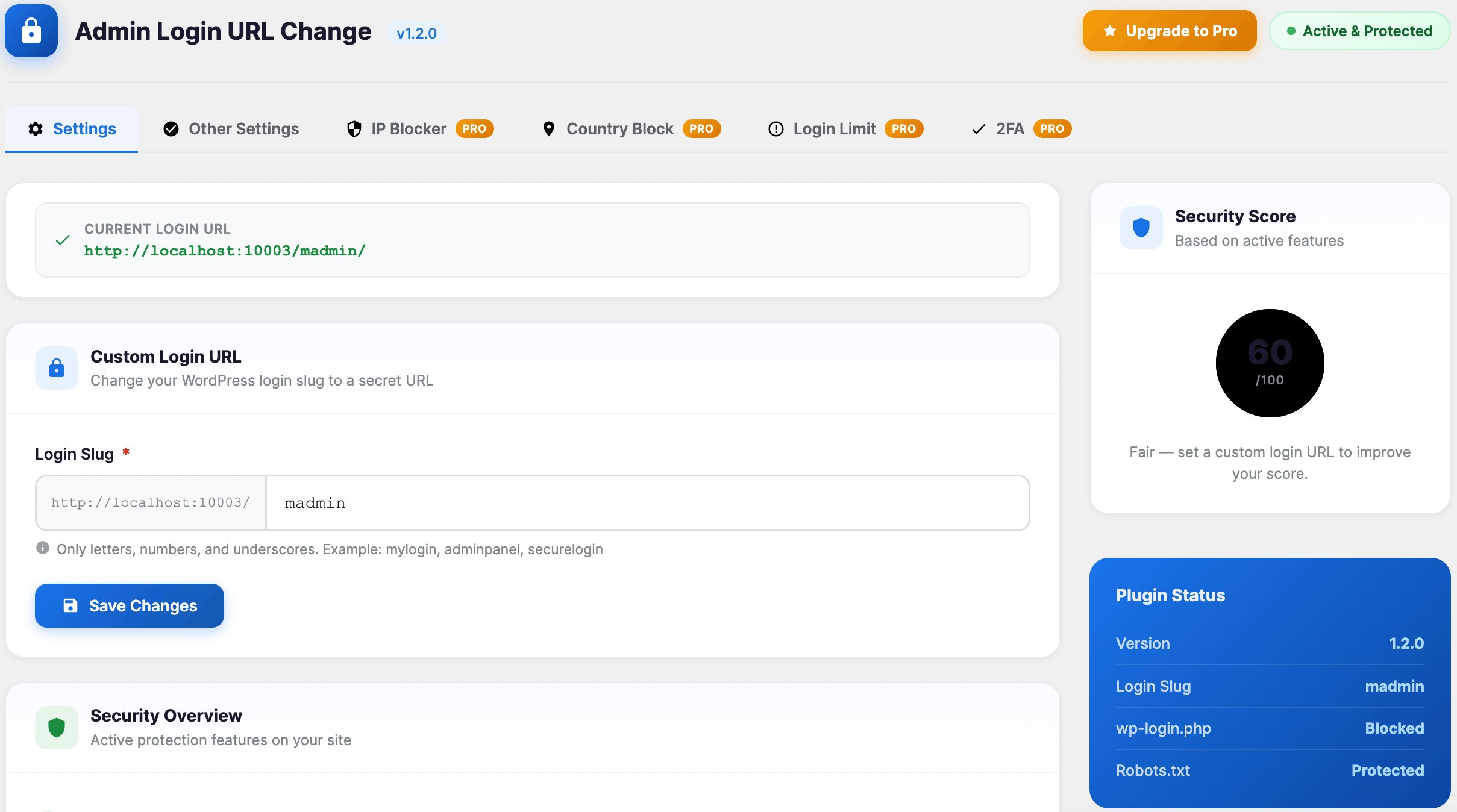
- Go to your dashboard and navigate to the Admin Login Slug menu.
- Enter your custom login slug (e.g.
madmin). - Click “Save Settings”.
- Bookmark your new URL and test it!
Installation
- Install Admin login URL Change by uploading the
admin-login-url-changedirectory to the/wp-content/plugins/directory. - Activate Admin login URL Change through the
Pluginsmenu in WordPress. - Change your URL Slug by going to the Admin Login Slug
- Now you can logout and login by new URL.
Frequently asked questions
Do I need to have coding skills to use Admin login URL Change?
Absolutely not.
Will this break standard login page actions or WooCommerce integrations?
No, the plugin is fully compatible with native WordPress login flows and integrates seamlessly with WooCommerce checkouts and account logins.
Changelog
1.2.2
- Added: Compatibility with WordPress 7.1
- Added: Login Alerts — instant admin email notification on every successful or failed login attempt (IP, username, and timestamp included).
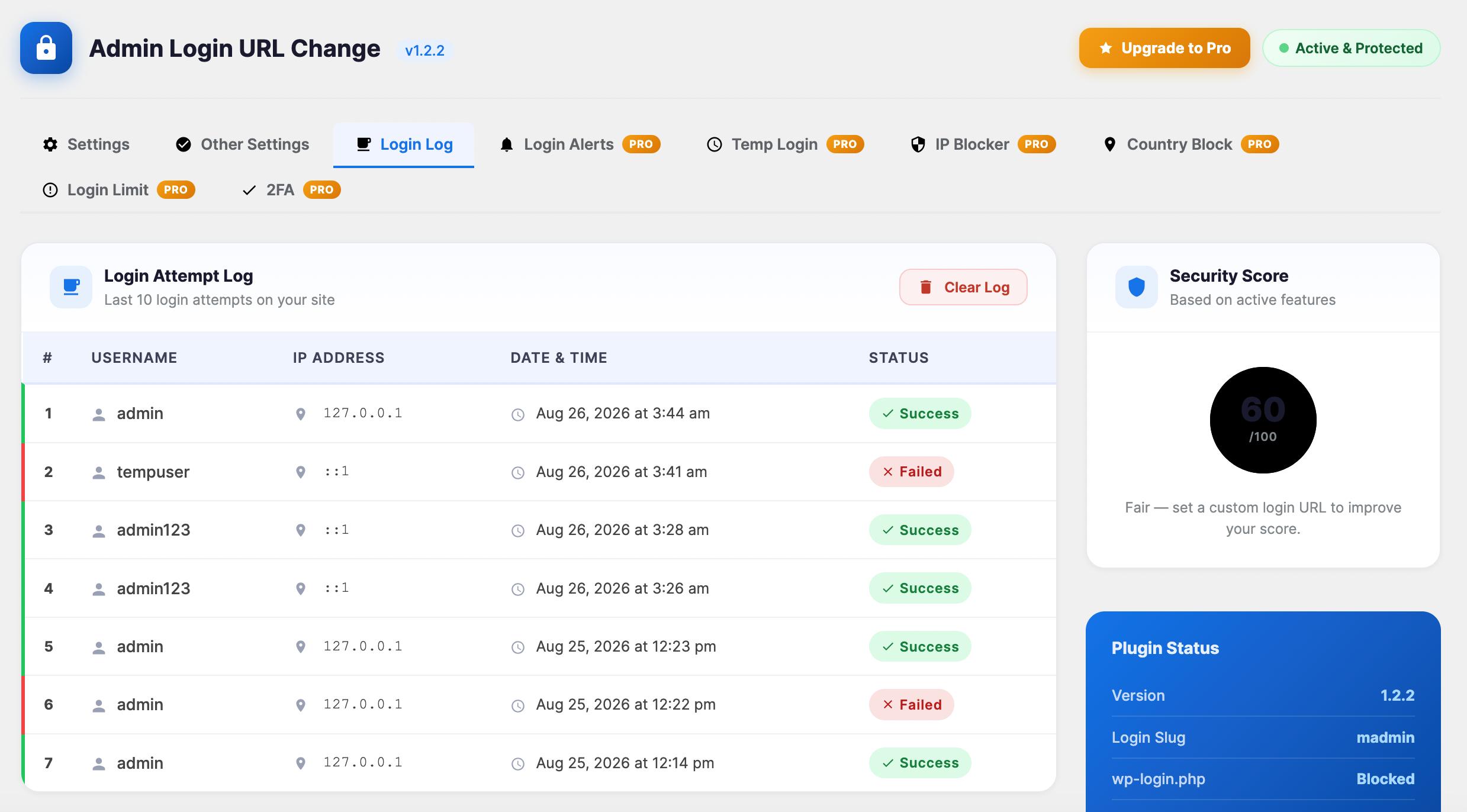
- Added: Full Login Audit Log — unlimited login history (up to 500 entries with user-agent).
- Added: Create a time-limited login link (1hr/24hr/7day) without needing a password
1.2.1
- Added: Compatibility with WooCommerce 11.0.1
- Added: Compatibility with Elementor 4.2.2
1.2.0
- Improved: Submenu “Admin Login URL Change” Position as a top-level menu “Admin Login Slug”.
- Added: Seamless integration hooks for Pro features (IP Blocker, searchable Country Blocker, Login Limiter, and Two-Factor Authentication).
- Improved: Restructured dashboard settings page into a stunning, responsive Material-style grid with notice suppression.
- Improved: Codebase refactored into clean Object-Oriented Programming (OOP) structure.
- Added: Compatibility with WordPress 7.0
1.1.6
- Fixed: Broken Access Control
1.1.5
- Added: Compatibility with WordPress 6.9
1.1.4
- Improvement: Updated file Structure
- Fixed: Redirect issue fixed
Screenshots
For developers
Is this your plugin? Show off the numbers.
Add a live badge to your site, docs or GitHub README. It updates on its own — no account needed.
Best Admin login URL Change alternatives
All change wp-login plugins →FAQ
Admin login URL Change: quick answers
Straight answers, pulled from live WordPress.org data.
Live data from WordPress.org · checked Sep 26, 2026
Is Admin login URL Change free?
Yes. Admin login URL Change is free to download and use from the official WordPress.org plugin directory.
Is Admin login URL Change safe to use in 2026?
Admin login URL Change is a solid plugin choice in 2026, with a few things worth checking first. It runs on 2K+ sites, is rated 5/5 and was last updated 1 month ago, and scores 74/100 on our health check.
How many websites use Admin login URL Change?
Admin login URL Change is active on 2K+ WordPress websites and has been downloaded 23,309 times since it launched in November 2021. It was downloaded 1,415 times in the last 30 days.
Does Admin login URL Change work with WordPress 7.1?
Yes. The developer has tested Admin login URL Change up to WordPress 7.1.2, the latest release. It requires WordPress 4.7 or newer.
What PHP version does Admin login URL Change need?
Admin login URL Change requires PHP 5.3 or higher. Most hosts run PHP 8.x today, so it works on any modern WordPress hosting.
When was Admin login URL Change last updated?
The latest version, 1.2.2, was released on August 26, 2026 (1 month ago).
Who makes Admin login URL Change?
Admin login URL Change is developed and maintained by Jahid Hasan.
What are the best alternatives to Admin login URL Change?
The most popular alternatives to Admin login URL Change are Rename wp-admin login (9K+ installs) and Safer wp-admin login (<10 installs).
Powered by PageForge
Want thousands of pages that rank like these? Build them in an afternoon.
This directory runs on the same engine as PageForge. Turn any spreadsheet, CSV or API into thousands of fast, SEO-ready WordPress pages — with schema, internal links and AI-written copy baked in.
- CSV, Google Sheets & API data sources
- AI content, schema & internal links per page
- Works with Elementor, Gutenberg, Yoast & Rank Math
- Free on WordPress.org — no credit card


