



AddOnn Shoppable Video for WooCommerce
Turn your existing video content into a shoppable, TikTok-style feed for WooCommerce — with WhatsApp share-to-buy and combo/bundle support built in.

Use with caution
AddOnn Shoppable Video for WooC… works, but test it on a staging site before relying on it in 2026. It runs on 10+ sites and was last updated 2 months ago, and scores 57/100 on our health check.
- Small user base (10+ active installs)
- Very few reviews so far
How does it stack up?
Side-by-side on installs, updates, ratings & support



Daily downloads
Download spikes usually follow a new release — each site that auto-updates counts as a download.
Rankings
Where AddOnn Shoppable Video for… stands todayWordPress.org search rankings
Live position in the plugin search, top 100| Keyword | Position |
|---|---|
| reels | #45 |
| shoppable video | #13 |
| video | >100 |
| >100 | |
| woocommerce | >100 |
Version adoption
Share of active sites per release.
About AddOnn Shoppable Video for WooCommerce
From the official readme · v1.5.14Description
AddOnn Shoppable Video for WooCommerce lets you upload video content (UGC, reels, product demos) and turn it into a tappable, shoppable feed on your store — customers tap a video, see the tagged product(s), and add to cart without leaving the player.
Free version features:
- Self-hosted video upload via the WordPress Media Library — no third-party CDN dependency
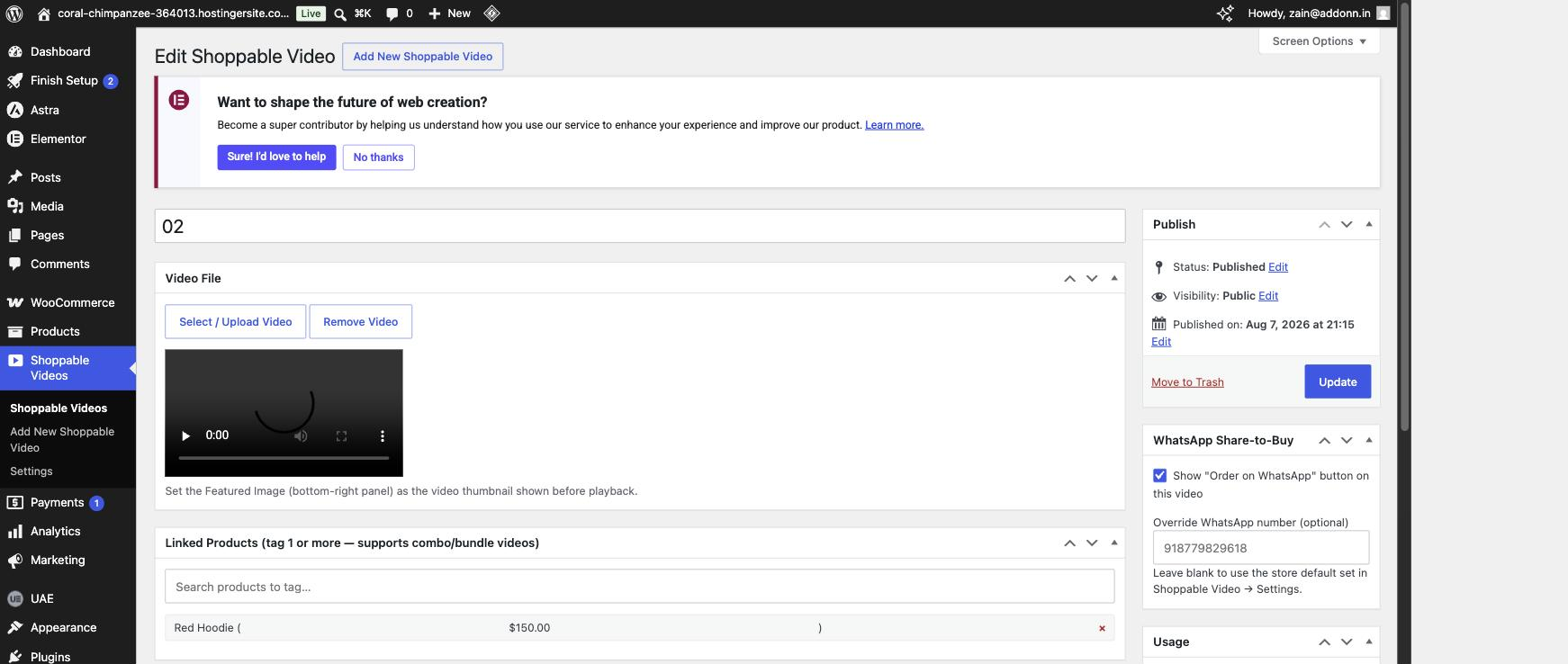
- Tag one or more products per video (native combo/bundle video support)
- Add to cart directly from the video, no page reload
- WhatsApp “Order on WhatsApp” share-to-buy button — great for stores where customers prefer to finalize orders over WhatsApp
- Two layouts: Carousel (horizontal scroll) and Inline (vertical TikTok-style feed)
- Works via shortcode
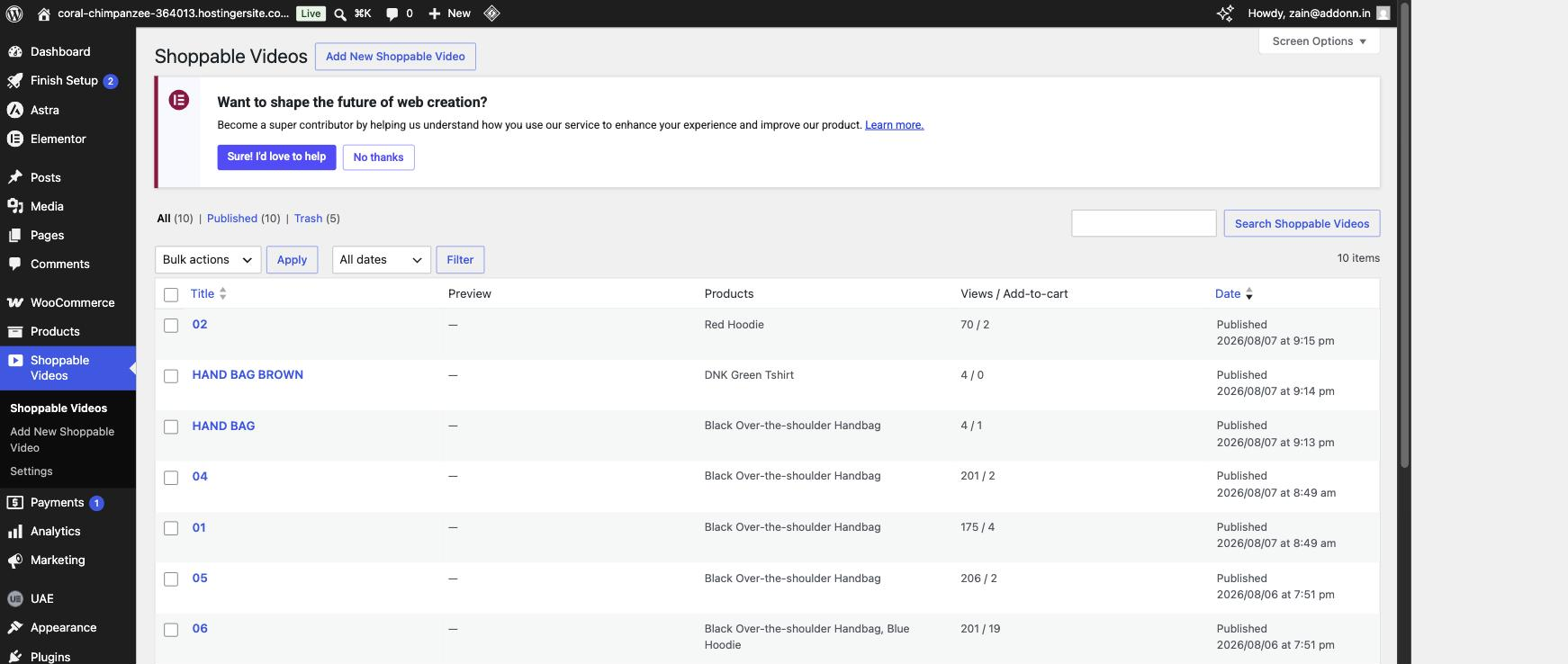
[addoshvi_feed], a native Elementor widget, and a native Gutenberg block - Basic per-video analytics: views and add-to-cart counts, visible right in the video list
- Front-end “Add Video” — store admins/shop managers can upload a video, tag products, and set a cover image without ever going into wp-admin, right from the feed itself (shortcode, Elementor, or Gutenberg). Never shown to regular shoppers.
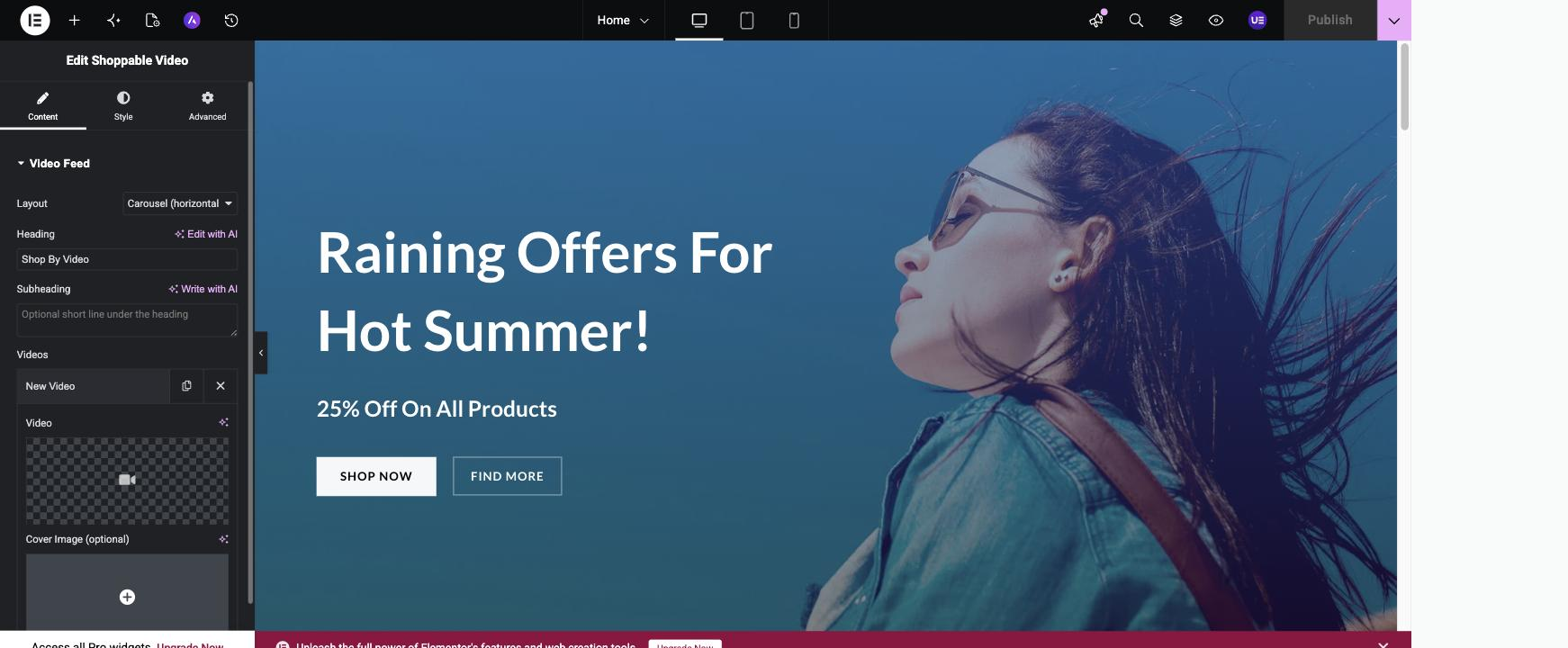
- Build your video list right inside the Elementor editor — the Elementor widget’s “Add & manage videos right here” mode lets you upload videos, tag products, and set WhatsApp options directly in the Content panel, with a live preview, no trip to wp-admin needed.
- Carousel navigation dots, autoplay, and style controls — swap the browser scrollbar for clickable dots, turn on auto-slide with adjustable speed and continuous looping, and (in Elementor) style the arrows and dots’ colors and size from the widget’s Style tab.
Installation
- Upload the plugin files to
/wp-content/plugins/addonn-shoppable-video, or install directly through the WordPress Plugins screen. - Activate the plugin. Requires WooCommerce to be active.
- Go to Shoppable Videos → Settings and set your default WhatsApp number (digits only, with country code, e.g. 919876543210).
- Go to Shoppable Videos → Add New, upload a video, tag one or more products, and publish.
- Display your feed:
- Shortcode:
[addoshvi_feed layout="carousel"] - Elementor: search for the “Shoppable Video” widget
- Gutenberg: add the “Shoppable Video Feed” block
- Shortcode:
Frequently asked questions
Does this require WooCommerce?
Yes, WooCommerce must be installed and active.
Does this require Elementor?
No — the Elementor widget only registers if Elementor is active. The shortcode and Gutenberg block work without it.
Will videos be hosted on your servers?
No. This is fully self-hosted — videos are stored in your own WordPress Media Library.
Can I tag more than one product on a single video?
Yes — this is built specifically to support combo/bundle-style selling.
Does this work with my theme?
Yes — every visual element the plugin renders (cards, arrows, dots, play/shop buttons, modal) carries its own styling independent of the active theme, so it looks the same on Astra, Storefront, OceanWP, WoodMart, and other popular themes.
Can shoppers check out without adding to cart?
Yes — turn on WhatsApp Share-to-Buy (globally in Settings, or per-video) and an “Order on WhatsApp” button appears next to Add to Cart, prefilled with the product name, price, and page link.
Changelog
1.5.14
- Fix (Plugin Check warning): the per-video
$videoloop variable used insidetemplates/carousel.php,templates/inline.php, andtemplates/video-card.phpwasn’t prefixed — WordPress’s naming convention flags any variable defined in the global/template scope the same way it flags functions and constants. Renamed to$addoshvi_video.
1.5.13
- Fix (WP.org review, round 2): the reviewer flagged that the post type slug (
svp_video) and the shortcode tag (svp_feed) still weren’t prefixed with 4+ characters, since WordPress.org requires this even for CPT/shortcode identifiers (they’re stored in a shared registry that other plugins could collide with). These are nowaddoshvi_videoandaddoshvi_feed. The Elementor widget name and the Gutenberg block name were renamed the same way for consistency (addoshvi_shoppable_video,addoshvi/feed). - Note: this is a breaking rename for any site already running an earlier version of this plugin with published content — existing
[svp_feed]shortcodes,svp_videoposts, and Elementor/Gutenberg blocks using the old names will need to be updated after upgrading. Not an issue for this WordPress.org listing (no installs yet), but worth knowing before deploying this version over an existing install elsewhere.
1.5.12
- Fix (WP.org review): addressed the 3 issues flagged in the plugin’s first review round — removed a comparative claim from the description, moved a per-instance inline
<style>block (responsive column counts) to being set via JS instead so all CSS is properly enqueued, and renamed every internal-only PHP/JS identifier (functions, classes, constants, meta keys, option keys, nonces, AJAX actions, script/style handles) from the too-shortsvp_prefix (3 characters) toaddoshvi_(WordPress.org requires 4+). The[svp_feed]shortcode tag, thesvp_videopost type, and thesvp_shoppable_videoElementor widget name are unchanged so pages already built with this plugin keep working. A one-time migration copies any already-saved settings and per-video view/add-to-cart counts to the new keys.
1.5.11
- Fix (submission): WordPress.org rejected the previous submission because the plugin header’s
Plugin URIandAuthor URIwere both set to the same address. RemovedPlugin URI(optional, and AddOnn doesn’t have a page dedicated to this specific plugin yet) and keptAuthor URIpointing to https://addonn.in/.
1.5.10
- Hardening: the 3 remaining Plugin Check warnings (
slow_db_query_meta_queryon the 3 lookups that match a video to its Elementor source item/page) are a known, unavoidable trade-off — WordPress has no core API to look up a post by a custom meta value other thanmeta_query, and each lookup is scoped to this plugin’s ownsvp_videopost type, not an unbounded table. Documented with aphpcs:ignore+ rationale on each.
1.5.9
- Hardening: fixes for every item flagged by the official WordPress Plugin Check tool ahead of directory submission — missing translators comments on 3 dynamic strings, unescaped output on the admin video-list stats column, missing wp_unslash()/sanitization on 4 request-input reads, and 4 database queries switched from meta_key/meta_value args to meta_query (avoids the “possible slow query” flag). Also cleared the object cache entry after the atomic view/cart-count increment, so the admin list’s counts can no longer show a stale value between the direct DB update and the next read. Bumped “Tested up to” to the current WordPress version. No user-facing behavior changes.
Screenshots


For developers
Is this your plugin? Show off the numbers.
Add a live badge to your site, docs or GitHub README. It updates on its own — no account needed.
Best AddOnn Shoppable Video for Wo… alternatives
All reels plugins →



FAQ
AddOnn Shoppable Video for WooComme…: quick answers
Straight answers, pulled from live WordPress.org data.
Live data from WordPress.org · checked Oct 9, 2026
Is AddOnn Shoppable Video for WooC… free?
Yes. AddOnn Shoppable Video for WooC… is free to download and use from the official WordPress.org plugin directory.
Is AddOnn Shoppable Video for WooC… safe to use in 2026?
AddOnn Shoppable Video for WooC… works, but test it on a staging site before relying on it in 2026. It runs on 10+ sites and was last updated 2 months ago, and scores 57/100 on our health check.
How many websites use AddOnn Shoppable Video for WooC…?
AddOnn Shoppable Video for WooC… is active on 10+ WordPress websites and has been downloaded 184 times since it launched in August 2026. It was downloaded 84 times in the last 30 days.
Does AddOnn Shoppable Video for WooC… work with WordPress 7.1?
AddOnn Shoppable Video for WooC… is officially tested up to WordPress 7.0.7, while the latest release is 7.1.3. It may still work, but try it on a staging site first.
What PHP version does AddOnn Shoppable Video for WooC… need?
AddOnn Shoppable Video for WooC… requires PHP 7.4 or higher. Most hosts run PHP 8.x today, so it works on any modern WordPress hosting.
When was AddOnn Shoppable Video for WooC… last updated?
The latest version, 1.5.14, was released on August 22, 2026 (2 months ago).
Who makes AddOnn Shoppable Video for WooC…?
AddOnn Shoppable Video for WooC… is developed and maintained by AddOnn Tech.
What are the best alternatives to AddOnn Shoppable Video for WooC…?
The most popular alternatives to AddOnn Shoppable Video for WooC… are Social Media Feed Gallery (2K+ installs), ReelsWp (300+ installs) and ReelsHive (60+ installs).
Powered by PageForge
Want thousands of pages that rank like these? Build them in an afternoon.
This directory runs on the same engine as PageForge. Turn any spreadsheet, CSV or API into thousands of fast, SEO-ready WordPress pages — with schema, internal links and AI-written copy baked in.
- CSV, Google Sheets & API data sources
- AI content, schema & internal links per page
- Works with Elementor, Gutenberg, Yoast & Rank Math
- Free on WordPress.org — no credit card


