



Addonify – Quick View For WooCommerce
Addonify WooCommerce Quick View plugin adds functionality to have a quick preview of WooCommerce product on a popup modal.

Solid choice
Addonify is a solid plugin choice in 2026, with a few things worth checking first. It runs on 2K+ sites, is rated 5/5 and was last updated 2 months ago, and scores 69/100 on our health check.
- Very few reviews so far
How does it stack up?
Side-by-side on installs, updates, ratings & support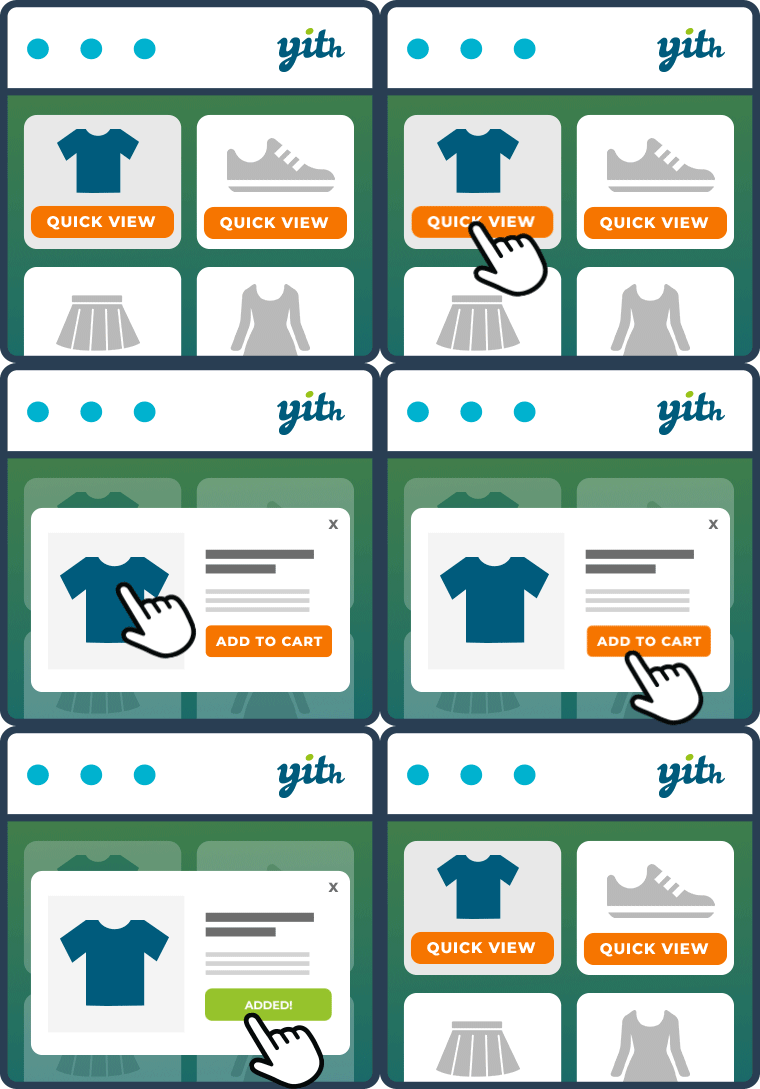



Daily downloads
Download spikes usually follow a new release — each site that auto-updates counts as a download.
Rankings
Where Addonify stands todayWordPress.org search rankings
Live position in the plugin search, top 100| Keyword | Position |
|---|---|
| Products Quick View | #3 |
| quick view | #3 |
| quickview | #6 |
| woocommerce | >100 |
| woocommerce quick view | #4 |
Version adoption
Share of active sites per release.
Rating breakdown
★★★★★★★★★★ 5 from 3 reviews
About Addonify – Quick View For WooCommerce
From the official readme · v2.0.6Description
Addonify WooCommerce Quick View plugin adds functionality to have a quick preview of WooCommerce product on a popup modal.
🌍 Official Demo: Link 1
🌍 Official Demo: Link 2
📜 Documentation: Doc Link
If you run an online e-commerce shop, then you must be familiar with the number of products that your users will see in your store page. This plugin allows your website visitors to quickly view the product summary instead of going through each product’s detail page. This could save the time of your visitors & increase your revenue.
🦄 MAIN FEATURES:
✅ Easy to use.
✅ Super light-weight & optimized for performance.
✅ Add a quick view button in product loop to open a modal window with the product summary using AJAX.
✅ Display product image or gallery on quick view modal.
✅ Display product title, price, add to cart button, excerpt and view detail button on quick view modal.
✅ Disable quick view on mobile device.
✅ Modal box opening & closing animations.
✅ Modal content row direction layout.
✅ Change a label for the “Quick view” button.
✅ Display icon on “Quick view” button.
✅ Choose spinner icon.
✅ Customize what you would like to display inside the modal box.
✅ Display product detail page link in modal.
✅ Close modal on ESC key pressed.
✅ Close modal when clicked outside.
✅ Display/Hide modal close button.
✅ JavaScript API for developers.
✅ Developer friendly & easy to implement according to your need.
✅ Add custom CSS if required from admin setting page.
✅ Clean setting page design.
✅ Friendly support.
🌈 DESIGN OPTIONS:
✅ Customize quick view button text color.
✅ Customize quick view button background color.
✅ Customize quick view border color.
✅ Customize quick view button border radius.
✅ Customize modal box background color.
✅ Customize modal overlay mask background color.
✅ Customize modal box border color.
✅ Customize modal text colors.
✅ Customize modal box border radius.
✅ Customize modal CSS z-index.
✅ Customize spinner icon color.
✅ Customize spinner icon size.
✅ Customize WC Gallery border color.
✅ Customize WC Gallery icon color.
✅ Customize WC Gallery icon background color.
✅ Customize WC Gallery icon size.
✅ Customize WC product image border.
✅ Customize WC Gallery thumbnails gap.
✅ Customize WC Gallery thumbnails number in row.
✅ Customize product title color.
✅ Customize product title font size.
✅ Customize product title font weight.
✅ Customize price color.
✅ Customize price font size.
✅ Customize rating stars color.
✅ Customize misc buttons inside modal box color.
✅ More customization options, give it a try.
💎 PRO
Addonify Quick View Pro version comes with more advanced features and customization options. Some of the features are:
✅ Track the viewed products with analytics.
✅ Add the related products in quick view modal.
✅ Add product navigation.
✅ Enable social sharing from quick view modal.
✅ Enable AJAX add to cart in quick view modal.
✅ Unlock additional color options.
✅ Unlock additional options to customize the modal.
📄 SHORTCODE
The shortcode below can used to display quick view button.
[addonify_quick_view_button id=”1″ label=”Quick View” classes=”btn” icon=”icon_one” icon_position=”left”]
The shortcode attributes used are as follows:
- id: Product id.
- label: Button label.
- classes: CSS classes.
- icon: Button icon. Use any one attribute value from
icon_one,icon_two,icon_three, …,icon_six. - icon_position: Button icon position if
iconattribute is set. Use eitherleftorright.
👨💻 DEVELOPER:
Developers, we got you. Follow the links below to easily customize Addonify Quick View as you like.
✅ Custom quick view button Check Doc
✅ Using Hooks & Filters Check Doc
✅ Overwrite plugin template file Check Doc
✅ JavaScript API Check Doc
Still not sure how to start? Create a new discussion and we will help you out.
🤎 FEEDBACK & SUPPORT:
Let’s make Addonify Quick View better together. We are open to discuss how we can improve our plugin. You’re always welcome to join the discussion and share your ideas with us.
🌍 Feedback – Have feedback or I would love to rate.
🪲 Report BUG – Option – 1 or Option – 2.
📦 UPCOMING FEATURES:
- Modal width with responsive control.
- Modal padding with responsive control.
- Modal content gap with responsive control.
- Quick view for Gutenberg WooCommerce products blocks.
- More customization options.
- Do you have any requests to make? Let’s discuss on what you would like to see in the next version.
Installation
- Download the plugin.
- Unzip the downloaded zip file.
- Upload the plugin folder into the
wp-content/plugins/directory of your WordPress site. - Activate
Addonify WooCommerce Quick Viewfrom Dashboard > Plugins.
Changelog
2.0.6 – 16 July, 2026
- Updated: UDP Agent.
2.0.5 – 15 February, 2026
- Fix: Broken Access Control in UDP Agent (CVSS 5.3). Credits to Legion Hunter. Unauthenticated attacker can update option value for “udp_agent_allow_tracking” via “init” hook due to missing authorization and nonce check in it’s callback function “on_init”.
2.0.4 – 25 March, 2025
- Tested: WordPress version 6.8
- Tested: WooCommerce version 9.7.1
2.0.3 – 29 November, 2024
- Fix: readme.
2.0.2 – 29 November, 2024
- Fix: readme.
2.0.1 – 29 November, 2024
- Fix: Documentation link.
- Updated: Readme.
Screenshots


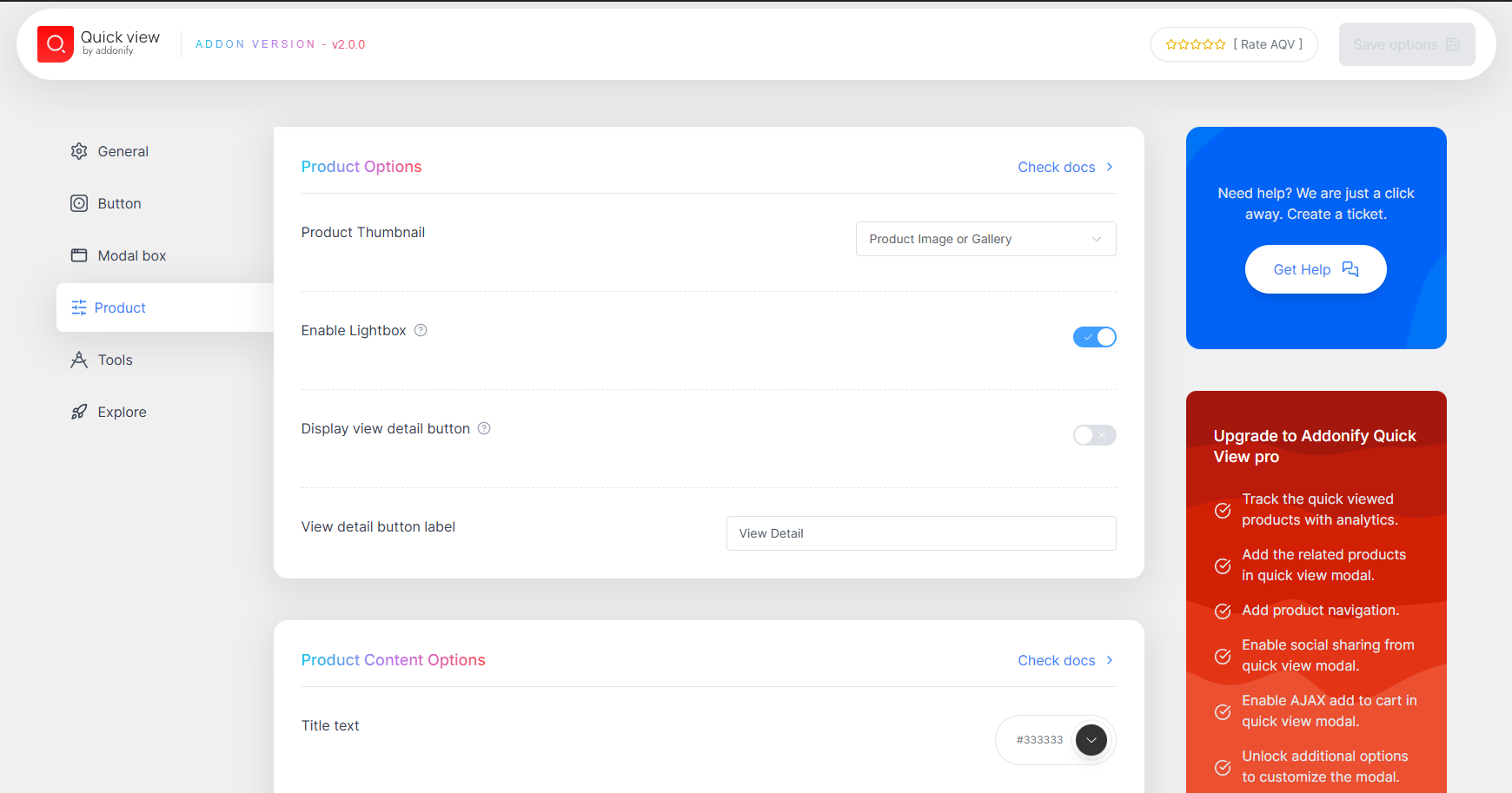
For developers
Is this your plugin? Show off the numbers.
Add a live badge to your site, docs or GitHub README. It updates on its own — no account needed.
Best Addonify alternatives
All Products Quick View plugins →


FAQ
Addonify: quick answers
Straight answers, pulled from live WordPress.org data.
Live data from WordPress.org · checked Sep 28, 2026
Is Addonify free?
Yes. Addonify is free to download and use from the official WordPress.org plugin directory.
Is Addonify safe to use in 2026?
Addonify is a solid plugin choice in 2026, with a few things worth checking first. It runs on 2K+ sites, is rated 5/5 and was last updated 2 months ago, and scores 69/100 on our health check.
How many websites use Addonify?
Addonify is active on 2K+ WordPress websites and has been downloaded 57,469 times since it launched in August 2020. It was downloaded 516 times in the last 30 days.
Does Addonify work with WordPress 7.1?
Addonify is officially tested up to WordPress 7.0.6, while the latest release is 7.1.2. It may still work, but try it on a staging site first.
What PHP version does Addonify need?
Addonify requires PHP 7.4 or higher. Most hosts run PHP 8.x today, so it works on any modern WordPress hosting.
When was Addonify last updated?
The latest version, 2.0.6, was released on July 16, 2026 (2 months ago).
Who makes Addonify?
Addonify is developed and maintained by Addonify.
What are the best alternatives to Addonify?
The most popular alternatives to Addonify are YITH WooCommerce Quick View (80K+ installs), Quick View WooCommerce (1K+ installs) and Quick View For WooCommerce (1K+ installs).
Powered by PageForge
Want thousands of pages that rank like these? Build them in an afternoon.
This directory runs on the same engine as PageForge. Turn any spreadsheet, CSV or API into thousands of fast, SEO-ready WordPress pages — with schema, internal links and AI-written copy baked in.
- CSV, Google Sheets & API data sources
- AI content, schema & internal links per page
- Works with Elementor, Gutenberg, Yoast & Rank Math
- Free on WordPress.org — no credit card


