



Acknowledgify
Acknowledgify lets agencies, freelancers, and developers add credits to WordPress sites via humans.txt, meta tags, and footer links.

Use with caution
Acknowledgify works, but test it on a staging site before relying on it in 2026. It runs on 100+ sites and was last updated 2 months ago, and scores 59/100 on our health check.
- Small user base (100+ active installs)
- Very few reviews so far
Daily downloads
Download spikes usually follow a new release — each site that auto-updates counts as a download.
Rankings
Where Acknowledgify stands todayWordPress.org search rankings
Live position in the plugin search, top 100| Keyword | Position |
|---|---|
| acknowledgments | #9 |
| credits | >100 |
| footer links | >100 |
| humans.txt | #2 |
| meta tags | >100 |
Version adoption
Share of active sites per release.
About Acknowledgify
From the official readme · v1.1.5Description
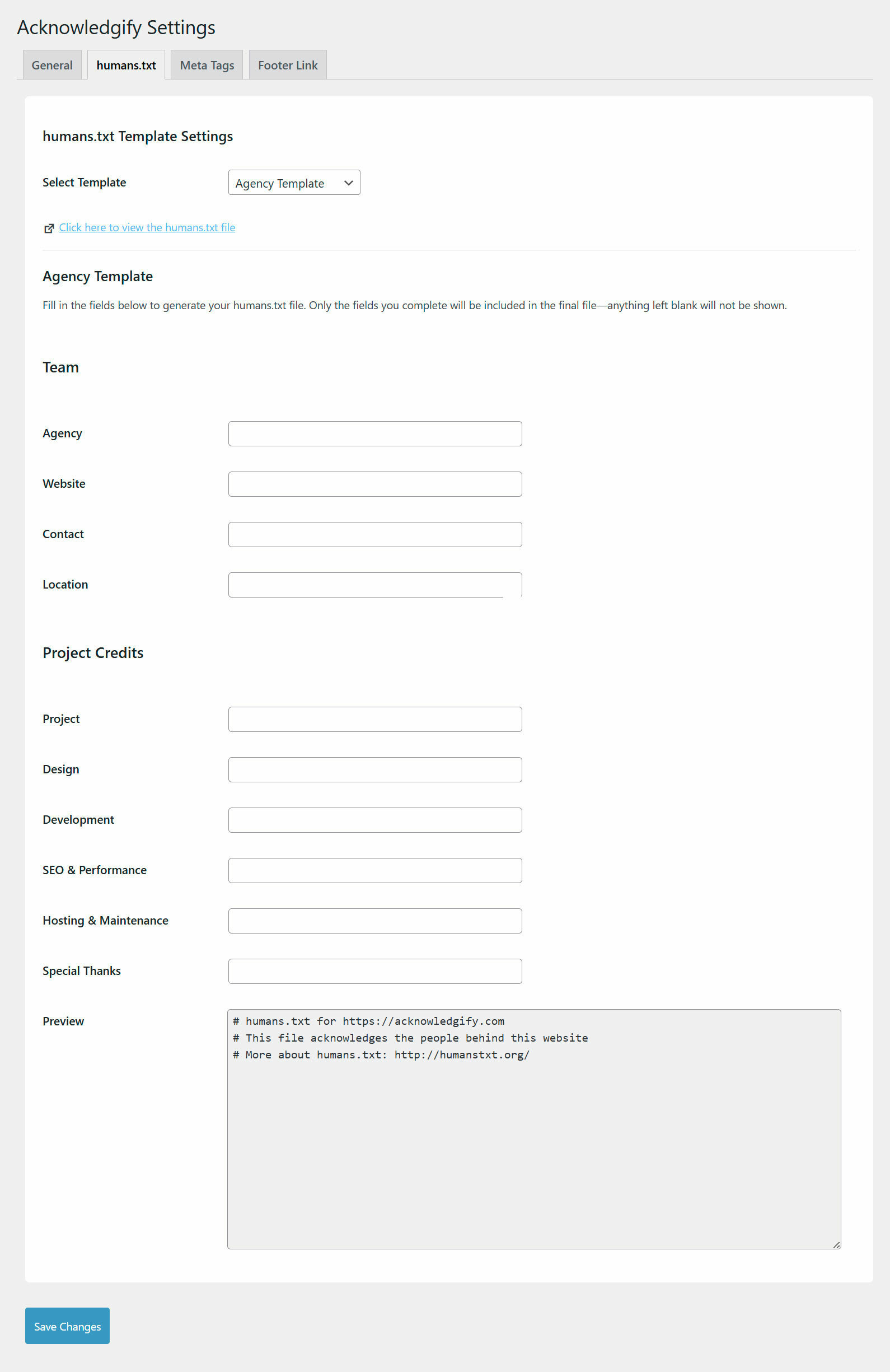
Give credit where it’s due! Acknowledgify is a lightweight and flexible plugin that allows developers, freelancers, and agencies to showcase their contributions to a website.
Key features include:
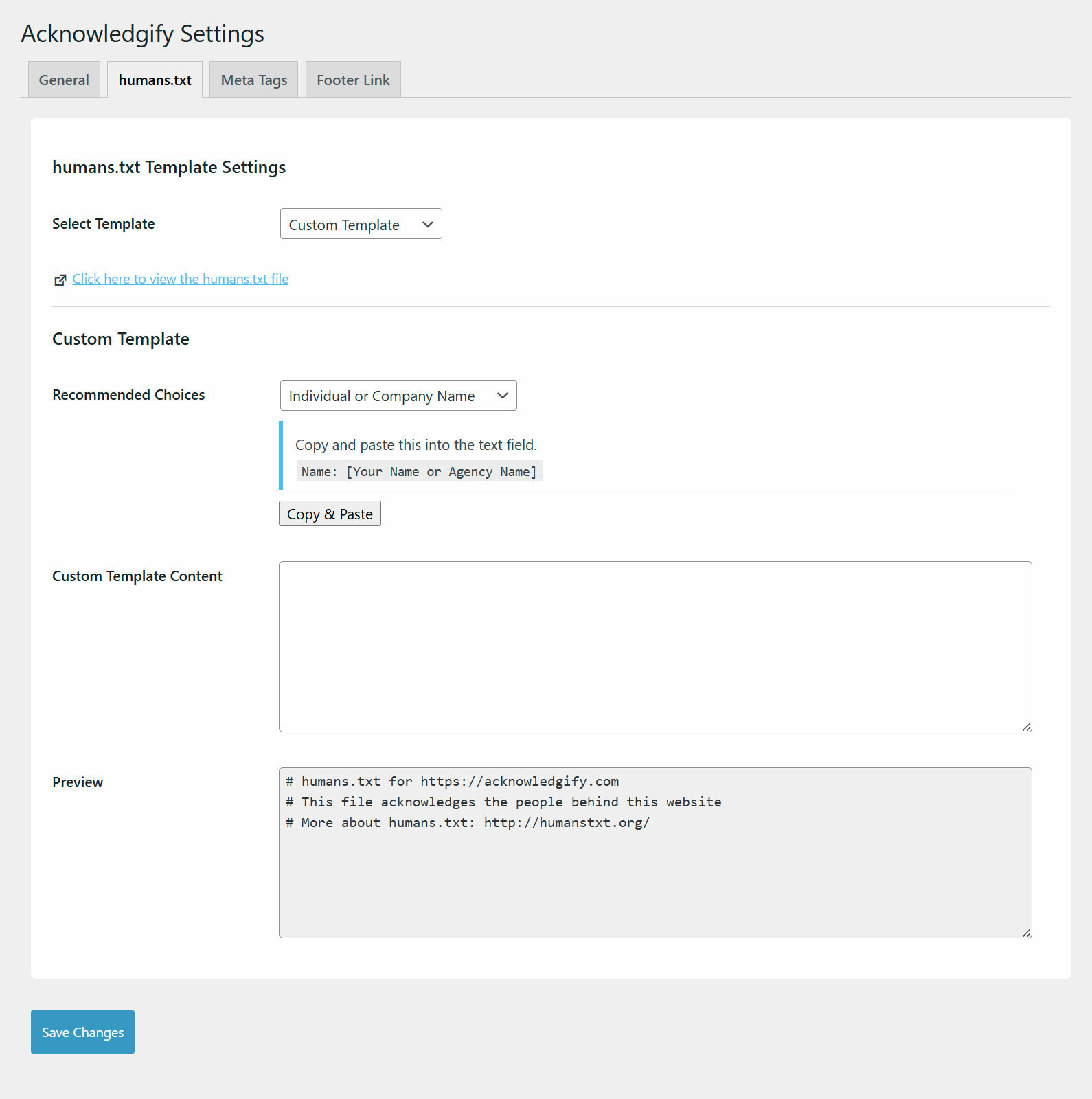
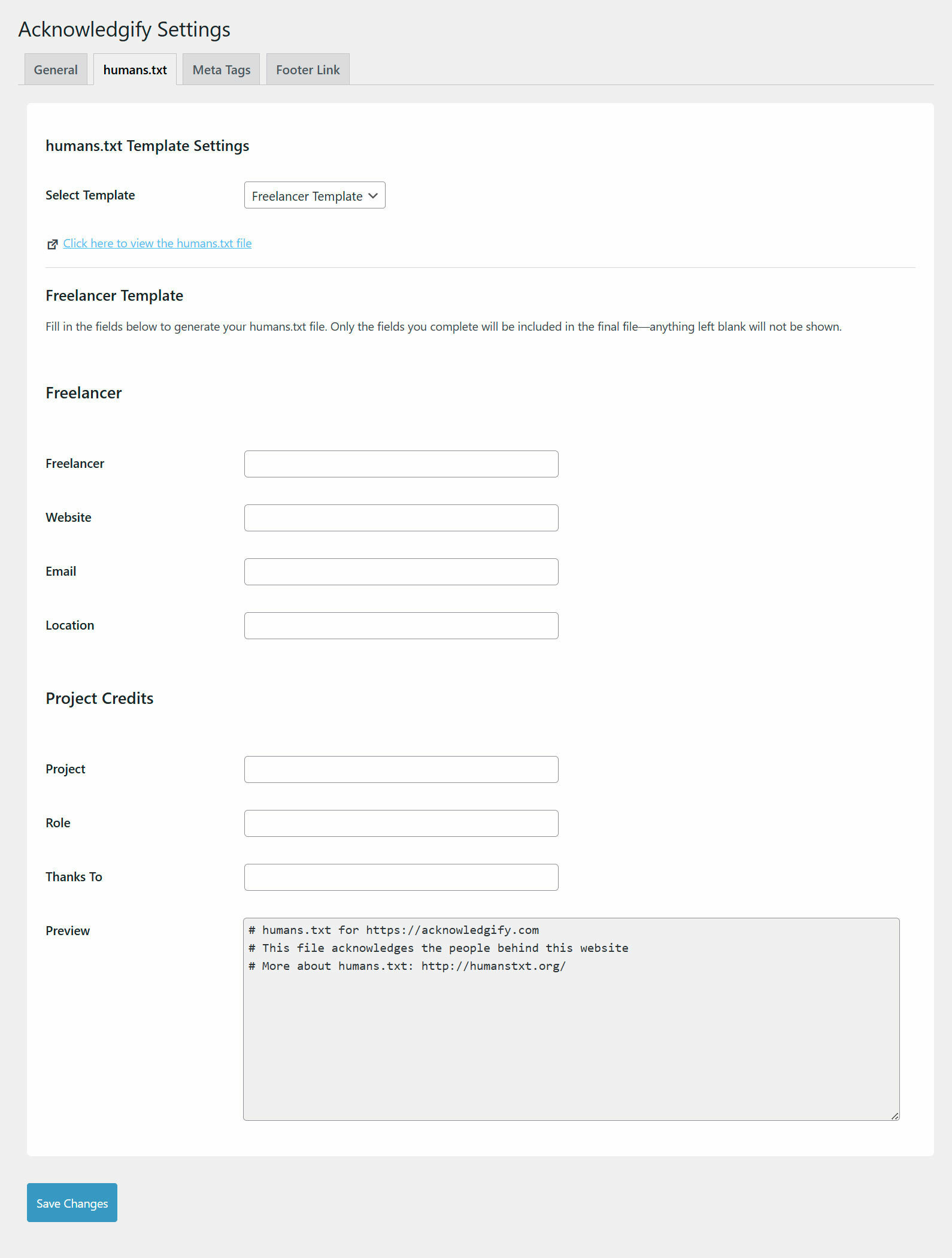
- humans.txt Generator – Automatically create a virtual
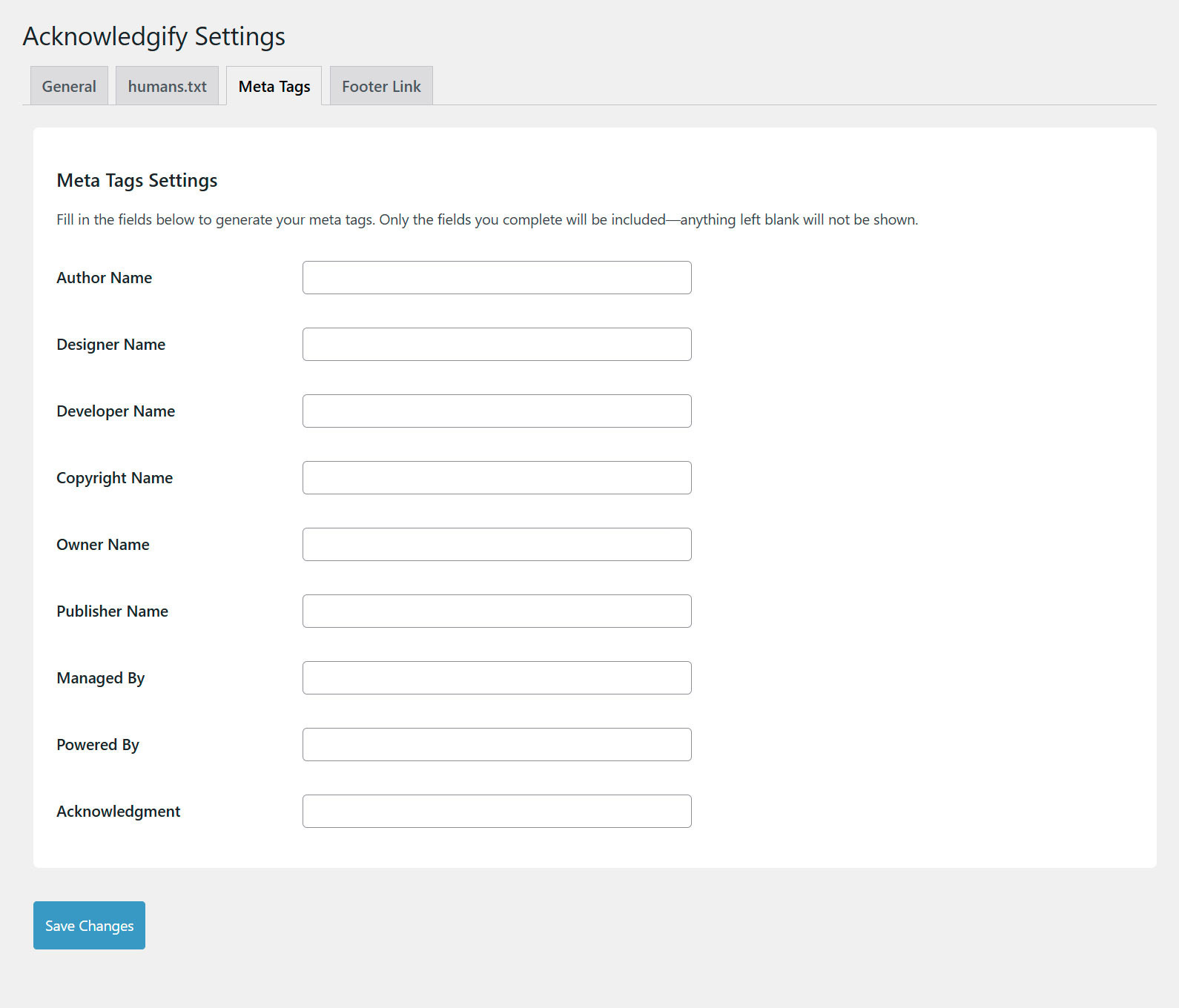
humans.txtfile to recognize contributors such as developers, designers, and agencies. - Meta Tags for Acknowledgment – Insert author, designer, developer, and publisher meta tags dynamically into the
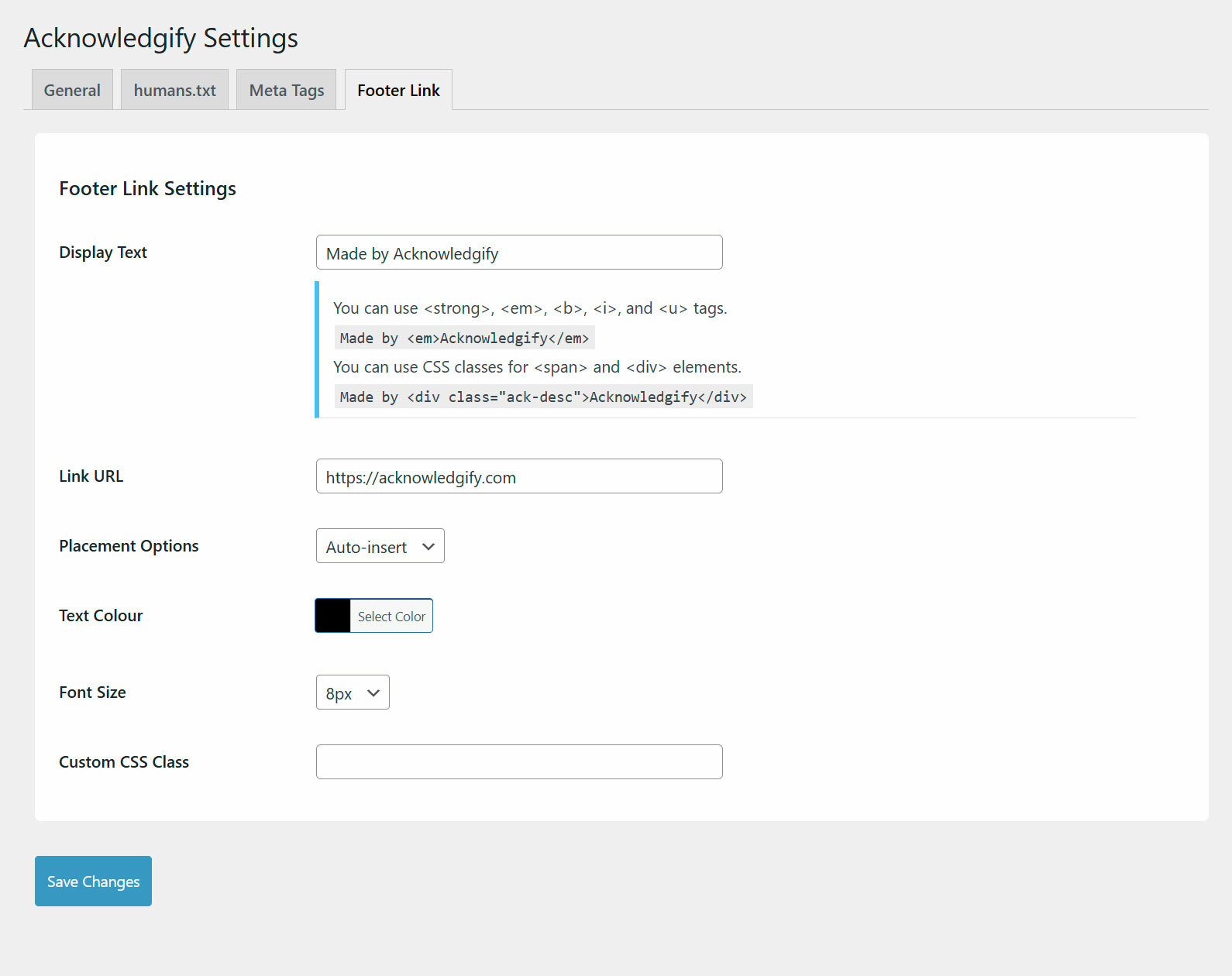
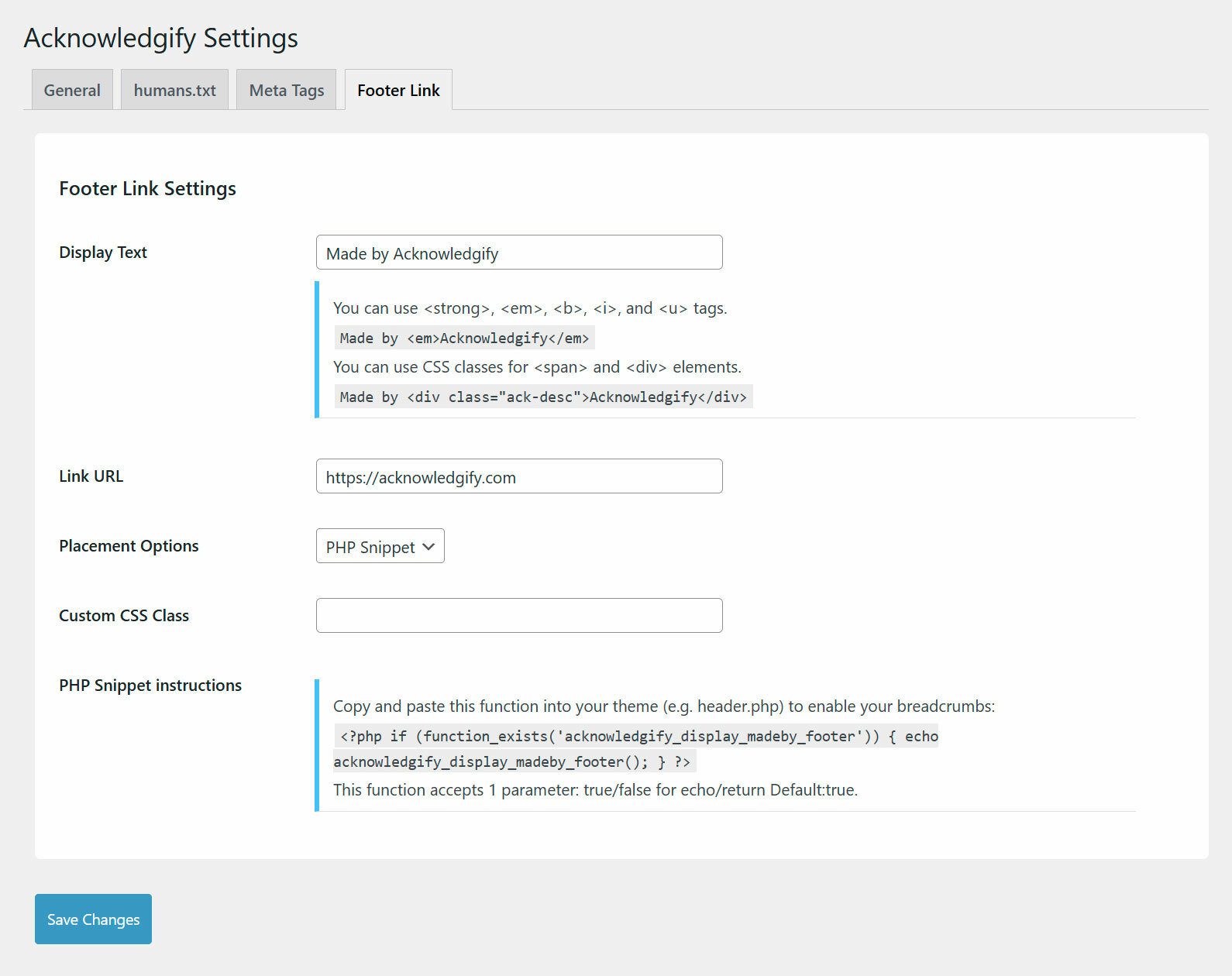
<head>section. - Customizable Footer Link – Add a discreet, styled acknowledgment link in the footer with flexible placement options:
- Auto-Insert: Automatically place the link at the bottom of the site.
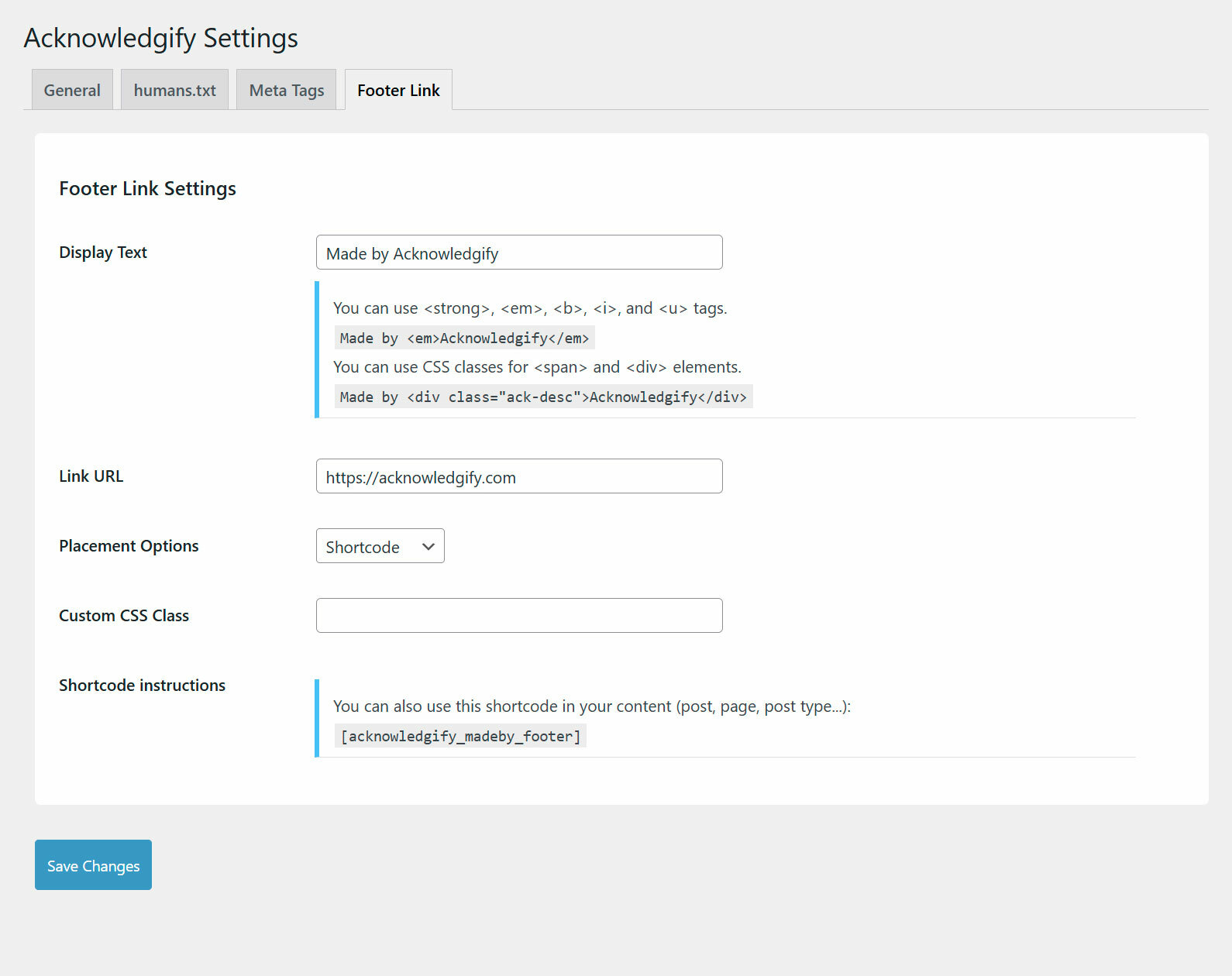
- Shortcode: Use
[acknowledgify_madeby_footer]in any post, page, or widget for custom placement. - PHP Snippet: Manually insert the acknowledgment via
<?php if (function_exists('acknowledgify_display_madeby_footer')) { echo acknowledgify_display_madeby_footer(); } ?>.
- Lightweight & Compatible – Designed for performance, fully compatible with WordPress 6.0+ and PHP 8.0+.
- Built to be Translated – Includes translations and supports further multilingual setups.
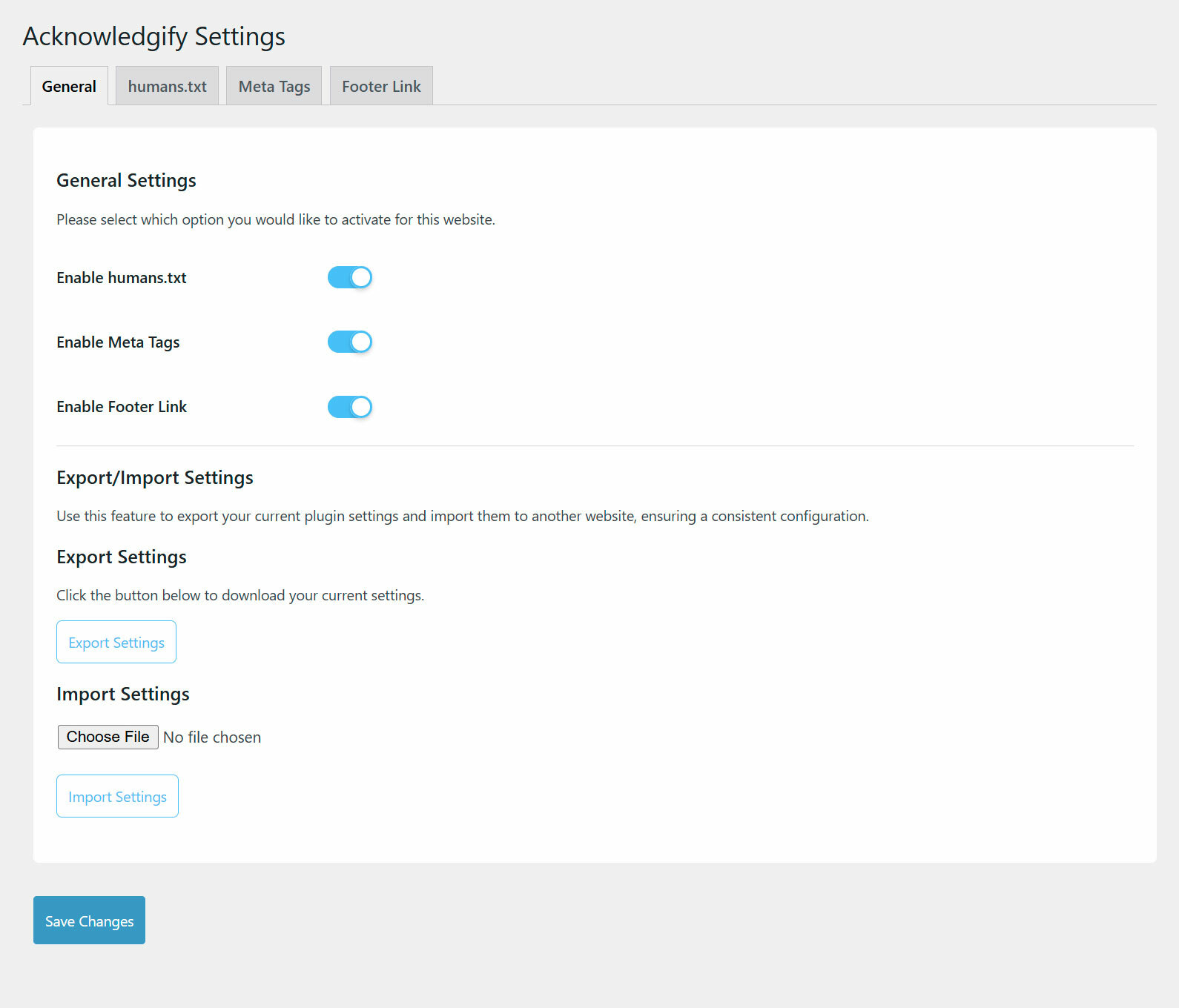
- Export/Import Features – Simplify plugin setup across multiple websites with seamless export and import functionality.
With Acknowledgify, you can showcase your work in a non-intrusive way while maintaining flexibility over how and where the acknowledgment appears.
Translation-Ready & Multilingual Support:
Acknowledgify is fully translation-ready and supports multiple languages via WordPress.org’s translation system. Translations will be automatically downloaded based on your site’s language settings.
Links
Support
For documentation and support, visit:
https://acknowledgify.com
License & Credits
This plugin is licensed under GPL-2.0+.
Inspired by the humans.txt initiative.
Installation
- Upload the
acknowledgifyfolder to the/wp-content/plugins/directory. - Activate the plugin through the ‘Plugins’ menu in WordPress.
- Navigate to Settings > Acknowledgify to configure your acknowledgment settings.
Frequently asked questions
What is a `humans.txt` file?
A humans.txt file is a simple text file placed at the root of a website to credit the people and technologies behind it.
Will this plugin slow down my website?
No. Acknowledgify is lightweight and dynamically generates the acknowledgments without unnecessary database queries or file writes.
Can I customize the acknowledgment text?
Yes! The plugin provides customizable templates for humans.txt, meta tags, and footer text.
Will it work with my theme?
Acknowledgify is tested with major themes and page builders like Gutenberg, Elementor, Bricks, and Divi. If your theme has custom footer structures, manual placement options are available.
Is this plugin translation-ready?
Yes! Acknowledgify is fully translation-ready and supports automatic translations via translate.wordpress.org.
What options are available for inserting the footer link?
Acknowledgify provides three flexible options for inserting the footer acknowledgment link: – Auto-Insert: Automatically adds the acknowledgment link at the bottom of the website. – Shortcode: Use [acknowledgify_madeby_footer] within posts, pages, or widgets for precise placement. – PHP Snippet: Developers can manually insert the acknowledgment link within theme files using . – These options provide full control, making it easy to integrate the acknowledgment into various layouts.
How can I report security bugs?
You can report security bugs through the Patchstack Vulnerability Disclosure Program. The Patchstack team helps validate, triage and handle any security vulnerabilities. Report a security vulnerability.
Changelog
1.1.5
- Fixed permalinks issue – canonical redirects are no longer disabled site-wide
- humans.txt now returns a proper 404 when the feature is disabled
- Removed redundant rewrite rules flush on every page load
- Fixed humans.txt escaping – names such as “Smith & Jones” and multi-line custom templates now appear exactly as entered
- Footer acknowledgment link now includes rel=”noopener”
- New “Link styling” option – Text Colour and Font Size now apply in all three placement modes, or can be switched off entirely so you can style .ack-footer-link with your own CSS. Existing sites keep their current appearance.
- acknowledgify_display_madeby_footer() now accepts true/false to echo or return, matching the documented behaviour
- Settings are now saved and sanitised correctly, and the Managed By meta tag no longer discards its value
- Import now reports accurate errors instead of always claiming success
1.1.4
- Security patches
1.1.3
- Added VDP disclaimer
1.1.2
- Permalink redirect issue fix
1.1.1
- Minor fixes for settings import/export feature
1.1.0
- Added Export/Import feature to easily back up and restore plugin settings.
- Upgraded the plugin interface for a modern and user-friendly experience.
- Enabled basic HTML tags in the “Display Text” field for Footer Link Settings.
Screenshots
For developers
Is this your plugin? Show off the numbers.
Add a live badge to your site, docs or GitHub README. It updates on its own — no account needed.
FAQ
Acknowledgify: quick answers
Straight answers, pulled from live WordPress.org data.
Live data from WordPress.org · checked Oct 5, 2026
Is Acknowledgify free?
Yes. Acknowledgify is free to download and use from the official WordPress.org plugin directory.
Is Acknowledgify safe to use in 2026?
Acknowledgify works, but test it on a staging site before relying on it in 2026. It runs on 100+ sites and was last updated 2 months ago, and scores 59/100 on our health check.
How many websites use Acknowledgify?
Acknowledgify is active on 100+ WordPress websites and has been downloaded 2,101 times since it launched in March 2025. It was downloaded 158 times in the last 30 days.
Does Acknowledgify work with WordPress 7.1?
Acknowledgify is officially tested up to WordPress 7.0.6, while the latest release is 7.1.2. It may still work, but try it on a staging site first.
What PHP version does Acknowledgify need?
Acknowledgify requires PHP 8.0 or higher. Most hosts run PHP 8.x today, so it works on any modern WordPress hosting.
When was Acknowledgify last updated?
The latest version, 1.1.5, was released on August 8, 2026 (2 months ago).
Who makes Acknowledgify?
Acknowledgify is developed and maintained by Made Neat.
Powered by PageForge
Want thousands of pages that rank like these? Build them in an afternoon.
This directory runs on the same engine as PageForge. Turn any spreadsheet, CSV or API into thousands of fast, SEO-ready WordPress pages — with schema, internal links and AI-written copy baked in.
- CSV, Google Sheets & API data sources
- AI content, schema & internal links per page
- Works with Elementor, Gutenberg, Yoast & Rank Math
- Free on WordPress.org — no credit card


