



ABMsense – Visitor Identification for B2B Pipeline Growth
ABMsense helps businesses identify website visitors and predict similar organizations to drive B2B pipeline growth with AI-powered insights.

Consider an alternative
ABMsense shows warning signs in 2026 — compare the alternatives below before installing. It runs on 20+ sites, is rated 5/5 and was last updated 1 year ago, and scores 40/100 on our health check.
- Small user base (20+ active installs)
- Very few reviews so far
- No update in over a year
- Only tested up to WordPress 6.8 (latest is 7.1)
How does it stack up?
Side-by-side on installs, updates, ratings & support



Daily downloads
Download spikes usually follow a new release — each site that auto-updates counts as a download.
Rankings
Where ABMsense stands todayWordPress.org search rankings
Live position in the plugin search, top 100| Keyword | Position |
|---|---|
| b2b | #100 |
| lead generation | >100 |
| sales pipeline | #15 |
| visitor identification | #8 |
| visitor tracking | >100 |
Version adoption
Share of active sites per release.
Rating breakdown
★★★★★★★★★★ 5 from 4 reviews
About ABMsense
From the official readme · v4.0.14Description
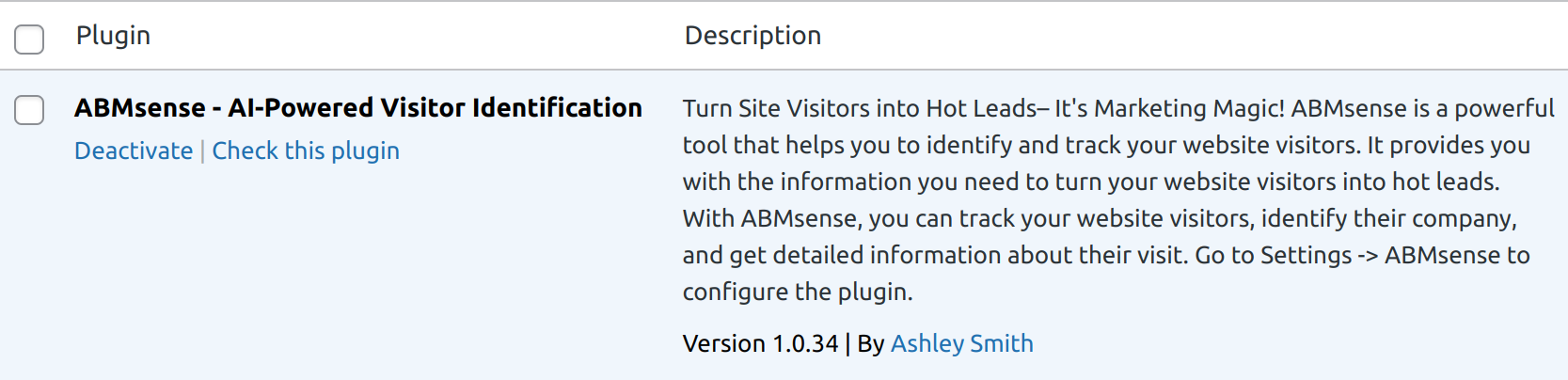
ABMsense helps businesses identify website visitors and predict similar organizations to drive B2B pipeline growth.
The plugin provides accurate visitor insights directly to your inbox, eliminating the need for complicated dashboards or software.
It’s perfect for small and medium-sized businesses (SMBs) looking to enhance their account-based marketing strategies.
ABMsense is simple to install, free to use, and integrates seamlessly with your WordPress site.
With AI-driven predictions, it helps you convert website traffic into qualified leads.
Key Features:
- One-click installation for quick setup.
- Identifies business visitors for detailed insights.
- Weekly visitor intelligence sent to inbox.
- AI-driven predictions for high-quality leads.
- Boosts B2B sales pipeline through insights.
- Smart dashboards
- All insights via email.
- Export data in CSV for analysis.
- Built-in GDPR compliance for privacy protection.
- Lead scoring to prioritize qualified leads.
- Intelligence leads for high marketing ROI.
- Coming soon: Integration with Slack.
- Coming soon: Integration with popular CRMs like Salesforce and HubSpot.
License
This plugin is licensed under GPLv2 or later. For more information, see https://www.gnu.org/licenses/gpl-2.0.html.
Installation
- Go to your WordPress Dashboard.
- Navigate to Plugins > Add New.
- Search for ABMsense.
- Click Install Now, then Activate.
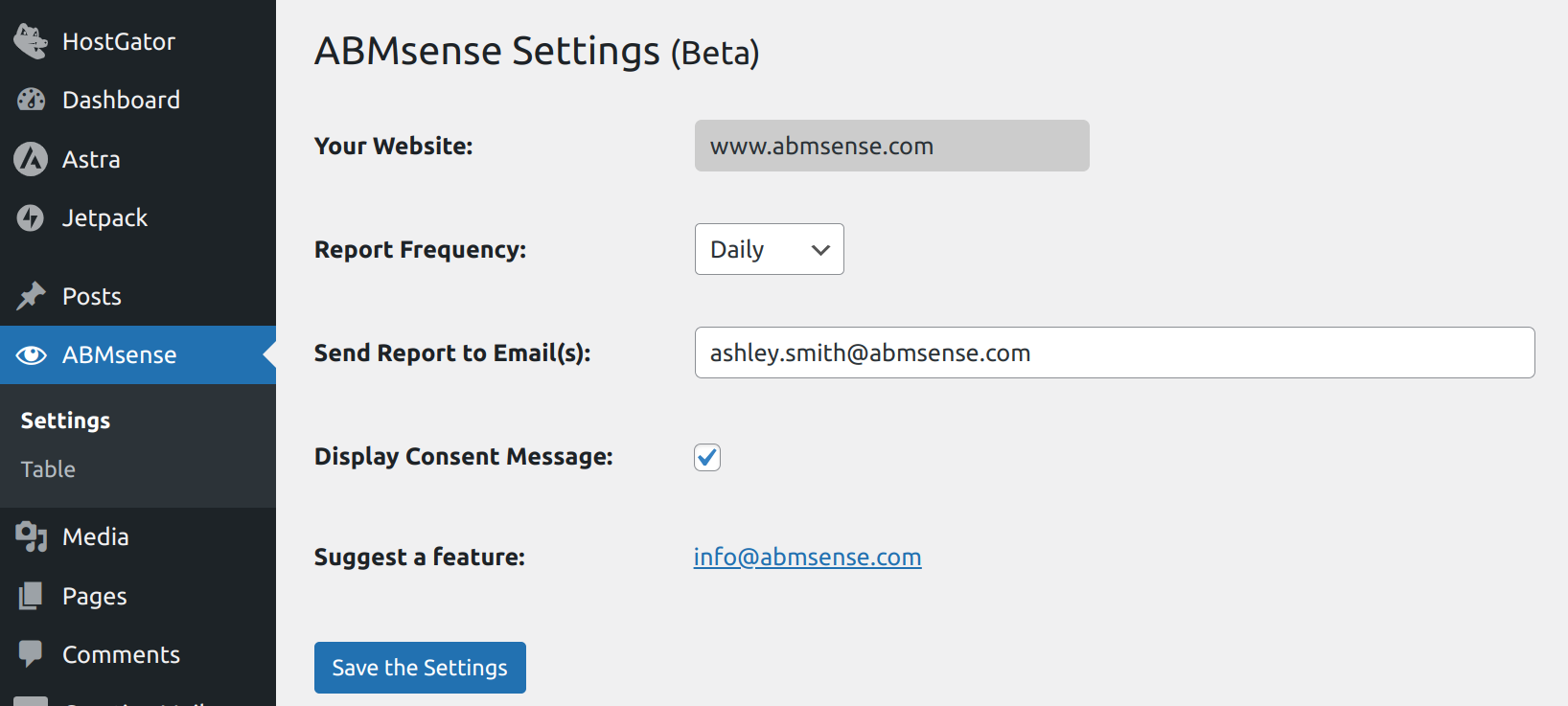
- Configure the plugin settings by going to the ABMsense settings page.
- Enter your email to start receiving weekly visitor insights directly to your inbox.
Frequently asked questions
How do I install the ABMsense plugin?
You can install ABMsense directly from your WordPress dashboard by navigating to Plugins > Add New and searching for ABMsense. Then, click Install Now and activate the plugin.
Is ABMsense free to use?
Yes, ABMsense is completely free to use.
Does ABMsense store my visitor data?
No, ABMsense does not store any visitor data on external servers. All data is sent directly to your inbox and remains private.
Can I export the visitor data?
Yes, ABMsense allows you to export visitor data in CSV format for easy analysis.
Does ABMsense comply with GDPR regulations?
Yes, ABMsense is fully compliant with GDPR and protects user privacy.
How do I receive visitor insights?
Once the plugin is installed, weekly insights will automatically be sent to your email address.
Can I customize the visitor tracking settings?
Yes, ABMsense allows you to customize tracking settings to suit your business needs.
Is CRM integration available?
Not yet, but coming soon: integration with popular CRMs like Salesforce and HubSpot.
Does ABMsense use 3rd party tools?
Yes, ABMsense leverages API, AI LLM technologies, and IP analysis solutions to provide comprehensive and accurate information.
Is ABMsense compatible with all WordPress themes and plugins?
Yes, ABMsense is designed to be compatible with a wide range of WordPress themes and plugins. If you encounter any issues, our support team is here to help.
What data will I receive in my reports?
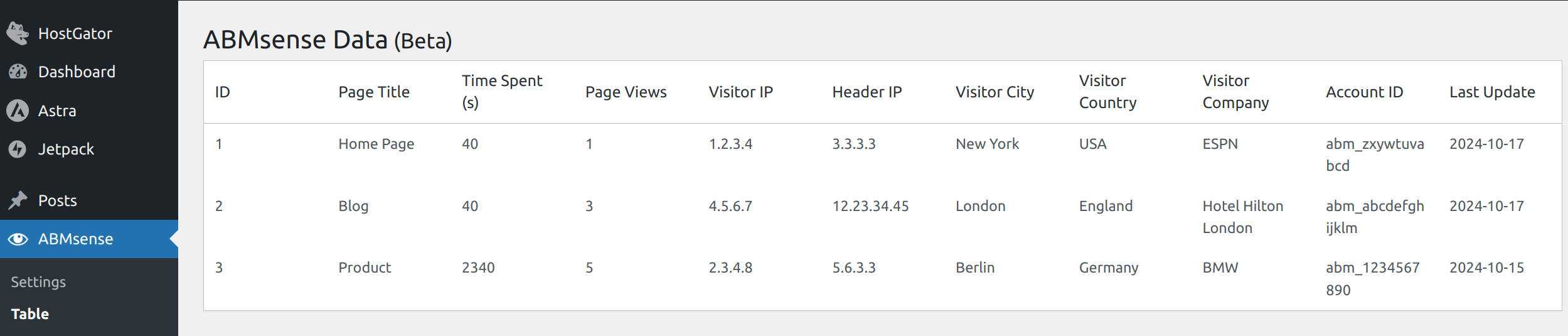
You’ll receive a CSV file with 15 key parameters, including information about the visitor’s organization, location, and behavior on your site.
Does ABMsense require any technical knowledge to set up?
Not at all! ABMsense is designed for easy, one-click deployment. Simply install the plugin, configure your email preferences, and start receiving insights without any technical hassle.
Changelog
1.0.34
- Initial release of ABMsense.
2.0.6
- Adding Easy settings page and Easy to read and export report
- Change default report from daily to weekly
- Support SSL fallback
3.0.14
- New: Dashboard with graphical UI
- Added: Total Identified Companies display
- Added: Lead Scoring section
- Added: Filter by Time Period
- Note: Demo data is shown until real visitor data is collected
- Changed “All time” text to “Last 90 days” in time period selectors for better clarity
3.2.6
- Removed Export page
- Adding Export CSV inside the Identified Companies table
3.3.35
- Added: User Management table
- Added: Hot Lead Alerts
4.0.14
- Added: New Integration page in the admin dashboard for managing third-party integrations
- Added: Slack Integration support with the following features:
- Connect ABMsense to your Slack workspace
- Receive real-time visitor notifications in your chosen Slack channel
- Toggle integration on/off as needed
Screenshots

For developers
Is this your plugin? Show off the numbers.
Add a live badge to your site, docs or GitHub README. It updates on its own — no account needed.
Best ABMsense alternatives
All b2b plugins →





FAQ
ABMsense: quick answers
Straight answers, pulled from live WordPress.org data.
Live data from WordPress.org · checked Oct 5, 2026
Is ABMsense free?
Yes. ABMsense is free to download and use from the official WordPress.org plugin directory.
Is ABMsense safe to use in 2026?
ABMsense shows warning signs in 2026 — compare the alternatives below before installing. It runs on 20+ sites, is rated 5/5 and was last updated 1 year ago, and scores 40/100 on our health check.
How many websites use ABMsense?
ABMsense is active on 20+ WordPress websites and has been downloaded 2,533 times since it launched in October 2024. It was downloaded 111 times in the last 30 days.
Does ABMsense work with WordPress 7.1?
ABMsense is officially tested up to WordPress 6.8.10, while the latest release is 7.1.2. It may still work, but try it on a staging site first.
What PHP version does ABMsense need?
ABMsense requires PHP 7.2 or higher. Most hosts run PHP 8.x today, so it works on any modern WordPress hosting.
When was ABMsense last updated?
The latest version, 4.0.14, was released on May 18, 2025 (1 year ago).
Who makes ABMsense?
ABMsense is developed and maintained by HBSS Technologies.
What are the best alternatives to ABMsense?
The most popular alternatives to ABMsense are Wholesale Suite (20K+ installs), B2BKing (10K+ installs) and Leadinfo (7K+ installs).
Powered by PageForge
Want thousands of pages that rank like these? Build them in an afternoon.
This directory runs on the same engine as PageForge. Turn any spreadsheet, CSV or API into thousands of fast, SEO-ready WordPress pages — with schema, internal links and AI-written copy baked in.
- CSV, Google Sheets & API data sources
- AI content, schema & internal links per page
- Works with Elementor, Gutenberg, Yoast & Rank Math
- Free on WordPress.org — no credit card


