


4Linking — Internal Linking on Autopilot: Rules, Pillar Pages & Link Map
Automatic internal linking for WordPress — no more adding links by hand. Keyword rules, pillar pages and a visual link map.

Solid choice
4Linking is a solid plugin choice in 2026, with a few things worth checking first. It runs on 90+ sites, is rated 5/5 and was last updated 1 month ago, and scores 70/100 on our health check.
- Small user base (90+ active installs)
- Very few reviews so far
How does it stack up?
Side-by-side on installs, updates, ratings & support



Daily downloads
Download spikes usually follow a new release — each site that auto-updates counts as a download.
Rankings
Where 4Linking stands todayWordPress.org search rankings
Live position in the plugin search, top 100| Keyword | Position |
|---|---|
| interlinking | #6 |
| internal linking | #9 |
| link building | #22 |
| pillar pages | #1 |
| seo | >100 |
Version adoption
Share of active sites per release.
Rating breakdown
★★★★★★★★★★ 5 from 4 reviews
About 4Linking
From the official readme · v4.6.146Description
4Linking automates internal linking in WordPress. You define the rules once — which keywords link to which pages — and the plugin keeps your internal link structure clean and consistent across the whole site, from a small blog to an editorial site with thousands of posts, without the manual work internal linking usually requires.
4Linking is built around a simple, controllable idea: rules. Instead of guessing or linking by hand, you tell the plugin how your content should connect — and it applies those relationships automatically as you publish.
Key features
- Rule-based internal linking — decide which keywords link to which URLs, with custom anchor text, frequency caps and priority. You stay in full control of every link the plugin creates.
- Pillar pages — mark your strategic pages so related content sends them preferential internal links, reinforcing your most important URLs.
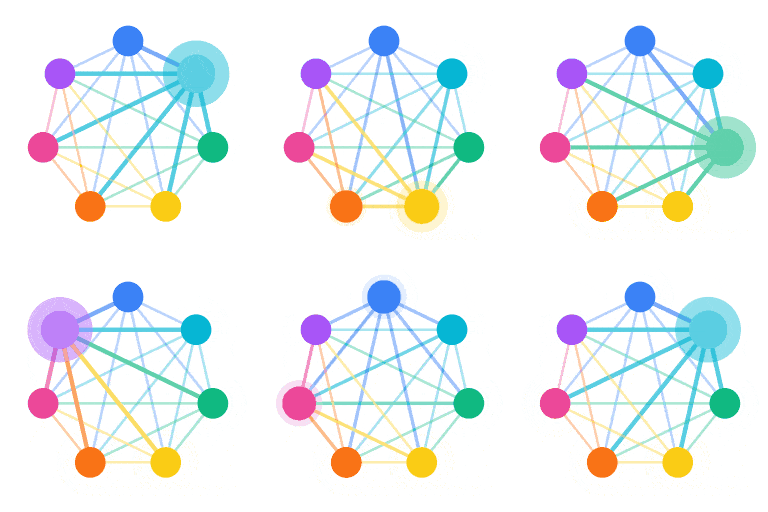
- Visual link map — see how internal links are distributed across your site at a glance, with totals per rule and per page.
- URL exclusions — keep specific URLs (legal pages, login, checkout…) out of internal linking entirely, so links only land where you want them.
- Synonyms and variations — a rule can match a keyword and its variations, so natural writing still triggers the right links.
- Bulk processing — apply your rules across existing posts in one pass, not just on new content.
- Block editor and Classic editor — works with both, no setup friction.
- Runs entirely on your server — no external services, no account, no signup. Your content never leaves your site.
Who it’s for
- Bloggers and site owners who want a tidy internal link structure without editing every post by hand.
- Online editors and media sites publishing daily, who need internal architecture to scale without becoming a full-time job.
- SEO agencies and content teams that need to apply consistent linking rules reliably across one site or many.
Why 4Linking
There are many SEO plugins, and they all have their place. 4Linking does one job well: serious internal linking, with full control.
- Alongside your SEO plugin (Yoast, Rank Math) — those handle analysis and on-page SEO; 4Linking handles the actual mechanics of internal linking. They complement each other.
- Versus manual linking — no more opening old posts to add links by hand. Define a rule once and it applies everywhere, including posts you publish later.
- Versus guesswork — every link follows an explicit rule you wrote, so you always know why a link exists and where it points.
Privacy and data
4Linking runs entirely on your own server, using WordPress’s standard database and APIs. It makes no calls to any external service, requires no account and collects no data. Your content stays on your site.
Looking for AI content and semantic linking?
4Linking has a separate commercial version, 4Linking PRO, available at 4linking.com. It adds AI article generation, semantic internal linking, knowledge bases, AI image generation, translation and automation pipelines. PRO is a separate product — this free plugin is fully functional on its own and is not time-limited or feature-gated in any way.
Requirements
- WordPress 6.0 or higher
- PHP 7.4 or higher
Installation
- In your WordPress admin, go to Plugins → Add New and search for 4Linking, or upload the plugin ZIP under Plugins → Add New → Upload Plugin.
- Activate the plugin through the Plugins menu.
- A 4Linking entry appears in your admin menu. The welcome screen walks you through the basics.
- Go to 4Linking → Linking to create your first pillar pages and linking rules, then run a bulk pass over your existing posts.
Frequently asked questions
Is 4Linking really free?
Yes. This version is completely free, fully functional and runs entirely on your server. There’s no account, no signup, no usage limit and no time limit.
Does 4Linking work with my SEO plugin (Yoast, Rank Math, etc.)?
Yes. 4Linking complements general SEO plugins rather than replacing them. Yoast and Rank Math handle analysis, meta tags and on-page SEO; 4Linking handles internal linking mechanics. Many users run both together without issues.
Will it touch links I added myself?
No. 4Linking only manages the links it creates from your rules. Your manual links are left untouched, and you can exclude any URL you don’t want it to act on.
Can I apply rules to posts I already published?
Yes. Besides linking new content as you publish, you can run a bulk pass that applies your active rules across existing posts.
Is 4Linking compatible with WooCommerce?
Yes. The plugin works alongside WooCommerce without conflicts and treats product pages like any other content type.
What happens to my data if I uninstall the plugin?
By default, uninstalling 4Linking removes its data: rules, pillar pages, exclusions, settings and the link map. There’s an option in the plugin settings to preserve your data on uninstall if you prefer.
Where do I get support?
Please use the WordPress.org support forum. Community support is provided there.
Changelog
Removes the Semantic column from the link map in this edition.
4.6.126
- Fixed: the link map no longer shows a “Semantic” column, which belongs to the premium edition. Added a safeguard so cached scripts can’t bring it back.
4.6.125
- Fixed: a few interface labels on the rules screen showed in Spanish regardless of the site language. Everything now follows the WordPress language setting.
4.6.124
- Fixed: the link map no longer shows a “Semantic links” card or column, which belong to the premium edition.
4.6.123
- Fixed: the link map could show an empty table. The stats queries no longer reference a table that only exists in the premium edition.
4.6.122
- Updated plugin listing: clearer description, refined tags and an introduction video.
4.6.121
- Onboarding: the welcome screen now opens with an introduction video.
Screenshots


For developers
Is this your plugin? Show off the numbers.
Add a live badge to your site, docs or GitHub README. It updates on its own — no account needed.
Best 4Linking alternatives
All interlinking plugins →


FAQ
4Linking: quick answers
Straight answers, pulled from live WordPress.org data.
Live data from WordPress.org · checked Oct 10, 2026
Is 4Linking free?
Yes. 4Linking is free to download and use from the official WordPress.org plugin directory.
Is 4Linking safe to use in 2026?
4Linking is a solid plugin choice in 2026, with a few things worth checking first. It runs on 90+ sites, is rated 5/5 and was last updated 1 month ago, and scores 70/100 on our health check.
How many websites use 4Linking?
4Linking is active on 90+ WordPress websites and has been downloaded 1,021 times since it launched in May 2026. It was downloaded 206 times in the last 30 days.
Does 4Linking work with WordPress 7.1?
4Linking is officially tested up to WordPress 7.0.7, while the latest release is 7.1.3. It may still work, but try it on a staging site first.
What PHP version does 4Linking need?
4Linking requires PHP 7.4 or higher. Most hosts run PHP 8.x today, so it works on any modern WordPress hosting.
When was 4Linking last updated?
The latest version, 4.6.146, was released on August 27, 2026 (1 month ago).
Who makes 4Linking?
4Linking is developed and maintained by 04Code.
What are the best alternatives to 4Linking?
The most popular alternatives to 4Linking are SEO Links Interlinking (10+ installs), Interlinko (10+ installs) and WP What Links Here (10+ installs).
Powered by PageForge
Want thousands of pages that rank like these? Build them in an afternoon.
This directory runs on the same engine as PageForge. Turn any spreadsheet, CSV or API into thousands of fast, SEO-ready WordPress pages — with schema, internal links and AI-written copy baked in.
- CSV, Google Sheets & API data sources
- AI content, schema & internal links per page
- Works with Elementor, Gutenberg, Yoast & Rank Math
- Free on WordPress.org — no credit card


