


2FOX4 Before After
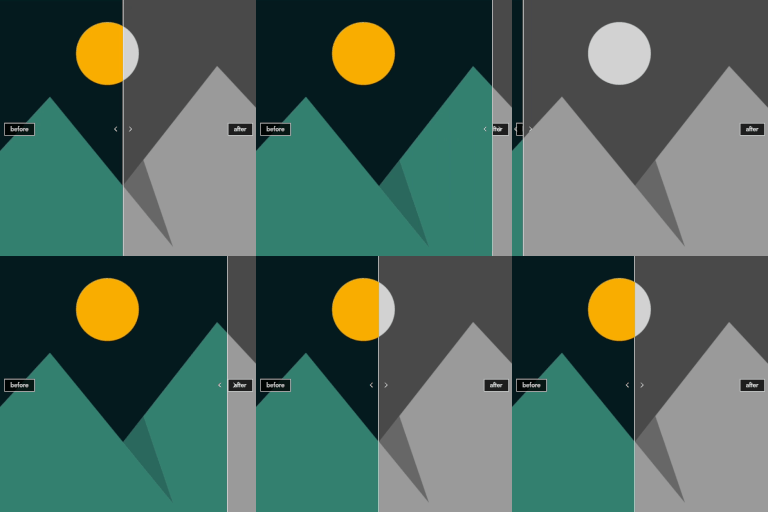
Compare two images with an interactive before/after slider. Supports Gutenberg, Shortcode and Elementor.

Consider an alternative
2FOX4 Before After shows warning signs in 2026 — compare the alternatives below before installing. Was last updated 6 months ago, and scores 36/100 on our health check.
- Small user base (<10 active installs)
- Very few reviews so far
- Only tested up to WordPress 6.9 (latest is 7.1)
How does it stack up?
Side-by-side on installs, updates, ratings & support



Daily downloads
Download spikes usually follow a new release — each site that auto-updates counts as a download.
Rankings
Where 2FOX4 Before After stands todayWordPress.org search rankings
Live position in the plugin search, top 100| Keyword | Position |
|---|---|
| before after | >100 |
| compare | >100 |
| image comparison | >100 |
| image slider | >100 |
| slider | >100 |
About 2FOX4 Before After
From the official readme · v1.1.3Description
Von Oliver Deppe von 2FOX4.
2FOX4 Before After lets you create beautiful, interactive image comparisons with a draggable slider. Perfect for showcasing transformations, renovations, photo edits, and any kind of visual before/after comparison.
Features
- Three ways to use: Gutenberg Block, Shortcode, and Elementor Widget
- Two comparison modes: “Slider” (images move with the divider) or “Reveal” (both images stay fixed, divider reveals one over the other)
- Horizontal & Vertical mode: Choose the slider orientation that fits your layout
- Adjustable start position: Set where the divider appears on load (0–100%)
- Custom labels: Add “Before” and “After” text overlays (or any custom text)
- Divider color: Pick any color for the divider line and handle
- Hover mode: Slider follows the mouse cursor instead of requiring a drag
- Touch support: Works perfectly on mobile devices with touch gestures
- Loading animation: Smooth entrance animation when the slider appears
- Custom CSS class: Add your own class for additional styling
- Keyboard accessible: Navigate the slider with arrow keys
- Lightweight: No jQuery dependency on the frontend, pure vanilla JavaScript
Shortcode Usage
[bfas_before_after_slider before="URL" after="URL"]
Full example with all options:
[bfas_before_after_slider before="https://example.com/before.jpg" after="https://example.com/after.jpg" start="30" mode="reveal" orientation="horizontal" label_before="Before" label_after="After" divider_color="#ffffff" hover="0" animate="1" css_class="my-class"]
Shortcode Parameters
- before (required) — URL of the before image
- after (required) — URL of the after image
- start — Start position in percent (default: 50)
- mode — “slider” or “reveal” (default: slider). In reveal mode, both images stay fixed and the divider reveals one over the other.
- orientation — “horizontal” or “vertical” (default: horizontal)
- label_before — Text label for the before side
- label_after — Text label for the after side
- divider_color — Hex color for the divider (default: #ffffff)
- hover — Set to “1” to enable hover mode (default: 0)
- animate — Set to “1” for entrance animation (default: 0)
- css_class — Custom CSS class for the container
External services
This plugin includes a voluntary donation link that points to PayPal (paypal.com). The link is displayed inside an admin notice (“Buy me a coffee”) and does not transmit any data automatically. No connection to PayPal is made unless the site administrator clicks the link themselves.
- Service provider: PayPal (Europe) S.à r.l. et Cie, S.C.A.
- PayPal Terms of Service
- PayPal Privacy Policy
Installation
- Upload the plugin folder to the
/wp-content/plugins/directory, or install the plugin through the WordPress plugins screen directly. - Activate the plugin through the ‘Plugins’ screen in WordPress.
- Use the Gutenberg block “2FOX4 Before After”, the Elementor widget, or the
[bfas_before_after_slider]shortcode to add image comparisons to your pages.
Frequently asked questions
Does this plugin work with Elementor?
Yes! The plugin includes a native Elementor widget. After activation, you will find the “2FOX4 Before After” widget in the Elementor panel under the General category.
Does it work on mobile devices?
Yes, the slider has full touch support and works smoothly on all mobile devices and tablets.
Can I use multiple sliders on one page?
Yes, you can add as many sliders as you need. Each one works independently.
What image sizes should I use?
Both images should have the same dimensions for the best visual result. The slider will work with different sizes, but the comparison is most effective with matching images.
Changelog
WordPress.org review compliance: fixed Plugin URI, proper output escaping, prefixed shortcode name.
1.1.3
- Fix: Corrected Plugin URI to point to a valid, publicly accessible URL.
- Fix: Replaced all phpcs:ignore escape comments with proper wp_kses() escaping for full WordPress.org compliance.
- Fix: Renamed shortcode from
before_after_slidertobfas_before_after_sliderto use a unique, prefixed name.
1.1.2
- Change: Renamed plugin from “Before After Slider” to “2FOX4 Before After” for WordPress.org uniqueness.
- Change: Updated slug and text domain to 2fox4-before-after.
1.1.1
- Fix: Properly escape translated output in donation notice (EscapeOutput compliance).
- Fix: Removed deprecated load_plugin_textdomain() call (unnecessary since WordPress 4.6).
- Fix: Updated “Tested up to” to WordPress 6.9.
- Fix: Prefixed data-nonce attribute to data-bfas-nonce for full prefix compliance.
1.1.0
- New: Added “Reveal” mode — both images stay fixed while the slider reveals one over the other.
- New: Mode selector available in Gutenberg Block, Elementor Widget, and Shortcode (mode=”reveal”).
1.0.0
- Initial release.
For developers
Is this your plugin? Show off the numbers.
Add a live badge to your site, docs or GitHub README. It updates on its own — no account needed.
Best 2FOX4 Before After alternatives
All before after plugins →




FAQ
2FOX4 Before After: quick answers
Straight answers, pulled from live WordPress.org data.
Live data from WordPress.org · checked Oct 1, 2026
Is 2FOX4 Before After free?
Yes. 2FOX4 Before After is free to download and use from the official WordPress.org plugin directory.
Is 2FOX4 Before After safe to use in 2026?
2FOX4 Before After shows warning signs in 2026 — compare the alternatives below before installing. Was last updated 6 months ago, and scores 36/100 on our health check.
How many websites use 2FOX4 Before After?
2FOX4 Before After is active on <10 WordPress websites and has been downloaded 443 times since it launched in March 2026. It was downloaded 53 times in the last 30 days.
Does 2FOX4 Before After work with WordPress 7.1?
2FOX4 Before After is officially tested up to WordPress 6.9.9, while the latest release is 7.1.2. It may still work, but try it on a staging site first.
What PHP version does 2FOX4 Before After need?
2FOX4 Before After requires PHP 8.0 or higher. Most hosts run PHP 8.x today, so it works on any modern WordPress hosting.
When was 2FOX4 Before After last updated?
The latest version, 1.1.3, was released on March 30, 2026 (6 months ago).
Who makes 2FOX4 Before After?
2FOX4 Before After is developed and maintained by 2fox4oliver.
What are the best alternatives to 2FOX4 Before After?
The most popular alternatives to 2FOX4 Before After are Ultimate Before After Image… (30K+ installs), WP Before After Image Slider (1K+ installs) and Before After Image Compare (200+ installs).
Powered by PageForge
Want thousands of pages that rank like these? Build them in an afternoon.
This directory runs on the same engine as PageForge. Turn any spreadsheet, CSV or API into thousands of fast, SEO-ready WordPress pages — with schema, internal links and AI-written copy baked in.
- CSV, Google Sheets & API data sources
- AI content, schema & internal links per page
- Works with Elementor, Gutenberg, Yoast & Rank Math
- Free on WordPress.org — no credit card


