

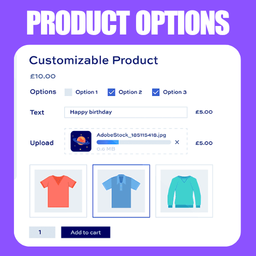
FlexiPick – Simple Extra Product Options for WooCommerce
Add extra options, toppings, and customizations to your WooCommerce products with a seamless, user-friendly interface.

Mit Vorsicht verwenden
FlexiPick works, but test it on a staging site before relying on it in 2026. Was last updated 2 months ago, and scores 60/100 on our health check.
- Getestet mit dem neuesten WordPress (7.1)
- Kleine Benutzerbasis (<10 aktive Installationen)
- Bisher sehr wenige Bewertungen
Wie stapelt es sich?
Side-by-side bei Installationen, Updates, Bewertungen und Support



Tägliche Downloads
Download-Spitzen folgen normalerweise einer neuen Version - jede Website, die automatisch aktualisiert wird, gilt als Download.
Ranglisten
Where FlexiPick stands todayWordPress.org Ranglisten suchen
Live-Position in der Plugin-Suche, Top 100| Stichwort | Position |
|---|---|
| custom product fields | >100 |
| extra options | >100 |
| Product Addons | >100 |
| Produktvarianten | >100 |
| WooCommerce | >100 |
About FlexiPick
Aus der offiziellen Readme · V1.0.3Beschreibung
FlexiPick is a powerful yet simple extension for WooCommerce that allows you to add custom extra options and add-ons to your products. Perfect for restaurants, custom product builders, or any store that needs to offer personalized item variations.
Whether you need to let customers choose toppings for a pizza, pick a size for their drink, or add premium gift wrapping, FlexiPick makes it incredibly easy. It integrates natively into your WooCommerce Product Data tabs, providing an intuitive builder to set up your product extras.
Demo: https://demo.add-ons.org/extra-product-options/
Documentation: https://add-ons.org/documentation-simple-extra-product-options-for-woocommerce/;
Pro Version: https://add-ons.org/plugin/simple-extra-product-options-for-woocommerce/;
Hauptmerkmale
- Unlimited Add-on Groups: Create as many option groups as you need per product (e.g., “Choose Toppings”, “Select Size”).
- Multiple Input Types: Support for Radio buttons (choose one) and Checkboxes (choose multiple).
- Flexible Pricing: Add a custom flat price to any individual option.
- Size Variations: Add sub-sizes with specific pricing to any option (e.g., Option: Coke -> Sizes: Small +$1, Large +$2).
- Required Options: Force customers to select an option before they can add the product to their cart.
- Native WooCommerce Integration: Add-on prices are automatically calculated into the cart total. Selected options are neatly displayed in the cart, checkout page, and backend order details.
- Beautiful Frontend UI: Clean, modern, and responsive design that looks great on any theme.
How it Works
- Go to your WordPress Admin -> Products and edit a product.
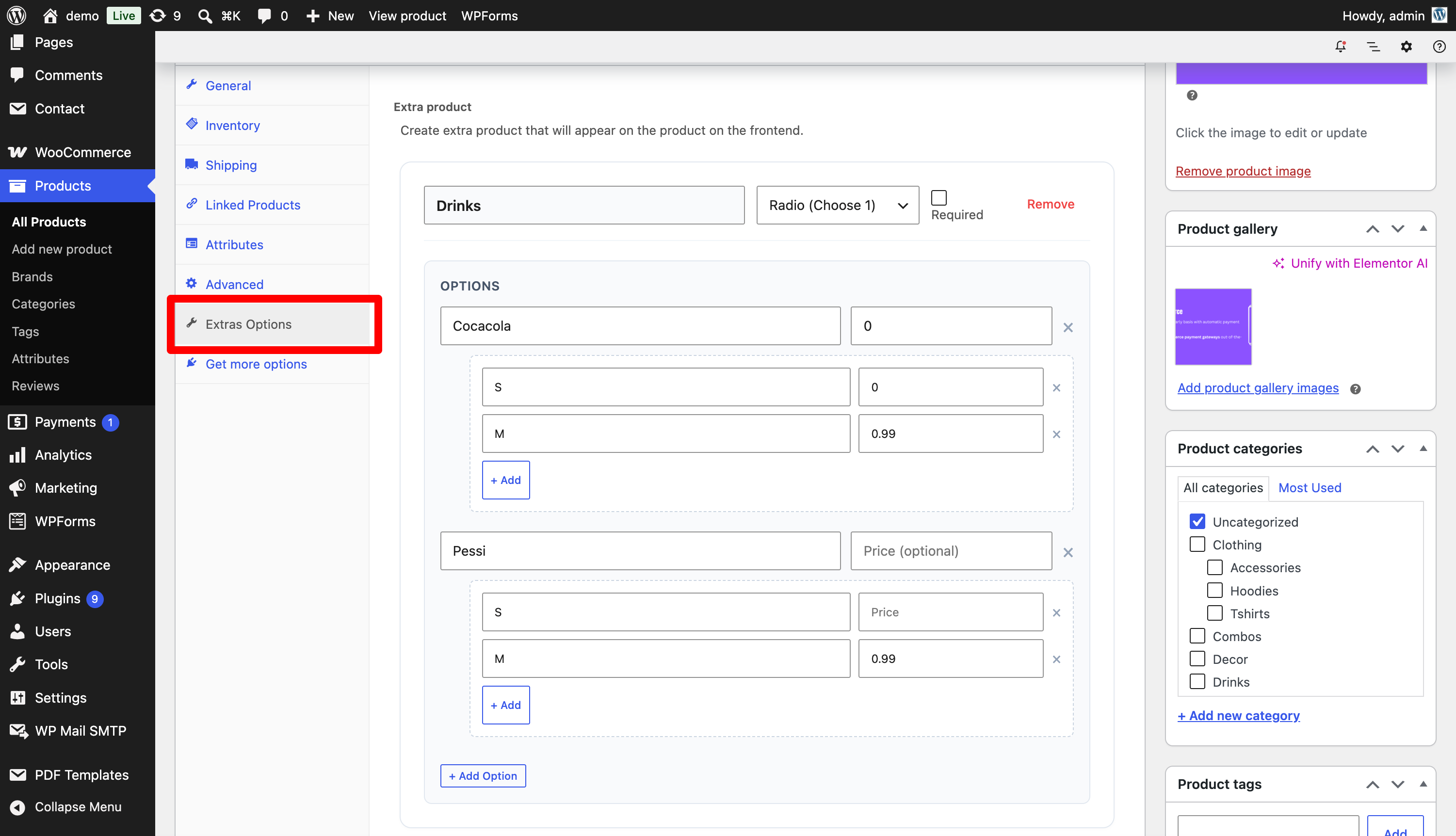
- Scroll down to the Product Data section and click on the new Extras Options tab.
- Click “+ Add extra product” to create a new group.
- Define your options, set prices, and save the product.
- The options will now beautifully display on your frontend product page!
Installation
- Upload the
flexipickfolder to your/wp-content/plugins/directory. - Aktivieren Sie das Plugin über das „Plugins“-Menü in WordPress.
- Edit any WooCommerce product and navigate to the Extras Options tab in the Product Data meta box.
- Start adding your custom options!
Änderungsprotokoll
1.0.0
- Initial release of FlexiPick.
- Added support for Checkbox and Radio input types.
- Added support for option pricing and sub-size pricing.
- Integrated with WooCommerce Cart, Checkout, and Order Items.
Screenshots
Für Entwickler
Ist das dein Plugin? Zeigen Sie die Zahlen.
Fügen Sie Ihrer Website, Docs oder GitHub Readme ein Live-Badge hinzu. Es wird von selbst aktualisiert - kein Konto erforderlich.
Best FlexiPick alternatives
All custom product fields plugins →Fragen und Antworten
FlexiPick: quick answers
Gerade Antworten, gezogen von Live WordPress.org Daten.
Quelle: WordPress.org
Is FlexiPick free?
Yes. FlexiPick is free to download and use from the official WordPress.org plugin directory.
Is FlexiPick safe to use in 2026?
FlexiPick works, but test it on a staging site before relying on it in 2026. Was last updated 2 months ago, and scores 60/100 on our health check.
How many websites use FlexiPick?
FlexiPick is active on <10 WordPress websites and has been downloaded 377 times since it launched in July 2026. It was downloaded 78 times in the last 30 days.
Does FlexiPick work with WordPress 7.1?
Yes. The developer has tested FlexiPick up to WordPress 7.1.5, the latest release. It requires WordPress 6.0 or newer.
When was FlexiPick last updated?
The latest version, 1.0.3, was released on September 28, 2026 (2 months ago).
Who makes FlexiPick?
FlexiPick is developed and maintained by add-ons.org.
What are the best alternatives to FlexiPick?
The most popular alternatives to FlexiPick are WC Fields Factory (7K+ installs), Extend Product Options for… (100+ installs) and Aldono (10+ installs).
Angetrieben von PageForge
Eine Vorlage und eine Tabelle. Eine echte Seite für jede Suche.
PageForge Verwandelt jede Zeile eines CSV in eine WordPress-Seite mit eigenem Titel, URL, SEO Felder und Schema entworfen. Kostenlos auf WordPress.org.
- CSV und XLSX, plus Google Sheets auf Beruf und Unternehmen
- seinen eigenen Titel, URL, SEO Felder und Schema für jede Seite
- Arbeitet mit dem Blockeditor, Elementor, Divi und Avada
- Kostenlos auf WordPress.org, keine Kreditkarte