

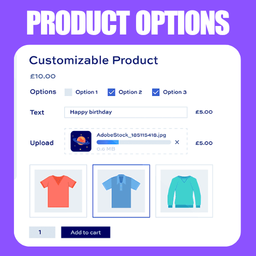
FlexiPick – Simple Extra Product Options for WooCommerce
Add extra options, toppings, and customizations to your WooCommerce products with a seamless, user-friendly interface.

Utiliser avec prudence
FlexiPick works, but test it on a staging site before relying on it in 2026. Was last updated 2 months ago, and scores 60/100 on our health check.
- Testé avec le dernier WordPress (7.1)
- Petite base d'utilisateurs (<10 installations actives)
- Très peu de critiques jusqu'à présent
Comment s'accumule-t-il ?
Côte à côte sur les installations, les mises à jour, les évaluations et le support



Téléchargements quotidiens
Les pics de téléchargement suivent généralement une nouvelle version - chaque site qui met à jour automatiquement compte comme un téléchargement.
Classements
Where FlexiPick stands todayWordPress.org Classements de recherche
Position en direct dans la recherche de plugins, Top 100| Mot-clé | Position |
|---|---|
| custom product fields | >100 |
| extra options | >100 |
| Product Addons | >100 |
| Variantes de produits | >100 |
| WooCommerce | >100 |
About FlexiPick
À partir du Lisezmoi officiel · v1.0.3Description
FlexiPick is a powerful yet simple extension for WooCommerce that allows you to add custom extra options and add-ons to your products. Perfect for restaurants, custom product builders, or any store that needs to offer personalized item variations.
Whether you need to let customers choose toppings for a pizza, pick a size for their drink, or add premium gift wrapping, FlexiPick makes it incredibly easy. It integrates natively into your WooCommerce Product Data tabs, providing an intuitive builder to set up your product extras.
Demo: https://demo.add-ons.org/extra-product-options/
Documentation: https://add-ons.org/documentation-simple-extra-product-options-for-woocommerce/;
Pro Version: https://add-ons.org/plugin/simple-extra-product-options-for-woocommerce/;
Principales caractéristiques
- Unlimited Add-on Groups: Create as many option groups as you need per product (e.g., “Choose Toppings”, “Select Size”).
- Multiple Input Types: Support for Radio buttons (choose one) and Checkboxes (choose multiple).
- Flexible Pricing: Add a custom flat price to any individual option.
- Size Variations: Add sub-sizes with specific pricing to any option (e.g., Option: Coke -> Sizes: Small +$1, Large +$2).
- Required Options: Force customers to select an option before they can add the product to their cart.
- Native WooCommerce Integration: Add-on prices are automatically calculated into the cart total. Selected options are neatly displayed in the cart, checkout page, and backend order details.
- Beautiful Frontend UI: Clean, modern, and responsive design that looks great on any theme.
How it Works
- Go to your WordPress Admin -> Products and edit a product.
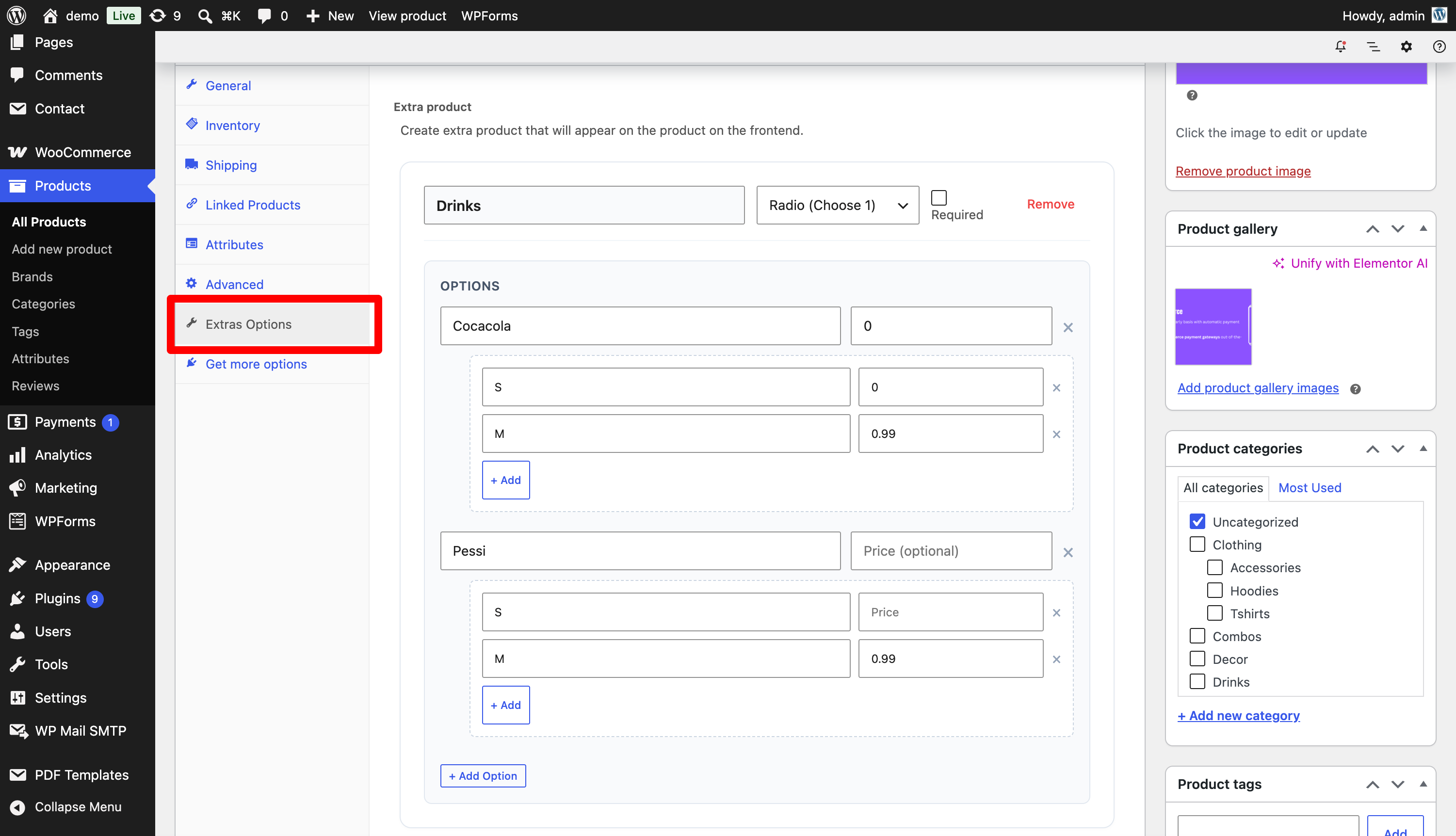
- Scroll down to the Product Data section and click on the new Extras Options tab.
- Click “+ Add extra product” to create a new group.
- Define your options, set prices, and save the product.
- The options will now beautifully display on your frontend product page!
Installation
- Upload the
flexipickfolder to your/wp-content/plugins/directory. - Activez le plugin via le menu "plugins" dans WordPress.
- Edit any WooCommerce product and navigate to the Extras Options tab in the Product Data meta box.
- Start adding your custom options!
Journal de modifications
1.0.0
- Initial release of FlexiPick.
- Added support for Checkbox and Radio input types.
- Added support for option pricing and sub-size pricing.
- Integrated with WooCommerce Cart, Checkout, and Order Items.
Captures d'écran
Pour les développeurs
Est-ce votre plugin ? Montrez les chiffres.
Ajoutez un badge en direct à votre site, docs ou github readme. Il se met à jour par lui-même - aucun compte n'est nécessaire.
Best FlexiPick alternatives
All custom product fields plugins →FAQ
FlexiPick: quick answers
Réponses directes, extraites des données en direct WordPress.org.
Source : WordPress.org
Is FlexiPick free?
Yes. FlexiPick is free to download and use from the official WordPress.org plugin directory.
Is FlexiPick safe to use in 2026?
FlexiPick works, but test it on a staging site before relying on it in 2026. Was last updated 2 months ago, and scores 60/100 on our health check.
How many websites use FlexiPick?
FlexiPick is active on <10 WordPress websites and has been downloaded 377 times since it launched in July 2026. It was downloaded 78 times in the last 30 days.
Does FlexiPick work with WordPress 7.1?
Yes. The developer has tested FlexiPick up to WordPress 7.1.5, the latest release. It requires WordPress 6.0 or newer.
When was FlexiPick last updated?
The latest version, 1.0.3, was released on September 28, 2026 (2 months ago).
Who makes FlexiPick?
FlexiPick is developed and maintained by add-ons.org.
What are the best alternatives to FlexiPick?
The most popular alternatives to FlexiPick are WC Fields Factory (7K+ installs), Extend Product Options for… (100+ installs) and Aldono (10+ installs).
Propulsé par PageForge
Un modèle et une feuille de calcul. Une vraie page pour chaque recherche.
PageForge transforme chaque ligne d'un CSV en une page WordPress avec son propre titre, URL, SEO et schéma, construit sur la mise en page que vous Déjà conçu. Gratuit sur WordPress.org.
- CSV et XLSX, plus Google Sheets sur les professionnels et les entreprises
- Son propre titre, URL, SEO champs et schéma pour chaque page
- Fonctionne avec l'éditeur de blocs, Elementor, Divi et Avada
- Gratuit sur WordPress.org, pas de carte de crédit