


Development Assistant
Toolkit for debugging and customer support.

Escolha sólida
Development Assistant is a solid plugin choice in 2026, with a few things worth checking first. It runs on 10+ sites, is rated 3/5 and was last updated 2 months ago, and scores 63/100 on our health check.
- Testado com as últimas WordPress (7.1)
- Pequena base de usuários (10+ instalações ativas)
- Muito poucos comentários até agora
Como ele se acumula?
Lado a lado em instalações, atualizações, avaliações e suporte


Downloads diários
Os picos de download geralmente seguem uma nova versão — cada site que atualiza automaticamente é um download.
Rankings
Where Development Assistant stands todayWordPress.org Classificações de pesquisa
Posição ao vivo na pesquisa de plugins, top 100| Palavra chave | Posição |
|---|---|
| debug | >100 |
| development | #20 |
| manager | >100 |
| support | >100 |
| testing | >100 |
Adoção da versão
Compartilhamento de sites ativos por lançamento.
Divisão de classificação
★★★★★★★★★★ 3 from 2 reviews
About Development Assistant
From the official readme · v1.2.12Descrição
Development Assistant is a comprehensive toolkit designed to streamline the development process and enhance support capabilities within WordPress. Whether you’re a seasoned developer or a novice WordPress user, this plugin provides essential functionalities to manage debugging, diagnose issues, and facilitate smoother development workflows.
Recursos
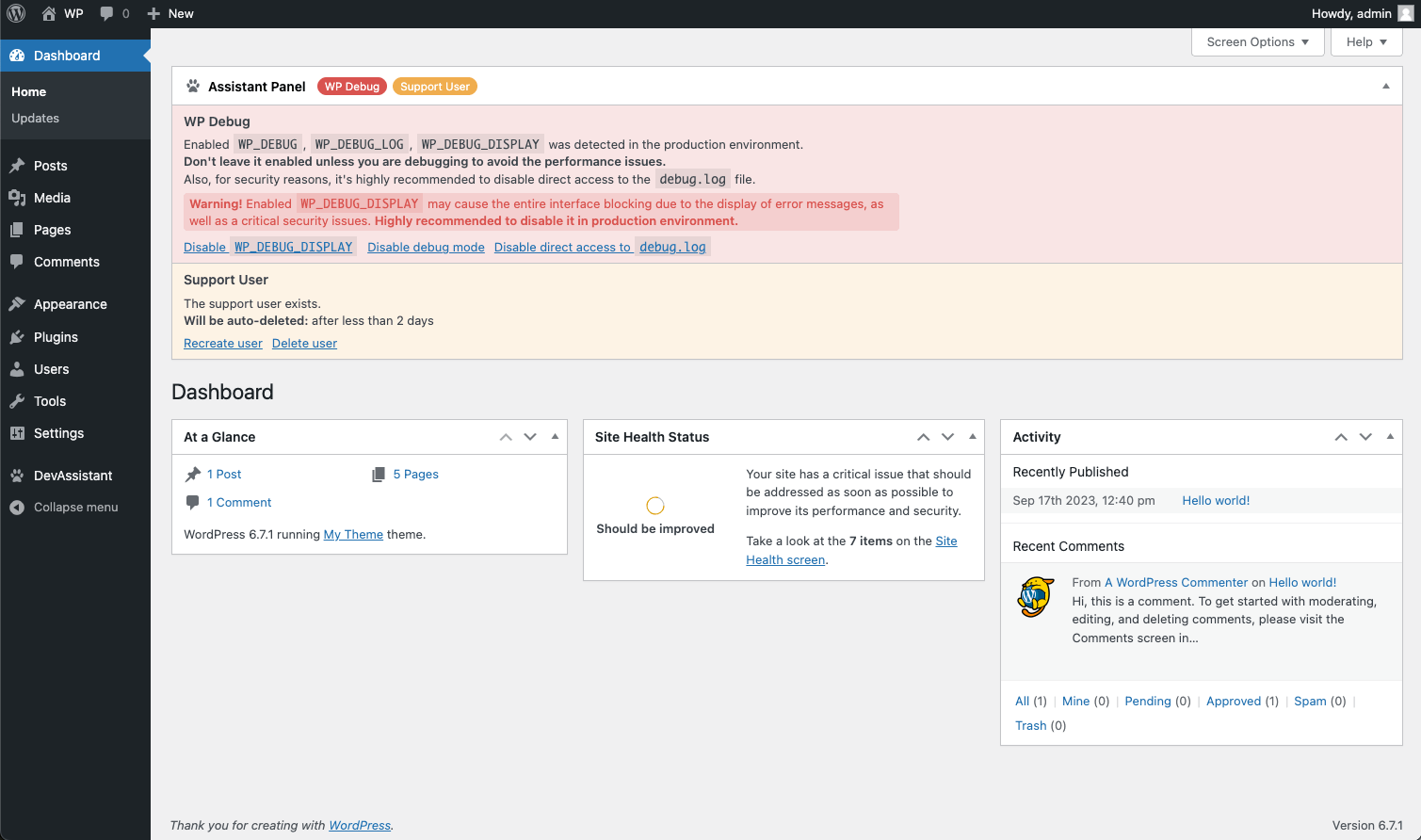
- Status and Actions in the Toolbar: Review WP Debug and Support User status and run their available actions from the Development Assistant menu in the WordPress toolbar, both in wp-admin and on the front end.
- Debugging Made Easy: Enable WP_DEBUG, WP_DEBUG_LOG, and WP_DEBUG_DISPLAY modes directly from the WordPress admin panel without the need to manually edit the wp-config.php file. Configuration changes are validated, backed up, and rolled back if they cannot be verified; unsupported syntax or filesystem restrictions are reported without claiming success.
- Create Support User in One Click: Create a support user with a single click to provide temporary access to your WordPress environment. This feature simplifies the process of sharing debugging information with developers or support teams, enabling them to diagnose and resolve issues more effectively. You can control after how many days the user will be auto-deleted. After creating a user, you can quickly copy the credentials to the clipboard, or share them via email (optionally adding a message).
- Plugin Conflict Resolution: Simplify the process of identifying and resolving plugin conflicts. Quickly compare the performance of active and inactive plugins, and temporarily disable or enable plugins to isolate issues without disrupting your entire plugin ecosystem.
- Download Plugins: Download plugins directly from the WordPress admin panel’s plugin view. Streamline your workflow by easily obtaining plugin files for offline storage, manual installation, or testing in other environments and sandboxes. This feature facilitates seamless testing of plugins in various environments, allowing for thorough evaluation and development iterations.
- Reset: Effortlessly undo any changes made by the plugin to restore your WordPress environment to its original state. This feature deletes all plugin settings and data from the database, resets debug constants to their pre-activation states, deletes the debug.log file (if it didn’t exist before activation), and activates any temporarily deactivated plugins.
Who Can Benefit
- Power Developers: Streamline your development workflow with a comprehensive toolkit tailored for debugging and issue resolution. Enhance productivity and efficiency while tackling complex WordPress projects.
- Novice Users: Empower yourself to diagnose and troubleshoot WordPress issues with ease. Quickly share debugging information with developers or support teams to expedite issue resolution and enhance your WordPress experience.
Development Assistant is your go-to solution for simplifying WordPress development tasks and enhancing support capabilities. Whether you’re troubleshooting intricate issues or optimizing your development workflow, this plugin equips you with the tools you need for success.
Log de Changes
1.2.12
- Moved assistant to admin bar menu
- Minor fixes
1.2.11
- Bug fixes and improved performance
1.2.10
- Minor fixes
1.2.9
- Fixed plugin activation logic (hook was used too late, preventing logic from executing)
1.2.8
- Just updated dependencies and codebase accordingly
1.2.7
- Fixed Assistant Panel positioning on the screen
- Fixed MailHog host handling
- Refactored code base to improve performance
Capturas de tela


Para desenvolvedores
Este é o seu plugin? Mostre os números.
Adicione um crachá ao vivo ao seu site, Documentos ou Readme do GitHub. Ele é atualizado por conta própria - nenhuma conta necessária.
Best Development Assistant alternatives
All debug plugins →




FAQ
Development Assistant: quick answers
Respostas diretas, extraídas de dados ao vivo WordPress.org.
Fonte: WordPress.org
Is Development Assistant free?
Yes. Development Assistant is free to download and use from the official WordPress.org plugin directory.
Is Development Assistant safe to use in 2026?
Development Assistant is a solid plugin choice in 2026, with a few things worth checking first. It runs on 10+ sites, is rated 3/5 and was last updated 2 months ago, and scores 63/100 on our health check.
How many websites use Development Assistant?
Development Assistant is active on 10+ WordPress websites and has been downloaded 2,740 times since it launched in March 2024. It was downloaded 101 times in the last 30 days.
Does Development Assistant work with WordPress 7.1?
Yes. The developer has tested Development Assistant up to WordPress 7.1.0, the latest release. It requires WordPress 5.0.0 or newer.
What PHP version does Development Assistant need?
Development Assistant requires PHP 7.4.0 or higher. Most hosts run PHP 8.x today, so it works on any modern WordPress hosting.
When was Development Assistant last updated?
The latest version, 1.2.12, was released on October 11, 2026 (2 months ago).
Who makes Development Assistant?
Development Assistant is developed and maintained by Dmitry Pripa.
What are the best alternatives to Development Assistant?
The most popular alternatives to Development Assistant are WP Crontrol (300K+ installs), Query Monitor (200K+ installs) and Debug Bar (20K+ installs).
Alimentado por PageForge
Um modelo e uma planilha. Uma página real para cada pesquisa.
PageForge Transforma cada linha de um CSV em uma página WordPress com seu próprio título, URL, SEO campos e esquema, construído no layout que você já desenhou. Gratuito em WordPress.org.
- CSV e XLSX, mais Google Sheets em Profissional e Empresarial
- Seu próprio título, URL, SEO campos e esquema para cada página
- Funciona com o editor de blocos, Elementor, Divi e Avada
- Gratuito em WordPress.org, sem cartão de crédito